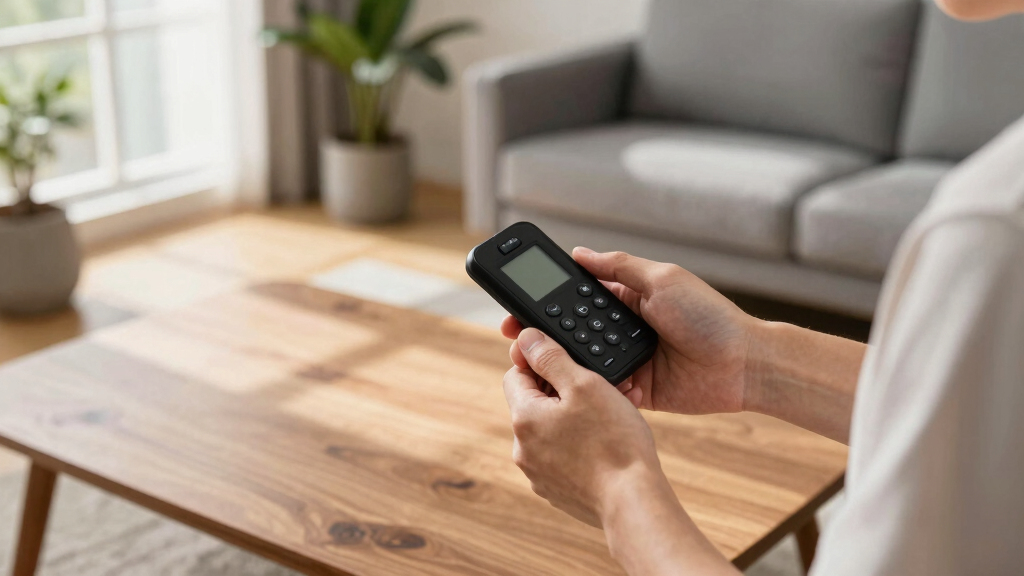

Searching for the best Flipper Zero alternatives can lead to two very different kinds of products: standalone tools that serve a similar learning purpose, and add-ons that only extend a Flipper Zero you already own. I rank the DIY USB Hacking Tool Based on Hacky Pi first for buyers who want an independent, programmable cybersecurity learning device. The Ubertooth One is my pick for focused Bluetooth protocol work, while the ESP32-S2 Wi-Fi Developer Board makes the most sense for Flipper owners who want wireless development features.

Get the latest gadgets delivered free — and shop member deals
- Fast, free delivery on millions of items
- Access to Prime Big Deal Days deals on October 6–7
- Prime Video, Amazon Music and more included
The main tradeoff is breadth versus specialization. None of the listed products reproduces the Flipper Zero’s all-in-one mix of interfaces, and three of the five are explicitly designed as Flipper Zero accessories, not replacements. I’ve ranked these options by how well they work as alternatives, how clear their use case is, and how much extra hardware or technical setup they demand. That distinction matters: a capable add-on may be useful, but it is not a standalone substitute.
Complete the kit



Key Takeaways
- Best independent learning option: Hacky Pi-based USB tool runs from USB and supports Python, making it the clearest standalone alternative here, but it focuses on USB HID work rather than Flipper Zero’s broader radio and device functions.
- Best for Bluetooth research: Ubertooth One is purpose-built for 2.4 GHz Bluetooth protocol analysis; it is far more specialized than the Hacky Pi tool and needs external software and technical knowledge.
- Best Flipper add-on for development: The ESP32-S2 board offers Wi-Fi modes, USB-C, GPIO access, and a configuration interface, but it requires a Flipper Zero and does not replace one.
- Best bundled Flipper expansion: The all-in-one Wi-Fi starter kit combines a developer board with protective accessories, while the board itself adds Wi-Fi rather than a broad set of new capabilities.
- Check what you already own: Two Wi-Fi boards and the accessory kit depend on a separate Flipper Zero, so buyers seeking an independent device should focus on Hacky Pi or Ubertooth One.
| DIY USB Hacking Tool Based on Hacky Pi |  | Best Standalone Learning Alternative | Core hardware: Raspberry Pi RP2040 microcontroller | Processor: Dual-core ARM Cortex-M0+ | Connection: USB | VIEW LATEST PRICE | See Our Full Breakdown |
| Ubertooth One Bluetooth Protocol Analyzer 2.4 GHz with Metal Shell, USB 2.0 BT Sniffer with Antenna |  | Best for Bluetooth Protocol Research | Frequency: 2.4 GHz | Microcontroller: LPC175X ARM Cortex-M3 | Connection: Full-speed USB 2.0 | VIEW LATEST PRICE | See Our Full Breakdown |
| Wi-Fi Developer Board for Flipper Zero – ESP32-S2 Wireless Development Module with USB-C and GPIO |  | Best Flipper Add-On for Developers | Processor: ESP32-S2-WROVER, 240 MHz Xtensa LX7 | Wireless connectivity: Wi-Fi access-point or client modes | Wired connection: USB-C | VIEW LATEST PRICE | See Our Full Breakdown |
| Wi-Fi Developer Board for Flipper Zero – All-in-One Complete Starter Kit with Full Protection |  | Best Complete Bundle for Flipper Owners | Primary function: Wi-Fi developer board for Flipper Zero | Connectivity: Wi-Fi | Processor brand: Espressif | VIEW LATEST PRICE | See Our Full Breakdown |
| Wi-Fi Developer Board for Flipper Zero with Protective Case |  | Best Simple Wi-Fi Expansion | Primary function: Wi-Fi developer board for Flipper Zero | Connectivity: Wi-Fi | Processor brand: Espressif | VIEW LATEST PRICE | See Our Full Breakdown |
More Details on Our Top Picks
DIY USB Hacking Tool Based on Hacky Pi
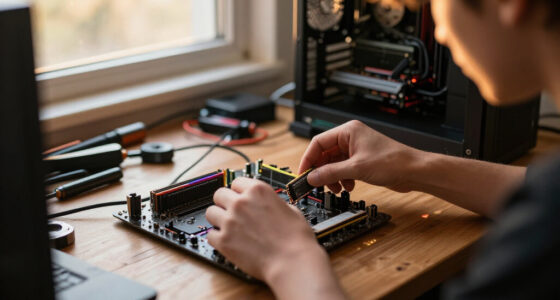
This is the most convincing standalone alternative in this lineup because its described hardware does not require a Flipper Zero. Built around a Raspberry Pi RP2040, it combines a small display, an SD card slot, and USB connection in a device intended for programming, USB HID learning, and authorized security research. Drag-and-drop programming is a practical advantage for beginners: loading a program over USB mass storage can be more approachable than beginning with a separate toolchain, though writing useful programs still requires learning.
Its focus is narrower than the name of this roundup might suggest. The supplied information describes USB HID functions and education around topics such as coding, data logging, and encryption, but does not establish that it reproduces Flipper Zero’s range of device interfaces. Compared with the Ubertooth One, Hacky Pi is the more approachable choice for general programming practice; compared with the Wi-Fi boards, it is actually an independent device rather than an expansion module. That makes it the best fit here for someone who wants to learn by building and modifying code without buying a Flipper first.
The limitations deserve equal weight. This is a USB-focused learning tool, not a broad radio-testing gadget, and the listing does not specify every bundled software feature or the depth of its documentation. Its educational appeal also does not make every use appropriate: USB automation and testing belong on systems where you have clear permission. I would choose it for programming practice and controlled lab exercises, but not as a one-for-one substitute for someone who expects the Flipper Zero’s varied hardware functions.
Pros:- Works as an independent USB device rather than requiring a Flipper Zero.
- RP2040 platform, display, and SD card slot provide useful hardware for DIY projects.
- Drag-and-drop programming and Python support lower the barrier to trying custom code.
- Described as compatible with Windows, Mac, and Linux without separate drivers.
Cons:- The described focus is USB HID; it is not shown to match Flipper Zero’s broader capabilities.
- Buyers still need to learn programming to get meaningful value from customization.
- The product information leaves some bundled software and feature details unclear.
Best for: Beginners and hobby programmers who want an independent USB HID learning device for authorized lab work across Windows, Mac, or Linux.
Not ideal for: Buyers who want broad wireless or multi-interface capabilities, or who prefer a ready-to-use general-purpose gadget over a programmable learning tool.
- Core hardware:Raspberry Pi RP2040 microcontroller
- Processor:Dual-core ARM Cortex-M0+
- Connection:USB
- Display:1.14-inch TFT, 240 × 135 resolution
- Storage:SD card slot
- Programming:Python and drag-and-drop USB mass-storage programming
- Listed operating systems:Windows, Mac, and Linux
Our verdict“I rank Hacky Pi first as the clearest independent alternative for learning USB-focused security and programming, while its narrow scope makes it a poor choice for buyers seeking Flipper-like versatility.”
Ubertooth One Bluetooth Protocol Analyzer 2.4 GHz with Metal Shell, USB 2.0 BT Sniffer with Antenna
Ubertooth One earns its place because it does one job that none of the other products here is designed to do: Bluetooth protocol experimentation. Its 2.4 GHz focus, antenna, USB connection, and open-source hardware and software make it a dedicated platform for researchers who want to study Bluetooth traffic and work with the hardware itself. The JTAG and ISP connectors add room for debugging and development, so this is not just a consumer accessory with a sealed feature set.
Compared with Hacky Pi, Ubertooth is the more specialized and technically demanding pick. Hacky Pi is a better starting point for USB-oriented programming exercises; Ubertooth makes more sense when Bluetooth analysis is the specific objective. It is also a stronger independent tool than either Wi-Fi developer board in this roundup, since those boards need a Flipper Zero to serve their stated purpose. Still, specialization is not versatility: Bluetooth research is a distinct use case, not a broad replacement for the Flipper’s range of functions.
The listing calls out real-time Bluetooth traffic monitoring, but buyers should check the exact software workflow and supported tasks before purchase; it also notes that technical knowledge is required. External design files may need tools such as KiCad, which adds work for anyone interested in changing or reviewing the hardware. I would skip this if I wanted a simple learning gadget or an all-purpose portable tool. For someone with a defined Bluetooth research project, however, the open design and debugging connections are more relevant than a general-purpose feature list.
Pros:- Purpose-built for Bluetooth protocol experimentation and traffic monitoring.
- Open-source hardware and software, with schematics and PCB files described as accessible.
- JTAG and ISP connectors support hardware debugging and development.
- Includes a 2.4 GHz antenna and six status LEDs.
Cons:- Specialized for Bluetooth rather than a broad range of Flipper Zero use cases.
- Requires technical familiarity and external software for meaningful use.
- Design files and development workflow may involve extra tools and setup.
Best for: Bluetooth developers, researchers, and experienced hobbyists who want dedicated 2.4 GHz protocol-analysis hardware and are comfortable with external software.
Not ideal for: Beginners seeking a simple standalone alternative, or buyers who need a general-purpose tool rather than Bluetooth-focused hardware.
- Frequency:2.4 GHz
- Microcontroller:LPC175X ARM Cortex-M3
- Connection:Full-speed USB 2.0
- Firmware listed:ubertooth-2020-12-R1
- Antenna:2.4 GHz antenna included
- Debug connectors:10-pin JTAG and ISP serial
- Status indicators:Six LEDs
- Power:USB / battery powered, according to product details
Our verdict“I recommend Ubertooth One over the Wi-Fi add-ons for independent Bluetooth research, but only when its narrow protocol-analysis role matches the buyer’s actual project.”
Wi-Fi Developer Board for Flipper Zero – ESP32-S2 Wireless Development Module with USB-C and GPIO
For a buyer who already owns a Flipper Zero and specifically wants to extend its wireless development work, this ESP32-S2 board is the most clearly development-oriented add-on in the lineup. The description identifies Wi-Fi access-point and client modes, USB-C, GPIO pins, a web interface, and support for custom firmware and an open-source SDK. That combination gives developers several ways to configure and connect the module rather than limiting the purchase to a protective case or a basic connectivity upgrade.
Its ranking remains below the independent tools for a simple reason: it is not a standalone alternative. The listing says it requires a Flipper Zero for full functionality, so it is a poor fit for someone who has none and wants a replacement device. Compared with the two other Wi-Fi products here, it offers more concrete development details, including the ESP32-S2 processor and web configuration. The complete starter kit, by contrast, puts more emphasis on cases and travel accessories; the simpler board listing describes customization and GPIO expansion without the same accessory bundle.
This model suits people comfortable with development boards, firmware, and project setup. Its flexible wireless modes and accessible GPIO are useful only if the buyer has a reason to configure them or connect other modules. The supplied details do not spell out every compatibility condition or the limits of each firmware workflow, so I would confirm project requirements before ordering. If the goal is a pocketable standalone learning device, Hacky Pi is a better match; if the goal is Wi-Fi development with an existing Flipper, this board is the most technically specified choice here.
Pros:- Offers Wi-Fi access-point and client modes for different development setups.
- GPIO pins support connection to additional modules.
- Web interface provides a described way to configure the board.
- USB-C and open-source SDK support suit hands-on development projects.
Cons:- Requires a Flipper Zero for full functionality.
- Developer-focused features may be difficult for beginners to use well.
- The product details do not define every firmware and project compatibility limit.
Best for: Flipper Zero owners who develop custom firmware or projects and want an ESP32-S2 Wi-Fi module with GPIO and web-based configuration.
Not ideal for: Anyone seeking a standalone Flipper Zero replacement, or a first device that works without the Flipper host.
- Processor:ESP32-S2-WROVER, 240 MHz Xtensa LX7
- Wireless connectivity:Wi-Fi access-point or client modes
- Wired connection:USB-C
- Expansion:GPIO pins for additional modules
- Configuration:Web interface
- Development support:Custom firmware and open-source SDK
- Host device:Flipper Zero required for full functionality
Our verdict“I rate this as the strongest Wi-Fi development add-on here, but it is an alternative only for Flipper owners looking to expand a setup they already have.”
Wi-Fi Developer Board for Flipper Zero – All-in-One Complete Starter Kit with Full Protection
This bundle is the pick for Flipper Zero owners who want a Wi-Fi board plus basic protection and carry accessories in one purchase. Its kit description lists a Wi-Fi developer board, protective cases, screen protectors, and a carrying bag. The snap-fit design also sounds more approachable than a build that calls for screws or tools, giving the buyer a simpler route to assembling and transporting an expanded setup.
The extra packaging changes convenience, not the central function. The board is described as adding Wi-Fi to a compatible Flipper Zero, so the kit does not become a replacement device simply because it includes a case and bag. Compared with the ESP32-S2 development board, this kit puts more emphasis on protection and travel than on documented development details. The ESP32-S2 listing specifies wireless modes, GPIO, and a configuration interface; this bundle gives fewer particulars about processor architecture and firmware workflows. Conversely, the standalone board listings do not describe the same full set of protective accessories.
I would rank it above the simpler case-included board for someone who values an organized bundle, but below the ESP32-S2 option for a developer choosing by technical documentation. There are also important information gaps: the Flipper Zero itself is not included, and the listing gives limited compatibility detail beyond that host. Wi-Fi is the only stated connectivity focus, so this is not a way to add multiple kinds of wireless capability. Buyers who already have suitable protection or who do not own a Flipper should skip it and compare the independent Hacky Pi or Ubertooth instead.
Pros:- Bundles a Wi-Fi board with protective cases, screen protectors, and a carrying bag.
- Snap-fit assembly is described as easy and tool-free.
- Adds Wi-Fi connectivity to a compatible Flipper Zero.
- Combines expansion and travel protection in a single kit.
Cons:- Flipper Zero is not included, so the kit cannot function as an independent alternative.
- Wi-Fi is the only stated connectivity focus.
- Compatibility and technical details are limited beyond the named Flipper host.
Best for: Existing Flipper Zero owners who want a Wi-Fi developer board, protective accessories, and a carry bag as a bundled expansion.
Not ideal for: Buyers without a Flipper Zero, developers who need detailed processor and firmware specifications, or owners who already have the included protection accessories.
- Primary function:Wi-Fi developer board for Flipper Zero
- Connectivity:Wi-Fi
- Processor brand:Espressif
- Operating system:Linux, as listed
- Memory technology:LPDDR4, as listed
- USB ports:One
- Included accessories:Protective cases, screen protectors, and carrying bag
- Assembly:Snap-fit design
Our verdict“I’d choose this bundle over a bare add-on when travel protection matters, but it is a convenience kit for Flipper owners rather than a true standalone alternative.”
Wi-Fi Developer Board for Flipper Zero with Protective Case
This board is the most straightforward choice for Flipper Zero owners who want a basic Wi-Fi expansion with a protective case, without the larger accessory bundle of the first Wi-Fi kit. The description highlights snap-fit assembly, GPIO pins for connecting modules, and customization with alternative firmware. That gives it a clear, modest role: expand a compatible Flipper setup, protect the board, and leave the user free to experiment with add-ons.
Compared with the all-in-one starter kit, this option has fewer listed accessories and less travel-focused appeal, but its description explicitly mentions GPIO expansion and alternative firmware. Compared with the ESP32-S2 board, it is less technically documented: the product details identify an Espressif processor brand but do not specify the chip, Wi-Fi modes, USB-C, or a web configuration interface. I would therefore choose the ESP32-S2 model when project details drive the decision, and this one when a simple case-included add-on is enough.
Its biggest constraint is the same one that affects the other Flipper boards: it needs the host device and cannot stand in for one. The listing also states it is not smart-home compatible, which rules it out for buyers hoping to use it as a general smart-home controller. Since Wi-Fi is the stated connection type, it should not be mistaken for a broader multi-radio expansion. This is a reasonable narrow accessory for an existing setup, but it ranks last because it offers the least detail for comparing development capability and does not solve the core need of shoppers looking for an independent alternative.
Pros:- Snap-fit design is described as requiring no tools or screws.
- GPIO pins allow connection of additional modules.
- Supports experimentation with alternative firmware, according to the listing.
- Includes a protective case for the board.
Cons:- Requires a Flipper Zero, which is not included.
- Wi-Fi is the only stated connectivity capability, and smart-home compatibility is explicitly absent.
- Processor, wireless modes, and development details are not fully specified.
Best for: Flipper Zero owners who want a simple Wi-Fi module with GPIO expansion potential and a protective case.
Not ideal for: People seeking a standalone device, smart-home compatibility, or detailed specifications for evaluating a development project.
- Primary function:Wi-Fi developer board for Flipper Zero
- Connectivity:Wi-Fi
- Processor brand:Espressif
- Expansion:GPIO pins for additional modules
- Firmware:Alternative firmware customization described
- Assembly:Snap-fit, no tools or screws required
- Included protection:Protective case
- Smart-home compatibility:Not smart-home compatible, as listed
Our verdict“I’d pick this for a simple, case-included Wi-Fi add-on to an existing Flipper, but its sparse technical details and host-device requirement make it the weakest fit as a general alternative.”

How We Picked
I judged these products against the phrase Flipper Zero alternative, not simply by whether they have interesting electronics features. That means I gave more weight to independence from a Flipper Zero, a distinct practical use case, and how clearly the available product details explain what a buyer can do with the hardware. I also looked at the learning curve and the extra equipment each pick requires.
The supplied lineup includes three Flipper-dependent Wi-Fi accessories, one USB HID learning tool, and one Bluetooth protocol analyzer. Those are not interchangeable categories, so I do not treat every option as an equal replacement. The Hacky Pi device ranks first because it is described as a standalone USB tool for programming and ethical security practice. Ubertooth follows for readers with a specific Bluetooth research goal. The three Flipper boards sit below those independent products because each extends a device rather than replacing it; I rank them by development capability, bundle completeness, and suitability for buyers who already own the host device.
I have not assumed capabilities beyond the supplied descriptions. Where firmware, compatibility, or exact operating behavior is not detailed, I flag that uncertainty instead of filling it with claims. All products should be used only on systems and devices the buyer owns or has permission to assess. In this roundup, fit and limitations matter more than a long list of specifications.
Factors to Consider When Choosing Best Flipper Zero Alternatives
Choosing among these products starts with a straightforward question: Do you need an independent device, or do you already own a Flipper Zero? The Hacky Pi tool and Ubertooth One can serve their described functions without a Flipper. The other three products are add-ons, so ranking them as direct replacements would mislead buyers. After that, match the device to the task: USB programming practice, Bluetooth analysis, or Wi-Fi development on a Flipper setup.
Replacement or add-on: decide this first
Three listings explicitly depend on a Flipper Zero: the ESP32-S2 Wi-Fi development module, the all-in-one Wi-Fi starter kit, and the Wi-Fi board with protective case. They may be useful expansions, but none replaces the host device. If you do not own a Flipper, start by comparing Hacky Pi and Ubertooth instead. If you do own one, evaluate the boards as accessories and do not treat the included case or wireless module as a complete independent tool.
The distinction also affects what “alternative” means for your search. A substitute needs to perform a useful role on its own, even if that role is narrower than the original device. An add-on can be a good purchase for an existing owner while being the wrong answer for someone who wants a separate handheld or USB-connected device.
Choose by the work you want to do
For USB HID programming and learning, the Hacky Pi tool is the most directly relevant. Its RP2040, small display, SD card slot, Python support, and drag-and-drop programming point toward a customizable learning device. It is not described as a general radio tool, so keep expectations tied to USB-oriented projects and controlled testing.
For Bluetooth protocol work, Ubertooth One is the clear specialist. Its 2.4 GHz focus, antenna, open-source design, and debugging connectors suit a buyer with a defined research or development question. It is less beginner-friendly and less broad than Hacky Pi. For Wi-Fi development with a Flipper, the ESP32-S2 board has the strongest specified development feature set, while the other two boards put more weight on bundle convenience or simple expansion.
How much setup are you prepared to handle?
A device marketed for learning may still call for meaningful work. Hacky Pi supports custom programming, so buyers should expect to write or adapt code to get beyond basic setup. Ubertooth is even more specialized and may involve external software and an understanding of Bluetooth analysis. The Wi-Fi boards require a Flipper host and may also involve firmware or module configuration. Pick according to your appetite for setup, not merely the number of features in a product listing.
For a first project, the USB drag-and-drop workflow described for Hacky Pi may be more approachable than the Ubertooth development workflow. That does not make it effortless or universally beginner-proof; programming remains part of the point. Buyers who want an out-of-the-box general-purpose gadget should recognize that the products here are learning and development tools, not all-in-one replacements.
Compare the three Wi-Fi boards by documentation and bundle
The ESP32-S2 board is easiest to evaluate technically because its listing names the processor, Wi-Fi modes, USB-C, GPIO, and web interface. The all-in-one kit is easier to assess as a bundle: its standout value is the inclusion of cases, screen protectors, and a carrying bag. The board with a protective case is the simplest expansion listing, but it provides the least detail about processor and wireless configuration.
These distinctions matter more than assuming the products offer identical capabilities. Before choosing, check whether your project needs a specific wireless mode, firmware support, or GPIO connection, and verify that the product’s documentation covers it. If protection and organized travel matter most, the starter kit has the clearest accessory advantage; if project specifications matter most, the ESP32-S2 is the better-documented choice.
Keep compatibility and authorized use in view
Compatibility is particularly important for accessories. The three Wi-Fi products name Flipper Zero as the compatible host, but the supplied descriptions do not establish broad compatibility with other devices. The board with protective case explicitly says it is not smart-home compatible. Do not infer that a general Wi-Fi label means it will work as a home-network controller or as a module for unrelated hardware.
These are tools for programming, development, and security research. I recommend using them only in a controlled environment with permission, especially when testing USB behavior or monitoring communications. A defined learning goal, supported hardware, and lawful authorization are better purchase criteria than a vague desire to experiment with devices you do not own.
Frequently Asked Questions
Which product here is the closest standalone Flipper Zero alternative?
Hacky Pi is the clearest standalone choice in this lineup because its described USB learning functions do not require a Flipper Zero. It is still a narrower tool, centered on USB HID programming and education, rather than a one-for-one replacement for the Flipper’s broader mix of capabilities. Ubertooth One is also independent, but its purpose is specifically Bluetooth protocol research.
Do the Wi-Fi developer boards work without a Flipper Zero?
The three Wi-Fi products are described as add-ons for Flipper Zero, and the ESP32-S2 listing says a Flipper is required for full functionality. The all-in-one kit also states that the Flipper itself is not included. Buyers without a host device should not treat these modules as standalone alternatives; the Hacky Pi tool or Ubertooth One is a better place to start based on the listed use cases.
Which pick is better for a beginner learning cybersecurity?
The Hacky Pi-based USB tool is the more approachable starting point in this group because the listing describes drag-and-drop programming and Python support, alongside Windows, Mac, and Linux compatibility. Beginners should still expect to learn how programs work and keep testing within authorized lab settings. Ubertooth is more specialized, while the Wi-Fi boards presuppose both a Flipper Zero and interest in development.
Is Ubertooth One a general-purpose replacement for Flipper Zero?
No. Ubertooth One is presented as a Bluetooth protocol analyzer and development platform for 2.4 GHz experimentation. Its open hardware, antenna, and debug connectors are relevant to Bluetooth research, but that specialization does not make it a general-purpose tool. Choose it when Bluetooth traffic and development are the goal; choose Hacky Pi for USB-focused learning or a Flipper add-on only if you already own the host.
How should I choose between the three Wi-Fi board options?
Choose the ESP32-S2 board when specific development details such as Wi-Fi modes, GPIO, USB-C, and web configuration matter. Choose the all-in-one kit if the bundled cases, screen protectors, and carrying bag are more useful than detailed module specifications. The board with a protective case is a simpler expansion, but its listing gives less technical detail and says it is not smart-home compatible. All three require a Flipper Zero rather than replacing one.
Conclusion
For a buyer who wants an independent learning device, I recommend the Hacky Pi-based USB tool: it is the strongest fit here for programmable USB practice, provided its narrower scope matches your goal. Choose Ubertooth One instead when Bluetooth protocol analysis is the specific job and you are comfortable with a more technical workflow. If you already own a Flipper Zero and want to expand its Wi-Fi development options, the ESP32-S2 board is the best-documented module in this group. Pick the all-in-one kit when protection and travel accessories are the priority, or the case-included board for a simpler add-on. The central buying rule is simple: do not buy a Flipper-dependent board expecting a standalone alternative.
Halloween Picks
halloween
As an affiliate, we earn on qualifying purchases.