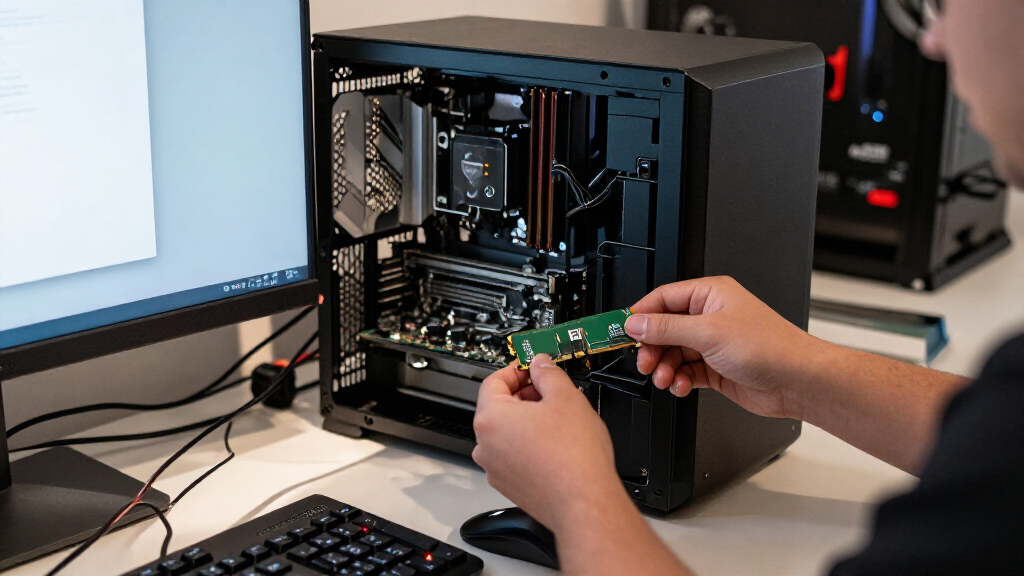

The best DDR3 RAM for most desktop upgrades is the Crucial 16GB DDR3L-1600 kit, which pairs a practical capacity with low-voltage support and standard UDIMM sizing. For a 32GB build, Gigastone’s 4 × 8GB kit offers a direct capacity-focused alternative, while G.SKILL RipjawsX DDR3-1600 CL9 suits buyers who value tighter timings. The right choice depends less on headline speed than on your motherboard’s supported capacity, DIMM type, and voltage. Laptop owners need 204-pin SODIMMs, not desktop memory, and DDR3L compatibility can matter on older systems. Continue reading for the full breakdown of all 15 options and the tradeoffs that separate them.

Get the latest gadgets delivered free with Prime
- Fast, free delivery on millions of items
- Prime Video, Amazon Music and more included
- Member-only deals all year
Complete the kit



Key Takeaways
- 16GB DDR3-1600 kits dominate the practical upgrade choices: Crucial, Silicon Power, Timetec, Samsung, TEAMGROUP, Acclamator, and G.SKILL offer this capacity and speed in desktop kits, so compatibility and timings help distinguish them.
- Crucial DDR3L-1600 is the strongest broad-use pick: its 2 × 8GB UDIMM configuration and low-voltage specification suit buyers seeking a straightforward desktop upgrade, though motherboard support still needs checking.
- Capacity separates the 32GB kits from the mainstream options: Gigastone and Corsair Vengeance Pro 32GB serve systems that can use four modules, while Corsair Dominator Platinum adds a higher 1866MHz speed target.
- DDR3-2400 is a specialized choice, not an automatic upgrade: Corsair Vengeance Pro 16GB runs faster on paper than the 1600MHz kits, but the motherboard and processor must support that speed for it to matter.
- Desktop and laptop modules are not interchangeable: the Timetec and Crucial SODIMM kits use 204-pin laptop memory, while the desktop kits use 240-pin UDIMMs.




| DDR3 RAM | Capacity | Memory type | Form factor | Voltage |
|---|---|---|---|---|
| ROYEMAI 8GB DDR3-1333 Desktop | 8GB (2 × 4GB) | DDR3 | 240-pin UDIMM | 1.5V |
| Silicon Power 16GB | 16GB (2 × 8GB) | DDR3L | 240-pin UDIMM | 1.35V / 1.5V |
| Corsair Dominator Platinum 32G | 32GB (4 × 8GB) | DDR3 | 240-pin DIMM | 1.5V |
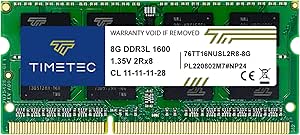
| Timetec 16GB | 16GB (2 × 8GB) | DDR3L / DDR3 | 240-pin UDIMM | 1.35V / 1.5V |
| Timetec 8GB DDR3L/DDR3 1600MHz | 8GB (1 × 8GB) | DDR3L / DDR3 | 204-pin SO-DIMM | 1.35V or 1.5V |
| Gigastone 32GB | 32GB (4 x 8GB) | DDR3/DDR3L | 240-pin UDIMM | 1.35V or 1.5V |
| Crucial 16GB Kit | 16GB (2 x 8GB) | DDR3L | 240-pin UDIMM | 1.35V or 1.5V |
| Corsair Vengeance Pro 16GB | 16GB (2 x 8GB) | DDR3 | 240-pin DIMM | 1.65V listed |
| Samsung 16GB | 16GB (2 x 8GB) | DDR3 | 240-pin DIMM, UDIMM | 1.5V |
| TEAMGROUP Elite DDR3 16GB | 16GB (2 x 8GB) | DDR3 | 240-pin UDIMM | 1.5V |
| G.SKILL RipjawsX Series DDR3 R | 16GB (2 x 8GB) | DDR3 | 240-pin desktop UDIMM | 1.5V |
| Acclamator 16GB DDR3 RAM Kit | 16GB (2 x 8GB) | DDR3 | 240-pin unbuffered UDIMM | 1.5V |
| G.SKILL RipjawsX 16GB | 16GB (2 x 8GB) | DDR3 | 240-pin UDIMM | 1.5V |
| Corsair Vengeance Pro 32GB | 32GB (4 x 8GB) | DDR3 | 240-pin DIMM | 1.5V |
| Crucial 16GB DDR3-1600 SODIMM | 16GB (2 x 8GB) | DDR3L SDRAM (PC3-12800) | 204-pin SODIMM | 1.35V or 1.5V |
More Details on Our Top Picks
ROYEMAI 8GB DDR3-1333 Desktop RAM Kit (2 × 4GB, PC3-10600)
This 8GB two-module kit is a straightforward fit for an older desktop that needs a modest memory refresh without moving beyond DDR3-1333. Its CL9 timing is a tighter-rated spec than the CL11 timing on the 1600MHz Silicon Power and Timetec kits, but those kits offer twice the capacity and a higher rated speed. The two 4GB sticks can support dual-channel operation when the motherboard is configured for it, while the 1.5V unbuffered, non-ECC design suits compatible consumer desktops. ROYEMAI states that the modules are tested for stability and compatibility and includes a lifetime warranty. The tradeoff is its limited 8GB capacity: buyers running several demanding applications may be better served by one of the 16GB options. Check the motherboard’s DDR3 support and capacity limits before ordering.
Pros:- Two 4GB modules provide an 8GB kit and can enable dual-channel operation on compatible systems.
- CL9 rated timing is lower than the CL11 timing on the 1600MHz kits in this roundup.
- Unbuffered, non-ECC desktop DIMM design is suited to compatible consumer motherboards.
- Product information states stability and compatibility testing, plus a lifetime warranty.
Cons:- 8GB total capacity is modest beside the 16GB and 32GB kits in this roundup.
- The 1333MHz rating is lower than the 1600MHz and 1866MHz desktop alternatives.
- Compatibility depends on the motherboard’s supported DDR3 capacity and memory settings.
Best for: Owners of older Intel or AMD desktop PCs with compatible DDR3 slots who want an 8GB, two-stick replacement or basic upgrade.
Not ideal for: Desktop users who need 16GB or more, or whose motherboard does not support DDR3-1333 UDIMMs and the kit’s 1.5V, non-ECC configuration.
- Capacity:8GB (2 × 4GB)
- Memory type:DDR3
- Speed:1333MHz (PC3-10600)
- Form factor:240-pin UDIMM
- Voltage:1.5V
- CAS latency:CL9
- ECC and buffering:Non-ECC, unbuffered
- Rank:Dual rank
Our verdict“Choose ROYEMAI for a basic 8GB upgrade in a compatible older desktop, but pick a 16GB kit if you need more room for multitasking.”
Silicon Power 16GB (2 x 8GB) DDR3L 1600MHz Desktop Memory Kit
The Silicon Power kit brings together 16GB capacity and dual-voltage DDR3L, making it a flexible choice for desktops whose boards support 1600MHz memory. Its two 8GB modules provide more room for multitasking than the ROYEMAI 8GB kit, while its CL11 timing is a standard, less tightly rated alternative to that kit’s CL9. The stated 1.35V operation can suit a motherboard designed for DDR3L, and the listed 1.5V support broadens compatibility with supported DDR3 systems. Factory stability testing and a lifetime warranty add practical reassurance, but neither replaces checking the motherboard’s memory specifications. Compared with the Timetec 16GB kit, Silicon Power offers a similar capacity and speed; choose between them based on the exact board support and the detailed module specifications your system requires.
Pros:- 16GB capacity is a substantial step up from the ROYEMAI 8GB kit.
- Rated for 1600MHz operation with support for both 1.35V and 1.5V.
- Two 8GB modules suit compatible dual-channel desktop configurations.
- Factory-tested and covered by a stated lifetime warranty.
Cons:- CL11 timing is less tightly rated than the CL9 ROYEMAI kit.
- Works only in systems that support DDR3 or DDR3L desktop UDIMMs.
- The product data does not specify a rank configuration.
Best for: Desktop owners with DDR3L- or DDR3-compatible UDIMM slots who want 16GB in a two-module kit and value 1.35V operation.
Not ideal for: Laptop owners or anyone whose motherboard does not support 240-pin DDR3 or DDR3L UDIMMs at the listed capacity and voltage.
- Capacity:16GB (2 × 8GB)
- Memory type:DDR3L
- Speed:1600MHz (PC3-12800)
- Form factor:240-pin UDIMM
- Latency:CL11
- Voltage:1.35V / 1.5V
- Compatibility:Desktop systems supporting DDR3 or DDR3L UDIMM memory
- Warranty:Lifetime
Our verdict“Pick Silicon Power if your desktop supports DDR3L or DDR3 UDIMMs and you want 16GB with low-voltage capability.”
Corsair Dominator Platinum 32GB (4 x 8GB) DDR3 1866MHz Desktop Memory
This Corsair kit is the roundup’s feature-heavy choice for a compatible Intel desktop that can use 32GB across four DIMMs. Its 1866MHz rating exceeds the 1600MHz Silicon Power and Timetec kits, while the four-module layout fills all available memory slots on some boards; check your board’s limit before choosing it. Corsair adds DHX cooling and a white LED light bar with a user-swappable design, features absent from the simpler 16GB kits. Those extras make the Dominator Platinum more distinctive, but do not make it a universal upgrade: its stated compatibility is limited to select Intel Z77, X79, Z68, and P67 series motherboards. It also requires four suitable slots, so a two-module kit can be a more practical fit for systems with fewer slots or room to expand.
Pros:- 32GB total capacity exceeds the 16GB kits in this batch.
- 1866MHz rated speed is higher than the 1600MHz desktop alternatives here.
- DHX cooling and a user-swappable white LED light bar add features not found on the basic kits.
- Four 8GB modules provide a matched kit for a compatible four-slot configuration.
Cons:- Compatibility is specifically listed for select Intel motherboard series.
- Four modules require four available slots and can limit future memory expansion.
- The 1.5V DDR3 kit lacks the dual-voltage flexibility of the DDR3L options.
Best for: Owners of supported Intel Z77, X79, Z68, or P67 desktop systems who need 32GB and want an illuminated, cooling-focused DDR3 kit.
Not ideal for: Users with unsupported motherboards, fewer than four available DIMM slots, or a preference for a simpler two-stick upgrade.
- Capacity:32GB (4 × 8GB)
- Memory type:DDR3
- Speed:1866MHz
- Timing:10-11-10-30
- Voltage:1.5V
- Form factor:240-pin DIMM
- Cooling and lighting:DHX cooling; polished aluminum light bar with white LED
- Listed compatibility:Intel Z77, X79, Z68, and P67 series motherboards
- Warranty:Limited lifetime
Our verdict“Choose Dominator Platinum for a supported Intel desktop that needs 32GB and values its higher speed rating and lighting, not for broad compatibility.”
Timetec 16GB (2x8GB) DDR3L/DDR3 1600MHz 240-Pin UDIMM Desktop Memory Kit
Timetec’s 16GB kit is a practical middle ground for desktop owners who want 1600MHz DDR3 memory with both 1.35V and 1.5V support. That dual-voltage specification gives it a broader stated fit across compatible Intel and AMD desktop systems than the ROYEMAI kit, which is limited to 1.5V and 1333MHz. Like the Silicon Power kit, it supplies two 8GB modules at CL11; the useful distinction is Timetec’s explicit listing of dual-rank 2Rx8 modules and desktop compatibility. It is not a laptop option, despite the DDR3L label: the 240-pin UDIMM form factor is for desktops, not 204-pin SODIMM slots. The PCB color may vary by batch, and buyers still need to verify their motherboard’s supported capacity and memory type.
Pros:- Two 8GB modules provide 16GB for compatible desktop systems.
- Supports both 1.35V DDR3L and 1.5V DDR3 operation.
- Explicit dual-rank 2Rx8 specification helps buyers check module configuration.
- Listed for Intel and AMD desktop systems and includes a lifetime warranty.
Cons:- 240-pin UDIMM form factor is not compatible with laptop SODIMM slots.
- CL11 timing and 1600MHz rating are less performance-focused than the Corsair Dominator Platinum kit.
- PCB color can vary between production batches.
Best for: Desktop owners with compatible Intel or AMD motherboards who want 16GB, 1600MHz memory, and support for either 1.35V or 1.5V operation.
Not ideal for: Laptop, notebook, or other SODIMM-device owners, and desktop users seeking 32GB or a higher rated speed than 1600MHz.
- Capacity:16GB (2 × 8GB)
- Memory type:DDR3L / DDR3
- Speed:1600MHz
- Form factor:240-pin UDIMM
- Voltage:1.35V / 1.5V
- Latency:CL11
- Rank:Dual rank 2Rx8
- ECC and buffering:Non-ECC, unbuffered
- Warranty:Lifetime
Our verdict“Choose Timetec for a 16GB desktop upgrade when dual-voltage support and broad Intel or AMD compatibility matter more than higher speed or capacity.”
Timetec 8GB DDR3L/DDR3 1600MHz 204-Pin SODIMM Laptop Memory
This Timetec module serves a different buyer from every desktop kit in the roundup: it is an 8GB 204-pin SODIMM for compatible laptops, mini PCs, and all-in-one devices. Its 1600MHz rating is higher than the ROYEMAI desktop kit’s 1333MHz, but form factor matters more than that comparison—this short module will not fit a standard 240-pin desktop DIMM slot. Dual-voltage support at 1.35V or 1.5V gives it flexibility across supported DDR3 and DDR3L devices, and the stated lifetime warranty is a plus. It is a single 8GB stick rather than a matched kit, so buyers should check the device’s maximum capacity, slot availability, and memory configuration; the 16GB Crucial laptop kit may suit systems that need two modules instead.
Pros:- 204-pin SODIMM form factor fits compatible laptops and other listed compact devices.
- Supports DDR3 and DDR3L operation at 1.5V or 1.35V.
- 1600MHz rating is higher than the ROYEMAI 1333MHz desktop kit, subject to device support.
- Lifetime warranty is stated.
Cons:- Single 8GB module provides less total capacity than the 16GB Crucial laptop kit.
- Cannot be installed in standard 240-pin desktop UDIMM slots.
- Compatibility is limited to devices that support DDR3 SODIMM memory and the module’s capacity.
Best for: Laptop, notebook, mini PC, or all-in-one owners with a compatible 204-pin DDR3 SODIMM slot who need one 8GB module.
Not ideal for: Desktop owners with 240-pin DIMM slots, or laptop users who need a matched 16GB kit rather than a single 8GB stick.
- Capacity:8GB (1 × 8GB)
- Memory type:DDR3L / DDR3
- Speed:1600MHz
- Form factor:204-pin SO-DIMM
- Voltage:1.35V or 1.5V
- Latency:CL11
- Rank:Dual rank 2Rx8
- ECC and buffering:Non-ECC, unbuffered
- Warranty:Lifetime
Our verdict“Choose this Timetec stick for a compatible laptop or compact PC that needs one 8GB SODIMM, but skip it for a desktop or a 16GB upgrade.”
Gigastone 32GB (4 x 8GB) DDR3/DDR3L 1600MHz Desktop RAM Kit
For a compatible desktop that needs more memory than a standard 16GB kit provides, this Gigastone kit delivers 32GB across four 8GB modules at 1600MHz. Its support for both 1.35V and 1.5V gives it more voltage flexibility than the 1.5V-only Samsung 16GB kit, while the larger capacity can suit older systems used for heavier multitasking. The tradeoff is the four-module layout: your motherboard needs four free slots, and populating them all leaves no room for later additions without replacing modules. Its CL11 timing is typical for this speed class, not a performance-focused upgrade. I’d choose it over the Crucial 16GB kit when capacity matters more than keeping slots open; skip it if your board has only two memory slots.
Pros:- 32GB total capacity from four 8GB modules
- Supports DDR3 and DDR3L voltage levels at 1.35V or 1.5V
- Rated for 1600MHz operation
- Five-year warranty
Cons:- Requires four available memory slots to install the full kit
- Limited to compatible 240-pin desktop UDIMM systems
- CL11 timing is not aimed at buyers seeking lower-latency memory
Best for: Owners of DDR3/DDR3L desktop systems with four available memory slots who need 32GB for heavier multitasking.
Not ideal for: Desktop owners with two-slot motherboards or plans to expand memory later without replacing existing modules.
- Capacity:32GB (4 x 8GB)
- Memory type:DDR3/DDR3L
- Speed:1600MHz
- Form factor:240-pin UDIMM
- CAS latency:CL11
- Voltage:1.35V or 1.5V
- ECC:Non-ECC
- Warranty:5 years
Our verdict“Choose this kit when a compatible four-slot DDR3 desktop needs 32GB more than it needs open slots for future upgrades.”
Crucial 16GB Kit (2 x 8GB) DDR3L-1600 CL11 UDIMM Desktop Memory
This Crucial kit is a practical 16GB, two-module upgrade for desktops that specifically support DDR3L UDIMMs. Its ability to run at 1.35V or 1.5V offers a useful compatibility option compared with the 1.5V-only Samsung kit, though both are rated for 1600-class operation and CL11 timing. Two 8GB modules also leave slots open on many boards, unlike the four-module Gigastone 32GB kit, which makes future expansion simpler. The limitation is its DDR3L compatibility requirement: the voltage range does not make it suitable for every desktop that accepts standard DDR3. I’d check the motherboard or system specifications before buying, and choose the Samsung kit instead if the system calls for conventional 1.5V DDR3 rather than DDR3L.
Pros:- 16GB capacity in two 8GB modules
- Supports both 1.35V and 1.5V operation
- 1600 MT/s rating with CL11 latency
- Limited lifetime warranty
Cons:- Requires a system compatible with DDR3L UDIMM memory
- Provides less total capacity than the four-module Gigastone 32GB kit
Best for: Desktop owners with DDR3L-compatible 240-pin UDIMM systems who want a 16GB upgrade while keeping memory slots available.
Not ideal for: Buyers whose desktop documentation calls for standard DDR3 only or who need 32GB from this purchase.
- Capacity:16GB (2 x 8GB)
- Memory type:DDR3L
- Speed:1600 MT/s (PC3-12800)
- Latency:CL11
- Voltage:1.35V or 1.5V
- Form factor:240-pin UDIMM
- ECC and buffering:Non-ECC, unbuffered
- Warranty:Limited lifetime
Our verdict“Pick this Crucial kit for a compatible DDR3L desktop when you want 16GB, dual-voltage support, and two open memory slots.”
Corsair Vengeance Pro 16GB (2×8GB) DDR3 2400MHz Desktop RAM, Red
The Vengeance Pro is the speed-focused choice in this group: its 2400MHz rating and Intel XMP 1.3 support target compatible systems that can use memory settings beyond the 1600MHz kits from Crucial and TEAMGROUP. That extra headroom may appeal to enthusiasts tuning an older DDR3 platform, but it is not an automatic performance gain; the motherboard and processor must support the memory settings, and XMP may require setup in firmware. It also lists a 1.65V operating voltage, a less conservative fit than the 1.5V TEAMGROUP kit. The red heat spreaders give it a distinctive look, but appearance does not offset compatibility checks. Choose this over the Samsung 1600MHz kit only if your board supports the higher speed and you want an XMP-tunable kit.
Pros:- Rated for 2400MHz operation
- Intel XMP 1.3 support for memory profile configuration
- Two 8GB modules provide 16GB in dual-channel configuration
- Red heat spreaders distinguish the kit visually
Cons:- Higher speed depends on motherboard and processor support and may require XMP setup
- Listed operating voltage is 1.65V, above the 1.5V TEAMGROUP kit
- The product data gives conflicting voltage information
Best for: DDR3 enthusiasts with a motherboard and processor that support 2400MHz memory and Intel XMP 1.3.
Not ideal for: Buyers seeking a simple 1600MHz replacement or using systems with limited support for higher-speed, 1.65V memory.
- Capacity:16GB (2 x 8GB)
- Memory type:DDR3
- Tested latency:11-13-13-31
- Voltage:1.65V listed
- Form factor:240-pin DIMM
- Configuration:Dual channel
- XMP support:Intel XMP 1.3
Our verdict“Choose the Vengeance Pro only for a compatible DDR3 system where higher-speed XMP memory is a specific goal, not for a routine 1600MHz replacement.”
Samsung 16GB (2 x 8GB) DDR3-1600 Desktop Memory Kit
Samsung’s kit keeps the specification simple: two 8GB DDR3 UDIMMs, 1600MHz operation, and 1.5V power. That makes it a direct match for compatible desktop systems calling for standard DDR3, without the DDR3L voltage choice offered by the Crucial kit or the higher-speed settings of Corsair Vengeance Pro. For buyers replacing or expanding memory in an older PC, avoiding an overclock-oriented profile can be a plus. The tradeoff is a narrower feature set: there is no listed warranty detail or standout tuning feature in the supplied specifications, and it remains limited to desktop DDR3 systems. I’d favor Samsung over TEAMGROUP when a straightforward 1.5V kit is the priority, but TEAMGROUP has a stated lifetime warranty and technical support.
Pros:- Two 8GB modules provide 16GB total
- 1600MHz PC3-12800 rating
- Standard 1.5V operation
- 240-pin desktop UDIMM form factor
Cons:- Does not list dual-voltage DDR3L support
- No warranty information is provided in the supplied specifications
- Limited to systems that accept desktop DDR3 memory
Best for: Desktop owners replacing or adding memory in a system specified for standard 1.5V DDR3-1600 UDIMMs.
Not ideal for: DDR3L-only system owners, buyers who need more than 16GB, or shoppers seeking a documented warranty or higher-speed tuning features.
- Capacity:16GB (2 x 8GB)
- Memory type:DDR3
- Speed:1600MHz (PC3-12800)
- Form factor:240-pin DIMM, UDIMM
- Voltage:1.5V
- CAS latency:11
- Part number:M378B1G73QH0-CK0 x 2
Our verdict“Choose Samsung for a basic 16GB DDR3-1600 desktop replacement when your system specifies standard 1.5V UDIMMs.”
TEAMGROUP Elite DDR3 16GB (2x8GB) 1600MHz Desktop Memory Kit
TEAMGROUP Elite is a balanced pick for buyers who want familiar DDR3-1600 specifications backed by a clearly stated lifetime warranty and free technical support. Its two 8GB modules, CL11 timing, and 1.5V operation resemble the Samsung kit, but the warranty and support details give this listing a stronger safety net for a planned upgrade. Compared with Crucial’s DDR3L kit, TEAMGROUP is specified for standard DDR3 at 1.5V rather than offering dual-voltage operation; that makes checking the system’s memory requirements especially important. It is a conventional unbuffered, non-ECC desktop kit, not a high-speed tuning option like Corsair Vengeance Pro. Choose it for a supported 16GB refresh, but skip it if your computer needs DDR3L or a different memory generation.
Pros:- 16GB capacity across two 8GB modules
- 1600MHz PC3-12800 rating with CL11 latency
- Lifetime warranty
- Free technical support
Cons:- Specified for 1.5V DDR3 rather than dual-voltage DDR3L
- Compatible with desktop systems only
- Not intended for the higher-speed tuning offered by the Corsair Vengeance Pro kit
Best for: Desktop owners seeking a standard 16GB DDR3-1600 upgrade with a stated lifetime warranty and access to technical support.
Not ideal for: Owners of DDR3L-only systems, laptops, or desktops that require a newer or otherwise different memory generation.
- Capacity:16GB (2 x 8GB)
- Memory type:DDR3
- Speed:1600MHz (PC3-12800)
- CAS latency:CL11
- Voltage:1.5V
- Form factor:240-pin UDIMM
- ECC and buffering:Non-ECC, unbuffered
- Warranty:Lifetime
Our verdict“Choose TEAMGROUP for a compatible desktop needing standard 16GB DDR3-1600, especially if warranty coverage and support matter to you.”
G.SKILL RipjawsX Series DDR3 RAM (XMP) 16GB (2x8GB) 1600MT/s CL9-9-9 1.5V Desktop U-DIMM (F3-1600C9D-16GXM)
The RipjawsX F3-1600C9D-16GXM is a strong fit for a DDR3 desktop where you want 16GB in dual-channel and tighter timings than the CL11 kits here. Its 1600 MT/s CL9 profile gives it an advantage over the Acclamator 16GB kit on listed latency, while its XMP support can simplify applying the rated profile on a compatible board. It also offers a standard 1.5V setup, so it does not depend on low-voltage DDR3L support. The tradeoff is that XMP or BIOS changes may be needed to reach the listed settings, and CL9 alone does not guarantee a noticeable improvement in everyday use. Choose it for a compatible older desktop; skip it if you need laptop SODIMMs or a capacity-first 32GB kit such as the Corsair Vengeance Pro.
Pros:- Two 8GB modules support a dual-channel configuration.
- CL9 timings are tighter than the CL11 Acclamator kit’s listed timings.
- Intel XMP profile can make rated settings easier to apply on supported systems.
- Standard 1.5V operation and a limited lifetime warranty.
Cons:- Reaching the rated profile may require BIOS settings and compatible hardware.
- Only works with DDR3 desktop systems and cannot serve as an upgrade for newer memory generations.
Best for: Desktop owners with a DDR3 motherboard who want a 16GB dual-channel kit with CL9 timings and an XMP profile.
Not ideal for: Laptop owners or buyers seeking 32GB capacity; this is a desktop UDIMM kit with only 16GB total.
- Capacity:16GB (2 x 8GB)
- Memory type:DDR3
- Speed:1600 MT/s (PC3-12800)
- Timings:CL9-9-9-24
- Voltage:1.5V
- Form factor:240-pin desktop UDIMM
- Profiles:JEDEC and Intel XMP
- Warranty:Limited lifetime
Our verdict“Choose this G.SKILL kit for a compatible DDR3 desktop when tighter CL9 timings matter more than maximizing capacity.”
Acclamator 16GB DDR3 RAM Kit (2 x 8GB), 1600MHz, CL11, 1.5V, 240-Pin UDIMM
The Acclamator 16GB kit covers the practical basics: two 8GB sticks, standard DDR3-1600 speed, and a 1.5V unbuffered UDIMM design for compatible desktops. That makes it a no-frills alternative to the G.SKILL RipjawsX CL9 kit, which offers tighter listed timings and XMP support for buyers who want more control over memory settings. Acclamator’s stated CL11 timings are less aggressive, but many upgrade shoppers care more about reaching 16GB than tuning latency. Its listed US warranty is another useful point of differentiation, though buyers should check the exact coverage terms. This is not a universal desktop upgrade: it will not fit laptops, and DDR3 compatibility must be confirmed with the motherboard. Skip it if you need lower-voltage DDR3L support or performance-focused settings.
Pros:- Two 8GB modules provide 16GB total and support dual-channel operation.
- Standard 1600MHz, 1.5V specification for compatible desktop DDR3 systems.
- Unbuffered, non-ECC UDIMM format suits conventional desktop motherboards.
- Listed warranty coverage applies within the United States.
Cons:- CL11 timings are looser than the CL9 G.SKILL RipjawsX kit’s listed timings.
- No XMP profile is specified in the product data.
- Not compatible with laptops or systems that require a different memory type.
Best for: Desktop owners replacing or expanding memory on a DDR3 motherboard who want a basic 16GB, two-stick kit.
Not ideal for: Laptop owners, DDR3L-only systems, or enthusiasts seeking tighter timings and explicit XMP profiles.
- Capacity:16GB (2 x 8GB)
- Memory type:DDR3
- Speed:1600MHz (PC3-12800)
- CAS latency:CL11
- Voltage:1.5V
- Form factor:240-pin unbuffered UDIMM
- ECC:Non-ECC
- Warranty:Unlimited warranty within the United States
Our verdict“Pick Acclamator for a straightforward 16GB desktop DDR3 upgrade when basic compatibility matters more than tighter timings or tuning features.”
G.SKILL RipjawsX 16GB (2 x 8GB) DDR3-1600 Desktop Memory Kit
This G.SKILL RipjawsX 16GB kit is a sensible middle ground for buyers who want both JEDEC and Intel XMP profiles, without prioritizing the tighter CL9 timing of the F3-1600C9D-16GXM. Its CL10-10-10-30 specification sits between that kit and Acclamator’s CL11 listing, while the matched pair of 8GB modules provides a straightforward dual-channel setup. The included 40mm heatsinks add height, so check clearance near a large CPU cooler before buying. XMP can help apply the rated settings, but the motherboard and BIOS still determine what the system can run. Compared with the Corsair Vengeance Pro 32GB kit, this one uses half the capacity and fewer slots, making it a better fit for a 16GB target rather than a capacity-heavy build.
Pros:- Matched pair of 8GB modules supports dual-channel operation.
- JEDEC and Intel XMP profiles provide more than one configuration path.
- CL10 timings are tighter than the CL11 Acclamator kit’s listed timings.
- 40mm heatsinks are included.
Cons:- Heatsink height may interfere with some large CPU coolers.
- Rated speed can depend on motherboard, processor, and BIOS settings.
- Mixing it with another memory kit may cause instability or prevent expected settings.
Best for: DDR3 desktop builders who want a matched 16GB kit with JEDEC and XMP profiles and do not need 32GB.
Not ideal for: Systems with tight CPU-cooler clearance or buyers who need 32GB from one kit.
- Capacity:16GB (2 x 8GB)
- Memory type:DDR3
- Speed:1600 MT/s
- Timings:CL10-10-10-30
- Voltage:1.5V
- Form factor:240-pin UDIMM
- Profiles:JEDEC and Intel XMP
- Heatsink height:40mm
Our verdict“Choose this RipjawsX kit when you want a versatile 16GB DDR3 desktop pair and can accommodate its 40mm heatsinks.”
Corsair Vengeance Pro 32GB (4 x 8GB) DDR3 1600MHz Desktop Memory, Red
The Corsair Vengeance Pro 32GB kit is the capacity pick in this group: four 8GB modules deliver twice the memory of either 16GB G.SKILL RipjawsX kit, while retaining 1600MHz CL9 specifications. That combination suits older desktops used for memory-heavy work or multitasking, provided the motherboard supports four DDR3 modules and 32GB. Unlike the two-stick alternatives, this kit occupies all four slots, leaving no room to expand without replacing modules. Its heatsinks also add a physical fit check, and the listed compatibility names Intel Z68 and Z77 platforms rather than promising universal motherboard support. The included two-year warranty is shorter than the limited lifetime coverage listed for some alternatives. Choose it for capacity, not for a speed advantage over the CL9 16GB G.SKILL kit.
Pros:- 32GB total capacity across four 8GB modules.
- 1600MHz speed with listed CL9 latency.
- Heatsinks are included.
- Four matched modules provide a complete kit for supported four-slot systems.
Cons:- Uses all four memory slots, limiting straightforward future expansion.
- Requires motherboard support for four modules and 32GB total.
- Listed two-year warranty is shorter than the limited lifetime warranties on the G.SKILL kits.
Best for: Owners of compatible DDR3 desktops who need 32GB for memory-heavy tasks and have four available DIMM slots.
Not ideal for: Systems with fewer than four compatible slots, buyers planning an easy memory expansion, or anyone needing laptop memory.
- Capacity:32GB (4 x 8GB)
- Memory type:DDR3
- Speed:1600MHz
- CAS latency:CL9
- Voltage:1.5V
- Form factor:240-pin DIMM
- Listed compatible platforms:Intel Z68 and Intel Z77
- Warranty:2 years
Our verdict“Choose this Corsair kit when a compatible DDR3 desktop needs 32GB now and filling all four slots is acceptable.”
Crucial 16GB DDR3-1600 SODIMM Kit (2 x 8GB)
Unlike the desktop UDIMMs elsewhere in this roundup, the Crucial 16GB kit uses 204-pin SODIMMs for compatible laptops. Two 8GB modules bring the system to 16GB, and dual-voltage operation at 1.35V or 1.5V gives it a useful fit for laptops that specify either supported DDR3L voltage. Its CL11 timing is less aggressive than the CL9 G.SKILL RipjawsX desktop kit, but that comparison is mainly about specifications: the two products serve different form factors and cannot be swapped. Check the laptop’s memory type, capacity limits, and slot access before ordering. Crucial lists this kit as not designed for Mac, and it will not fit standard desktop DIMM slots. This is the clear choice here for a supported notebook, not a general-purpose DDR3 kit.
Pros:- Two 8GB modules provide 16GB total capacity.
- Supports both 1.35V and 1.5V operation.
- 204-pin SODIMM format fits compatible DDR3 laptops.
- Limited lifetime warranty is listed.
Cons:- Not designed for Mac systems.
- Cannot fit desktop UDIMM slots.
- CL11 timings are less aggressive than the CL9 G.SKILL desktop kits.
Best for: Laptop owners whose systems use 204-pin DDR3 SODIMMs and support 16GB across two memory slots.
Not ideal for: Desktop builders or Mac owners; this kit uses laptop SODIMMs and is not designed for Mac systems.
- Capacity:16GB (2 x 8GB)
- Memory type:DDR3L SDRAM (PC3-12800)
- Speed:1600 MT/s
- Form factor:204-pin SODIMM
- Voltage:1.35V or 1.5V
- CAS latency:CL11
- ECC and buffering:Non-ECC, unbuffered
- Warranty:Limited lifetime
Our verdict“Choose this Crucial kit for a compatible DDR3 laptop that needs two 8GB SODIMMs and supports its listed voltages.”
How We Picked
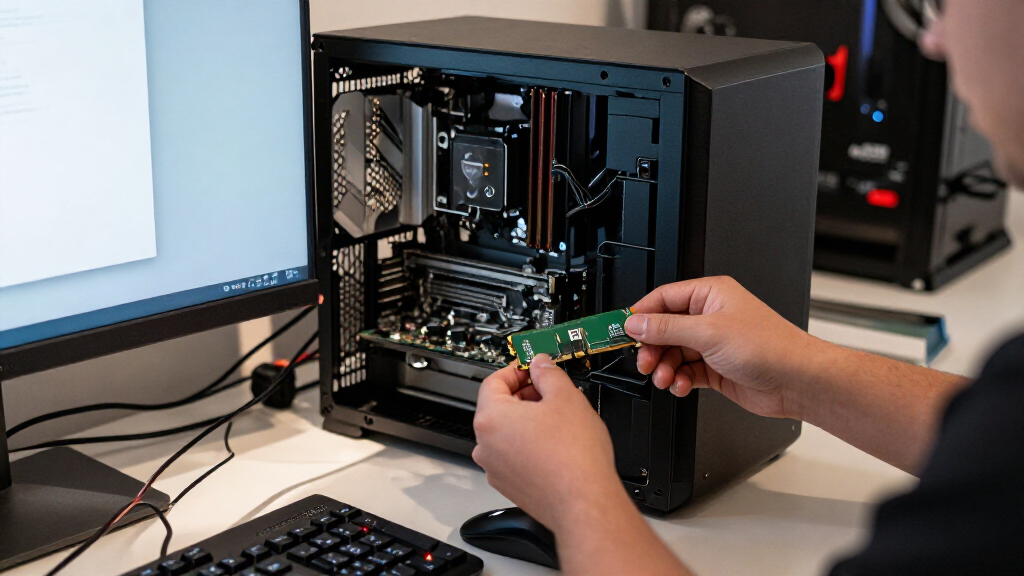
I compared these 15 kits by the factors that determine whether an older computer can use them and whether the upgrade fits its purpose: module type, capacity, speed, voltage, and configuration. Desktop UDIMMs and laptop SODIMMs are treated as separate use cases, since a mismatch in physical format makes a kit unusable regardless of its other specifications. I also weighed whether the kit’s capacity and module count make sense for common upgrade goals, such as moving to 16GB or filling a four-slot board with 32GB.
The ranking favors practical compatibility and useful capacity over the highest advertised frequency or most elaborate heatsink. Standard 16GB DDR3-1600 desktop kits rank ahead of niche high-speed or appearance-led options because they suit more upgrade scenarios; 32GB kits move up for buyers with a supported four-slot system, while the 1866MHz and 2400MHz models are more dependent on platform support. Laptop SODIMMs are judged within their own form factor rather than against desktop kits. Because motherboard and CPU support varies, each recommendation still calls for checking the system manual before purchase.
| DDR3 RAM | Memory type |
|---|---|
| ROYEMAI 8GB DDR3-1333 Desktop | DDR3 |
| Silicon Power 16GB | DDR3L |
| Corsair Dominator Platinum 32G | DDR3 |
| Timetec 16GB | DDR3L / DDR3 |
| Timetec 8GB DDR3L/DDR3 1600MHz | DDR3L / DDR3 |
| Gigastone 32GB | DDR3/DDR3L |
| Crucial 16GB Kit | DDR3L |
| Corsair Vengeance Pro 16GB | DDR3 |
| Samsung 16GB | DDR3 |
| TEAMGROUP Elite DDR3 16GB | DDR3 |
| G.SKILL RipjawsX Series DDR3 R | DDR3 |
| Acclamator 16GB DDR3 RAM Kit | DDR3 |
| G.SKILL RipjawsX 16GB | DDR3 |
| Corsair Vengeance Pro 32GB | DDR3 |
| Crucial 16GB DDR3-1600 SODIMM | DDR3L SDRAM (PC3-12800) |
Factors to Consider When Choosing Best DDR3 RAM
DDR3 upgrades are most successful when the memory matches the machine’s limits, not when the kit has the biggest number on its label. I’d start with the system’s form factor and supported capacity, then check module count, voltage, and speed. These checks prevent the common mistake of buying physically incompatible RAM or paying for a frequency the system cannot use.
Match the module to the system
Desktop motherboards usually take 240-pin UDIMMs, while most laptops use 204-pin SODIMMs; the two formats cannot be swapped. Check the existing module or the computer’s service manual before choosing from this roundup, especially for small-form-factor desktops that may use laptop-style memory. Also confirm whether the system requires unbuffered, non-ECC memory, since consumer kits are not a substitute for every workstation or server configuration. A model name that says DDR3 does not tell you whether its physical size fits. When the machine’s documentation is unclear, matching the form factor and specification of a known-working module is safer than guessing from appearance.
Check capacity limits and slot count
Before choosing between a 16GB two-module kit and a 32GB four-module kit, check both the motherboard’s maximum memory and its per-slot limit. A board with two slots cannot use a four-module kit, and some older platforms support less RAM than the processor’s headline limit suggests. More capacity helps when applications keep many tasks or large files in memory, but it will not make every older computer faster if the existing workload already fits. Confirm how many slots are open and whether the current modules can remain installed; mixing capacities can work on some systems, but matched kits make configuration simpler. If a 32GB kit exceeds the board’s documented support, a compatible 16GB kit is the better purchase.
Treat frequency as a platform limit
A kit’s 1600MHz, 1866MHz, or 2400MHz rating describes a supported speed target, not a guarantee that every DDR3 system will run at that rate. The motherboard, processor memory controller, and BIOS all affect the final operating speed. Faster memory may downclock to a supported setting, so paying for a 2400MHz kit makes little sense if the platform is capped at 1600MHz. XMP can help compatible boards apply rated timings and speed, but older systems may lack the option or require manual settings. For most basic upgrades, capacity and compatibility matter more than chasing the highest frequency.
Understand DDR3 and DDR3L voltage
DDR3L is designed for lower-voltage operation than standard DDR3, and some kits support both voltage ranges while others are specified for one. That distinction matters on older laptops and compact systems whose memory controller expects low-voltage modules. Do not assume that every DDR3L stick will work at every DDR3 voltage, or that a standard-voltage module is safe for a DDR3L-only machine. Check the manufacturer’s memory specification and the existing module label before mixing types. When the platform supports both, matching the installed RAM’s voltage can reduce setup uncertainty.
Compare timings and heatsink clearance
Memory timings such as CL9 and CL11 describe latency behavior, but differences between DDR3 kits are often less noticeable than having enough capacity for the workload. Tighter timings may appeal to a supported performance-focused build, while a standard CL11 kit can be a sensible choice for routine upgrades. Tall or bulky heatsinks can also conflict with large CPU coolers or tightly spaced slots, so check clearance before choosing a styled kit. Heatsinks do not make incompatible RAM work or guarantee a meaningful speed gain. On an older system, a plain low-profile module may be the more practical fit.
Decide whether a matched kit is worth it
A matched pair or four-module kit makes it easier to populate the intended channels and keep capacity, speed, and timings consistent. Adding a new kit beside older memory can save a slot or avoid replacing working RAM, but mixed modules may run at the slowest shared speed and can sometimes cause instability. If you combine modules, check the board manual for the recommended slot arrangement and test that the full capacity is detected. Replacing the old memory with a matched kit is often the simpler route when troubleshooting matters more than keeping every existing stick. For 32GB configurations, verify that the board supports all four modules together rather than relying only on a total-capacity figure.
Frequently Asked Questions
Can I install a DDR3L kit in a computer that currently has DDR3 RAM?
It depends on the computer’s memory controller and the voltage supported by the motherboard or laptop. Some DDR3L kits support both low- and standard-voltage operation, while a system designed only for standard-voltage DDR3 may not use a low-voltage-only module as expected. Check the machine’s manual and the exact kit specification rather than relying on the DDR3 label alone. If you plan to mix new and existing memory, confirm that both types can run at a shared supported voltage. Matching the installed module’s type is the safer route when documentation is limited.
Will a 2400MHz DDR3 kit make my older PC faster than a 1600MHz kit?
Only if the motherboard, processor memory controller, and BIOS support the higher speed and the system can apply it. If the platform has a lower limit, the kit may run at a reduced speed, leaving little reason to choose it over a compatible 1600MHz option. Some boards need XMP or manual configuration to use a kit’s rated frequency, and older BIOS versions may offer fewer settings. For everyday upgrades, reaching a supported capacity often matters more than a higher memory rating. Check the platform specification before paying extra attention to speed.
Is it better to buy 16GB now or choose a 32GB DDR3 kit?
Choose based on the system’s supported maximum, available slots, and workload rather than capacity alone. A 16GB kit is a practical target for many older home and office PCs, while 32GB is useful only when the board supports it and your applications can benefit from the extra memory. A four-module kit also requires four usable slots, so it may not suit a two-slot motherboard. Check the maximum capacity per slot as well as the total maximum. If the system’s documentation is unclear, a supported 16GB configuration is a safer choice than assuming 32GB will be recognized.
Can I mix a new DDR3 kit with the RAM already in my computer?
Sometimes, but mixed modules may use different speeds, timings, capacities, or voltages, and the system may set all memory to the slowest common configuration. Mixing can also create instability on older boards, even when the modules share the same DDR3 generation. Check the motherboard’s recommended slot order and confirm that the existing and new modules use compatible voltage and module types. After installation, verify that the full capacity appears in the BIOS or operating system and run a memory check if the computer behaves unpredictably. A matched kit is usually easier to configure when reliability is the priority.
How do I tell whether I need laptop SODIMM RAM or desktop UDIMM RAM?
Look up the exact computer model or check the existing memory module: laptops generally use shorter 204-pin SODIMMs, while standard desktop boards commonly use longer 240-pin UDIMMs. The kit names in this roundup identify the SODIMM options separately, but compact desktops can be exceptions, so confirm rather than relying on the device label. A module with the wrong pin count and physical size will not fit the slot. Also check whether the machine needs DDR3 or DDR3L, since the right form factor alone does not confirm electrical compatibility. The service manual is the most dependable reference when the existing module is inaccessible.
Conclusion
For most desktop owners, I’d choose the Crucial 16GB DDR3L-1600 kit as the best overall balance of capacity, standard UDIMM format, and low-voltage support, after confirming the motherboard accepts it. The best value-style choice is a compatible 16GB DDR3-1600 kit such as TEAMGROUP Elite or Acclamator; compare their specifications against your existing memory and board before deciding. For a supported four-slot system that needs more headroom, Gigastone’s 32GB kit is my best capacity pick, while Corsair Dominator Platinum is the premium performance-oriented option for a platform that can use 1866MHz memory. Beginners should favor a matched 16GB kit at a supported speed over a more complex high-frequency setup. Laptop owners should choose a compatible 204-pin kit, such as Timetec or Crucial SODIMM, rather than any desktop UDIMM in the list.
Columbus Day / Indigenous Peoples' Day Picks
long weekend sales
As an affiliate, we earn on qualifying purchases.