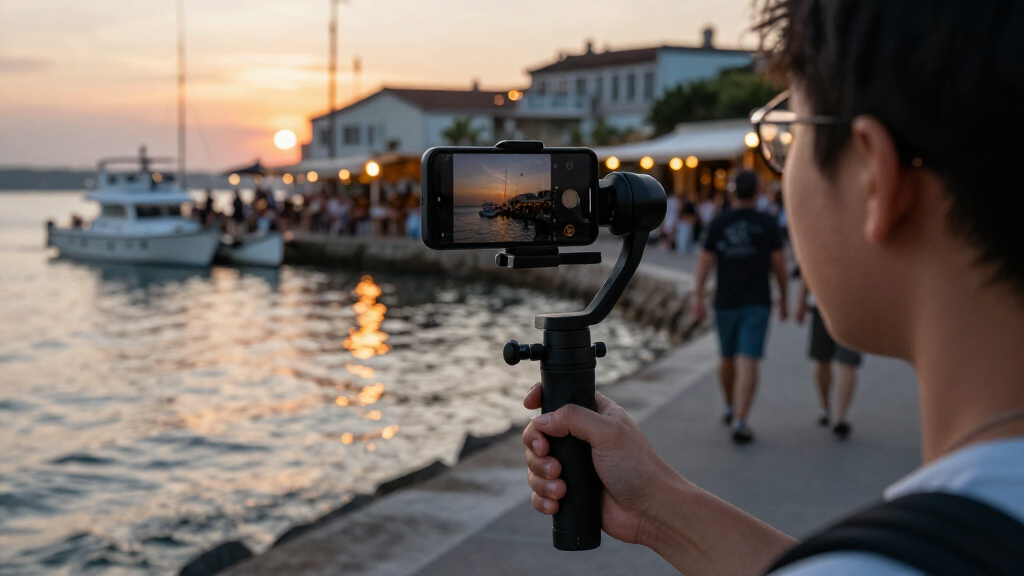

For most phone videographers, I’d start with the DJI Osmo Mobile 7P for its balance of stabilization and creator-focused features. The Insta360 Flow 2 Pro is a standout for app-based tracking, while the Hohem iSteady X3 SE suits buyers who want a simpler, foldable setup. The main tradeoffs are portability versus controls, built-in tracking versus app compatibility, and a basic stabilizer versus a more complete filming kit. A gimbal can smooth movement, but it cannot fix poor lighting, weak audio, or a phone that does not fit securely. Read on for the full breakdown of 15 options and help matching one to your video workflow.

Get the latest gadgets delivered free with Prime
- Fast, free delivery on millions of items
- Prime Video, Amazon Music and more included
- Member-only deals all year
Complete the kit



Key Takeaways
- The DJI Osmo Mobile 7P is the strongest all-round starting point in this lineup, while its mic-transmitter package makes most sense when audio gear is part of the plan.
- Tracking separates creator-focused models from basic stabilizers: options such as the Hohem iSteady M7 and Insta360 Flow 2 Pro are aimed at keeping subjects in frame, but their tracking experience depends on setup and app support.
- Foldability is the clearest convenience divide. The Hohem iSteady X3 and X3 SE models, AOCHUAN Smart XE, and DJI Osmo Mobile 7 are better suited to casual carry than larger, accessory-heavy rigs.
- Two near-duplicate listings appear in the roundup: the AOCHUAN Smart XE is listed twice, and Hohem’s X3 SE appears in two configurations, so buyers should check the exact package and included remote before choosing.
- More bundled hardware is not automatically better for phone video. A mic transmitter, fill light, or detachable remote pays off only if it fits the way you shoot; otherwise a simpler gimbal may be easier to carry and operate.
| DJI Osmo Mobile 7P Smartphone Gimbal Stabilizer with Mic Mini Transmitter, Infinity Black |  | Best for Video with Clear Audio | Brand: DJI | Model: Osmo Mobile 7P | Color: Infinity Black | VIEW LATEST PRICE | See Our Full Breakdown |
| DJI Osmo Mobile 7P 3-Axis Smartphone Gimbal Stabilizer with Native Tracking |  | Best All-in-One Creator Kit | Brand: DJI | Model: Osmo Mobile 7P | Compatibility: iPhone and Android smartphones | VIEW LATEST PRICE | See Our Full Breakdown |
| Hohem iSteady V3 Ultra 3-Axis Gimbal Stabilizer for iPhone and Android |  | Best for Remote Solo Filming | Brand: Hohem | Model: iSteady V3 Ultra | Stabilization: 3-axis, iSteady 9.0 | VIEW LATEST PRICE | See Our Full Breakdown |
| DJI Osmo Mobile 8 3-Axis Gimbal Stabilizer for Phones |  | Best for Continuous Pan and Long Takes | Brand: DJI | Model: Osmo Mobile 8 | Stabilization: 3-axis | VIEW LATEST PRICE | See Our Full Breakdown |
| Hohem iSteady X3 3-Axis Gimbal Stabilizer for iPhone and Android |  | Best for App-Based Solo Creators | Brand: Hohem | Model: iSteady X3 | Model number: HPG-X3P | VIEW LATEST PRICE | See Our Full Breakdown |
| Hohem iSteady X3 SE Foldable Phone Gimbal with Detachable Remote, Gray |  | Best Compact Pick | Stabilization: 3-axis, iSteady 8.0 | Weight: 0.79 lb | Payload capacity: 0.66 lb | VIEW LATEST PRICE | See Our Full Breakdown |
| AOCHUAN Smart XE 3-Axis Foldable Smartphone Gimbal Stabilizer |  | Best for Hands-On Framing | Stabilization: 3-axis | Compatibility: iPhones and most Android smartphones | Maximum payload: 280 g | VIEW LATEST PRICE | See Our Full Breakdown |
| DJI Osmo Mobile 6 3-Axis Smartphone Gimbal Stabilizer with Built-In Extension Rod |  | Best for Selfies and Wider Angles | Stabilization: 3-axis | Weight: 1.3 lb | Folded size: 189 x 84.5 x 44 mm | VIEW LATEST PRICE | See Our Full Breakdown |
| Insta360 Flow 2 Pro Phone Gimbal Stabilizer Creator Bundle, Gray |  | Best Creator Bundle | Stabilization: 3-axis | Compatibility: iPhone and Android smartphones; check model compatibility | Tracking: Native iOS app tracking; AI Tracker for Android; active zoom tracking up to 15x | VIEW LATEST PRICE | See Our Full Breakdown |
| Hohem iSteady M7 Smartphone Gimbal Stabilizer with AI Tracking and Fill Light |  | Best for Advanced Solo Creators | Stabilization: 3-axis iSteady 9.0 | AI tracking: 2 MP, app-independent | Remote control: Detachable touchscreen with 1.4-inch display | VIEW LATEST PRICE | See Our Full Breakdown |
| AOCHUAN Smart XE 3-Axis Smartphone Gimbal Stabilizer |  | Best for Hands-On App Controls | Stabilization: 3-axis | Phone compatibility: iPhone and Android phones under 7 inches; 50–90 mm wide | Payload: 0.55 lb | VIEW LATEST PRICE | See Our Full Breakdown |
| Hohem iSteady X3 SE 3-Axis Gimbal Stabilizer for iPhone and Android |  | Best for Remote Solo Filming | Stabilization: 3-axis, iSteady 8.0 | Payload capacity: 0.66 lb | Remote: Detachable magnetic remote, up to 32.81 feet | VIEW LATEST PRICE | See Our Full Breakdown |
| DJI Osmo Mobile 7 3-Axis Gimbal Stabilizer for iPhone and Android |  | Best for a Simple, Portable DJI Setup | Stabilization: 3-axis | Tracking: ActiveTrack 7.0 | Weight: 300 g | VIEW LATEST PRICE | See Our Full Breakdown |
| COMITOK L7C Pro 3-Axis Smartphone Gimbal Stabilizer with AI Tracking |  | Best for Quick Setup | Stabilization: 3-axis | Tracking: Face and object tracking | Phone compatibility: iPhone and Android smartphones under 7 inches | VIEW LATEST PRICE | See Our Full Breakdown |
| DJI Osmo Mobile 8 Smartphone Gimbal with Mic Mini Transmitter, Infinity Black |  | Best for an All-in-One Creator Kit | Stabilization: 3-axis | Pan rotation: 360° horizontal | Battery life: Up to 10 hours | VIEW LATEST PRICE | See Our Full Breakdown |
| smartphone gimbals for video | Stabilization |
|---|---|
| DJI Osmo Mobile 7P Smartphone | 3-axis |
| DJI Osmo Mobile 7P 3-Axis Smar | 3-axis |
| Hohem iSteady V3 Ultra 3-Axis | 3-axis, iSteady 9.0 |
| DJI Osmo Mobile 8 3-Axis Gimba | 3-axis |
| Hohem iSteady X3 3-Axis Gimbal | 3-axis, iSteady 8.0 |
| Hohem iSteady X3 SE Foldable P | 3-axis, iSteady 8.0 |
| AOCHUAN Smart XE 3-Axis Foldab | 3-axis |
| DJI Osmo Mobile 6 3-Axis Smart | 3-axis |
| Insta360 Flow 2 Pro Phone Gimb | 3-axis |
| Hohem iSteady M7 Smartphone Gi | 3-axis iSteady 9.0 |
| AOCHUAN Smart XE 3-Axis Smartp | 3-axis |
| Hohem iSteady X3 SE 3-Axis Gim | 3-axis, iSteady 8.0 |
| DJI Osmo Mobile 7 3-Axis Gimba | 3-axis |
| COMITOK L7C Pro 3-Axis Smartph | 3-axis |
| DJI Osmo Mobile 8 Smartphone G | 3-axis |
More Details on Our Top Picks
DJI Osmo Mobile 7P Smartphone Gimbal Stabilizer with Mic Mini Transmitter, Infinity Black
The Osmo Mobile 7P bundle suits creators who want steady movement and better on-camera sound without assembling a separate audio kit. Its 3-axis stabilization and native tracking help keep a moving subject framed, while the included DJI Mic Mini transmitter adds an audio option that the other 7P listing here does not specify. The built-in extension rod and tripod also make solo framing and stationary recording easier. Compared with the DJI Osmo Mobile 8, this pick is distinguished by the included transmitter, while the Mobile 8 lists 360° horizontal pan and phone charging during filming. Runtime is rated for up to 10 hours, but Android setup takes extra effort: DJI Mimo is not on Google Play and must be downloaded from DJI’s website. Choose it for the audio bundle; skip it if app convenience matters more.
Pros:- Includes a DJI Mic Mini transmitter for a bundled audio option.
- 3-axis stabilization and native tracking support smoother, better-framed moving shots.
- Built-in extension rod and tripod help with elevated angles and solo recording.
- Up to 10 hours of operating time suits longer filming sessions.
Cons:- DJI Mimo is not available on Google Play, so Android users must download it from DJI’s website.
- The product information does not specify 360° pan or phone charging during filming, features listed for the Osmo Mobile 8.
Best for: Solo video creators who want a bundled wireless microphone transmitter, subject tracking, and a built-in tripod for interviews or social clips.
Not ideal for: Android users who want to install apps only through Google Play, or buyers who prefer a gimbal with 360° pan and phone charging while filming.
- Brand:DJI
- Model:Osmo Mobile 7P
- Color:Infinity Black
- Stabilization:3-axis
- Compatibility:iPhone and Android
- Operating time:Up to 10 hours
- Built-in features:Native tracking, lighting, audio reception, extension rod, and tripod
- Included transmitter:DJI Mic Mini TX
- App:DJI Mimo
Our verdict“Choose this 7P bundle if the included Mic Mini transmitter matters more than the Mobile 8’s listed 360° pan and phone-charging features.”
DJI Osmo Mobile 7P 3-Axis Smartphone Gimbal Stabilizer with Native Tracking
This Osmo Mobile 7P is a strong fit for video makers who want one gimbal to handle framing, light, and audio-receiver functions. Its multifunctional module combines those tasks with native tracking, reducing the need to carry separate accessories for basic creator setups. The built-in extension rod and tripod also offer more framing choices than a gimbal without an integrated support. Compared with the other Osmo Mobile 7P in this lineup, this listing specifies dual-lens enhanced tracking but does not list an included Mic Mini transmitter; choose the other bundle if receiving that transmitter is the priority. The 10-hour maximum runtime is useful for extended shoots, though Android users face an app hurdle because DJI Mimo must be downloaded from DJI’s website rather than Google Play. Its broad feature set comes with more setup friction than a simpler gimbal.
Pros:- Multifunctional module combines tracking, lighting, and audio-receiver features.
- Dual-lens enhanced tracking is specified alongside native tracking.
- Built-in extension rod and tripod support varied solo-video framing.
- Up to 10 hours of operating time.
Cons:- DJI Mimo is unavailable on Google Play, requiring Android users to download it from DJI’s website.
- This listing does not specify an included Mic Mini transmitter, unlike the other Osmo Mobile 7P bundle.
- The multifunctional feature set may be more than needed for buyers seeking a simple stabilizer.
Best for: Creators who want tracking, lighting, audio-receiver functions, and flexible positioning in one phone-gimbal setup.
Not ideal for: Android users who avoid sideloading apps, or shoppers whose main priority is an included Mic Mini transmitter rather than the listed multifunctional module.
- Brand:DJI
- Model:Osmo Mobile 7P
- Compatibility:iPhone and Android smartphones
- Stabilization:3-axis
- Tracking:Native tracking with dual-lens enhanced tracking
- Multifunctional module:Tracking, lighting, and audio-receiver features
- Maximum operating time:10 hours
- Built-in features:Extension rod and tripod
- Included items:Gimbal, Multifunctional Module, magnetic phone clamp, USB-C cables, and storage pouch
Our verdict“Pick this 7P for its integrated tracking, lighting, and audio-receiver functions, but choose the transmitter bundle if bundled microphone hardware is your priority.”
Hohem iSteady V3 Ultra 3-Axis Gimbal Stabilizer for iPhone and Android
The iSteady V3 Ultra is the most remote-oriented option in this group: its detachable 1.22-inch touchscreen remote can control framing from up to 33 feet away. That makes it especially useful for filming yourself, a pet, or a wider scene without returning to the phone between takes. Its AI tracking supports faces, pets, and objects, while the included fill light and 8-inch extension rod add practical help for close-ups and elevated angles. Compared with the Hohem iSteady X3, the V3 Ultra specifies a touchscreen remote and broader named tracking targets; the X3 offers a similar remote-and-light setup in a different package. The tradeoff is weight: at 15.1 oz, it may tire the hand during long walking shots, and its remote range is finite. Its 9-hour runtime also falls short of the DJI 7P models’ stated 10 hours.
Pros:- Detachable 1.22-inch touchscreen remote works up to 33 feet away.
- AI tracking supports faces, pets, and objects.
- Includes an 8-inch extension rod, built-in tripod, and fill light.
- Foldable design and up to 9 hours of battery life support mobile filming.
Cons:- At 15.1 oz, it may feel heavy during extended handheld use.
- Remote control is limited to a range of up to 33 feet.
- Its stated 9-hour runtime is shorter than the DJI Osmo Mobile 7P models’ up-to-10-hour rating.
Best for: Solo creators filming pets, people, or objects from a distance who want to control a shot from a touchscreen remote.
Not ideal for: Travelers prioritizing a light handheld setup or anyone who expects to control the gimbal from beyond its 33-foot remote range.
- Brand:Hohem
- Model:iSteady V3 Ultra
- Stabilization:3-axis, iSteady 9.0
- Tracking:AI tracking for faces, pets, and objects
- Remote:Detachable 1.22-inch touchscreen; up to 33 ft range
- Extension rod:8 inches
- Maximum phone load:14.11 oz
- Battery life:Up to 9 hours
- Folded length and weight:6.3 inches; 15.1 oz
Our verdict“Choose the V3 Ultra if remote control and tracking pets or objects matter more than keeping a handheld kit light.”
DJI Osmo Mobile 8 3-Axis Gimbal Stabilizer for Phones
The Osmo Mobile 8 stands out for shots that need a broad, continuous horizontal sweep: its 360° pan rotation gives the camera room to follow action without the pan limitation described for the other models here. Native tracking, integrated audio and lighting features, and a built-in extension rod and tripod make it a flexible choice for solo video work. It also supports phone charging while filming, a useful feature for long recording sessions that the two Osmo Mobile 7P listings do not specify. Those 7P options may be a better match if you want the transmitter bundle or the specified dual-lens enhanced tracking. The Mobile 8 is rated for up to 10 hours, but Android setup still requires downloading DJI Mimo from DJI’s website because it is not available on Google Play.
Pros:- 360° horizontal pan rotation supports continuous sweeping shots.
- Native tracking works alongside integrated audio and lighting features.
- Phone can be charged while filming.
- Built-in extension rod, tripod, and up-to-10-hour battery rating suit extended solo shoots.
Cons:- Android users must download DJI Mimo from DJI’s website because it is unavailable on Google Play.
- This listing does not specify an included Mic Mini transmitter, unlike the bundled Osmo Mobile 7P option.
Best for: Video creators who need wide horizontal camera movement, phone charging during recording, and integrated tracking for longer shoots.
Not ideal for: Android users who want DJI Mimo directly from Google Play, or buyers who specifically want the included Mic Mini transmitter listed with the other 7P bundle.
- Brand:DJI
- Model:Osmo Mobile 8
- Stabilization:3-axis
- Pan rotation:360° horizontal
- Battery life:Up to 10 hours
- Features:Native tracking, audio reception, lighting, and phone charging while filming
- Built-in features:Extension rod and tripod
- Included items:Gimbal, multifunctional module, magnetic phone clamp, USB-C charging/audio cable, storage pouch, and USB-C power cable
Our verdict“Choose the Osmo Mobile 8 for 360° pan and phone charging during filming; choose a 7P bundle if its listed transmitter or dual-lens tracking better fits your setup.”
Hohem iSteady X3 3-Axis Gimbal Stabilizer for iPhone and Android
The iSteady X3 offers a useful creator toolkit without the more specialized touchscreen remote of the Hohem iSteady V3 Ultra. It combines 3-axis stabilization with a detachable remote, magnetic fill light, extendable rod, and tripod functionality, giving solo shooters ways to frame and light clips without a separate stand or lamp. AI tracking and gesture control add hands-free recording, but both depend on the Hohem Joy app, so the gimbal is a better fit for buyers comfortable building their workflow around that app. Compared with the DJI Osmo Mobile 7P, the X3 supplies a detachable remote and magnetic light, while the DJI listings specify native tracking and, in one bundle, a Mic Mini transmitter. The X3 weighs 0.93 lb, so it is not the lightest choice for prolonged handheld filming.
Pros:- 3-axis iSteady 8.0 stabilization helps steady moving footage.
- Detachable remote supports operation from up to 32.8 feet away.
- Extendable rod, tripod functionality, and magnetic fill light add solo-shooting flexibility.
- AI tracking and gesture control support hands-free recording through the app.
Cons:- AI tracking and gesture controls require the Hohem Joy app.
- At 0.93 lb, it may feel heavy during extended handheld filming.
- Unlike the V3 Ultra, the listed remote does not specify a touchscreen.
Best for: Solo social-video creators who want a detachable remote, fill light, and app-based hands-free controls in a foldable gimbal.
Not ideal for: Filmmakers who want tracking and gesture controls without relying on Hohem Joy, or handheld shooters seeking a lighter option for long takes.
- Brand:Hohem
- Model:iSteady X3
- Model number:HPG-X3P
- Compatibility:iPhone and Android smartphones
- Stabilization:3-axis, iSteady 8.0
- Remote range:Up to 32.8 ft
- Weight:0.93 lb
- Features:Detachable remote, tripod, extendable rod, magnetic fill light, AI tracking, gesture control, and foldable design
- Warranty:1 year
Our verdict“Choose the X3 for a foldable, light-equipped solo-filming kit if you are comfortable using Hohem Joy for its hands-free controls.”
Hohem iSteady X3 SE Foldable Phone Gimbal with Detachable Remote, Gray
The Hohem iSteady X3 SE is a strong fit for creators who want stabilized video without carrying a larger filming setup. Its foldable 0.79-pound design is easier to pack than the feature-heavy iSteady M7, while the detachable remote lets you start or control shots from up to 32.81 feet away—useful for solo filming and group clips. It supports AI tracking through the Hohem Joy app and switches between landscape and portrait, so it can serve both conventional video and vertical social posts. Up to 11 hours of operation also gives it plenty of room for a day of intermittent shooting. The tradeoff is its 0.66-pound payload limit: buyers with heavier phones or bulky add-ons should look at a higher-capacity option. Its app-based tracking is less self-contained than the M7’s app-independent system.
Pros:- Foldable body weighs 0.79 pounds for easier carrying
- Detachable remote controls shots from up to 32.81 feet away
- Up to 11 hours of operation
- Supports AI tracking and landscape-to-portrait switching
Cons:- 0.66-pound payload limit restricts heavier phone setups
- AI tracking and creative modes depend on the Hohem Joy app
Best for: Travelers and solo creators who want a light, foldable gimbal, remote framing, and app-based subject tracking.
Not ideal for: Creators using a heavy phone case, lens attachments, or other accessories that may push their setup beyond the 0.66-pound payload limit.
- Stabilization:3-axis, iSteady 8.0
- Weight:0.79 lb
- Payload capacity:0.66 lb
- Remote control range:Up to 32.81 ft
- Battery life:Up to 11 hours
- Charging time:2 hours
- App:Hohem Joy
- Included items:Gimbal, remote controller, tripod, storage pouch, Type-C charging cable, quick start guide, and warranty card
Our verdict“Choose the iSteady X3 SE for a portable, remote-controlled filming setup, but pick the iSteady M7 if you need greater payload capacity and app-independent tracking.”
AOCHUAN Smart XE 3-Axis Foldable Smartphone Gimbal Stabilizer
The AOCHUAN Smart XE suits phone videographers who want more direct control over focus and zoom than the simpler iSteady X3 SE offers. Its focus wheel and zoom slide give creators physical controls for adjusting a shot, while face tracking, gesture control, and app shooting modes help with solo recording. The foldable body and up-to-10-hour operating time make it practical for taking along on a full day of filming, and it supports both horizontal and vertical shooting. Compared with the DJI Osmo Mobile 6, it emphasizes hands-on focus and zoom controls rather than a built-in extension rod for reaching wider selfie angles. The limits are its 280 g maximum payload and reliance on the app for some creative functions; check your phone and case weight before choosing it.
Pros:- Focus wheel and zoom slide provide physical shot adjustments
- Face tracking and gesture control support solo filming
- Foldable design with up to 10 hours of operating time
- Supports horizontal and vertical shooting
Cons:- 280 g maximum payload may rule out heavier phone setups
- Creative shooting modes depend on the companion app
- Phone is not included
Best for: Phone creators who want a foldable stabilizer with physical focus and zoom controls for solo shoots and social video.
Not ideal for: Owners of heavier phones or accessory-heavy setups near or above 280 g, and buyers who want a built-in extension rod.
- Stabilization:3-axis
- Compatibility:iPhones and most Android smartphones
- Maximum payload:280 g
- Battery capacity:2,600 mAh
- Operating time:Up to 10 hours
- Controls and tracking:Face tracking, gesture control, focus wheel, and zoom slide
- Shooting orientation:Horizontal and vertical
- Included components:Gimbal, tripod, USB-C charging cable, and user manual
Our verdict“Pick the Smart XE if physical focus and zoom controls matter more than the Osmo Mobile 6’s built-in extension rod.”
DJI Osmo Mobile 6 3-Axis Smartphone Gimbal Stabilizer with Built-In Extension Rod
The DJI Osmo Mobile 6 earns its place for video makers who often film themselves or want more reach without carrying a separate selfie stick. Its built-in extension rod makes it easier to frame a wider group shot or change the camera-to-subject distance, while the foldable design and ShotGuides make it approachable for creators who want help planning a shot. It also offers modes including time-lapse, motion-lapse, panorama, and slow motion. Compared with the Insta360 Flow 2 Pro, the Osmo Mobile 6 puts more emphasis on its extension rod and guided shooting rather than an included creator bundle with lighting and a carry case. The tradeoff is meaningful for video buyers: the listed capture resolution is 1080p, and the gimbal is not water resistant. Choose another option if higher-resolution capture or wet-weather use is a priority.
Pros:- Built-in extension rod helps frame selfies and wider group shots
- Foldable design for carrying between shoots
- ShotGuides offer help with planning and capturing video
- Includes time-lapse, motion-lapse, panorama, and slow-motion modes
Cons:- Listed video capture resolution is limited to 1080p
- Not water resistant
- At 1.3 pounds, heavier than the 0.79-pound Hohem iSteady X3 SE
Best for: Travel vloggers and group-video creators who want a built-in extension rod and guided shooting modes.
Not ideal for: Creators who need water resistance or want a gimbal whose listed video capture resolution exceeds 1080p.
- Stabilization:3-axis
- Weight:1.3 lb
- Folded size:189 x 84.5 x 44 mm
- Extension rod:Built-in
- Video capture resolution:1080p
- Shooting modes:Sports, Portrait, Underslung, Landscape, Time-Lapse, Motion-Lapse, Panorama, Slow Motion, and SpinShot
- Video format:MP4
- Water resistance:Not water resistant
Our verdict“Choose the Osmo Mobile 6 for guided shooting and extra reach, but favor the Flow 2 Pro if bundled creator tools matter more.”
Insta360 Flow 2 Pro Phone Gimbal Stabilizer Creator Bundle, Gray
The Insta360 Flow 2 Pro Creator Bundle is for phone videographers who want more than stabilization in a single carry kit. Its built-in tripod and selfie stick support hands-free recording and extended framing, while the selfie mirror, teleprompter, lighting, and carry case add useful tools for scripted or on-the-go shoots. Tracking is another strength: it offers 360-degree pan tracking, automatic group framing, and active zoom tracking up to 15x. Compared with the DJI Osmo Mobile 6, this bundle has a broader set of integrated creator accessories, while DJI’s standout advantage is its built-in extension rod. Phone support needs checking before purchase: native iOS tracking is listed, but Android tracking requires the included AI Tracker, and compatibility depends on the specific phone model. That adds setup and accessory dependence for some Android users.
Pros:- Built-in tripod and selfie stick support hands-free and extended-angle filming
- 360-degree pan tracking and automatic group framing
- Active zoom tracking up to 15x
- Creator accessories include a selfie mirror, teleprompter, lighting, and carry case
Cons:- Android tracking requires the AI Tracker
- Compatibility depends on the specific smartphone model
- The included creator tools add more accessories to manage than a basic gimbal setup
Best for: Creators who film solo, record scripted clips, or shoot groups and want a gimbal with built-in support tools and tracking.
Not ideal for: Android users who want tracking without an additional tracker, or buyers whose phone model is not confirmed compatible.
- Stabilization:3-axis
- Compatibility:iPhone and Android smartphones; check model compatibility
- Tracking:Native iOS app tracking; AI Tracker for Android; active zoom tracking up to 15x
- Pan tracking:360-degree
- Additional movement modes:Free tilt mode
- Built-in features:Tripod, selfie stick, selfie mirror, teleprompter, and lighting
- Included items:Flow 2 Pro, AI Tracker, USB-C charge cable, magnetic phone mount, and carry case
- Warranty:1 year
Our verdict“Choose the Flow 2 Pro bundle for a broad set of integrated filming tools, especially if you value tracking and hands-free setups over a simpler kit.”
Hohem iSteady M7 Smartphone Gimbal Stabilizer with AI Tracking and Fill Light
The Hohem iSteady M7 is the most self-contained choice here for creators who need to manage a shoot without a second person. Its app-independent AI tracking can follow people, animals, and other subjects, while the detachable touchscreen remote lets the operator view footage and adjust settings away from the phone. A built-in extension pole and adjustable CCT/RGB fill light add framing and lighting options that the compact iSteady X3 SE does not provide. The M7 also supports phones up to 500 g and offers up to 12 hours of battery life, plus reverse charging for a phone. Those capabilities come with tighter setup requirements: the phone must fit the 58–90 mm width range and stay within the payload limit. Buyers also do not get a stated charging time in the supplied specifications.
Pros:- App-independent AI tracking supports people, animals, and other subjects
- Detachable touchscreen remote shows footage and adjusts settings
- Built-in 193 mm extension pole and adjustable CCT/RGB fill light
- Up to 12 hours of battery life with reverse phone charging
Cons:- Phone must fit within the 58–90 mm width and 500 g payload limits
- Charging time is not specified in the supplied product information
- Its extra controls and accessories make it a more involved setup than the iSteady X3 SE
Best for: Solo creators who want independent subject tracking, remote monitoring, adjustable fill light, and support for a heavier phone.
Not ideal for: Buyers with phones outside the 58–90 mm width range or above 500 g, and anyone who needs a specified charging time before planning shoots.
- Stabilization:3-axis iSteady 9.0
- AI tracking:2 MP, app-independent
- Remote control:Detachable touchscreen with 1.4-inch display
- Phone compatibility:58–90 mm wide; maximum payload 500 g
- Fill light:Adjustable CCT and RGB; 2700–6500 K
- Built-in extension pole:193 mm
- Battery life:Up to 12 hours
- Pan rotation:360° infinite
- Operating system compatibility:iOS, Android, and HarmonyOS
Our verdict“Choose the iSteady M7 for a more capable solo-filming setup; the iSteady X3 SE is the simpler pick if portability matters more than advanced controls.”
AOCHUAN Smart XE 3-Axis Smartphone Gimbal Stabilizer
The AOCHUAN Smart XE is a strong fit for solo creators who want more than basic stabilization: its app supports face, body, and object tracking, while the focus wheel and zoom slider give framing adjustments a physical control. Compared with the Hohem iSteady X3 SE, which emphasizes a detachable remote, this model puts more control on the handle and in its app. Its foldable body and included tripod also make it easy to set up for a stationary talking-head clip or pack for travel. The tradeoff is a 0.55 lb payload, lower than the Hohem’s stated 0.66 lb limit, so check your phone and case combination before buying. The phone is not included, and the best fit may require removing a bulky case.
Pros:- Face, body, and object tracking support several solo-filming setups.
- Focus wheel and zoom slider provide direct framing adjustments.
- Foldable design and included tripod suit travel and static shots.
- More than 10 hours of stated battery life supports extended filming.
Cons:- The 0.55 lb payload is lower than the Hohem iSteady X3 SE’s stated 0.66 lb capacity.
- A phone case may need to be removed for a proper fit.
- Charging takes about 3.5 hours.
Best for: Solo video makers who want tracking plus tactile focus and zoom adjustments, and whose phone fits within the gimbal’s payload limit.
Not ideal for: People using a heavier phone or a bulky case, or creators who prefer a remote-operated workflow like the Hohem iSteady X3 SE offers.
- Stabilization:3-axis
- Phone compatibility:iPhone and Android phones under 7 inches; 50–90 mm wide
- Payload:0.55 lb
- Tracking:Face, body, object, and third-party live tracking
- Battery life:Over 10 hours
- Charging time:3.5 hours
- Folded dimensions:6.4 × 4.3 × 2.1 inches
- Weight:0.77 lb
- Included accessories:Tripod, USB-C charging cable, and user manual
Our verdict“Choose the Smart XE if you want hands-on focus and zoom controls with broad tracking modes and your phone stays within its payload limit.”
Hohem iSteady X3 SE 3-Axis Gimbal Stabilizer for iPhone and Android
The Hohem iSteady X3 SE is the clearest pick here for creators who need to start, stop, or frame a shot away from the handle. Its detachable magnetic remote works from up to 32.81 feet, making it more convenient for group clips and wide shots than the AOCHUAN Smart XE, whose strengths are its focus wheel and zoom slider. The Hohem also supports phones up to 0.66 lb and offers up to 11 hours of battery life, giving it a little more payload headroom than the AOCHUAN. Its foldable format, tripod, pouch, and app-based AI tracking round out a practical kit. The main constraint is still compatibility: heavier phones exceed its stated capacity, and advanced app features depend on the Hohem Joy app.
Pros:- Detachable magnetic remote operates from up to 32.81 feet away.
- Supports smartphones up to 0.66 lb.
- Up to 11 hours of stated battery life.
- Foldable design comes with a tripod and storage pouch.
Cons:- Phone weight is limited to 0.66 lb.
- AI tracking and gesture control are accessed through the Hohem Joy app.
- The supplied product details do not specify a phone-width or size limit.
Best for: Creators filming themselves, families, or small groups who want to control a phone gimbal from a distance.
Not ideal for: Owners of phones weighing more than 0.66 lb, or filmmakers who want physical focus and zoom controls like those on the AOCHUAN Smart XE.
- Stabilization:3-axis, iSteady 8.0
- Payload capacity:0.66 lb
- Remote:Detachable magnetic remote, up to 32.81 feet
- Battery life:Up to 11 hours
- Charging time:2 hours
- Weight:0.79 lb
- App:Hohem Joy, with AI tracking and gesture control
- Included items:Remote controller, tripod, storage pouch, Type-C cable, quick start guide, and warranty card
Our verdict“Pick the iSteady X3 SE if remote control matters more to your solo or group filming than dedicated focus and zoom adjustments.”
DJI Osmo Mobile 7 3-Axis Gimbal Stabilizer for iPhone and Android
The DJI Osmo Mobile 7 earns its place as a straightforward portable option: it pairs 3-axis stabilization and ActiveTrack 7.0 with a built-in tripod, so a solo creator can move between walking footage and a hands-free shot without packing a separate stand. Compared with the DJI Osmo Mobile 8 in this lineup, the Mobile 7 is the more pared-back choice; the 8 lists 360° horizontal rotation, an extension rod, and included audio and lighting components. The Mobile 7 instead keeps the kit lighter at 300 g and offers up to 10 hours of operation, along with phone charging. One practical drawback for Android owners is that DJI Mimo is not on Google Play and must be downloaded from DJI’s website. The tracking kit and related accessories are sold separately.
Pros:- ActiveTrack 7.0 supports subject-following shots.
- Built-in tripod makes stationary solo filming easier.
- At 300 g, it is lightweight and foldable.
- Up to 10 hours of operation and USB-C phone charging.
Cons:- Android users must download DJI Mimo from DJI’s official website rather than Google Play.
- Tracking kit and related accessories are sold separately.
- Does not include the Osmo Mobile 8’s listed extension rod or Mic Mini transmitter.
Best for: Travelers and solo creators who want a lightweight DJI gimbal with a built-in tripod and do not need bundled audio gear.
Not ideal for: Android users who want to install apps only through Google Play, or creators seeking an included transmitter and extension rod like the Osmo Mobile 8 provides.
- Stabilization:3-axis
- Tracking:ActiveTrack 7.0
- Weight:300 g
- Maximum operating time:10 hours
- Charging port:USB-C
- Built-in support:Tripod
- App features:DJI Mimo ShotGuides and One-Tap Edit
- Included items:Magnetic Phone Clamp 4, USB-C to USB-C power cable, and storage pouch
Our verdict“Choose the Osmo Mobile 7 for a light, basic DJI filming kit, but consider the Osmo Mobile 8 if you need bundled audio and an extension rod.”
COMITOK L7C Pro 3-Axis Smartphone Gimbal Stabilizer with AI Tracking
The COMITOK L7C Pro is aimed at creators who value a fast start: its no-leveling setup removes a balancing step before filming, while the foldable body and included grip tripod suit quick clips at home or on the go. Face and object tracking, gesture control, and creative shooting modes give it more automated options than a basic stabilizer. Compared with the AOCHUAN Smart XE, however, the COMITOK has no listed focus wheel or zoom slider, so it is less suited to creators who want direct control over those adjustments. Its 80-minute charging time is a practical advantage over the AOCHUAN’s 3.5-hour charge. The limits are the 0.62 lb phone-weight cap and app dependence for tracking and creative modes; check your phone and case before relying on those features.
Pros:- No-leveling setup reduces preparation before filming.
- Face and object tracking pair with gesture controls.
- Charges in about 80 minutes.
- Includes a grip tripod and wrist strap.
Cons:- Phone weight must not exceed 0.62 lb.
- Tracking and creative shooting modes require the companion app.
- Does not list physical focus or zoom controls like the AOCHUAN Smart XE.
Best for: Casual creators who want a foldable gimbal that is quick to set up for face- or object-tracked clips.
Not ideal for: People with phones over 0.62 lb, or video makers who want physical focus and zoom controls rather than app-based adjustments.
- Stabilization:3-axis
- Tracking:Face and object tracking
- Phone compatibility:iPhone and Android smartphones under 7 inches
- Maximum phone weight:0.62 lb
- Gimbal weight:0.8 lb
- Folded dimensions:6 × 4.3 × 1.8 inches
- Charging time:About 80 minutes
- Battery capacity:2600 mAh
- Included accessories:Grip tripod, Type-C USB cable, user manual, and wrist strap
Our verdict“Pick the L7C Pro if quick setup and a short charging time matter more than physical focus and zoom controls.”
DJI Osmo Mobile 8 Smartphone Gimbal with Mic Mini Transmitter, Infinity Black
The DJI Osmo Mobile 8 with Mic Mini transmitter is the most complete creator-focused bundle in this group. Alongside 3-axis stabilization and subject tracking, it lists a 360° horizontal pan, extension rod, tripod, audio reception, lighting, and a transmitter. That makes it a stronger fit for filming a presenter with spoken audio than the DJI Osmo Mobile 7, which is lighter and simpler but does not include the same audio kit or extension rod. The Mobile 8 still offers up to 10 hours of battery life and phone charging, but its larger feature set depends on phone compatibility for some functions. DJI Mimo is also unavailable on Google Play, so Android users need to obtain the app from DJI’s official website. The supplied details do not specify the gimbal’s weight or phone payload.
Pros:- 360° horizontal rotation supports continuous panning shots.
- Subject tracking helps keep a presenter in frame.
- Includes an extension rod, tripod, and Mic Mini transmitter.
- Up to 10 hours of stated battery life and phone charging.
Cons:- Some features depend on phone compatibility.
- DJI Mimo is not available on Google Play.
- The supplied product details do not state the gimbal weight or phone payload.
Best for: Mobile creators who want stabilization, subject tracking, a transmitter, and an extension rod in one filming kit.
Not ideal for: Travelers prioritizing a clearly specified lightweight setup, or Android users who do not want to install DJI Mimo outside Google Play.
- Stabilization:3-axis
- Pan rotation:360° horizontal
- Battery life:Up to 10 hours
- Built-in and bundled features:Extension rod, tripod, subject tracking, audio reception, and lighting
- Included audio:Mic Mini transmitter
- Phone charging:Supported
- Included components:Multifunctional module, magnetic phone clamp, storage pouch, cables, and accessories
- Color:Infinity Black
Our verdict“Choose this Osmo Mobile 8 bundle if you want audio gear and an extension rod included, and your phone is compatible with its features.”
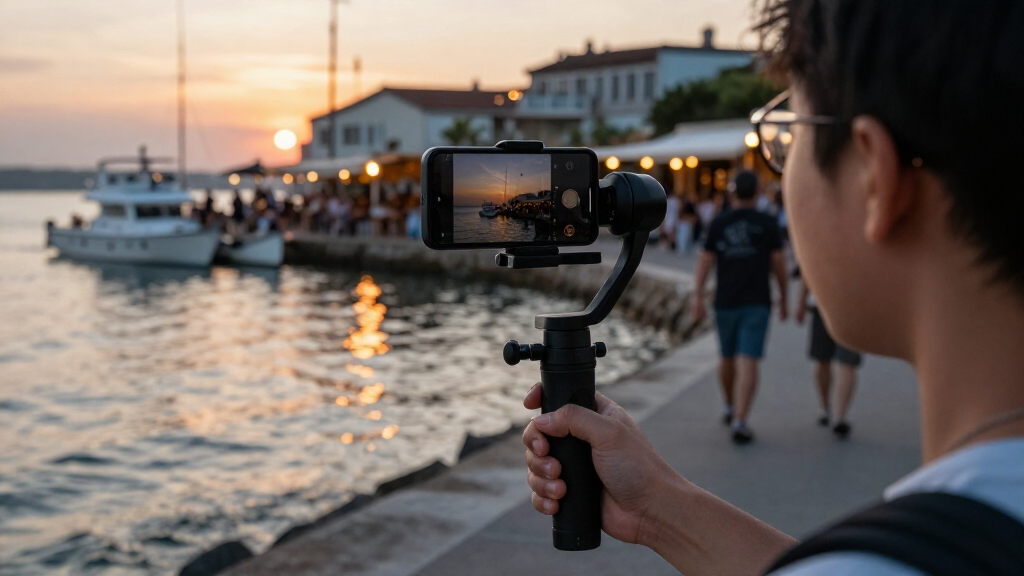
How We Picked
I ranked these smartphone gimbals for video by how well their stabilization, controls, tracking, and form factor suit real phone-filming tasks: walking shots, solo presentation, travel clips, and creator setups. I also weighed phone compatibility and the practical value of extras such as extension rods, detachable remotes, lights, and microphone transmitters. Since a feature only helps when it works with a buyer’s phone and preferred camera app, ease of setup and workflow fit count alongside the feature list.
The order favors versatility and straightforward daily use over sheer feature count. Models with useful tracking and a balanced set of filming tools rank ahead of basic or narrowly specialized options, while compact models earn consideration for portability and simplicity. Bundles and similarly named versions are treated as distinct only where their listed packages differ; buyers should verify the exact model and included accessories before ordering. I do not treat a long feature list as proof of better footage: phone balance, app support, and operator skill still matter.
Factors to Consider When Choosing Smartphone Gimbals For Video
Choosing a gimbal is less about collecting features and more about avoiding a mismatch between the device and your filming routine. I’d decide how you shoot first, then check tracking, phone fit, setup burden, and which accessories you’ll genuinely use.
Match stabilization to the way you move
Think about your most common shots rather than the most ambitious one you might film once. Walking tours and follow shots put a premium on controlled movement, while desk videos may need little more than a steady frame and easy repositioning. A gimbal smooths some hand movement, but it does not remove every jolt from fast steps or make rapid pans look natural. For smoother footage, walk softly, keep turns gradual, and practice the gimbal’s movement modes before recording a take you cannot repeat. Buyers who mostly film from a fixed position may gain more from a stable mount and better lighting than from a feature-heavy stabilizer. Pick a model that improves your recurring shots, not just the most impressive item on its spec list.
Check tracking against your camera app
AI or subject tracking can help a solo creator stay in frame while presenting, cooking, or demonstrating a product. But tracking behavior may vary between a maker’s app and the phone’s native camera, so confirm which apps and phone models support the controls you want. Before buying, decide whether you’re willing to film through a companion app or need the camera app you already use. That choice can affect access to familiar settings, editing habits, and how quickly you can start recording. Tracking is also not a replacement for framing: a busy background or an obstructed subject can still confuse a system. Pay for tracking when you will regularly film yourself or moving subjects; for static clips, it may add setup without improving the result.
Treat phone fit as a compatibility check, not an afterthought
Gimbals have limits around phone size, weight, and how a phone sits in the clamp. A case, camera grip, or add-on lens can change balance even when the bare phone appears to fit. Check the manufacturer’s compatibility guidance for your exact phone and accessories, and consider whether you will need to remove your case for filming. A poorly balanced phone can strain motors or make setup more frustrating, while a secure clamp is a basic requirement for safe use. If several people will share the gimbal, compare their phones rather than buying around just one device. Allow room for your next phone upgrade, but do not assume every larger handset will work.
Decide how much setup and carrying you’ll tolerate
Foldable designs are appealing when a gimbal needs to live in a day bag, but portability does not tell the whole story. You may still need to unfold it, mount and balance the phone, open an app, and check the controls before a shot. A detachable remote can simplify solo framing, while extra lights or audio gear can add useful capability along with more items to charge and pack. If you film spontaneous clips, a quick-to-deploy model may serve you better than a larger kit with features you rarely use. Think through where the gimbal will be stored and whether it will fit alongside your phone accessories. The best travel choice is the one you are likely to bring, not the one with the longest accessory list.
Separate stabilization from audio and lighting needs
A gimbal stabilizes motion; it does not automatically improve voice clarity or make a dim scene look well lit. A mic transmitter or fill light can make a package more useful for talking-head clips, interviews, or indoor creator work, but only if the accessories suit your phone and recording setup. Check how an add-on connects, whether it works with your preferred app, and whether it creates extra charging or mounting steps. If audio is already handled by a separate microphone, a bundled transmitter may duplicate gear. Likewise, a light is less useful for outdoor travel shots than for close-range indoor filming. Spend attention on the weakest part of your video workflow rather than buying accessories simply because they are included.
Compare the exact version and included kit
Product names can hide meaningful package differences: one listing may include a remote or transmitter while a near-identical model may not. That distinction matters because buying the wrong version can leave you without the control or audio tool you expected. Compare the full model name, color, included accessories, and compatibility notes before making a decision. This roundup includes duplicate or closely related listings for AOCHUAN Smart XE and Hohem iSteady X3 SE, so the name alone is not a reliable guide to the package. Avoid treating a bundle as automatically better; extra parts can increase setup time and carry weight. Choose the version that covers a real need and skip add-ons that would stay in the case.
Frequently Asked Questions
Is a gimbal worthwhile if I mostly record with my phone’s built-in camera app?
It can be, but check whether the gimbal’s tracking and camera controls work with the app you prefer. Basic stabilization may still help with moving shots, while some advanced tracking features may rely on a companion app or have narrower compatibility. If you do not want to change your recording workflow, prioritize straightforward controls and verify app support before choosing. You can also use the gimbal without relying on every smart feature. For mostly static video, a gimbal may add less value than a tripod or improved lighting.
Should I choose a tracking gimbal or a simpler foldable model?
Choose tracking if you often film yourself moving around or need the camera to follow a subject without another person operating it. It can make solo filming easier, but setup, app support, and tracking behavior matter as much as the feature label. A simpler foldable model is a better fit for casual travel clips, quick walking footage, or buyers who mainly want steadier hand movement. If you mostly record from one position, tracking may be an unnecessary extra. The deciding question is whether automatic subject framing will solve a recurring problem in your videos.
Can I use a smartphone gimbal with my phone case attached?
Sometimes, but case thickness, phone weight, and the position of the phone in the clamp can affect fit and balance. Check the specific gimbal’s compatibility limits with your exact phone and case rather than relying on a general claim that it fits smartphones. Bulky cases, lens covers, or mounted accessories may need to come off. A phone that clamps securely but sits poorly balanced can still cause trouble during use. If you plan to keep a case on, confirm that configuration before buying.
Is a microphone bundle worth choosing over a gimbal-only kit?
It makes sense when spoken audio is central to your videos and the transmitter works with your phone and recording app. A bundled microphone can reduce the need to assemble separate equipment, but it also adds parts to charge, connect, and carry. If you already own a microphone you like, or mostly shoot silent scenery, the bundle may not improve your footage enough to justify the added kit. Check what is actually included in the exact product version. Treat the microphone as a workflow choice, not as a feature that automatically improves stabilization.
Which model should I choose if I want to travel light but still film myself?
Look for a compact, foldable design and a practical way to frame yourself, such as compatible tracking or a detachable remote. The Hohem X3 and X3 SE listings are among the compact options in this roundup, while the Insta360 Flow 2 Pro and tracking-focused Hohem models suit buyers who place more weight on solo framing. Check the exact package, since closely named versions may include different accessories. Also account for the time needed to mount the phone and open the right app. A smaller gimbal that is easy to carry and set up may be more useful than a larger kit with features you rarely use.
Conclusion
For most people choosing among these smartphone gimbals for video, I’d make the DJI Osmo Mobile 7P my best overall pick for its blend of filming features and day-to-day versatility. For best value, I’d look first at the Hohem iSteady X3 SE or DJI Osmo Mobile 7 if their listed features cover your needs and you want a simpler setup. Buyers seeking a more creator-focused or premium workflow should compare the Insta360 Flow 2 Pro, Hohem iSteady M7, and the DJI bundles with mic transmitters, choosing by app compatibility and which extras they will actually use. For beginners, a compact foldable model with straightforward controls is a sensible starting point; the X3 SE is a natural candidate. For solo presenters, prioritize tracking, while travel shooters should favor portability and quick setup. Before deciding, verify your phone’s fit and the exact accessories included with the version you intend to buy.