
The best AI laptop for most people in this roundup is the HP OmniBook X 14, combining a sharp 3K OLED touchscreen with a Core Ultra 7 processor, 24GB of RAM, and a 1TB SSD. For a lightweight everyday machine, the MacBook Air 13-inch with M5 is a strong choice, while the MSI Venture A16 AI stands out for buyers who want generous storage and memory. The main tradeoffs are portability versus screen size, integrated graphics versus an RTX 4050, and whether you need Windows-specific software or prefer macOS. AI branding alone does not tell you how well a laptop fits your work, so I compare the hardware and practical differences across all 13 options. Continue reading for the full breakdown and a buying guide matched to different needs.

Get the latest gadgets delivered free with Prime
- Fast, free delivery on millions of items
- Prime Video, Amazon Music and more included
- Member-only deals all year
Complete the kit



Key Takeaways
- The HP OmniBook X 14 is the most balanced pick: its 24GB of RAM and 1TB SSD give it more headroom than the 16GB MacBook Air models, alongside a high-resolution OLED touchscreen.
- The two MacBook Air M5 sizes serve different priorities: the 13-inch model favors portability, while the 15-inch version offers more screen space without moving to a Windows laptop.
- Memory and storage vary more than the AI labels suggest: several options offer 32GB of RAM, while the Aspire 14 AI models pair 16GB with a 1TB SSD.
- The HP OmniBook 7 17.3-inch is the graphics outlier: its RTX 4050 is a more relevant distinction for graphics-heavy work than an AI PC badge alone.
- Large-screen choices carry different tradeoffs: the HP Pro Business and OmniBook 7 offer 17.3-inch displays, while the 16-inch ASUS, MSI, Acer, and HP models give up some screen area for a more compact footprint.
| Apple MacBook Air 13-inch Laptop with M5 Chip, 16GB Memory, 512GB SSD, Silver | 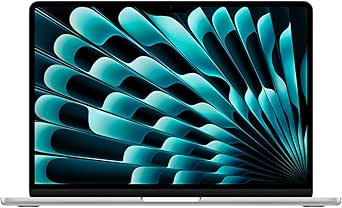 | Best for Apple AI Workflows | Chip: Apple M5 | Display: 13.6-inch Liquid Retina | Memory: 16GB unified memory | VIEW LATEST PRICE | See Our Full Breakdown |
| ASUS Vivobook S16 16-Inch Touchscreen Laptop, AMD Ryzen AI 9, 32GB DDR5, 1TB SSD |  | Best for Local AI Headroom | Processor: AMD Ryzen AI 9 465 | NPU performance: 50 TOPS | Display: 16-inch WUXGA touchscreen, 1920 × 1200, 120Hz | VIEW LATEST PRICE | See Our Full Breakdown |
| Acer Aspire Go 16 Laptop, 16-Inch WUXGA IPS Touchscreen, Intel Core 7 150U, 16GB DDR5, 512GB SSD | 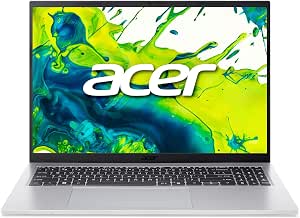 | Best Entry-Level Touchscreen Pick | Processor: Intel Core 7 150U | Display: 16-inch WUXGA IPS touchscreen, 1920 × 1200 | Maximum display brightness: 300 nits | VIEW LATEST PRICE | See Our Full Breakdown |
| HP OmniBook 3 14-inch AI Laptop, 2K OLED Display, Snapdragon X X1-26-100, 16 GB RAM, 512 GB SSD, Windows 11 Home, Nouvelle Silver |  | Best Compact OLED for Long Trips | Processor: Snapdragon X X1-26-100, 8 cores, up to 2.97GHz | Display: 14-inch OLED, 1920 × 1200, 100% DCI-P3 | Memory: 16GB LPDDR5x-8448 | VIEW LATEST PRICE | See Our Full Breakdown |
| HP OmniBook X 14-inch AI Laptop, 3K OLED Touchscreen, Intel Core Ultra 7 356H, 24 GB RAM, 1 TB SSD, Windows 11 Home, Glacier Silver |  | Best Premium OLED Windows Pick | Processor: Intel Core Ultra 7 356H, 16 cores, up to 4.7GHz | Display: 14-inch 3K OLED touchscreen, 2880 × 1800, up to 120Hz | Memory: 24GB LPDDR5x-8533 | VIEW LATEST PRICE | See Our Full Breakdown |
| HP Pro Business Laptop with 17.3-Inch Touchscreen, Intel Core Ultra 7 255U, 32GB DDR5 RAM, 1TB SSD, Windows 11 Pro, and Laptop Cooler |  | Best for Big-Screen Business Work | Processor: Intel Core Ultra 7 255U, 12 cores, 14 threads, up to 5.2 GHz | Memory: 32GB DDR5 RAM | Storage: 1TB SSD | VIEW LATEST PRICE | See Our Full Breakdown |
| MSI Venture A16 AI Laptop, Ryzen 9 270, 32GB RAM, 2TB SSD, 16-inch Touchscreen, Windows 11 Home |  | Best for High-Capacity Storage | Processor: AMD Ryzen 9 270 | Memory: 32GB DDR5 | Storage: 2TB NVMe SSD | VIEW LATEST PRICE | See Our Full Breakdown |
| HP OmniBook 3 16-inch Touchscreen Laptop, AMD Ryzen AI 5 430, 16GB RAM, 512GB SSD |  | Best for Everyday AI Features and Mobility | Processor: AMD Ryzen AI 5 430, 4 cores, 8 threads, up to 4.5 GHz | Memory: 16GB DDR5-5600 | Storage: 512GB PCIe Gen4 NVMe M.2 SSD | VIEW LATEST PRICE | See Our Full Breakdown |
| HP OmniBook 7 17.3-Inch Touchscreen Laptop with Intel Core Ultra 7, RTX 4050, 32GB RAM, 2TB SSD, Windows 11 Pro |  | Best for GPU-Accelerated Work | Processor: Intel Core Ultra 7 258V, 8 cores, up to 4.8 GHz | NPU: Intel AI Boost, up to 47 TOPS | Graphics: NVIDIA GeForce RTX 4050 Laptop GPU, 6GB GDDR6 | VIEW LATEST PRICE | See Our Full Breakdown |
| HP 15.6-Inch FHD Touchscreen Laptop, Intel Core Ultra 7 155H, 32GB DDR5 RAM, 1TB SSD, Windows 11 Pro |  | Best for Traditional Office Productivity | Processor: Intel Core Ultra 7 155H, 16 cores, up to 4.8 GHz | Graphics: Integrated Intel Arc Graphics | Memory: 32GB DDR5 SDRAM, 4800 MHz | VIEW LATEST PRICE | See Our Full Breakdown |
| Apple MacBook Air 15-inch Laptop with M5 Chip, 16GB Memory, 512GB SSD, Midnight |  | Best for a Large-Screen Mac AI Laptop | Chip: Apple M5 | Display: 15.3-inch Liquid Retina, supports 1 billion colors | Memory: 16GB unified memory | VIEW LATEST PRICE | See Our Full Breakdown |
| Acer Aspire 14 AI Copilot+ PC, Intel Core Ultra 5 226V, 14-inch WUXGA Touchscreen, 16GB LPDDR5X, 1TB SSD |  | Best Value Windows AI Touchscreen | Processor: Intel Core Ultra 5 226V, Series 2 | NPU performance: Up to 40 TOPS | Graphics: Integrated Intel Arc 130V | VIEW LATEST PRICE | See Our Full Breakdown |
| Acer Aspire 14 AI Copilot+ PC, 14-inch WUXGA, Intel Core Ultra 7 256V, 16GB RAM, 1TB SSD |  | Best for Stronger Integrated AI Graphics | Processor: Intel Core Ultra 7 256V, Series 2 | NPU performance: Up to 47 TOPS | GPU: Intel Arc 140V | VIEW LATEST PRICE | See Our Full Breakdown |
| AI laptop | Display | Memory | Storage | Weight |
|---|---|---|---|---|
| Apple MacBook Air 13-inch Lapt | 13.6-inch Liquid Retina | 16GB unified memory | 512GB SSD | 2.71 pounds |
| ASUS Vivobook S16 16-Inch Touc | 16-inch WUXGA touchscreen, 1920 × 1200, 120Hz | 32GB DDR5 dual-channel | 1TB SSD | 3.75 pounds |
| Acer Aspire Go 16 Laptop | 16-inch WUXGA IPS touchscreen, 1920 × 1200 | 16GB DDR5, maximum 32GB | 512GB PCIe Gen4 SSD | 3.7 pounds |
| HP OmniBook 3 14-inch AI Lapto | 14-inch OLED, 1920 × 1200, 100% DCI-P3 | 16GB LPDDR5x-8448 | 512GB PCIe Gen4 NVMe M.2 SSD | 3.1 pounds |
| HP OmniBook X 14-inch AI Lapto | 14-inch 3K OLED touchscreen, 2880 × 1800, up to 120Hz | 24GB LPDDR5x-8533 | 1TB PCIe NVMe M.2 SSD | — |
| HP Pro Business Laptop with 17 | 17.3-inch anti-glare touchscreen, 1600 × 900, 60Hz | 32GB DDR5 RAM | 1TB SSD | 4.62 lbs |
| MSI Venture A16 AI Laptop | 16-inch touchscreen, 1920 × 1200, 60Hz | 32GB DDR5 | 2TB NVMe SSD | 4.2 lbs |
| HP OmniBook 3 16-inch Touchscr | 16-inch 1920 × 1200 IPS touchscreen, 300 nits, anti-glare | 16GB DDR5-5600 | 512GB PCIe Gen4 NVMe M.2 SSD | 3.6 lbs |
| HP OmniBook 7 17.3-Inch Touchs | 17.3-inch 1920 × 1080 IPS touchscreen, 16:10, 400 nits, 100% sRGB | 32GB LPDDR5x-8533 | 2TB PCIe Gen4 SSD | 5.18 lbs |
| HP 15.6-Inch FHD Touchscreen L | 15.6-inch 1920 × 1080 touchscreen, 60Hz | 32GB DDR5 SDRAM, 4800 MHz | 1TB PCIe M.2 SSD | 5.4 lbs |
| Apple MacBook Air 15-inch Lapt | 15.3-inch Liquid Retina, supports 1 billion colors | 16GB unified memory | 512GB SSD | 3.32 pounds |
| Acer Aspire 14 AI Copilot+ PC | 14-inch WUXGA IPS LED touchscreen, 1920 × 1200, 60Hz | 16GB LPDDR5X | 1TB Gen 4 SSD | 3 pounds |
| Acer Aspire 14 AI Copilot+ PC | 14-inch LCD, 1920 × 1200, maximum brightness 300 nits | 16GB LPDDR5X | 1TB SSD | 3.1 pounds |
More Details on Our Top Picks
Apple MacBook Air 13-inch Laptop with M5 Chip, 16GB Memory, 512GB SSD, Silver
The 13-inch MacBook Air is the most compact choice here for buyers who want Apple’s M5 platform in a light, quiet everyday laptop. Its 2.71-pound build and claimed battery life of up to 18 hours suit commuting and work away from an outlet, while the 12MP Center Stage camera can keep you framed during calls. Compared with the Windows-based ASUS Vivobook S16, it offers a smaller screen and less memory, but the Vivobook’s 32GB RAM and explicit 50-TOPS NPU specification make its AI hardware capacity easier to gauge. The Air’s 16GB unified memory and 512GB SSD are less suited to large local workloads, and its two Thunderbolt 4 ports limit plug-in flexibility. I’d choose it for portability and Apple integration, not maximum AI headroom.
Pros:- Light 2.71-pound design is easy to carry throughout the day.
- M5 chip and 16GB unified memory support everyday macOS workloads.
- 12MP Center Stage camera includes Desk View for calls and demonstrations.
- Claimed battery life of up to 18 hours supports extended use away from a charger.
Cons:- 16GB memory and 512GB storage offer less capacity than the ASUS Vivobook S16 configuration.
- Only two Thunderbolt 4 ports are listed, so multiple wired accessories may call for a hub.
- Supports up to two external displays, which may constrain some multi-monitor setups.
Best for: Apple users who want a light laptop for mobile work, video calls, and everyday AI features within macOS.
Not ideal for: Buyers running memory-heavy local AI tools or connecting several wired accessories without a hub.
- Chip:Apple M5
- Display:13.6-inch Liquid Retina
- Memory:16GB unified memory
- Storage:512GB SSD
- Camera:12MP Center Stage
- Battery life:Up to 18 hours
- Wireless:Wi-Fi 7, Bluetooth 6
- Weight:2.71 pounds
Our verdict“Choose the MacBook Air if portability and the Apple ecosystem matter more than a larger screen or clearly specified high-capacity NPU hardware.”
ASUS Vivobook S16 16-Inch Touchscreen Laptop, AMD Ryzen AI 9, 32GB DDR5, 1TB SSD
For buyers prioritizing clearly specified AI hardware, the Vivobook S16 has the strongest case in this group: its Ryzen AI 9 NPU rated at 50 TOPS is paired with 32GB of DDR5 memory and a 1TB SSD. That combination gives compatible AI applications more stated NPU capacity and working room than the 16GB MacBook Air or HP OmniBook 3. The 16-inch touchscreen also provides a roomy workspace, with a 120Hz refresh rate that can make scrolling and touch interactions feel smoother. Its tradeoff is portability: at 3.75 pounds, it is heavier than the 14-inch HP OmniBook 3 and 13-inch Air. The 1920 × 1200 resolution is practical rather than especially sharp for this screen size, and stylus support is not specified. I’d pick it for Windows AI features and multitasking, not for a compact carry.
Pros:- Ryzen AI 9 processor includes a specified 50-TOPS NPU.
- 32GB DDR5 memory gives multitasking and compatible local AI workloads more capacity.
- 1TB SSD provides more storage than the 512GB configurations in this batch.
- 16-inch 120Hz touchscreen and a useful selection of USB and display ports.
Cons:- At 3.75 pounds, it is heavier than the HP OmniBook 3 and 13-inch MacBook Air.
- 1920 × 1200 resolution is relatively modest across a 16-inch display.
- Stylus input is not specified despite the touchscreen.
Best for: Windows users who want a stated 50-TOPS NPU, substantial memory, and a large touchscreen for compatible AI apps and multitasking.
Not ideal for: Frequent travelers seeking a lighter laptop, or artists who need confirmed stylus input and a higher-resolution display.
- Processor:AMD Ryzen AI 9 465
- NPU performance:50 TOPS
- Display:16-inch WUXGA touchscreen, 1920 × 1200, 120Hz
- Memory:32GB DDR5 dual-channel
- Storage:1TB SSD
- Battery:70Wh, 4-cell
- Wireless:Wi-Fi 6, Bluetooth 5.4
- Weight:3.75 pounds
Our verdict“Choose the Vivobook S16 if NPU specifications, memory, and screen space take priority over a lighter design or higher display resolution.”
Acer Aspire Go 16 Laptop, 16-Inch WUXGA IPS Touchscreen, Intel Core 7 150U, 16GB DDR5, 512GB SSD
The Acer Aspire Go 16 is the straightforward choice for buyers who want a large touchscreen and everyday Windows laptop functions without making a high NPU specification the priority. Its Intel Core 7 150U, 16GB DDR5 memory, and 512GB SSD cover routine productivity, while dual USB-C ports support charging and display output. That makes it more flexible for basic desk setups than the MacBook Air, whose listed port selection is narrower, and its 16-inch panel offers more workspace than the 14-inch HP OmniBook X. The distinction is that Acer does not provide an NPU performance figure here, so this is a weaker fit for buyers choosing specifically around local AI acceleration. Its 300-nit brightness may also be limiting in bright rooms, and integrated graphics share system memory. I’d treat it as a practical touchscreen laptop with AI-related call features, not a specialist AI workstation.
Pros:- 16-inch IPS touchscreen provides a spacious workspace.
- Dual USB-C ports support DisplayPort and charging up to 65W.
- FHD webcam with Acer TNR supports clearer video calls and noise reduction.
- Memory can be expanded up to 32GB according to the listed specifications.
Cons:- No NPU performance figure is provided, making its AI acceleration harder to compare with the Vivobook S16.
- 300-nit maximum brightness may be limiting in bright environments.
- Integrated Intel graphics use shared memory and are not aimed at demanding graphics workloads.
Best for: Students and home-office users who want a large touchscreen, useful everyday ports, and a Windows laptop for routine tasks and video calls.
Not ideal for: Buyers who need a stated high-performance NPU, strong graphics for demanding creative work, or a bright display for sunlit spaces.
- Processor:Intel Core 7 150U
- Display:16-inch WUXGA IPS touchscreen, 1920 × 1200
- Maximum display brightness:300 nits
- Memory:16GB DDR5, maximum 32GB
- Storage:512GB PCIe Gen4 SSD
- Graphics:Integrated Intel Graphics
- Webcam:FHD 1920 × 1080 with Acer TNR
- Weight:3.7 pounds
Our verdict“Choose the Aspire Go 16 for a roomy, practical touchscreen laptop, but look to the Vivobook S16 if explicit NPU performance is your main priority.”
HP OmniBook 3 14-inch AI Laptop, 2K OLED Display, Snapdragon X X1-26-100, 16 GB RAM, 512 GB SSD, Windows 11 Home, Nouvelle Silver
The HP OmniBook 3 combines a compact 14-inch form with an OLED panel and a claimed battery life of up to 41 hours 45 minutes, making it the travel-oriented option in this set. Its 100% DCI-P3 coverage gives color-focused work a stronger display case than the 300-nit IPS panel on the Acer Aspire Go 16, while the 3.1-pound weight is easier to carry than the ASUS Vivobook S16. The Snapdragon X chip and 16GB of onboard memory suit everyday Windows use, but the supplied details do not give an NPU TOPS figure; buyers who want explicit AI acceleration specifications may prefer the Vivobook’s stated 50-TOPS NPU. The long battery claim is unusually ambitious, so actual runtime can vary with workload and settings. Memory is not described as upgradeable, and the 512GB SSD is modest for large media or AI datasets.
Pros:- 14-inch OLED panel covers 100% of the DCI-P3 color space.
- At 3.1 pounds, it is lighter than the ASUS Vivobook S16.
- FHD IR camera includes HDR auto switch and temporal noise reduction.
- USB-C fast charging is specified to reach 50% in about 45 minutes.
Cons:- 16GB onboard memory may limit future upgrades and heavier workloads.
- No NPU performance figure is provided, unlike the ASUS Vivobook S16.
- The stated battery life is a manufacturer claim and may vary substantially by use.
Best for: Frequent travelers who want a relatively light Windows laptop with an OLED display, video-call features, and a high stated battery-life claim.
Not ideal for: Users who need upgradeable memory, large local storage, or a clearly quantified NPU for choosing AI software.
- Processor:Snapdragon X X1-26-100, 8 cores, up to 2.97GHz
- Display:14-inch OLED, 1920 × 1200, 100% DCI-P3
- Memory:16GB LPDDR5x-8448
- Storage:512GB PCIe Gen4 NVMe M.2 SSD
- Camera:1080p FHD IR with HDR auto switch and temporal noise reduction
- Battery life:Up to 41 hours 45 minutes as stated
- Wireless:Qualcomm Wi-Fi 6E
- Weight:3.1 pounds
Our verdict“Choose the OmniBook 3 for a compact OLED travel laptop and long claimed runtime, not for upgrade flexibility or clearly quantified NPU capacity.”
HP OmniBook X 14-inch AI Laptop, 3K OLED Touchscreen, Intel Core Ultra 7 356H, 24 GB RAM, 1 TB SSD, Windows 11 Home, Glacier Silver
The HP OmniBook X is the premium screen-and-memory choice here: its 14-inch 3K OLED touchscreen runs at up to 120Hz, while 24GB of LPDDR5x memory and a 1TB SSD give it more working room than the 16GB, 512GB HP OmniBook 3. Thunderbolt 4 ports also make it better equipped for fast peripherals and display setups than the Vivobook S16’s listed USB-C connections. The Intel Core Ultra 7 356H is a higher-tier processor choice, but the supplied data does not state NPU performance, so buyers focused on a measurable AI engine may prefer the Vivobook’s explicit 50-TOPS rating. Integrated graphics keep this aimed at productivity and media rather than demanding graphics work, and onboard memory limits future upgrades. HP’s battery estimate is generous, though it remains a claim rather than a guarantee of everyday runtime.
Pros:- 3K OLED touchscreen offers higher resolution and up to 120Hz refresh than the other listed displays.
- 24GB memory and 1TB SSD exceed the capacity of the HP OmniBook 3 configuration.
- Two Thunderbolt 4 USB-C ports support high-speed peripherals and display connections.
- 5MP IR camera and Poly Studio dual speakers add capable video-call hardware.
Cons:- Onboard memory is not presented as upgradeable.
- Integrated graphics are intended for everyday use rather than demanding graphics workloads.
- No NPU TOPS figure is supplied, unlike the ASUS Vivobook S16.
Best for: Professionals who want a high-resolution OLED touchscreen, substantial memory and storage, and Thunderbolt 4 connectivity in a 14-inch Windows laptop.
Not ideal for: Buyers who need upgradeable RAM, discrete graphics, or an explicitly specified NPU performance rating.
- Processor:Intel Core Ultra 7 356H, 16 cores, up to 4.7GHz
- Display:14-inch 3K OLED touchscreen, 2880 × 1800, up to 120Hz
- Memory:24GB LPDDR5x-8533
- Storage:1TB PCIe NVMe M.2 SSD
- Camera:5MP IR with HDR auto-switch
- Ports:2 USB-A, HDMI 2.1, 2 Thunderbolt 4 USB-C, headphone/microphone combo
- Battery life:Up to 27 hours 30 minutes as stated
- Charging:0% to 50% in approximately 30 minutes
Our verdict“Choose the OmniBook X for its sharper OLED, larger memory and storage configuration, and Thunderbolt 4, but pick the Vivobook S16 if stated NPU capacity matters more.”
HP Pro Business Laptop with 17.3-Inch Touchscreen, Intel Core Ultra 7 255U, 32GB DDR5 RAM, 1TB SSD, Windows 11 Pro, and Laptop Cooler
I’d choose this HP Pro when a roomy touchscreen and business-focused Windows features matter more than display sharpness or portability. Its 17.3-inch anti-glare screen gives spreadsheets and documents generous space, while 32GB of RAM and a 1TB SSD leave headroom for multitasking and local files. Windows 11 Pro and a fingerprint reader suit managed work setups better than the Windows 11 Home configuration on the MSI Venture A16 AI. The tradeoff is the screen’s 1600 × 900 resolution: text and images are less crisp than on the HP OmniBook 7’s Full HD display. At 4.62 pounds, this is also better treated as a desk-centered machine than a frequent-travel laptop. The included cooler adds a practical accessory, but the factory seal was opened for the upgrades.
Pros:- Large 17.3-inch anti-glare touchscreen provides ample workspace
- 32GB DDR5 memory and 1TB SSD support multitasking and local storage
- Windows 11 Pro and fingerprint reader suit business workflows
- Includes a laptop cooler
Cons:- 1600 × 900 resolution is less detailed than the Full HD screens on several alternatives
- Integrated Intel Graphics are not suited to demanding GPU workloads
- Original seal was opened for upgrades
Best for: Office-based professionals who want a large touchscreen, Windows 11 Pro, and substantial memory for multitasking.
Not ideal for: Frequent travelers and buyers who need a sharp, color-focused display or dedicated graphics for demanding creative work.
- Processor:Intel Core Ultra 7 255U, 12 cores, 14 threads, up to 5.2 GHz
- Memory:32GB DDR5 RAM
- Storage:1TB SSD
- Display:17.3-inch anti-glare touchscreen, 1600 × 900, 60Hz
- Graphics:Integrated Intel Graphics
- Operating system:Windows 11 Pro
- Connectivity:Wi-Fi 6, Bluetooth
- Weight:4.62 lbs
- Included bundle:PCO laptop cooler
Our verdict“Choose this HP for a large, business-ready touchscreen and ample memory, but skip it if screen sharpness or travel weight is a priority.”
MSI Venture A16 AI Laptop, Ryzen 9 270, 32GB RAM, 2TB SSD, 16-inch Touchscreen, Windows 11 Home
The MSI Venture A16 AI is the straightforward pick here for buyers who want 32GB of memory and a 2TB NVMe SSD without stepping up to a bulky 17.3-inch design. Its 16-inch, 1920 × 1200 touchscreen offers more vertical workspace than a standard Full HD panel, useful for documents and side-by-side apps. Compared with the HP OmniBook 3, it doubles the listed memory and storage, making it a better fit for large local projects and crowded multitasking. Its Ryzen 9 270 and Wi-Fi 6E also make a capable everyday-work combination. But the integrated Radeon graphics are aimed at routine computing, multimedia, and light gaming—not serious 3D or GPU-heavy AI work. The 60Hz LCD is functional rather than especially fluid, and this model runs Windows 11 Home instead of the Pro edition on the HP business options.
Pros:- 32GB DDR5 memory supports demanding multitasking
- 2TB NVMe SSD provides substantial local file capacity
- 16-inch 1920 × 1200 touchscreen offers extra vertical workspace
- Wi-Fi 6E and Bluetooth 5.2 provide current wireless connectivity
Cons:- Integrated Radeon graphics limit demanding creative and gaming workloads
- 60Hz display lacks the smoother motion of a high-refresh panel
- Windows 11 Home lacks the business features of the HP Pro models
Best for: Students and professionals who keep large files locally and want a 16-inch touchscreen with generous memory and storage.
Not ideal for: Creators who need a dedicated GPU, buyers who require Windows 11 Pro, or anyone seeking a high-refresh display.
- Processor:AMD Ryzen 9 270
- Memory:32GB DDR5
- Storage:2TB NVMe SSD
- Display:16-inch touchscreen, 1920 × 1200, 60Hz
- Graphics:Integrated AMD Radeon Graphics
- Operating system:Windows 11 Home
- Wireless:Wi-Fi 6E, Bluetooth 5.2
- Weight:4.2 lbs
- Ports:3 USB ports, 1 HDMI port
Our verdict“Pick the MSI if storage capacity and multitasking matter more than dedicated graphics, Windows Pro, or a faster-refresh screen.”
HP OmniBook 3 16-inch Touchscreen Laptop, AMD Ryzen AI 5 430, 16GB RAM, 512GB SSD
I’d put the HP OmniBook 3 ahead of the more heavily equipped MSI Venture A16 AI for buyers who value a lighter carry and useful video-call features over maximum storage. At 3.6 pounds, it is notably easier to take between home, school, and work than the MSI at 4.2 pounds or the 17-inch HP options. The 1080p FHD IR camera, HDR auto switch, and AI noise reduction make it the more meeting-ready choice in this group, while the 16-inch 1920 × 1200 IPS touchscreen offers broad viewing angles. HP lists up to 19 hours and 30 minutes of battery life, though real runtime depends on workload. The compromise is clear: its 16GB of RAM and 512GB SSD trail the MSI’s 32GB and 2TB, and the display’s stated 62.5% sRGB coverage is a limitation for color-sensitive editing.
Pros:- 3.6-pound weight makes it easier to carry than the larger HP alternatives
- 1080p FHD IR camera includes HDR auto switch and AI noise reduction
- 16-inch 1920 × 1200 IPS touchscreen offers useful viewing angles
- USB-C fast charging and a listed battery life of up to 19 hours 30 minutes
Cons:- 16GB memory and 512GB storage are less generous than the MSI Venture A16 AI
- Integrated Radeon 840M graphics are not a substitute for a dedicated GPU
- 62.5% sRGB coverage limits color-sensitive editing
Best for: Mobile students and hybrid workers who prioritize a lighter 16-inch touchscreen, video calls, and long stated battery life.
Not ideal for: Users with large local media libraries, demanding multitasking needs, or color-critical creative work.
- Processor:AMD Ryzen AI 5 430, 4 cores, 8 threads, up to 4.5 GHz
- Memory:16GB DDR5-5600
- Storage:512GB PCIe Gen4 NVMe M.2 SSD
- Display:16-inch 1920 × 1200 IPS touchscreen, 300 nits, anti-glare
- Graphics:Integrated AMD Radeon 840M
- Camera:1080p FHD IR with HDR auto switch
- Operating system:Windows 11 Home
- Battery life:Up to 19 hours 30 minutes; manufacturer-stated
- Weight:3.6 lbs
Our verdict“Choose the OmniBook 3 for a lighter, meeting-friendly touchscreen laptop, but look elsewhere for more storage or color-accurate creative work.”
HP OmniBook 7 17.3-Inch Touchscreen Laptop with Intel Core Ultra 7, RTX 4050, 32GB RAM, 2TB SSD, Windows 11 Pro
This is the strongest fit in this batch for buyers whose AI-laptop needs include graphics-heavy creative work, not just everyday AI-assisted tasks. The GeForce RTX 4050 with 6GB of GDDR6 separates it from every integrated-graphics model here, including the HP OmniBook 3 and MSI Venture A16 AI. Its Intel AI Boost NPU rated up to 47 TOPS, 32GB of memory, and 2TB SSD round out a capable setup for multitasking and supported AI workloads. The 17.3-inch Full HD touchscreen also lists 400 nits and 100% sRGB, a more compelling color specification than the HP Pro’s 1600 × 900 panel. The price of that capability is physical: at 5.18 pounds, it is the heaviest pick here. The original box was opened and resealed for the upgraded configuration.
Pros:- RTX 4050 with 6GB GDDR6 is better suited to GPU-heavy work than integrated graphics
- Intel AI Boost NPU is rated up to 47 TOPS
- 17.3-inch Full HD touchscreen lists 400 nits and 100% sRGB coverage
- 32GB memory, 2TB SSD, and Windows 11 Pro support demanding work setups
Cons:- At 5.18 pounds, it is cumbersome for frequent travel
- Original factory box was opened and resealed for the configuration upgrade
- Large 17.3-inch form factor is less convenient in tight workspaces
Best for: Creative professionals and AI-curious power users who need dedicated graphics, a large touchscreen, and Windows 11 Pro.
Not ideal for: Frequent commuters, buyers seeking a compact laptop, or those who prefer an unopened factory configuration.
- Processor:Intel Core Ultra 7 258V, 8 cores, up to 4.8 GHz
- NPU:Intel AI Boost, up to 47 TOPS
- Graphics:NVIDIA GeForce RTX 4050 Laptop GPU, 6GB GDDR6
- Memory:32GB LPDDR5x-8533
- Storage:2TB PCIe Gen4 SSD
- Display:17.3-inch 1920 × 1080 IPS touchscreen, 16:10, 400 nits, 100% sRGB
- Operating system:Windows 11 Pro
- Wireless:Wi-Fi 6E, Bluetooth 5.3
- Weight:5.18 lbs
Our verdict“Choose the OmniBook 7 if you need dedicated RTX graphics and a large, color-capable screen, and can accept its weight and resealed packaging.”
HP 15.6-Inch FHD Touchscreen Laptop, Intel Core Ultra 7 155H, 32GB DDR5 RAM, 1TB SSD, Windows 11 Pro
This HP is the conventional office-work choice: a 15.6-inch Full HD touchscreen, numeric keypad, and Windows 11 Pro in a familiar clamshell layout. Its 16-core Core Ultra 7 155H and 32GB of memory give it room for a busy mix of browser tabs, office apps, and video calls, while the 1TB SSD keeps work files close at hand. Compared with the HP OmniBook 7, it gives up the dedicated RTX 4050 and larger, wider-gamut screen, so it is a weaker pick for GPU-intensive creative work. It also lacks the OmniBook 3’s specified camera features and lighter 3.6-pound weight. At 5.4 pounds, this is not especially mobile for a 15.6-inch laptop, and its integrated graphics and 60Hz display keep it focused on productivity rather than demanding visuals.
Pros:- Core Ultra 7 155H and 32GB DDR5 memory suit multitasking
- 15.6-inch Full HD touchscreen is practical for office tasks
- Backlit keyboard includes a numeric keypad
- Windows 11 Pro and a 1TB SSD suit work-focused setups
Cons:- Integrated Intel Arc graphics are less capable than the OmniBook 7’s RTX 4050
- 5.4-pound weight is heavy for a 15.6-inch laptop
- 60Hz display is not aimed at smooth high-refresh visuals
Best for: Office users who want Windows 11 Pro, a numeric keypad, a touchscreen, and plenty of memory for multitasking.
Not ideal for: Frequent travelers, GPU-heavy creators, and buyers who need a high-refresh or wide-gamut display.
- Processor:Intel Core Ultra 7 155H, 16 cores, up to 4.8 GHz
- Graphics:Integrated Intel Arc Graphics
- Memory:32GB DDR5 SDRAM, 4800 MHz
- Storage:1TB PCIe M.2 SSD
- Display:15.6-inch 1920 × 1080 touchscreen, 60Hz
- Operating system:Windows 11 Pro
- Keyboard:Backlit keyboard with numeric keypad
- Ports:USB-C, USB-A, HDMI
- Weight:5.4 lbs
Our verdict“Pick this HP for Windows Pro office work and a numeric keypad, but choose the OmniBook 7 for graphics-heavy workloads or the OmniBook 3 for lighter travel.”
Apple MacBook Air 15-inch Laptop with M5 Chip, 16GB Memory, 512GB SSD, Midnight
I’d pick the 15-inch MacBook Air for people who want a roomy screen for AI-assisted work without moving to a heavier, performance-focused laptop. Its M5 chip and 16GB of unified memory suit everyday productivity and compatible on-device features, while the 15.3-inch display gives documents and creative projects more space than the 14-inch Acer Aspire models here. The up-to-18-hour battery claim, 3.32-pound weight, Center Stage camera, and six-speaker system also make it a strong fit for working away from a desk. The tradeoff is connectivity: you get only two Thunderbolt 4 ports, plus MagSafe and a headphone jack, and no touchscreen is specified. Compared with the Acer Aspire 14 AI with Core Ultra 7, this is the larger-screen macOS choice, but it offers less stated NPU detail and less Windows-specific flexibility.
Pros:- 15.3-inch display provides more workspace than the 14-inch Acer Aspire models.
- M5 chip and 16GB unified memory support everyday productivity and compatible AI features.
- Apple states up to 18 hours of battery life.
- 12MP Center Stage camera and six-speaker system suit video calls and media.
Cons:- Only two Thunderbolt 4 ports are provided, so multiple wired accessories may need a hub.
- No touchscreen is specified.
- The product details do not state an NPU TOPS rating or Copilot+ PC support.
Best for: Mac users who want a portable laptop for AI-assisted office work, video calls, and creative projects on a larger screen.
Not ideal for: Windows users who need Copilot+ features, a touchscreen, or several built-in ports for peripherals.
- Chip:Apple M5
- Display:15.3-inch Liquid Retina, supports 1 billion colors
- Memory:16GB unified memory
- Storage:512GB SSD
- Camera:12MP Center Stage
- Battery life:Up to 18 hours
- Ports:Two Thunderbolt 4 ports, MagSafe charging port, headphone jack
- Weight:3.32 pounds
Our verdict“Choose this MacBook Air if you want a larger-screen, long-running macOS laptop for everyday AI-assisted work and can live without touch input and more ports.”
Acer Aspire 14 AI Copilot+ PC, Intel Core Ultra 5 226V, 14-inch WUXGA Touchscreen, 16GB LPDDR5X, 1TB SSD
The Acer Aspire 14 with Core Ultra 5 is the practical pick for buyers who want a Windows AI laptop with touch input and generous storage, rather than the faster processor tier of its Core Ultra 7 sibling. Its 40-TOPS NPU supports Copilot+ PC features, while the 14-inch 1920 × 1200 touchscreen gives you direct control for notes, browsing, and casual creative tasks. A 1TB SSD is double the listed capacity of the 15-inch MacBook Air here, useful for keeping more files on the laptop. The aluminum chassis, lie-flat hinge, IR webcam, and 3-pound weight round out a portable work setup. The compromises are integrated graphics that share system memory and a 60Hz display. Acer’s up-to-22-hour figure is based on specified video playback tests, so demanding workloads may run for less time.
Pros:- NPU rated up to 40 TOPS supports Copilot+ PC AI features.
- 14-inch 1920 × 1200 touchscreen adds hands-on navigation.
- 1TB Gen 4 SSD offers more listed storage than the MacBook Air in this batch.
- Aluminum chassis, 180-degree hinge, IR webcam, and 3-pound weight suit portable work.
Cons:- Integrated Intel Arc 130V graphics use shared system memory.
- The 60Hz display is less suited to buyers seeking smoother high-refresh visuals.
- The up-to-22-hour battery estimate comes from specified video playback conditions, not every workload.
Best for: Students and mobile Windows users who want Copilot+ features, a touchscreen, a 1TB drive, and a built-in IR webcam.
Not ideal for: Buyers doing graphics-heavy work who need discrete graphics, or anyone who wants a high-refresh display.
- Processor:Intel Core Ultra 5 226V, Series 2
- NPU performance:Up to 40 TOPS
- Graphics:Integrated Intel Arc 130V
- Display:14-inch WUXGA IPS LED touchscreen, 1920 × 1200, 60Hz
- Memory:16GB LPDDR5X
- Storage:1TB Gen 4 SSD
- Webcam:1080p FHD IR
- Weight:3 pounds
- Battery life:Up to 22 hours under specified video playback test conditions
Our verdict“Pick this Aspire if you want a portable Copilot+ Windows laptop with touch input and 1TB of storage, and do not need stronger graphics.”
Acer Aspire 14 AI Copilot+ PC, 14-inch WUXGA, Intel Core Ultra 7 256V, 16GB RAM, 1TB SSD
For buyers choosing between Acer’s two 14-inch Aspire AI laptops, I’d favor this Core Ultra 7 256V configuration when graphics capability and NPU headroom matter more than touch input. Its 47-TOPS NPU rating exceeds the Core Ultra 5 Aspire’s 40 TOPS, and the Intel Arc 140V graphics give it a stronger integrated graphics specification for compatible creative work. Both Acer options include 16GB of LPDDR5X memory and a 1TB SSD, but this model’s listed display is not described as a touchscreen. The 1920 × 1200 panel is capped at 300 nits, which can constrain visibility in bright rooms, and the 46Wh battery makes the up-to-22-hour video-playback claim especially dependent on workload. Its aluminum build, backlit keyboard, and lie-flat hinge still make it a capable travel-oriented Windows choice.
Pros:- NPU rated up to 47 TOPS, higher than the Core Ultra 5 Aspire’s 40 TOPS.
- Intel Arc 140V graphics provide stronger listed integrated graphics than the Core Ultra 5 model’s Arc 130V.
- 1TB SSD and 16GB LPDDR5X memory suit everyday work and file storage.
- Aluminum chassis, backlit keyboard, and 180-degree hinge support mobile use.
Cons:- The 300-nit display may be hard to see in bright environments.
- The 46Wh battery capacity may limit runtime under demanding workloads.
- The display is not specified as a touchscreen, unlike the Core Ultra 5 Aspire.
Best for: Windows users who want a higher-rated NPU and stronger listed integrated graphics for AI-assisted tasks and light creative work.
Not ideal for: Touchscreen shoppers or people who often work outdoors and need a brighter display or dependable long runtime under demanding workloads.
- Processor:Intel Core Ultra 7 256V, Series 2
- NPU performance:Up to 47 TOPS
- GPU:Intel Arc 140V
- Display:14-inch LCD, 1920 × 1200, maximum brightness 300 nits
- Memory:16GB LPDDR5X
- Storage:1TB SSD
- Battery:46Wh lithium-ion
- Weight:3.1 pounds
- Battery life:Up to 22 hours under video playback test conditions
Our verdict“Choose this Aspire over the Core Ultra 5 version if you value its higher NPU rating and Arc 140V graphics more than touchscreen input and brighter-screen flexibility.”
How We Picked
I ranked these laptops by how well their listed hardware matches real buyer priorities: everyday responsiveness, memory and storage headroom, display quality, portability, and flexibility across work and personal tasks. I treated AI branding as one factor, not a shortcut to a higher ranking. A named AI processor or Copilot+ designation can be useful, but it does not replace the need to compare the screen, RAM, storage, operating system, and graphics.
The HP OmniBook X 14 ranks first for its combination of a 3K OLED touchscreen, 24GB of RAM, and a 1TB SSD. The MacBook Air 13-inch follows as the portable macOS choice, while the ASUS Vivobook S16 and MSI Venture A16 make stronger cases for buyers who prioritize memory, larger displays, or storage. I placed specialist models lower when their appeal depends on a narrower need—such as a 17.3-inch body, Windows Pro, or dedicated graphics—or when the listed configuration gives less flexibility than a nearby alternative.
| AI laptop | Battery life | Graphics |
|---|---|---|
| Apple MacBook Air 13-inch Lapt | Up to 18 hours | — |
| ASUS Vivobook S16 16-Inch Touc | — | — |
| Acer Aspire Go 16 Laptop | — | Integrated Intel Graphics |
| HP OmniBook 3 14-inch AI Lapto | Up to 41 hours 45 minutes as stated | — |
| HP OmniBook X 14-inch AI Lapto | Up to 27 hours 30 minutes as stated | — |
| HP Pro Business Laptop with 17 | — | Integrated Intel Graphics |
| MSI Venture A16 AI Laptop | — | Integrated AMD Radeon Graphics |
| HP OmniBook 3 16-inch Touchscr | Up to 19 hours 30 minutes; manufacturer-stated | Integrated AMD Radeon 840M |
| HP OmniBook 7 17.3-Inch Touchs | — | NVIDIA GeForce RTX 4050 Laptop GPU, 6GB GDDR6 |
| HP 15.6-Inch FHD Touchscreen L | — | Integrated Intel Arc Graphics |
| Apple MacBook Air 15-inch Lapt | Up to 18 hours | — |
| Acer Aspire 14 AI Copilot+ PC | Up to 22 hours under specified video playback test conditions | Integrated Intel Arc 130V |
| Acer Aspire 14 AI Copilot+ PC | Up to 22 hours under video playback test conditions | — |
Factors to Consider When Choosing Best AI Laptops
AI laptop names can make similar-looking machines seem interchangeable, but the right choice depends on what you run, where you work, and how long you expect to keep the laptop. I would compare the whole configuration before giving much weight to a processor label or AI feature name.
Decide Whether the AI Hardware Matches Your Work
Start with the tasks you expect to run locally, rather than assuming every AI feature needs a dedicated AI processor. Video calls, writing assistance, and ordinary productivity may be well served by a modern laptop without specialized local workloads. If you plan to use AI tools that process data on-device, check which applications support the processor and operating system you are considering. Copilot+ branding can indicate support for a particular Windows feature set, but it does not guarantee that your preferred software uses those capabilities. I would also check whether the tools you need work on macOS before choosing one of the MacBook Air models. Paying extra for AI hardware makes more sense when a specific workflow benefits from it; otherwise, prioritize screen, memory, and battery needs.
Choose RAM and Storage for the Life of the Laptop
Memory affects how comfortably a laptop handles multiple applications, large files, and demanding creative workflows at once. The 16GB configurations in this roundup can suit general productivity, while 24GB or 32GB options leave more room for heavier multitasking. Storage is a separate decision: a 1TB SSD can reduce the need to juggle local projects, and the MSI Venture A16’s 2TB is useful for large libraries. Do not assume a bigger SSD compensates for less RAM, since they solve different problems. Before buying, check whether memory or storage can be upgraded; a fixed configuration makes the initial choice more consequential. I would choose capacity based on the software and files you use now, with some allowance for future growth.
Balance Screen Size Against Daily Portability
A 17.3-inch laptop can make spreadsheets, timelines, and side-by-side documents easier to view, but the larger chassis is less convenient for frequent travel. The 14-inch Acer and HP options suit people who carry a laptop often, while 16-inch models provide a middle ground for work that benefits from more display area. Screen resolution and panel type matter too: an OLED or 3K screen can improve viewing detail and contrast, but the quality of the panel should be weighed against your need for portability and battery endurance. Touch input is useful for direct interaction, yet it is not a substitute for a good keyboard or a comfortable trackpad. If you work mostly at a desk, a larger display may be worthwhile; if you move between locations, prioritize weight and dimensions alongside screen size.
Match Graphics to the Applications You Actually Use
Most laptops here rely on integrated graphics, which can be suitable for office work, streaming, and lighter creative tasks. The HP OmniBook 7 stands apart with an RTX 4050, giving it a clearer fit for graphics-intensive applications and workloads that can use a discrete GPU. A dedicated graphics chip may also draw more power and add heat or weight, so it is not an automatic upgrade for every buyer. Check the recommended graphics requirements for your editing, rendering, or gaming software before deciding. Buyers who mainly use browser-based AI services may gain little from a more powerful graphics setup. If visual work is central to your routine, compare GPU support and memory requirements rather than relying on processor branding alone.
Factor in Operating System and Business Requirements
Choosing between Windows and macOS affects software compatibility, device integration, and the way you manage files and accounts. I would confirm that essential work applications, peripherals, and collaboration tools run on the platform before comparing processor specifications. Windows Pro on several HP configurations can matter to organizations that need particular management or security features, but many home users may not need that edition. A MacBook Air can be a natural fit for someone already using Apple devices, while Windows options offer a wider spread of screen sizes and hardware configurations in this lineup. Buyers should also check for ports, webcam needs, and connection support for their monitors or docks. These everyday details can matter more than an AI feature that is rarely used.
Look Beyond the Processor Label to the Full Configuration
Processor names alone do not tell you how a laptop will feel in day-to-day use. Compare the exact chip, RAM type and capacity, SSD size, display, and graphics in the configuration you intend to buy. The Ryzen AI 9 in the ASUS and the Ryzen 9 in the MSI signal different platform choices, while Intel Core Ultra models appear across compact, large-screen, and business-oriented machines. Also check whether the listed configuration includes Windows Home or Pro and whether accessories, such as the cooler bundled with the HP Pro Business model, are part of what you need. Product families can have multiple versions, so verify the model number and specifications before ordering. This prevents paying for a name or feature that does not address your actual workload.
Frequently Asked Questions
Do I need a Copilot+ PC to use AI features on a laptop?
No. Many AI services run through a web browser or cloud applications, so they do not require a Copilot+ PC. A Copilot+ designation is more relevant if you specifically want supported Windows features that use local processing. Check the requirements for the applications you plan to use, since feature support can differ by operating system and processor. If your work mostly uses cloud tools, memory, screen comfort, and battery needs may matter more than the label.
Should I choose the 13-inch or 15-inch MacBook Air?
Choose the 13-inch model if you carry your laptop often and value a smaller footprint. The 15-inch version makes more sense if you spend long stretches working on the built-in display and want more room for documents or split-screen layouts. Both listed configurations have an M5 chip, 16GB of memory, and a 512GB SSD, so the main distinction is the screen size and portability. If you routinely use an external monitor, the compact model may be the more practical fit. Consider how often you work away from a desk before choosing the larger screen.
Is 16GB of RAM enough for an AI laptop?
For everyday browsing, office work, video calls, and many cloud-based AI tools, 16GB can be adequate. Heavier multitasking, large creative projects, or local AI workloads can benefit from more memory, which is why the 24GB HP OmniBook X and 32GB ASUS, MSI, and HP models offer more headroom. RAM capacity does not by itself tell you how well a particular AI application will run; software support and processor capabilities matter too. Check whether the laptop allows memory upgrades, especially if you expect your workload to grow. If the memory is fixed, buy for the applications you expect to keep using over the laptop’s life.
Is an RTX 4050 worth choosing over integrated graphics?
The RTX 4050 in the HP OmniBook 7 is worth a closer look if your work includes GPU-accelerated creative applications, 3D tasks, or games that benefit from dedicated graphics. For general office work, browsing, and many cloud AI services, integrated graphics may be enough. A discrete GPU can add power demands and may make a laptop less suited to buyers who prioritize portability or long unplugged sessions. Check the software requirements and expected workload before paying for graphics capacity you may not use. The larger 17.3-inch form also makes the OmniBook 7 a desk-oriented choice compared with the 14-inch options.
When should I choose a business laptop with Windows Pro?
Windows Pro can be useful when an employer or organization requires particular security, device-management, or network features. It may also simplify using a laptop in a managed business environment, depending on your organization’s setup. A home user who mainly browses, streams, and uses standard productivity software may not need those capabilities. The HP Pro Business and other Windows Pro options should be compared on their full hardware and display fit, not selected for the edition alone. Before buying, ask your IT team whether a specific Windows edition or configuration is required.
Conclusion
For the best overall balance, I recommend the HP OmniBook X 14: its 3K OLED touchscreen, 24GB of RAM, and 1TB SSD make it the most rounded configuration here. For the best value in everyday use, I would compare the HP OmniBook 3 16-inch with the Acer Aspire 14 AI configurations based on whether you prefer a larger screen or a more portable body; the listed specs alone do not make one a universal bargain. The best premium choice for macOS users is the MacBook Air 15-inch, while the 13-inch M5 model is my best beginner-friendly pick for a simpler, portable everyday setup. For graphics-focused work, choose the HP OmniBook 7 with RTX 4050; for high storage and memory, look at the MSI Venture A16 or ASUS Vivobook S16. Match the configuration to your software, screen preference, and travel habits rather than buying on an AI label alone.