
TL;DR
A Thorsten Meyer AI buyer’s guide compares nine ultrawide monitors for gaming and productivity, from 34-inch WQHD displays to 49-inch dual-QHD models. Its recommendations emphasize USB-C connectivity, refresh rate, panel type and desk fit, but the source provides no publication date, prices or independent test results.
Thorsten Meyer AI has published a comparison of nine ultrawide monitors aimed at people balancing gaming with work, highlighting differences in screen size, refresh rate, USB-C connectivity and curvature. The guide names Dell’s 34 Plus USB-C Curved Monitor its overall pick and Samsung’s 49-inch Odyssey G9 its premium immersion choice, but it does not provide a publication date, prices or evidence from independent testing.

Get the latest gadgets delivered free with Prime
- Fast, free delivery on millions of items
- Prime Video, Amazon Music and more included
- Member-only deals all year
According to the Thorsten Meyer AI comparison, the selection covers seven 34-inch displays and two 49-inch models. The guide lists most 34-inch options at 3440-by-1440 resolution and both 49-inch displays at 5120-by-1440; it identifies the LG 34-inch UltraWide WFHD as an exception at 2560 by 1080. The guide states refresh rates of 100Hz for the Samsung ViewFinity S50GC and LG 34WR55QK-B, and 200Hz for the SANSUI 34-inch monitor. It lists the CRUA at 165Hz and the Sceptre at up to 180Hz.
The guide describes the Dell S3425DW as a hybrid-use option, citing a 120Hz refresh rate, VA panel, 95% DCI-P3 color coverage and USB-C connection with up to 65W power delivery. It says one cable can carry video and data while charging a laptop. The comparison presents Samsung’s 49-inch Odyssey G9 as the largest-screen choice, with a 32:9 aspect ratio and 1000R curvature, and cautions that its pronounced curve calls for a deep desk.
The Thorsten Meyer AI guide assigns other models narrower roles: it labels the ViewFinity S50GC a productivity value choice and positions the CRUA and SANSUI models for higher-refresh gaming. It identifies the LG WFHD as the only IPS panel and white chassis in the selection. It lists USB-C power delivery up to 65W for the LG 34WR55QK-B and says the Z-Edge UG49W supports up to 165Hz. These are specifications and characterizations reported by the guide; it does not show test protocols or explain how the products were scored.
Nine screens, different tradeoffs for work and play
This buyer’s guide compares ultrawide monitors by screen size, refresh rate, connectivity and desk fit. Its recommendations are editorial judgments, not independently tested rankings.
Match the screen to your setup
The guide points to different strengths for different needs.
Dell S3425DW
The overall pick, with USB-C charging up to 65W and a stated 120Hz refresh rate.
Samsung Odyssey G9
A 49-inch, 32:9 display with 1000R curvature; the guide says it calls for a deep desk.
SANSUI 34-inch
The guide lists a 200Hz refresh rate, the highest stated in this comparison.
Screen size and resolution
The listed formats trade desk space for horizontal room.
| Format | Models in guide | Listed resolution |
|---|---|---|
| 34-inch | Seven displays | Most: 3440 × 1440 |
| LG WFHD | 34-inch | 2560 × 1080 |
| 49-inch | Two displays | 5120 × 1440 |
Refresh-rate choices
The guide reports these figures; it provides no hands-on motion testing.
Check before you buy
The source leaves key buying evidence unconfirmed.
Check the exact model, price, ports, refresh rate and stand with the manufacturer and retailer.
Make sure USB-C supports the video mode and charging wattage your setup needs.
Check width and depth for a 49-inch display, especially the Odyssey G9’s pronounced curve.
Matching Screen Size to Desk and Work
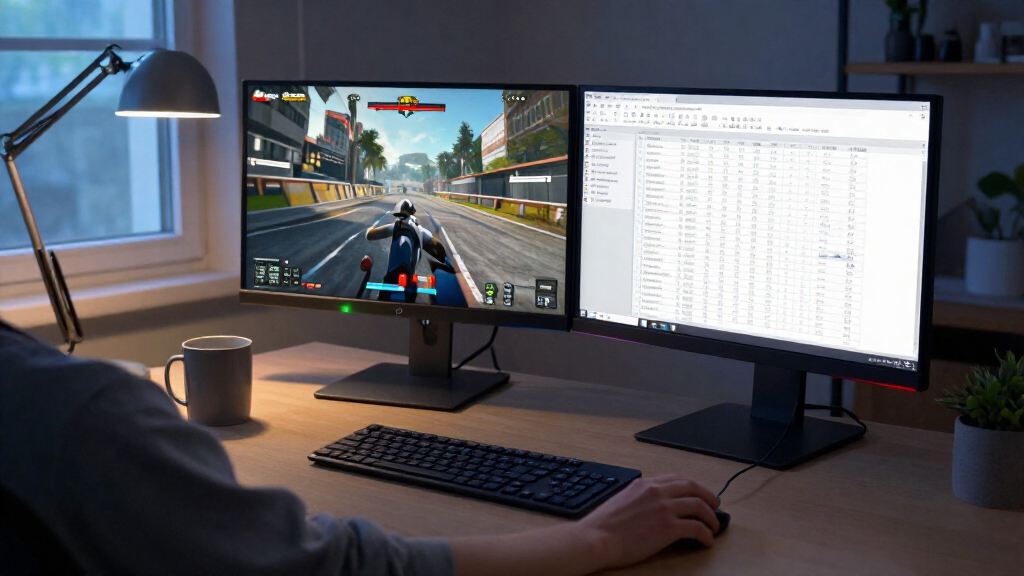
For buyers who use one screen for both work and games, the comparison draws attention to tradeoffs that can affect daily use. A high refresh rate may appeal to players and make motion appear smoother, while a USB-C connection with power delivery can reduce the number of cables needed for a laptop setup. A 49-inch display offers more horizontal space for multiple windows, but its width and curvature may be impractical on a shallow or narrow desk.
Those differences make the guide’s categories more useful than a single ranking for every reader. Someone focused on laptop connectivity may value the Dell or LG office model; someone prioritizing screen area may consider a 49-inch option; and a buyer focused on refresh rate may look at the SANSUI, CRUA or Sceptre. The source does not establish that any model is best for all users. Its recommendations should be read as editorial judgments, with product performance and value still requiring confirmation against current prices and independent reviews.
Products Worth Considering

Apple Watch Series 12 GPS 42mm Smartwatch

Bose TV Speaker Compact Soundbar with Bluetooth and HDMI-ARC, Black

LG UltraGear 32-inch Curved QHD Gaming Monitor (2560×1440, 180Hz, 1ms, 1000R, HDR10)
As an affiliate, we earn on qualifying purchases.
Nine Models, Several Tradeoffs
The Thorsten Meyer AI guide compares monitors that differ in physical format and pixel count. It lists 34-inch 3440-by-1440 models, which provide a wider desktop than a conventional 16:9 display, and 49-inch 5120-by-1440 screens, which offer roughly the horizontal span of two QHD screens side by side. That larger format can support several open applications, though the source gives no measurements of usable workspace or pixel density beyond the listed resolutions.
Curvature is another point the guide raises. It says 1000R-to-1500R curves on some models can feel more immersive in games, while flatter designs may suit spreadsheets and other work where straight lines matter. The source lists VA panels for the Dell and several gaming-oriented models, and an IPS panel for the LG WFHD. It associates IPS with wide viewing angles and VA with stronger contrast, but provides no measurements from its own testing. The guide also says budget models can compromise on color uniformity or stand adjustment; it does not identify test results or quantify those differences.
Prices and Test Evidence Are Missing
The source identifies the material as AI-assisted and includes an affiliate disclosure stating that it may earn commissions on qualifying purchases. It does not state when the guide was published, list prices, name a testing lab or explain whether the monitors were measured side by side. The supplied material also stops partway through its detailed Dell review, so equivalent hands-on assessments for all nine displays are not available here.
Several specification fields are absent or inconsistent in the source’s own summary: it gives no resolution for the CRUA and no refresh rate for the LG WFHD, and it lists the Odyssey G9’s contrast ratio as 1,000,000:1 without explaining the measurement basis. Current availability, regional configurations, warranty terms and price changes are also unconfirmed. The “2027” wording in the requested topic is not supported by a dated source, so it should not be taken as evidence that these products or recommendations were verified for that year.
Check Current Models Before Buying
Readers considering one of the monitors should check the manufacturer’s current specification page and retailer listings for the exact model number, price, refresh rate, port selection and included stand. Laptop users should confirm that USB-C supports the video mode and charging wattage they need. Buyers weighing a 49-inch display should measure desk width and depth, and check whether the stand allows the height and tilt adjustments they want.
A fuller comparison would need current prices, a consistent testing method and complete evaluations of each model’s image quality, motion handling, connectivity and ergonomics. Until that information is available, the guide is best treated as a shortlist organized around stated features rather than a verified ranking of overall performance or value.
Key Questions
Which monitor does the guide recommend overall?
The guide names the Dell 34 Plus USB-C Curved Monitor (S3425DW) its overall choice, citing its 120Hz refresh rate, USB-C connection with up to 65W power delivery and 95% DCI-P3 coverage. These are source-reported specifications and the guide does not provide independent test results.
Which model has the largest screen?
The Samsung Odyssey G9 and Z-Edge UG49W are both listed as 49-inch monitors with 5120-by-1440 resolution. The source describes the Odyssey G9 as having 1000R curvature and says it needs a deep desk.
Which listed monitor has the highest refresh rate?
The guide lists the SANSUI 34-inch monitor at 200Hz, the highest stated refresh rate in its comparison. It lists the Sceptre at up to 180Hz and the CRUA at 165Hz, but does not provide hands-on motion testing.
Does the comparison confirm which monitor is the best value?
No. The source labels some models as value picks, but supplies no prices, price comparisons or test methodology. Readers would need to check current listings and reviews to judge value for their budget.
Source: Thorsten Meyer AI