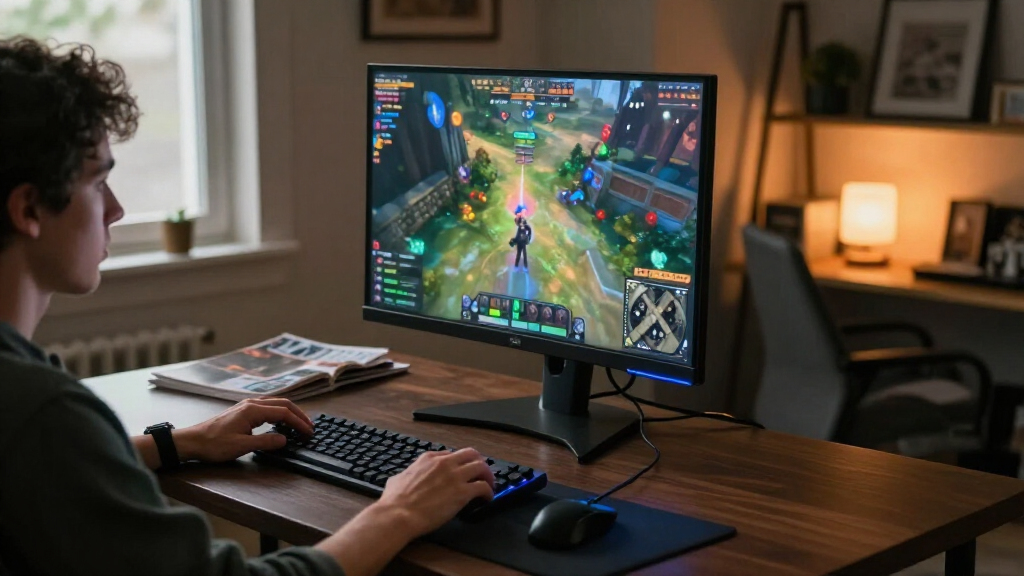

The ASUS TUF Gaming VG27AQ3A is my best overall pick among the best 27-inch gaming monitors, balancing QHD detail with a 180Hz refresh rate. For sharper motion at a higher speed, the Acer Nitro XV272U offers QHD at 240Hz, while the LG UltraGear 27-inch OLED is the premium choice for buyers who prioritize contrast and vivid image quality. The main tradeoff is choosing between the lower system demands of Full HD and the greater detail of QHD, then deciding how much refresh rate and panel quality matter for your games. This roundup also includes more affordable 1080p models, curved screens, and faster QHD options. Read on for the full breakdown and help matching a monitor to your setup.

Get the latest gadgets delivered free with Prime
- Fast, free delivery on millions of items
- Prime Video, Amazon Music and more included
- Member-only deals all year
Complete the kit



Key Takeaways
- QHD at 180Hz is the roundup’s strongest all-around balance: the ASUS TUF VG27AQ3A pairs a sharp 1440p image with a high refresh rate without reaching for the fastest, most specialized options.
- 240Hz QHD is a distinct step for competitive play: the Acer Nitro XV272U and ASUS ROG Strix XG27ACMES target buyers with powerful PCs who can make use of the extra motion headroom.
- OLED stands apart on image character, not just speed: the LG UltraGear OLED and Samsung Odyssey OLED G5 offer a different contrast experience, but buyers should weigh their cost and long-term desktop-use habits.
- Full HD remains a sensible fit for budget or modest hardware: the Sceptre E275B-FW180T and Dell SE2726HG offer high refresh rates, while the 120Hz Acer KB272 G0bi and 100Hz Sceptre E275W-FW100T are less demanding alternatives.
- Several models share the Odyssey G5 name but are not interchangeable: Samsung’s G51F and G50F are QHD LCD options, while the G50SF is an OLED model; check the exact model code before choosing.
| Sceptre 27-Inch Full HD Gaming Monitor, 180Hz (E275B-FW180T Series) |  | Best for Multi-Device Full HD Setups | Screen size: 27 inches | Resolution: 1920 × 1080 (Full HD) | Refresh rate: 180 Hz | VIEW LATEST PRICE | See Our Full Breakdown |
| ASUS TUF Gaming VG27AQ3A 27-Inch QHD 180Hz Gaming Monitor |  | Best Overall | Screen size: 27 inches | Resolution: 2560 × 1440 (QHD) | Panel type: Fast IPS | VIEW LATEST PRICE | See Our Full Breakdown |
| Samsung 27-Inch Odyssey G3 (G30D) FHD Gaming Monitor |  | Best Ergonomic Full HD Pick | Screen size: 27 inches | Resolution: 1920 × 1080 (Full HD) | Refresh rate: 180 Hz | VIEW LATEST PRICE | See Our Full Breakdown |
| Dell SE2726HG 27-Inch FHD 240Hz Gaming Monitor |  | Best for High-Refresh Competitive Play | Screen size: 27 inches | Resolution: 1920 × 1080 (Full HD) | Refresh rate: 240 Hz | VIEW LATEST PRICE | See Our Full Breakdown |
| Acer Nitro KG271U 27-inch QHD IPS Gaming Monitor (2560×1440, 180Hz, 0.5ms, AMD FreeSync) | 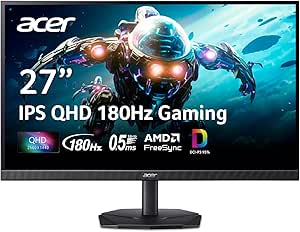 | Best for Gaming and Color Work | Screen size: 27 inches | Resolution: 2560 × 1440 (QHD) | Panel type: IPS | VIEW LATEST PRICE | See Our Full Breakdown |
| LG 27-inch UltraGear QHD OLED Gaming Monitor (27GX704A-B) |  | Best OLED for Competitive Gaming | Screen size: 27 inches | Resolution: QHD (2560 x 1440) | Panel: OLED | VIEW LATEST PRICE | See Our Full Breakdown |
| Acer Nitro XV272U 27-Inch QHD 240Hz IPS Gaming Monitor |  | Best 240Hz IPS All-Rounder | Screen size: 27 inches | Resolution: 2560 x 1440 (QHD) | Panel: IPS | VIEW LATEST PRICE | See Our Full Breakdown |
| Samsung 27-Inch Odyssey OLED G5 QHD Gaming Monitor (G50SF) |  | Best Matte OLED for Bright Rooms | Screen size: 27 inches | Resolution: 2560 x 1440 (QHD) | Panel: QD-OLED | VIEW LATEST PRICE | See Our Full Breakdown |
| AOC Q27G41ZE 27-Inch QHD Gaming Monitor |  | Best for High-Refresh Value | Screen size: 27 inches | Resolution: 2560 x 1440 (QHD) | Panel: IPS | VIEW LATEST PRICE | See Our Full Breakdown |
| Acer KB272 G0bi 27-Inch Full HD IPS Monitor, 120Hz |  | Best Entry-Level 27-Inch Gaming Monitor | Screen size: 27 inches | Resolution: 1920 x 1080 (Full HD) | Panel: IPS LCD | VIEW LATEST PRICE | See Our Full Breakdown |
| Samsung 27-Inch Odyssey G5 G51F QHD Gaming Monitor |  | Best VA Pick for High Contrast | Screen size: 27 inches | Resolution: 2560 × 1440 (QHD) | Panel type: VA LCD | VIEW LATEST PRICE | See Our Full Breakdown |
| Sceptre E275W-FW100T 27-Inch Full HD 100Hz Gaming Monitor |  | Best for Casual Gaming and Everyday Use | Screen size: 27 inches | Resolution: 1920 × 1080 (Full HD) | Refresh rate: 100Hz | VIEW LATEST PRICE | See Our Full Breakdown |
| ASUS ROG Strix XG27ACMES 27-Inch QHD 255Hz Fast IPS Gaming Monitor |  | Best for Competitive QHD Gaming | Screen size: 27 inches | Resolution: 2560 × 1440 (QHD) | Panel technology: Fast IPS | VIEW LATEST PRICE | See Our Full Breakdown |
| LG UltraGear 27GS60QC-B 27-Inch Curved QHD Gaming Monitor |  | Best Curved QHD Pick | Screen size: 27 inches | Resolution: 2560 × 1440 (QHD) | Panel type: VA LCD | VIEW LATEST PRICE | See Our Full Breakdown |
| Samsung 27-Inch Odyssey G5 QHD Gaming Monitor (G50F) |  | Best Balanced IPS Upgrade | Screen size: 27 inches | Resolution: 2560 × 1440 (QHD) | Panel type: IPS | VIEW LATEST PRICE | See Our Full Breakdown |
| 27-inch gaming monitor | Screen size | Resolution | Refresh rate | Response time |
|---|---|---|---|---|
| Sceptre 27-Inch Full HD Gaming | 27 inches | 1920 × 1080 (Full HD) | 180 Hz | 1 ms |
| ASUS TUF Gaming VG27AQ3A 27-In | 27 inches | 2560 × 1440 (QHD) | 180 Hz | 1 ms |
| Samsung 27-Inch Odyssey G3 | 27 inches | 1920 × 1080 (Full HD) | 180 Hz | 1 ms MPRT |
| Dell SE2726HG 27-Inch FHD 240H | 27 inches | 1920 × 1080 (Full HD) | 240 Hz | 0.5 ms advertised; 5 ms listed in product information |
| Acer Nitro KG271U 27-inch QHD | 27 inches | 2560 × 1440 (QHD) | 180 Hz | 0.5 ms GTG |
| LG 27-inch UltraGear QHD OLED | 27 inches | QHD (2560 x 1440) | 240Hz | 0.03ms (GtG) |
| Acer Nitro XV272U 27-Inch QHD | 27 inches | 2560 x 1440 (QHD) | Up to 240Hz via DisplayPort; up to 144Hz via HDMI | Up to 0.5ms (G to G) |
| Samsung 27-Inch Odyssey OLED G | 27 inches | 2560 x 1440 (QHD) | 180Hz | 0.03ms (GTG) |
| AOC Q27G41ZE 27-Inch QHD Gamin | 27 inches | 2560 x 1440 (QHD) | 240Hz native; up to 260Hz overclocked | 0.3ms MPRT |
| Acer KB272 G0bi 27-Inch Full H | 27 inches | 1920 x 1080 (Full HD) | Up to 120Hz | 1ms VRB |
| Samsung 27-Inch Odyssey G5 G51 | 27 inches | 2560 × 1440 (QHD) | 180Hz | 1ms (MPRT) |
| Sceptre E275W-FW100T 27-Inch F | 27 inches | 1920 × 1080 (Full HD) | 100Hz | 1ms |
| ASUS ROG Strix XG27ACMES 27-In | 27 inches | 2560 × 1440 (QHD) | 255Hz (overclocked) | 0.3ms minimum |
| LG UltraGear 27GS60QC-B 27-Inc | 27 inches | 2560 × 1440 (QHD) | Up to 180Hz | 1ms GtG |
| Samsung 27-Inch Odyssey G5 QHD | 27 inches | 2560 × 1440 (QHD) | 180Hz | 1ms (GtG) |
More Details on Our Top Picks
Sceptre 27-Inch Full HD Gaming Monitor, 180Hz (E275B-FW180T Series)
The Sceptre pairs a 180Hz refresh rate with a 1ms response time, giving fast-paced games smoother motion than a standard office display. Its two HDMI ports and two DisplayPort connections also make it a practical pick for players who switch among a PC and consoles without constantly swapping cables. Compared with the ASUS TUF VG27AQ3A, however, this monitor trades QHD detail for Full HD; on a 27-inch screen, that means less workspace and a less crisp image. Adaptive-Sync helps reduce tearing, while Blur Reduction targets motion clarity, but neither changes that resolution tradeoff. Built-in speakers and VESA mounting simplify a basic setup, though the speakers are better treated as a convenience than a dedicated audio solution.
I’d choose it for high-refresh gaming and flexible connections, not for sharp text or detailed single-player visuals.
Pros:- 180Hz refresh rate and 1ms response time suit fast-moving games.
- Adaptive-Sync and Blur Reduction address tearing and motion blur.
- Two HDMI ports and two DisplayPort connections support multiple devices.
- VESA mounting and built-in speakers offer setup flexibility.
Cons:- Full HD resolution looks less detailed than the QHD ASUS TUF VG27AQ3A at the same screen size.
- Built-in speakers may not satisfy buyers seeking fuller, more capable audio.
Best for: PC and console players who want a 27-inch 180Hz display with several video inputs and a simple VESA-mountable setup.
Not ideal for: Players who prioritize crisp QHD detail on a 27-inch screen or want built-in audio to replace dedicated speakers or a headset.
- Screen size:27 inches
- Resolution:1920 × 1080 (Full HD)
- Refresh rate:180 Hz
- Response time:1 ms
- Color gamut:94% sRGB
- Connectivity:2 HDMI, 2 DisplayPort, audio out
- Adaptive sync:Adaptive-Sync
- Mounting:VESA wall-mountable
Our verdict“Choose the Sceptre if you want 180Hz gaming and generous device connections, but skip it if QHD sharpness matters more than refresh rate.”
ASUS TUF Gaming VG27AQ3A 27-Inch QHD 180Hz Gaming Monitor
The ASUS TUF VG27AQ3A makes the strongest all-round case in this group by pairing QHD resolution with a 180Hz Fast IPS panel. That combination gives games and desktop text more definition than the Full HD Samsung Odyssey G3, while keeping motion responsive for competitive play. Its FreeSync Premium, G-SYNC compatibility, and ELMB Sync support smooth gameplay and reduced blur across a range of graphics cards. The listed 130% sRGB gamut also points to vivid color, although the 1000:1 contrast ratio and HDR10 support do not make this a standout choice for deep blacks or dramatic HDR. Unlike the Dell SE2726HG, it prioritizes sharper QHD detail over a 240Hz ceiling. That balance makes it the most versatile pick here, rather than the specialist for maximum frame rate.
Pros:- QHD resolution provides more detail and desktop space than the Full HD options.
- Fast IPS panel, 180Hz refresh rate, and 1ms response time support responsive play.
- FreeSync Premium, G-SYNC compatibility, and ELMB Sync cover several motion-smoothing needs.
- Wide viewing angles and a 130% sRGB gamut suit vivid games and shared viewing.
Cons:- The 1000:1 contrast ratio limits black depth compared with displays designed for stronger contrast.
- HDR10 support alone is not a strong reason to choose it for HDR-focused gaming.
- The Dell SE2726HG reaches 240Hz, making it a better match for players who prioritize maximum refresh rate over QHD.
Best for: PC gamers who want a sharper QHD image for both games and everyday desktop work, plus a high refresh rate and broad variable-refresh support.
Not ideal for: Players focused on the highest listed refresh rate or on deep-black, high-impact HDR performance.
- Screen size:27 inches
- Resolution:2560 × 1440 (QHD)
- Panel type:Fast IPS
- Refresh rate:180 Hz
- Response time:1 ms
- Adaptive sync:FreeSync Premium, G-SYNC compatible, VESA AdaptiveSync
- HDR:HDR10
- Color gamut:130% sRGB
- Contrast ratio:1000:1
Our verdict“Pick the ASUS TUF VG27AQ3A for the most balanced mix of 27-inch QHD detail, fast IPS performance, and variable-refresh support.”
Samsung 27-Inch Odyssey G3 (G30D) FHD Gaming Monitor
The Odyssey G3 stands apart from the other Full HD options with a fully adjustable stand: height, tilt, swivel, and pivot let players tune the screen position or turn it for portrait use. Its 180Hz refresh rate and FreeSync support deliver the fast, tear-reduced play expected from this category, while Black Equalizer can help reveal detail in darker scenes. Compared with the Sceptre E275B-FW180T, the Samsung offers more stand adjustment but fewer listed video connections; compared with the ASUS TUF VG27AQ3A, it gives up QHD sharpness for a Full HD image. The 3000:1 contrast ratio is a useful strength on paper, but the glossy finish can reflect room lights, and 250 cd/m² brightness may be limiting in a bright space. Its best fit is a flexible desk setup, not a detail-first display.
Pros:- Height, tilt, swivel, and pivot adjustments offer more positioning options than the Dell SE2726HG’s tilt-only stand.
- 180Hz refresh rate and FreeSync support smooth, tear-reduced gameplay.
- 3000:1 listed contrast ratio exceeds the 1000:1 figures listed for the ASUS TUF and Acer Nitro KG271U.
- Black Equalizer and Virtual Aim Point add gaming-focused controls.
Cons:- Full HD resolution offers less detail than the QHD ASUS TUF VG27AQ3A or Acer Nitro KG271U.
- Glossy finish can reflect ambient light.
- Brightness is listed at 250 cd/m², which may be limiting in a bright room.
Best for: Players who want a 27-inch Full HD gaming screen with extensive stand adjustment for a changing desk position or portrait use.
Not ideal for: Buyers who need QHD clarity, a matte screen for a bright room, or a wide selection of video inputs.
- Screen size:27 inches
- Resolution:1920 × 1080 (Full HD)
- Refresh rate:180 Hz
- Response time:1 ms MPRT
- Contrast ratio:3000:1
- Brightness:250 cd/m²
- Adaptive sync:AMD FreeSync
- Stand adjustments:Height, tilt, swivel, and pivot
- Connectivity:DisplayPort, HDMI
Our verdict“Choose the Odyssey G3 if stand flexibility matters more than QHD detail, and place it where reflections from its glossy screen are manageable.”
Dell SE2726HG 27-Inch FHD 240Hz Gaming Monitor
The Dell SE2726HG is the speed-focused pick in this set, with a 240Hz refresh rate that exceeds the 180Hz ceiling of the ASUS TUF VG27AQ3A and Acer Nitro KG271U. For players whose systems can drive very high frame rates, that extra refresh headroom can make motion look more fluid. Its IPS panel, 99% sRGB coverage, FreeSync Premium, and HDMI VRR keep it suited to responsive play and general-purpose viewing. The tradeoff is Full HD resolution: the ASUS and Acer QHD models show finer detail at the same 27-inch size. Dell lists both a 0.5ms advertised response time and a 5ms figure in product information, so I would not treat the faster claim as a guaranteed real-world result. The tilt-only stand also offers less ergonomic flexibility than the Samsung Odyssey G3.
Pros:- 240Hz refresh rate is higher than the 180Hz rates of the ASUS TUF VG27AQ3A and Acer Nitro KG271U.
- FreeSync Premium and HDMI VRR support variable-refresh gameplay.
- IPS panel, 178-degree viewing angle, and 99% sRGB coverage suit general viewing as well as gaming.
- TÜV Rheinland 3-star eye comfort certification is a useful consideration for long sessions.
Cons:- Full HD resolution is less detailed on a 27-inch screen than the QHD ASUS and Acer alternatives.
- Stand adjustment is limited to tilt, unlike the height-, swivel-, and pivot-adjustable Samsung Odyssey G3.
- Product information lists conflicting response-time figures: 0.5ms advertised and 5ms listed.
Best for: Competitive players with a PC or console that can make use of a 240Hz display and who prefer motion speed over QHD resolution.
Not ideal for: Players who want sharper QHD detail, adjustable height or swivel, or an unambiguous response-time specification.
- Screen size:27 inches
- Resolution:1920 × 1080 (Full HD)
- Refresh rate:240 Hz
- Panel type:IPS
- Response time:0.5 ms advertised; 5 ms listed in product information
- Color gamut:99% sRGB
- Adaptive sync:AMD FreeSync Premium, HDMI VRR
- Ports:2 × HDMI, DisplayPort 1.4
- Stand adjustment:Tilt
Our verdict“Choose the Dell if high frame rates and 240Hz motion take priority over QHD sharpness and a more adjustable stand.”
Acer Nitro KG271U 27-inch QHD IPS Gaming Monitor (2560×1440, 180Hz, 0.5ms, AMD FreeSync)
The Acer Nitro KG271U combines QHD resolution and a 180Hz IPS panel with a wide 95% DCI-P3 gamut, making it a sensible crossover for gaming and color-rich creative tasks. Its higher pixel count gives games and work more detail than the Full HD Dell SE2726HG, while the Dell’s 240Hz refresh rate remains the better fit for players chasing the highest refresh rate in this batch. AMD FreeSync helps reduce tearing, and the listed 0.5ms GTG response time targets quick transitions. HDR10 support is present, but the 250-nit brightness and 1000:1 contrast ratio set modest expectations for bright-room HDR or deep blacks. Built-in speakers and a zero-frame design help keep a desk setup streamlined; neither is a substitute for stronger audio or a dedicated HDR display.
Pros:- QHD resolution delivers finer detail than the Full HD Dell SE2726HG.
- 95% DCI-P3 coverage makes it a stronger fit for color-rich creative work than the 99% sRGB Dell.
- 180Hz refresh rate, 0.5ms GTG response time, and FreeSync support responsive gaming.
- Zero-frame design and built-in speakers help simplify a multi-monitor or compact desk setup.
Cons:- 250-nit brightness may be insufficient for bright rooms or a vivid HDR presentation.
- 1000:1 contrast ratio offers less deep blacks than displays built for higher contrast.
- The Dell SE2726HG reaches 240Hz for players who value refresh rate above QHD resolution and color gamut.
Best for: Gamers who also edit photos, video, or other color-rich content and want QHD resolution with a broad DCI-P3 gamut.
Not ideal for: Players who need a very bright HDR image, deep blacks, or the highest refresh rate available among these picks.
- Screen size:27 inches
- Resolution:2560 × 1440 (QHD)
- Panel type:IPS
- Refresh rate:180 Hz
- Response time:0.5 ms GTG
- Color gamut:95% DCI-P3
- Brightness:250 nits
- HDR support:HDR10
- Connectivity:2 × HDMI, DisplayPort
Our verdict“Choose the Acer Nitro KG271U if you want one QHD monitor for fast gaming and color-focused creative work, but not if bright HDR is a priority.”
LG 27-inch UltraGear QHD OLED Gaming Monitor (27GX704A-B)
The LG pairs QHD sharpness with a 240Hz OLED panel, making it the strongest fit here for players who want both fast motion and deep contrast. Its 0.03ms response time and support for G-Sync Compatible and FreeSync Premium Pro suit high-frame-rate PC play, while dual HDMI 2.1 ports make console connections more flexible than on the Samsung Odyssey OLED G5, which has one HDMI port. OLED’s near-perfect blacks also give HDR scenes a striking range, backed by DisplayHDR True Black 400 certification.
The tradeoff is a glossy surface that can reflect windows or lamps, plus the usual need to manage OLED care settings during long sessions with static interface elements. Its 240Hz ceiling also depends on a capable graphics card and suitable connection. I’d choose this over the Acer Nitro XV272U for richer contrast, but the Acer is a more straightforward fit for bright rooms and buyers wary of OLED upkeep.
Pros:- OLED panel delivers deep blacks and a 1,500,000:1 listed contrast ratio.
- 240Hz refresh rate and 0.03ms response time suit fast competitive games.
- Dual HDMI 2.1 ports support flexible PC and current-generation console setups.
- Stand adjusts for height, tilt, swivel, and pivot.
Cons:- Glossy screen can reflect light in bright rooms.
- OLED image-retention protection calls for care with persistent static content.
- Reaching 240Hz requires compatible hardware and connection settings.
Best for: PC and console gamers seeking QHD OLED contrast, a 240Hz refresh rate, and two HDMI 2.1 connections.
Not ideal for: Gamers with bright, reflection-prone rooms or anyone who prefers an IPS panel without OLED image-retention care.
- Screen size:27 inches
- Resolution:QHD (2560 x 1440)
- Panel:OLED
- Refresh rate:240Hz
- Response time:0.03ms (GtG)
- HDR:VESA DisplayHDR True Black 400
- Sync:NVIDIA G-Sync Compatible; AMD FreeSync Premium Pro
- Connectivity:2x HDMI 2.1, 1x DisplayPort 1.4, USB 3.2 (1 upstream, 2 downstream)
- Stand adjustments:Height, tilt, swivel, and pivot
Our verdict“Choose the LG if you want QHD OLED contrast and 240Hz speed, and can manage reflections and OLED care.”
Acer Nitro XV272U 27-Inch QHD 240Hz IPS Gaming Monitor
The Acer Nitro XV272U is the practical high-refresh pick for gamers who want QHD resolution and up to 240Hz without switching to OLED. Its IPS panel and 99% sRGB gamut make it a versatile choice for games and everyday desktop use, while FreeSync Premium helps reduce tearing when frame rates fluctuate. Unlike the LG UltraGear OLED, the Acer avoids OLED-specific image-retention care and has a stand with height, swivel, tilt, and pivot adjustments. It also includes basic speakers, useful for system audio or casual play.
There are clear limits: HDMI tops out at 144Hz, so full refresh performance requires DisplayPort, and the 2W speakers are no substitute for a headset or dedicated speakers. Its 1,000:1 contrast ratio also can’t match OLED blacks. Compared with the AOC Q27G41ZE, the Acer offers much better stand flexibility, while the AOC can reach 260Hz overclocked but only adjusts for tilt.
Pros:- QHD IPS panel supports up to 240Hz through DisplayPort.
- FreeSync Premium helps smooth variable frame rates.
- Stand offers height, tilt, swivel, and pivot adjustments.
- Includes built-in speakers and a 3-year warranty.
Cons:- HDMI refresh rate is limited to 144Hz.
- Built-in 2W speakers are weak for immersive gaming.
- IPS contrast is modest compared with the OLED options in this roundup.
Best for: PC gamers who want a 27-inch QHD IPS display at up to 240Hz, with a fully adjustable stand for a shared desk.
Not ideal for: Console-first players seeking high refresh over HDMI, or buyers prioritizing OLED-level contrast and strong built-in audio.
- Screen size:27 inches
- Resolution:2560 x 1440 (QHD)
- Panel:IPS
- Refresh rate:Up to 240Hz via DisplayPort; up to 144Hz via HDMI
- Response time:Up to 0.5ms (G to G)
- Adaptive sync:AMD FreeSync Premium
- Brightness:400 nits
- Ports:1x DisplayPort 1.4, 2x HDMI 2.0, 1x audio out
- Stand adjustments:Height, tilt, swivel, and pivot
Our verdict“Pick the Acer for flexible ergonomics and fast QHD IPS gaming, provided you can use DisplayPort for 240Hz.”
Samsung 27-Inch Odyssey OLED G5 QHD Gaming Monitor (G50SF)
Samsung’s Odyssey OLED G5 stands apart from the LG UltraGear by pairing QD-OLED contrast with a matte Glare Free finish. That surface can make it a more comfortable OLED choice in rooms where reflections are an issue, though it doesn’t make the panel exceptionally bright: listed brightness is 280 cd/m². QHD resolution, a 180Hz refresh rate, and a 0.03ms response time still deliver crisp, responsive play, while G-Sync compatibility and AMD FreeSync support variable refresh rates. Samsung also includes OLED safeguards such as taskbar and logo detection, addressing a concern buyers may have with long gaming sessions.
The main compromise versus the LG is speed and connectivity: the LG reaches 240Hz and has two HDMI 2.1 ports, while this model runs at 180Hz and provides just one HDMI port. HDR is listed as HDR10 rather than DisplayHDR True Black 400. I’d favor the Samsung when matte-screen comfort and OLED protection matter more than maximum refresh or multiple HDMI devices.
Pros:- QD-OLED panel provides high contrast and a 0.03ms response time.
- Matte Glare Free finish helps reduce distracting reflections.
- 180Hz refresh rate supports responsive QHD gaming.
- OLED safeguards include thermal modulation, logo and taskbar detection, and a screen saver.
Cons:- 180Hz is slower than the 240Hz LG UltraGear and Acer Nitro options.
- Only one HDMI port is listed.
- Listed brightness is 280 cd/m², which may limit impact in bright rooms.
Best for: OLED-curious gamers who play in rooms with reflections and want built-in screen safeguards alongside QHD resolution.
Not ideal for: Competitive players targeting 240Hz or console-and-PC setups that need more than one HDMI connection.
- Screen size:27 inches
- Resolution:2560 x 1440 (QHD)
- Panel:QD-OLED
- Refresh rate:180Hz
- Response time:0.03ms (GTG)
- Screen finish:Matte, Glare Free
- HDR:HDR10
- Adaptive sync:NVIDIA G-Sync Compatible; AMD FreeSync
- HDMI ports:1
Our verdict“Choose the Samsung for a reflection-reducing OLED screen and built-in safeguards, not for the highest refresh rate or multi-device HDMI use.”
AOC Q27G41ZE 27-Inch QHD Gaming Monitor
The AOC Q27G41ZE puts QHD resolution and a native 240Hz refresh rate in a more stripped-back IPS design, with an overclock option up to 260Hz for compatible setups. Adaptive-Sync and NVIDIA G-SYNC compatibility support smoother play when frame rates vary. Against the Acer Nitro XV272U, the AOC offers a higher stated overclock ceiling, but the Acer is the better desk fit if you need height, swivel, or pivot adjustment. Here, the stand only tilts, so monitor arms or careful desk positioning may be needed to get the screen at the right height.
The glossy finish is another tradeoff: it may make reflections more noticeable than on the Samsung Odyssey OLED G5’s matte display. The AOC also has a 300 cd/m² brightness rating and a standard 1000:1 contrast ratio, so it lacks the HDR depth of the OLED models. Its appeal is straightforward: fast QHD IPS gaming and useful on-screen game controls, without paying for OLED-specific features you may not need.
Pros:- Native 240Hz refresh rate with an overclock option up to 260Hz.
- QHD IPS resolution balances detail with high-frame-rate gaming.
- Adaptive-Sync and NVIDIA G-SYNC compatibility support variable refresh.
- Gaming presets, Shadow Control, and graphical on-screen controls add useful tuning options.
Cons:- Stand adjusts only for tilt, unlike the Acer Nitro XV272U’s more flexible stand.
- Glossy screen may reflect ambient light.
- 1000:1 contrast and 300 cd/m² brightness are modest beside the OLED choices.
Best for: Competitive PC gamers who want QHD at 240Hz or above and can position a tilt-only monitor comfortably.
Not ideal for: Buyers with bright rooms, strict ergonomic needs, or a preference for OLED contrast and stronger HDR.
- Screen size:27 inches
- Resolution:2560 x 1440 (QHD)
- Panel:IPS
- Refresh rate:240Hz native; up to 260Hz overclocked
- Response time:0.3ms MPRT
- Brightness:300 cd/m²
- Adaptive sync:Adaptive-Sync; NVIDIA G-SYNC compatible
- Ports:1x DisplayPort 1.4, 2x HDMI 2.0, audio out
- Stand adjustment:Tilt from -3° to +21°
Our verdict“Choose the AOC for high-refresh QHD IPS performance if you can accept limited ergonomics and a reflective screen.”
Acer KB272 G0bi 27-Inch Full HD IPS Monitor, 120Hz
The Acer KB272 G0bi is the accessible starting point in this group, offering IPS viewing, a matte screen, and up to 120Hz for casual gaming. Adaptive-Sync can help reduce tearing, and the 1ms VRB mode targets clearer motion than a basic office display. Its Full HD resolution is the defining compromise: at 27 inches, it gives up the extra detail of the QHD Acer Nitro XV272U, Samsung Odyssey OLED G5, and AOC Q27G41ZE. In exchange, it asks less of a gaming PC, which can make it easier to keep frame rates steady on modest hardware.
This is a sensible fit for mixed desktop use, older games, and players moving beyond a standard 60Hz screen. It is not a match for the faster QHD options if you play competitive shooters or want sharper text and game detail. Connectivity is also basic, with HDMI and VGA only, and the stand tilts but does not offer height adjustment. I’d choose it for a simple setup, not as a long-term high-performance gaming display.
Pros:- IPS panel and matte finish suit everyday desktop use and reduce screen glare.
- Up to 120Hz and FreeSync Compatibility offer smoother play than a 60Hz display.
- Full HD resolution is less demanding on modest gaming hardware than QHD.
- Includes an HDMI cable, stand, and 3-year parts-and-labor warranty.
Cons:- Full HD is less sharp at 27 inches than the QHD monitors in this roundup.
- 120Hz ceiling trails the 180Hz, 240Hz, and 260Hz alternatives.
- Connectivity is limited to HDMI and VGA, and the stand lacks height adjustment.
Best for: New PC gamers with modest graphics hardware who want a matte 27-inch IPS screen and a refresh rate above 60Hz.
Not ideal for: Players seeking sharp QHD detail, refresh rates above 120Hz, or a stand with height and swivel adjustments.
- Screen size:27 inches
- Resolution:1920 x 1080 (Full HD)
- Panel:IPS LCD
- Refresh rate:Up to 120Hz
- Response time:1ms VRB
- Brightness:250 nits
- Screen finish:Matte
- Adaptive sync:FreeSync Compatible
- Connectivity:HDMI and VGA
Our verdict“Pick the Acer KB272 G0bi for casual gaming on modest hardware, but choose a QHD model if detail or competitive speed is a priority.”
Samsung 27-Inch Odyssey G5 G51F QHD Gaming Monitor
The Odyssey G5 G51F pairs QHD detail with a VA panel’s 3000:1 contrast ratio, making darker scenes look richer than they will on the IPS-based Samsung Odyssey G5 G50F. Its 180Hz refresh rate and FreeSync support also suit fast-paced games, while the adjustable stand offers more flexibility than the tilt-only LG UltraGear 27GS60QC-B. HDR10 is included, but the listed 300 cd/m² brightness puts a ceiling on how dramatic bright HDR highlights can look. The VA panel’s contrast is its clearest advantage, though buyers who prioritize IPS viewing characteristics or broad connectivity should compare other options: the listed connections are limited to DisplayPort and HDMI. I’d choose this model for a mix of immersive, contrast-heavy games and responsive QHD play.
Pros:- QHD resolution gives a 27-inch screen more detail than Full HD alternatives such as the Sceptre E275W-FW100T.
- 3000:1 contrast ratio helps dark scenes retain more depth than on the IPS Samsung Odyssey G5 G50F.
- 180Hz refresh rate and AMD FreeSync support responsive, tear-reduced gameplay.
- Stand adjusts for height, tilt, and pivot.
Cons:- Listed connectivity is limited to DisplayPort and HDMI.
- 300 cd/m² brightness limits the impact of HDR10 highlights.
- VA panel may not suit buyers seeking an IPS display.
Best for: QHD gamers who play atmospheric or dark-scene games and want high native contrast plus a height-adjustable stand.
Not ideal for: Players who prioritize IPS panel characteristics, strong HDR highlights, or connections beyond DisplayPort and HDMI.
- Screen size:27 inches
- Resolution:2560 × 1440 (QHD)
- Panel type:VA LCD
- Refresh rate:180Hz
- Response time:1ms (MPRT)
- Contrast ratio:3000:1
- Adaptive sync:AMD FreeSync
- Stand adjustments:Tilt, pivot, height
Our verdict“Choose the G51F if you want QHD gaming with stronger listed contrast and more stand adjustment than the curved LG UltraGear 27GS60QC-B.”
Sceptre E275W-FW100T 27-Inch Full HD 100Hz Gaming Monitor
The Sceptre E275W-FW100T is the practical choice here for buyers who split time between everyday work and casual gaming, rather than chasing the sharpest image or highest refresh rate. Its 100Hz refresh rate is a step up from standard 60Hz displays, and FreeSync can help smooth gameplay when frame rates vary. Compared with the QHD Samsung Odyssey G5 G51F, though, its Full HD resolution leaves less fine detail across the same 27-inch screen. The included speakers, headphone connection, and VESA mounting support make it easier to use as a straightforward desk display without extra audio gear. Its 100% sRGB gamut is a useful stated color specification, but this is not the pick for competitive players seeking the 180Hz-plus speeds of the ASUS ROG Strix XG27ACMES.
Pros:- 100Hz refresh rate is smoother than a standard 60Hz display.
- AMD FreeSync supports smoother play when frame rates fluctuate.
- Built-in speakers, audio-in, and a headphone jack provide flexible basic audio options.
- VESA mounting compatibility and a stated 100% sRGB gamut add practical versatility.
Cons:- Full HD resolution is less detailed at 27 inches than the QHD Samsung Odyssey G5 G51F.
- 100Hz refresh rate trails the 180Hz Samsung G51F and 255Hz ASUS ROG Strix XG27ACMES.
- Listed viewing angle is 170 degrees, narrower than the 178-degree QHD models in this batch.
Best for: Casual PC and console players who want a 27-inch screen for gaming, school, or office tasks with built-in audio and VESA mounting.
Not ideal for: Competitive players or detail-focused gamers who want QHD resolution and refresh rates well above 100Hz.
- Screen size:27 inches
- Resolution:1920 × 1080 (Full HD)
- Refresh rate:100Hz
- Response time:1ms
- Color gamut:100% sRGB
- Adaptive sync:AMD FreeSync
- Ports:2 HDMI, 1 DisplayPort
- Audio:Built-in speakers, audio-in port, headphone jack
Our verdict“Pick the Sceptre for casual gaming and general desk use if built-in audio matters more to you than QHD detail or high refresh rates.”
ASUS ROG Strix XG27ACMES 27-Inch QHD 255Hz Fast IPS Gaming Monitor
The ASUS ROG Strix XG27ACMES is the speed leader in this group: its QHD Fast IPS panel reaches 255Hz when overclocked, well beyond the 180Hz ceiling of the Samsung Odyssey G5 G50F and LG UltraGear 27GS60QC-B. That extra headroom is aimed at players with a capable PC who want rapid motion handling in competitive titles, while both FreeSync Premium and G-SYNC Compatible support give adaptive-sync options across graphics setups. Its USB-C with DisplayPort Alt Mode also makes it more flexible for a laptop-and-gaming-desk setup than the Samsung models, which list only DisplayPort and HDMI. The tradeoffs are that the maximum refresh rate requires overclocking and DisplayHDR 400 is a modest HDR tier, not a reason to buy it for dramatic HDR effects. At 27 inches, QHD keeps the image detailed without sacrificing its high-speed focus.
Pros:- Overclocked 255Hz refresh rate exceeds the 180Hz options from Samsung and LG in this batch.
- Fast IPS panel and 0.3ms minimum response-time specification target rapid motion.
- FreeSync Premium and G-SYNC Compatible support a range of adaptive-sync setups.
- USB-C with DisplayPort Alt Mode adds a useful connection absent from the Samsung G50F.
Cons:- 255Hz operation requires overclocking.
- VESA DisplayHDR 400 is limited for buyers seeking a strong HDR upgrade.
- The listed 1300:1 contrast ratio is lower than the 3000:1 specified for the VA Samsung Odyssey G5 G51F.
Best for: Competitive PC players with a system capable of driving high QHD frame rates, especially those who also connect a USB-C laptop.
Not ideal for: Buyers who want standout HDR performance or prefer a monitor that reaches its maximum refresh rate without overclocking.
- Screen size:27 inches
- Resolution:2560 × 1440 (QHD)
- Panel technology:Fast IPS
- Refresh rate:255Hz (overclocked)
- Response time:0.3ms minimum
- Adaptive sync:AMD FreeSync Premium, G-SYNC Compatible
- HDR:VESA DisplayHDR 400
- Connectivity:DisplayPort 1.4, HDMI, USB, USB-C with DisplayPort Alt Mode
Our verdict“Choose the ASUS if competitive speed and USB-C matter more than stronger VA contrast or more substantial HDR.”
LG UltraGear 27GS60QC-B 27-Inch Curved QHD Gaming Monitor
The LG UltraGear 27GS60QC-B gives this roundup’s QHD 180Hz category a more immersive shape with its 1000R curve. That makes it the distinctive choice for players who prefer a wraparound feel, while its VA panel, FreeSync, and 1ms GtG response-time specification keep the focus on gaming. Compared with the flat Samsung Odyssey G5 G51F, the LG trades a more adjustable stand for its pronounced curve: the stand only tilts, whereas Samsung supports height and pivot adjustment. Its HDR10 support and Black Stabilizer add gaming-oriented features, but the supplied specs list 300 brightness, so buyers should not choose it expecting standout HDR impact. The color-gamut data is also inconsistent, with 99% sRGB in the description and 95% elsewhere. It suits a fixed desk setup better than a flexible, frequently repositioned one.
Pros:- 1000R curve creates a more enveloping view than the flat Samsung Odyssey G5 G51F.
- QHD resolution and refresh rates up to 180Hz balance detail with smooth gameplay.
- AMD FreeSync, Dynamic Action Sync, and Black Stabilizer add gaming-focused support.
- Two HDMI ports, DisplayPort, and a headphone connection cover common desk setups.
Cons:- Stand adjustment is limited to tilt, unlike the height- and pivot-adjustable Samsung G51F.
- The listed color gamut is inconsistent: up to 99% sRGB in the description and 95% in product information.
- Listed brightness is 300, which limits HDR10 impact.
Best for: Players who want a curved QHD screen for a fixed gaming setup and value a more enveloping view over stand flexibility.
Not ideal for: Buyers who need height or swivel adjustment, or who want consistent color-gamut specifications and stronger HDR brightness.
- Screen size:27 inches
- Resolution:2560 × 1440 (QHD)
- Panel type:VA LCD
- Screen curvature:1000R
- Refresh rate:Up to 180Hz
- Response time:1ms GtG
- Adaptive sync:AMD FreeSync
- Stand adjustment:Tilt
Our verdict“Choose the LG if you want a pronounced curve for QHD gaming and can live with a tilt-only stand.”
Samsung 27-Inch Odyssey G5 QHD Gaming Monitor (G50F)
The Samsung Odyssey G5 G50F is the balanced flat-screen option for buyers who want QHD sharpness and fast play without moving to the ASUS ROG Strix XG27ACMES and its overclocked 255Hz ceiling. Its 180Hz IPS panel, 1ms GtG response-time specification, and support for both G-SYNC Compatible and AMD FreeSync make it a flexible fit for varied gaming setups. The IPS panel also contrasts with the VA Odyssey G5 G51F: the G50F lists a 1000:1 contrast ratio, far below the G51F’s 3000:1, so buyers focused on darker, higher-contrast scenes may prefer the VA model. Samsung includes height, pivot, tilt, and swivel adjustment, plus Black Equalizer and Virtual Aim Point features. The main compromise is basic listed connectivity—only DisplayPort and HDMI—and HDR10 should be treated as a feature, not a promise of striking HDR.
Pros:- QHD IPS display combines detailed resolution with a 180Hz refresh rate.
- G-SYNC Compatible and AMD FreeSync support multiple adaptive-sync setups.
- Stand supports height, pivot, tilt, and swivel adjustments.
- Black Equalizer and Virtual Aim Point add gaming-focused display tools.
Cons:- 1000:1 contrast ratio is lower than the 3000:1 VA Samsung Odyssey G5 G51F.
- Listed connectivity is limited to DisplayPort and HDMI.
- 180Hz is below the overclocked 255Hz offered by the ASUS ROG Strix XG27ACMES.
Best for: Gamers who want a flat QHD IPS monitor with 180Hz refresh, broad adaptive-sync support, and a highly adjustable stand.
Not ideal for: Players who prioritize deep black levels, extensive connectivity, or the highest refresh rate available in this batch.
- Screen size:27 inches
- Resolution:2560 × 1440 (QHD)
- Panel type:IPS
- Refresh rate:180Hz
- Response time:1ms (GtG)
- Contrast ratio:1000:1
- Adaptive sync:G-SYNC Compatible, AMD FreeSync
- Stand adjustments:Height, pivot, tilt, swivel
Our verdict“Pick the G50F for a versatile flat QHD IPS setup with a highly adjustable stand, but choose the G51F if contrast matters more.”
How We Picked
I ranked these monitors around the decisions that shape a 27-inch gaming setup: resolution, refresh rate, panel type, and practical fit. QHD models tend to make the most sense at this screen size when a gaming PC can drive them, while Full HD options can be a better match for a tighter budget or a graphics card that prioritizes frame rate over detail. I also separated high-refresh screens from entry-level 100Hz and 120Hz choices rather than treating every monitor as a direct competitor.
The order reflects how broadly useful each model appears on paper, then how specifically it serves a particular buyer. I gave the strongest placement to screens that balance resolution and speed for a wide range of games; faster QHD and OLED models earn their place for buyers who value those specific strengths. Lower-ranked options are not automatically poor choices—they are more limited by resolution, refresh rate, or intended use. I also distinguish similarly named Samsung models by their stated panel type and model code, since those differences affect the buying decision.
Factors to Consider When Choosing Best 27-inch Gaming Monitors
Before choosing a 27-inch screen, match its strengths to your PC, games, and desk habits. These broader checks can help prevent paying for performance you cannot use—or picking a spec that creates a compromise you did not expect.
Choose resolution based on your PC, not screen size alone
At 27 inches, QHD gives games and desktop content more detail than Full HD, but that added sharpness asks more of your graphics card. If your system already struggles to maintain your preferred frame rate, a lower resolution can be the more enjoyable choice. A high-refresh Full HD monitor may suit competitive gaming better than QHD if smooth, consistent performance is your priority. Think about the games you actually play: detailed single-player worlds benefit from extra resolution, while fast esports titles often place more weight on frame rate. Also check that your PC can output the resolution and refresh rate you intend to use. Buying QHD for future upgrades is reasonable, but do not assume the panel alone will deliver a sharper experience in every game without a capable system.
Treat refresh rate as a target your system must reach
A 240Hz or 255Hz specification only helps when your PC can produce high frame rates often enough to take advantage of it. For many players, a solid 144Hz-to-180Hz experience is a more realistic balance than chasing the highest number. Competitive players should weigh motion clarity and response behavior against image quality and resolution, rather than comparing refresh rates in isolation. A faster monitor can still be a poor fit if its resolution pushes frame rates below the range your system can sustain. Check the connection options and supported refresh rates for your graphics card and intended resolution. When comparing products, treat advertised response times cautiously: they may refer to a particular setting and do not tell the whole story about motion performance.
Decide whether OLED’s contrast suits your daily use
OLED’s ability to show deep blacks can make dark scenes feel more dimensional than on a conventional LCD. That advantage matters most if you play visually rich games or watch video in a dim room. OLED is not automatically the right choice for every desk, though: people who leave static interface elements onscreen for long stretches should read the manufacturer’s care guidance and weigh their habits. Bright-room use, desktop work, and long gaming sessions may make panel maintenance and warranty terms more relevant to the decision. LCD picks in this roundup can be a more straightforward choice for mixed-use setups. Pay for OLED when its contrast is a feature you will notice, not simply because it is the premium panel type.
Check your connection, stand, and desk before ordering
Monitor specifications only help if your setup can use them. Confirm that the selected input supports your desired resolution and refresh rate, and check whether you need DisplayPort, HDMI, or a particular cable to reach that mode. A stand that lacks height adjustment may force you to add a riser or mount, while a curved screen can affect how the display fits beside other monitors. Measure desk depth as well as width, especially if you sit close to the screen. Look for ergonomic adjustments that suit your posture rather than assuming every gaming monitor offers the same range. These practical details can matter more day to day than a small difference in refresh rate.
Compare exact model codes, not just product families
Gaming monitor names often group very different products under one series label. The Samsung Odyssey G5 examples in this roundup include QHD LCD models and a QHD OLED model, so the family name alone does not tell you what panel you are buying. Retail listings can also vary by region or include a suffix that changes the specification. Confirm the full model code, resolution, panel type, refresh rate, and port list on the listing before checkout. This matters especially when comparing a familiar series against a newer version or a deal with a shortened product title. A quick specification check can prevent choosing a screen that misses your intended resolution or panel preference.
Frequently Asked Questions
Is QHD worth choosing over Full HD on a 27-inch gaming monitor?
QHD is a strong fit if you want finer detail for games, text, and general desktop use, and your graphics card can drive it at the frame rates you want. Full HD can make more sense when your PC is entry-level or when you value very high frame rates in competitive games. The difference is not just image sharpness: resolution affects how hard your system works and may change which refresh rate you can sustain. Think about your most-played games and current hardware before deciding. In this roundup, QHD models suit a broad range of setups, while Full HD options remain relevant for speed-focused or more modest systems.
Should I choose a 240Hz monitor over a 180Hz model?
Choose 240Hz if your PC can deliver very high frame rates and you play games where rapid motion and input response are a priority. A 180Hz screen is already fast for many players and may be a better balance if QHD detail is also important or your system cannot maintain higher frame rates. The ASUS TUF VG27AQ3A represents the broadly useful QHD 180Hz approach, while the Acer Nitro XV272U and ASUS ROG Strix XG27ACMES target buyers seeking faster QHD options. Do not judge the choice by the refresh-rate number alone; check resolution, panel behavior, ports, and your graphics card’s output. If you mostly play slower-paced titles, the difference may matter less than image quality or ergonomics.
Is an OLED gaming monitor a good choice for a mixed gaming and work setup?
It can be, especially if rich contrast is a priority for games and video, but your daily work pattern matters. Long periods of static menus, taskbars, or spreadsheets make it sensible to read the maker’s guidance on panel care and warranty coverage before buying. A conventional LCD can be a simpler option for a desk used heavily for productivity alongside gaming. Also consider room lighting and whether OLED’s image strengths are worth the tradeoffs for your use. The LG UltraGear OLED and Samsung Odyssey OLED G5 are the roundup’s OLED picks, while the LCD QHD models offer alternatives for mixed-use buyers.
Can my current graphics card take advantage of a QHD 240Hz monitor?
That depends on your graphics card, game, settings, and the frame rate you expect. Demanding games at QHD can be difficult to run at very high frame rates, while lighter competitive titles may make better use of a 240Hz panel. Check performance data for the games you play rather than relying on a general claim about your GPU. Also confirm the monitor’s supported refresh rate over the connection you plan to use. If your system regularly falls short, a QHD 180Hz option or a Full HD high-refresh model may deliver a better balance than unused refresh-rate headroom.
How do I avoid buying the wrong Samsung Odyssey G5 model?
Check the full model code and verify the panel type and resolution on the product listing. This roundup includes the Odyssey G5 G51F and G50F as QHD gaming monitors, while the G50SF is a QHD OLED model; the shared G5 name does not mean they offer the same display technology. Confirm the refresh rate and available inputs too, since retailer titles can leave out suffixes or shorten specifications. Compare the listing against the manufacturer’s product details before ordering. If OLED is your priority, do not assume every Odyssey G5 is OLED; if you want LCD, confirm that explicitly as well.
Conclusion
For most players with a capable gaming PC, I would start with the ASUS TUF VG27AQ3A as the best overall choice, thanks to its QHD resolution and 180Hz balance. For a best-value direction, compare the AOC Q27G41ZE and Acer Nitro KG271U against the exact features and connections you need; both offer QHD gaming without stepping up to the fastest tier. The LG UltraGear OLED is my best premium pick for buyers who place contrast and OLED image quality ahead of simpler LCD ownership. Beginners or players with modest hardware should look at the Sceptre E275B-FW180T for high-refresh Full HD, or the Acer KB272 G0bi if a more moderate 120Hz screen better fits their needs. For competitive players seeking faster QHD, compare the Acer Nitro XV272U and ASUS ROG Strix XG27ACMES; for a curved-screen preference, consider the LG UltraGear 27GS60QC-B. Match the monitor to your PC and game priorities rather than buying the biggest specification on the list.