
Smart digital picture frames make it easier to share new photos with family, but the right pick depends on how you send pictures, where the frame will sit, and how much control you want. I name the Aura Digital HD Picture Frame, Carver Black best overall for its polished, connected approach; the Frameo 10.1-inch Wi-Fi models stand out for familiar app-based sharing and built-in storage, while the Pastigio 15.6-inch frame suits anyone who wants photos to make a bigger impression. The main tradeoffs are a simple, guided sharing experience versus more storage and settings, and a compact display versus a larger screen that needs more space. Read on for how these 15 options compare and which one fits your household.

Get the latest gadgets delivered free with Prime
- Fast, free delivery on millions of items
- Prime Video, Amazon Music and more included
- Member-only deals all year
Complete the kit



Key Takeaways
Aura Carver Black leads the roundup for shoppers who want a more polished connected-frame experience, while its Wi-Fi-centered approach is less suited to buyers who prioritize local storage and hands-on settings.
Frameo is the recurring alternative: several 10.1-inch models offer app-based sharing with stated storage from 16GB to 32GB, but the lineup includes duplicates and variations that need careful model-by-model checking.
Screen size changes the role of the frame: the 15.6-inch Pastigio and 64GB Frameo are better candidates for a prominent display than the many 10.1-inch options, though they take up more room.
Storage and rotation features separate similar-looking frames: some listed models specify 32GB or 64GB, while others list 16GB or omit capacity; auto-rotate can also help when portrait and landscape photos are mixed.
More listed features do not automatically mean easier sharing: buyers should match the frame’s app, Wi-Fi needs, storage method, and setup style to the people who will actually send photos.
| Aura Digital HD Picture Frame, 10.1-Inch, Carver Black |  | Best Overall for App-Based Sharing | Display: 10.1-inch WXGA | Aspect ratio: 16:9 | Connectivity: Wi-Fi | VIEW LATEST PRICE | See Our Full Breakdown |
| Frameo 10.1-Inch Wi-Fi Digital Picture Frame, 32GB |  | Best Value for Local Storage | Screen: 10.1-inch IPS touchscreen | Resolution: 1280 × 800 | Aspect ratio: 16:10 | VIEW LATEST PRICE | See Our Full Breakdown |
| Skylight 10-Inch Wi-Fi Digital Picture Frame, Black |  | Best for Gifting | Display: 10-inch touchscreen | Resolution: 1280 × 800 | Aspect ratio: 16:9 | VIEW LATEST PRICE | See Our Full Breakdown |
| Akimart 10.1-Inch WiFi Digital Picture Frame with 32GB Storage |  | Best for Flexible Placement | Screen: 10.1-inch IPS touchscreen | Resolution: 1280 × 800 | Internal storage: 32GB | VIEW LATEST PRICE | See Our Full Breakdown |
| Frameo 10.1-Inch Wi-Fi Digital Picture Frame with Touchscreen, 16GB Memory, and Auto-Rotate |  | Best for Mixed Photo and Video Imports | Display: 10.1-inch IPS HD touchscreen | Resolution: 1280 × 800 | Aspect ratio: 16:10 | VIEW LATEST PRICE | See Our Full Breakdown |
| Frameo 10.1-Inch Wi-Fi Digital Photo Frame with HD IPS Touchscreen |  | Best for Shared Family Albums | Display: 10.1-inch touchscreen | Resolution: 1280 × 800 | Aspect ratio: 16:10 | VIEW LATEST PRICE | See Our Full Breakdown |
| 10.1-Inch Wi-Fi Digital Picture Frame with Touchscreen and 32GB Storage |  | Best for Flexible Local Storage | Display: 10.1-inch IPS touchscreen | Resolution: 1280 × 800 | Aspect ratio: 16:10 | VIEW LATEST PRICE | See Our Full Breakdown |
| Pastigio Frameo 15.6-Inch Wi-Fi Digital Picture Frame with 1080p Touchscreen |  | Best Large-Screen Pick | Display: 15.6-inch IPS touchscreen | Resolution: 1920 × 1080 (FHD) | Aspect ratio: 16:9 | VIEW LATEST PRICE | See Our Full Breakdown |
| Aura Carver 10.1-Inch HD Digital Picture Frame, Cool White |  | Best for Hands-Off Sharing | Display: 10.1-inch | Resolution: WXGA | Aspect ratio: 16:9 | VIEW LATEST PRICE | See Our Full Breakdown |
| TIKVITO 10.1-Inch Wi-Fi Digital Picture Frame with Touchscreen |  | Best Simple 32GB Touchscreen Pick | Display: 10.1-inch IPS touchscreen | Resolution: 1280 × 800 | Aspect ratio: 16:10 | VIEW LATEST PRICE | See Our Full Breakdown |
| Frameo 10.1-Inch Wi-Fi Digital Picture Frame, 32GB |  | Best for Flexible Photo Transfers | Screen: 10.1-inch touchscreen | Resolution: 1280 × 800 | Aspect ratio: 16:10 | VIEW LATEST PRICE | See Our Full Breakdown |
| 10.1-Inch Wi-Fi Digital Picture Frame with IPS Touchscreen, 16 GB Storage, and Auto-Rotate |  | Best for Everyday Household Viewing | Display: 10.1-inch IPS LCD touchscreen | Resolution: 1280 × 800 | Viewing angle: 178° | VIEW LATEST PRICE | See Our Full Breakdown |
| 15.6-Inch Frameo Wi-Fi Digital Picture Frame, 64GB |  | Best for a Large Shared Display | Display: 15.6-inch IPS touchscreen | Resolution: 1920 × 1080 Full HD | Viewing angle: 178° | VIEW LATEST PRICE | See Our Full Breakdown |
| AEEZO 10.1-Inch Wi-Fi Digital Picture Frame with Touchscreen, 32GB Storage, and Auto-Rotate |  | Best for Hands-Off Display Adjustments | Screen: 10.1-inch IPS touchscreen | Resolution: 1280 × 800 | Aspect ratio: 16:10 | VIEW LATEST PRICE | See Our Full Breakdown |
| BIGASUO Frameo 10.1-Inch Wi-Fi Digital Photo Frame, 32GB |  | Best for Simple Frameo Sharing | Model: 102K | Display: 10.1-inch IPS touchscreen | Resolution: 1280 × 800 | VIEW LATEST PRICE | See Our Full Breakdown |
| smart digital picture frame | Resolution | Display | Aspect ratio | Connectivity |
|---|---|---|---|---|
| Aura Digital HD Picture Frame | — | 10.1-inch WXGA | 16:9 | Wi-Fi |
| Frameo 10.1-Inch Wi-Fi Digital | 1280 × 800 | — | 16:10 | Wi-Fi |
| Skylight 10-Inch Wi-Fi Digital | 1280 × 800 | 10-inch touchscreen | 16:9 | Wi-Fi |
| Akimart 10.1-Inch WiFi Digital | 1280 × 800 | — | — | — |
| Frameo 10.1-Inch Wi-Fi Digital | 1280 × 800 | 10.1-inch IPS HD touchscreen | 16:10 | Wi-Fi and USB |
| Frameo 10.1-Inch Wi-Fi Digital | 1280 × 800 | 10.1-inch touchscreen | 16:10 | 2.4 GHz Wi-Fi |
| 10.1-Inch Wi-Fi Digital Pictur | 1280 × 800 | 10.1-inch IPS touchscreen | 16:10 | — |
| Pastigio Frameo 15.6-Inch Wi-F | 1920 × 1080 (FHD) | 15.6-inch IPS touchscreen | 16:9 | — |
| Aura Carver 10.1-Inch HD Digit | WXGA | 10.1-inch | 16:9 | Wi-Fi |
| TIKVITO 10.1-Inch Wi-Fi Digita | 1280 × 800 | 10.1-inch IPS touchscreen | 16:10 | Wi-Fi |
| Frameo 10.1-Inch Wi-Fi Digital | 1280 × 800 | — | 16:10 | Wi-Fi, Micro SD, TF card, USB-C drive, USB-C cable |
| 10.1-Inch Wi-Fi Digital Pictur | 1280 × 800 | 10.1-inch IPS LCD touchscreen | — | — |
| 15.6-Inch Frameo Wi-Fi Digital | 1920 × 1080 Full HD | 15.6-inch IPS touchscreen | — | — |
| AEEZO 10.1-Inch Wi-Fi Digital | 1280 × 800 | — | 16:10 | — |
| BIGASUO Frameo 10.1-Inch Wi-Fi | 1280 × 800 | 10.1-inch IPS touchscreen | — | Wi-Fi; Frameo app |
More Details on Our Top Picks
Aura Digital HD Picture Frame, 10.1-Inch, Carver Black
The Aura Carver is my pick for households that want to keep a frame updated without managing memory cards. Its free app supports unlimited photo and video storage and sharing through several services, while automatic brightness adjustment helps the display suit different room lighting. Compared with the Frameo 10.1-Inch 32GB, Aura avoids a fixed built-in storage limit, though Frameo gives buyers local storage and a microSD option. Aura also supports video clips up to 30 seconds, twice the app limit listed for the Frameo models here. The tradeoff is that setup and new sharing depend on Wi-Fi, and the frame needs corded power. I’d choose it for ongoing family contributions, not for someone seeking a frame that works as a fully offline photo library.
Pros:- Unlimited photo and video storage through the Aura service
- Room-light-adjusting brightness helps keep the display comfortable in changing conditions
- Sharing support includes the Aura app, email, text, iCloud, and Google Photos
- Automatic on/off, adjustable slideshow speed, and portrait pairing add useful display controls
Cons:- Wi-Fi is required for setup and sharing new content
- Video clips are limited to 30 seconds
- Corded electric power limits placement to locations near an outlet
Best for: Families who want several relatives to add photos through an app or supported photo services without managing storage capacity.
Not ideal for: Buyers who need offline setup or sharing, or who want to send longer video clips than the 30-second limit allows.
- Display:10.1-inch WXGA
- Aspect ratio:16:9
- Connectivity:Wi-Fi
- Storage:Unlimited photo and video storage
- Video support:Up to 30 seconds with sound
- Power:Corded electric
- Touchscreen:Yes
- Color:Carver Black
Our verdict“Choose the Aura Carver if effortless, ongoing app-based sharing matters more to you than local storage or offline flexibility.”
Frameo 10.1-Inch Wi-Fi Digital Picture Frame, 32GB
This Frameo model suits buyers who want app sharing but also prefer a substantial 32GB of built-in storage. Its 10.1-inch IPS touchscreen and 1280 × 800 resolution give photos broad viewing angles, while calendar syncing and collage mode make it more than a simple slideshow display. Compared with the Aura Carver, it offers local storage and microSD transfer instead of unlimited cloud storage; that can be a better fit for managing a personal library, but it means capacity is finite. App-sent videos are limited to 15 seconds, shorter than Aura’s stated 30-second support. The microSD compatibility is also limited to 32GB, with FAT32 recommended. I’d pick it for practical storage and customizable display features, but not for households that expect frequent longer clips.
Pros:- 32GB of built-in storage supports a substantial local photo collection
- IPS touchscreen offers clear viewing from different angles
- Frameo app enables remote photo and short-video sharing with invited contacts
- Calendar syncing, collage mode, and custom display settings broaden its everyday use
Cons:- Videos sent through the app are limited to 15 seconds
- MicroSD compatibility is limited to 32GB, with FAT32 recommended
- The plastic frame and corded power may not suit every room or placement
Best for: Buyers who want remote sharing, a sizable local photo library, and extras such as calendar syncing and collage layouts.
Not ideal for: Families who regularly share longer videos or need microSD cards larger than 32GB to transfer media.
- Screen:10.1-inch IPS touchscreen
- Resolution:1280 × 800
- Aspect ratio:16:10
- Built-in storage:32GB
- MicroSD compatibility:Up to 32GB; FAT32 format recommended
- App video limit:Up to 15 seconds
- Connectivity:Wi-Fi
- Frame material:Plastic
Our verdict“Pick this Frameo if you want app sharing backed by local storage and can work within its short app-video limit.”
Skylight 10-Inch Wi-Fi Digital Picture Frame, Black
Gift Mode gives the Skylight a clear role: prepare it with photos before giving it, so the recipient sees a personal collection from the start. Its 10-inch touchscreen displays images at 1280 × 800, and the 8GB cloud-based storage keeps the setup simple without an SD card. Compared with the Frameo 10.1-Inch 32GB, Skylight has less listed storage and fewer described customization features, but its offline mode can display photos already on the frame when Wi-Fi is unavailable. Wi-Fi is still needed to receive or upload new images, so offline playback doesn’t make it a disconnected sharing device. The corded design also limits where it can sit. I’d favor it for a gift recipient who values a preloaded frame over expandable local storage or a broad set of slideshow controls.
Pros:- Gift Mode supports preloading and personalizing the frame before giving it
- Offline mode displays photos already stored on the frame
- Touchscreen and 1280 × 800 resolution provide direct controls and clear image detail
- Cloud-based storage avoids the need to manage an SD card
Cons:- Wi-Fi is required to receive or upload new photos
- The listed 8GB storage is less than the 32GB offered by the Frameo and Akimart models
- Corded electric power restricts placement
Best for: Gift givers who want to preload a photo collection for a relative who may appreciate a straightforward touchscreen frame.
Not ideal for: Buyers who want expandable storage, frequent remote updates without Wi-Fi, or the calendar and collage tools found on the Frameo options.
- Display:10-inch touchscreen
- Resolution:1280 × 800
- Aspect ratio:16:9
- Storage:8GB cloud-based
- Offline mode:Displays existing photos; Wi-Fi required for new uploads
- Gift Mode:Supports preloading and personalizing
- Connectivity:Wi-Fi
- Power:Corded electric
Our verdict“Choose Skylight for a preloaded, gift-ready frame with offline playback, rather than for expandable storage or feature-rich customization.”
Akimart 10.1-Inch WiFi Digital Picture Frame with 32GB Storage
The Akimart stands out among these 10-inch frames for its detachable stand, which supports portrait or landscape viewing, plus auto-rotation that can match the image orientation. Its 32GB of internal storage, microSD slot, and media import/export give owners more ways to manage files than the Skylight 10-Inch, which emphasizes cloud storage and gift setup instead. Like the Frameo 10.1-Inch 32GB, it uses the Frameo app and limits app-sent videos to 15 seconds; Akimart also lists supported image and video formats, which may matter when importing files from other devices. Calendar syncing, emoji reactions, and six-photo collages add interaction, though buyers should expect a corded frame with a plastic body. It suits people who want placement flexibility and local media control, not those who need long app-shared clips.
Pros:- Detachable stand supports portrait and landscape placement, with auto-rotation
- 32GB internal storage plus a Micro SD slot offers multiple ways to manage media
- Frameo app supports remote sharing and emoji reactions
- Calendar syncing and collages for up to six photos add useful display options
Cons:- App-shared videos are limited to 15 seconds
- Supported video format is MP4, and listed image formats are JPG, JPEG, BMP, and PNG
- Corded power and plastic construction limit portability and material options
Best for: Households that want a frame they can orient vertically or horizontally and manage through both app sharing and local media transfers.
Not ideal for: Buyers who mainly share longer videos through an app, or who prefer unlimited cloud storage over managing local files and formats.
- Screen:10.1-inch IPS touchscreen
- Resolution:1280 × 800
- Internal storage:32GB
- Expandable storage:Micro SD card
- App:FRAMEO for iOS and Android
- Maximum app video length:15 seconds
- Orientation:Portrait and landscape; auto-rotation
- Supported formats:JPG, JPEG, BMP, PNG, and MP4
Our verdict“Choose the Akimart if portrait-or-landscape placement and local file flexibility matter more than longer app-shared video.”
Frameo 10.1-Inch Wi-Fi Digital Picture Frame with Touchscreen, 16GB Memory, and Auto-Rotate
This Frameo is the most flexible pick here for buyers who move media between a phone, computer, and frame: it lists Wi-Fi and USB connectivity, 16GB of memory, and SD-card video uploads with no length limit stated. That last route separates it from app sharing, where clips stop at 15 seconds, and from the Akimart 32GB, which offers more built-in storage but lists a 15-second video maximum. The 1280 × 800 touchscreen, auto-rotation, captions, brightness controls, and sleep mode cover everyday viewing needs. Its 16GB capacity is smaller than Akimart’s and the other 32GB Frameo, so large libraries may require more active file management. I’d choose it for mixed transfer methods and flexible orientation, but skip it if you want the most built-in storage or a wireless power setup.
Pros:- Frameo app supports remote sharing from iOS and Android devices
- SD-card video uploads have no length limit stated, unlike app uploads capped at 15 seconds
- Auto-rotation supports horizontal and vertical display
- Captions, slideshow and brightness controls, and sleep mode provide practical customization
Cons:- 16GB built-in memory is less than the 32GB in the Akimart and other Frameo model here
- Videos sent through the app are limited to 15 seconds
- Corded electric power restricts placement
Best for: People who want to share short clips by app and transfer longer videos from an SD card or media from a computer.
Not ideal for: Buyers who want 32GB of built-in storage or a frame that can be placed without access to a power outlet.
- Display:10.1-inch IPS HD touchscreen
- Resolution:1280 × 800
- Aspect ratio:16:10
- Storage:16GB
- Connectivity:Wi-Fi and USB
- App video limit:15 seconds
- SD-card video length:No length limit stated
- Auto-rotation:Yes
Our verdict“Choose this Frameo if you need varied media-transfer options and longer SD-card video playback, and can accept less built-in storage.”
Frameo 10.1-Inch Wi-Fi Digital Photo Frame with HD IPS Touchscreen
The Frameo app makes this a natural fit for relatives who want to send photos to a shared display without handling memory cards. Its 10.1-inch, 1280 × 800 touchscreen lets the recipient adjust slideshow settings, captions, and sleep mode directly on the frame, while automatic rotation accommodates portrait and landscape placement. Compared with the TIKVITO DW10, this model offers a clearer picture of how sharing works: the supplied details specify Frameo support and multi-person uploads, rather than just Wi-Fi sharing. The tradeoff is 16 GB of built-in storage, less than the TIKVITO’s 32 GB, though a Micro SD card can add up to 32 GB. Wi-Fi is limited to 2.4 GHz, and video clips stop at 15 seconds, so it suits photo-first households better than video-heavy ones.
Pros:- Frameo supports photo sharing from multiple people and devices.
- Touchscreen controls provide direct access to captions, slideshow settings, and sleep mode.
- Automatic rotation supports portrait and landscape placement.
- Micro SD expansion adds up to 32 GB beyond the 16 GB built-in storage.
Cons:- Wi-Fi connectivity is limited to 2.4 GHz.
- Video clips are limited to 15 seconds.
- Built-in storage is lower than the 32 GB in the TIKVITO DW10.
Best for: Families who want several relatives to send photos through Frameo to a shared home display.
Not ideal for: Buyers who need 5 GHz Wi-Fi, more than 15 seconds of video, or more built-in capacity without adding a card.
- Display:10.1-inch touchscreen
- Resolution:1280 × 800
- Aspect ratio:16:10
- Connectivity:2.4 GHz Wi-Fi
- Built-in storage:16 GB
- External storage:Micro SD, up to 32 GB
- Video support:Clips up to 15 seconds
- Power:Corded electric
Our verdict“Choose this Frameo model for straightforward shared family photo uploads, but pick a higher-capacity frame if you want more media stored internally.”
10.1-Inch Wi-Fi Digital Picture Frame with Touchscreen and 32GB Storage
This model pairs 32 GB of built-in storage with microSD expansion up to 64 GB, giving it more room for a locally managed collection than the Frameo 10.1-Inch model with 16 GB. The AiMOR app handles Wi-Fi sharing, while automatic rotation, smart cropping, and ambient-light brightness adjustment reduce the need to keep correcting the display as photos and room conditions change. That feature mix makes it a stronger pick for someone who wants both app uploads and room to import a large library. Its main wrinkle is that media on a microSD card must be imported to the frame before playback; the card is not a direct viewing source. Like the Frameo option, it also limits video clips to 15 seconds, so neither is suited to longer family videos.
Pros:- 32 GB of internal storage, expandable by importing from microSD cards up to 64 GB.
- AiMOR app supports photo and video sharing over Wi-Fi.
- Automatic rotation and smart cropping help photos fit the display.
- Ambient-light brightness adjustment adapts the screen to the room.
Cons:- MicroSD media must be imported to the frame before playback.
- Video clips are limited to 15 seconds.
- The supplied details identify Wi-Fi but do not specify its frequency band.
Best for: Buyers who want app-based sharing plus generous internal capacity and the option to import a sizable collection from microSD.
Not ideal for: People who expect to play files directly from a memory card or want video clips longer than 15 seconds.
- Display:10.1-inch IPS touchscreen
- Resolution:1280 × 800
- Aspect ratio:16:10
- Internal storage:32 GB
- Expandable storage:MicroSD cards up to 64 GB
- Sharing app:AiMOR
- Supported video:MP4 clips up to 15 seconds
- Power:Corded electric
Our verdict“Pick this frame if storage flexibility and automatic display adjustments matter more than playing media directly from a card.”
Pastigio Frameo 15.6-Inch Wi-Fi Digital Picture Frame with 1080p Touchscreen
The Pastigio is the lineup’s choice for a display meant to be seen across a room: its 15.6-inch, 1920 × 1080 IPS touchscreen offers a larger, sharper viewing area than the 10.1-inch Frameo and Aura Carver. It keeps the familiar Frameo app for wireless sharing, but adds several offline transfer routes: a full-size SD card, FAT32 USB drive, or a Windows computer connected by USB-C. That flexibility helps when a sender cannot use the app, though computer transfers are limited to Windows and USB drives need FAT32 formatting. The larger footprint and corded power suit a shelf or sideboard more than a small bedside table. Video remains capped at 15 seconds, the same limit as the smaller Frameo, so its advantage is scale and transfer choice rather than longer clips.
Pros:- 15.6-inch full-HD IPS touchscreen is larger and higher-resolution than the 10.1-inch options.
- Frameo app sharing is complemented by SD card, FAT32 USB, and Windows USB-C transfers.
- 32 GB built-in storage plus support for up to 32 GB of external storage.
- Touch controls include photo rotation and cropping, brightness, volume, and sleep mode.
Cons:- Large dimensions and corded power limit placement flexibility.
- Computer transfer support is specified for Windows only.
- Video clips are limited to 15 seconds, and USB drives must use FAT32.
Best for: Households that want a large, full-HD shared display for a living room or spacious sideboard, with both app and offline transfer options.
Not ideal for: Buyers with limited display space, Mac-only computer workflows, or a need to play longer videos.
- Display:15.6-inch IPS touchscreen
- Resolution:1920 × 1080 (FHD)
- Aspect ratio:16:9
- Built-in storage:32 GB
- External storage:Up to 32 GB
- Transfer methods:Frameo app, full-size SD card, FAT32 USB drive, Windows computer via USB-C
- Video support:MP4 clips up to 15 seconds
- Dimensions:9.84 × 15.75 inches
Our verdict“Choose the Pastigio when a large full-HD display matters more than compact placement or longer video playback.”
Aura Carver 10.1-Inch HD Digital Picture Frame, Cool White
The Aura Carver suits households that want a connected, low-maintenance photo display rather than a frame centered on removable storage. Its Aura app supports shared uploads, and the stated unlimited storage with no subscription fee removes the capacity ceiling found on the Frameo and Pastigio models. Automatic brightness and on/off scheduling also reduce routine adjustments, while support for iOS Live Photos and videos with sound up to 30 seconds gives it a clear advantage over those frames’ 15-second video limit. The tradeoff is dependence on Wi-Fi for connected sharing and a corded power source; unlike the Pastigio, the listed details do not offer card or USB transfer routes. Buyers should choose the Carver for app-led family sharing and longer clips, not for offline importing or a large-screen display.
Pros:- Unlimited photo and video storage with no subscription fee.
- Supports iOS Live Photos and videos with sound up to 30 seconds.
- Automatic brightness adjustment and on/off scheduling reduce manual upkeep.
- Aura app supports shared uploads.
Cons:- Connected photo sharing requires Wi-Fi.
- Corded power restricts placement.
- No removable-storage transfer method is listed, unlike the Pastigio Frameo.
Best for: Families who want shared app uploads, no stated storage limit, and automatic brightness and on/off behavior.
Not ideal for: Buyers who need offline card or USB transfers, a screen larger than 10.1 inches, or operation without Wi-Fi for sharing.
- Display:10.1-inch
- Resolution:WXGA
- Aspect ratio:16:9
- Connectivity:Wi-Fi
- Storage:Unlimited, with no subscription fee
- Video support:Up to 30 seconds with sound
- Power:Corded electric
- Warranty:1 year
Our verdict“Choose the Aura Carver for app-based sharing, hands-off display settings, and longer video clips, provided Wi-Fi is part of your setup.”
TIKVITO 10.1-Inch Wi-Fi Digital Picture Frame with Touchscreen
The TIKVITO DW10 keeps its appeal straightforward: a 10.1-inch IPS touchscreen, Wi-Fi sharing, automatic rotation, and 32 GB of built-in storage cover the basics without the more elaborate transfer choices of the Pastigio or the longer-video support of the Aura Carver. That simplicity works for buyers who mainly want a standard-sized frame for a stored photo collection and wireless sharing. Compared with the Frameo 10.1-Inch model, it doubles the listed internal capacity, but the supplied information names iPhone and iOS compatibility rather than spelling out support for multiple senders or Android. Its plastic construction and corded power also keep it from being a premium-looking or portable choice. Since no app name, video-length limit, or external-storage support is provided, I would not choose it for a feature-specific sharing setup.
Pros:- 32 GB of built-in storage exceeds the 16 GB in the Frameo 10.1-Inch model.
- IPS touchscreen with 1280 × 800 resolution.
- Wi-Fi supports photo and video sharing.
- Automatic rotation accommodates portrait and landscape photos.
Cons:- Listed compatible devices are iPhone and iOS, with no Android support specified.
- Corded electric power limits placement.
- Plastic frame material and no listed external-storage option constrain flexibility.
Best for: iPhone owners who want a standard-size touchscreen frame with 32 GB of built-in storage and automatic rotation.
Not ideal for: Android households, buyers who need specified multi-person app sharing, or anyone seeking removable-storage options or a wireless power setup.
- Display:10.1-inch IPS touchscreen
- Resolution:1280 × 800
- Aspect ratio:16:10
- Storage:32 GB
- Connectivity:Wi-Fi
- Compatible devices:iPhone, iOS
- Power:Corded electric
- Frame material:Plastic
Our verdict“Pick the TIKVITO for a simple iPhone-oriented frame with generous internal storage, but look elsewhere if you need clearly documented app or card features.”
Frameo 10.1-Inch Wi-Fi Digital Picture Frame, 32GB
I’d choose this Frameo when a household wants app sharing but also needs a way to load pictures without Wi-Fi. The Frameo app handles remote sharing, while Micro SD, USB-C drive, or a Windows computer can supply photos offline—a more flexible mix than the Wi-Fi-only transfer setup of the AEEZO 10.1-Inch Wi-Fi Digital Picture Frame. Its 32GB storage keeps imported photos on the frame, and the magnetic stand supports portrait or landscape placement. The tradeoff is that offline transfers take more preparation: storage devices and cables are not included, external storage must be FAT32, and computer transfer is limited to Windows. I’d pick it for varied transfer needs, but not for buyers who want the simplest possible setup.
Pros:- Remote photo sharing through the Frameo app over Wi-Fi.
- Supports offline transfers using Micro SD, USB-C drives, or a Windows computer.
- 32GB of built-in storage for keeping photos on the frame.
- Magnetic stand supports portrait and landscape viewing, with wall-mounting options.
Cons:- Micro SD card, USB-C drive, and USB-C cable are not included.
- Computer transfer is limited to Windows.
- External storage must use FAT32.
Best for: Families who want remote app sharing plus offline photo loading from removable storage or a Windows computer.
Not ideal for: Mac users who expect direct computer transfer, or buyers who do not want to source compatible FAT32 storage separately.
- Screen:10.1-inch touchscreen
- Resolution:1280 × 800
- Aspect ratio:16:10
- Built-in storage:32GB
- Connectivity:Wi-Fi, Micro SD, TF card, USB-C drive, USB-C cable
- Orientation:Portrait or landscape
- Power:Corded electric
- Frame material and color:Plastic, engraved black
Our verdict“Choose this Frameo if you want both app-based sharing and several offline transfer options, and can work around its Windows and FAT32 limits.”
10.1-Inch Wi-Fi Digital Picture Frame with IPS Touchscreen, 16 GB Storage, and Auto-Rotate
This 10.1-inch frame suits households that want a familiar app-sharing setup with useful display controls rather than a large screen or extensive offline options. Its IPS touchscreen and 178° viewing angle help photos remain visible from across a room, while auto-rotation makes switching between portrait and landscape pictures less hands-on. Compared with the BIGASUO Frameo 10.1-Inch Wi-Fi Digital Photo Frame, it starts with less built-in storage but adds microSD expansion, sleep mode, adjustable brightness, and weather, time, and temperature displays. It can also show short videos, though app uploads are capped at 15 seconds. I’d favor this model for a shared family space; corded power and its modest video limit make it less appealing as a flexible media display.
Pros:- IPS touchscreen with a 178° viewing angle.
- Auto-rotation supports portrait and landscape photos.
- MicroSD expansion supports cards up to 32GB.
- Brightness controls, sleep mode, and weather, time, and temperature displays.
Cons:- App-shared videos are limited to 15 seconds.
- Requires corded power.
- Built-in storage is 16GB, less than the 32GB BIGASUO and other 32GB options.
Best for: Families who want app-based photo and short-video sharing, automatic orientation, and simple room information on the display.
Not ideal for: Buyers who need long video playback, a battery-powered frame, or more than 16GB of onboard storage without adding a card.
- Display:10.1-inch IPS LCD touchscreen
- Resolution:1280 × 800
- Viewing angle:178°
- Internal storage:16GB
- Expandable storage:MicroSD card up to 32GB
- Video support:MP4 clips up to 15 seconds
- Photo formats:JPG, JPEG, BMP, PNG
- Mounting and power:Wall-mountable; corded electric
Our verdict“Pick this frame for a family room where auto-rotation and everyday display controls matter more than high onboard storage or longer videos.”
15.6-Inch Frameo Wi-Fi Digital Picture Frame, 64GB
For a prominent shelf or wall, this Frameo’s 15.6-inch Full HD screen is the main reason to choose it: photos are easier to appreciate at a distance than on the 10.1-inch BIGASUO or the smaller Frameo in this group. Its 64GB of built-in storage, SD and USB expansion, and built-in speaker also suit a household that wants a substantial rotating collection with sound-enabled video playback. App uploads still cap videos at 15 seconds, and the frame connects only to 2.4 GHz Wi-Fi, so it is not the right pick for buyers seeking broad network-band support or longer shared clips. External storage needs FAT32 formatting, with some larger drives potentially unreliable. I’d choose it for visual impact, not compactness or fuss-free external media handling.
Pros:- Large 15.6-inch Full HD IPS touchscreen with a 178° viewing angle.
- 64GB of built-in storage, with SD card and USB flash drive expansion.
- Built-in speaker supports video playback with sound.
- Can be used in portrait or landscape orientation and mounted on a wall.
Cons:- Wi-Fi is limited to 2.4 GHz.
- Videos uploaded through the app are limited to 15 seconds.
- External storage needs FAT32 formatting, and larger drives may not work properly.
Best for: Households wanting a large, wall-mountable shared display with Full HD photos, substantial onboard storage, and video sound.
Not ideal for: Buyers with limited display space, networks that rely on 5 GHz Wi-Fi, or a need to share longer videos through the app.
- Display:15.6-inch IPS touchscreen
- Resolution:1920 × 1080 Full HD
- Viewing angle:178°
- Built-in storage:64GB
- Wireless:2.4 GHz Wi-Fi; Frameo app for iOS and Android
- Video:MP4 playback with sound; app upload limit of 15 seconds
- Expandable storage:SD cards and USB flash drives; FAT32 recommended
- Mounting:Desktop or wall mount
Our verdict“Choose this Frameo when a large Full HD display and generous storage matter more than compact size or flexible network support.”
AEEZO 10.1-Inch Wi-Fi Digital Picture Frame with Touchscreen, 32GB Storage, and Auto-Rotate
The AEEZO makes the most sense for buyers who want the frame to handle two small daily tasks automatically: rotating photos when the frame changes position and adjusting screen brightness to ambient light. Its 32GB of onboard storage keeps photos available after import, and the AiMOR app lets family and friends send images remotely. Compared with the 16GB frame in this group, it offers more built-in space and automatic light adjustment; compared with the Frameo 10.1-Inch 32GB option, it has fewer stated offline transfer routes. An SD card can supply files, but they must be imported first rather than viewed directly from the card. Corded power and that import step make this less suitable for someone who frequently swaps cards or wants a portable display.
Pros:- 32GB of built-in storage for imported photos.
- AiMOR app supports remote sharing by family and friends.
- Auto-rotation adjusts photos to portrait or landscape placement.
- Ambient-light sensor adjusts screen brightness automatically.
Cons:- SD card files must be imported to the frame before viewing.
- Requires corded electric power.
- Includes a one-year limited warranty.
Best for: Families who want remote sharing, automatic photo rotation, and brightness that adapts to changing room light.
Not ideal for: People who expect to browse photos directly from an SD card or want a frame that can operate without a cord.
- Screen:10.1-inch IPS touchscreen
- Resolution:1280 × 800
- Aspect ratio:16:10
- Internal storage:32GB
- Sharing app:AiMOR
- SD card support:Up to 64GB; files must be imported
- Automatic display features:Auto-rotate and ambient-light brightness adjustment
- Power and warranty:Corded electric; one-year limited warranty
Our verdict“Choose the AEEZO if automatic rotation and brightness adjustment are more useful to you than direct playback from removable storage.”
BIGASUO Frameo 10.1-Inch Wi-Fi Digital Photo Frame, 32GB
This BIGASUO is a straightforward choice for people who want a 10.1-inch Frameo touchscreen with enough built-in capacity for a substantial photo collection. Its 32GB storage and Micro SD expansion give it more room than the 16GB Wi-Fi frame in this roundup, while the Frameo app supports remote photo and video sharing from iOS or Android. Playback controls include auto-rotate, brightness, sleep, and album settings, so it covers the everyday adjustments without the AEEZO’s ambient-light sensor or the larger 15.6-inch Frameo’s Full HD screen and speaker. That simpler feature set keeps the choice focused, but the frame needs corded power and a separate card for expansion. I’d choose it for a familiar, app-centered setup rather than special display features.
Pros:- Frameo app supports remote photo and video sharing from iOS and Android.
- 32GB of built-in storage, with Micro SD expansion support.
- IPS touchscreen has 1280 × 800 resolution.
- Includes auto-rotate, brightness, slideshow, sleep, and album settings.
Cons:- Requires corded electric power.
- Micro SD card for expansion is not included.
- Lacks the AEEZO’s ambient-light brightness adjustment and the larger Frameo’s Full HD display.
Best for: Smartphone-owning families who want a 10.1-inch Frameo display, 32GB of onboard storage, and basic slideshow controls.
Not ideal for: Buyers who want automatic brightness sensing, a large Full HD screen, or storage expansion without purchasing a card.
- Model:102K
- Display:10.1-inch IPS touchscreen
- Resolution:1280 × 800
- Built-in storage:32GB
- Expandable storage:Micro SD card
- Connectivity:Wi-Fi; Frameo app
- Controls:App and touch
- Power and warranty:Corded electric; one year
Our verdict“Pick the BIGASUO for familiar Frameo sharing and 32GB of onboard storage if you do not need automatic light sensing or a larger screen.”
How We Picked
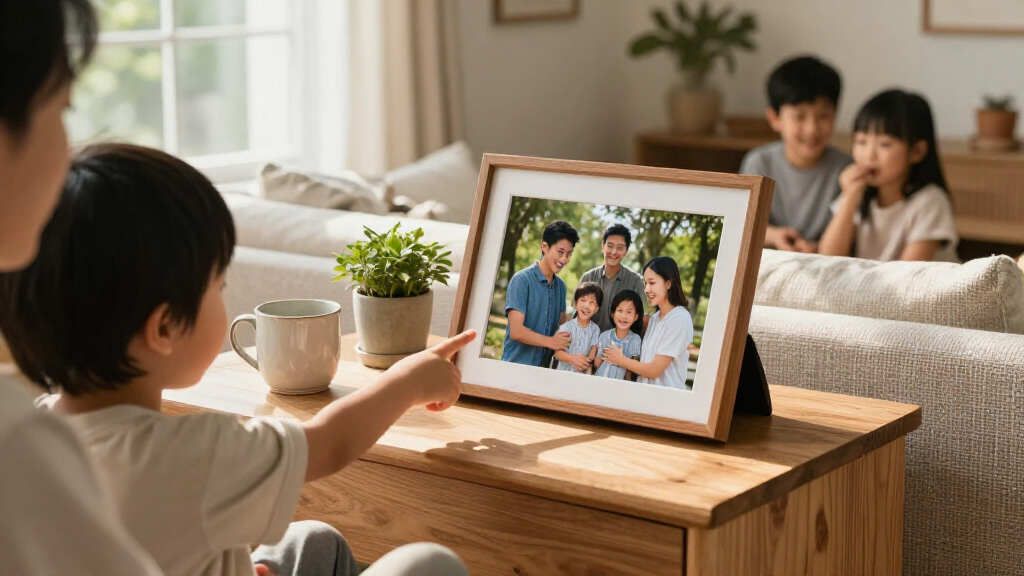
I ranked these smart digital picture frames by the parts of ownership that shape daily use: how straightforward photo sharing appears to be, the stated display size and type, available onboard storage, orientation flexibility, and the likely fit for different homes. I also separated frames that offer a more guided connected experience from models whose listed strengths center on storage, touchscreen controls, or a larger display. The product names and specifications supplied for this roundup do not establish every detail of app policies, cloud services, or included accessories, so I avoid treating those as confirmed advantages.
Ranking reflects tradeoffs, not a feature-count contest. Aura Carver Black takes the overall spot for buyers who put a polished connected experience first. Frameo models follow as flexible sharing choices, with storage and screen size shaping their relative appeal; the large-format options earn a distinct place for visibility rather than convenience. Similar or duplicate listings are not treated as meaningfully different without a stated specification that supports that distinction. I also account for drawbacks: Wi-Fi dependence, limited listed storage, a larger footprint, or less clarity about the sharing setup can make a frame a poor fit for some households.
Factors to Consider When Choosing Smart Digital Picture Frames
Before choosing a frame, decide who will send photos, where it will live, and whether it needs to work when the internet or app is not part of the routine. Those answers matter more than small specification differences between models with similar 10.1-inch screens.
Choose a Sharing Method Your Family Will Use
A connected frame is only convenient if the people sending pictures can use its sharing process comfortably. Ask whether photos will come from one household or several relatives, and check how the app handles invitations, permissions, and account setup before buying. A frame with Wi-Fi-based sharing can keep updates flowing from far away, but it may rely on a stable network and an app that each contributor is willing to install. For a recipient who does not want to manage accounts, a guided setup and simple controls may matter more than extra settings. Avoid assuming that all frames using the same platform offer identical sharing rules or services. Confirm the current details for the exact model, especially if multiple family members will contribute.
Match Screen Size to Viewing Distance and Room
A 10.1-inch frame is easier to place on a desk, shelf, or bedside table, while a 15.6-inch model is more visible across a room. Larger is not automatically better: measure the space, check the viewing distance, and think about whether the frame will sit among other objects or act as a focal point. A large display can make group shots and details easier to see, but it also calls for more surface area and may dominate a small room. Screen resolution and panel type matter alongside size, since a bigger image is only useful if it remains clear from the usual viewing position. Compare the actual dimensions and stand or mounting options for the specific model rather than relying on screen size alone.
Treat Storage Capacity as a Usage Estimate
Listed capacity ranges across these models, from 16GB to 64GB, and several listings specify 32GB. More space can reduce the need to prune a long-running collection, particularly when several people send photos, but storage figures do not tell you how much space the software reserves or which file formats are accepted. If you expect frequent updates, check whether the frame can also use a memory card or USB drive and whether photos can be imported without Wi-Fi. Buyers who mainly want a rotating selection may not need the largest capacity. The common mistake is choosing a number in isolation without checking the frame’s supported transfer methods and media limits.
Check Orientation, Placement, and Controls
Families often share a mix of portrait and landscape photos, so auto-rotate can reduce the need to adjust images before sending them. Verify whether rotation is automatic and how the frame handles photos that do not match the screen’s proportions; cropping or blank space can change how a picture appears. Touchscreen controls can make setup and local adjustments easier, but they may be less helpful for someone who rarely wants to interact with the frame. Also check whether the frame is intended for a tabletop, wall placement, or both, and whether its power cable can reach the outlet. These practical details can matter more than a small difference in storage when the frame has to fit a particular room.
Decide How Much You Want to Depend on Wi-Fi
Wi-Fi is what makes remote photo sharing useful, but it adds a dependency that a locally loaded frame may not have. Think about the recipient’s network reliability and whether someone can help reconnect the frame if the router or password changes. Ask whether previously loaded photos remain available when the connection drops and whether setup requires an ongoing account. A connected model makes the most sense when updates from family are the main reason for buying; a frame used mostly as a fixed slideshow may benefit more from flexible local imports. Read the exact model’s instructions before purchase, since the product name alone does not answer offline-use questions.
Pay for the Feature That Solves Your Actual Problem
A larger screen is worth prioritizing when the frame needs to be seen from across a room, while added storage matters most for a large collection that will stay on the device. A simpler sharing setup may be the better investment when the frame is a gift for someone who does not want to manage settings. Avoid paying for a feature you will not use, such as a touchscreen if updates will come remotely, or extra capacity if you plan to keep only a small rotating set. At the same time, do not choose a bare-bones listing without checking support, app requirements, and transfer options. The strongest choice is the one that removes friction for the person who will maintain the frame, not just the person who buys it.
Frequently Asked Questions
Is a Frameo model or an Aura Carver a better gift for someone who is not tech-savvy?
I would choose based on who will handle setup and updates. Aura Carver is the roundup’s pick for a more polished connected experience, while Frameo models offer a broad set of touchscreen and storage variations. Neither platform label alone proves how easy the exact setup will be, so check the current app steps and whether someone can configure the frame before gifting it. If the recipient dislikes managing devices, prioritize a guided setup and a relative who can help remotely. Also confirm that the home has reliable Wi-Fi if new photos need to arrive from elsewhere.
Do I need 32GB or 64GB of storage for a digital frame?
Capacity depends on how many photos you plan to keep on the frame and how often you will refresh them. The lineup includes models listing 16GB, 32GB, and 64GB, but capacity alone does not reveal how much space the software or other files use. A modest collection that changes regularly may not need the largest option, while photos contributed by several relatives can make extra room useful. Check whether the exact model accepts external storage or supports other import methods before deciding. If that information is unclear, do not assume a larger capacity also means a more flexible frame.
Will a Wi-Fi picture frame still show photos if the internet goes down?
That depends on whether photos already stored on the device remain accessible offline and whether the model requires a connection for its basic slideshow. Wi-Fi is generally needed for remote updates, but the supplied model details do not confirm offline behavior for every frame in this roundup. If the frame is going to a home with unreliable internet, check the manual for offline playback and local import support before buying. A model that accepts photos by card or USB may offer a useful fallback, if that feature is confirmed for the exact version. Keep in mind that remote senders cannot add new pictures while the frame is disconnected.
Is a 15.6-inch frame worth choosing over a 10.1-inch model?
A 15.6-inch frame makes more sense when people will view it from across a room or when a larger display is part of the gift’s appeal. The Pastigio and 64GB Frameo models give this roundup larger-screen choices, while the many 10.1-inch frames are easier to fit on smaller surfaces. Measure the intended spot and consider how far away viewers will stand before deciding. A larger screen does not automatically mean better image quality, so check the resolution and panel details as well. If the frame will sit on a crowded desk, a compact model may be the more practical choice.
What should I check before buying one of the similar-looking 10.1-inch frames?
Compare the exact listing for storage capacity, auto-rotation, touchscreen controls, supported import methods, and the photo-sharing app or service. Several products in this roundup share a 10.1-inch size, and two Frameo listings have the same stated 32GB capacity, so the name alone may not reveal a meaningful difference. Confirm the precise model number and what is included rather than assuming two listings with similar names are interchangeable. Read the setup and network requirements if relatives will send photos remotely. When specifications remain unclear, choose the listing with the clearest documentation and support information.
Conclusion
Best overall: I recommend the Aura Digital HD Picture Frame, Carver Black for shoppers who want a polished connected frame and value a streamlined sharing experience. Best value: the Frameo 10.1-inch Wi-Fi models are the strongest place to compare for a compact touchscreen frame with stated onboard storage; check each listing closely, since capacities and features vary. Best premium-style, large-screen choice: the Pastigio 15.6-inch frame is the more visible pick for a prominent spot, while the 15.6-inch Frameo with 64GB suits buyers who want a large display and more listed storage. Best for beginners: Aura Carver is my starting point for someone who values a more guided connected experience, provided Wi-Fi is available. For a specific need, choose a model with auto-rotate if the family shares both portrait and landscape photos, or favor a verified local-import option if internet dependence is a concern. My final advice is to buy for the person who will use and maintain the frame—not just for the person choosing it.