
The best OLED laptops pair rich contrast and vivid color with performance that fits the way you work, create, or play. I name the ASUS Vivobook S16 with Core Ultra 9 285H and 32GB RAM my best overall pick for its 2.8K 120Hz screen and generous memory. The MSI Stealth 16 AI+ stands out for gaming power, while the Lenovo Slim 7i Aura Edition suits buyers who want a more portable OLED touchscreen. The main tradeoffs are screen size versus portability, integrated versus dedicated graphics, and how much memory your workload needs. Read on for the full comparison, buying advice, and picks for different priorities.

Get the latest gadgets delivered free with Prime
- Fast, free delivery on millions of items
- Prime Video, Amazon Music and more included
- Member-only deals all year
Complete the kit



Key Takeaways
- The Vivobook S16 with Core Ultra 9 285H and 32GB RAM is the strongest all-round fit in this list: it combines a 2.8K 120Hz OLED panel with more memory than the otherwise similar 16GB configuration.
- The two gaming laptops are the clearest choices for graphics-heavy play. The MSI pairs an RTX 5070 Ti with a QHD+ OLED screen, while the Lenovo Legion 5a lists an RTX 5060 and a 165Hz OLED panel.
- OLED here does not mean one screen experience. The lineup ranges from a 14-inch touchscreen to 16-inch panels, with refresh rates from 120Hz to 165Hz and resolutions from 2.8K to 3.2K.
- Memory separates several closely related Vivobook options. The 32GB models give more room for demanding multitasking than the 16GB configurations, while processor choice varies across Intel Core Ultra and AMD Ryzen AI systems.
- Form factor matters as much as panel quality. The HP OmniBook 7 X Flip adds a convertible touchscreen, the Dell XPS 14 brings a compact high-resolution OLED display, and the Lenovo Slim 7i Aura Edition is the smallest listed option.
| ASUS Vivobook S 16 OLED Laptop, 16-inch 2.8K 120Hz Display, Intel Core Ultra 9 285H, 16GB RAM, 1TB SSD |  | Best High-Refresh OLED Value | Display: 16-inch OLED, 2880 × 1800, 120Hz, 16:10, 600 nits, 100% DCI-P3 | Processor: Intel Core Ultra 9 285H, 16 cores, up to 5.4 GHz | Graphics: Integrated Intel Arc Graphics | VIEW LATEST PRICE | See Our Full Breakdown |
| ASUS Vivobook S 16 OLED Laptop, Intel Core Ultra 9 185H, 16GB RAM, 1TB SSD |  | Best for Long-Running Everyday Work | Display: 16-inch OLED, 3200 × 2000, 120Hz | Processor: Intel Core Ultra 9 185H | Graphics: Integrated Intel Arc Graphics | VIEW LATEST PRICE | See Our Full Breakdown |
| ASUS Vivobook S16 16-inch OLED Copilot+ Laptop, AMD Ryzen AI 7 445, 32 GB RAM, 1 TB SSD |  | Best for Multitasking and Battery Endurance | Display: 16-inch 16:10 WUXGA OLED, 1920 × 1200 | Processor: AMD Ryzen AI 7 445 | AI performance: Up to 50 TOPS | VIEW LATEST PRICE | See Our Full Breakdown |
| ASUS Vivobook S16 Laptop, 16-inch 2.8K OLED 120Hz, Intel Core Ultra 9 285H, 32GB RAM, 1TB SSD |  | Best Overall for Work and Creative Multitasking | Display: 16-inch OLED, 2880 × 1800, 120Hz, 16:10, 100% DCI-P3 | Processor: Intel Core Ultra 9 285H, 16 cores, up to 5.4 GHz | Graphics: Integrated Intel Arc Graphics | VIEW LATEST PRICE | See Our Full Breakdown |
| MSI Stealth 16 AI+ 16-inch QHD+ OLED Gaming Laptop, Intel Core Ultra 9 386H, GeForce RTX 5070 Ti, 32GB DDR5, 1TB NVMe SSD, Wi-Fi 7, Windows 11 Home |  | Best OLED Gaming Laptop | Display: 16-inch OLED, 2560 × 1600, 240Hz | Processor: Intel Core Ultra 9 386H | Graphics: NVIDIA GeForce RTX 5070 Ti, 16GB GDDR7 | VIEW LATEST PRICE | See Our Full Breakdown |
| ASUS Vivobook S16 16-Inch OLED Laptop, AMD Ryzen AI 9 465, 32GB RAM, 1TB SSD | | Best for Big-Screen Everyday Work | Processor: AMD Ryzen AI 9 465 | Graphics: Integrated Radeon graphics | Display: 16-inch 16:10 WUXGA OLED, 1920 × 1200, 60Hz | VIEW LATEST PRICE | See Our Full Breakdown |
| HP OmniBook 7 X Flip 16-Inch 2-in-1 Laptop, Intel Core Ultra 7, 32GB RAM, 1TB SSD, 3K OLED Touchscreen, Windows 11 Pro |  | Best Convertible OLED | Processor: Intel Core Ultra 7 | Graphics: Intel Arc 140V integrated graphics | Display: 16-inch 3K OLED touchscreen, 2880 × 1800, 120Hz variable | VIEW LATEST PRICE | See Our Full Breakdown |
| ASUS Vivobook S 15 OLED Laptop, 15.6-inch 2.8K 120Hz Display, Intel Core i9-13900H, 16GB RAM, 1TB SSD, Windows 11 Home, Midnight Black | 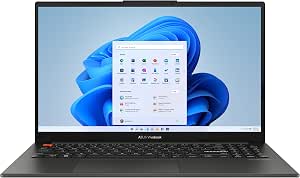 | Best for Fast OLED Scrolling | Processor: Intel Core i9-13900H, 14 cores, 20 threads, up to 5.4GHz | Graphics: Intel Iris Xe integrated graphics | Display: 15.6-inch OLED, 2880 × 1800, 120Hz | VIEW LATEST PRICE | See Our Full Breakdown |
| Lenovo Slim 7i Aura Edition, 14-inch OLED Touchscreen, Intel Core Ultra 7 258V, 32GB RAM, 1TB SSD |  | Best Compact OLED for Travel | Processor: Intel Core Ultra 7 258V | Graphics: Integrated Intel Arc Graphics 140V | Display: 14-inch WUXGA OLED touchscreen, 1920 × 1200, 60Hz | VIEW LATEST PRICE | See Our Full Breakdown |
| Lenovo Legion 5a (2026) Gaming Laptop, 15.3-inch OLED WQXGA 165Hz Display, AMD Ryzen 7 250, NVIDIA GeForce RTX 5060, 32GB RAM, 1TB SSD, Eclipse Black |  | Best OLED for Gaming | Processor: AMD Ryzen 7 250, 3.3GHz | Graphics: NVIDIA GeForce RTX 5060 | Display: 15.3-inch OLED, 2560 × 1440, 165Hz | VIEW LATEST PRICE | See Our Full Breakdown |
| Dell XPS 14 Premium 14.5-Inch Touchscreen Laptop, 3.2K OLED 48–120Hz, Intel Core Ultra 7 255H, 32GB RAM, 1TB SSD |  | Best Compact Convertible | Display: 14.5-inch OLED touchscreen | Resolution: 3200 × 2000 pixels (3.2K) | Refresh rate: 48–120Hz | VIEW LATEST PRICE | See Our Full Breakdown |
| OLED laptop | Display | Processor | Graphics | Memory |
|---|---|---|---|---|
| ASUS Vivobook S 16 OLED Laptop | 16-inch OLED, 2880 × 1800, 120Hz, 16:10, 600 nits, 100% DCI-P3 | Intel Core Ultra 9 285H, 16 cores, up to 5.4 GHz | Integrated Intel Arc Graphics | 16GB DDR5 SDRAM, 7467 MHz |
| ASUS Vivobook S 16 OLED Laptop | 16-inch OLED, 3200 × 2000, 120Hz | Intel Core Ultra 9 185H | Integrated Intel Arc Graphics | 16GB |
| ASUS Vivobook S16 16-inch OLED | 16-inch 16:10 WUXGA OLED, 1920 × 1200 | AMD Ryzen AI 7 445 | Integrated AMD Radeon Graphics | 32GB DDR5 |
| ASUS Vivobook S16 Laptop | 16-inch OLED, 2880 × 1800, 120Hz, 16:10, 100% DCI-P3 | Intel Core Ultra 9 285H, 16 cores, up to 5.4 GHz | Integrated Intel Arc Graphics | 32GB LPDDR5X |
| MSI Stealth 16 AI+ 16-inch QHD | 16-inch OLED, 2560 × 1600, 240Hz | Intel Core Ultra 9 386H | NVIDIA GeForce RTX 5070 Ti, 16GB GDDR7 | 32GB DDR5 |
| ASUS Vivobook S16 16-Inch OLED | 16-inch 16:10 WUXGA OLED, 1920 × 1200, 60Hz | AMD Ryzen AI 9 465 | Integrated Radeon graphics | 32GB DDR5 |
| HP OmniBook 7 X Flip 16-Inch 2 | 16-inch 3K OLED touchscreen, 2880 × 1800, 120Hz variable | Intel Core Ultra 7 | Intel Arc 140V integrated graphics | 32GB LPDDR5x-8533 onboard |
| ASUS Vivobook S 15 OLED Laptop | 15.6-inch OLED, 2880 × 1800, 120Hz | Intel Core i9-13900H, 14 cores, 20 threads, up to 5.4GHz | Intel Iris Xe integrated graphics | 16GB LPDDR5 |
| Lenovo Slim 7i Aura Edition | 14-inch WUXGA OLED touchscreen, 1920 × 1200, 60Hz | Intel Core Ultra 7 258V | Integrated Intel Arc Graphics 140V | 32GB LPDDR5X-8533 |
| Lenovo Legion 5a | 15.3-inch OLED, 2560 × 1440, 165Hz | AMD Ryzen 7 250, 3.3GHz | NVIDIA GeForce RTX 5060 | 32GB DDR5; maximum listed capacity 32GB |
| Dell XPS 14 Premium 14.5-Inch | 14.5-inch OLED touchscreen | Intel Core Ultra 7 255H | Integrated Intel Arc graphics | — |
More Details on Our Top Picks
ASUS Vivobook S 16 OLED Laptop, 16-inch 2.8K 120Hz Display, Intel Core Ultra 9 285H, 16GB RAM, 1TB SSD
The Vivobook S 16 OLED delivers a strong screen-and-processor pairing: its 16-inch 2.8K OLED panel combines 120Hz refresh with full DCI-P3 coverage, making scrolling and color-rich media look smooth and vivid. The Core Ultra 9 285H gives it more processing headroom than the Ryzen AI 7-based Vivobook S16, though both rely on integrated graphics and are better suited to general work than demanding gaming. Two Thunderbolt 4 ports, HDMI 2.1, and Wi-Fi 7 make the ASUS flexible at a desk, while its 3.31-pound weight is manageable for a large-screen laptop. The tradeoffs are 16GB of memory, a glossy, non-touch display, and battery life listed at up to six hours. Choose this over the 32GB Vivobook S16 if processor and display specs matter more than memory capacity or endurance.
Pros:- 2.8K OLED resolution, 120Hz refresh rate, and 100% DCI-P3 coverage
- Core Ultra 9 285H processor with up to 5.4 GHz
- Two Thunderbolt 4 ports plus HDMI 2.1
- Privacy-shutter camera and full-size keyboard with numeric keypad
Cons:- Listed battery life is up to six hours
- 16GB memory is less accommodating for heavy multitasking than the 32GB Vivobook S16
- Glossy display can reflect ambient light and does not support touch
Best for: Students and office users who want a large, high-refresh OLED screen, a powerful processor, and modern ports without needing a touchscreen.
Not ideal for: Frequent travelers who need long unplugged work sessions, or buyers running memory-heavy creative applications who would benefit from 32GB RAM.
- Display:16-inch OLED, 2880 × 1800, 120Hz, 16:10, 600 nits, 100% DCI-P3
- Processor:Intel Core Ultra 9 285H, 16 cores, up to 5.4 GHz
- Graphics:Integrated Intel Arc Graphics
- Memory:16GB DDR5 SDRAM, 7467 MHz
- Storage:1TB NVMe M.2 SSD
- Operating system:Windows 10 Home
- Ports:2 Thunderbolt 4 USB-C, 2 USB-A 3.2 Gen 1, HDMI 2.1, 3.5mm audio combo jack
- Battery:75Wh; advertised up to 6 hours
- Weight:3.31 lbs
Our verdict“Pick this Vivobook for a sharp, fast 16-inch OLED and strong connectivity, but skip it if long battery life or 32GB memory is a priority.”
ASUS Vivobook S 16 OLED Laptop, Intel Core Ultra 9 185H, 16GB RAM, 1TB SSD
This Vivobook S 16 is the everyday-work option for buyers who want a large OLED and a more generous stated battery-life figure than the other Intel Vivobooks here. Its 16-inch, 3200 × 2000 OLED runs at 120Hz, so text and motion get a crisp, fluid presentation; the 1080p IR camera and privacy shutter also suit frequent video calls. ASUS lists up to 16 hours of battery life, compared with up to six hours for the Core Ultra 9 285H Vivobook, though actual runtime depends on use. The older Core Ultra 9 185H and 16GB RAM make this less appealing for buyers seeking the newer processor or more multitasking room found in the 32GB Vivobook S16. Its integrated graphics and reflective screen also limit its fit for gaming and bright workspaces. A 180-degree hinge and microSD reader add useful flexibility without turning it into a convertible.
Pros:- 3200 × 2000 OLED panel with a 120Hz refresh rate
- Up to 16 hours of stated battery life
- 1080p IR camera with a physical privacy shutter
- Thunderbolt 4, HDMI, USB-A, and microSD connectivity
Cons:- Integrated Intel Arc graphics are not a substitute for a dedicated gaming GPU
- 16GB memory offers less headroom than the 32GB Vivobook S16
- Glossy screen can reflect light, and battery life varies with workload
Best for: Remote workers and students who want a high-resolution OLED, a capable video-call camera, and a laptop advertised for long battery life.
Not ideal for: Gamers, buyers who need dedicated graphics, or multitaskers who want 32GB memory and the newer Core Ultra 9 285H.
- Display:16-inch OLED, 3200 × 2000, 120Hz
- Processor:Intel Core Ultra 9 185H
- Graphics:Integrated Intel Arc Graphics
- Memory:16GB
- Storage:1TB SSD
- Operating system:Windows 11 Home
- Battery:75Wh; stated up to 16 hours
- Ports:2 Thunderbolt 4, 2 USB-A, HDMI, combo audio jack, microSD card reader
- Weight:3.31 lbs
Our verdict“Choose this model for its high-resolution OLED and stated battery endurance, unless you need the newer processor or more memory in the 32GB Vivobook S16.”
ASUS Vivobook S16 16-inch OLED Copilot+ Laptop, AMD Ryzen AI 7 445, 32 GB RAM, 1 TB SSD
The AMD Vivobook S16 stands apart from the Intel models by pairing 32GB of memory with an advertised video-playback battery life of up to 21 hours. That combination suits students and knowledge workers who keep many apps open and want fewer charging stops; fast charging is listed at 60% in 49 minutes. Its 16-inch WUXGA OLED is lower resolution than the 2.8K 120Hz screens in the Core Ultra 9 285H Vivobooks, so it gives up some sharpness and high-refresh smoothness in exchange for more memory and a focus on endurance. Integrated Radeon graphics make it a general-purpose machine, not a dedicated gaming laptop. Windows Hello, a privacy shutter, Dolby Atmos, and HDMI add practical touches. The advertised battery figure comes from a specific video test, and the listed thickness is inconsistent, so buyers should treat those details with some caution.
Pros:- 32GB DDR5 memory for heavier multitasking
- 70Wh battery with advertised video-playback life up to 21 hours
- Fast charging listed at 60% in 49 minutes
- Windows Hello, privacy-shutter camera, and HDMI 2.1
Cons:- 1920 × 1200 resolution is lower than the 2.8K panels on the Intel Vivobooks
- Integrated Radeon graphics are limited for demanding games and GPU-heavy work
- Battery results depend on usage, and listed thickness measurements differ
Best for: Students and multitasking professionals who want 32GB RAM, a 16-inch OLED, and a laptop advertised for long video-playback runtime.
Not ideal for: Display-focused creators who need 2.8K detail or 120Hz, and gamers who need dedicated graphics.
- Display:16-inch 16:10 WUXGA OLED, 1920 × 1200
- Processor:AMD Ryzen AI 7 445
- AI performance:Up to 50 TOPS
- Graphics:Integrated AMD Radeon Graphics
- Memory:32GB DDR5
- Storage:1TB SSD
- Battery:70Wh; up to 21 hours in a 1080p video playback test
- Ports:2 USB-C, 2 USB-A, HDMI 2.1, 3.5mm audio jack
- Weight:3.75 lbs
Our verdict“Buy this Vivobook if 32GB memory and advertised endurance matter more than the sharper, faster-refresh OLED panels on the Intel alternatives.”
ASUS Vivobook S16 Laptop, 16-inch 2.8K OLED 120Hz, Intel Core Ultra 9 285H, 32GB RAM, 1TB SSD
This is the most balanced productivity pick in the group: it pairs the same 2.8K, 120Hz OLED and Core Ultra 9 285H found in the 16GB Vivobook with twice the memory. That extra capacity gives heavy browser use, larger creative projects, and multiple open applications more room, while the 32GB LPDDR5X and 1TB SSD make it the stronger long-term work choice. Windows 11 Pro, Wi-Fi 7, Thunderbolt 4, HDMI 2.1, and a microSD reader add flexibility for business and file transfer. Compared with the AMD Vivobook S16, this screen is sharper and faster-refresh, though the AMD model lists longer battery life. Integrated Intel Arc graphics remain the ceiling for gaming or GPU-intensive creation, and the panel is not touch-enabled. It is the clearest step up from the 16GB ASUS option for demanding everyday work.
Pros:- 2.8K OLED with 120Hz refresh and 100% DCI-P3 coverage
- 32GB LPDDR5X memory paired with a 1TB SSD
- Windows 11 Pro and Wi-Fi 7
- Two Thunderbolt 4 ports, HDMI 2.1, and microSD reader
Cons:- Integrated Intel Arc graphics limit demanding gaming and GPU-heavy workloads
- Display does not support touch
- No battery-life figure is provided in the product data
Best for: Professionals and creators who want a sharp 120Hz OLED, 32GB memory, business-oriented Windows 11 Pro, and a broad port selection.
Not ideal for: Buyers who need a dedicated GPU, touchscreen input, or the longer advertised battery runtime of the AMD Vivobook S16.
- Display:16-inch OLED, 2880 × 1800, 120Hz, 16:10, 100% DCI-P3
- Processor:Intel Core Ultra 9 285H, 16 cores, up to 5.4 GHz
- Graphics:Integrated Intel Arc Graphics
- Memory:32GB LPDDR5X
- Storage:1TB SSD
- Operating system:Windows 11 Pro
- Wireless:Wi-Fi 7, Bluetooth 5.4
- Ports:2 USB-A, 2 Thunderbolt 4, HDMI 2.1, 3.5mm combo audio jack, microSD card reader
- Weight:Approximately 3.31 lbs
Our verdict“Choose this as the most capable all-round work Vivobook if you want the sharper 120Hz OLED and 32GB RAM, rather than the AMD model’s advertised endurance.”
MSI Stealth 16 AI+ 16-inch QHD+ OLED Gaming Laptop, Intel Core Ultra 9 386H, GeForce RTX 5070 Ti, 32GB DDR5, 1TB NVMe SSD, Wi-Fi 7, Windows 11 Home
The MSI Stealth 16 AI+ is the gaming specialist here, pairing a 240Hz OLED with a GeForce RTX 5070 Ti and 16GB of GDDR7 graphics memory. That dedicated GPU sets it apart from every Vivobook in this batch: demanding games and graphics-heavy workloads have hardware support that integrated Intel Arc and Radeon graphics cannot match. The 2560 × 1600 resolution keeps the display detailed while the high refresh rate targets fast-moving play. It is heavier at 4.4 pounds than the 3.31-pound Intel Vivobooks, and its glossy screen can reflect room lighting. The Stealth also trades the Vivobook S16’s 2.8K resolution for a gaming-focused refresh rate, so buyers choosing mainly for fine detail may prefer ASUS. Pick MSI when dedicated graphics and smooth gameplay matter more than portability or a sharper panel.
Pros:- 240Hz OLED display at 2560 × 1600
- GeForce RTX 5070 Ti with 16GB GDDR7 graphics memory
- 32GB DDR5 memory and 1TB NVMe SSD
- Wi-Fi 7 and face recognition
Cons:- At 4.4 pounds, it is heavier than the Vivobook S16 models
- Glossy display can reflect ambient light
- 2560 × 1600 resolution is below the 2.8K ASUS Vivobook S16 panels
Best for: PC gamers and graphics-focused users who want a high-refresh OLED and a dedicated GeForce GPU in a 16-inch laptop.
Not ideal for: Frequent travelers prioritizing a lighter laptop, or OLED buyers who mainly want maximum resolution for detailed creative work.
- Display:16-inch OLED, 2560 × 1600, 240Hz
- Processor:Intel Core Ultra 9 386H
- Graphics:NVIDIA GeForce RTX 5070 Ti, 16GB GDDR7
- Memory:32GB DDR5
- Storage:1TB NVMe SSD
- Operating system:Windows 11 Home
- Wireless:Wi-Fi 7, Bluetooth 6
- Weight:4.4 lbs
- Video output:HDMI
Our verdict“Choose the MSI for gaming performance and its 240Hz OLED; choose a Vivobook instead if lighter carry weight or higher display resolution matters more.”
ASUS Vivobook S16 16-Inch OLED Laptop, AMD Ryzen AI 9 465, 32GB RAM, 1TB SSD
The Vivobook S16 pairs a generous 16-inch OLED panel with 32GB of memory and a 1TB SSD, making it a practical choice for multitasking, study, and streaming. Its 1920 × 1200 resolution is less detailed than the HP OmniBook 7 X Flip’s 3K screen, and its 60Hz refresh rate lacks that model’s smoother scrolling. In return, this ASUS offers a straightforward clamshell design, a useful mix of USB-C, USB-A, and HDMI ports, and a 3.75-pound weight that remains manageable for a 16-inch laptop. The Ryzen AI 9 processor and integrated graphics suit general productivity, but this is not the pick for demanding games or GPU-heavy creative work. I’d choose it for an OLED-first daily laptop, not for high-refresh visuals.
Pros:- 16-inch OLED gives documents, video, and web content strong contrast on a roomy screen.
- 32GB DDR5 memory and a 1TB SSD provide headroom for multitasking and local files.
- USB-C, USB-A, HDMI, and audio ports reduce reliance on adapters.
- 70Wh battery and a 3.75-pound chassis balance runtime potential with reasonable portability.
Cons:- The 1920 × 1200 resolution is less sharp than the 3K OLED on the HP OmniBook 7 X Flip.
- A 60Hz panel is less fluid than the 120Hz displays in this lineup.
- Integrated Radeon graphics are a poor fit for demanding gaming and GPU-intensive workloads.
Best for: Students and home-office users who want a spacious OLED screen, ample memory, and familiar ports for daily work and entertainment.
Not ideal for: Gamers and motion-sensitive users who want a high refresh rate, or creators who need a discrete graphics processor.
- Processor:AMD Ryzen AI 9 465
- Graphics:Integrated Radeon graphics
- Display:16-inch 16:10 WUXGA OLED, 1920 × 1200, 60Hz
- Memory:32GB DDR5
- Storage:1TB SSD
- Battery:70Wh
- Weight:3.75 lbs
- Ports:2 USB-C, 2 USB-A, HDMI 2.1 TMDS, 3.5mm audio
Our verdict“Choose the Vivobook S16 if you want a roomy OLED screen and strong everyday specs more than high resolution or fast refresh.”
HP OmniBook 7 X Flip 16-Inch 2-in-1 Laptop, Intel Core Ultra 7, 32GB RAM, 1TB SSD, 3K OLED Touchscreen, Windows 11 Pro
The OmniBook 7 X Flip is the most adaptable OLED pick here: its 360-degree hinge lets the 16-inch touchscreen serve as a conventional laptop, presentation screen, or tablet. The 3K resolution and 120Hz variable refresh rate also make it a sharper, smoother viewing experience than the 60Hz Vivobook S16 and Lenovo Slim 7i Aura Edition. Its 32GB of onboard memory and 1TB SSD suit large projects and busy workflows, while the 5MP IR camera and meeting-focused audio are useful for frequent calls. The tradeoff is flexibility without a discrete GPU: Intel Arc integrated graphics are better for everyday creative tasks than demanding 3D work or gaming. Memory is onboard, so buyers cannot plan on upgrading it later. I’d pick this HP when touch and convertible use matter as much as OLED quality.
Pros:- 360-degree hinge supports laptop, tent, stand, and tablet-style use.
- 3K OLED touchscreen with 120Hz variable refresh is sharper and smoother than the 60Hz panels in this batch.
- 32GB memory and a 1TB SSD support multitasking and sizable working files.
- 5MP IR camera and Poly Studio speakers are well suited to frequent video meetings.
Cons:- 32GB memory is onboard and limits future memory upgrades.
- Integrated Intel Arc graphics are not a substitute for a dedicated GPU in demanding games or 3D workloads.
- The convertible design adds features that clamshell buyers may not need.
Best for: Mobile professionals and students who want a large, high-resolution OLED touchscreen for laptop work, presentations, and tablet-style use.
Not ideal for: Buyers who need upgradeable memory or a discrete GPU for demanding 3D, video, or gaming workloads.
- Processor:Intel Core Ultra 7
- Graphics:Intel Arc 140V integrated graphics
- Display:16-inch 3K OLED touchscreen, 2880 × 1800, 120Hz variable
- Memory:32GB LPDDR5x-8533 onboard
- Storage:1TB PCIe Gen4 NVMe SSD
- Operating system:Windows 11 Pro
- Form factor:Convertible 2-in-1 with 360-degree hinge
- Camera:5MP IR with temporal noise reduction and background tracking
Our verdict“Choose the OmniBook 7 X Flip if you want a sharp, fast OLED touchscreen that can also work as a tablet.”
ASUS Vivobook S 15 OLED Laptop, 15.6-inch 2.8K 120Hz Display, Intel Core i9-13900H, 16GB RAM, 1TB SSD, Windows 11 Home, Midnight Black
This Vivobook S 15 makes a strong case for a high-refresh OLED without the convertible format or larger footprint of the HP OmniBook 7 X Flip. Its 15.6-inch 2.8K OLED panel runs at 120Hz, giving scrolling and motion a smoother feel than the 60Hz ASUS Vivobook S16 and Lenovo Slim 7i Aura Edition. The Core i9-13900H, 16GB of memory, and 1TB SSD make it a capable productivity machine, while Thunderbolt 4 and Wi-Fi 6E add useful connectivity. Its main compromise is memory: 16GB is half the capacity offered by the HP and several other options here, which leaves less room for heavy multitasking. Iris Xe graphics also limit gaming and GPU-led creative work. The glossy panel can reflect nearby light, so placement matters in bright rooms.
Pros:- 2.8K OLED resolution and 120Hz refresh deliver sharper detail and smoother motion than 60Hz OLED options.
- Intel Core i9-13900H and a 1TB SSD provide strong everyday computing capacity.
- Thunderbolt 4 supports fast peripherals and compatible docks.
- Fingerprint recognition and a backlit keyboard add useful everyday convenience.
Cons:- 16GB of LPDDR5 memory is less headroom than the 32GB configurations in the HP OmniBook 7 X Flip and ASUS Vivobook S16.
- Integrated Intel Iris Xe graphics limit demanding gaming and GPU-heavy creative tasks.
- The glossy display can reflect lights and windows.
Best for: Office users and media fans who value a crisp 120Hz OLED, a fast processor, and Thunderbolt connectivity in a conventional laptop.
Not ideal for: Heavy multitaskers who want 32GB of memory, or users who work in bright, reflection-prone spaces or need discrete graphics.
- Processor:Intel Core i9-13900H, 14 cores, 20 threads, up to 5.4GHz
- Graphics:Intel Iris Xe integrated graphics
- Display:15.6-inch OLED, 2880 × 1800, 120Hz
- Response time:0.2ms
- Memory:16GB LPDDR5
- Storage:1TB M.2 NVMe PCIe 4.0 SSD
- Wireless:Wi-Fi 6E, Bluetooth 5
- Ports:Thunderbolt 4, USB-A, HDMI 1.4, 3.5mm combo audio
Our verdict“Pick this Vivobook if a 120Hz 2.8K OLED and fast CPU matter more than 32GB of memory or dedicated graphics.”
Lenovo Slim 7i Aura Edition, 14-inch OLED Touchscreen, Intel Core Ultra 7 258V, 32GB RAM, 1TB SSD
At about 2.9 pounds and just 0.55 inches thick, the Slim 7i Aura Edition is the portability pick in this group. Its 14-inch OLED touchscreen fits a compact aluminum laptop, while 32GB of memory and a 1TB SSD keep it equipped for substantial work on the move. The 5MP RGB+IR camera, privacy shutter, Wi-Fi 7, and Thunderbolt 4 ports make it particularly appealing to frequent travelers and hybrid workers. Its WUXGA resolution and 60Hz refresh rate are less ambitious than the 3K, 120Hz HP OmniBook 7 X Flip, so it gives up screen sharpness and motion smoothness for size and portability. Integrated Arc graphics also fall short of the dedicated RTX 5060 in the Lenovo Legion 5a. The stated weight varies between listings, another detail worth checking before buying.
Pros:- Compact aluminum chassis weighs approximately 2.9 pounds and is 0.55 inches thick.
- 32GB LPDDR5X memory and a 1TB PCIe Gen4 SSD suit multitasking on the go.
- OLED touchscreen covers 100% DCI-P3 and supports HDR True Black 500.
- Thunderbolt 4, HDMI 2.1, Wi-Fi 7, and a microSD reader provide flexible connectivity.
Cons:- The 1920 × 1200, 60Hz screen is less sharp and fluid than the HP OmniBook 7 X Flip’s 3K, 120Hz panel.
- Integrated graphics cannot match the Lenovo Legion 5a’s dedicated RTX 5060 for gaming or GPU-heavy work.
- Listed weight differs between product details, at approximately 2.8 to 2.9 pounds.
Best for: Frequent travelers and hybrid professionals who want a lightweight OLED touchscreen with 32GB of memory and business-friendly connectivity.
Not ideal for: Buyers who prioritize a high-refresh, high-resolution display or need discrete graphics for gaming and GPU-intensive creation.
- Processor:Intel Core Ultra 7 258V
- Graphics:Integrated Intel Arc Graphics 140V
- Display:14-inch WUXGA OLED touchscreen, 1920 × 1200, 60Hz
- Color coverage:100% DCI-P3; HDR True Black 500
- Memory:32GB LPDDR5X-8533
- Storage:1TB PCIe Gen4 TLC SSD
- Battery:70Wh; up to 17 hours stated
- Weight:Approximately 2.8–2.9 lbs
Our verdict“Choose the Slim 7i Aura Edition if low carry weight and a capable OLED work setup matter more than a high-refresh screen.”
Lenovo Legion 5a (2026) Gaming Laptop, 15.3-inch OLED WQXGA 165Hz Display, AMD Ryzen 7 250, NVIDIA GeForce RTX 5060, 32GB RAM, 1TB SSD, Eclipse Black
The Legion 5a is the clear gaming specialist in this batch: it combines a 15.3-inch 2560 × 1440 OLED with a 165Hz refresh rate and a dedicated NVIDIA GeForce RTX 5060. That GPU separates it from the integrated-graphics ASUS and Lenovo productivity models, making this a better match for modern games and GPU-accelerated creative applications. The display’s high refresh rate also exceeds the 120Hz panels on the HP OmniBook 7 X Flip and Vivobook S 15. The compromise is portability: at 4.1 pounds, it is heavier than the compact Slim 7i Aura Edition, and the listing specifies only three ports. Its memory is listed at a 32GB maximum, so buyers should not expect room to expand beyond that capacity. Choose it for gaming capability, not for the lightest everyday OLED laptop.
Pros:- Dedicated GeForce RTX 5060 is better suited to gaming and GPU-heavy applications than integrated graphics in this lineup.
- 15.3-inch OLED resolution of 2560 × 1440 delivers detailed visuals.
- 165Hz refresh rate exceeds the 120Hz panels in the HP OmniBook 7 X Flip and Vivobook S 15.
- 32GB DDR5 memory and a 1TB SSD support games and large local projects.
Cons:- At 4.1 pounds, it is substantially less portable than the approximately 2.9-pound Lenovo Slim 7i Aura Edition.
- The listing specifies only three ports, which may limit direct connection options.
- Memory is listed with a maximum capacity of 32GB.
Best for: PC gamers and creative users who want a high-refresh OLED screen paired with dedicated graphics and 32GB of memory.
Not ideal for: Frequent travelers seeking a light laptop, or users who need a broad selection of built-in ports and memory expansion.
- Processor:AMD Ryzen 7 250, 3.3GHz
- Graphics:NVIDIA GeForce RTX 5060
- Display:15.3-inch OLED, 2560 × 1440, 165Hz
- Memory:32GB DDR5; maximum listed capacity 32GB
- Storage:1TB SSD
- Operating system:Windows 11 Home
- Weight:4.1 lbs
- Ports:3 ports listed; HDMI video output
Our verdict“Choose the Legion 5a if you want OLED gaming with dedicated RTX graphics and can accept a heavier laptop with limited listed ports.”
Dell XPS 14 Premium 14.5-Inch Touchscreen Laptop, 3.2K OLED 48–120Hz, Intel Core Ultra 7 255H, 32GB RAM, 1TB SSD
The Dell XPS 14 Premium earns its place for buyers who want a sharp OLED screen in a smaller, flexible laptop. Its 14.5-inch, 3200 × 2000 touchscreen gives documents and media fine detail, while the 48–120Hz variable refresh rate supports smoother scrolling without locking the display to its fastest setting. Compared with the larger HP OmniBook 7 X Flip, the Dell is easier to fit into a compact work setup, though its smaller screen offers less room for side-by-side work.
The Core Ultra 7 255H and 32GB of memory suit demanding multitasking, but integrated Intel Arc graphics are a weaker fit for graphics-heavy gaming than the dedicated GPUs in the MSI Stealth 16 AI+ or Lenovo Legion 5a. Its aluminum and Gorilla Glass 3 construction adds a polished, sturdy feel; the tradeoffs are a listed 400-nit brightness ceiling and a 3.8-pound carry weight for a 14.5-inch convertible.
Pros:- 3.2K OLED touchscreen delivers detailed images and text
- Variable 48–120Hz refresh rate accommodates smooth motion
- 32GB memory and Core Ultra 7 processor support demanding multitasking
- Convertible aluminum-and-Gorilla-Glass design includes fingerprint recognition
Cons:- Integrated Intel Arc graphics are less suited to demanding games and GPU-intensive creative work than the dedicated graphics in the MSI Stealth 16 AI+ or Lenovo Legion 5a
- Listed maximum brightness of 400 nits may limit comfortable viewing in bright environments
- At 3.8 pounds, it is not especially light for a compact convertible
Best for: Mobile professionals and students who want a compact, high-resolution OLED touchscreen, flexible convertible form, and 32GB of memory for multitasking.
Not ideal for: Gamers and graphics professionals who need dedicated GPU performance, or frequent outdoor users who would benefit from a brighter display.
- Display:14.5-inch OLED touchscreen
- Resolution:3200 × 2000 pixels (3.2K)
- Refresh rate:48–120Hz
- Processor:Intel Core Ultra 7 255H
- Graphics:Integrated Intel Arc graphics
- Memory and storage:32GB RAM; 1TB SSD
- Form factor and weight:Convertible; 3.8 lbs
- Battery:69.5Wh, 6-cell lithium-ion
- Wireless connectivity:Wi-Fi 7; Bluetooth 5.4
Our verdict“Choose the Dell XPS 14 Premium for a compact, versatile OLED convertible with ample memory, but pick a dedicated-GPU model for serious gaming or graphics work.”

How We Picked
I ranked these laptops by how well their listed features serve distinct buyer needs, not by treating OLED as the only deciding factor. I compared screen size, resolution, refresh rate, and touch or convertible features alongside processor, memory, storage, and graphics. Those details shape whether a laptop is better suited to everyday work, creative applications, gaming, or portable use. I also looked for useful differences between near-matching configurations, especially the Vivobook S16 models with the same processor and storage but different memory capacities.
The ordering gives priority to broad usefulness, then to clear strengths for particular buyers. The Vivobook S16 with Core Ultra 9 285H and 32GB earns the overall spot because its listed screen and memory make a strong general-purpose combination. Gaming models rank highly for buyers who need dedicated graphics, while compact and convertible systems serve narrower priorities. Since the supplied specifications do not include battery life, measured display performance, weight, or build-test results, I do not use those as ranking claims.
| OLED laptop | Operating system |
|---|---|
| ASUS Vivobook S 16 OLED Laptop | Windows 10 Home |
| ASUS Vivobook S 16 OLED Laptop | Windows 11 Home |
| ASUS Vivobook S16 16-inch OLED | — |
| ASUS Vivobook S16 Laptop | Windows 11 Pro |
| MSI Stealth 16 AI+ 16-inch QHD | Windows 11 Home |
| ASUS Vivobook S16 16-Inch OLED | — |
| HP OmniBook 7 X Flip 16-Inch 2 | Windows 11 Pro |
| ASUS Vivobook S 15 OLED Laptop | — |
| Lenovo Slim 7i Aura Edition | — |
| Lenovo Legion 5a | Windows 11 Home |
| Dell XPS 14 Premium 14.5-Inch | — |
Factors to Consider When Choosing Best OLED Laptops
Choosing an OLED laptop is not just a screen decision. I would start with the work you expect it to handle, then check whether the display format, graphics, memory, and portability match that use. These factors can help prevent paying for features that do little for your routine—or choosing a beautiful screen that cannot keep up with your workload.
Choose Screen Size Around How You Work
A larger display can make side-by-side documents and timelines easier to manage, but it also gives up some portability compared with a compact laptop. This roundup spans 14-inch, 14.5-inch, 15.3-inch, 15.6-inch, and 16-inch options, so screen area varies meaningfully even among OLED models. If you spend most of your time at a desk, a 16-inch panel may be more useful than saving space in a bag. Frequent travelers may find a 14-inch or 14.5-inch system easier to carry and use in tight spaces. A common mistake is choosing by diagonal measurement alone: resolution and aspect ratio also affect how much usable workspace you get. Match the screen to your usual setup before treating a bigger panel as an automatic upgrade.
Match Refresh Rate and Resolution to Your Work
Resolution affects image detail and workspace, while refresh rate affects how smoothly motion appears. The listed displays include 2.8K 120Hz options, a 3.2K panel with a variable 48–120Hz range, and a WQXGA 165Hz gaming screen. For browsing, writing, and office tasks, a very high refresh rate may matter less than comfortable text size and a screen you can use for long sessions. Fast-moving games benefit more from higher refresh rates, though the laptop also needs graphics hardware capable of delivering suitable frame rates. Do not assume that the highest resolution or refresh rate automatically makes the best screen for your needs. Check how your software scales and whether your main tasks benefit from extra detail or smoother motion.
Decide Whether You Need Dedicated Graphics
Integrated graphics can suit general productivity and many everyday creative tasks, while a dedicated GPU is a stronger fit for demanding games and GPU-accelerated work. The MSI Stealth 16 AI+ lists an RTX 5070 Ti, and the Lenovo Legion 5a lists an RTX 5060, setting them apart from the other configurations in this roundup. That distinction can matter more than a processor label if you render, edit complex projects, or play graphics-heavy games. Dedicated graphics can also increase system demands, so the most powerful option may be unnecessary for a buyer who mainly uses a browser and office apps. Check the software you rely on and its graphics requirements before choosing a gaming laptop for general use. Paying for a GPU you rarely use can mean carrying capability that does not improve your daily workload.
Buy Enough Memory for Your Actual Multitasking
Memory affects how many applications and large files a laptop can handle at once without becoming a bottleneck. This list makes the difference easy to see: several Vivobook configurations offer 16GB, while others and many premium or gaming options list 32GB. For routine browsing, email, and documents, 16GB may be a reasonable fit; heavy creative work, large projects, and extensive multitasking can benefit from more. Do not choose based on processor tier alone when two configurations share a processor but offer different memory. Also check whether the memory is upgradeable before purchase, since a fixed configuration can limit future flexibility. If you expect your workload to grow, buying the capacity you need upfront can be a more practical choice than relying on a later upgrade.
Consider Touch and Convertible Design Only If You Will Use Them
A touchscreen can be helpful for navigation, annotation, and drawing, but it does not make every laptop more useful. A convertible hinge adds a separate advantage by letting the display fold into different positions, which can suit presentations or tablet-style tasks. The HP OmniBook 7 X Flip is the clearest fit for buyers who want that flexibility, while the Lenovo Slim 7i Aura Edition and Dell XPS 14 list touchscreens in more conventional laptop designs. Think about whether you actually use touch input or have a stylus-based workflow before giving it priority. Convertible designs can be less appealing if the laptop will stay open on a desk and you mainly type. A standard clamshell may be the simpler choice when touch and folding modes would sit unused.
Balance OLED Benefits With Your Daily Routine
OLED can make dark scenes and high-contrast images stand out, which is appealing for films, photo work, and visual entertainment. Still, a display label alone cannot tell you about battery life, brightness in your environment, color accuracy, or long-term panel care. Those details are not specified consistently across this lineup, so I would check the exact configuration and manufacturer guidance before buying for a color-critical job. If you work mostly away from outlets, look for independent battery information for the precise model rather than assuming one OLED laptop will last as long as another. For a screen used at maximum brightness all day, power needs and display settings deserve attention. Choose OLED for the viewing qualities you value, while checking the practical details that affect everyday ownership.
Frequently Asked Questions
Is a 16GB OLED laptop enough, or should I choose 32GB?
For browsing, documents, video calls, and moderate multitasking, 16GB can be sufficient. If you keep many demanding applications open, edit large media files, or work with complex projects, 32GB provides more headroom. In this roundup, the Vivobook S16 with Core Ultra 9 285H is listed with both 16GB and 32GB configurations, making memory a direct point of comparison. I would prioritize the 32GB version when your workload already pushes memory limits or you expect it to grow. Check upgrade options before buying, since some laptops do not allow memory replacement later.
Should I choose a gaming OLED laptop if I also use it for work?
A gaming laptop can make sense when work includes GPU-heavy applications, game development, or regular gaming alongside everyday tasks. The MSI Stealth 16 AI+ and Lenovo Legion 5a are the two listed models with dedicated NVIDIA graphics, giving them a different role from the Vivobook, XPS, and Slim options. For office work, writing, and browsing alone, that extra graphics capability may not add much value. Compare the full configuration and independent information about size, battery life, and cooling before making it your everyday work computer. Choose dedicated graphics for a real workload need, rather than assuming it makes every laptop faster at every task.
Does a higher OLED refresh rate matter if I do not play games?
A higher refresh rate can make scrolling and moving on-screen content feel smoother, but many office and creative tasks do not require a gaming-focused panel. The 120Hz Vivobooks and the 165Hz Legion offer faster refresh rates, while other priorities may matter more for general work. Resolution, text clarity, screen size, and how the laptop fits your routine can have a greater effect on daily comfort. If you do play fast-moving games, refresh rate becomes more relevant, provided the graphics hardware can make use of it. I would treat refresh rate as a bonus for general use and a more direct selection factor for gaming.
Is a 2-in-1 OLED laptop a better choice than a standard clamshell?
A 2-in-1 is a better fit when you will use touch, fold the screen for presentations, or work in a tablet-style position. The HP OmniBook 7 X Flip is the convertible option in this group, while most alternatives follow a conventional laptop design. The added flexibility does not automatically improve typing or desk-based work, so it may be wasted if you never change the screen position. Consider whether your routine includes handwriting, touch interaction, or frequent sharing before paying for that form factor. If not, a standard clamshell can be a more straightforward match.
What should I verify before buying an OLED laptop for photo or video editing?
Check independent measurements for color accuracy, brightness, and color-space coverage for the exact configuration, since those details are not supplied consistently across this roundup. Also match the processor, memory, and graphics to the editing software and the size of your projects. The 32GB configurations in the list offer more memory headroom than the 16GB options, while the gaming models add dedicated graphics for GPU-intensive tasks. Confirm the port selection and storage capacity you need for external drives and project files. OLED can be visually appealing for creative work, but a vivid image is not a substitute for a display that meets color-critical requirements.
Conclusion
For the best overall, I would choose the ASUS Vivobook S16 with Core Ultra 9 285H, 32GB RAM, and a 2.8K 120Hz OLED display: it balances a sharp, fast screen with a more generous memory configuration. The best value-oriented choice depends on the exact configuration you find; the Vivobook S16 with Core Ultra 9 285H and 16GB keeps the same listed screen, processor, and storage while trading away memory headroom. For a premium compact option, the Dell XPS 14 pairs a 3.2K OLED touchscreen with a 14.5-inch format, while the Lenovo Slim 7i Aura Edition offers a smaller 14-inch OLED touchscreen. Beginners who want a conventional, versatile laptop can start with a Vivobook S16 configuration that fits their memory needs; buyers who want touch and foldable use should look at the HP OmniBook 7 X Flip. For gaming, choose the MSI Stealth 16 AI+ when its listed RTX 5070 Ti suits your graphics demands, or the Lenovo Legion 5a for its 165Hz OLED panel and RTX 5060. The right choice comes down to whether you value balanced everyday use, compact size, convertible flexibility, or dedicated gaming graphics most.