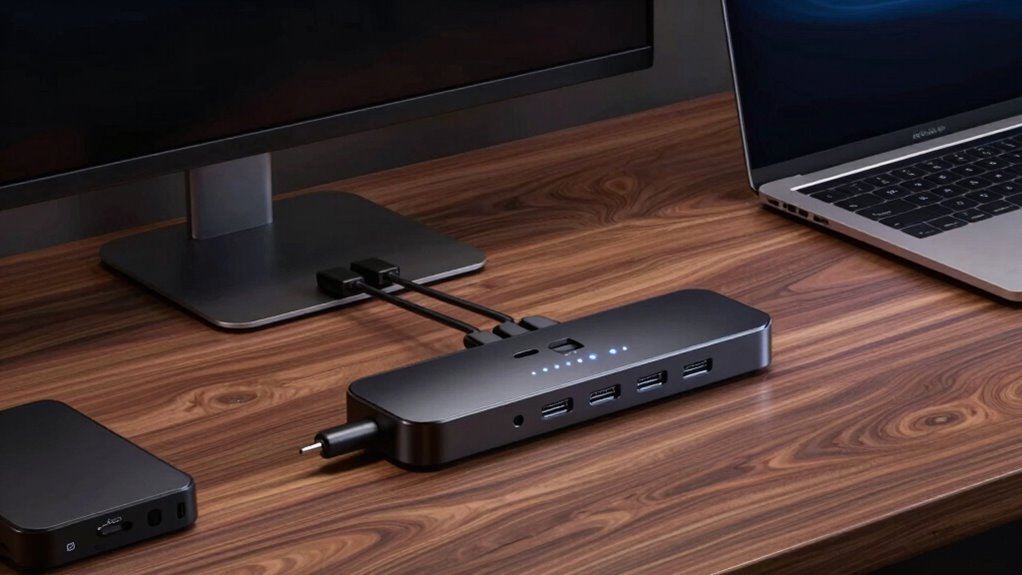

When choosing a Thunderbolt dock, the key considerations include port variety, power delivery, and compatibility with your devices. The CalDigit TS5 Plus stands out as the best overall for its extensive port selection and high-speed features, while the Plugable Thunderbolt 4 Dock offers solid value with versatile connectivity. Buyers face tradeoffs between maximum port count, charging power, and size—more ports often mean higher cost and bulk. Continue reading to see a detailed breakdown of the best options for different needs and budgets.

Get the latest gadgets delivered free — and shop member deals
- Fast, free delivery on millions of items
- Access to Prime Big Deal Days deals on October 6–7
- Prime Video, Amazon Music and more included
Complete the kit



Key Takeaways
- The highest port counts are found on models like CalDigit TS5 Plus and CalDigit TS5, but they tend to be larger and more expensive.
- Power delivery varies significantly, with some docks offering up to 130W, essential for charging high-power laptops without a separate charger.
- Compatibility across Mac and Windows is widespread, but specific docks like the Microsoft Surface Dock are optimized for Surface devices.
- Dual 4K monitor support is common but varies in refresh rate; some docks support 60Hz, others up to 120Hz for smoother visuals.
- Build quality and design often correlate with price—premium docks tend to be more durable and feature-rich, but less expensive options may suffice for lighter use.
| CalDigit TS5 Plus Thunderbolt 5 Dock – 20 Ports, 10Gb Ethernet |  | Best Overall Thunderbolt Dock for Professional Power Users | Ports: 20 | Thunderbolt Ports: 3x Thunderbolt 5 (80Gb/s) | USB Ports: 5x USB-A 10Gb/s, 5x USB-C 10Gb/s | VIEW ON AMAZON | See Our Full Breakdown |
| Anker Prime TB5 Docking Station, 14-in-1 Thunderbolt 5 Dock for Laptops |  | Best for High-Resolution Mobile Workstations | Hardware Interface: Thunderbolt | Compatible Devices: MacBook with M4/Pro/Max; Thunderbolt 4/5 Windows Laptops | Total USB Ports: 8 | VIEW ON AMAZON | See Our Full Breakdown |
| Anker Prime Docking Station, 14-in-1 Dual Monitor Laptop Docking Station |  | Best for Dual 4K Display and Simultaneous Charging | Connectivity: 14-in-1 | Total USB Ports: 10 | Display Support: Dual 4K@60Hz | VIEW ON AMAZON | See Our Full Breakdown |
| OWC 11-Port Thunderbolt Dock for Mac/PC with 96W Power Delivery and 3 Thunderbolt 4 Ports |  | Best for Versatile High-Resolution Workstations | Power Delivery: 96W | Display Support: Up to 8K @ 60Hz or dual 4K | Ports: 3 Thunderbolt 4, USB 3.2, Ethernet, SD | VIEW ON AMAZON | See Our Full Breakdown |
| Plugable Thunderbolt 4 Dock, 100W Charging, Dual HDMI, 13 Ports with Ethernet and SD/microSD |  | Best for Versatile Dual HDMI and All-in-One Connectivity | Hardware Interface: Thunderbolt | Wattage: 100W | HDMI Ports: 2 | VIEW ON AMAZON | See Our Full Breakdown |
| Dell Thunderbolt WD22TB4 4 Dock 130W |  | Best for Enterprise-Grade Flexibility and Manageability | Ports: 2 x Thunderbolt 4, 1 x USB-C 3.2 Gen 2, 1 x USB-A 3.2 Gen 1 with PowerShare, 2 x DisplayPort 1.4, 1 x HDMI 2.0, 1 x USB-C Multifunction DisplayPort, 2 x USB-A 3.2 Gen 1, 1 x Gigabit Ethernet RJ45 | Power: 180W Power adapter, supports up to 130W power delivery with ExpressCharge | Compatibility: Supports Windows 10 and Windows 11, compatible with Dell and other Thunderbolt-enabled notebooks | VIEW ON AMAZON | See Our Full Breakdown |
| Plugable 16-in-1 Thunderbolt 4 Dock – Dual 4K Monitors for M4/M5 MacBook Air/Pro, 100W Charging, 2 HDMI, 2 DisplayPort, 2.5G Ethernet, 7 USB, MicroSD/SD Card Reader, Windows & USB4 Compatible |  | Best for Versatile, Multi-Platform Productivity | Hardware Interface: Thunderbolt | Compatible Devices: Windows 11 Thunderbolt 4 hosts and Thunderbolt 4 Macs with macOS 11+ | Total USB Ports: 7 | VIEW ON AMAZON | See Our Full Breakdown |
| UGREEN 8-in-1 Thunderbolt 4 Docking Station, Dual 4K@60Hz, 3xTBT4, 40Gbps |  | Best for Compact High-Performance Expansion | Hardware Interface: Thunderbolt 4 | Compatible Devices: Most Thunderbolt 4, 3, USB4, or USB-C computers and tablets | Total USB Ports: 3 | VIEW ON AMAZON | See Our Full Breakdown |
| WAVLINK Thunderbolt 5 Dock, 13-in-1 TB5 Docking Station with NVMe M.2 |  | Best for Creative and Data-Heavy Workflows | Hardware Interface: Thunderbolt 5 | Compatible Devices: Thunderbolt 5/4 laptops | Total USB Ports: 4 | VIEW ON AMAZON | See Our Full Breakdown |
| Microsoft Surface Thunderbolt 4 Docking Station – Black |  | Best for Microsoft Surface Users Needing Seamless Accessory Integration | Hardware Interface: USB Thunderbolt 4 | Compatible Devices: Microsoft Surface | Total USB Ports: 6 | VIEW ON AMAZON | See Our Full Breakdown |
| CalDigit TS5 Thunderbolt 5 Dock – 15 Ports, 140W Charging, Dual 8K Displays, 80Gb/s TBT 5, USB-C 10Gb, USB-A, 2.5GbE, SD & microSD, Space Gray |  | Best Overall Thunderbolt Dock for Power Users | Ports: 15 | Thunderbolt Ports: 4 (including host and downstream ports) | USB-C Ports: 3 | VIEW ON AMAZON | See Our Full Breakdown |
| Plugable Thunderbolt 4 Dock for M4/M5 MacBook Air & Pro: 100W Charging, 13-in-1 Laptop Docking Station with Dual 4K HDMI, USB, SD, Ethernet |  | Best Value Thunderbolt Dock for MacBook Users | Hardware Interface: Thunderbolt 4 | Compatible Devices: Thunderbolt 4 Macs with macOS 11+, Windows 11 | Total USB Ports: 7 | VIEW ON AMAZON | See Our Full Breakdown |
| Dell Pro Thunderbolt 4 Smart Dock SD25TB4 – USB-C Station 130W, 4K Display, Dual Thunderbolt 4, HDMI 2.1, Ethernet, Wi-Fi, Eco-Friendly Design |  | Best Eco-Friendly Thunderbolt Dock for Professionals | Hardware Interface: DisplayPort, Ethernet, HDMI, Thunderbolt 4, USB, USB Type C | Compatible Devices: Laptops, tablets, smartphones, and other portable devices with USB-C, Thunderbolt 4, HDMI, DP 1.4 | Total USB Ports: 6 | VIEW ON AMAZON | See Our Full Breakdown |
| thunderbolt dock | Hardware Interface | Total USB Ports | Compatible Devices | Wattage |
|---|---|---|---|---|
| CalDigit TS5 Plus Thunderbolt | — | — | — | — |
| Anker Prime TB5 Docking Statio | Thunderbolt | 8 | MacBook with M4/Pro/Max; Thunderbolt 4/5 Windows Laptops | 140W |
| Anker Prime Docking Station | — | 10 | — | — |
| OWC 11-Port Thunderbolt Dock f | — | — | — | — |
| Plugable Thunderbolt 4 Dock | Thunderbolt | — | — | 100W |
| Dell Thunderbolt WD22TB4 4 Doc | — | — | — | — |
| Plugable 16-in-1 Thunderbolt 4 | Thunderbolt | 7 | Windows 11 Thunderbolt 4 hosts and Thunderbolt 4 Macs with macOS 11+ | 135 watts |
| UGREEN 8-in-1 Thunderbolt 4 Do | Thunderbolt 4 | 3 | Most Thunderbolt 4, 3, USB4, or USB-C computers and tablets | 140 watts |
| WAVLINK Thunderbolt 5 Dock | Thunderbolt 5 | 4 | Thunderbolt 5/4 laptops | 180 watts |
| Microsoft Surface Thunderbolt | USB Thunderbolt 4 | 6 | Microsoft Surface | — |
| CalDigit TS5 Thunderbolt 5 Doc | — | — | — | — |
| Plugable Thunderbolt 4 Dock fo | Thunderbolt 4 | 7 | Thunderbolt 4 Macs with macOS 11+, Windows 11 | 134 watts |
| Dell Pro Thunderbolt 4 Smart D | DisplayPort, Ethernet, HDMI, Thunderbolt 4, USB, USB Type C | 6 | Laptops, tablets, smartphones, and other portable devices with USB-C, Thunderbolt 4, HDMI, DP 1.4 | 180 watts |
More Details on Our Top Picks
CalDigit TS5 Plus Thunderbolt 5 Dock – 20 Ports, 10Gb Ethernet
The CalDigit TS5 Plus stands out for its expansive connectivity, boasting 20 ports including three Thunderbolt 5 interfaces and 10Gb Ethernet, making it ideal for demanding professional setups. Unlike the Anker Prime TB5, which offers fewer ports, the TS5 Plus provides a more comprehensive array of I/O options, supporting dual 6K or 8K displays and high-speed data transfer—crucial for creative workflows and multi-device environments. However, its reliance on Thunderbolt 5 or USB4 v2 means it won’t function fully with older hosts, and Windows users may need extra drivers for Ethernet. This model is well-suited for those who need maximum expansion and performance, accepting a higher price and setup complexity.
Pros:- Extensive port selection with 20 total ports including Thunderbolt 5 and 10Gb Ethernet
- Supports dual 6K or 8K high-resolution displays
- Powerful 140W charging for laptops and devices
Cons:- Requires Thunderbolt 5 or USB4 v2 host for full performance capabilities
- Not compatible with non-Thunderbolt hosts
- Windows users need to install additional drivers for Ethernet
Best for: Professionals who require extensive connectivity, high-resolution display support, and maximum throughput for demanding workflows
Not ideal for: Casual users or those with older computers lacking Thunderbolt 5 or USB4 support, due to compatibility and cost considerations
- Ports:20
- Thunderbolt Ports:3x Thunderbolt 5 (80Gb/s)
- USB Ports:5x USB-A 10Gb/s, 5x USB-C 10Gb/s
- DisplayPort:2.1
- Ethernet:10Gb Ethernet
- Power Delivery:Up to 140W
Our verdict“This dock is perfect for professionals demanding maximum ports, high-speed data transfer, and high-res display support, despite its complexity and cost.”
Anker Prime TB5 Docking Station, 14-in-1 Thunderbolt 5 Dock for Laptops
The Anker Prime TB5 offers a compelling mix of high-quality video output and versatile port options, supporting up to 8K display and a total of 14 ports. Compared to the CalDigit TS5 Plus, it has fewer total ports but emphasizes portability and thermal management with its active cooling system. Its 140W power delivery is sufficient for most laptops, making it ideal for mobile professionals who need reliable performance on the go. However, at 2.4 pounds, it’s somewhat bulky for travel, and the array of ports can be overwhelming for users who prefer simplicity. This pick makes the most sense for those who prioritize high-quality visuals and portability over maximum port count.
Pros:- Supports up to 8K video output, ideal for high-end displays
- Includes multiple ports such as Thunderbolt 5, HDMI, Ethernet, and SD/TF card readers
- Effective active cooling prevents overheating during intensive use
Cons:- Relatively heavy at 2.4 pounds, less ideal for frequent travel
- Complex setup with many ports may be overwhelming for some users
- Premium pricing may be prohibitive for budget-conscious buyers
Best for: Mobile professionals needing reliable high-res video output and multiple ports in a portable form factor
Not ideal for: Users with stationary workstations who prefer maximum expansion and do not need portability, as it’s heavier and more complex
- Hardware Interface:Thunderbolt
- Compatible Devices:MacBook with M4/Pro/Max; Thunderbolt 4/5 Windows Laptops
- Total USB Ports:8
- HDMI Ports:1
- Wattage:140W
- Display Support:Up to 8K or dual 4K
Our verdict“This dock excels for mobile professionals who need robust high-res display support and port versatility in a portable package.”
Anker Prime Docking Station, 14-in-1 Dual Monitor Laptop Docking Station
The Anker Prime Docking Station offers a balanced set of features with support for dual 4K displays and a substantial 160W power output, making it suitable for users who need to charge multiple devices while working on high-quality visuals. Compared to the CalDigit TS5 Plus, it focuses more on dual 4K display support rather than ultra-high resolution or extensive ports, which can be limiting for advanced workflows. Its 10Gbps data transfer rate is sufficient for most tasks, though not for the most data-intensive applications. The plastic build and lack of Linux compatibility are potential drawbacks. This dock is best for users who prioritize dual 4K output and high power delivery in a versatile, straightforward package.
Pros:- Supports dual 4K@60Hz display output
- Delivers 160W power for charging multiple devices
- Versatile connectivity with various USB-C and HDMI ports
Cons:- Not compatible with Linux systems
- Displays on both monitors are identical on macOS, limiting flexibility
- Limited to 10Gbps data transfer speeds for some tasks
Best for: Writers, designers, or remote workers needing dual 4K displays and robust charging in a simple setup
Not ideal for: Power users requiring more than two high-resolution monitors or those with Linux systems, as compatibility is limited
- Connectivity:14-in-1
- Total USB Ports:10
- Display Support:Dual 4K@60Hz
- Power Output:160W
- Ports:3 USB-C, 1 USB-A, HDMI (2), DisplayPort (1)
Our verdict“This dock is a solid choice for dual 4K display users who need reliable charging and straightforward connectivity but don’t require high data transfer speeds or Linux support.”
OWC 11-Port Thunderbolt Dock for Mac/PC with 96W Power Delivery and 3 Thunderbolt 4 Ports
The OWC 11-Port Thunderbolt Dock provides a versatile array of ports supporting high-resolution displays up to 8K or dual 4K, with a 96W power delivery suitable for most laptops. It’s a good match against the Plugable Thunderbolt 4 Dock, which offers similar display support but slightly fewer ports. The OWC dock’s compact weight and dimensions make it suitable for desktop setups where space matters. Its 96W power delivery may be limiting for power-hungry peripherals or very high-end laptops under heavy load. Compatibility with both Mac and Windows enhances its appeal for mixed environments. Overall, this dock is best for users needing flexible port options and high-res display support without requiring the highest wattage.
Pros:- Supports high-resolution displays up to 8K @ 60Hz
- Multiple ports including 3 Thunderbolt 4, USB 3.2, Ethernet, and SD card reader
- Compact and lightweight design for space-efficient setups
Cons:- Power delivery limited to 96W, which may not suffice for some high-demand laptops
- Some features depend on system compatibility and specs
- Fewer ports than larger docks like CalDigit TS5 Plus
Best for: Creative professionals or power users seeking a compact, versatile dock with high-res display support and cross-platform compatibility
Not ideal for: Users with high-power peripherals or demanding laptops needing over 96W charging, or those seeking the latest Thunderbolt 4 features exclusively
- Power Delivery:96W
- Display Support:Up to 8K @ 60Hz or dual 4K
- Ports:3 Thunderbolt 4, USB 3.2, Ethernet, SD
- Weight:400 g
- Dimensions:2.87″ L x 7.8″ W x 1.02″ H
Our verdict“This dock is well-suited for users needing versatile high-resolution display support and multiple ports in a compact form, with moderate power delivery.”
Plugable Thunderbolt 4 Dock, 100W Charging, Dual HDMI, 13 Ports with Ethernet and SD/microSD
The Plugable Thunderbolt 4 Dock delivers a high-performance solution with 40Gbps transfer speeds and 13 ports, including dual HDMI outputs supporting 4K@60Hz or 8K displays. Its 100W power delivery enables charging most laptops and devices simultaneously. Compared to the Anker Prime TB5, it offers similar display capabilities but with a broader port selection, including multiple USB and Ethernet options. While its setup can be complex, especially on systems with limited Thunderbolt support, it offers a balanced mix of high-speed data, display flexibility, and charging power—ideal for busy workstations that need to handle multiple peripherals and high-res displays. Some limitations include compatibility constraints and potential system-dependent display support.
Pros:- Supports dual 4K@60Hz or single 8K display output
- High-speed 40Gbps Thunderbolt 4 performance
- Includes a broad range of ports including Ethernet, SD, and multiple USBs
Cons:- Display support varies depending on system and configuration
- Setup can be complex and system-dependent
- Limited to specific operating systems and hardware configurations
Best for: Power users seeking a comprehensive dock capable of supporting dual 4K or 8K displays, with robust connectivity and charging in a single package
Not ideal for: Users with older systems lacking Thunderbolt 4 or those who want a plug-and-play experience without compatibility concerns
- Hardware Interface:Thunderbolt
- Wattage:100W
- HDMI Ports:2
- Total Ports:13
- Ethernet:Yes
Our verdict“This dock offers a powerful all-in-one solution for demanding dual display setups and multiple peripherals, with some setup complexity.”
Dell Thunderbolt WD22TB4 4 Dock 130W
This Dell Thunderbolt WD22TB4 offers a comprehensive array of ports supporting multiple 4K displays, making it ideal for professional environments where multi-display setups and secure manageability are priorities. Compared to the Plugable 16-in-1 dock, the Dell provides a modular design that simplifies upgrades and repairs, which is a major advantage for IT-managed deployments. However, its complex setup and larger, heavier form factor may overwhelm casual users or those seeking portability. The 130W power delivery ensures fast charging and power for high-performance laptops, while the enterprise features like remote port disablement add security benefits. The tradeoff is that this dock is best suited for those with compatible Thunderbolt 4 ports and needs for secure, scalable deployment, rather than casual or mobile users.
Pros:- Supports multiple 4K displays with high-speed ports
- Modular design allows easy upgrades and field swaps
- High power delivery up to 130W for fast charging
- Secure manageability features for enterprise deployment
Cons:- Complex setup may be daunting for casual users
- Heavy and large, less portable for travel
- Requires compatible Thunderbolt 4 ports for full functionality
Best for: IT teams or enterprise users needing scalable, secure docking solutions with multiple high-res displays
Not ideal for: Casual users or freelancers who prioritize portability and simple setup over enterprise features
- Ports:2 x Thunderbolt 4, 1 x USB-C 3.2 Gen 2, 1 x USB-A 3.2 Gen 1 with PowerShare, 2 x DisplayPort 1.4, 1 x HDMI 2.0, 1 x USB-C Multifunction DisplayPort, 2 x USB-A 3.2 Gen 1, 1 x Gigabit Ethernet RJ45
- Power:180W Power adapter, supports up to 130W power delivery with ExpressCharge
- Compatibility:Supports Windows 10 and Windows 11, compatible with Dell and other Thunderbolt-enabled notebooks
- Features:Swappable module for upgrades, firmware update in 5-7 minutes, remote port disablement, PXE Boot, Wake-on-LAN
- Dimensions:Not specified
Our verdict“This dock makes the most sense for enterprise environments where scalability, security, and manageability are paramount.”
Plugable 16-in-1 Thunderbolt 4 Dock – Dual 4K Monitors for M4/M5 MacBook Air/Pro, 100W Charging, 2 HDMI, 2 DisplayPort, 2.5G Ethernet, 7 USB, MicroSD/SD Card Reader, Windows & USB4 Compatible
This Plugable 16-in-1 dock stands out for supporting dual 4K monitors at 60Hz, making it ideal for users who need expansive desktops, such as designers or programmers. It provides 100W power delivery, sufficient for most laptops, and includes a rich set of ports, including USB, Ethernet, and card readers, comparable to the UGREEN dock but with broader compatibility. Unlike the UGREEN model, it emphasizes compatibility with both Windows and Mac systems, making it a flexible choice for mixed environments. The tradeoff is that its setup can seem complex, and it’s limited to Thunderbolt 4 or USB4 devices, which may exclude some older or less capable hardware. This dock is perfect for those who value dual high-res displays and cross-platform support, though it may require careful configuration.
Pros:- Supports dual 4K@60Hz monitors for detailed multitasking
- Provides 100W charging for all-day use
- Compatible with Mac and Windows devices
- Includes multiple ports: USB, Ethernet, SD card readers
Cons:- Requires specific Thunderbolt 4 or USB4 support
- Setup may be complex for some users
- Limited to certain operating systems and hardware
Best for: Creative professionals or developers using Mac or Windows laptops needing multiple high-resolution displays
Not ideal for: Users with non-Thunderbolt 4/USB4 laptops or those seeking a plug-and-play experience without complex setup
- Hardware Interface:Thunderbolt
- Compatible Devices:Windows 11 Thunderbolt 4 hosts and Thunderbolt 4 Macs with macOS 11+
- Total USB Ports:7
- Number of HDMI Ports:2
- Wattage:135 watts
- Input Voltage:20 volts
- Item Dimensions:4.1″L x 1.4″W x 7.7″H
- Item Weight:646 g
Our verdict“This dock is best suited for users who need high-res, dual-monitor setups across both Mac and Windows platforms with versatile connectivity.”
UGREEN 8-in-1 Thunderbolt 4 Docking Station, Dual 4K@60Hz, 3xTBT4, 40Gbps
The UGREEN 8-in-1 Thunderbolt 4 Dock is a compact yet powerful solution, supporting dual 4K@60Hz displays or a single 8K monitor, making it a strong choice for space-conscious professionals. Its support for 40Gbps transfer speeds ensures quick data movement, and with 85W charging, it reduces the need for multiple adapters. Compared to the Plugable dock, UGREEN’s emphasis on high-resolution support and a smaller footprint appeals to users who need a portable setup. Nonetheless, its compatibility depends heavily on the host device supporting Thunderbolt 4 or USB4, and it requires connection to a 140W charger to enable full charging capabilities, which can limit flexibility. This model suits those who want a sleek, high-performance dock for demanding visual and data tasks but in a smaller form factor.
Pros:- Supports dual 4K@60Hz or single 8K display output
- Fast data transfer up to 40Gbps
- Charges laptops up to 85W
- Compact, portable design
Cons:- Compatibility limited to Thunderbolt 4, USB-C, or USB4 devices
- Requires 140W power connection for full charging
- Limited number of USB ports for extensive peripherals
Best for: Professionals needing a space-efficient dock with dual 4K or single 8K display support and high data speeds
Not ideal for: Users with older laptops lacking Thunderbolt 4 or USB4 support, or those who need more than 3 USB ports
- Hardware Interface:Thunderbolt 4
- Compatible Devices:Most Thunderbolt 4, 3, USB4, or USB-C computers and tablets
- Total USB Ports:3
- Number of Ports:8
- Wattage:140 watts
- Minimum Required Operating System:Mac OS 11 Big Sur, Windows 10
- Item Dimensions:9.5″L x 9.5″W x 2.5″H
- Item Weight:1.4 kg
Our verdict“This dock is perfect for professionals seeking a portable, high-resolution display setup with fast data capabilities on supported devices.”
WAVLINK Thunderbolt 5 Dock, 13-in-1 TB5 Docking Station with NVMe M.2
The WAVLINK Thunderbolt 5 Dock excels for users who need extreme data throughput and high-resolution multi-screen support, making it ideal for video editing, large data transfers, and professional workflows. Its Thunderbolt 5 interface supports up to 64Gbps transfer rates, surpassing others like the UGREEN or Plugable docks, while the built-in NVMe M.2 slot adds local storage flexibility. Compared with the Plugable 16-in-1, WAVLINK’s support for triple 8K displays and Thunderbolt 5 makes it a more future-proof choice for demanding visual tasks. The tradeoff is that it requires Thunderbolt 5 support on the host device, limiting compatibility, and the setup is more complex. This dock is best suited for high-end creative professionals or data specialists who need maximum performance and expansion options.
Pros:- Supports triple 8K displays for detailed visual workflows
- High-speed data transfer up to 64Gbps with Thunderbolt 5
- Built-in NVMe M.2 slot for fast local storage
- Versatile for video editing, large data projects, and business use
Cons:- Requires Thunderbolt 5 support on host device
- Setup complexity and higher cost
- USB-C to HDMI/DP cables not included
Best for: Creative professionals or data specialists with Thunderbolt 5-compatible systems seeking maximum performance
Not ideal for: Casual users or those with Thunderbolt 4 or older systems, as full feature support requires Thunderbolt 5
- Hardware Interface:Thunderbolt 5
- Compatible Devices:Thunderbolt 5/4 laptops
- Total USB Ports:4
- Number of Ports:13
- Wattage:180 watts
- Input Voltage:20 volts
- Color:Silver
- Warranty:2 years
Our verdict“This dock is tailored for high-end creative and data workflows that demand maximum throughput and multi-display support on Thunderbolt 5 systems.”
Microsoft Surface Thunderbolt 4 Docking Station – Black
This Microsoft Surface Thunderbolt 4 Dock offers high-speed data transfer and dual 4K monitor support, making it ideal for Surface users who want a dedicated, elegant solution. While it shares capabilities with the Dell WD22TB4, its design caters specifically to Surface devices, providing a sleek, compact form factor and environmental credentials with recycled ocean-bound plastic. It’s a good choice for users who prioritize seamless integration with their Surface hardware but may fall short for those using non-Microsoft laptops, as compatibility and features are optimized for Surface products. The absence of details on included power supply and some higher costs suggest it’s tailored for dedicated Surface owners rather than general users seeking versatility.
Pros:- High-speed Thunderbolt 4 ports for fast data and charging
- Supports dual 4K monitors for increased productivity
- Eco-friendly design with recycled ocean-bound plastic
- Compact and elegant for desktop use
Cons:- Limited to Microsoft Surface devices for optimal compatibility
- No details on included power adapter
- Higher price point for specialized use
Best for: Microsoft Surface owners seeking a seamless, high-speed dock with dual 4K support
Not ideal for: Users with non-Surface laptops or those needing a more universal docking station with broader compatibility
- Hardware Interface:USB Thunderbolt 4
- Compatible Devices:Microsoft Surface
- Total USB Ports:6
- Number of Ports:8
- Item Dimensions:11″ L x 4.4″ W x 3.2″ H
- Item Weight:14.4 ounces
- Color:Black
Our verdict“This dock is ideal for Surface owners seeking a sleek, high-speed connection hub tightly integrated with their device environment.”
CalDigit TS5 Thunderbolt 5 Dock – 15 Ports, 140W Charging, Dual 8K Displays, 80Gb/s TBT 5, USB-C 10Gb, USB-A, 2.5GbE, SD & microSD, Space Gray
This model stands out for its extensive port selection and robust performance, supporting dual 8K displays at high refresh rates, which makes it a top choice for demanding creative professionals and engineers. Compared with the Plugable Thunderbolt 4 Dock, the TS5 offers higher display resolution and greater power delivery, although it comes at a significantly higher price. Its 15 ports—including Thunderbolt 5, multiple USB-A and USB-C, Ethernet, and SD card readers—make it a versatile hub for complex setups. However, it requires Thunderbolt 5 or USB4 v2 hosts for full functionality, limiting compatibility with older systems. The 140W charging ensures laptops stay powered during intensive work sessions, but the premium cost is a barrier for casual users. For those needing maximum connectivity and performance, this dock is a compelling, albeit costly, option.
Pros:- Supports dual 8K displays with high refresh rates
- Provides up to 140W charging power for laptops
- Includes a wide range of ports for versatile connectivity
- High-speed 80Gb/s Thunderbolt 5 transfer rate
Cons:- Requires Thunderbolt 5 or USB4 v2 host for full functionality
- Relatively high price for advanced features
- Limited compatibility with older Thunderbolt or USB-C hosts
Best for: Power users with high-end Thunderbolt 5 systems who need dual 8K displays and maximum expansion.
Not ideal for: Owners of older Thunderbolt or USB-C laptops that lack Thunderbolt 5 or USB4 v2 support, due to limited compatibility.
- Ports:15
- Thunderbolt Ports:4 (including host and downstream ports)
- USB-C Ports:3
- USB-A Ports:2
- Ethernet:2.5GbE
- Display Support:Dual 8K@60Hz or Dual 6K@60Hz on macOS, up to Triple 4K@144Hz on Windows
- Power Delivery:140W for host, 20W for USB-C port
- Power Supply:240W
- Color:Space Gray
Our verdict“This dock is best suited for professionals with cutting-edge Thunderbolt 5 machines demanding maximum display and data performance.”
Plugable Thunderbolt 4 Dock for M4/M5 MacBook Air & Pro: 100W Charging, 13-in-1 Laptop Docking Station with Dual 4K HDMI, USB, SD, Ethernet
This pick makes the most sense for MacBook users or Windows professionals seeking a reliable, driverless setup with solid dual 4K display support. Compared with the CalDigit TS5, the Plugable offers fewer ports and slightly lower power delivery, but at a much more accessible price point. Its 13-port configuration includes dual HDMI outputs, USB-A and USB-C, Ethernet, and SD card readers, providing a comprehensive array of connectivity options for multitasking. While it supports dual 4K displays without drivers, compatibility with M1 MacBooks is limited to a single external display, which could be disappointing for users expecting full dual-monitor support. Its compact design and plug-and-play ease make it ideal for users who prioritize simplicity and value, but power and port expansion are less extensive than higher-end models.
Pros:- Supports dual 4K displays without drivers
- Includes 13 versatile ports for connectivity
- Provides 100W power delivery for MacBooks
- Compact and easy to set up
Cons:- Limited to a single external display on M1 MacBooks
- Fewer ports than higher-end docks like CalDigit TS5
- Premium price for a Thunderbolt 4 dock
Best for: MacBook owners and Windows users who need reliable dual 4K output and a straightforward, driverless dock at a reasonable price.
Not ideal for: Power users with demanding multi-monitor setups or systems requiring more than 100W charging, due to limited ports and power.
- Hardware Interface:Thunderbolt 4
- Compatible Devices:Thunderbolt 4 Macs with macOS 11+, Windows 11
- Total USB Ports:7
- Number of HDMI Ports:2
- Wattage:134 watts
- Input Voltage:5 volts
- Item Dimensions:3.3″L x 8.9″W x 0.9″H
- Item Weight:1.3 kg
- Color:Space Grey
Our verdict“This dock is ideal for MacBook users and professionals needing a reliable, dual 4K compatible station without complex setup or excessive cost.”
Dell Pro Thunderbolt 4 Smart Dock SD25TB4 – USB-C Station 130W, 4K Display, Dual Thunderbolt 4, HDMI 2.1, Ethernet, Wi-Fi, Eco-Friendly Design
This dock excels for users who need to support multiple 4K displays while maintaining a sustainable footprint, thanks to its eco-friendly design and remote Wi-Fi management. Compared to the Plugable, the Dell SD25TB4 offers slightly higher power delivery at 130W and a more refined build with an emphasis on sustainability. It supports up to four 4K displays, suitable for creative workflows and extensive multitasking, and includes HDMI 2.1, Ethernet, and Wi-Fi options, making it highly versatile. Its relatively compact size and support for a broad range of devices make it a good fit for professionals on the move. However, it is heavier at 580 grams, and its higher price might deter budget-conscious buyers. For those prioritizing eco-conscious design combined with high performance, this dock offers a compelling package.
Pros:- Supports up to four 4K displays for extensive multitasking
- Delivers powerful 130W charging
- Includes HDMI 2.1 and Ethernet for versatile connectivity
- Eco-friendly design with recycled materials
Cons:- Relatively heavy at 580g, less portable
- Higher price compared to basic Thunderbolt 4 docks
- Limited to Windows 10 or higher, restricting some users
Best for: Creative professionals and enterprise users seeking a sustainable, high-capacity dock with multiple 4K support and advanced connectivity.
Not ideal for: Users with limited desk space or budget constraints, due to its weight and higher price point.
- Hardware Interface:DisplayPort, Ethernet, HDMI, Thunderbolt 4, USB, USB Type C
- Compatible Devices:Laptops, tablets, smartphones, and other portable devices with USB-C, Thunderbolt 4, HDMI, DP 1.4
- Total USB Ports:6
- Number of Ports:12
- Total HDMI Ports:1
- Wattage:180 watts
- Item Dimensions:1.39″ x 3.54″ x 8.07″
- Item Weight:580 g
- Color:Black/White
Our verdict“This dock is well-suited for professionals needing multiple 4K outputs and environmentally conscious design without compromising on power or connectivity.”

How We Picked
To determine the best Thunderbolt docks, I evaluated each product based on port variety, power delivery capacity, compatibility, build quality, and user versatility. The most highly rated models offer a balance of high performance and practical features suitable for professional workflows, gaming, or creative tasks. I prioritized docks that support multiple high-resolution displays, fast data transfer, and reliable charging, ensuring they can meet diverse user needs. The ranking reflects a combination of overall performance, value for money, and how well each dock addresses common user frustrations like size, setup complexity, and compatibility issues.
| thunderbolt dock | Hardware Interface |
|---|---|
| CalDigit TS5 Plus Thunderbolt | — |
| Anker Prime TB5 Docking Statio | Thunderbolt |
| Anker Prime Docking Station | — |
| OWC 11-Port Thunderbolt Dock f | — |
| Plugable Thunderbolt 4 Dock | Thunderbolt |
| Dell Thunderbolt WD22TB4 4 Doc | — |
| Plugable 16-in-1 Thunderbolt 4 | Thunderbolt |
| UGREEN 8-in-1 Thunderbolt 4 Do | Thunderbolt 4 |
| WAVLINK Thunderbolt 5 Dock | Thunderbolt 5 |
| Microsoft Surface Thunderbolt | USB Thunderbolt 4 |
| CalDigit TS5 Thunderbolt 5 Doc | — |
| Plugable Thunderbolt 4 Dock fo | Thunderbolt 4 |
| Dell Pro Thunderbolt 4 Smart D | DisplayPort, Ethernet, HDMI, Thunderbolt 4, USB, USB Type C |
Factors to Consider When Choosing Thunderbolt Dock
Selecting the right Thunderbolt dock involves more than just port numbers. Understanding key factors such as performance, compatibility, and future-proofing can help you avoid buyer’s remorse. The right dock should seamlessly integrate into your workflow without sacrificing speed, power, or ease of use. Here are some essential considerations to inform your decision.Port Selection and Future-Proofing
Think about your current and future needs for ports—whether you require multiple HDMI or DisplayPort outputs, Ethernet, SD card readers, or USB-A and USB-C ports. Choosing a dock with extra ports can provide flexibility as your setup evolves, but keep in mind that larger port arrays often come with higher costs and increased size. Opt for a dock that balances your immediate needs with potential future expansion, especially if you plan to upgrade your hardware later on.
Power Delivery and Charging Capacity
Power delivery (PD) is critical if you want your dock to charge your laptop while connected. Docks offering at least 85W are suitable for most ultrabooks, but if you have a high-end workstation or gaming laptop, look for models providing 100W or more. Be cautious about docks that advertise high PD but deliver less in real-world use, as inconsistent charging can affect your workflow and device longevity.
Display Support and Video Performance
Most docks support dual 4K displays, but the refresh rate and connection types vary. For creative tasks or gaming, a dock supporting 120Hz at 4K may be necessary, whereas standard office work can suffice with 60Hz. Confirm compatibility with your monitors’ input types—HDMI, DisplayPort, or Thunderbolt 4—since mismatched ports can limit your options or require adapters.
Compatibility and Ecosystem
While most Thunderbolt docks work across Mac and Windows, some are optimized for specific platforms, offering features like tailored driver support or better integration. Check that your device supports Thunderbolt 3, 4, or Thunderbolt 5, depending on the dock. For users with specific devices like Surface or MacBook, selecting a dock designed for that ecosystem can lead to a smoother experience and fewer connection issues.
Build Quality and Size
Premium docks tend to be more robust, with better heat dissipation and durable materials, which can be critical for professional environments. However, larger docks may not be suitable for portable setups or compact desks. Consider your workspace and whether portability or permanence is more important, and choose accordingly to avoid frustration or accidental damage.
Frequently Asked Questions
Will a Thunderbolt dock slow down my data transfer speeds?
Not necessarily. Most Thunderbolt docks are designed to support high-speed data transfer, often up to 40Gbps with Thunderbolt 3 or 4. However, actual speeds can vary based on the device and cable quality, as well as the specific ports used. Using high-quality cables and ensuring your device supports Thunderbolt 4 can help maintain the fastest transfer rates. Keep in mind that if you connect multiple devices simultaneously, bandwidth is shared, which could slightly reduce transfer speeds for individual devices.
Can I charge my MacBook Pro through any Thunderbolt dock?
Charging capability depends on the dock’s power delivery rating and compatibility with your MacBook Pro. Many docks support at least 85W, which is sufficient for most MacBook models, but some high-end models may require 96W or more for optimal charging. Make sure the dock explicitly states compatibility with MacBook and offers enough wattage for your specific model. Using an underpowered dock could result in slower charging or draining your battery over time.
Is it worth paying more for a Thunderbolt 5 dock compared to Thunderbolt 4?
Investing in a Thunderbolt 5 dock can provide higher bandwidth, more future-proofing, and additional features like faster data rates or increased port counts. If your workflow involves large file transfers, high-resolution displays, or multiple peripherals, the extra investment can deliver noticeable benefits. However, for typical office use or basic connectivity, a Thunderbolt 4 dock often suffices and offers better value. Consider how much you will benefit from the additional capabilities before opting for the latest standard.
Do I need a specific dock for my Windows or Mac device?
Most Thunderbolt docks are compatible with both Windows and Mac, but certain features or optimizations may be exclusive to one platform. For example, some docks have drivers or firmware tailored for MacBook or Surface devices, improving stability and performance. Check manufacturer specifications to ensure compatibility with your device, especially if you rely on features like Ethernet, SD card readers, or multiple display outputs. A dock designed for your device ecosystem will typically provide a more seamless experience.
How do I decide between a large port-rich dock and a more compact model?
The choice depends on your workspace and portability needs. Larger docks with many ports are ideal for stationary setups with extensive peripheral needs, but they can be cumbersome and less portable. Smaller, more streamlined docks are easier to carry and fit into tight spaces, but may require compromises on connectivity. If you frequently move your laptop or work in different locations, prioritizing size and weight makes sense, whereas fixed setups benefit from full-featured, larger docks.
Conclusion
For most users seeking a reliable all-around solution, the CalDigit TS5 Plus earns the title of best overall, thanks to its extensive port options and high-speed capabilities. Those on a tighter budget or needing a compact setup should consider the Plugable Thunderbolt 4 Dock, which balances features and affordability. Professionals working with multiple 4K displays or demanding data transfer should look at premium options like the CalDigit TS5 Thunderbolt 5 Dock. Beginners or casual users will find the Microsoft Surface Thunderbolt 4 Dock simple and effective, especially within the Microsoft ecosystem. Finally, users with specific device needs, such as MacBook or Surface, should choose docks optimized for those platforms to maximize compatibility and performance.
Halloween Picks
halloween
As an affiliate, we earn on qualifying purchases.