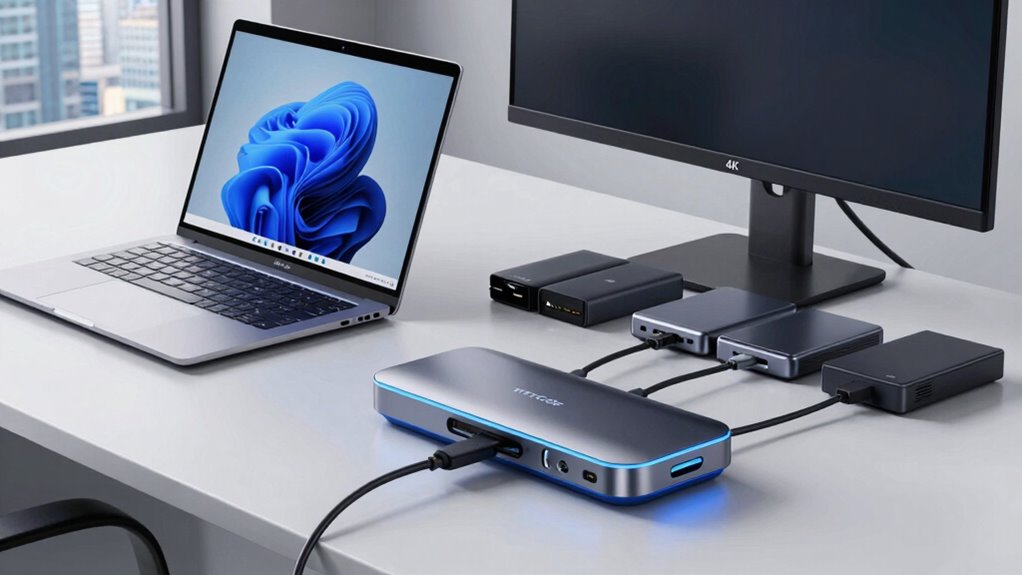

Finding the right docking station for a Windows laptop can significantly enhance your workspace, offering multiple ports, better connectivity, and charging capabilities. The Baseus Spacemate Docking Station 11-in-1 stands out as the best overall choice thanks to its triple display support and versatile port selection. For those prioritizing portability, the Anker Nano Docking Station offers a compact design with solid dual-monitor support. Meanwhile, the Acer 13-in-1 USB-C Docking Station provides extensive connectivity options for power users. Each option balances performance with tradeoffs like size, price, and compatibility. Continue reading for a detailed breakdown of these and other top contenders to find the best fit for your needs.

Get the latest gadgets delivered free with Prime
- Fast, free delivery on millions of items
- Prime Video, Amazon Music and more included
- Member-only deals all year
Complete the kit



Key Takeaways
- The top docking stations combine multiple display outputs with reliable power delivery, but price varies widely based on port count and build quality.
- Triple monitor support tends to require larger, more expensive units, while dual monitor docks offer a good balance for most users.
- Compatibility with your specific laptop model and operating system can influence performance—check for driver support and port types.
- A higher port density generally means a bulkier design, so consider how much desk space and portability matter to you.
- Value often hinges on whether the dock includes features like charging, Ethernet, and audio, not just display outputs.
| Baseus Spacemate Docking Station 11-in-1 with Triple Display for Windows |  | Best Overall for Multi-Display Power Users | Hardware Interface: 3.5mm Audio, DisplayPort, HDMI, USB 3.2 Gen 2, USB Type C | Compatible Devices: Dell XPS 9380, XPS 13 9365, XPS 15 2018, Dell Latitude, Lenovo Yoga, Thinkpad, Microsoft Surface, Galaxy Book, HP Spectre, MacBook, MacBook Pro, Mac mini, iPad Pro, Galaxy Tab, ASUS Zenbook, Acer Aspire, Samsung Galaxy S10, S9, Note, Steam Deck | Total USB Ports: 4 | VIEW ON AMAZON | See Our Full Breakdown |
| Anker Laptop Docking Station Dual Monitor, 8-in-1 USB C Hub with 4K HDMI |  | Best for Portable Dual 4K Display Setup | Hardware Interface: Ethernet, HDMI, MicroSD, USB 3.0 | Additional Features: HDMI™, Powered | Total USB Ports: 3 | VIEW ON AMAZON | See Our Full Breakdown |
| Acer 13-in-1 USB-C Laptop Docking Station with 2 HDMI, DisplayPort, and Power Delivery |  | Best for Extensive Connectivity and Power Delivery | Compatibility: Various Windows laptops, Surface, Thinkpad, Dell XPS, Yoga | Number of Display Outputs: 3 (2 HDMI + 1 DisplayPort) | Power Adapter: 110W | VIEW ON AMAZON | See Our Full Breakdown |
| Anker Prime Docking Station (DL7400), 14-in-1 Triple Display with DisplayLink |  | Best for Extensive Multi-Device Connectivity and Cooling | Hardware Interface: 3.5mm Audio, DisplayPort, Ethernet, HDMI, MicroSD, USB, USB Type C | Compatible Devices: USB C Windows laptops | Total USB Ports: 7 | VIEW ON AMAZON | See Our Full Breakdown |
| Anker Prime Docking Station, 14-in-1 Dual Monitor Laptop Docking Station |  | Best for High-Power Dual Display Setups | Connectivity: 14-in-1 including USB-C, USB-A, HDMI, DisplayPort | Power Output: 160W | Ports: Multiple USB, HDMI, DisplayPort | VIEW ON AMAZON | See Our Full Breakdown |
| Acer USB-C Docking Station Dual Monitor 9-in-1 Laptop Dock with 2 HDMI |  | Best Overall for Versatile Dual-Display Setup | Hardware Interface: HDMI, MicroSD, USB 3.0, USB Type C | Additional Features: Fast Data Transfer | Compatible Devices: Windows and macOS devices with DisplayPort Alt Mode support | VIEW ON AMAZON | See Our Full Breakdown |
| Acer 11-in-1 USB-C Docking Station for Laptops with 3 Monitors |  | Best for Triple Monitor Power Users | Hardware Interface: Ethernet, HDMI, USB 3.0, USB Type C | Additional Features: 8K Display, Triple Display, 1000Mbps Ethernet | Supported Devices: Windows and macOS laptops with DisplayPort Alt Mode | VIEW ON AMAZON | See Our Full Breakdown |
| Anker Nano Laptop Docking Station Dual Monitor, 8-in-1 USB C Hub for Windows |  | Best for Compact Dual-Display Expansion | Connectivity: 8-in-1 USB-C Hub | Video Output: Dual HDMI supporting 4K@60Hz | Power Delivery: Up to 85W pass-through | VIEW ON AMAZON | See Our Full Breakdown |
| Plugable Universal Laptop Docking Station Dual HDMI Monitor for Windows and Mac |  | Best for Versatile Cross-Platform Productivity | Hardware Interface: HDMI, USB 3.0, USB 3.0 Type B, USB Type C | Compatible Devices: Most Windows systems, macOS, Chromebooks | Total USB Ports: 6 | VIEW ON AMAZON | See Our Full Breakdown |
| USB C Docking Station Dual Monitor for HP and Laptop |  | Best for Extensive Multi-Video and Power Delivery | Ports: 8 | Video Output: 2 HDMI 4K@60Hz, DisplayPort 4K@60Hz, VGA 1080P | USB Ports: 3 USB 2.0 | VIEW ON AMAZON | See Our Full Breakdown |
| docking station for windows laptop | Hardware Interface | Total USB Ports |
|---|---|---|
| Baseus Spacemate Docking Stati | 3.5mm Audio, DisplayPort, HDMI, USB 3.2 Gen 2, USB Type C | 4 |
| Anker Laptop Docking Station D | Ethernet, HDMI, MicroSD, USB 3.0 | 3 |
| Acer 13-in-1 USB-C Laptop Dock | — | — |
| Anker Prime Docking Station | 3.5mm Audio, DisplayPort, Ethernet, HDMI, MicroSD, USB, USB Type C | 7 |
| Anker Prime Docking Station | — | — |
| Acer USB-C Docking Station Dua | HDMI, MicroSD, USB 3.0, USB Type C | 4 |
| Acer 11-in-1 USB-C Docking Sta | Ethernet, HDMI, USB 3.0, USB Type C | 11 |
| Anker Nano Laptop Docking Stat | — | — |
| Plugable Universal Laptop Dock | HDMI, USB 3.0, USB 3.0 Type B, USB Type C | 6 |
| USB C Docking Station Dual Mon | — | — |
More Details on Our Top Picks
Baseus Spacemate Docking Station 11-in-1 with Triple Display for Windows
The Baseus Spacemate stands out for its ability to support triple 4K display extension, making it ideal for users who need maximum multitasking. Compared to the Anker Prime Docking Station (DL7400), it offers a more compact design, but requires a separate power adapter for full performance. Its multiple ports, including HDMI, DisplayPort, and USB-C, deliver versatility, while its 100W pass-through charging keeps laptops powered during intensive work. However, the lack of included power supply and the single-display support on MacOS limit its convenience for some users. This docking station suits professionals with Windows laptops who want to maximize screen real estate and workspace organization.
Pros:- Supports triple 4K display extension for productivity
- Fast data transfer speeds up to 10Gbps
- Compact upright design with magnetic base for organization
- Provides 100W pass-through charging
Cons:- Power adapter and input cable are not included
- MacOS only supports extended display on single monitor
Best for: Power users with Windows laptops needing triple 4K displays and robust port options
Not ideal for: Mac users or those seeking a plug-and-play setup without additional power adapters
- Hardware Interface:3.5mm Audio, DisplayPort, HDMI, USB 3.2 Gen 2, USB Type C
- Compatible Devices:Dell XPS 9380, XPS 13 9365, XPS 15 2018, Dell Latitude, Lenovo Yoga, Thinkpad, Microsoft Surface, Galaxy Book, HP Spectre, MacBook, MacBook Pro, Mac mini, iPad Pro, Galaxy Tab, ASUS Zenbook, Acer Aspire, Samsung Galaxy S10, S9, Note, Steam Deck
- Total USB Ports:4
- Number of HDMI Ports:2
- Input Voltage:20 volts
- Item Dimensions:2.59″L x 2.59″W x 4.84″H
Our verdict“This dock is perfect for Windows users demanding multiple high-res displays and a tidy workspace, provided they have the necessary power supply.”
Anker Laptop Docking Station Dual Monitor, 8-in-1 USB C Hub with 4K HDMI
The Anker Dual Monitor Dock excels at providing dual 4K HDMI outputs in a lightweight form factor, making it a top pick for users who prioritize portability. Compared with the Baseus Spacemate, it offers fewer ports but shines in travel scenarios due to its slim profile and 85W pass-through charging. It supports high-quality video output and multiple USB ports, yet it’s limited by mirrored displays on MacOS and requires compatible USB-C or Thunderbolt ports for full functionality. Its compact design makes it a strong choice for mobile professionals but less suited for users needing extensive port options or triple displays. This dock is ideal for those who need reliable dual 4K output on the go, with minimal setup fuss.
Pros:- Supports dual 4K HDMI displays for high-quality visuals
- Multiple ports including Ethernet and SD card reader
- Pass-through charging up to 85W for uninterrupted power
- Lightweight and portable for travel
Cons:- Displays on macOS are mirrored, limiting extended desktop use
- Charger not included, requiring additional purchase
Best for: Travelers or remote workers needing dual 4K monitors and versatile connectivity
Not ideal for: Users requiring more than two displays or extensive ports for complex setups
- Hardware Interface:Ethernet, HDMI, MicroSD, USB 3.0
- Additional Features:HDMI™, Powered
- Total USB Ports:3
- Data Transfer Rate:5120 megabytes_per_second
- Minimum Operating System:Windows 10
- Item Dimensions:4.65″L x 2.01″W x 0.69″H
Our verdict“This dock offers a compact, reliable dual 4K solution best suited for mobile professionals who value portability and simplicity.”
Acer 13-in-1 USB-C Laptop Docking Station with 2 HDMI, DisplayPort, and Power Delivery
The Acer 13-in-1 Docking Station is suited for users who need multiple HDMI, DisplayPort, and comprehensive ports in one device. Its support for triple 4K @ 30Hz makes it a strong choice for Windows users with demanding setups, especially since it includes a 110W power supply to keep multiple devices charged. Compared to the Baseus Spacemate, it offers more ports but lacks support for monitor power out and does not extend beyond mirroring on MacOS. Its security slot adds a layer of physical protection, making it suitable for office environments. However, it’s less flexible for Mac users and doesn’t support monitor power supply, which could limit its usefulness for some setups. This dock fits users who need extensive connections and reliable charging for Windows-based workstations.
Pros:- Supports triple monitor setup for increased productivity
- Includes a powerful 110W power adapter for charging
- Extensive connectivity options including USB, Ethernet, and card reader
- Built-in security slot for theft deterrence
Cons:- Does not support video output or monitor power supply
- Limited support for extended desktop on MacOS
Best for: Office professionals with Windows laptops needing multiple inputs and reliable power
Not ideal for: Mac users or those requiring monitor power supply or extended desktop support on MacOS
- Compatibility:Various Windows laptops, Surface, Thinkpad, Dell XPS, Yoga
- Number of Display Outputs:3 (2 HDMI + 1 DisplayPort)
- Power Adapter:110W
- Supported Display Resolution:Triple 4K @ 30Hz
- Connectivity Ports:USB-C, USB-A, Ethernet, SD/TF card reader
- System Limitations:Mirroring only on macOS
Our verdict“This dock is well-suited for Windows users who need multiple ports and reliable charging, but not for Mac users wanting extended desktop features.”
Anker Prime Docking Station (DL7400), 14-in-1 Triple Display with DisplayLink
The Anker Prime Docking Station (DL7400) offers 14 ports including triple 4K displays, making it a comprehensive choice for complex setups. Its support for triple 4K monitors and high-speed charging (up to 160W) makes it stand out for power users managing multiple devices. The built-in cooling fan and robust ports are ideal for long, intensive work sessions. However, it requires the latest DisplayLink driver, and some front USB-C ports do not support media display, which could cause compatibility issues. Compared with the Baseus Spacemate, it is larger and heavier but provides more extensive connectivity and better cooling. This makes it suited for dedicated workstations rather than portable use. This docking station is perfect for those who need extensive port options, high wattage charging, and stability for heavy workloads.
Pros:- Supports triple 4K monitor setup for maximum multitasking
- High 160W power output supports multiple devices simultaneously
- Built-in cooling fan ensures device stability
- Numerous ports including Ethernet, SD, and TF slots
Cons:- Requires latest DisplayLink driver for full functionality
- Front USB-C ports don’t support media display
- Potential compatibility issues with DRM-protected content
Best for: Workstations or home offices with high device demands needing extensive ports and cooling
Not ideal for: Travelers or users with limited desk space seeking lightweight options
- Hardware Interface:3.5mm Audio, DisplayPort, Ethernet, HDMI, MicroSD, USB, USB Type C
- Compatible Devices:USB C Windows laptops
- Total USB Ports:7
- Number of Ports:14
- Total HDMI Ports:2
- Wattage:160 watts
Our verdict“This high-capacity dock is tailored for demanding desktop environments with extensive device needs and cooling requirements.”
Anker Prime Docking Station, 14-in-1 Dual Monitor Laptop Docking Station
The Anker Prime Dual Monitor Dock provides solid dual 4K display support combined with a 160W power output, making it ideal for users who want to charge and connect multiple devices simultaneously. Compared to the Baseus Spacemate, it offers more robust power delivery and a slightly simpler port selection focused on dual monitor setups. Its support for high-resolution displays at 60Hz ensures crisp visuals, but it doesn’t handle resolutions higher than 2K, limiting its use for ultra-high-res workflows. Compatibility is broad, but it’s not suitable for Linux users or those needing more than two monitors. This dock is a straightforward, powerful choice for Windows users focused on dual high-res displays and efficient charging. It’s best suited for professionals who prioritize dual 4K output and high power capacity in a sleek, reliable package.
Pros:- Supports dual 4K displays at 60Hz for sharp visuals
- High 160W power output supports multiple device charging
- Versatile connectivity including USB-C, USB-A, HDMI, and DisplayPort
- Reliable performance for office or home use
Cons:- Limited to resolutions up to 2K on monitors
- Does not support Linux systems
Best for: Professionals needing dual 4K monitors and high wattage charging for Windows or ChromeOS devices
Not ideal for: Linux users or setups requiring more than two monitors at resolutions above 2K
- Connectivity:14-in-1 including USB-C, USB-A, HDMI, DisplayPort
- Power Output:160W
- Ports:Multiple USB, HDMI, DisplayPort
- Display Support:Dual 4K at 60Hz
- Compatibility:Windows 10/11, ChromeOS, macOS
- Weight:1.28 kg
Our verdict“This dock offers a powerful dual 4K setup with high wattage charging, perfect for Windows users who need reliable, high-quality visuals and performance.”
Acer USB-C Docking Station Dual Monitor 9-in-1 Laptop Dock with 2 HDMI
This Acer dock stands out for supporting dual 4K@60Hz monitors, making it ideal for productivity and creative workflows. Compared to the Anker Nano Dual Monitor Hub, it offers higher display resolutions and more USB ports, but requires devices with DisplayPort Alt Mode support. Its 100W power delivery ensures your laptop stays charged during intense work sessions, yet Mac users will find it limited to mirroring displays rather than extending. The aluminum enclosure adds durability and a premium look, while multiple SD card slots and USB ports add versatility. The main tradeoff is that some features depend on device compatibility, reducing plug-and-play ease on certain systems.
Pros:- Supports dual 4K@60Hz monitors for crisp display quality
- Multiple USB and SD card slots for versatile connectivity
- Power delivery up to 100W to keep laptop charged
Cons:- Requires devices with USB-C with DisplayPort Alt Mode support
- Some features may require specific device configurations
Best for: Power users with Windows or compatible macOS laptops who need crisp dual 4K displays and reliable charging.
Not ideal for: Mac users seeking extended dual monitor support or users with devices lacking DisplayPort Alt Mode support.
- Hardware Interface:HDMI, MicroSD, USB 3.0, USB Type C
- Additional Features:Fast Data Transfer
- Compatible Devices:Windows and macOS devices with DisplayPort Alt Mode support
- Total USB Ports:4
- Data Transfer Rate:5 gigabits_per_second
- Number of Ports:9
Our verdict“This dock is best suited for Windows users who need reliable, high-resolution dual displays with fast charging capabilities.”
Acer 11-in-1 USB-C Docking Station for Laptops with 3 Monitors
This Acer model supports up to three monitors with resolutions up to 8K or 4K, making it a top choice for professionals who need expansive workspace. Unlike the Plugable Dual HDMI Dock, which limits dual display support to 1920×1200 and is more straightforward, this station handles higher resolutions and multiple displays simultaneously, though its plastic enclosure feels less premium than metal options. It offers a comprehensive port selection, including Ethernet and high-speed data transfer, plus 100W charging to keep your workstation powered. The setup can be complex due to its multiple ports and high-resolution capabilities, and Mac users will face display mirroring limitations. It excels for those who need maximum monitor real estate but demands a compatible device and setup knowledge.
Pros:- Supports triple monitors with up to 8K or 4K resolutions
- Includes Ethernet, multiple USB ports, and 100W charging
- Plug and Play with Windows and macOS devices
Cons:- Requires compatible USB-C port with video output support
- Plastic enclosure feels less durable than metal counterparts
Best for: Professionals and creative teams needing triple high-res monitor support from a single dock.
Not ideal for: Casual users or those with only a single monitor need, due to its complexity and higher cost.
- Hardware Interface:Ethernet, HDMI, USB 3.0, USB Type C
- Additional Features:8K Display, Triple Display, 1000Mbps Ethernet
- Supported Devices:Windows and macOS laptops with DisplayPort Alt Mode
- Total USB Ports:11
- Data Transfer Rate:10 Gbps
- Color:Grey
Our verdict“Ideal for high-end users who demand extensive multi-monitor capabilities and high resolution, with a readiness to handle setup complexity.”
Anker Nano Laptop Docking Station Dual Monitor, 8-in-1 USB C Hub for Windows
The Anker Nano USB-C Hub is a compact, portable option for expanding your workspace with dual 4K@60Hz monitors, making it ideal for on-the-go setups. Compared with larger docks like the Plugable Universal Dock, it sacrifices some ports and features for size, but it offers fast data transfer and 85W charging in a slim package. Note that it only mirrors displays on macOS, limiting its usefulness for extended desktop workflows on Apple systems. The lack of video output support on USB ports means peripherals are the main focus, and full 85W power delivery requires an external charger, adding to overall setup cost. It’s a great choice for Windows users needing portability and dual monitor support without extra bulk.
Pros:- Supports dual 4K@60Hz monitors for Windows
- Fast data transfer speeds on all ports
- Provides up to 85W charging for laptops
Cons:- Mirroring only on macOS, no extended display support
- Requires a separate 100W PD charger for full charging capacity
Best for: Travelers and remote workers who need reliable dual 4K display support in a small form factor.
Not ideal for: Mac users or those needing extended displays on macOS, due to mirroring limitations and no video out on USB ports.
- Connectivity:8-in-1 USB-C Hub
- Video Output:Dual HDMI supporting 4K@60Hz
- Power Delivery:Up to 85W pass-through
- Data Transfer Rate:10 Gbps
- USB Ports:4 (2 USB-A, 2 USB-C)
- Compatibility:Windows 10/11, ChromeOS, full-function USB-C devices
Our verdict“Perfect for Windows users seeking a portable dual-monitor hub with fast data and reliable charging, but less suited for Mac environments needing extended displays.”
Plugable Universal Laptop Docking Station Dual HDMI Monitor for Windows and Mac
This Plugable dock offers a solid balance for users needing dual HDMI outputs and broad compatibility, including Windows, macOS, and ChromeOS systems. Unlike specialized multi-monitor docks like the Acer 11-in-1, it supports dual monitors up to 1920×1200, which is sufficient for many productivity tasks but not ideal for high-res workflows. Its 6 USB ports and gigabit Ethernet support make it versatile for peripherals and network needs. The main tradeoff is that it requires driver installation on macOS, and it cannot charge the host laptop, so it’s best paired with a separate charger. Its compact size suits users who prioritize cross-platform compatibility over ultra-high resolution or extensive port options.
Pros:- Supports dual HDMI monitors for increased productivity
- Universal compatibility with Windows, macOS, and ChromeOS
- Multiple USB ports and gigabit Ethernet for versatile connectivity
Cons:- Does not support HDCP protected content or gaming
- Requires driver installation on macOS and no charging for host laptop
Best for: Professionals needing a reliable, cross-platform dock with dual HDMI and network connectivity, without high-resolution demands.
Not ideal for: Power users or creative professionals requiring 4K or higher resolution monitors and charging capabilities.
- Hardware Interface:HDMI, USB 3.0, USB 3.0 Type B, USB Type C
- Compatible Devices:Most Windows systems, macOS, Chromebooks
- Total USB Ports:6
- Number of HDMI Ports:2
- Wattage:20 watts
- Color:Black
Our verdict“This dock is suited for users who need dependable dual HDMI support across different OS platforms without high-resolution or charging requirements.”
USB C Docking Station Dual Monitor for HP and Laptop
This docking station supports dual 4K HDMI displays, a DisplayPort, and VGA, providing extensive video output options for compatible laptops. Compared to the Acer USB-C Dock, it offers more varied video interfaces, including VGA, making it suitable for legacy displays or multi-device setups. It features a robust 100W power delivery, ensuring fast charging, and multiple USB 2.0 ports for peripherals. The VGA output limits resolution to 1080P, which could be a drawback for high-resolution needs, and it requires a compatible USB-C port with DisplayPort Alt Mode. The lack of included power adapter adds an extra step for setup, but overall, it offers broad connectivity for demanding workstation setups.
Pros:- Supports dual 4K HDMI and additional video outputs including VGA
- Includes 100W power delivery for fast charging
- Multiple USB 2.0 ports for peripherals
Cons:- VGA resolution limited to 1080P, not suitable for high-res displays
- Requires compatible USB-C with DisplayPort Alt Mode and no power adapter included
Best for: Users with multiple display needs, including legacy VGA support, and high-power charging requirements.
Not ideal for: Mac users or those seeking a simple, all-digital setup without VGA or legacy ports.
- Ports:8
- Video Output:2 HDMI 4K@60Hz, DisplayPort 4K@60Hz, VGA 1080P
- USB Ports:3 USB 2.0
- Power Delivery:Up to 100W input, 87W output
- Compatibility:Full-featured USB-C with DisplayPort Alt Mode
- Weight:0.13 kg
Our verdict“Best for multi-device setups needing diverse video outputs and fast charging, with some resolution limitations on legacy ports.”

How We Picked
These docking stations were evaluated based on performance, build quality, versatility, and user reviews. Priority was given to models supporting multiple monitors, fast data transfer, and reliable power delivery, which are essential for productivity. We also considered compatibility with a broad range of Windows laptops and ease of setup. Price was factored in to highlight options that balance cost with features, helping readers pick the best value without sacrificing core functionality. The ranking reflects a mix of high-end, mid-range, and budget options to suit different needs and budgets.Factors to Consider When Choosing Docking Station For Windows Laptop
Choosing the right docking station for your Windows laptop requires understanding several key factors. Beyond just port count, consider how the dock integrates with your existing setup, including power needs and compatibility. A good dock should simplify your workspace, not complicate it, so balancing features with size and ease of use is critical. Here are the main considerations that will help you make a smarter purchase:Number and Type of Ports
Assess your workflow to determine how many devices you’ll connect. If you need multiple monitors, look for docks with HDMI, DisplayPort, or USB-C outputs that support your display resolutions. Don’t forget to check for USB-A and USB-C ports for peripherals, as well as Ethernet and audio jacks if those matter to you. Avoid docks that lack critical ports or require adapters, which can add clutter and reduce reliability.
Power Delivery and Charging
Many docks now include Power Delivery (PD) to charge your laptop while connected, which is a key convenience. However, the wattage varies; ensure the dock supplies enough power for your specific laptop model, especially if you have a high-performance machine. A dock with insufficient power delivery can lead to slow charging or even drain your battery during use, undermining its utility.
Compatibility and Driver Support
Not all docks work seamlessly with every Windows laptop. Check the manufacturer’s compatibility list and whether drivers are required. Some docks rely on proprietary driver support like DisplayLink, which can introduce setup complexity or stability issues. For plug-and-play convenience, prioritize docks with broad compatibility and minimal driver dependencies.
Size, Portability, and Desk Space
Consider your workspace size and whether you need a portable solution. Larger docks with multiple ports tend to be bulkier, making them less ideal for frequent travel. Conversely, compact models save space but may lack certain ports or features. Balance your need for mobility with the desire for comprehensive connectivity to find the best fit.
Build Quality and Future-Proofing
Invest in a dock with sturdy construction and durable ports, especially if it will see regular use. Look for support for the latest standards like USB-C 3.2 and HDMI 2.0 or higher to ensure longevity. While premium models cost more, they often provide better reliability and support for upcoming devices, extending the lifespan of your investment.
Frequently Asked Questions
Will a docking station slow down my laptop?
In most cases, a docking station won’t slow down your laptop directly. Instead, it primarily acts as a hub for connecting peripherals and displays. However, if the dock relies on outdated technology or poor-quality drivers, you might experience connectivity issues or reduced performance. Choosing a reputable brand and ensuring compatibility with your device can mitigate these risks.
Can I use a docking station with any Windows laptop?
Compatibility depends on the specific docking station and your laptop’s ports. Most modern docks support USB-C or Thunderbolt 3/4, so if your Windows laptop includes these ports, chances are good. For older models with only USB-A ports, you’ll need a dock that explicitly supports that connection, or consider adapters. Always verify compatibility before purchasing to avoid setup issues.
Is it worth paying extra for a multi-display dock?
Investing in a multi-display dock makes sense if you regularly work with multiple screens, as it simplifies setup and reduces clutter. However, these docks tend to be larger and more expensive. If you only need a second monitor occasionally, a dual or single-display dock might be more practical and cost-effective. Consider your workflow to decide whether the added expense aligns with your productivity needs.
Do all docks support high-resolution monitors?
Not all docks can handle 4K or higher resolutions at high refresh rates. Check the specifications for HDMI or DisplayPort outputs to confirm support for your monitor’s resolution and refresh rate. Using an under-spec dock with a high-resolution display can result in reduced image quality or flickering. For high-res setups, prioritize docks with HDMI 2.0 or DisplayPort 1.4 support.
How do I connect a dock to a Windows laptop that lacks USB-C?
If your Windows laptop only has USB-A ports, look for docks that support USB 3.0 or USB 2.0, but keep in mind that these may offer fewer features or lower performance. In some cases, USB-C to USB-A adapters can work, but compatibility and stability are not guaranteed. For best results, choose a dock specifically designed for USB-A connections to ensure reliable performance.