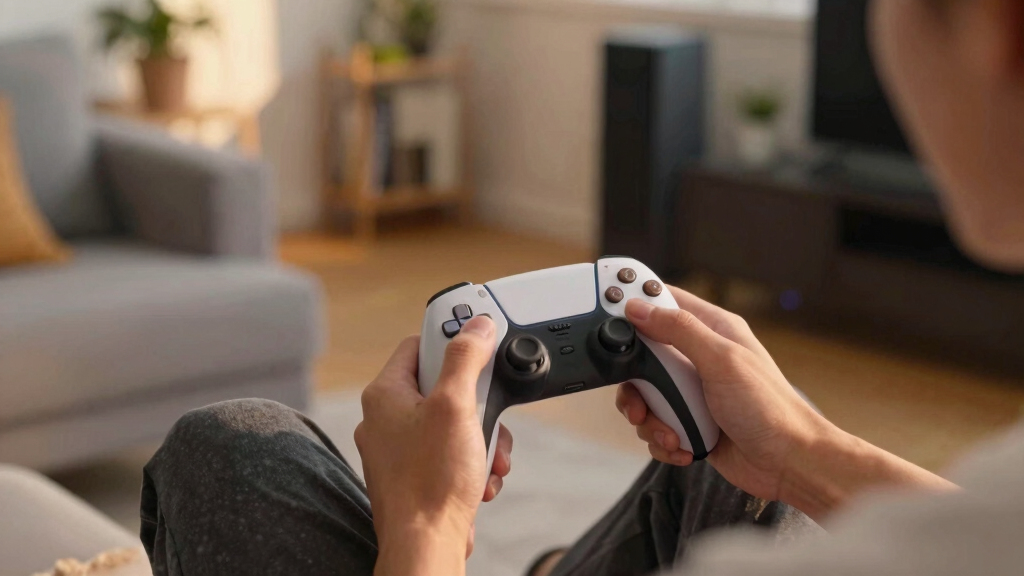

The best wireless gaming controllers balance reliable connections, comfortable controls and compatibility with the devices you actually play on. I rank the Xbox Wireless Gaming Controller as the best overall for familiar, straightforward play, while the 8BitDo Ultimate 2C stands out for PC and Android features and the GameSir G7 Pro for Xbox-focused players seeking advanced controls. The main tradeoffs are broad device support versus platform-specific features, and extra hardware such as Hall Effect sticks or charging docks versus simplicity. A controller that works wirelessly with one system may need a cable or may not support every feature on another. Read on for the full comparison and advice on choosing the right fit.

Get the latest gadgets delivered free — and shop member deals
- Fast, free delivery on millions of items
- Access to Prime Big Deal Days deals on October 6–7
- Prime Video, Amazon Music and more included
Complete the kit



Key Takeaways
- The Xbox Wireless Controller is the clearest all-around choice when a familiar layout and console, PC, and cloud-device compatibility matter more than specialist extras.
- The 8BitDo Ultimate 2C puts its strongest case on PC and Android, pairing a high polling rate with Hall Effect sticks and triggers and remappable bumpers.
- The GameSir G7 Pro is the specialist Xbox pick, with official Xbox licensing and TMR sticks, but its feature set is most compelling for buyers centered on supported Xbox and Windows play.
- Two ManbaOne models bring interactive screens and charging docks; compare the listed features carefully, since the fuller-featured version also specifies Hall Effect controls, RGB lighting and remappable buttons.
- Several entries target multiple platforms, but broad compatibility is not the same as identical support: check wireless modes, device requirements and control mapping before buying for Switch, phone or PC.
| XBOX Wireless Gaming Controller | Shock Blue |  | Best for Xbox and PC | Compatible devices: Android, iOS, Windows, Xbox One, Xbox Series S, Xbox Series X | Connectivity: Xbox Wireless, Bluetooth, USB-C | Controls: Hybrid D-pad, textured triggers and bumpers, Share button | VIEW LATEST PRICE | See Our Full Breakdown |
| EasySMX X05Pro Wireless Gaming Controller for PC, Switch & Phone | 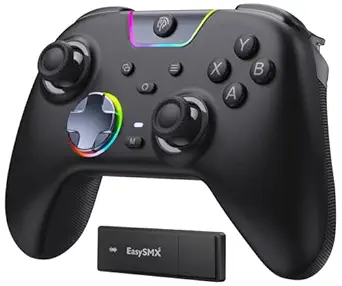 | Best for Quiet Play | Compatible devices: Windows PC, Switch, Switch 2, Android, iOS | Connectivity: Bluetooth, USB-C, 2.4G wireless | Joysticks: Hall Effect | VIEW LATEST PRICE | See Our Full Breakdown |
| AceGamer Aurora II Wireless Controller for PC, Android, Switch, iOS, Steam Deck with Hall Effect Joysticks and Back Buttons | 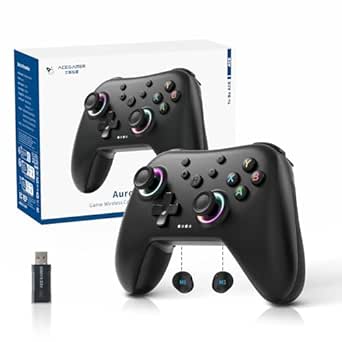 | Best for Steam Deck and Back Buttons | Compatible devices: PC, Android, Switch, iOS, Steam Deck | Connectivity: Bluetooth, 2.4G wireless | Controller type: Gamepad | VIEW LATEST PRICE | See Our Full Breakdown |
| EasySMX X15 Wireless Gaming Controller | 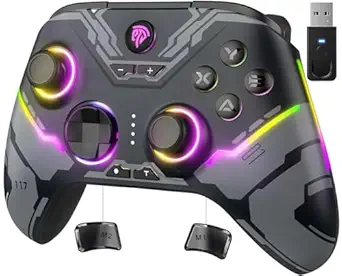 | Best for Hall Effect Controls | Compatible devices: Windows PC, Steam, Nintendo Switch, Android, iOS | Connectivity: 2.4G wireless, Bluetooth, wired USB-C | Joysticks and triggers: Hall Effect joysticks and Hall Effect triggers | VIEW LATEST PRICE | See Our Full Breakdown |
| ManbaOne Interactive Screen Wireless Gaming Controller (Black) | 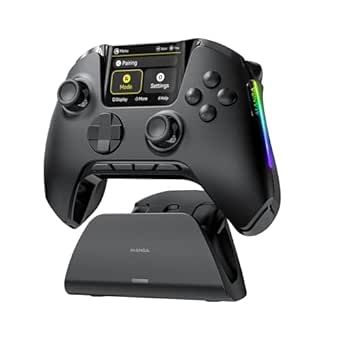 | Best for On-Controller Customization | Supported platforms: Switch, Switch 2, iOS, Android, Windows PC | Connection modes: Wired, Bluetooth, wireless dongle | Display: 2-inch interactive screen | VIEW LATEST PRICE | See Our Full Breakdown |
| GameSir G7 Pro Wireless Gaming Controller – Officially Licensed for Xbox Series X|S, Xbox One, Windows PC & Android, TMR Joysticks, 1000Hz Polling Rate, Charging Dock – Zenless Zone Zero Edition |  | Best for Xbox Customization | Compatibility: Xbox Series X|S, Xbox One, Windows PC, Android | Connectivity: Wireless | Joystick technology: TMR joysticks with Hall Effect sensing | VIEW LATEST PRICE | See Our Full Breakdown |
| 8Bitdo Ultimate 2C Wireless Controller for Windows PC and Android, with 1000 Hz Polling Rate, Hall Effect Joysticks and Triggers, and Remappable L4/R4 Bumpers (Green) |  | Best Lightweight PC Pick | Compatibility: Windows and Android | Connectivity: Wireless; USB connectivity also listed | Polling rate: 1000 Hz on 2.4G and wired connections | VIEW LATEST PRICE | See Our Full Breakdown |
| VOYEE Switch Controllers for Switch/Lite/OLED/PC, Pro Controller |  | Best for Switch Features on a Budget | Compatibility: Nintendo Switch, Switch Lite, Switch OLED, Windows PC | Connectivity: Wireless; PC use is wired only | Battery runtime: 10–15 hours | VIEW LATEST PRICE | See Our Full Breakdown |
| GameSir Nova Lite 2 Wireless PC Controller Hall Effect Sticks |  | Best Multi-Platform Competitive Pick | Compatibility: PC, Switch, Switch 2, Android, iOS | Connectivity: Bluetooth, wireless dongle, wired | Polling rate: 1000 Hz on 2.4G and wired connections | VIEW LATEST PRICE | See Our Full Breakdown |
| Xbox Wireless Gaming Controller – Deep Pink |  | Best Familiar All-Rounder | Connectivity: Xbox Wireless, Bluetooth, USB-C | Compatibility: Consoles, PCs, TVs, mobile devices | Audio: 3.5 mm headset jack | VIEW LATEST PRICE | See Our Full Breakdown |
| ManbaOne Wireless Gaming Controller for PC, Switch, iOS, Android with Interactive Screen, Hall Effect Sticks & Triggers, RGB Lighting, Remappable Buttons, 1800mAh Battery and Charging Dock |  | Best for On-Controller Customization | Supported platforms: Switch, Switch 2, iOS, Android, Windows PC | Connection modes: Wired, Bluetooth, wireless dongle | Display: 2-inch interactive screen | VIEW LATEST PRICE | See Our Full Breakdown |
| Xbox Wireless Controller – Pulse Red – Compatible with Console, PC, and Cloud Devices | 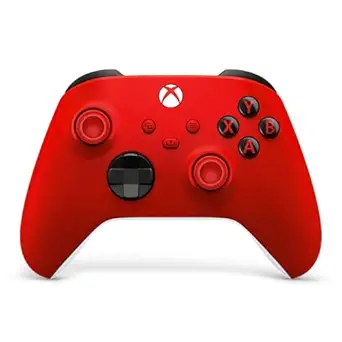 | Best for Xbox Players | Color: Pulse Red | Compatibility: Xbox Series X|S, Xbox One, Windows 10/11, mobile, smart TVs, VR headsets | Connectivity: Xbox Wireless, Bluetooth, USB-C | VIEW LATEST PRICE | See Our Full Breakdown |
| wireless gaming controller | Connectivity | Color | Compatibility |
|---|---|---|---|
| XBOX Wireless Gaming Controlle | Xbox Wireless, Bluetooth, USB-C | Shock Blue | — |
| EasySMX X05Pro Wireless Gaming | Bluetooth, USB-C, 2.4G wireless | — | — |
| AceGamer Aurora II Wireless Co | Bluetooth, 2.4G wireless | Midnight Black | — |
| EasySMX X15 Wireless Gaming Co | 2.4G wireless, Bluetooth, wired USB-C | — | — |
| ManbaOne Interactive Screen Wi | — | Black | — |
| GameSir G7 Pro Wireless Gaming | Wireless | — | Xbox Series X|S, Xbox One, Windows PC, Android |
| 8Bitdo Ultimate 2C Wireless Co | Wireless; USB connectivity also listed | Green | Windows and Android |
| VOYEE Switch Controllers for S | Wireless; PC use is wired only | — | Nintendo Switch, Switch Lite, Switch OLED, Windows PC |
| GameSir Nova Lite 2 Wireless P | Bluetooth, wireless dongle, wired | — | PC, Switch, Switch 2, Android, iOS |
| Xbox Wireless Gaming Controlle | Xbox Wireless, Bluetooth, USB-C | Deep Pink | Consoles, PCs, TVs, mobile devices |
| ManbaOne Wireless Gaming Contr | — | — | — |
| Xbox Wireless Controller | Xbox Wireless, Bluetooth, USB-C | Pulse Red | Xbox Series X|S, Xbox One, Windows 10/11, mobile, smart TVs, VR headsets |
More Details on Our Top Picks
XBOX Wireless Gaming Controller | Shock Blue
The Xbox Wireless Controller is the clearest fit for players whose main system is Xbox, with the added flexibility to pair with Windows PCs and supported mobile devices. Its textured grips, hybrid D-pad, and familiar layout prioritize dependable everyday control over extras such as back buttons or Hall Effect sticks. Compared with the EasySMX X15, it has a 3.5mm headset jack and straightforward Xbox support, but lacks that model’s Hall Effect triggers and programmable rear buttons. Bluetooth, Xbox Wireless, and USB-C cover several connection needs, while the Share button makes capturing clips easier. The main compromise is its AA-battery power: the stated runtime can reach 40 hours, but rechargeable power is not built in, and batteries add an ongoing charging or replacement step.
Pros:- Xbox Wireless, Bluetooth, and USB-C support a range of compatible devices.
- Textured triggers, bumpers, and rear grips support steady handling.
- Hybrid D-pad and remappable controls provide useful input customization.
- 3.5mm audio jack supports compatible wired headsets.
Cons:- Uses standard AA batteries rather than a built-in rechargeable battery.
- Lacks Hall Effect sticks and triggers found on options such as the EasySMX X15.
- Does not offer programmable rear buttons.
Best for: Xbox owners who also play on Windows PC or supported mobile devices and want a familiar layout with a headset jack.
Not ideal for: Players seeking built-in rechargeable power, Hall Effect sticks, or programmable back buttons; the EasySMX X15 offers more of those controller-focused extras.
- Compatible devices:Android, iOS, Windows, Xbox One, Xbox Series S, Xbox Series X
- Connectivity:Xbox Wireless, Bluetooth, USB-C
- Controls:Hybrid D-pad, textured triggers and bumpers, Share button
- Audio:3.5mm headset jack
- Power:Standard AA batteries
- Stated battery life:Up to 40 hours; varies by use and accessories
- Customization:Button remapping and profiles through the Xbox Accessories app
- Color:Shock Blue
Our verdict“Choose this for a familiar Xbox-first controller that also works across supported PC and mobile setups, but skip it if rechargeable power or rear-button customization is a priority.”
EasySMX X05Pro Wireless Gaming Controller for PC, Switch & Phone
The EasySMX X05Pro suits players who want one controller for PC, Switch, and mobile, with quiet buttons for late-night sessions or shared rooms. Its Hall Effect joysticks and dual-stage impulse triggers give it a more input-focused feature set than the Xbox Wireless Controller, while two programmable buttons offer a little extra flexibility without adding a complex control layout. Connection choices include Bluetooth, USB-C, and 2.4G wireless; the listed 1000Hz polling rate applies to wired and 2.4G play, while Bluetooth is listed at 125Hz. That distinction matters if responsiveness is your priority. The X05Pro’s biggest limitation is platform coverage: it does not support Xbox, PlayStation, Luna, or GeForce. Its wireless reliability may also vary, so wired play remains an option when connection consistency matters.
Pros:- Hall Effect joysticks provide a drift-resistant alternative to conventional stick sensors.
- Ultra-quiet buttons suit shared spaces and late-night gaming.
- Bluetooth, 2.4G wireless, and USB-C support flexible device connections.
- Two programmable buttons and adjustable triggers add control options.
Cons:- Not compatible with Xbox, PlayStation, Luna, or GeForce.
- Bluetooth polling is listed at 125Hz, below the wired and 2.4G rate.
- Wireless connection stability may be less consistent than wired play.
Best for: PC, Switch, and mobile players who want quieter button presses, Hall Effect joysticks, and several connection options.
Not ideal for: Xbox or PlayStation owners, or players who rely on Bluetooth and want the listed 1000Hz polling rate, since Bluetooth is specified at 125Hz.
- Compatible devices:Windows PC, Switch, Switch 2, Android, iOS
- Connectivity:Bluetooth, USB-C, 2.4G wireless
- Joysticks:Hall Effect
- Triggers:Dual-stage impulse triggers
- Polling rate:1000Hz wired and 2.4G wireless; 125Hz Bluetooth
- Programmable controls:2 programmable buttons
- Battery:1000mAh rechargeable
- Additional features:Ultra-quiet buttons, RGB lighting, 8-way D-pad
Our verdict“Pick the X05Pro for quieter multi-platform gaming and Hall Effect sticks, provided your devices are supported and you are comfortable choosing the connection mode around responsiveness.”
AceGamer Aurora II Wireless Controller for PC, Android, Switch, iOS, Steam Deck with Hall Effect Joysticks and Back Buttons
The AceGamer Aurora II is a practical match for players moving between a Steam Deck, PC, Switch, and mobile devices who want rear controls without stepping up to a more feature-heavy layout. Its Hall Effect joysticks target consistent stick input, and customizable back buttons let players assign frequently used actions without lifting a thumb from the main controls. Compared with the EasySMX X05Pro, the Aurora II explicitly lists Steam Deck compatibility and back buttons, while the X05Pro specifies quiet buttons, adjustable triggers, and polling-rate details that are not provided for this model. Bluetooth and 2.4G wireless offer connection choices, but the setup may take an initial pairing step. It also lacks Xbox support, so its broad device list still does not make it a one-controller solution for every console.
Pros:- Lists compatibility with PC, Android, Switch, iOS, and Steam Deck.
- Hall Effect joysticks are designed to resist stick drift.
- Customizable back buttons provide extra inputs without changing grip position.
- Bluetooth and 2.4G wireless give players connection options.
Cons:- Not compatible with Xbox.
- Initial pairing setup is required.
- The supplied product details do not specify polling rate or trigger type.
Best for: Steam Deck and PC players who also use Switch or mobile devices and want Hall Effect sticks with customizable rear buttons.
Not ideal for: Xbox players or buyers who need detailed performance specifications such as a stated polling rate or trigger type.
- Compatible devices:PC, Android, Switch, iOS, Steam Deck
- Connectivity:Bluetooth, 2.4G wireless
- Controller type:Gamepad
- Joysticks:Hall Effect
- Controls:12 buttons; customizable back buttons
- Battery capacity:1000mAh
- Color:Midnight Black
- Listed hardware platforms:Nintendo Switch, Nintendo Switch 2, PC
Our verdict“Choose the Aurora II if Steam Deck support and rear-button shortcuts matter more to you than a fully documented performance spec sheet or Xbox compatibility.”
EasySMX X15 Wireless Gaming Controller
The EasySMX X15 puts input durability and customization ahead of headset or motion-control extras. It combines Hall Effect joysticks and triggers with programmable back buttons, aiming to reduce stick-drift concerns while keeping shortcuts close at hand. Unlike the Xbox Wireless Controller, it supports 2.4G wireless as well as Bluetooth and wired USB-C, and its listed 1000Hz polling rate positions it for players who prioritize responsive inputs. It also works with Windows PC, Steam, Switch, Android, and iOS, though Xbox is not on that compatibility list. The tradeoffs are clear: there is no microphone jack for direct headset connection and no gyro sensor for motion-based control. Battery life is listed at up to 20 hours, which is useful but less compelling than the Xbox controller’s stated maximum runtime.
Pros:- Hall Effect joysticks and triggers are designed to resist drift and support precise input.
- 2.4G wireless, Bluetooth, and wired USB-C provide connection flexibility.
- Programmable back buttons, turbo mode, and dual vibration add control options.
- Listed 1000Hz polling rate suits players prioritizing fast input response.
Cons:- No microphone or headset jack.
- No gyro sensor for motion-based aiming or control.
- Not listed as compatible with Xbox consoles.
Best for: PC, Steam, or Switch players who want Hall Effect sticks and triggers, programmable back buttons, and a wired fallback.
Not ideal for: Players who need a controller headset jack, gyro aiming, or Xbox console compatibility.
- Compatible devices:Windows PC, Steam, Nintendo Switch, Android, iOS
- Connectivity:2.4G wireless, Bluetooth, wired USB-C
- Joysticks and triggers:Hall Effect joysticks and Hall Effect triggers
- Polling rate:1000Hz
- Battery capacity:1000mAh
- Stated battery life:Up to 20 hours
- Additional features:Programmable back buttons, RGB lighting, turbo mode, dual vibration
- Missing features:No microphone jack; no gyro sensor
Our verdict“The X15 is a strong fit for multi-platform players who value Hall Effect controls and rear-button shortcuts, but not for Xbox users or anyone relying on headset audio or gyro input.”
ManbaOne Interactive Screen Wireless Gaming Controller (Black)
The ManbaOne Interactive Screen is the most self-contained customization pick here: its 2-inch display lets players adjust settings on the controller rather than depending on a separate app. It supports Switch, mobile devices, and Windows PC, with wired, Bluetooth, and wireless-dongle connection modes. The listed 1800mAh battery and smart charging station make it more charging-focused than the AA-powered Xbox Wireless Controller, while Hall Effect triggers, macro back keys, and a 6-axis gyroscope broaden its control options. The tradeoff is a more feature-dense setup, and the supplied details do not clarify firmware support. It also does not support Xbox or PlayStation. Compared with the EasySMX X15, it adds a screen and gyro, but the X15 specifies a 1000Hz polling rate and Hall Effect joysticks, details not included for this ManbaOne version.
Pros:- 2-inch interactive display supports on-controller customization without an additional app.
- Wired, Bluetooth, and wireless-dongle modes offer connection flexibility.
- 1800mAh battery and smart charging station support a convenient charging setup.
- Hall Effect triggers, macro back keys, and a 6-axis gyroscope provide varied control options.
Cons:- Not compatible with Xbox or PlayStation.
- Bluetooth may be less stable than wired or dongle connections.
- Product details provide limited information about software updates or firmware support.
Best for: Switch, PC, and mobile players who want to change controller settings directly on the device and value a charging station.
Not ideal for: Xbox or PlayStation owners, and buyers who need clearly stated polling-rate or firmware-support details before choosing.
- Supported platforms:Switch, Switch 2, iOS, Android, Windows PC
- Connection modes:Wired, Bluetooth, wireless dongle
- Display:2-inch interactive screen
- Battery:1800mAh
- Controls and sensors:Micro Switch buttons, Hall Effect triggers, 6-axis gyroscope
- Additional controls:Macro back keys and customizable settings
- Charging:Smart charging station
- Color:Black
Our verdict“Choose the ManbaOne if direct on-controller setup and its screen are worth more to you than broad console support or fully specified polling and firmware details.”
GameSir G7 Pro Wireless Gaming Controller – Officially Licensed for Xbox Series X|S, Xbox One, Windows PC & Android, TMR Joysticks, 1000Hz Polling Rate, Charging Dock – Zenless Zone Zero Edition
I’d put the GameSir G7 Pro near the top for Xbox players who want extensive control tuning rather than a simple plug-and-play pad. Its TMR joysticks with Hall Effect sensing are designed to resist stick drift, while remappable buttons and app support let players adjust the layout to suit specific games. The included smart charging dock also makes recharging more convenient than relying on a loose cable. Compared with the Xbox Wireless Gaming Controller – Deep Pink, the G7 Pro offers more enthusiast-focused customization and a dock, while the Xbox pad is the more straightforward choice for broad device use. The tradeoff is a listed weight of 1.93 kg, which may feel cumbersome in long sessions, and some features call for app setup. Its platform support is also narrower than the multi-device options in this roundup.
Pros:- TMR joysticks with Hall Effect sensing are built to resist drift.
- Remappable buttons and app customization support tailored control layouts.
- Included smart charging dock provides a dedicated place to recharge.
- Magnetic faceplate allows a customizable look.
Cons:- Listed weight of 1.93 kg may be uncomfortable during extended play.
- Some customization requires app setup.
- Compatibility is more limited than multi-platform alternatives.
Best for: Xbox and Windows players who want drift-resistant sticks, remappable controls, and a dedicated charging dock.
Not ideal for: Players who want a lightweight controller or need reliable compatibility across a wide mix of consoles and mobile devices.
- Compatibility:Xbox Series X|S, Xbox One, Windows PC, Android
- Connectivity:Wireless
- Joystick technology:TMR joysticks with Hall Effect sensing
- Polling rate:Up to 1000 Hz
- Battery capacity:1200 mAh
- Charging:Smart charging dock included
- Weight:1.93 kg (listed)
- Special edition:Zenless Zone Zero
Our verdict“Choose the G7 Pro if you want a highly customizable Xbox-focused controller and can accept its substantial listed weight.”
8Bitdo Ultimate 2C Wireless Controller for Windows PC and Android, with 1000 Hz Polling Rate, Hall Effect Joysticks and Triggers, and Remappable L4/R4 Bumpers (Green)
The 8Bitdo Ultimate 2C is a strong fit for PC and Android players who want low-latency-focused features in a comparatively light controller. Its 280 g weight is far easier to manage for long sessions than the hefty GameSir G7 Pro, and Hall Effect joysticks and triggers target wear-related drift and inconsistent input. The extra L4/R4 bumpers add reachable controls without requiring software-based remapping; that makes them useful for players who want extra inputs without spending time in an app. A 1000 Hz polling rate is specified for 2.4G and wired connections, but the supplied product information lists USB connectivity and does not clarify the wireless method in detail. It also lacks the Xbox compatibility and charging dock offered by the G7 Pro, so this is a focused PC/Android choice, not a universal couch controller.
Pros:- Light 280 g listed weight suits extended play.
- Hall Effect joysticks and triggers are designed to reduce drift-related wear.
- L4/R4 bumpers add two extra control inputs.
- Custom button mapping works without software.
Cons:- Compatible devices are limited to Windows and Android.
- Product information does not clearly identify the wireless protocol.
- No charging dock is listed.
Best for: Windows PC and Android players seeking a light controller with Hall Effect sticks, extra bumpers, and onboard button mapping.
Not ideal for: Xbox or Switch owners, and buyers who need a clearly specified wireless connection method or a charging dock.
- Compatibility:Windows and Android
- Connectivity:Wireless; USB connectivity also listed
- Polling rate:1000 Hz on 2.4G and wired connections
- Joystick and trigger technology:Hall Effect joysticks and triggers
- Extra controls:Remappable L4/R4 bumpers
- Button quantity:14
- Weight:280 g
- Color:Green
Our verdict“Pick the Ultimate 2C for a light PC or Android setup with useful extra buttons, but skip it if you need console-wide compatibility.”
VOYEE Switch Controllers for Switch/Lite/OLED/PC, Pro Controller
The VOYEE Switch Controller stands out for players who value extra functions and a distinctive look over premium stick technology. It pairs with Switch, Switch Lite, and Switch OLED, supports motion control, and adds programmable M1/M2 buttons plus three turbo speeds. The 10–15-hour runtime gives it a stated endurance range, though charging takes three to four hours. Its RGB lighting has four modes, including an off setting, so the visual effects are optional rather than permanent. Compared with the GameSir Nova Lite 2, VOYEE offers more lighting modes and a stated battery runtime, while the Nova Lite 2 lists Hall Effect sticks, trigger locks, and a 1000 Hz polling rate. VOYEE’s PC support is wired only, and its listed features do not include Hall Effect sticks, making it less suited to competitive PC play.
Pros:- Compatible with Switch, Switch Lite, and Switch OLED.
- Motion sensing and four vibration levels support motion and feedback-focused games.
- Programmable M1/M2 buttons and three turbo speeds add control options.
- RGB lighting offers four modes, including off.
Cons:- PC use is supported only through a wired connection.
- No Hall Effect joystick technology or polling rate is listed.
- Full charging takes three to four hours.
Best for: Switch owners who want motion controls, programmable rear buttons, turbo settings, and customizable lighting in one controller.
Not ideal for: Competitive PC players seeking wireless PC play, Hall Effect sticks, or a stated high polling rate.
- Compatibility:Nintendo Switch, Switch Lite, Switch OLED, Windows PC
- Connectivity:Wireless; PC use is wired only
- Battery runtime:10–15 hours
- Charging time:3–4 hours
- Motion sensing:6-axis gyro
- Vibration:Dual motors with four feedback levels
- Programmable controls:M1/M2 buttons and three turbo speeds
- RGB lighting:Nine colors and four lighting modes
- Weight:6.88 oz
Our verdict“Choose VOYEE for feature-rich Switch play and lighting effects, but favor the Nova Lite 2 for more clearly specified competitive controls.”
GameSir Nova Lite 2 Wireless PC Controller Hall Effect Sticks
The GameSir Nova Lite 2 brings a competitive feature set to a broader mix of devices than the Xbox-focused G7 Pro. It connects with PC, Switch, Android, and iOS through Bluetooth, a wireless dongle, or a wired connection, while Hall Effect sticks and trigger locks give players more control over aiming and fast inputs. The 1000 Hz polling rate is specified for 2.4G and wired connections, and two rear buttons can be mapped or used for macro recording. Compared with the lighter, simpler 8Bitdo Ultimate 2C, the Nova Lite 2 adds more platform options, trigger stops, and app-based adjustment of dead zones and vibration. That flexibility comes with setup overhead: customization uses GameSir software, and the product information does not list battery runtime or a charging dock.
Pros:- Works with PC, Switch, Android, and iOS through multiple connection types.
- Hall Effect sticks and two-position trigger locks support precise control.
- 1000 Hz polling rate is listed for 2.4G and wired connections.
- Two rear buttons support mapping and macro recording.
Cons:- App or PC software is needed for deeper settings and firmware updates.
- Battery runtime and charging accessories are not specified in the supplied information.
- At 240 g, it is heavier than the 8Bitdo Ultimate 2C.
Best for: Players switching between PC, Switch, and mobile devices who want Hall Effect controls, trigger stops, and customizable rear buttons.
Not ideal for: Buyers who prefer a no-software setup or need a listed battery runtime and included charging dock.
- Compatibility:PC, Switch, Switch 2, Android, iOS
- Connectivity:Bluetooth, wireless dongle, wired
- Polling rate:1000 Hz on 2.4G and wired connections
- Sticks:Hall Effect with anti-friction rings
- Triggers:Two-position trigger locks and hair-trigger mode
- Back buttons:Two, with button mapping and macro recording
- Button quantity:16
- Weight:0.24 kg
Our verdict“Choose the Nova Lite 2 if you want one feature-rich controller across PC, Switch, and mobile, and are comfortable tuning it through software.”
Xbox Wireless Gaming Controller – Deep Pink
The Xbox Wireless Gaming Controller is the straightforward choice for players who want a familiar layout that can move between Xbox, PC, TV, and mobile devices. Xbox Wireless, Bluetooth, and USB-C give it more connection flexibility than the Xbox-focused GameSir G7 Pro, while the textured grips and hybrid D-pad support comfortable handling and varied directional inputs. The dedicated Share button also puts capture controls within easy reach. It is less specialized than the GameSir Nova Lite 2: the listing does not specify Hall Effect sticks, trigger locks, or a high polling rate, and button customization requires the Xbox Accessories app. The product details also do not say whether batteries or a charging cable are included, so buyers should check their setup before expecting rechargeable convenience. Deep Pink is the visual distinction, not a change to its core role.
Pros:- Xbox Wireless, Bluetooth, and USB-C support flexible connections.
- Textured grips and updated geometry are designed for comfortable handling.
- Dedicated Share button simplifies capturing content.
- 3.5 mm audio jack supports wired headsets.
Cons:- Full button customization requires the Xbox Accessories app.
- Included batteries and charging cable are not specified.
- No Hall Effect sticks or polling-rate figure is listed.
Best for: Players who want a familiar Xbox-style layout for Xbox and everyday play across PC, TV, and mobile devices.
Not ideal for: Competitive players prioritizing Hall Effect sticks, trigger stops, or detailed customization without an app.
- Connectivity:Xbox Wireless, Bluetooth, USB-C
- Compatibility:Consoles, PCs, TVs, mobile devices
- Audio:3.5 mm headset jack
- D-pad:Hybrid D-pad
- Grip:Textured grip
- Content controls:Dedicated Share button
- Customization:Button mapping through Xbox Accessories app
- Color:Deep Pink
Our verdict“Choose this Xbox controller for familiar controls and broad everyday connectivity, not for advanced stick or trigger tuning.”
ManbaOne Wireless Gaming Controller for PC, Switch, iOS, Android with Interactive Screen, Hall Effect Sticks & Triggers, RGB Lighting, Remappable Buttons, 1800mAh Battery and Charging Dock
The ManbaOne is the most customization-focused pick here: its 2-inch interactive screen lets you change settings on the controller, while Hall Effect sticks and triggers are designed to reduce wear-related drift. Its support for Switch, PC, iOS, and Android makes it more flexible across platforms than the Xbox Wireless Controller – Pulse Red, which is a more natural fit for Xbox users and familiar Xbox-style play. A charging dock and built-in 1800mAh battery also avoid the AA-battery routine required by that Xbox controller. The tradeoffs are meaningful: it does not support Xbox or PlayStation consoles, and Bluetooth is not recommended for stable gameplay. At 630 grams, it is also notably heavy, so buyers who favor a lighter, straightforward pad may prefer another option.
Pros:- Interactive screen provides access to customization directly on the controller.
- Hall Effect sticks and triggers are designed to resist drift from contact wear.
- Supports Switch, PC, iOS, and Android, with wired, Bluetooth, and wireless-dongle connection modes.
- Built-in 1800mAh battery and charging station provide a dedicated charging setup.
Cons:- Not compatible with Xbox or PlayStation consoles.
- Bluetooth is not recommended for stable gameplay.
- Some advanced features have limited support on certain platforms, and the 630-gram weight may feel cumbersome.
Best for: Multi-device players who switch among PC, Nintendo Switch, and mobile games and want to adjust controller settings without opening software.
Not ideal for: Xbox or PlayStation owners seeking a console-compatible controller, or players who prioritize a light pad and dependable Bluetooth play.
- Supported platforms:Switch, Switch 2, iOS, Android, Windows PC
- Connection modes:Wired, Bluetooth, wireless dongle
- Display:2-inch interactive screen
- Battery capacity:1800mAh
- Weight:630 grams
- Dimensions:7.28 x 3.5 x 1.61 inches
- Buttons:16
- Controls and features:Hall Effect sticks and triggers, motion sensing, customizable settings, macro functions
Our verdict“Choose the ManbaOne if on-controller customization and broad Switch, PC, and mobile support matter more than low weight or Xbox compatibility.”
Xbox Wireless Controller – Pulse Red – Compatible with Console, PC, and Cloud Devices
The Xbox Wireless Controller – Pulse Red is the straightforward choice for players centered on Xbox: it supports Xbox Series X|S and Xbox One, with connectivity options for Windows and mobile devices as well. Its textured grips and hybrid D-pad suit long sessions and precise directional inputs, while the Share button makes capturing gameplay easy. Compared with the ManbaOne, this pad gives up the interactive screen and built-in rechargeable battery, but offers Xbox Wireless support and a more familiar console-first setup. Battery life is listed at up to 40 hours, though actual runtime depends on use, and the controller requires AA batteries or a compatible rechargeable pack, neither included. Buyers who want built-in charging or broad Switch support should look at the ManbaOne instead; this model’s strongest case is reliable fit with Xbox devices and the wider Xbox ecosystem.
Pros:- Compatible with Xbox Series X|S, Xbox One, Windows 10/11, and supported mobile and smart-TV devices.
- Textured grips and a hybrid D-pad support comfortable play and precise directional control.
- Offers Xbox Wireless, Bluetooth, and USB-C connectivity.
- Remappable buttons and the Share button add useful control and capture options.
Cons:- Requires AA batteries or a compatible rechargeable pack, which is not included.
- Up-to-40-hour battery life varies with use and connected accessories.
- Some features depend on compatibility with the connected device.
Best for: Xbox Series X|S or Xbox One players who also want one controller for Windows, mobile, or supported cloud devices.
Not ideal for: Buyers who want a built-in rechargeable battery and included charging solution, or players whose main console is Nintendo Switch or PlayStation.
- Color:Pulse Red
- Compatibility:Xbox Series X|S, Xbox One, Windows 10/11, mobile, smart TVs, VR headsets
- Connectivity:Xbox Wireless, Bluetooth, USB-C
- Battery life:Up to 40 hours; varies with use and accessories
- Power:AA batteries or compatible rechargeable pack; not included
- D-pad:Hybrid D-pad
- Additional features:Textured grips, Share button, built-in audio support, remappable buttons
- Customization:Xbox Accessories app
Our verdict“Pick the Pulse Red controller for Xbox-centered gaming across console and PC, but choose the ManbaOne if built-in rechargeable power and Switch support matter more.”

How We Picked
I ranked these wireless gaming controllers by how well their stated features answer common buying needs: platform compatibility, connection and control options, comfort-oriented design, battery and charging provisions, and useful extras. I gave priority to controllers with a clear role and practical benefits, rather than treating a long feature list as an automatic advantage. Compatibility claims matter only when they match the buyer’s devices and the desired wireless setup.
The Xbox Wireless Controller leads for broad, familiar use, while the 8BitDo and GameSir picks move ahead for buyers who value specific PC or Xbox features. Multi-platform options such as the AceGamer and EasySMX models offer flexibility, but buyers should verify device-specific support before choosing them over a more focused controller. I also separated the ManbaOne versions because their listed specifications differ; the fuller-featured model earns consideration for its added controls and dock, while screen features alone do not make a controller right for everyone.
| wireless gaming controller | Color | Compatibility |
|---|---|---|
| XBOX Wireless Gaming Controlle | Shock Blue | — |
| EasySMX X05Pro Wireless Gaming | — | — |
| AceGamer Aurora II Wireless Co | Midnight Black | — |
| EasySMX X15 Wireless Gaming Co | — | — |
| ManbaOne Interactive Screen Wi | Black | — |
| GameSir G7 Pro Wireless Gaming | — | Xbox Series X|S, Xbox One, Windows PC, Android |
| 8Bitdo Ultimate 2C Wireless Co | Green | Windows and Android |
| VOYEE Switch Controllers for S | — | Nintendo Switch, Switch Lite, Switch OLED, Windows PC |
| GameSir Nova Lite 2 Wireless P | — | PC, Switch, Switch 2, Android, iOS |
| Xbox Wireless Gaming Controlle | Deep Pink | Consoles, PCs, TVs, mobile devices |
| ManbaOne Wireless Gaming Contr | — | — |
| Xbox Wireless Controller | Pulse Red | Xbox Series X|S, Xbox One, Windows 10/11, mobile, smart TVs, VR headsets |
Factors to Consider When Choosing Wireless Gaming Controllers
Before choosing a model, I would match the controller to the way you play rather than starting with its feature list. These factors can help you avoid a controller that connects to your device but lacks the mode, layout or controls you expected.
Match Compatibility to Your Actual Setup
Write down every device you want to use, then check each one against the controller’s stated compatibility. A product listing that names PC, mobile and Switch does not automatically mean every feature works on all three. Console licensing and wireless support can also be separate questions, so confirm both before choosing a controller for Xbox. If you play on just one platform, a model designed around it may offer a more straightforward fit than a multi-device controller. Avoid buying based only on a broad phrase like “cross-platform”; look for the specific device and connection mode you need.
Check the Wireless Connection You Need
“Wireless” can describe different connection methods, and the useful option depends on your setup. Bluetooth can suit phones and tablets, while a proprietary wireless adapter may be relevant for other devices; some controllers also offer wired play. Check whether the adapter is included and whether the device you own supports the connection without extra hardware. A controller that pairs easily with a phone may still have different setup steps on a console or PC. If you care about latency for competitive play, compare the supported connection and polling details for your intended device rather than relying on a headline specification alone.
Treat Hall Effect and TMR as Design Features, Not Guarantees
Hall Effect sticks and TMR joysticks use different sensing approaches from conventional stick designs, and their presence may appeal to buyers concerned about stick wear or control feel. Those labels alone do not tell you how the sticks are tuned, how the controller feels in hand or how easy it is to adjust dead zones. A buyer who mainly plays slower games may get more value from a comfortable layout than from a sensor specification. Compare trigger design and button placement too, since those affect day-to-day use. Do not pay extra for a feature unless it addresses a problem you expect to encounter.
Choose Extras That Improve Your Play
Back buttons and remappable controls can make frequent actions easier to reach, particularly in games where moving a thumb off a stick is inconvenient. They can also add setup work or create buttons you rarely use. Interactive screens and RGB lighting are more visible differentiators, but neither replaces a comfortable grip or dependable connection. Charging docks reduce cable clutter when the controller is stored between sessions, while a built-in battery makes battery capacity and charging habits more relevant. Decide which extras you will use regularly before treating a longer feature list as better value.
Factor Battery and Charging Into Convenience
Battery capacity is only one part of how convenient a controller is to keep ready. Charging docks, included cables, battery type and whether you can keep playing while charging all affect everyday use. A dock can suit a fixed gaming space, but it adds a place the controller needs to live; a cable may be simpler for a desk setup. If a listing gives a capacity figure, compare it with other stated details rather than assuming it guarantees a particular playtime. For travel or mobile gaming, consider how the controller charges alongside your other devices.
Prioritize Comfort Over a Crowded Feature List
Controller shape, weight, grip texture and button reach can matter more over a long session than an extra mode or lighting effect. If possible, compare the layout with a controller you already find comfortable, paying attention to stick position and shoulder-button reach. Compact or travel-friendly designs may be easier to carry but can feel cramped for larger hands. Remappable controls may help adapt a layout, though they cannot change grip shape. For shared households or new players, familiar controls and simple setup may be more useful than advanced customization.
Frequently Asked Questions
Can one wireless controller work well across Xbox, PC, Switch and phone?
Some controllers in this roundup list several compatible platforms, but “works with” does not always mean the same connection or features on each device. Check the exact model’s supported wireless modes and whether any platform requires an adapter, cable or specific setup. Xbox licensing is particularly relevant if you want console use, while Switch and mobile compatibility can involve different pairing steps. If you regularly move between systems, favor a controller with explicit support for each device you own. A single-platform controller may still be the simpler choice if you mainly play on one system.
Should I choose Hall Effect sticks or TMR sticks?
Both terms describe stick-sensing technology, but the label alone cannot tell you which controller will feel better for your games. In this lineup, the 8BitDo Ultimate 2C and several other models list Hall Effect controls, while the GameSir G7 Pro specifies TMR joysticks. Consider how you value stick wear resistance, tuning options and the controller’s overall ergonomics, not just the sensor type. Also check whether the triggers use the same technology, since stick and trigger specifications can differ. If you do not have a specific concern about stick wear, layout and compatibility may matter more.
Is a charging dock worth choosing over a simpler controller?
A dock is useful if your controller has a regular place beside your console or PC and you want a convenient way to store and charge it. It adds less value if you already keep a cable nearby or often take the controller away from home. Check whether the dock is included with the exact version you are considering, since similar product names can describe different packages. A dock also does not answer questions about battery life or supported connection modes. Choose it for the routine it simplifies, not as proof that the controller is better in every other respect.
Do high polling rates matter for casual gaming?
A higher polling rate may appeal to players who prioritize responsive input, especially when a controller and device support the relevant mode. It is not a reason by itself to choose a controller for relaxed or occasional play. Connection type, game support and how the controller feels in use also shape the experience. The 8BitDo Ultimate 2C and GameSir G7 Pro list high polling rates, but their other differences—such as platform focus and controls—may be more decisive. If you play mainly single-player games, prioritize comfort and reliable compatibility first.
How should I choose between the two ManbaOne controllers?
Compare the exact listing and included package rather than relying on the shared ManbaOne name. Both entries highlight an interactive screen, while the fuller-featured model also lists Hall Effect sticks and triggers, RGB lighting, remappable buttons and a charging dock. Those additions may suit someone who wants customization and a place to charge the controller, but they can be unnecessary if the screen is your main interest. Confirm platform support and wireless modes for the exact model before deciding. If simple cross-platform play matters more than customization, compare it with the Xbox or EasySMX options as well.
Conclusion
For a dependable general pick, I recommend the Xbox Wireless Gaming Controller; its familiar controls and broad stated compatibility give it the strongest all-around role. The 8BitDo Ultimate 2C is my best value-style feature pick for PC and Android players who want Hall Effect controls, remappable bumpers and a high polling rate, while the GameSir G7 Pro is the best premium-leaning choice for Xbox-focused buyers seeking TMR sticks and a charging dock. For beginners, I would start with the straightforward Xbox controller rather than paying for extras they may not use. For multi-platform play, compare the AceGamer Aurora II and EasySMX models against your exact devices; for screen-led customization, look at the fuller-featured ManbaOne. The best fit depends on your platform first, then on which controls and charging features you will actually use.
Halloween Picks
halloween
As an affiliate, we earn on qualifying purchases.