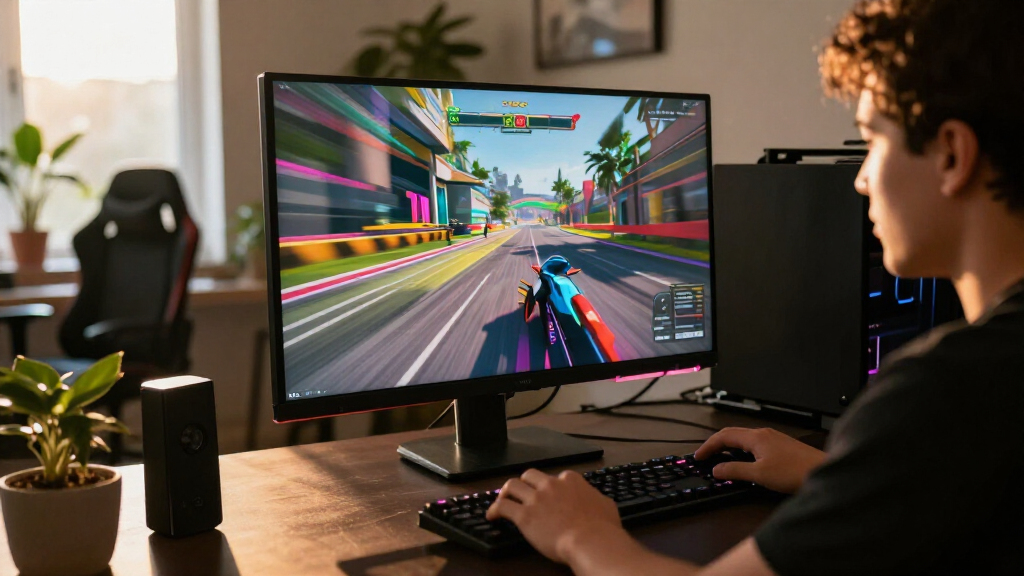

🔍 Read the full analysis: 8 OLED Gaming Monitor Options For Fast-Paced Games In 2027 on ThorstenMeyerAI.com

Get the latest gadgets delivered free with Prime
- Fast, free delivery on millions of items
- Prime Video, Amazon Music and more included
- Member-only deals all year
TL;DR
A roundup from ThorstenMeyerAI.com compares eight OLED gaming monitors, naming the ASUS ROG Strix XG27AQDMGR its overall pick and the Alienware AW3425DW its ultrawide choice. The supplied information lists some specifications but leaves others unconfirmed, so buyers should check each exact configuration before ordering.
ThorstenMeyerAI.com has compared eight OLED gaming monitors for fast-paced play, naming the ASUS ROG Strix XG27AQDMGR its overall pick for a 27-inch QHD screen with a stated 240Hz refresh rate. The roundup also singles out the Alienware AW3425DW for players seeking a 34-inch curved ultrawide, while warning that the listed specifications are incomplete for some models.
The comparison frames the main decision as a choice between a conventional 16:9, 27-inch display and a wider ultrawide screen. The ASUS is presented as the more versatile option for players seeking QHD resolution and high refresh in a familiar footprint. The Alienware is aimed at those who prefer a broader, curved view and have enough desk space for it.
The roundup also names the MSI MAG 272QP QD-OLED X24 as another 27-inch QHD option. Its supplied material does not establish an equivalent refresh-rate specification, so it should not be treated as matching the ASUS on that measure. The article says several models list 240Hz, but does not provide a complete, consistent specification table for all eight picks.
Other listed models are differentiated by screen format and panel type, including QD-OLED offerings in both 27-inch QHD and 34-inch curved formats. The source does not give enough detail to verify every model’s resolution, refresh rate, connectivity, brightness, warranty, or burn-in protections. Those omissions limit direct performance comparisons.
The 8 picks
- 1
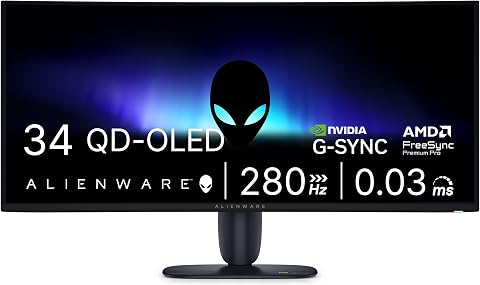 Alienware AW3426DW 34-Inch QD-OLED Gaming MonitorView on Amazon →
- 2
 Alienware 34 AW3425DW 240Hz QD-OLED Curved Gaming MonitorView on Amazon →
- 3
 ASUS ROG Strix XG27AQDMGR 27-Inch QHD 240Hz OLED Gaming MonitorView on Amazon →
- 4
 Acer Predator 26.5-inch QHD 2560×1440 QD-OLED Gaming Monitor X27U W1View on Amazon →
- 5
 MSI MAG 272QP QD-OLED X24 27-Inch WQHD Gaming MonitorView on Amazon →
- 6
 LG UltraGear 27-inch QHD OLED Gaming Monitor, 240HzView on Amazon →
- 7
 Samsung 27-Inch Odyssey OLED G5 QHD Gaming MonitorView on Amazon →
- 8
 AOC Q27GAZDV 27-Inch QHD 240Hz QD-OLED Gaming MonitorView on Amazon →
Choosing Between Speed and Screen Width
The lineup matters to buyers because OLED alone does not determine fit. Screen size, aspect ratio, resolution, refresh rate and the capability of a player’s graphics card shape how a monitor performs in practice. A 240Hz display may suit competitive games and a PC that can generate high frame rates; a large ultrawide may better fit games that support its wider format.
The roundup’s emphasis on QHD and high refresh points toward gaming performance rather than maximum pixel density. Buyers should match resolution and refresh rate to their system and the games they play, rather than choosing based on panel branding or diagonal size alone. OLED’s deep blacks and fast pixel response are cited as general strengths, but the source provides no independent measurements establishing which of these monitors performs best on those traits.
Ownership also involves practical considerations. The source advises checking manufacturer care guidance for OLED panels, especially for users who leave static desktop elements or game interfaces on screen for long periods. It does not establish which models include particular protective features, so those should be checked against the exact product listing.
Products Worth Considering

LG UltraGear 27-Inch QHD OLED Gaming Monitor, 240Hz, 0.03ms, G-SYNC Compatible, FreeSync Premium Pro, HDMI 2.1, Black

Samsung 27-Inch Odyssey OLED G6 QHD Gaming Monitor (G61SH)

LG UltraGear 32GX870A-B 32-inch 4K UHD OLED Dual-Mode Gaming Monitor
As an affiliate, we earn on qualifying purchases.
How the Eight Picks Differ
The roundup says it ranks the monitors by the details most likely to affect daily use: resolution, refresh rate, size, shape and panel type. It gives the ASUS the overall position because its stated 27-inch QHD and 240Hz combination is a clear fit for high-frame-rate gaming. The Alienware earns a distinct role for its 34-inch curved ultrawide format.
The source names only three models in the supplied material: the ASUS ROG Strix XG27AQDMGR, Alienware AW3425DW and MSI MAG 272QP QD-OLED X24. It refers to five other monitors without providing their model names or individual specifications in the text supplied here. It also says comparative brightness, ports, warranty terms and burn-in protections were not established, and excludes those factors from its ranking.
That makes the piece a buying comparison, not a report of a new product launch or independently tested benchmark results. Its rankings are the source’s assessments, while the stated sizes, resolutions and refresh rates are product specifications as presented in the supplied roundup.
“The ASUS ROG Strix XG27AQDMGR as the best overall for its 27-inch QHD format and 240Hz refresh rate.”
— ThorstenMeyerAI.com roundup
Specifications Still Need Checking
The supplied source does not name or detail all eight monitors, so a complete model-by-model comparison cannot be confirmed from this material. It also does not give a publication date, pricing, availability, or evidence that all listed configurations will be sold in 2027.
Refresh rates are missing or unspecified for some models, and the source does not provide consistent data on resolution, ports, brightness, warranty, or OLED care features across the full group. The rankings are the roundup’s judgments; no testing methodology with comparative measurements is included in the supplied text. Buyers should verify current specifications for the exact model and regional configuration.
Verify Models Before Buying
The next step for prospective buyers is to compare the exact manufacturer listings for the eight models, checking native resolution, refresh rate, supported connections and the features needed to run the desired mode. Confirm desk dimensions and whether frequently played games support ultrawide display formats.
For OLED upkeep, consult the manufacturer’s instructions for panel care and available protection features. The source material does not state whether its list, rankings, or availability will be updated, so any later changes in pricing or specifications remain to be confirmed.
Key Questions
Which monitor does the roundup rank first overall?
It names the ASUS ROG Strix XG27AQDMGR, citing its stated 27-inch QHD format and 240Hz refresh rate.
Which pick is aimed at ultrawide gaming?
The roundup highlights the Alienware AW3425DW for its 34-inch curved ultrawide format. Check the exact native resolution and game compatibility before buying.
Are refresh rates confirmed for all eight monitors?
No. The supplied roundup says refresh-rate information is not equally specified across the listings. It advises checking the exact model configuration rather than assuming OLED models share the same rate.
Does the source provide all eight model names?
No. The supplied material identifies the ASUS ROG Strix XG27AQDMGR, Alienware AW3425DW and MSI MAG 272QP QD-OLED X24, but does not name the other five monitors.
What should buyers check about OLED care?
Review the manufacturer’s care guidance and any panel-protection features for the specific monitor, particularly if static desktop windows or game HUDs stay on screen for long periods.
Source: ThorstenMeyerAI.com