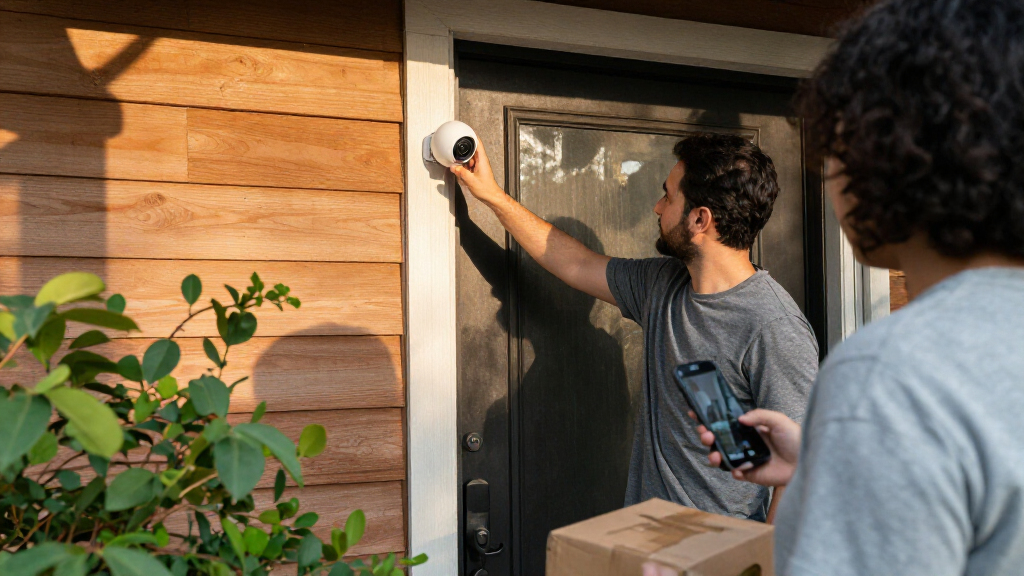

Choosing a smart home security camera often comes down to where you can install it and how much upkeep you will accept. Wired cameras connect to power through a cable, and some also use a cable for network access. Wireless cameras usually send video over Wi-Fi and run on batteries or a nearby outlet. That makes wireless models simpler to place, while wired models are better suited to permanent coverage and continuous recording.

Get the latest gadgets delivered free with Prime
- Fast, free delivery on millions of items
- Prime Video, Amazon Music and more included
- Member-only deals all year

Blink Outdoor 4 Security Camera and Battery Doorbell 2K+ Bundle, 5 Cameras, Sync Module Core, Black
- ✔ Included devices: 5 Outdoor 4 cameras, 1 Battery Doorbell 2K+, 1 Sync Module Core
- ✔ Video resolution: 1080p HD cameras; 2K doorbell
- ✔ Field of view: 143° diagonal cameras; 140° horizontal and vertical doorbell

2K Solar Wireless Security Camera System, 4-Pack
- ✔ Camera count: 4
- ✔ Video resolution: 2K
- ✔ Power: Solar panel with backup battery
Blink Outdoor 4 Security Camera and Battery Doorbell 2K+ System, 3 Cameras, Sync Module Core, Black
- ✔ Included devices: 3 Outdoor 4 cameras, 1 Battery Doorbell 2K+, 1 Sync Module Core
- ✔ Video resolution: 1080p HD cameras; 2K (1920 x 1920) doorbell
- ✔ Field of view: 143° diagonal cameras; 140° horizontal and vertical doorbell
The difference matters most for outdoor monitoring, busy entrances, and homes where missing footage would be costly. Wired cameras generally win on uninterrupted power and, with a wired network connection, connection stability. Wireless cameras win on installation flexibility and ease of moving them. Neither label guarantees a particular feature: recording schedules, local storage, subscription fees, and privacy controls vary by model. Choose wired for dependable, always-on coverage; choose wireless when convenient placement and a simpler setup matter more.
At a Glance
| Criteria | Wired smart home security cameras | Wireless smart home security cameras | Winner |
|---|---|---|---|
| Installation and placement | Needs a power cable; some systems also need network cabling. Installation can take more effort. | Usually easier to install and reposition; battery models can go where outlets are unavailable. | B |
| Power and maintenance | Typically draws continuous power; little battery upkeep. | Battery models require recharging or replacement; plug-in models need an outlet. | A |
| Connection reliability | A wired network connection can reduce dependence on Wi-Fi; wired power alone does not guarantee a wired network. | Depends on Wi-Fi coverage and network stability; weak signals can interrupt video. | A |
| Recording continuity | Can support continuous recording when the camera and storage system offer it. | Battery models may record only when motion triggers them to conserve power; check model specifications. | A |
| Storage and ongoing fees | Local recording may be available, but depends on the model and recording equipment; subscriptions may still apply. | Local storage and cloud subscriptions vary by model; wireless does not automatically mean cloud-only. | Depends |
| Privacy and resilience | Local control may reduce cloud dependence; physical cables can be cut or disconnected. | Wireless avoids exposed data cables but relies on network and account security; cloud features can add privacy tradeoffs. | Depends |
Blink Outdoor 4 Security Camera and Battery Doorbell 2K+ Bundle, 5 Cameras, Sync Module Core, Black
For homes with several entrances, a driveway, and outdoor areas to watch, this bundle gives us the most ready-made coverage in this lineup: five Outdoor 4 cameras plus a 2K Battery Doorbell. The doorbell adds a useful view of the entry, while the 1080p cameras can be placed at separate points. Compared with the three-camera Blink system, this package is better suited to covering a larger property without buying into a different app ecosystem.The tradeoff is that more cameras also mean more batteries to keep track of. Each Outdoor 4 uses two non-rechargeable AA lithium batteries, and the doorbell takes three; the stated camera life of up to two years varies with settings, use, and environment. That can simplify installation where wiring is inconvenient, but the solar four-pack is the lower-maintenance direction for locations with adequate sunlight. Blink’s 2.4 GHz Wi-Fi requirement and plan-gated person and vehicle detection also matter if your setup depends on those features.We rank this first for buyers who value breadth and a bundled doorbell over higher resolution across every camera. The fixed 1080p views are less adaptable than the solar system’s 2K pan-and-tilt cameras, and no rechargeable power is specified. Still, among the two Blink choices, it is the more complete fit when the property has more places to monitor.
Pros:
- Five Outdoor 4 cameras provide the broadest fixed-camera coverage among the three picks.
- Includes a Battery Doorbell 2K+ and Sync Module Core.
- Wireless installation, night vision, two-way audio, and Alexa compatibility.
- Outdoor cameras are rated for operation from -4°F to 113°F.
Cons:
- All cameras and the doorbell use non-rechargeable lithium batteries.
- Person and vehicle detection and cloud clip storage require a separately sold Blink plan.
- Requires a 2.4 GHz Wi-Fi network.
Best for: Households that need several fixed outdoor viewpoints and a matching smart doorbell in one system.
Not ideal for: Buyers who want rechargeable or solar camera power, 2K video from every camera, or person and vehicle detection without a separate Blink plan.
Bottom line: We recommend this bundle when broad fixed-view coverage and a 2K doorbell matter more than rechargeable power or 2K video on every camera.
“We recommend this bundle when broad fixed-view coverage and a 2K doorbell matter more than rechargeable power or 2K video on every camera.”
2K Solar Wireless Security Camera System, 4-Pack
This system takes a different approach from Blink’s fixed Outdoor 4 cameras: four 2K cameras can pan, tilt, and zoom through app controls, with stated 360° pan-tilt coverage. That flexibility can be valuable when a single camera needs to watch more than one direction. It also combines a solar panel with backup battery power, so suitable placement may reduce routine battery changes. Compared with either Blink bundle, the cameras offer higher stated resolution and built-in AI human detection.Night monitoring is another point of distinction. Color night vision uses a motion-activated spotlight, and the system also lists starlight night vision. That can give us a more informative view than relying on night vision alone, though spotlight use may not suit every mounting location. The system supports two-way audio, real-time alerts, Alexa commands, and optional MicroSD or cloud storage. Local storage requires supplying a MicroSD card, while cloud storage is an alternative whose terms are not specified here.Solar power is its main convenience and its main constraint. Charging depends on sunlight, so shaded eaves or locations with limited sun may not deliver the expected reduction in upkeep. Buyers should also confirm that the camera’s 2.4 GHz and 5 GHz Wi-Fi support fits their network and that a dome ceiling mount suits their preferred placement. We put it behind the five-camera Blink bundle for buyers prioritizing broad property coverage, but ahead of the smaller Blink system for those who value flexible 2K views and human detection.
Pros:
- Four 2K cameras offer app-controlled pan, tilt, and zoom with 360° pan-tilt coverage.
- Solar panels and backup batteries support wire-free installation.
- Color night vision with a motion-activated spotlight, plus starlight vision.
- AI human detection, real-time alerts, two-way audio, and Alexa compatibility.
Cons:
- Solar charging depends on sunlight at the installation location.
- MicroSD card is not included; cloud storage is an optional alternative.
- Dome cameras use a ceiling mount, which may limit placement choices.
Best for: Buyers who can place cameras where solar panels receive sunlight and want 2K pan-and-tilt views with human detection.
Not ideal for: Homes with shaded camera locations, shoppers who need a doorbell included, or anyone expecting a MicroSD card to come in the box.
Bottom line: Choose this system when flexible 2K views and solar charging suit your property, and plan around sunlight and separate storage needs.
“Choose this system when flexible 2K views and solar charging suit your property, and plan around sunlight and separate storage needs.”
Blink Outdoor 4 Security Camera and Battery Doorbell 2K+ System, 3 Cameras, Sync Module Core, Black
This three-camera Blink kit keeps the same basic camera and doorbell experience as our top pick, with two fewer Outdoor 4 cameras. It still includes a Battery Doorbell 2K+, Sync Module Core, night vision, two-way audio, live view, app alerts, and Alexa support. For a smaller property or a home where only a few outside areas need coverage, that more focused setup may be easier to place and manage than the five-camera bundle.Its cameras record 1080p HD, while the doorbell captures 2K video with a square view. Both Blink bundles share the same battery approach, 2.4 GHz Wi-Fi requirement, and plan dependencies for person or vehicle detection and cloud clip storage. So the decision between them is chiefly about how many locations we need to cover: the five-camera package is more suitable for a larger perimeter, while this one avoids adding cameras that may not have a useful mounting position.Compared with the solar system, this Blink kit includes a doorbell and does not depend on sunlight for charging, but it gives up 2K resolution and pan-tilt movement on the outdoor cameras. The non-rechargeable batteries mean convenience depends on accepting eventual replacement. We see this as the sensible choice for a compact camera layout, provided the plan and storage limits fit how you intend to use alerts and recorded clips.
Pros:
- Three outdoor cameras plus a 2K doorbell and Sync Module Core.
- Live view, night vision, two-way audio, app alerts, and Alexa voice control.
- Wireless, weather-resistant cameras rated from -4°F to 113°F.
- Same Blink app and battery-camera setup as the larger bundle.
Cons:
- Uses non-rechargeable lithium batteries in cameras and doorbell.
- Person or vehicle detection and cloud clip storage require a separately sold Blink plan.
- Outdoor cameras record 1080p and do not offer pan-and-tilt control.
Best for: People monitoring a modest home or a small number of outdoor areas who also want a 2K video doorbell.
Not ideal for: Buyers who need five outdoor viewpoints, solar charging, pan-and-tilt control, or plan-free person and vehicle detection.
Bottom line: This is the better Blink fit for smaller properties that need a doorbell and a few fixed views rather than the broadest camera count.
“This is the better Blink fit for smaller properties that need a doorbell and a few fixed views rather than the broadest camera count.”
As an Amazon Associate we earn from qualifying purchases.
Key Differences
The clearest advantage of wireless cameras is placement. A battery-powered model can go on a shed, fence, or rental property without running a power cable through walls. That freedom is useful when the camera’s best view is far from an outlet, or when you want to move it as household needs change. The tradeoff is routine: battery life depends on the camera, weather, settings, and how often it records. A busy driveway can drain a battery faster than a quiet side entrance.
Wired cameras are a stronger fit for fixed locations where continuous coverage matters. A powered camera avoids battery changes, and models with wired networking can be less dependent on Wi-Fi. Still, a power cable by itself does not provide a wired network connection, and a camera that records continuously must have a compatible recording plan or storage system. Before buying, compare the actual camera’s power method, recording modes, storage options, and subscription terms. Those details can matter more than whether a product is marketed as wired or wireless.
Neither type is automatically more private or cheaper over time. Local storage can reduce reliance on cloud services, but it may require separate equipment and secure access. Cloud recording may be convenient but can involve recurring fees and account security considerations. Wired installations may cost more upfront if they need professional cable runs; wireless cameras may add recurring battery upkeep or cloud costs. The better value depends on the installation and recording features you will actually use.
Detailed Comparison
Installation and placement (Wireless smart home security cameras wins — moderate)
Wireless cameras win by a moderate margin for ease and flexibility. Battery-powered models can cover locations without outlets or new cable runs, and they are often easier to reposition. Wired cameras need access to power, and network cabling adds another installation constraint when used. For a difficult exterior wall or a rental where drilling is limited, wireless can turn an impractical location into a usable one. For a permanent camera near existing wiring, the difference may be minor.
Power and maintenance (Wired smart home security cameras wins — moderate)
Wired cameras win by a moderate margin for convenience after installation: continuous power removes battery charging from the routine. Wireless plug-in models also avoid battery changes but still need an outlet, so the advantage mainly applies to battery-powered cameras. Battery life varies with recording frequency, temperature, and settings, making an active entrance more demanding than a quiet corner. Pick wireless when avoiding cables is worth that upkeep; pick wired when you want a fixed camera that does not need periodic battery attention.
Connection reliability (Wired smart home security cameras wins — moderate)
Wired cameras have a moderate advantage only when the network connection itself is wired. That setup can avoid interruptions from weak Wi-Fi coverage, especially around exterior walls or distant outbuildings. A camera that uses a cable for power but sends video over Wi-Fi still depends on the wireless network. Wireless cameras perform well when signal strength is stable, but a weak connection may cause delays or gaps. Check both power and network requirements before treating a camera as fully wired.
Recording continuity (Wired smart home security cameras wins — moderate)
Wired cameras generally win by a moderate margin for always-on recording, since they can remain powered without conserving battery. That does not mean every wired model records continuously: the feature depends on the camera, its storage, and its plan or compatible recorder. Battery-powered wireless models may rely on motion-triggered clips to preserve battery life, which can be enough for event alerts but may leave gaps between recordings. If you need a continuous timeline, verify that the specific camera and storage setup support it.
Storage and ongoing fees (major difference)
There is no category-wide winner here. Both types may offer local storage, cloud recording, or a mix, and both may place some features behind a subscription. A wired system with a local recorder can suit someone who wants a permanent archive, while a wireless camera with local storage can also avoid a required cloud plan. Compare the cost of any recorder, storage card, subscription, and replacement batteries over the period you expect to own the camera. The actual model’s terms decide the value.
Privacy and resilience (moderate difference)
The result depends on the system. A local recorder can keep footage within the home, but it needs careful account and device security. Wireless cameras can avoid data cables that are easy to cut, but Wi-Fi and cloud features add their own network and account considerations. Wired cameras can still use cloud services, and wireless models can offer local recording. Review encryption, account protections, retention controls, and what happens to recording during an internet outage. The product’s security design matters more than its cable type.
Wired smart home security cameras: Pros and Cons
Pros:
- Continuous power avoids routine battery changes.
- Can suit always-on recording when supported by the model and storage setup.
- Wired networking, where available, reduces dependence on Wi-Fi signal strength.
Cons:
- Power cables limit placement and may require drilling or professional installation.
- A wired power connection does not necessarily mean the video connection is wired.
- Fixed installation is less convenient to move or take to another home.
Wireless smart home security cameras: Pros and Cons
Pros:
- Flexible placement, including locations without nearby power outlets.
- Often easier to install and reposition.
- Battery models can work well for event alerts at lower-traffic locations.
Cons:
- Battery models require charging or replacement, with upkeep shaped by activity and weather.
- Video performance depends on Wi-Fi coverage and network stability.
- Motion-triggered recording may not provide continuous footage.
Who Should Choose What
Choose Wired smart home security cameras if:
- You want a fixed camera with continuous power and minimal battery upkeep.
- The camera will monitor a busy entrance, driveway, or other location where frequent recording is likely.
- You can run cables and want a wired network connection for a location with weak Wi-Fi.
Choose Wireless smart home security cameras if:
- You need coverage where there is no convenient power outlet or cable route.
- You rent, want a simpler installation, or expect to move the camera.
- Motion alerts and event clips meet your needs, and you are comfortable maintaining a battery.
Skip both if: Neither type is a good fit until your home has reliable internet and you have decided where footage should be stored. If you need uninterrupted recording through outages, check for a system with suitable local recording and backup power rather than assuming the camera’s connection type will provide it.
Value for Money
Paying more for wired installation is worth it when the camera will stay in one place, record frequently, and benefit from continuous power or a wired network connection. The cost can buy a more dependable fit for long-term coverage, especially if cables can be routed during renovation or already exist. A professional installation may erase that advantage if only one camera needs coverage and the cable route is difficult.
Wireless is often better value when its placement flexibility avoids installation work or when you only need occasional motion-triggered clips. Count battery upkeep and any cloud subscription as part of the long-term cost; a low purchase price does not settle the comparison. For either type, prioritize a model with the storage, recording schedule, and security controls you need. Pay extra for those useful capabilities, not simply for a wired or wireless label.
Final Verdict
Choose wired cameras for permanent, high-activity locations where continuous power, and possibly a wired network, justify the installation effort. Choose wireless cameras when flexible placement and a straightforward setup matter more than battery upkeep or Wi-Fi dependence. For most homes adding one or two cameras without existing cable runs, wireless is the easier starting point. For a primary entrance or driveway that needs dependable, frequent coverage, wired is the stronger long-term choice when installation is practical. Let recording mode, storage terms, and network requirements settle the final model choice.
Frequently Asked Questions
Are wired security cameras more reliable than wireless cameras?
They can be, if they use wired networking and have reliable power. A wired power cable alone does not prevent Wi-Fi interruptions. Wireless cameras can be dependable when they have strong coverage, but signal quality and battery state affect performance.
Do wireless security cameras record continuously?
Some do, especially plug-in models, but many battery-powered models prioritize motion-triggered clips to conserve power. Check the recording modes and storage requirements for the exact camera before buying.
Do wired cameras need a subscription?
Not always. Some support local storage or a compatible recorder, while others charge for cloud recording or advanced features. Check whether the features you want require a recurring plan.
Which type is better for renters?
Wireless battery models are often easier for renters to install and remove, especially when drilling or permanent cable runs are restricted. Check mounting rules and choose a model that stores footage in a way you are comfortable using.