
TL;DR
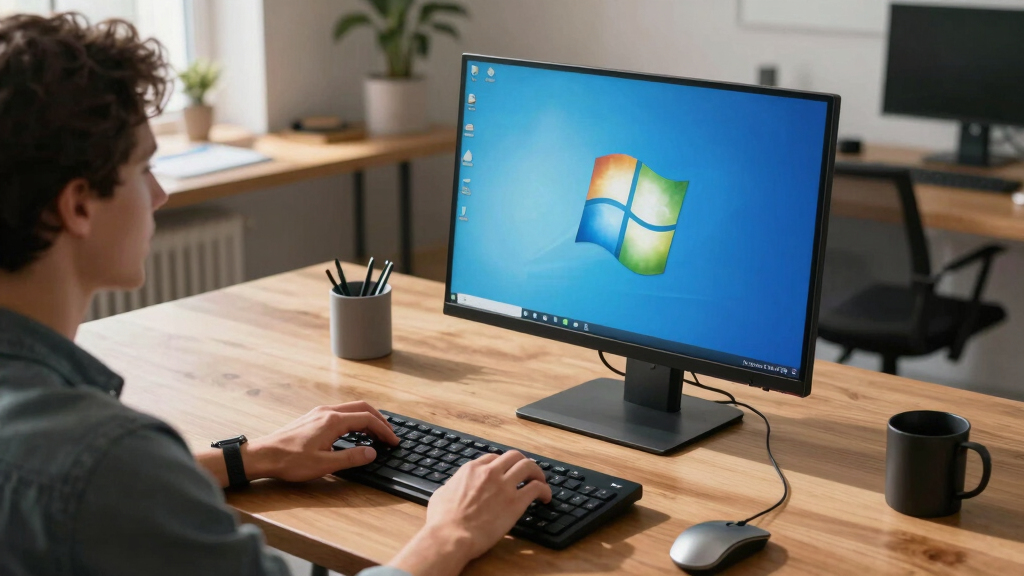
Classic 7 is a modification of Windows 10 IoT Enterprise LTSC 2021 that mimics Windows 7’s appearance and features. It aims to appeal to users nostalgic for Windows 7’s interface while running on modern Windows 10 technology.
Developers have released Classic 7, a modification of Windows 10 IoT Enterprise LTSC 2021, that visually and functionally replicates Windows 7, appealing to users seeking nostalgia or a simplified interface.

Get the latest gadgets delivered free with Prime
- Fast, free delivery on millions of items
- Prime Video, Amazon Music and more included
- Member-only deals all year
Classic 7 is a custom modification that recreates Windows 7’s user interface and experience on Windows 10 LTSC 2021. It includes features such as Aero Glass transparency, support for Windows 7 theme packs (.themepack files), and desktop gadgets, all working in a 1:1 Out-Of-Box Experience (OOBE) style. The project aims to preserve familiar elements like Windows Media Center, Windows 7 themes, and desktop gadgets, while running on modern hardware with Windows 10’s underlying system.
According to the developers behind Classic 7, some features from Windows 7, such as Flip 3D and 3D window animations, are not yet implemented, citing technical challenges or lack of available ports. Additionally, some system applications and gadgets may encounter compatibility issues due to differences between Windows 7 and Windows 10. The project is currently in a testing phase with an available download for users interested in trying the interface.
Why It Matters
This development matters because it offers a nostalgic Windows 7 experience within a modern Windows 10 environment, potentially appealing to users who prefer Windows 7’s interface but need the stability and security of a supported Windows 10 LTSC build. It also highlights ongoing community efforts to customize and extend Windows’ appearance and functionality beyond Microsoft’s official offerings, which could influence future customization trends or support for legacy features.
Products Worth Considering

LG UltraGear 32GX850A-B 32-inch 4K UHD OLED Gaming Monitor

Samsung Galaxy Tab S10 Lite, 10.9-inch LCD, 6GB RAM, 128GB Storage, Gray

Apple MacBook Air 15-inch Laptop with M5 Chip, 16GB Memory, 512GB SSD, Liquid Retina Display, and Touch ID (Midnight)
As an affiliate, we earn on qualifying purchases.
Background
Windows 7, released in 2009, was widely praised for its interface and stability but reached end-of-support in January 2020. Windows 10 LTSC versions, designed for stability and long-term deployment, have retained some visual elements reminiscent of older Windows versions, but not to the extent of a full visual overhaul. Enthusiasts and developers have long sought ways to customize Windows to resemble older versions, especially Windows 7, which remains popular among certain user groups. The release of Classic 7 builds on this trend, offering a near-exact visual and functional replica on current Windows platforms.
“Our goal was to bring back the familiar Windows 7 look and feel within Windows 10 LTSC, preserving the experience while maintaining system stability.”
— Developer of Classic 7
“It’s impressive to see such a detailed recreation; it could be useful for users who prefer Windows 7 but need modern security and support.”
— Windows enthusiast community member
What Remains Unclear
It is still unclear how fully compatible all Windows 7 features are with the current Windows 10 LTSC base, and whether future updates will improve or break compatibility. The availability of Flip 3D and other advanced features remains uncertain, as they are not yet implemented or ported.
What’s Next
Developers plan to continue refining Classic 7, potentially adding more Windows 7 features like Flip 3D and improving compatibility. User feedback and community testing will likely influence further development, with possible public releases and updates in the coming months.
Key Questions
Can I download and install Classic 7 now?
Yes, the developers have made a version available for testing. However, it is recommended to back up your data before installing and to understand that some features may not work perfectly.
Will Classic 7 be officially supported or updated?
No, it is a community project. Updates and support depend on the developers and community feedback.
Does using Classic 7 affect system stability or security?
Since it is a modification running on Windows 10 LTSC, stability should be similar to standard Windows 10, but compatibility issues could arise. Security depends on the underlying Windows system and updates.
Is Classic 7 legal to use?
As a modification of Windows 10 LTSC, it is generally legal for personal use, but users should ensure they comply with Microsoft licensing agreements.