TL;DR

Get the latest gadgets delivered free with Prime
- Fast, free delivery on millions of items
- Prime Video, Amazon Music and more included
- Member-only deals all year
An XDA contributor reports turning a spare monitor into a family dashboard with a Raspberry Pi 4 running DietPi and the Home Screens project. The setup displays calendar events, weather, photos, chores and meal plans, though some content needs manual updates and the build required kiosk-mode troubleshooting.
An XDA contributor has repurposed an unused monitor as a household dashboard by pairing it with a Raspberry Pi 4 and the self-hosted Home Screens project. The setup displays items including weather, calendar events, photos, chores and meal plans, offering a low-cost way to put an old screen back to work; it is a personal project, not a newly announced product.
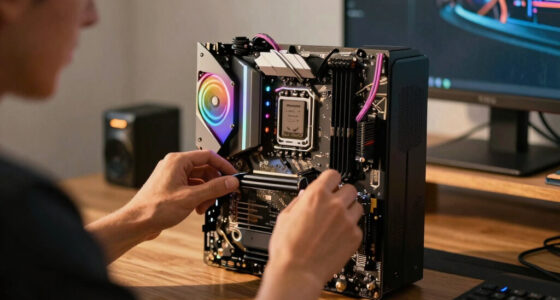
The contributor’s monitor is a low-cost, non-touchscreen display that had mostly sat unused after serving as an external screen for a laptop. A Raspberry Pi 4 Model B with 1GB of memory now runs the dashboard, while the lightweight DietPi operating system handles the software. The author said the available memory was sufficient for this use.
The dashboard runs locally on the Pi and launches in Chromium kiosk mode, presenting a full-screen interface rather than a visible browser session. The author used Home Screens, an open-source project available on GitHub, to build several pages through its web portal. The pages include weather and calendar cards, a selected-photo slideshow connected to Google Photos, and a page combining recipes, calendar information and to-do lists.
Getting the display to start reliably took additional work. The author said the dashboard initially opened for a few seconds before closing, with terminal errors linked to the Pi’s Wayland setup and kiosk boot configuration. After troubleshooting, the author set it up as a service that launches automatically. The reported memory use was about 50%; the article does not give a measurement method or a broader performance comparison.
Home Tech · Personal Project
Could a Raspberry Pi Make Your Spare Monitor a Family Dashboard?
An XDA contributor put an idle monitor back to work with a Raspberry Pi 4, DietPi and Home Screens. The result brings household information together, with some hands-on setup and upkeep.
“Even the 1GB of memory didn’t feel like a roadblock.”
01 / A second life for idle screens
One screen, shared household view
The dashboard gathers everyday details in a common area. Its usefulness depends on whether the household keeps the information current and finds it worth checking.
Weather & calendars
Pages can show weather and calendar events, with calendar information connected through online sources.
Photos
A selected-photo slideshow uses a Google Photos connection in the contributor’s setup.
Chores & meals
To-do lists, chores and meal plans can share a page, though these items need manual editing in this setup.
02 / How the dashboard is built
From spare monitor to kiosk
Home Screens runs on the Pi and offers a page builder plus a separate remote editor. The monitor receives the display over HDMI.
Prepare the Pi
Install DietPi on a Raspberry Pi 4 Model B.
Build pages
Use Home Screens templates and its web portal to arrange cards.
Show full screen
Launch Chromium in kiosk mode for a browser-free display.
Edit and maintain
Update content remotely; manually maintain chores and meal details.
03 / Setup limits & open questions
Working configuration, with caveats
The dashboard initially closed after a few seconds. The author traced errors to Wayland and kiosk boot configuration, then set it up as a service.
Calendar and photo sources can connect online; chores, meals and lists were manually edited. Some cards still need tuning.
The roughly 50% memory figure is one observation. There is no full parts cost, power measurement or long-term reliability report.
04 / What to consider
Check the fit before you build
This is a documented personal project, not a product launch or a guarantee that every combination of Pi, display and software will behave the same way.
Video connection
Confirm that the monitor accepts the Pi’s HDMI output. The described display does not need to be touchscreen.
Kiosk startup
Be prepared to configure a lightweight operating system and troubleshoot automatic full-screen startup.
Useful information
Long-term value depends on reliable startup, maintained integrations and regular content updates.
05 / Key questions
Quick answers
The report describes one contributor’s experience. Compatibility, setup effort and household usefulness may vary.
What can the dashboard display?
Weather, calendar events, selected photos, chores, to-do lists and meal information, depending on how pages are configured.
Which software runs it?
DietPi and Home Screens on a Raspberry Pi 4 Model B, shown through Chromium kiosk mode.
Do household tasks update automatically?
Not in the described setup. Chores, meals and lists require manual editing; the author had not tested the project’s AI features.
Was installation straightforward?
No. The contributor worked through Wayland and kiosk startup errors before configuring the dashboard to launch as a service.
A Second Life for Idle Screens
The project shows how a basic monitor can serve as a shared household information screen without requiring a touchscreen or a more powerful computer. A dashboard mounted in a common area could make family schedules, reminders and meal plans easier to see than information split among phones, paper notes and separate apps. Its value depends on whether household members keep the displayed information current and find the screen useful.
The setup also highlights a trade-off: the hardware can be inexpensive, but configuring software and maintaining data connections takes time. The author says calendars and photos can be populated from connected services, while chores, meals and lists require manual editing in the current setup. It is evidence of one working configuration, not a guarantee that every monitor, Pi installation or household will have the same experience.
Raspberry Pi 4 Model B 1GB starter kit power supply case
As an affiliate, we earn on qualifying purchases.
As an affiliate, we earn on qualifying purchases.
How the Dashboard Is Built
The author chose Home Screens rather than MagicMirror, another project mentioned as an option for building a home information display. Home Screens provides a page-building interface and a separate remote editing portal, according to the article. The dashboard runs on the Raspberry Pi instead of being hosted on another computer, and the monitor receives its display over HDMI.
After installation, the author created pages from predefined templates and edited them through a web portal available on the local setup. The separate remote page supports content changes such as editing chores, adding users and making meal plans. It also offers controls to adjust brightness, put the screen to sleep or wake it, and show alerts for a set time or persistently. The author described the pages as a work in progress, with further testing needed on some cards.
“A Raspberry Pi 4 Model B is perfect for it, and even the 1GB of memory didn’t feel like a roadblock.”
— XDA contributor Abhishek
Raspberry Pi 4 micro HDMI to HDMI cable
As an affiliate, we earn on qualifying purchases.
As an affiliate, we earn on qualifying purchases.
Setup Limits and Open Questions
The report does not provide a full parts list or total project cost, nor does it explain how the monitor is mounted, how much electricity the system uses, or how it behaves over extended periods. The author’s original monitor cost about $25 a few years earlier, but that is not the price of the complete dashboard or a current estimate for the hardware.
It is also unclear how well Home Screens works with other Raspberry Pi models, operating system configurations or displays. The author has not tested the project’s AI features and says some dashboard cards still need tuning. The article describes integrations with Google Photos and iCal links, but does not detail account permissions, privacy safeguards or what happens if those services become unavailable. The stated memory figure is an individual observation, not a benchmark.
VESA monitor mount for Raspberry Pi dashboard display
As an affiliate, we earn on qualifying purchases.
As an affiliate, we earn on qualifying purchases.
Further Testing and Household Use
The author says there is more of Home Screens to explore and that the meal-planning page still needs optimization. The next steps described are continued testing of individual cards and use of the remote editor to update household content. No formal release, scheduled update or wider product rollout is reported.
For readers considering a similar setup, the immediate practical questions are whether their monitor can accept the Pi’s video output and whether they are comfortable configuring a lightweight operating system and automatic kiosk startup. The project’s longer-term usefulness will depend on reliable startup, maintained integrations and regular content updates; the source provides no long-term reliability results.
Raspberry Pi 4 case with cooling fan
As an affiliate, we earn on qualifying purchases.
As an affiliate, we earn on qualifying purchases.
Key Questions
What does the Raspberry Pi dashboard display?
The author created pages with weather, calendar events, selected photos, chores, to-do lists and meal information. The specific content depends on how the dashboard is configured.
Does the monitor need to be touchscreen?
No. The author’s monitor is not a touchscreen; it displays content sent from the Raspberry Pi over HDMI. The setup described uses web portals for building and editing pages rather than touch input on the monitor.
Which software runs the setup?
The author used DietPi on a Raspberry Pi 4 Model B and ran the Home Screens project in Chromium kiosk mode. Home Screens is described as a self-hosted dashboard project available through GitHub.
Does the dashboard update household tasks automatically?
Not all of them in the author’s setup. Calendar and photo content were connected to online sources, while chores, meals and lists were edited manually. The author said Home Screens has AI features but had not tested them.
Was the setup straightforward to install?
Not entirely. The author reported that the dashboard initially closed after starting, with errors related to Wayland and kiosk-mode boot configuration. After troubleshooting, it was configured to start as a service, but the source does not establish how common those issues are.
Source: XDA Developers
Evergreen bestsellers Picks
bestsellers
As an affiliate, we earn on qualifying purchases.