TL;DR

Get the latest gadgets delivered free — and shop member deals
- Fast, free delivery on millions of items
- Access to Prime Big Deal Days deals on October 6–7
- Prime Video, Amazon Music and more included
The latest smart home devices are defined less by individual gadgets and more by two shifts: the Matter standard finally letting devices from Apple, Google, Amazon, and Samsung work together, and AI-powered assistants like Alexa+ and Google Gemini making voice control genuinely conversational. Start with a smart speaker, a thermostat, and a video doorbell; buy Matter-certified hardware so you’re not locked into one ecosystem. Note: my training data has a cutoff date, so verify current releases on The Verge, CNET, or Wirecutter before buying.
Your thermostat learns when you leave for work. Your doorbell knows the difference between a delivery driver and a raccoon. Your vacuum empties itself. The smart home stopped being a gimmick somewhere around 2023, when the industry finally agreed on a shared language for devices to talk to each other.
That shared language is called Matter, and it changes how you should shop. Instead of asking “does this work with Alexa?” you can increasingly ask “is it Matter-certified?” — and know it’ll play nice with Apple, Google, and Samsung too.
Here’s what’s actually new, what’s worth your money, and where to start if you’re building your first setup. One honest caveat up front: my training data has a cutoff date, so for products released in the last few months, double-check reviews on The Verge, CNET, or Wirecutter before you click buy.
Buy Matter-certified devices whenever possible — one device, every ecosystem, no lock-in.
Budget for subscriptions before buying cameras and doorbells; $3–6/month per device is common, and local storage is the escape hatch.
Start your build with a smart speaker, a thermostat, and a video doorbell — under $300, one afternoon, immediate daily payoff.
LLM-powered assistants (Alexa+, Gemini) are the biggest usability leap in years — but verify current features, since my training data has a cutoff and this spa…
Secure your setup with a guest Wi-Fi network, two-factor authentication, and covered cameras — treat every device as a small company bet.
Matter and Thread: Why Your Devices Finally Speak the Same Language
Matter is a universal smart home standard backed by Apple, Google, Amazon, and Samsung that lets certified devices work across every major ecosystem [1]. Buy a Matter-certified bulb, and it’ll connect to Alexa, Google Home, HomeKit, or SmartThings without you picking a side. That was nearly impossible five years ago — and the reason it matters isn’t convenience, it’s leverage. When devices are interchangeable, brands have to compete on price and quality instead of holding your existing purchases hostage. Every Wi-Fi bulb you bought in 2019 that only spoke one ecosystem was a small bet that the company would stay interested in it. Matter transfers that bet from the brand to the standard.
Alongside Matter runs Thread, a low-power mesh network protocol. Think of Thread as a quiet back channel: devices relay signals to each other, so one dying bulb doesn’t take down the network the way a bad Wi-Fi router can. The deeper implication is architectural — your smart home stops depending on a single point of failure, and battery-powered sensors (door contacts, motion detectors, temperature probes) become practical because Thread sips power instead of draining it. Wi-Fi was never designed for a light switch; Thread was.
The catch? Adoption has been slower and bumpier than promised [1]. Some early Matter devices supported the standard in name only, with features that only worked inside their own app — a pattern the industry calls “certified but not complete.” The tradeoff for you is diligence: Matter certification on the box guarantees basic on/off and pairing across ecosystems, but advanced features (custom automations, energy dashboards, camera feeds) sometimes still need the manufacturer’s app. It’s improving, but check recent reviews for a specific device before assuming full cross-platform support.
The rule of thumb in 2024 and beyond: buy the Matter-certified version of a device whenever the price is close. It’s cheap insurance against ecosystem lock-in — and it keeps your options open the day you switch from Android to iPhone (or back) without replacing a single gadget.
Alexa+, Gemini, and On-Device AI: Assistants That Actually Understand You
The biggest software shift in smart home devices is the arrival of LLM-powered assistants — Amazon’s Alexa+ and Google’s Gemini integration are replacing the brittle, keyword-matching assistants we’ve tolerated for a decade [1]. Instead of memorizing exact phrases, you can talk to them the way you’d talk to a person. Why this matters more than it sounds: the old assistants failed silently. When they didn’t recognize a phrase, they either did nothing or did the wrong thing, which trained millions of people to stop using voice control at all. Conversational assistants remove the learning tax — and that’s the difference between a feature you show guests once and a feature you use every day.
Compare the old way and the new way:
| Task | Old assistant | LLM-powered assistant |
|---|---|---|
| Evening routine | “Alexa, activate Good Night” (pre-built routine) | “Make it cozy in here” — dims lights, warms color, lowers volume |
| Adjusting heat | “Set thermostat to 68” | “I’m cold, but don’t waste energy overnight” |
| Failure mode | “Sorry, I didn’t understand” | Asks a clarifying question |
AI processing is also moving on-device, which helps latency and privacy — your voice clips don’t have to make a round trip to a data center to dim a lamp. That’s not a small detail: it’s the difference between a smart home that works when your internet is down and one that doesn’t, and between audio that stays in your house and audio that doesn’t. But read the fine print, because there are real tradeoffs. On-device models are smaller and occasionally less capable than their cloud counterparts, and some premium AI features now ride behind subscriptions — meaning the assistant you bought can become a metered service. Watch this space closely: features are changing monthly, and the subscription lines keep moving.
Robot Vacuums That Empty Themselves and Dodge Socks
The latest robot vacuums from Roborock and iRobot Roomba do three things older models couldn’t: mop, empty their own dustbins into a docking station, and use AI obstacle avoidance to skip phone chargers, pet bowls, and that sock behind the couch [1]. The obstacle avoidance matters most, and here’s why: autonomy is the entire product. A vacuum that eats a shoelace is a vacuum you babysit — you pre-clean the floor before the machine that’s supposed to clean the floor runs. A vacuum that reliably dodges obstacles is the first robot most households actually trust to run while nobody’s home, which is the only configuration where a robot vacuum pays off.
Real-world example: a Roborock flagship with a self-emptying dock can go weeks without you touching debris. The dock sucks the bin clean after each run, and AI vision models flag obstacles in real time. The implication compounds: because maintenance approaches zero, the vacuum runs daily instead of weekly, and daily vacuuming means dust never accumulates — so your air quality and allergy symptoms improve, not just your floors. You come home to a house that quietly took care of itself.
Tradeoffs to know before you buy — because this category has more hidden costs than any other:
- Price: Flagship models run $1,000+; mid-tier ($400–700) now covers mopping and self-emptying basics. Diminishing returns kick in fast — the last $300 mostly buys mopping refinements and dock gadgets, not cleanliness.
- Cameras: Obstacle avoidance means the vacuum carries a camera that photographs your home, including under furniture where you don’t think about cameras. Check the privacy policy — some brands process images in the cloud, others locally.
- Mapping: Devices that map your floor plan store that layout on the manufacturer’s servers in some brands — a detailed architectural record of your home that outlives the device if the company is breached or acquired.
Security and Doorbells: The Devices That Watch Your Front Door
Video doorbells from Ring and Nest remain the most popular entry point into smart home tech, and the latest versions add package detection, person-versus-animal classification, and sharper night vision [1]. The classification matters more than the resolution: a doorbell that alerts you to every passing car trains you to ignore notifications within a week, and a camera you ignore is a camera you didn’t need to buy. Smarter alerts are what turn a novelty into a security device. Pair one with a smart lock from August, Schlage, or Yale and you can let a dog walker in from your desk at work — the doorbell verifies who arrived, the lock controls access, and you never left your chair.
Here’s the part nobody puts on the box: subscription fatigue. Ring Protect and Nest Aware typically charge monthly for cloud video storage, person alerts, and rich notifications. Skip the subscription and you often lose the features that made the device worth buying. This is a deliberate business model, not an accident — the hardware is priced as an acquisition cost for a recurring revenue stream, which is why the upfront price keeps falling. Factor $3–6/month per device into your budget: a $100 doorbell at $4/month costs you $196 in two years. Judge these devices on total cost, not sticker price.
The workaround: choose a doorbell or camera with local storage — an SD card slot or a hub like the Apple HomePod-backed options — and you keep your footage without a recurring bill. The deeper reason this matters is longevity: cloud-dependent cameras become paperweights when the company changes strategy, raises prices, or shuts the service down entirely — which has happened repeatedly in this market. Local storage means your security footage survives business decisions you don’t control. The tradeoff is convenience: you manage the storage yourself, and remote viewing may be slower without a company’s servers doing the relay.
Thermostats, Plugs, and the Devices That Pay for Themselves
Smart thermostats like the Nest and Ecobee are the rare smart home devices with a measurable return: learning schedules, occupancy sensing, and remote control typically trim heating and cooling costs — ecobee has reported average savings around 23% on HVAC run times. Why this category is different from every other: heating and cooling is typically the largest energy line in a home, so even modest percentage savings translate to hundreds of dollars a year. A $250 thermostat that saves 15–20% on a $2,000 annual HVAC bill pays for itself in under a year — no other smart device can make that claim. A smart bulb saves you pennies; a smart thermostat saves you real money. Energy monitoring has spread to smart plugs and whole-home panels too, so you can see exactly what that old garage freezer costs you per month [1] — and measurement itself changes behavior, because most people dramatically underestimate which devices drain the most.
The bigger trend is energy integration. Tesla Powerwall, Enphase solar batteries, and smart EV chargers now talk to your home’s other devices. Your EV can charge when electricity is cheapest; your house can run on battery during peak pricing hours. The implication: your home becomes an active participant in the electricity market instead of a passive bill-payer — especially powerful if your utility uses time-of-use pricing, where the same kilowatt costs triple at 6pm versus 2am.
- Start with a smart thermostat — highest savings per dollar spent, and the fastest payback period in the category.
- Add smart plugs with energy monitoring to find your hidden power hogs — cheap diagnosis before expensive treatment.
- Only then consider solar/battery integration if you own your home — the biggest payoff, but also the biggest capital commitment and the longest payback horizon.
Your First Smart Home: A 4-Step Beginner Build
The best beginner smart home costs under $300 and takes one afternoon. The reasoning behind starting small: the most common beginner mistake isn’t buying the wrong device — it’s buying twenty devices at once, hitting the inevitable firmware-update headache, and concluding the whole category is broken. A three-device setup gives you a working foundation you can debug in an afternoon, and every future purchase builds on it. You don’t need a hub, a bridge, or an engineering degree — you need one ecosystem, three devices, and patience for a firmware update or two.
- Pick one ecosystem based on the phone you already own: iPhone leans Apple HomeKit, Android leans Google Home, and Alexa works with everything and nothing perfectly. The choice matters less than you think — thanks to Matter, it’s increasingly reversible, so don’t agonize.
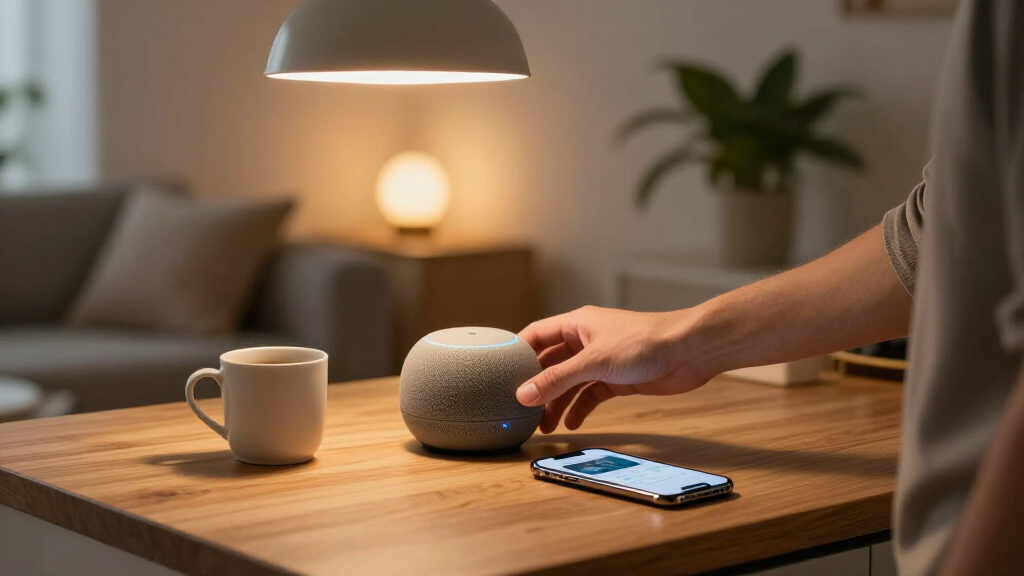
- Buy a smart speaker or display — an Echo, Nest Hub, or HomePod — as your control center. It’s the interface for everything else; buying devices before the interface is like furnishing a house before the doors are hung.
- Add a thermostat and a video doorbell, the two devices with daily, tangible payoff — one saves money, one answers the door. They’re the devices that prove the concept to skeptical household members.
- Expand with Matter-certified bulbs and plugs so future devices stay brand-agnostic. This is where the cheap, fun part of the hobby lives, and where lock-in mistakes are cheapest to avoid.
One scenario worth picturing: you’re on vacation, a delivery arrives, and you talk to the driver through your doorbell, tell them to leave the package, and watch the smart lock stay firmly locked — all from a beach chair. That’s the whole pitch, and it works. Notice what the scenario actually demonstrates: not remote gadgetry, but presence and control from anywhere — which is the underlying value of every device in this build.
Privacy, Hacking, and What Happens When the Internet Dies
Smart home security comes down to three habits: put devices on a guest Wi-Fi network separate from your laptops, turn on two-factor authentication for every camera and lock account, and physically cover cameras you don’t actively need [1]. Why network separation matters: smart devices are cheap Linux computers that get security updates sporadically, if at all — a compromised bulb on the same network as your laptop gives an attacker a foothold. Segmentation turns a full-house breach into a toy-room breach. Always-listening speakers process wake words locally, but audio clips still get reviewed by humans on some platforms unless you opt out — meaning random contractors can hear fragments of your living room. Dig into those settings; the default is rarely the private option.
And the internet outage question? It’s actually a proxy for a bigger one: who controls your home. Matter devices with a local controller keep working when the internet dies — your light switch still turns on the light. Cloud-dependent devices — most cheap Wi-Fi cameras — go dumb or dark. The same dependency that fails during an outage also fails when the company raises subscription prices, changes its API, or shuts down entirely. You’ve already seen this movie: buyers of multiple discontinued camera lines logged in one day to bricked hardware. That’s the quiet, structural argument for Thread and Matter: control stays inside your house, under your roof, regardless of what happens to anyone’s servers.
Every smart device you buy is a small bet on that company staying in business. Buy from companies with a track record, and prefer local control over cloud dependency.
Frequently Asked Questions
Do smart home devices from different brands work together?
Increasingly yes, thanks to Matter — a standard backed by Apple, Google, Amazon, and Samsung. A Matter-certified bulb or lock works across all major ecosystems. Adoption has been slower than promised, so check recent reviews to confirm a specific device’s cross-platform support before buying.
Which ecosystem should I choose — Alexa, Google, or Apple?
Match your phone: iPhone users get the smoothest ride with Apple HomeKit, Android users with Google Home, and Alexa is the most brand-agnostic option. With Matter, the choice matters less every year — you can switch assistants later and keep your devices.
Are subscriptions required for smart home devices?
Core functions like voice control and scheduling work without subscriptions, but cameras and doorbells often lock cloud video storage and smart alerts behind plans like Ring Protect or Nest Aware, typically $3–6/month. Choose devices with local storage (SD card slots or hubs) to avoid recurring fees.
What happens to my smart home when the internet goes down?
Matter and Thread devices with a local controller keep working — switches still control lights, locks still lock. Cloud-dependent devices, especially cheap Wi-Fi cameras, go offline. Prioritizing local control is the best insurance against outages and company shutdowns alike.
Can smart home devices be hacked, and how do I protect them?
Any internet-connected device is a potential target, but three habits cover most risk: isolate devices on a guest Wi-Fi network, enable two-factor authentication on camera and lock accounts, and physically cover cameras you don’t actively use. Also opt out of human audio review in your assistant’s privacy settings.
Conclusion
If you remember one thing: buy for the standard, not the brand. Matter certification and local control protect you from ecosystem lock-in, dead clouds, and subscription creep far better than any spec sheet. The devices are the fun part; the standard is the strategy.
Start small this weekend — one speaker, one thermostat, one doorbell — and let the house earn your trust before you hand it the locks. And since this market reinvents itself every few months, check current reviews before buying anything I’ve named here. The raccoon-dodging doorbell of today is the baseline of tomorrow.
Fall Picks
fall essentials
As an affiliate, we earn on qualifying purchases.