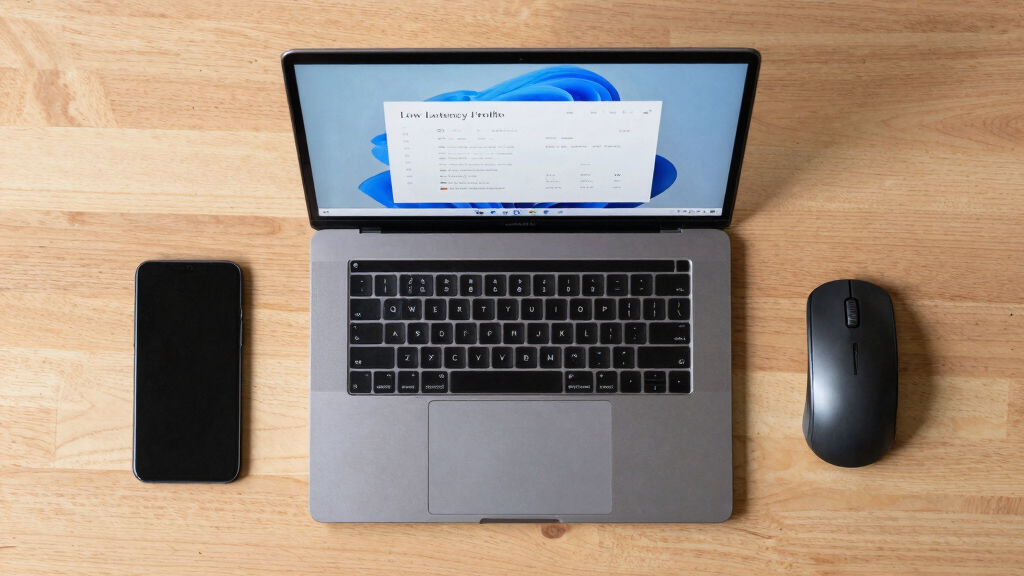

TL;DR

Get the latest gadgets delivered free — and shop member deals
- Fast, free delivery on millions of items
- Access to Prime Big Deal Days deals on October 6–7
- Prime Video, Amazon Music and more included
Microsoft has publicly defended its new Low Latency Profile for Windows 11, which temporarily boosts CPU speeds to reduce app load times. The company states this is industry practice, despite widespread user criticism. The development aims to improve Windows 11’s responsiveness without deeper system overhaul.
Microsoft has officially defended its newly introduced Low Latency Profile (LLP) for Windows 11, asserting that it aligns with common industry practices to enhance responsiveness. This comes after the feature was leaked last week and met with significant criticism from the user community, who viewed it as a superficial fix rather than a solution to deeper OS performance issues.
The Low Latency Profile (LLP) is designed to temporarily boost CPU clock speeds during specific OS interactions, such as opening apps or navigating menus, to reduce perceived lag. Microsoft confirmed this feature as part of its broader ‘Windows K2’ initiative aimed at making Windows 11 more stable and efficient after years of complaints about sluggishness. Senior developer and VP Scott Hanselman responded to criticism on social media, emphasizing that dynamic frequency scaling is a standard practice across modern operating systems, including Linux and macOS.
According to Microsoft, LLP works by increasing CPU frequencies briefly during moments like flyout delays in the Start Menu, causing short spikes in CPU usage and power draw to improve perceived speed. The company states that this is not ‘cheating’ but a common technique used in mobile devices and other modern OS architectures to optimize responsiveness without significant system overhauls. Critics, however, argue that such patches are superficial and do not address fundamental OS stability or bloat issues, which have been persistent complaints from Windows users and developers alike.
Why It Matters
This development is significant because it highlights Microsoft’s approach to improving Windows 11’s performance amid ongoing criticism. The company’s defense suggests a shift toward implementing industry-standard solutions rather than deep system optimizations. For users, this raises questions about whether such features will meaningfully improve long-term stability or merely serve as quick fixes. It also underscores the ongoing challenge for Microsoft to balance user expectations with technical improvements in a competitive OS landscape.
As an affiliate, we earn on qualifying purchases.
Background
Since Windows 11’s launch, users and developers have expressed dissatisfaction with its performance, navigation lag, and bloatware. Microsoft has responded with incremental updates and features like Xbox Mode to bypass some issues. The leak of LLP last week reignited debate about whether Microsoft is addressing core OS problems or relying on superficial patches. Senior executives, including Scott Hanselman, have publicly justified LLP, comparing it to similar practices in other OS and mobile devices, where dynamic frequency scaling is standard.
“This isn’t cheating. Every modern OS, including Linux and macOS, already does this. It’s a standard way to make apps feel faster by temporarily boosting CPU speeds during interactive moments.”
— Scott Hanselman, Microsoft VP
“The Low Latency Profile is part of our ongoing efforts to improve responsiveness and stability in Windows 11, aligning with industry standards for dynamic performance management.”
— Microsoft spokesperson (unnamed)
high performance SSD for Windows 11
As an affiliate, we earn on qualifying purchases.
As an affiliate, we earn on qualifying purchases.
What Remains Unclear
It remains unclear how effective the Low Latency Profile will be in addressing Windows 11’s broader performance issues over time. Critics question whether this patch can replace deeper system optimizations or if it will simply serve as a temporary band-aid. Additionally, the long-term impact on power consumption and system stability is still uncertain, especially on battery-powered devices.
As an affiliate, we earn on qualifying purchases.
What’s Next
Microsoft is expected to continue refining Windows 11 with further updates aimed at improving core system stability and performance. The company might also release more detailed technical documentation about LLP and other performance features. Community feedback and independent testing will likely influence whether Microsoft considers deeper optimizations or continues with superficial patches.
high refresh rate monitor for Windows 11
As an affiliate, we earn on qualifying purchases.
As an affiliate, we earn on qualifying purchases.
Key Questions
What exactly is the Low Latency Profile?
The Low Latency Profile is a feature that temporarily boosts CPU clock speeds during specific OS interactions to reduce lag and improve responsiveness in Windows 11.
Is this feature common in other operating systems?
Yes, dynamic frequency scaling and similar performance boosting techniques are standard in modern OSes like Linux, macOS, and mobile platforms, used to enhance responsiveness during interactive tasks.
Will this fix Windows 11’s performance issues long-term?
It is uncertain. Critics argue that LLP is a superficial patch that does not address underlying stability or bloatware issues, which remain sources of user dissatisfaction.
Why did Microsoft defend this feature publicly?
Microsoft stated that LLP aligns with industry practices and is intended to improve user experience by making Windows 11 feel faster during key interactions.
What are the next steps for Microsoft regarding Windows performance?
The company is likely to release further updates aimed at deeper system optimizations, alongside more transparency about performance features like LLP.
Halloween Picks
halloween
As an affiliate, we earn on qualifying purchases.