
TL;DR

Get the latest gadgets delivered free with Prime
- Fast, free delivery on millions of items
- Prime Video, Amazon Music and more included
- Member-only deals all year
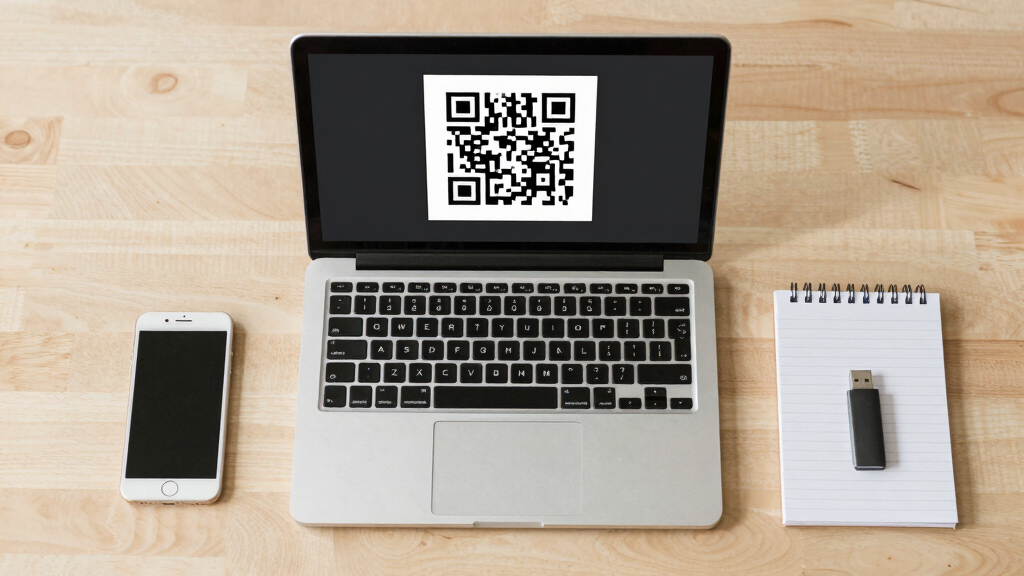
ShadowCat is a new browser-based tool that transfers files via QR codes without internet, supporting old phones with limited connectivity. It encodes data into QR codes for scanning and decoding across devices, functioning offline within a local network.
A developer has introduced ShadowCat, a browser-based tool that transfers files between devices using QR codes without internet access. This development is significant for users with old phones or devices lacking radios like Bluetooth or NFC, enabling offline data sharing through a simple web page.
ShadowCat is implemented as a single HTML file that allows users to generate, scan, and transmit files via QR codes. It supports encoding text into QR codes, scanning to decode, and sending files in chunks with adjustable parameters such as chunk size, frame rate, and error correction level. The protocol uses a header and data frames, with chunks encoded in base64, which are scanned and reassembled on the receiver side. The system can operate over local networks, requiring HTTPS or localhost serving for camera access, making it suitable for offline environments.
The tool is designed to work on older phones with limited radios, relying solely on the camera and browser. It cycles through QR codes at a user-defined frame rate, resending chunks as needed, and confirms file integrity via CRC checks upon completion. Users can pause, resume, and start from specific chunks, facilitating reliable data transfer despite potential decoding issues.
Why It Matters
This development matters because it offers a practical solution for offline data transfer in environments where traditional radio-based methods are unavailable or unreliable. It can be especially useful in secure or isolated settings, emergency situations, or for users with outdated devices. By enabling file sharing through QR codes in a browser, ShadowCat broadens the accessibility of offline data exchange, reducing dependency on internet or radio connectivity.
As an affiliate, we earn on qualifying purchases.
Background
Traditional offline data transfer methods often rely on Bluetooth, NFC, or physical media, which may be unavailable or impractical in certain situations. QR code-based transfer has been used before but typically requires dedicated apps or complex setups. ShadowCat simplifies this process by offering a fully browser-based, single-file solution that works over local networks. Its development follows ongoing interest in minimal, accessible offline tools, especially as older devices remain in use in various settings.
“ShadowCat enables offline file transfer using only a browser and QR codes, making it accessible even on old phones with limited radios.”
— ShadowCat developer
“This could be a game-changer for offline data sharing in restricted environments.”
— Hacker News user
As an affiliate, we earn on qualifying purchases.
What Remains Unclear
It is not yet clear how well ShadowCat performs with very large files or on extremely old devices, and user experience details such as error handling and transfer speed variability are still emerging.
As an affiliate, we earn on qualifying purchases.
What’s Next
Next steps include broader testing across different devices and network setups, potential integration into offline workflows, and community feedback to improve usability and robustness. Developers may also explore automation or GUI enhancements for easier operation.
As an affiliate, we earn on qualifying purchases.
Key Questions
How does ShadowCat handle large files?
ShadowCat divides files into chunks and cycles through QR codes to transfer data. Transfer speed depends on chunk size, frame rate, and device capabilities. Larger files may require multiple loops to complete.
What devices are compatible with ShadowCat?
Any device with a browser and camera that can access the web page over HTTPS or localhost can use ShadowCat, including older phones with limited radios.
Does ShadowCat require internet access?
No, it functions entirely offline within a local network or directly device-to-device with no internet connection needed.
What are the security considerations?
Since it operates over local networks and uses QR codes, security depends on physical proximity and network configuration. Serving via HTTPS is recommended for camera access.
Source: Hacker News
Fall Picks
fall essentials
As an affiliate, we earn on qualifying purchases.