TL;DR
Smart home devices for Thanksgiving can simplify timers, lighting, guest entry, temperature adjustments, and pre-arrival cleanup. Start with devices that solve a real hosting problem, test them before the holiday, and keep manual controls ready—especially for cooking, locks, and heating.

Get the latest gadgets delivered free with Prime
- Fast, free delivery on millions of items
- Prime Video, Amazon Music and more included
- Member-only deals all year
This guide covers useful options for cooking, welcoming guests, setting the mood, and cleaning up. You’ll also get a practical setup plan, safety reminders, and ways to protect privacy when family and friends share your home. The goal is simple: let technology handle routine tasks while you stay in charge of the holiday.
Choose devices around specific tasks, such as hands-free timers, a scheduled entry light, or a guest access plan.
Test routines, Wi-Fi coverage, batteries, and manual controls before Thanksgiving day.
Use thermometer alerts as reminders and follow appliance instructions and food-safety guidance.
Tell guests about cameras and voice assistants, and review temporary access after the visit.
Check compatibility, hub needs, subscriptions, product ratings, and outdoor-use instructions before buying.
Start with the smart devices that solve your busiest Thanksgiving moments
Smart home devices for Thanksgiving help most when they remove a small task at exactly the right time: a timer while your hands are covered in dough, a light switched on before guests reach the porch, or a quick thermostat adjustment as the dining room fills. Those moments matter because hosting demands frequent attention shifts. A device can reduce the number of small decisions competing for your attention, but it only helps if it behaves predictably when the house is busy. Begin with the moments that usually pull you away from hosting, then choose a device to help with one of them.
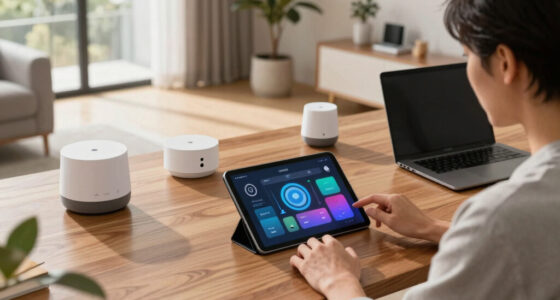
For example, a smart speaker or display can set a timer, convert a measurement, play a dinner playlist, and let you check recipes hands-free. A display can keep the recipe open while you stir cranberries. A smart plug can schedule a lamp or holiday decoration, and a connected thermometer can send a temperature alert while you prepare side dishes. Their value is less about adding new capabilities than reducing interruptions: you can keep your hands and attention on the task in front of you. The tradeoff is that voice recognition, connectivity, and notifications can fail or mishear a command, so keep important cooking checks and appliance controls accessible.
A video doorbell or smart lock may help with arrivals and deliveries, while a smart thermostat can make comfort adjustments easier. A robot vacuum can clean before guests arrive, and an air-quality device can show changes while the kitchen is busy. Each solves a different problem; you don’t need to outfit the whole house. More devices also mean more setup, accounts, charging, and settings to maintain. If you have only one pain point, start there—and see how far one small change goes.
Products Worth Considering

Samsung Odyssey OLED G5 27-Inch QHD Gaming Monitor

LG UltraGear 32GX850A-B 32-inch 4K UHD OLED Gaming Monitor

LG UltraGear evo 27-inch 5K Mini-LED Gaming Monitor
As an affiliate, we earn on qualifying purchases.
Match each device to a real job in your home
The most useful Thanksgiving setup pairs one device with one hosting job. A speaker can handle timers and recipe questions, while a smart bulb can make the entry feel warm before dusk. This simple match keeps you from buying a device that adds setup work without taking anything off your plate. It also gives you a clear way to judge whether the device earned its place: did it prevent an interruption, save a trip across the house, or make a recurring task easier?
| Device | Thanksgiving job | What to check |
|---|---|---|
| Speaker or display | Timers, conversions, hands-free recipe help | Voice settings, Wi-Fi, and whether guests can hear it |
| Smart plug or bulb | Schedule a lamp or decoration | Electrical rating and indoor or outdoor use |
| Doorbell or smart lock | See arrivals or grant temporary entry | Guest permissions, battery, and backup access |
| Thermostat | Adjust comfort as the house fills | System compatibility and existing schedule |
| Thermometer or robot vacuum | Monitor food temperature or clean ahead | Product instructions and what the alert can—and cannot—tell you |
Consider Maya, who hosts a small dinner and usually loses track of the oven timer while greeting relatives. A display in the kitchen gives her a visible recipe and voice timers; a smart bulb at the front door turns on before sunset. That pair solves two concrete hassles without adding a new routine in every room. The display earns its space if it reduces trips to check a recipe, while the bulb is useful if Maya is often occupied when guests arrive. Your best first purchase depends on what tends to interrupt you most, and on whether the device’s setup demands less attention than the task it replaces.
Prepare your smart home before the first guest arrives
To prepare smart home devices for Thanksgiving, test the devices, routines, connections, and manual controls before the holiday begins. A quick check a day or two ahead can catch a dead battery or an unreliable Wi-Fi spot while you still have time to fix it. Testing matters because a routine that works in an empty house may behave differently amid kitchen noise, extra phones on the network, and guests moving between rooms. During the rush, even a small setup problem can feel like one more pan on the stove.
- Pick one task for each device, such as a kitchen timer or porch light schedule.
- Test the routine from the place you’ll use it; confirm the speaker hears you over normal kitchen noise.
- Check coverage and power at the entry, kitchen, and any outdoor location where a device will operate.
- Review access and privacy settings for locks, cameras, and voice assistants.
- Practice manual operation for lights, heating, locks, and appliances.
Suppose your porch plug works in summer but has been unplugged since. Test it in place, check its rating and the decoration maker’s instructions, and confirm whether it is intended for outdoor use. Avoid overloading outlets. If it’s a smart lock, make sure your household knows how to use the physical key or other backup method. Those checks are useful because they expose the gap between a feature working under ideal conditions and being dependable when you need it. A routine that works once in a calm kitchen is much less likely to surprise you when three timers are ringing.
Use connected kitchen tools as helpful reminders, not food-safety judges
A connected kitchen device can help you keep track of cooking, but an alert is not a food-safety check. A thermometer may send a notification when its probe reaches a set point, while an oven or multicooker app may show status or offer remote controls. The alert reflects what the sensor detects at its location, not necessarily the condition of every part of the food; probe placement, connection, and device settings all matter. Follow the product’s instructions and reliable food-safety guidance, and verify temperatures as directed rather than treating a phone alert as proof that food is ready.
For instance, you can place a compatible probe according to its instructions and glance at its reading while chopping vegetables. That reminder may help you avoid repeatedly opening the oven, which can interrupt cooking and cost heat. But if the connection drops, the app freezes, or the probe is positioned incorrectly, the display may not tell the whole story. A notification is therefore best treated as a prompt to check, not permission to stop paying attention. Keep using the appliance as its maker directs and check the food when needed.
Smart speakers and displays can also help you check recipes hands-free, convert measurements, and set separate timers for the turkey, rolls, and roasted vegetables. Voice commands are handy when your fingers are sticky, but make sure the device hears the right timer and duration. A spoken “two minutes” is easy to mistake for “twenty” over a running faucet. Multiple named timers can reduce confusion, though they still depend on the device recognizing the request and making the alert noticeable. Treat connected controls as convenience features; stay attentive to cooking and keep a manual method close by.
Make guests comfortable while protecting their privacy
Use smart devices to make your home feel welcoming, and tell guests when cameras or voice assistants are active. A thermostat can help you adjust the room as coats come off and the house warms up; a doorbell camera can show who is outside. These features can make hosting easier, but they also change what guests can see, hear, and control in your home. Both are more comfortable for visitors when expectations are clear and access settings are deliberate.
Before guests arrive, decide whether the camera needs to record and whether a voice assistant should respond in shared gathering spaces. You might mute a kitchen speaker during dinner or turn off an indoor camera in a room where people will relax. If relatives need entry, use a supported temporary code or account permission, then review and remove access after the visit. Limiting permissions to the visit and the task reduces the chance that a convenience setting remains active longer than intended. Strong account security helps protect connected entry devices, though no connected service is immune to outages or account problems.
Imagine a relative arriving early to help set the table. A temporary entry code can spare you a trip to the door while you’re carrying hot dishes. But that convenience depends on the lock having power and the household understanding the backup entry method. If a guest would rather not appear on camera, a short explanation and a setting change can make the welcome feel more personal. Technology works best when visitors know what it’s doing and still have a comfortable way to take part.
Keep the setup reliable when Wi-Fi or brand compatibility gets in the way
Different smart home brands can sometimes work together, but compatibility depends on the specific devices, features, controller, and software support. Matter is an industry standard intended to help compatible products work across supported smart-home ecosystems. Before buying, check the packaging and the maker’s current requirements for your hub or controller, router, phone, and preferred voice assistant. A device may pair successfully yet lack a feature you expected, so check support for the actual task you plan to use. Compatibility on the box does not guarantee every feature works in every setup.
Some devices connect directly to Wi-Fi, while others require a hub or compatible controller. Ask what happens if the internet goes down: a bulb may still work from its wall switch, while an app or voice command may stop responding. This distinction matters most for devices tied to essential tasks; a missed decorative light is inconvenient, but being unable to enter or adjust heat creates a different problem. Keep physical controls available for lights and appliances, and know how to unlock doors or adjust heat manually. That backup matters most when the device handles an essential task rather than a decorative one.
Consider a host who adds a new smart plug for outdoor lights but discovers it cannot join the household’s existing system. Checking device requirements, network coverage, and app support before purchase could prevent that last-minute scramble. Product capabilities and software support change, so confirm current compatibility, subscription terms, and update policies when you shop. A little planning keeps your holiday routine from depending on one weak signal in the far corner of the house, while also helping you understand which functions will remain available if the network fails.
Spend first on the small task that causes the most friction
If you’re shopping on a budget, start with the smallest device that solves a recurring problem. A compatible smart bulb or plug can automate one lamp or decoration; a speaker you already own may be all you need for timers and conversions. Starting small limits both the cost and the setup burden, and it lets you learn whether automation fits your household before adding more devices. The right first purchase depends on your home, existing equipment, and which tasks actually cause stress.
For example, if guests arrive after dark and you’re often cooking when they knock, a scheduled entry light may help more than a connected oven. If you’re constantly checking a recipe with floury hands, a display could save more interruptions. Smart thermostats and sensors can support scheduling, but comfort and possible energy savings depend on the system, settings, household habits, and energy costs. There is no single device that guarantees a lower bill or a smoother dinner; the benefit comes from matching the feature to a pattern that happens often enough to matter.
Before paying, check whether you need a hub, whether a subscription applies, and whether the feature you want works with your preferred controller. For outdoor decorations, check electrical ratings and manufacturer instructions; never use an indoor-only product outdoors or overload an outlet. Think of a smart device as a helper for one chore, not a magic button for hosting. The best setup earns its place by making the room calmer, the entry easier, or your hands freer when dinner needs you.
Frequently Asked Questions
Which smart-home devices are most useful for Thanksgiving?
Start with devices that solve a real hosting problem: a smart speaker or display for timers and recipe help, a bulb or plug for lighting, or a thermometer for cooking alerts. A doorbell, lock, thermostat, or robot vacuum may help depending on your home and routine. Pick one task first and see whether the device makes it easier.
Can smart home devices from different brands work together?
Sometimes. Check whether the exact device and features you want are supported by your hub or controller, voice assistant, phone, and network. Matter is intended to help compatible products work across supported ecosystems, but support varies by product and feature.
Will smart devices keep working if the internet goes down?
It depends on the device and how it connects. Some retain basic local or manual controls, while app and voice features may depend on internet access. Test the backup method for important devices such as locks, lights, and heating before guests arrive.
Are connected thermometers safe to rely on for Thanksgiving cooking?
A connected thermometer can provide a useful reading or alert, but the app does not replace checking food as directed. Follow the thermometer and appliance instructions and safe food-handling guidance. Keep an eye on cooking even if your phone sends a notification.
What should I do about cameras and voice assistants when guests visit?
Tell guests where cameras or voice assistants are active and review recording settings before they arrive. Consider muting voice assistants or disabling indoor cameras in shared gathering spaces. Clear temporary access from smart locks after the visit, where applicable.
What is a good first smart home purchase on a budget?
A smart bulb or plug can be a low-cost way to automate one light or decoration, provided it matches your system and the intended use. Check the electrical rating and manufacturer instructions, especially for outdoor decorations. If you already own a compatible speaker, try it for timers before buying anything else.