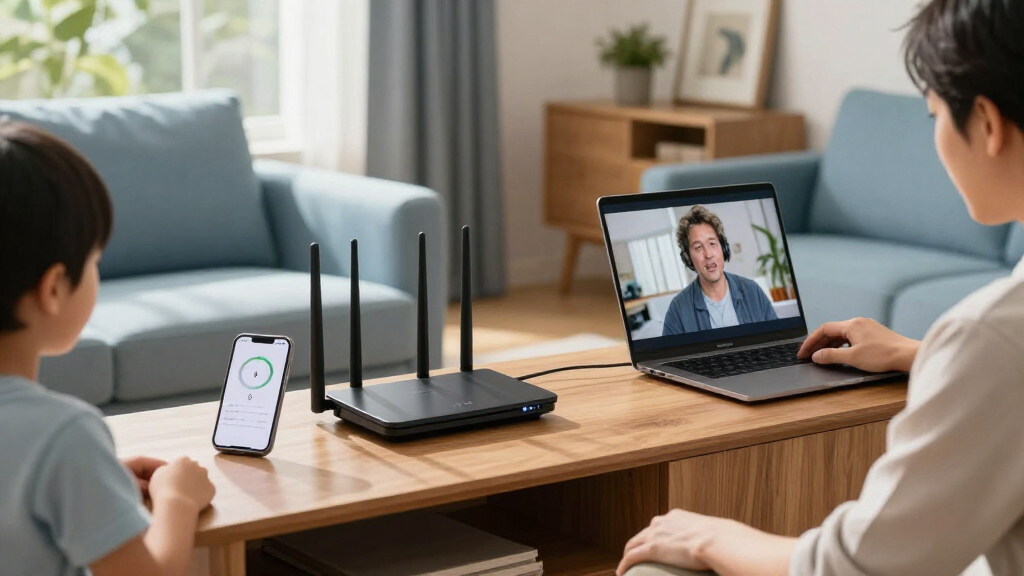

🔍 Read the full analysis: The 9 Best WiFi 7 Routers To Support AI At Home In 2027 on ThorstenMeyerAI.com

Get the latest gadgets delivered free with Prime
- Fast, free delivery on millions of items
- Prime Video, Amazon Music and more included
- Member-only deals all year
TL;DR
A buyer’s guide from ThorstenMeyerAI.com compares nine WiFi 7 routers for different home-network needs, naming the TP-Link Archer BE600 as its general-purpose pick and the Deco BE25 for mesh coverage. The supplied material does not show that these routers provide specific AI features or independently measured performance; their relevance to AI at home is mainly their potential to support connected devices and data-heavy workloads.
ThorstenMeyerAI.com’s 2027 buyer’s guide compares nine WiFi 7 routers for home networks, recommending the TP-Link Archer BE600 for most households, the ASUS ROG Rapture GT-BE98 Pro for high-demand gaming, and the TP-Link Deco BE25 for mesh coverage. The guide frames the devices as options for homes with growing connectivity demands, including AI-related activity, but does not document AI-specific router capabilities or provide independent test data in the supplied material.
The guide says it evaluates routers on throughput consistency, coverage efficiency and ecosystem integration, rather than relying only on peak advertised speeds. It argues that band configuration and Ethernet ports are practical buying considerations: tri-band models add 6 GHz, while multi-gigabit ports can prevent a wired connection from limiting a fast internet plan. The supplied text does not include test results, prices, or a full ranked list with detailed specifications for every model.
Its named recommendations cover different needs. The Archer BE600 is presented as the balanced choice; the quad-band ROG Rapture GT-BE98 Pro is aimed at enthusiasts with demanding networks; and the Deco BE25 is recommended for extending coverage through larger or multi-story homes. The guide also discusses the dual-band Archer BE230, gaming-oriented ASUS RT-BE82U, and NETGEAR Nighthawk RS700S and RS90. It names the Archer BE400 as a budget model when discussing Ethernet limitations. These mentions identify products, but do not supply a complete nine-item ranking in the source excerpt.
The article’s general advice is to match the router to the home rather than choose by WiFi generation alone, as discussed in this overview of AI’s role in WiFi 7 routers. A single router may suit a smaller, open layout, while mesh Wi-Fi systems can reach areas blocked by distance or walls. Older devices remain compatible, according to the guide, but cannot use WiFi 7-specific features such as Multi-Link Operation (MLO) and 320 MHz channels unless they support them.
The 9 picks
- 1
 ASUS ROG Rapture GT-BE98 Pro Quad-Band WiFi 7 Gaming RouterView on Amazon →
- 2
 NETGEAR Nighthawk WiFi 7 Router RS700S, Up to 3,500 sq ft, 19 GbpsView on Amazon →
- 3
 NETGEAR Nighthawk WiFi 7 Router, Up to 2,500 sq ft, 9.3 GbpsView on Amazon →
- 4
 Deco 7 Dual-Band BE5000 WiFi 7 Mesh Wi-Fi System 4-Stream 5 Gbps, 240 MHzView on Amazon →
- 5
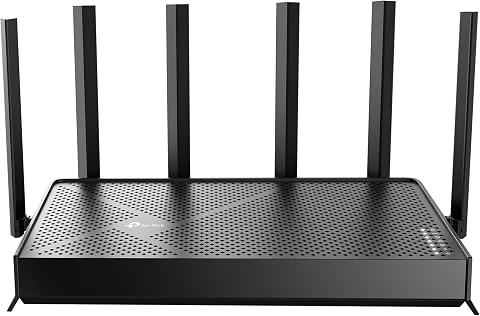 TP-Link Tri-Band BE9700 WiFi 7 Router (Archer BE600)View on Amazon →
- 6
 ASUS RT-BE82U Dual-Band Wi-Fi 7 RouterView on Amazon →
- 7
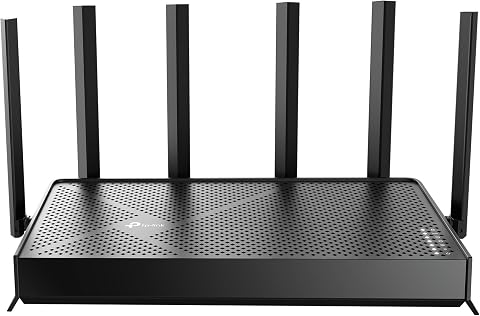 TP-Link BE6500 Dual-Band WiFi 7 Router (BE400)View on Amazon →
- 8
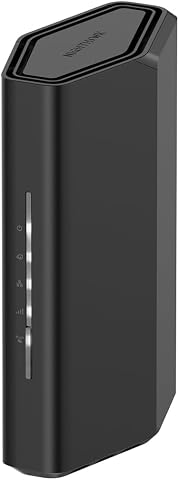 NETGEAR Nighthawk WiFi 7 Router RS90, Up to 2,000 sq ft, 3.6 GbpsView on Amazon →
- 9
 TP-Link Dual-Band Wi-Fi 7 Router, Archer BE230View on Amazon →
Network choices for AI-heavy homes
As households add connected devices and use local or cloud-based AI services, network capacity and reliable coverage can affect how well devices communicate. The guide’s useful takeaway is practical: coverage, wired-port speeds and device compatibility may matter more to a particular home than the highest advertised wireless rate. A mesh system can address dead zones; a router with faster Ethernet may better serve a multi-gigabit connection or wired storage.
That does not establish that buying WiFi 7 will make AI services faster or improve AI output. The source offers no AI-specific benchmarks, latency measurements, or comparisons of AI workloads. Its “AI at home” framing is best understood as a network-buying angle, not evidence of a special AI function built into the listed routers.
Products Worth Considering

LG UltraGear 27-Inch QHD OLED Gaming Monitor, 240Hz, 0.03ms, G-SYNC Compatible, FreeSync Premium Pro, HDMI 2.1, Black
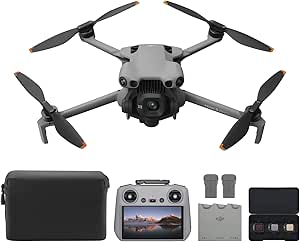
DJI Mini 5 Pro Fly More Combo Plus with DJI RC 2

LG UltraGear 32GX870A-B 32-inch 4K UHD OLED Dual-Mode Gaming Monitor
As an affiliate, we earn on qualifying purchases.
What the guide compares
WiFi 7 adds capabilities including Multi-Link Operation and wider 320 MHz channels in the 6 GHz band, though benefits depend on compatible client devices and local conditions. As the guide explains, dual-band routers do not offer 6 GHz, while tri-band models add it; quad-band designs add another band and may be useful for particularly busy networks. These configurations describe hardware options, not guaranteed performance in every home.
The source’s selection method prioritizes stable performance under load, coverage through walls and floors, ease of use, and value for typical households. It contrasts TP-Link’s simpler app approach with the more granular controls offered by ASUS gaming routers, and says mesh should be judged on its ability to cover a larger floor plan. No independent lab, methodology details, or measured results are included in the provided excerpt, so the rankings should be treated as the publisher’s recommendations.
“My top pick for most households is the TP-Link Archer BE600 because it balances tri-band performance with a reasonable footprint and user-friendly app.”
— ThorstenMeyerAI.com
Evidence behind the nine picks
The supplied source excerpt does not identify all nine models in a complete list, give a publication date, or provide prices and detailed specifications for each pick. It also offers no measured throughput, coverage maps, latency data, or testing conditions. The recommendations therefore cannot be independently checked against results using this material alone.
It is also unclear what “support AI at home” means in the guide: it does not name AI features in the routers, identify specific AI devices or workloads, or show that WiFi 7 improves those services. Results in an individual home will depend on the internet plan, building layout, interference, client hardware and router placement.
Check the full product details
Readers considering a purchase should consult the complete guide and current manufacturer specifications for the full nine-model list, prices, Ethernet-port layouts, and any regional differences. They should also check whether their phones, computers and smart-home devices support WiFi 7 before paying extra for features those devices cannot use.
For a specific home, the next step is to compare the floor plan and internet service with the router’s coverage and wired-port capabilities. Until the publisher provides test methods or AI-workload measurements, the AI framing should not be treated as a verified performance claim.
Key Questions
Which router does the guide recommend for most households?
ThorstenMeyerAI.com recommends the TP-Link Archer BE600, citing its tri-band configuration, footprint and app usability. The supplied material does not include independent measurements to verify that ranking.
Which option is recommended for a large or multi-story home?
The guide points to the TP-Link Deco BE25 mesh system for broader coverage. Mesh can help reach areas a single router struggles to cover, though placement and wireless backhaul conditions can affect results.
Does WiFi 7 automatically improve AI applications?
No such improvement is established in the source. It provides no AI-specific tests or performance claims supported by measurements; WiFi 7 may be relevant to network capacity, but actual results depend on devices, service and home conditions.
Will older phones and computers work with these routers?
The guide says WiFi 7 routers are backward compatible, so older devices can connect. They will not gain WiFi 7 features such as MLO or 320 MHz channels unless the devices themselves support WiFi 7.
What should buyers check before choosing a model?
Compare whether a single router or mesh fits the layout, whether client devices support WiFi 7, and whether the router’s Ethernet ports match the internet plan and wired-device needs. The excerpt does not provide enough detail to verify all nine models’ port configurations or prices.
Source: ThorstenMeyerAI.com