
TL;DR

Get the latest gadgets delivered free with Prime
- Fast, free delivery on millions of items
- Prime Video, Amazon Music and more included
- Member-only deals all year
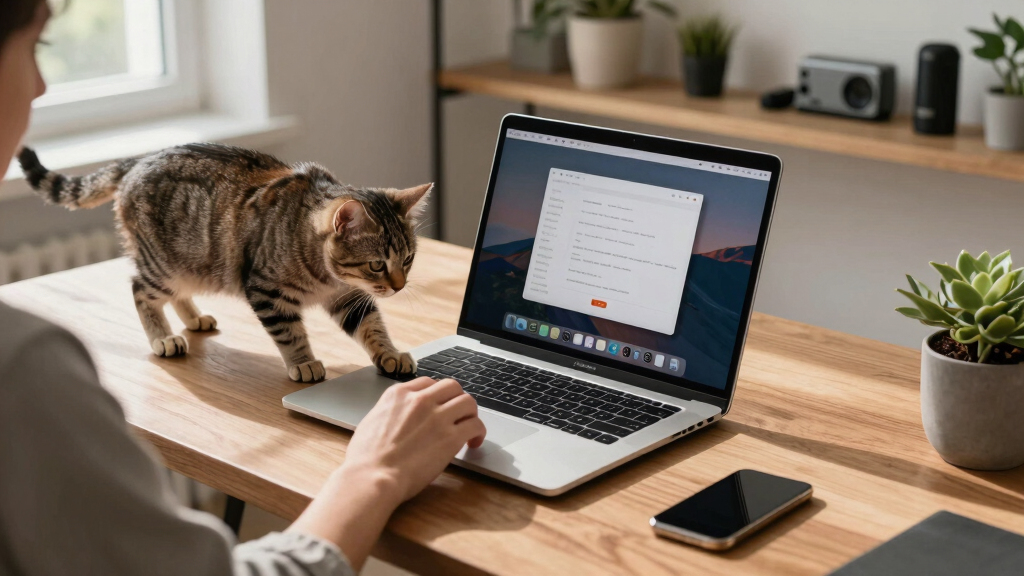
A developer has launched Cats Lock, a Mac app that locks the keyboard with a single click or shortcut to stop cats from causing input chaos. It includes deterrent sounds and auto-unlock features, targeting pet owners working on their Macs.
A new Mac app called Cats Lock has been released, offering a quick way to lock the keyboard to prevent accidental inputs caused by cats trampling or sitting on keyboards. Developed by Todd Alexander, the app is designed specifically for pet owners who work on their Macs and want to avoid chaos caused by feline interference.
Cats Lock is a $3 application available on the Mac App Store that allows users to lock their keyboard either via a menu bar icon or a customizable keyboard shortcut. The app includes options for deterrent sounds, such as warnings when a cat steps onto the keyboard, with the ability for users to record their own sounds. It features a Stealth Mode, which runs without visual or audio cues, making it unobtrusive during meetings or while watching videos. The app will automatically unlock if the screen goes to sleep. It is compatible with macOS 14.0 (Sonoma) and later, and was released over the past weekend by indie developer Todd Alexander.
Why It Matters
This development matters because it addresses a common annoyance among Mac users who share their devices with cats. By providing an easy way to prevent accidental keystrokes, Cats Lock could improve productivity and reduce frustration for pet owners working remotely or engaging in video calls. The app’s simple design and affordability make it accessible for a wide audience, while its deterrent sounds add a playful but practical element to pet management.
As an affiliate, we earn on qualifying purchases.
Background
Many Mac users with pets, especially cats, frequently encounter issues with their animals walking over or sitting on keyboards, causing unintended inputs or disruptions. While there are existing solutions like keyboard covers or physical barriers, a software-based lock offers a quick and reversible alternative. Todd Alexander’s Cats Lock builds on this need, following a trend of niche apps targeting specific user frustrations. The app’s release coincides with increased remote work, where device interruptions can be particularly disruptive.
“Cats Lock offers a simple, affordable solution for pet owners who want to prevent accidental keyboard inputs while working or relaxing on their Macs.”
— Todd Alexander
“Cats Lock is a quirky but practical tool that addresses a surprisingly common problem among Mac users with cats.”
— Engadget
As an affiliate, we earn on qualifying purchases.
What Remains Unclear
It is not yet clear how effective the deterrent sounds are in actually preventing cats from approaching keyboards, or how many users will adopt the app as a regular solution. User reviews and feedback are still pending, and compatibility with future macOS updates remains to be tested.
As an affiliate, we earn on qualifying purchases.
What’s Next
Next steps include user testing and feedback, which will determine the app’s real-world effectiveness. Developers may release updates based on user input, potentially adding features or improving compatibility. Broader adoption could lead to other developers creating similar niche solutions for pet-related tech problems.
As an affiliate, we earn on qualifying purchases.
Key Questions
How does Cats Lock prevent cats from causing chaos on my Mac?
The app allows you to lock your keyboard instantly via a menu bar icon or shortcut, preventing any accidental keystrokes if your cat walks over your keyboard. It also offers deterrent sounds to discourage cats from approaching.
Is Cats Lock compatible with all Mac models?
It is compatible with Macs running macOS 14.0 (Sonoma) and later, which includes most recent models. Compatibility with older versions has not been specified.
Can I customize the deterrent sounds?
Yes, users can select from preset sounds or record their own to use as warnings when a cat steps onto the keyboard.
Will the app automatically unlock if my Mac goes to sleep?
Yes, the app is designed to auto-unlock when the screen sleeps, ensuring it does not interfere with normal device operation.
Halloween Picks
halloween
As an affiliate, we earn on qualifying purchases.