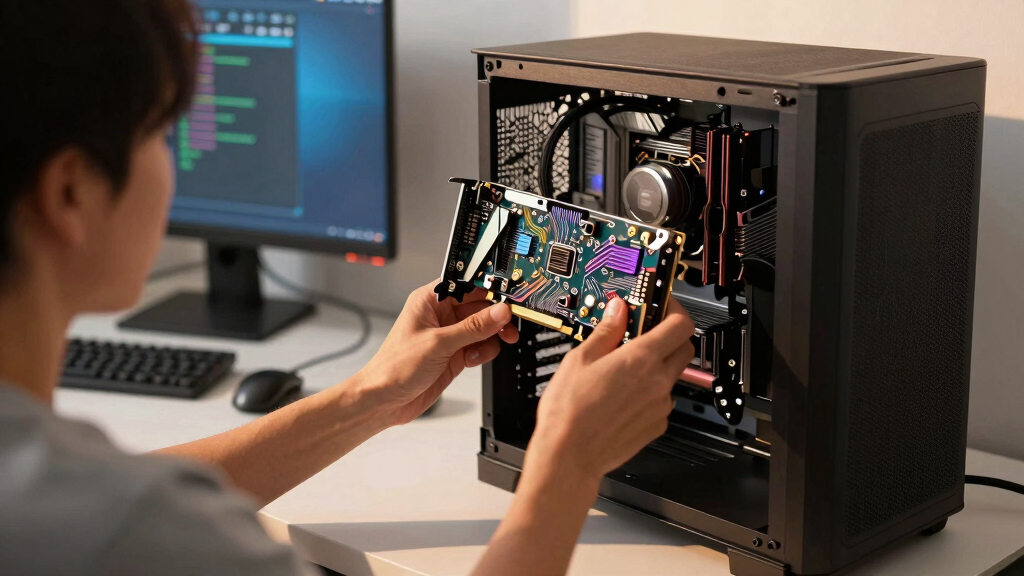

Finding the best graphics card in 2026 involves balancing performance, price, and future-proofing. The MSI RTX 5070 12G Gaming Trio OC stands out for its excellent gaming performance and OC capabilities, making it ideal for high-end gamers. Meanwhile, the ASUS ROG Astral GeForce RTX 5090 offers top-tier power for demanding creative workloads, though at a steep price. Other strong contenders like the GIGABYTE Radeon RX 9060 XT provide solid value for mid-range builds. The main tradeoffs in this category typically involve balancing raw power against cost and compatibility. Continue reading for a detailed breakdown of each option and how they compare.

Get the latest gadgets delivered free — and shop member deals
- Fast, free delivery on millions of items
- Access to Prime Big Deal Days deals on October 6–7
- Prime Video, Amazon Music and more included
Key Takeaways
- High-end graphics cards like the ASUS ROG Astral RTX 5090 deliver unmatched performance but come with premium prices and higher power requirements.
- The MSI RTX 5070 12G Gaming Trio OC offers a strong balance between performance and price, making it ideal for gamers seeking high frame rates without overspending.
- GIGABYTE’s models with PCIe 5.0 support future-proofing, but compatibility with older motherboards can be a concern for some users.
- The selection reveals a trend toward larger VRAM capacities (16GB and above) for gaming at 4K and demanding creative workloads.
- Compact and SFF-ready cards like ASUS’ SFF-Ready NVIDIA GeForce RTX 5070 show that small form factor builds can also enjoy high performance, albeit often with reduced cooling headroom.


More Details on Our Top Picks
msi RTX 5070 12G Gaming Trio OC Graphics Card (NVIDIA Blackwell Architecture)
This MSI RTX 5070 stands out for its combination of high-end performance and robust cooling. Its advanced TRI FROZR 4 cooling system, featuring STORMFORCE fans and a nickel-plated copper baseplate, ensures it remains cool under heavy loads, making it ideal for gaming and content creation alike. Compared to the GIGABYTE RTX 5070 WINDFORCE OC, this model offers slightly better thermal management but at a higher price and larger size. The 12 GB GDDR7 memory and 8K support deliver future-proof visuals, yet this card demands a powerful power supply and ample case space, which could be a barrier for smaller builds. Overall, this pick makes the most sense for enthusiasts seeking maximum performance and cooling efficiency.
Pros:- Advanced cooling system with optimized airflow ensures thermal stability
- High performance with 12 GB GDDR7 and 8K display support
- Supports multiple high-resolution displays for demanding workflows
Cons:- High price point for enthusiast-level hardware
- Requires a robust power supply and large case space
Best for: Gamers and content creators who need top-tier performance and thermal reliability in a full-sized build.
Not ideal for: Casual gamers or users with compact cases, due to its size and premium price.
- Graphics Processor:NVIDIA GeForce RTX 5070
- Memory:12 GB GDDR7
- GPU Clock Speed:2625 MHz
- Memory Bus Width:192-bit
- Display Outputs:3x DisplayPort 2.1a, HDMI 2.1b
- Max Resolution:8K (7680×4320)
Bottom line: This card is best suited for serious gamers and creators prioritizing cooling and high resolutions over budget constraints.
ASUS ROG Astral GeForce RTX 5090 32GB GDDR7 OC Edition Gaming Graphics Card
The ASUS ROG Astral RTX 5090 is designed for gamers and professionals who demand cutting-edge performance coupled with advanced cooling. Its quad-fan setup with patented vapor chamber and phase-change thermal pads offers significantly improved airflow and lower GPU temperatures compared to the MSI RTX 5070. This card supports PCIe 5.0, ensuring it remains compatible with future systems, but its large 14.1-inch length and 3.8-slot design mean it’s not suited for smaller cases. The 32 GB GDDR7 VRAM provides ample headroom for intensive workloads, yet the high price makes it less appealing for casual users. This model is ideal for those who want maximum performance and are willing to invest in premium cooling and future-proofing.
Pros:- Quad-fan cooling system with vapor chamber for superior thermal performance
- Massive 32 GB GDDR7 memory for demanding creative workloads
- PCIe 5.0 interface ensures compatibility with upcoming hardware advancements
Cons:- Large physical size limits compatibility with compact cases
- High cost may be prohibitive for casual or mid-tier gamers
Best for: High-end gamers and professionals needing maximum VRAM and future-proof PCIe 5.0 support.
Not ideal for: Owners of smaller or budget-conscious builds, due to its size and premium cost.
- Graphics Processor:NVIDIA GeForce RTX 5090
- VRAM:32 GB GDDR7
- GPU Clock Speed:2512 MHz
- Memory Clock Speed:2610 MHz
- Video Outputs:HDMI 2.1b x2, DisplayPort 2.1a x3
- Interface:PCI-Express x16 (PCIe 5.0)
Bottom line: This card fits best into high-end builds seeking maximum VRAM and future-proof features, despite its size and price.
GIGABYTE GeForce RTX 5070 WINDFORCE OC SFF Graphics Card
This GIGABYTE RTX 5070 SFF card makes the most sense for those upgrading compact systems without sacrificing high-end graphics. Its WINDFORCE cooling system, combined with a 192-bit memory interface and DLSS 4 technology, offers impressive performance in a small package. Compared with the MSI RTX 5070, it sacrifices some thermal headroom for the benefit of fitting into tight cases, but it still delivers solid gaming and creative performance. The 12 GB GDDR7 memory and PCIe 5.0 support ensure it remains relevant for demanding applications, though its higher power consumption and premium price might deter budget-conscious buyers. This pick is ideal for gamers wanting a high-performing card that fits in smaller cases.
Pros:- Compact design suitable for small cases
- DLSS 4 technology enhances performance for gaming and rendering
- Reliable WINDFORCE cooling system for thermal efficiency
Cons:- Higher power consumption than less advanced models
- Premium pricing may not appeal to budget builders
Best for: Owners of small form factor PCs who need high performance without a large-sized card.
Not ideal for: Users with larger cases or those seeking the absolute best thermal performance in full-sized setups.
- Memory:12GB GDDR7
- Interface:PCIe 5.0
- Architecture:NVIDIA Blackwell
- Cooling System:WINDFORCE
- Memory Bus Width:192-bit
Bottom line: This SFF-friendly card delivers high-end gaming and creative power within a compact footprint, ideal for space-constrained builds.
GIGABYTE Radeon RX 9060 XT Gaming OC 16G Graphics Card
The GIGABYTE Radeon RX 9060 XT Gaming OC provides a compelling alternative for those who prefer AMD’s ecosystem or seek a balanced high-performance card. Its 16 GB GDDR6 memory offers ample capacity for gaming and creative tasks, while the WINDFORCE cooling system with Hawk Fan technology maintains steady thermals. Compared to the NVIDIA-based options, this GPU can excel in titles optimized for AMD hardware, but may lag behind in ray tracing performance, which is more mature on NVIDIA cards like the MSI RTX 5070. The card’s RGB lighting adds visual flair, yet its high power draw and noise levels under load could be drawbacks for quieter setups. This choice is well-suited for AMD loyalists and users who prioritize VRAM and cooling in a mid-range build.
Pros:- Large 16 GB GDDR6 memory supports demanding applications
- Effective WINDFORCE cooling with Hawk Fan technology
- RGB lighting adds customization options
Cons:- Higher power consumption and potential noise under load
- Less mature ray tracing performance compared to NVIDIA counterparts
Best for: Gamers and creators who prefer AMD and need a 16GB VRAM buffer for high-resolution or intensive tasks.
Not ideal for: NVIDIA enthusiasts or those seeking the best ray tracing performance, as AMD’s ray tracing still trails behind NVIDIA’s offerings.
- Memory:16GB GDDR6
- Interface:PCIe 5.0
- Cooling System:WINDFORCE with Hawk Fan
- Model Number:GV-R9060XTGAMING OC-16GD
Bottom line: This AMD option offers a solid balance of VRAM and cooling, especially for AMD fans or high-resolution gaming.
GIGABYTE GeForce RTX 5070 AERO OC 12G Graphics Card with GDDR7 Memory and WINDFORCE Cooling
The GIGABYTE RTX 5070 AERO OC delivers a well-rounded package for users who want robust NVIDIA Blackwell architecture with DLSS 4 technology. Its 12 GB GDDR7 memory on a 192-bit interface makes it suitable for gaming and AI workloads, while the WINDFORCE three-fan cooling system ensures thermal efficiency. Compared to the ASUS ROG Astral RTX 5090, this card offers a more accessible size and price point, though it still demands a powerful PSU and ample case space. This model is ideal for gamers and creators who seek a balance of high performance, AI acceleration, and reliable cooling without venturing into ultra-premium territory.
Pros:- NVIDIA Blackwell architecture with DLSS 4 for advanced AI and ray tracing
- High-speed GDDR7 memory with 192-bit interface
- WINDFORCE cooling with three fans maintains optimal thermals
Cons:- High power consumption requiring a strong PSU
- Larger size (12.75 inches) may limit compatibility with small cases
Best for: Performance-focused gamers and creative professionals who want DLSS 4 and AI features in a mid-tier card.
Not ideal for: Small case owners or those with limited power supplies, due to its size and power needs.
- Graphics Coprocessor:NVIDIA GeForce RTX 5070
- Memory Type:GDDR7
- Memory Capacity:12 GB
- GPU Clock Speed:2600 MHz
- Memory Clock Speed:2600 MHz
- Cooling System:WINDFORCE with 3 Fans
Bottom line: This card offers a smart blend of AI features and performance for users who want solid NVIDIA tech without the premium price of the top-tier models.
ASUS SFF-Ready NVIDIA GeForce RTX 5070 Graphics Card (PCIe 5.0, 12GB GDDR7, HDMI/DP 2.1)
This ASUS RTX 5070 SFF stands out for bringing high-end gaming performance into small-form-factor builds without sacrificing cooling efficiency. Its compact 2.5-slot design makes it a prime choice for those limited on space, but the 2.5-slot width could restrict compatibility in ultra-compact cases. Powered by NVIDIA’s Blackwell architecture and DLSS 4, it offers significant performance boosts, especially in demanding titles, yet it might be less suitable for users seeking maximum VRAM or future-proofing in very high-resolution gaming. Compared with the larger RTX 5080, this card trades some raw power for size and heat management, making it ideal for enthusiasts with tight space constraints. However, the absence of a specified price may influence its value proposition.
Pros:- Compact 2.5-slot design fits small builds easily
- Advanced cooling with axial-tech fans and thermal pads
- Supports DLSS 4 for enhanced gaming performance
Cons:- Limited compatibility in ultra-compact cases due to size
- No explicit price information available
Best for: Small-form-factor builders who want high performance without sacrificing space or airflow.
Not ideal for: Users with ultra-compact cases or those needing extensive multi-GPU setups, due to its size and limited expandability.
- Architecture:NVIDIA Blackwell
- Memory:12GB GDDR7
- Interface:PCIe 5.0
- Ports:HDMI/DP 2.1
- Cooling System:Axial-tech Fans with Barrier Ring + Phase-Change Thermal Pad
- Form Factor:2.5-Slot SFF Design
- Warranty:3 Years
Bottom line: This card is perfect for enthusiasts building small but powerful gaming or creative rigs who prioritize size and cooling efficiency.
ASUS Dual NVIDIA GeForce RTX 5060 8GB GDDR7 OC Edition
The ASUS Dual RTX 5060 OC offers a compelling balance of performance and size, making it a strong alternative to the RTX 5070 for users with limited space. Its dual Axial-tech fans deliver efficient airflow, while the 2.5-slot design helps fit into compact cases. The card supports DLSS 4 and high-resolution outputs, giving it an edge over older mid-range cards like the RTX 4060 Ti. Compared to the RTX 5070, it sacrifices some VRAM and raw power, but it remains suitable for 1440p and some 4K gaming. Its high AI TOPS rating indicates excellent performance in AI workloads, yet users should be aware of its limited VRAM for future-proofing at ultra-high resolutions.
Pros:- Efficient dual Axial-tech fans for optimal airflow
- Compact 2.5-slot design fits small cases
- Supports DLSS 4 and high-res outputs
Cons:- Limited VRAM may hinder future-proofing at ultra-high resolutions
- High power requirements for peak performance
Best for: Gamers and creators seeking high performance in small builds at 1440p or entry-level 4K gaming.
Not ideal for: High-end 4K gamers or users with large VRAM demands, due to its 8GB GDDR7 memory capacity.
- GPU Model:NVIDIA GeForce RTX 5060
- VRAM:8 GB GDDR7
- Clock Speed (OC Mode):2565 MHz
- Default Clock Speed:2535 MHz
- Interface:PCI-Express 5.0 x16
- Cooling System:Dual Axial-tech Fans
- Form Factor:2.5-Slot Design
- Warranty:3 Years
Bottom line: This GPU offers an excellent mix of size and performance for mid-range gamers with limited space and moderate resolution needs.
PNY NVIDIA GeForce RTX 5080 Epic-X ARGB OC Triple Fan Graphics Card
The PNY RTX 5080 Epic-X stands out as a flagship choice for gamers and creators demanding maximum power. Its 16GB GDDR7 memory and boost speeds up to 2775 MHz deliver top-tier performance, especially when compared to the RTX 5070 or 5060, which have less VRAM and lower clock speeds. The triple-fan ARGB cooling system ensures effective thermal management during intense workloads, but this high-end architecture results in significant power consumption and a premium price tag. It excels in demanding 4K gaming, VR, or AI tasks, yet the large size and power needs mean it’s not ideal for smaller cases or systems with limited power supplies. It’s clearly aimed at enthusiasts who want the best possible performance without compromise.
Pros:- Massive 16GB VRAM for future-proofing and demanding workloads
- Triple fan ARGB cooling for thermal efficiency
- High boost speeds support intensive gaming and rendering
Cons:- Very high power consumption requiring robust PSU
- Premium price limits accessibility for casual users
Best for: Enthusiasts needing flagship gaming, VR, or creative workstation performance with ample room for power and cooling.
Not ideal for: Budget-conscious users or those with small cases, due to its size and high power draw.
- Memory:16GB GDDR7
- Boost Speed:2775 MHz
- Architecture:NVIDIA Blackwell
- Cooling:Triple Fan ARGB
- Ports:HDMI 2.1/DP 2.1
- Form Factor:Triple Slot
Bottom line: This GPU is best suited for high-end users who require maximum performance and have the system capacity to support it.
GIGABYTE Radeon RX 9070 XT Gaming OC 16G Graphics Card with PCIe 5.0 and 16GB GDDR6
The GIGABYTE Radeon RX 9070 XT Gaming OC offers a compelling alternative to NVIDIA’s high-end cards, equipped with 16GB GDDR6 and a robust WINDFORCE cooling system featuring Hawk Fan technology. Its server-grade thermal conductive gel ensures efficient heat dissipation, making it suitable for sustained gaming or creative workloads. The RGB lighting adds aesthetic customization to gaming rigs. Compared to the NVIDIA equivalents, it provides excellent performance at a potentially lower price point, but its higher power consumption and potential noise levels under load are considerations. It’s well-suited for Radeon fans or those seeking high VRAM without the premium cost of NVIDIA’s flagship models.
Pros:- High-performance GPU with 16GB GDDR6 VRAM
- Advanced WINDFORCE cooling and Hawk Fan system
- Customizable RGB lighting for aesthetics
Cons:- High power consumption typical of high-end GPUs
- Potential noise during intensive tasks
Best for: High-performance Radeon users who want a powerful GPU with good thermals and aesthetics.
Not ideal for: Users who prefer NVIDIA ecosystem features or have noise-sensitive setups, given potential noise under load.
- GPU Model:Radeon RX 9070 XT
- Memory:16GB GDDR6
- Interface:PCIe 5.0
- Cooling System:WINDFORCE with Hawk Fan and Thermal Gel
- Lighting:RGB
- Form Factor:Gaming OC
Bottom line: This Radeon card offers strong performance and cooling for gamers and creators who prefer AMD’s ecosystem and aesthetics.
GIGABYTE GeForce RTX 5060 WINDFORCE OC Graphics Card with 8GB GDDR7 and PCIe 5.0
This GIGABYTE RTX 5060 OC leverages NVIDIA’s Blackwell architecture with DLSS 4, offering strong gaming performance at a more accessible price point. Its 8GB GDDR7 memory is suitable for most 1440p gaming, but may fall short at ultra-high resolutions or future titles demanding more VRAM. The WINDFORCE cooling system ensures thermal stability, yet the card’s high power draw means a solid power supply is essential. Compared to the RTX 5070, it’s less powerful but more affordable, making it a practical choice for gamers upgrading from mid-range GPUs or building budget-conscious systems that still want high performance.
Pros:- Utilizes NVIDIA Blackwell architecture with DLSS 4
- Effective WINDFORCE cooling system
- Good performance at a competitive price
Cons:- Limited 8GB VRAM for ultra-high-resolution gaming
- High power consumption may require a beefier PSU
Best for: Budget-conscious gamers seeking solid performance in 1440p or 1080p gaming without overspending.
Not ideal for: High-end 4K gamers or those aiming for maximum VRAM and future-proofing, due to limited memory capacity.
- Memory:8GB GDDR7 128-bit
- Interface:PCIe 5.0
- Cooling System:WINDFORCE OC
- Architecture:NVIDIA Blackwell with DLSS 4
- Power Consumption:High
- Form Factor:Standard
Bottom line: This card provides excellent value for gamers wanting high performance at 1440p or 1080p, especially in budget builds.
ASUS Prime GeForce RTX 5060 Ti 16GB GDDR7 OC Edition Graphics Card
The ASUS Prime GeForce RTX 5060 Ti 16GB GDDR7 OC Edition stands out for its SFF-friendly 2.5-slot design and robust cooling system with triple axial-tech fans, making it an excellent choice for small cases without sacrificing high-end performance. Compared to the GIGABYTE GeForce RTX 5070 WINDFORCE OC, it offers a more versatile form factor, though at the expense of slightly higher power draw when overclocked. Its OC clock speed of up to 2647 MHz ensures smooth gameplay and AI workloads, while the 16GB GDDR7 memory supports future-proofing for demanding titles and applications. However, the 2.5-slot profile could limit compatibility in tighter cases, and the higher power consumption during OC mode may require a more robust power supply. This pick makes the most sense for gamers with compact builds who want high performance without needing a full-sized card.
Pros:- Compact 2.5-slot design fits smaller cases
- Triple axial-tech fans provide effective cooling
- High OC clock speeds boost gaming and AI tasks
- 3-year warranty adds peace of mind
Cons:- Limited case compatibility due to size
- Higher power consumption during overclocking
- Potential thermal challenges in extremely small cases
Best for: Gamers with small form factor cases seeking high-end gaming and AI performance
Not ideal for: Users with large, open-case setups who prioritize maximum overclocking or multi-GPU configurations
- GPU Model:NVIDIA GeForce RTX 5060 Ti
- VRAM:16 GB GDDR7
- OC Clock Speed:2647 MHz
- Default Clock Speed:2617 MHz
- Cooling System:3x Axial-tech Fans
- Interface:PCIe 5.0 x16
- Display Outputs:HDMI, DisplayPort 2.1
- Warranty:3 Years
Bottom line: This card is ideal for gamers with limited space who want a high-performance GPU that balances cooling and power efficiency.
How We Picked
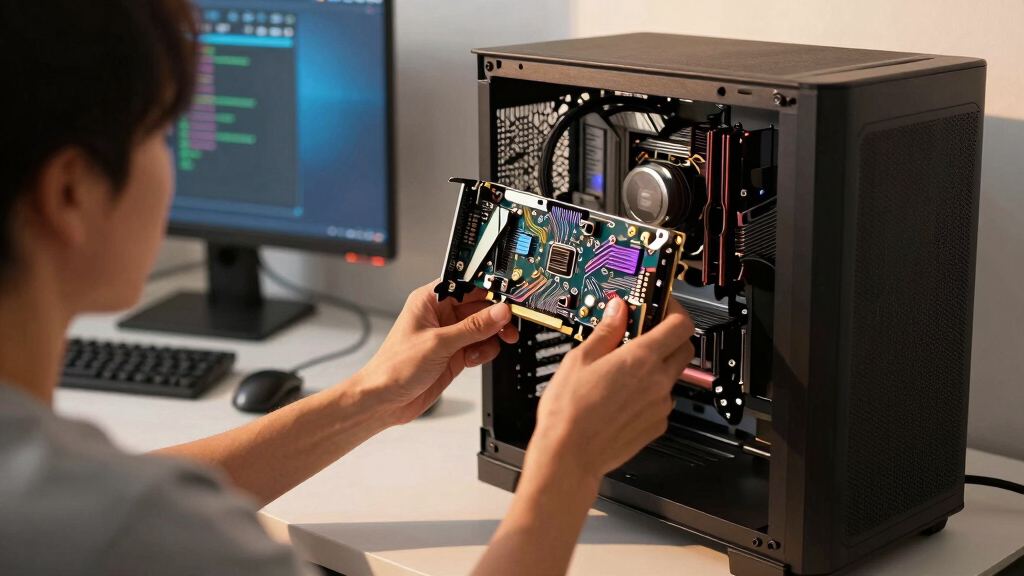
In evaluating these graphics cards, I focused on key factors that matter most to buyers: raw performance in gaming and creative tasks, build quality, cooling efficiency, and value for money. I prioritized models with the latest architectures, ample VRAM, and support for current standards like PCIe 5.0 and HDMI 2.1. Price-to-performance ratios played a central role, alongside considerations for compatibility and future-proofing. The rankings reflect a combination of benchmark data, feature sets, and user relevance, ensuring each pick serves a distinct user segment and tradeoff preferences.Factors to Consider When Choosing Best Graphics Cards
Choosing the best graphics card requires understanding your specific needs and balancing performance, cost, and compatibility. Beyond raw specs, factors like power supply requirements, physical size, and feature support can significantly influence your decision. Making a well-informed choice involves considering how each GPU aligns with your system and use case, whether gaming, content creation, or professional workloads. Avoid common pitfalls like overspending on features you won’t use, or selecting a card incompatible with your system. Let’s explore some key factors that can help refine your decision.Performance and Use Case
Performance benchmarks provide a baseline, but it’s essential to match a card’s capabilities with your primary use. High-end models excel at 4K gaming and intensive creative work, while mid-range cards are better suited for 1080p or 1440p gaming. Buyers should assess frame rates, resolution targets, and whether features like ray tracing are important for their experience. Over-investing in top-tier GPUs can lead to diminishing returns if your monitor or workload isn’t demanding enough, so match your card to your actual needs for best value.
VRAM and Future-Proofing
VRAM capacity directly impacts performance at higher resolutions and in complex creative applications. Most gamers today benefit from at least 8GB, but 16GB or more is becoming standard for 4K gaming and professional tasks. Consider your upgrade cycle; investing in a GPU with ample VRAM can extend its relevance by years. However, more VRAM often comes with a higher price tag, so balance your immediate needs with anticipated future requirements. Not all workloads benefit equally from additional VRAM, so evaluate your most demanding tasks before overspending.
Compatibility and System Balance
Before purchasing, verify your system’s compatibility—especially power supply wattage, physical size, and motherboard support. Modern GPUs often require PCIe 4.0 or 5.0 slots, and some high-end cards need robust power connectors. A mismatch can lead to installation issues or performance bottlenecks. Also, ensure your CPU and RAM won’t bottleneck your new GPU. Buying a top-tier card without compatible supporting hardware can limit your performance gains, so check system specs carefully.
Price and Value
Pricing in this category can vary widely, driven by performance tiers and feature sets. The key is matching your budget with your needs—spending excessively on features or performance you won’t utilize often reduces overall value. Look for models that offer the best performance per dollar, especially if you’re budget-conscious. Keep an eye on ongoing sales and bundled offers, which can provide significant savings. Remember, sometimes the most expensive GPU isn’t the best value if it exceeds your actual needs.
Cooling and Noise Levels
Effective cooling extends the lifespan of your GPU and maintains stable performance under load. Larger, more sophisticated cooling solutions like triple fans or vapor chambers tend to operate quieter and cooler, but can increase the card’s size. Small form factor builds may require more compact cooling solutions, which might be noisier or less effective. Consider your case’s airflow and noise tolerance—overly loud cooling fans can be disruptive, especially in quiet environments. Good cooling also reduces thermal throttling and prolongs hardware longevity.
Frequently Asked Questions
How do I know if a graphics card is compatible with my system?
Compatibility starts with checking your motherboard for the right PCIe slot version—most modern cards use PCIe 4.0 or 5.0, but older boards may only support PCIe 3.0. Power supply wattage is another concern; high-end GPUs often require 650W or more with specific power connectors. Physical size matters, so compare the card’s dimensions with your case’s available space. Also, ensure your CPU won’t bottleneck the GPU’s performance. Reading your system specs and the GPU’s manufacturer guidelines helps prevent compatibility issues.
Is it worth paying extra for high VRAM in a graphics card?
Investing in more VRAM can be advantageous if you plan to game at 4K resolution or work with large creative files, as higher VRAM supports smoother performance and reduces stuttering. However, for typical 1080p gaming, 8GB or 12GB is usually sufficient, and paying extra for more VRAM may not yield noticeable benefits. Over-investing in VRAM for casual use often results in diminishing returns, so consider your primary workload and future needs before splurging. The right VRAM amount depends largely on your specific use case and upgrade plans.
Should I prioritize ray tracing features when choosing a GPU?
Ray tracing enhances visual realism but can significantly impact performance, especially on lower-tier cards. If you prioritize high frame rates in competitive gaming, you might opt to disable ray tracing or choose a mid-range card that balances performance with some ray tracing support. Conversely, if you enjoy visually stunning games and a more immersive experience, investing in a higher-end GPU with dedicated ray tracing cores makes sense. Be aware that enabling ray tracing often requires higher resolution and settings to look good without sacrificing performance.
How much should I expect to pay for a good gaming GPU in 2026?
In 2026, prices for gaming GPUs vary based on performance tier and market conditions, but a solid mid-range card can typically be found between $300 and $600. High-end models like the ASUS ROG Astral or GIGABYTE RX 9070 XT tend to range from $800 to over $1,200, reflecting their advanced features and power. Budget options under $300 are available but often require compromises in performance or features. To maximize value, compare benchmark data, and consider waiting for sales or bundle deals, especially during seasonal promotions.
Is it better to buy a new GPU now or wait for upcoming releases?
Deciding whether to buy now or wait depends on your immediate needs and market trends. If your current GPU struggles with your workload or gaming experience, upgrading now makes sense, especially if prices are reasonable. However, if a new generation is rumored or announced, waiting could bring performance improvements and better prices for current models. Keep an eye on release cycles and market conditions—sometimes, waiting a few months can provide access to more powerful cards or discounts on existing stock. Balance your urgency with the potential benefits of the latest technology.
Conclusion
For gamers prioritizing high performance at a reasonable price, the MSI RTX 5070 12G Gaming Trio OC offers excellent value. Creative professionals or enthusiasts seeking ultimate power should consider the ASUS ROG Astral RTX 5090 despite its higher cost. Budget-conscious buyers will find the GIGABYTE RTX 5060 models appealing for solid 1080p gaming. For those needing a small form factor build, ASUS’s SFF-Ready card delivers high performance in limited space. Ultimately, your choice should align with your specific use case, system compatibility, and budget constraints, ensuring you get the best fit for your needs.Fall Picks
fall essentials
As an affiliate, we earn on qualifying purchases.