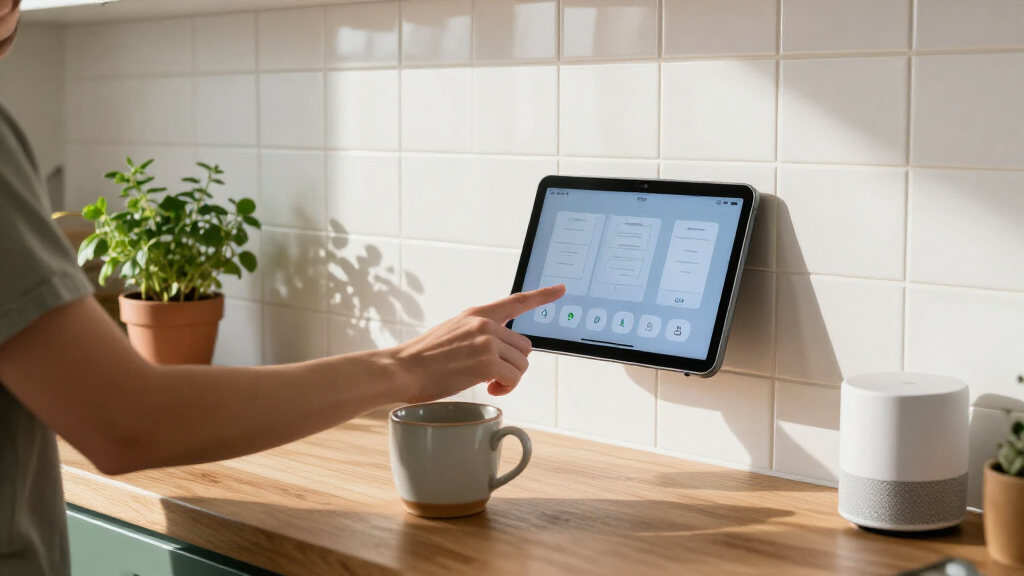

The best smart home tablets combine an easy-to-read control screen with power and software suited to where you’ll use them. My best overall pick is the 10.1-inch Android 14 PoE panel with 8GB RAM and 64GB storage, a strong fit for a dedicated, always-on control point. The Google Nest Hub Max stands out for built-in voice assistance, while the Amazon Fire HD 10 is a more flexible choice for households that also want a general-purpose tablet. The main tradeoffs are between fixed installation and portability, specialized smart-home integration and familiar consumer features, and screen size and mounting practicality. Read on for the full comparison, buying advice, and picks for different setups.

Get the latest gadgets delivered free with Prime
- Fast, free delivery on millions of items
- Prime Video, Amazon Music and more included
- Member-only deals all year
Complete the kit



Key Takeaways
- Dedicated PoE panels are the clearest fit for permanent control. The Android 14 panels with Ethernet power can avoid a visible charging cable, but they call for more planning than a tablet you can move between rooms.
- The 8GB RAM panel leads this lineup for a dedicated interface. It has more memory than the 4GB Android panel, a useful distinction if the screen will stay on and run a demanding dashboard.
- Built-in voice assistants change the experience. The amazon.com/dp/B0CVDZ7WYW?tag=theideamagazine-20&ascsubtag=dc-1201344″ target=”_blank” rel=”nofollow sponsored noopener”>amazon.com/dp/B0DN6WM2HF?tag=theideamagazine-20&ascsubtag=dc-1201344″ target=”_blank” rel=”nofollow sponsored noopener”>amazon.com/dp/B07L6KVGXV?tag=theideamagazine-20&ascsubtag=dc-1201344″ target=”_blank” rel=”nofollow sponsored noopener”>Google Nest Hub Max and Amazon Alexa Tablet 11 offer assistant-led control, while generic Android panels leave more of the setup to the buyer.
- A bigger display is not automatically a better wall panel. The 15.6-inch PoE model gives dashboards more room, but a 10.1-inch screen is easier to place in many hallways and kitchens.
- Consumer tablets offer flexibility, not purpose-built mounting. The iPad and Amazon Fire models can serve as control screens, but buyers should plan for charging, mounting, and the right smart-home app.
| 10.1-Inch Android 14 Smart Home Control Tablet with PoE, 8GB RAM, and 64GB Storage |  | Best for Power Users | Display: 10.1 inches, 1280 × 800, 60 Hz, 250 nits | Operating system: Android 14 | Processor: Rockchip RK3576S, 8-core, up to 2.2 GHz | VIEW LATEST PRICE | See Our Full Breakdown |
| 10.1-Inch Android Smart Home Control Panel with PoE and Proximity Sensor | | Best for Sensor-Aware Wall Control | Display: 10.1-inch capacitive touchscreen, 1280 × 800 | Operating system: Android 14 | Processor: Rockchip RK3576S octa-core, up to 2.2 GHz | VIEW LATEST PRICE | See Our Full Breakdown |
| Google Nest Hub Max 10-Inch Smart Display with Google Assistant, Chalk |  | Best for Video Calls and Shared Spaces | Display: 10-inch LCD, 1280 × 800 | Camera: 6.5MP; 1080p video capture | Audio: Stereo speakers with 30W subwoofer; 50W total output | VIEW LATEST PRICE | See Our Full Breakdown |
| Amazon Alexa Tablet 11, 128GB, Graphite |  | Best for Portable, All-Purpose Use | Display: 11-inch, 2.5K resolution, 90Hz | Processor and memory: 8-core chip, 8GB RAM | Storage: 128GB | VIEW LATEST PRICE | See Our Full Breakdown |
| 10.1-Inch Android 14 PoE Smart Home Control Panel, 4GB RAM, 64GB Storage |  | Best for Flexible Wall Installation | Display: 10.1 inches, 1280 × 800 | Operating system: Android 14 | Processor and memory: Rockchip RK3576 8-core, up to 2.2 GHz; 4GB RAM | VIEW LATEST PRICE | See Our Full Breakdown |
| Apple iPad (7th Generation), 10.2-Inch, Wi-Fi, 32GB, Space Gray (Renewed) |  | Best for Apple Households | Display: 10.2-inch Retina LCD, 2160 × 1620 pixels | Processor: Apple A10 Fusion, 2.34 GHz | Storage: 32GB | VIEW LATEST PRICE | See Our Full Breakdown |
| 15.6-Inch Android 14 PoE Smart Home Control Panel |  | Best for Large Wall Dashboards | Display: 15.6-inch capacitive touchscreen, 1920 × 1080 | Operating system: Android 14 | Processor: Rockchip RK3576S octa-core, up to 2.2 GHz | VIEW LATEST PRICE | See Our Full Breakdown |
| JEESTON 10.1-Inch Android 14 Smart Home Touch Panel with Proximity Sensor |  | Best for Compact In-Wall Control | Display: 10.1-inch capacitive touchscreen, 1280 × 800, 60 Hz | Operating system: Android 14 | Processor: RK3576 | VIEW LATEST PRICE | See Our Full Breakdown |
| Amazon Fire HD 8 Tablet (Newest Model), 8-Inch HD Display, 4GB RAM, 64GB Storage, Black | 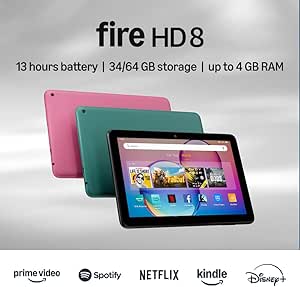 | Best Portable Smart-Home Companion | Display: 8-inch IPS touchscreen, 1280 × 800, 189 ppi | Processor: Hexa-core, 2.0 GHz | Memory and storage: 4GB RAM, 64GB internal storage | VIEW LATEST PRICE | See Our Full Breakdown |
| 10.1-Inch Wall-Mounted Android Smart Home Tablet with PoE and MQTT |  | Best for MQTT-Based Setups | Display: 10.1 inches | Operating system: Android 14 | Processor: RK3576, 8-core | VIEW LATEST PRICE | See Our Full Breakdown |
| Amazon Fire HD 10 Tablet, 10.1-Inch Full HD Display, 4 GB RAM, 32 GB Storage, Black | 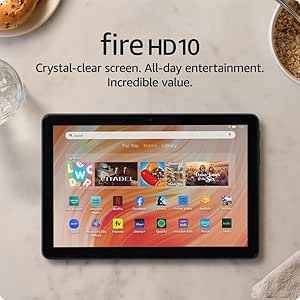 | Best for Alexa-Friendly Portable Use | Display: 10.1-inch 1080p Full HD | Processor: Octa-core | RAM: 4 GB | VIEW LATEST PRICE | See Our Full Breakdown |
| smart home tablet | Display | Connectivity | Processor | Operating system |
|---|---|---|---|---|
| 10.1-Inch Android 14 Smart Hom | 10.1 inches, 1280 × 800, 60 Hz, 250 nits | Wi-Fi 802.11ax, Bluetooth, Ethernet | Rockchip RK3576S, 8-core, up to 2.2 GHz | Android 14 |
| 10.1-Inch Android Smart Home C | 10.1-inch capacitive touchscreen, 1280 × 800 | Wi-Fi 6, 10/100/1000 Ethernet, Bluetooth 5.3 | Rockchip RK3576S octa-core, up to 2.2 GHz | Android 14 |
| Google Nest Hub Max 10-Inch Sm | 10-inch LCD, 1280 × 800 | Bluetooth | — | Android |
| Amazon Alexa Tablet 11 | 11-inch, 2.5K resolution, 90Hz | Wi-Fi 6 | — | — |
| 10.1-Inch Android 14 PoE Smart | 10.1 inches, 1280 × 800 | Wi-Fi 6, 100/1000M Ethernet, BLE 5.3 | — | Android 14 |
| Apple iPad | 10.2-inch Retina LCD, 2160 × 1620 pixels | Wi-Fi | Apple A10 Fusion, 2.34 GHz | — |
| 15.6-Inch Android 14 PoE Smart | 15.6-inch capacitive touchscreen, 1920 × 1080 | Wi-Fi 6, Bluetooth 5.3, RJ45 PoE | Rockchip RK3576S octa-core, up to 2.2 GHz | Android 14 |
| JEESTON 10.1-Inch Android 14 S | 10.1-inch capacitive touchscreen, 1280 × 800, 60 Hz | — | RK3576 | Android 14 |
| Amazon Fire HD 8 Tablet | 8-inch IPS touchscreen, 1280 × 800, 189 ppi | Dual-band Wi-Fi, Bluetooth 5.2 | Hexa-core, 2.0 GHz | — |
| 10.1-Inch Wall-Mounted Android | 10.1 inches | Ethernet, USB, Wi-Fi, Bluetooth | RK3576, 8-core | Android 14 |
| Amazon Fire HD 10 Tablet | 10.1-inch 1080p Full HD | — | Octa-core | — |
More Details on Our Top Picks
10.1-Inch Android 14 Smart Home Control Tablet with PoE, 8GB RAM, and 64GB Storage
I’d choose this panel when a wall-mounted smart home interface needs more memory than the typical dedicated control screen. Its 8GB RAM and 64GB storage give it more headroom than the 4GB Android panels here, which may help when running a kiosk dashboard alongside other Android apps. Built-in MQTT, kiosk mode, Ethernet, and PoE make it a particularly direct fit for a fixed control station with a wired network connection. Compared with the 10.1-Inch Android Smart Home Control Panel with PoE and Proximity Sensor, this model prioritizes memory capacity over automatic screen wake and built-in temperature and humidity sensing. The tradeoff is a 1280 × 800, 250-nit display, which is modest for a tablet-sized screen, and there’s no camera. I’d skip it if you want a portable device or a camera-enabled family hub.
Pros:- 8GB RAM and 64GB storage provide more capacity than the 4GB wall panels in this group.
- PoE and Ethernet support can simplify a fixed, wired installation.
- Built-in MQTT and kiosk mode suit dedicated smart home dashboards.
- Wi-Fi 6 and Bluetooth add wireless connectivity options.
Cons:- The 1280 × 800 resolution is relatively low for a 10.1-inch display.
- At 250 nits, the display may be less suitable for bright rooms.
- No camera for video calls or camera-based monitoring.
Best for: Smart home enthusiasts who want a permanently mounted Android dashboard, wired PoE installation, and extra memory for multiple control apps.
Not ideal for: Buyers who need video calls, a bright high-resolution screen, or a tablet they can carry from room to room.
- Display:10.1 inches, 1280 × 800, 60 Hz, 250 nits
- Operating system:Android 14
- Processor:Rockchip RK3576S, 8-core, up to 2.2 GHz
- Memory and storage:8GB RAM, 64GB storage
- Connectivity:Wi-Fi 802.11ax, Bluetooth, Ethernet
- Power and mounting:PoE support; wall-mount design
- Smart home features:Built-in MQTT, kiosk mode, LED lights, stylus support
- Camera:None
Our verdict“Choose this panel for a fixed smart home dashboard where extra memory and built-in MQTT matter more than camera features or display sharpness.”
10.1-Inch Android Smart Home Control Panel with PoE and Proximity Sensor
This panel makes the most sense when a wall control should wake as someone approaches and report local room conditions. Its proximity, temperature, and humidity sensors add practical context beyond a basic touchscreen, while PoE and gigabit Ethernet support a tidy, wired installation. It also has MQTT plus I/O, IR, RS232, and RS485, giving smart home integrators more connection options than the simpler Google Nest Hub Max. That flexibility comes with a more installation-focused experience: the Nest Hub Max is the clearer pick for video calls and built-in entertainment, while this Android panel is designed to stay mounted and serve as a control point. Its 4GB RAM is half the capacity of the 8GB Android 14 PoE panel in this roundup, and there’s no camera or expandable memory. I’d favor it for sensor and interface options, not as a general-purpose tablet.
Pros:- Proximity sensing can wake the display as someone approaches.
- Built-in temperature and humidity sensors add local room readings.
- PoE, gigabit Ethernet, MQTT, and serial interfaces support varied installations.
- Can be mounted in portrait or landscape orientation.
Cons:- 4GB RAM offers less headroom than the 8GB panel in this roundup.
- No camera for video calls or visual monitoring.
- Memory is not expandable.
Best for: Home automation owners and installers who want a wall panel with proximity wake, room sensors, PoE, and serial interfaces.
Not ideal for: Households seeking a camera-equipped display for video calls, or buyers who want expandable memory and stronger multitasking capacity.
- Display:10.1-inch capacitive touchscreen, 1280 × 800
- Operating system:Android 14
- Processor:Rockchip RK3576S octa-core, up to 2.2 GHz
- Memory and storage:4GB RAM, 64GB storage
- Connectivity:Wi-Fi 6, 10/100/1000 Ethernet, Bluetooth 5.3
- Interfaces:I/O, IR, RS232, RS485
- Sensors and smart home features:Proximity, temperature, humidity, MQTT
- Mounting and orientation:Wall mount; landscape or portrait
- Camera:None
Our verdict“Pick this panel when proximity wake and built-in room sensors are more useful than a camera or extra RAM.”
Google Nest Hub Max 10-Inch Smart Display with Google Assistant, Chalk
For a kitchen counter or family room, I’d pick the Nest Hub Max when communication and shared media matter as much as smart home control. Its 10-inch touchscreen, 6.5MP camera, and stereo sound with a 30W subwoofer make it a more social hub than the wall-mounted Android panels, which have no camera. The camera also supports video calls and monitoring, though buyers who prefer a camera-free control point may find that a drawback rather than a bonus. Compared with the Amazon Alexa Tablet 11, the Nest Hub Max is the more dedicated smart display; the Alexa tablet offers a sharper 2.5K screen, portability, and more general tablet use. The Nest’s 1280 × 800 display and 4GB storage are modest, and the supplied details don’t establish battery life or ongoing software support. I’d choose it for an always-available room hub, not for mobile use or storage-heavy apps.
Pros:- Built-in 6.5MP camera supports video calls and monitoring.
- 10-inch touchscreen provides a large shared control surface.
- Stereo speakers and a 30W subwoofer suit music and spoken audio.
- Bluetooth connectivity supports compatible wireless devices.
Cons:- 1280 × 800 resolution is lower than the Amazon Alexa Tablet 11’s 2.5K display.
- Listed storage is only 4GB.
- Battery life and software update support details are not provided.
Best for: Households that want a stationary shared display for smart home access, video calls, and room-filling audio.
Not ideal for: Privacy-focused buyers who don’t want a built-in camera, or people who need a portable tablet with high storage capacity.
- Display:10-inch LCD, 1280 × 800
- Camera:6.5MP; 1080p video capture
- Audio:Stereo speakers with 30W subwoofer; 50W total output
- Operating system:Android
- Memory and storage:4GB RAM, 4GB storage
- Connectivity:Bluetooth
- Weight:450g
- Color:Chalk
Our verdict“Choose the Nest Hub Max for a shared, camera-enabled smart display with stronger built-in audio than the wall-mounted control panels.”
Amazon Alexa Tablet 11, 128GB, Graphite
This is the most tablet-like choice in the group: I’d take it over a fixed Android control panel if I want one screen for smart home access, streaming, reading, and everyday apps. Its 11-inch 2.5K display, 90Hz refresh rate, and 8GB RAM give it a more polished general-use profile than the 1280 × 800 wall panels, while the aluminum body and stated video playback of up to 15 hours support moving it between rooms. Unlike the Google Nest Hub Max, it has no listed subwoofer, but it does have front and rear 8MP cameras and access to both Google Play and Amazon apps. The tradeoff is that it lacks the wall panels’ PoE installation, built-in MQTT, and dedicated integration interfaces. Some Alexa+ features and Prime benefits require a membership, so I’d choose it for flexible use rather than a permanent automation console.
Pros:- 11-inch 2.5K screen with a 90Hz refresh rate is sharper and smoother than the wall panels’ 1280 × 800 displays.
- 8GB RAM supports general tablet use alongside smart home access.
- Up to 15 hours of video playback supports use away from a power outlet.
- Access to Google Play and Amazon apps broadens app choices.
Cons:- Does not list PoE, Ethernet, MQTT, or the wall panels’ dedicated integration interfaces.
- Alexa+ features and some Prime benefits require a Prime membership.
- 128GB is the listed storage capacity.
Best for: People who want a portable smart home companion that also handles streaming, reading, video calls, and everyday tablet tasks.
Not ideal for: Buyers planning a fixed PoE-powered wall installation or needing built-in MQTT and serial smart home interfaces.
- Display:11-inch, 2.5K resolution, 90Hz
- Processor and memory:8-core chip, 8GB RAM
- Storage:128GB
- Battery life:Up to 15 hours of video playback
- Connectivity:Wi-Fi 6
- Cameras:8MP front and rear
- Audio:Dual speakers with Dolby Atmos
- Build and color:Aluminum unibody, Graphite
Our verdict“Choose this tablet if you want a portable, higher-resolution device for smart home access and everyday media rather than a fixed control panel.”
10.1-Inch Android 14 PoE Smart Home Control Panel, 4GB RAM, 64GB Storage
I’d shortlist this panel when the screen needs to fit a particular wall layout and connect to existing automation hardware. Portrait or landscape mounting, PoE, Wi-Fi 6, BLE 5.3, and multiple interfaces give it installation flexibility that a countertop smart display like the Google Nest Hub Max doesn’t offer. Proximity wake, temperature and humidity sensors, and four LED light bars also make it more than a basic Android screen. Compared with the 10.1-Inch Android Smart Home Control Panel with PoE and Proximity Sensor, this model adds a listed relay port, while both have 4GB RAM, 64GB storage, and no camera. It has no built-in battery, so it needs continuous power and is not a portable tablet. The display is 1280 × 800, too, making this a practical fixed control panel rather than a high-resolution media screen.
Pros:- Supports PoE or a standard power connection for fixed installation.
- Portrait and landscape orientations suit different wall layouts.
- Proximity, temperature, and humidity sensors add useful room-level functions.
- I/O, IR, RS232, RS485, and a relay port support integration needs.
Cons:- No built-in battery, so it must remain connected to power.
- No camera for video calls or monitoring.
- 1280 × 800 resolution is modest for a 10.1-inch display.
Best for: Homeowners and installers fitting a permanently powered control panel to a wall, especially where portrait mounting or a relay connection is useful.
Not ideal for: Buyers who need a battery-powered tablet, a camera for video calls, or a high-resolution display for media.
- Display:10.1 inches, 1280 × 800
- Operating system:Android 14
- Processor and memory:Rockchip RK3576 8-core, up to 2.2 GHz; 4GB RAM
- Storage:64GB
- Connectivity:Wi-Fi 6, 100/1000M Ethernet, BLE 5.3
- Power:PoE or standard power connection; no built-in battery
- Interfaces:I/O, IR, RS232, RS485, relay port
- Sensors and lighting:Proximity, temperature, humidity, four LED light bars
- Mounting and orientation:Wall-mounted; portrait or landscape
Our verdict“Choose this panel for a permanently powered wall installation that benefits from flexible orientation and broad smart home interfaces.”
Apple iPad (7th Generation), 10.2-Inch, Wi-Fi, 32GB, Space Gray (Renewed)
I’d pick this renewed iPad for a smart home where the tablet needs to do more than sit on a wall: its 10.2-inch Retina display suits dashboards, video calls, and general browsing, while Touch ID makes shared access straightforward. Unlike the dedicated Android panels here, it has a battery and can move from room to room, and its Apple Pencil and Smart Keyboard support add flexibility for household notes or light work. The tradeoff is age: the A10 Fusion chip and 32GB storage leave less headroom than the newer Android panels’ 64GB, and accessories are sold separately. I’d choose it over the Fire HD 8 when a larger screen and Apple ecosystem matter more than portability; I’d skip it as a fixed, always-powered control surface.
Pros:- 10.2-inch Retina display provides more room for dashboards than compact tablets
- Touch ID offers convenient device access for multiple household members
- Supports first-generation Apple Pencil and Smart Keyboard
- Stereo speakers and a headphone jack support media and calls
Cons:- 32GB storage can fill quickly with apps and downloaded content
- A10 Fusion is an older processor compared with newer Android panel hardware
- Apple Pencil and Smart Keyboard are sold separately
Best for: Apple households wanting a movable shared tablet for smart-home apps, video calls, and everyday browsing
Not ideal for: Buyers seeking a permanently mounted dashboard, substantial local storage, or a current-generation processor
- Display:10.2-inch Retina LCD, 2160 × 1620 pixels
- Processor:Apple A10 Fusion, 2.34 GHz
- Storage:32GB
- Connectivity:Wi-Fi
- Battery life:Up to 10 hours
- Weight:1.1 pounds
- Connector:Lightning
- Software support:Supports up to iPadOS 18
- Warranty:90-day limited warranty
Our verdict“Choose this renewed iPad if you want a versatile, battery-powered smart-home companion within an Apple household, not a dedicated wall panel.”
15.6-Inch Android 14 PoE Smart Home Control Panel
This is my pick when a household wants a dashboard that can be read from across a room. Its 15.6-inch Full HD touchscreen gives controls and status panels more space than the JEESTON 10.1-Inch Android 14 Smart Home Touch Panel, which is easier to fit into a compact wall location but has a lower-resolution screen. PoE support can carry power and network over one Ethernet run, while Wi-Fi 6 and the RS-232, RS-485, IR, and I/O connections offer options for more involved installations. Built-in temperature, humidity, and light sensors add local environmental readings. The tradeoffs are substantial: it needs fixed power because there’s no battery, and 4GB of RAM is modest for a panel running multiple apps. I’d select it for a planned central control point, not for casual, portable tablet use.
Pros:- 15.6-inch Full HD screen makes controls easier to see at a distance
- PoE simplifies power and network cabling for a suitable installation
- RS-232, RS-485, IR, and I/O support varied integration needs
- Built-in light, temperature, and humidity sensors provide room readings
Cons:- No built-in battery, so it is dependent on fixed power
- 4GB RAM may constrain multitasking compared with higher-memory panels
- Large screen requires more wall space than the JEESTON 10.1-Inch panel
Best for: Homeowners planning a prominent, permanently powered control station with room for large dashboards
Not ideal for: Renters or anyone who needs a portable tablet, and users who expect to run many demanding apps at once
- Display:15.6-inch capacitive touchscreen, 1920 × 1080
- Operating system:Android 14
- Processor:Rockchip RK3576S octa-core, up to 2.2 GHz
- Memory and storage:4GB RAM, 64GB ROM
- Connectivity:Wi-Fi 6, Bluetooth 5.3, RJ45 PoE
- Wired interfaces:USB-C, RS-232, RS-485, I/O, IR
- Sensors:Light, temperature, and humidity
- Installation:Wall-mount or embedded; horizontal or vertical orientation
- Battery:No built-in battery
Our verdict“Choose this panel for a large, fixed smart-home dashboard where screen area and wired integration matter more than portability.”
JEESTON 10.1-Inch Android 14 Smart Home Touch Panel with Proximity Sensor
The JEESTON makes more sense than the 15.6-Inch Android 14 PoE Smart Home Control Panel when wall space is limited or a smaller interface suits the room. Its 10.1-inch screen and in-wall format keep a control point more contained, while PoE and Gigabit Ethernet support a tidy wired installation. Proximity, light, temperature, and humidity sensors give it more room-awareness than a basic tablet, and RS-232, RS-485, IR, and I/O broaden its integration options. The main compromise is display detail: 1280 × 800 resolution is less crisp than the larger panel’s Full HD screen, and this model has no camera. I’d favor it over the Amazon Fire HD 8 for a fixed smart-home interface with wired connections, but the Fire is the better fit for a portable screen with a battery.
Pros:- 10.1-inch format takes less wall space than the 15.6-inch panel
- PoE and Gigabit Ethernet support a wired installation
- Proximity, light, temperature, and humidity sensors add room-aware functions
- RS-232, RS-485, IR, and I/O offer broad integration options
Cons:- 1280 × 800 resolution is less detailed than a Full HD panel
- No camera for video calls or camera-based interactions
- Software update support date is unspecified
Best for: Homeowners or integrators fitting a compact, wired control panel into a room with limited wall space
Not ideal for: Buyers who need a camera, a high-resolution display, or a portable tablet with battery power
- Display:10.1-inch capacitive touchscreen, 1280 × 800, 60 Hz
- Operating system:Android 14
- Processor:RK3576
- Memory and storage:4GB RAM, 64GB storage
- Wireless:Wi-Fi 6E, Bluetooth 5.3
- Wired connectivity:Gigabit Ethernet with PoE
- Interfaces:RS-232, RS-485, IR, I/O
- Sensors:Proximity, light, temperature, and humidity
- Warranty:1 year
Our verdict“Choose the JEESTON for a compact, sensor-equipped wired control point, provided you do not need a camera or a sharper display.”
Amazon Fire HD 8 Tablet (Newest Model), 8-Inch HD Display, 4GB RAM, 64GB Storage, Black
Unlike the wall-mounted Android panels in this lineup, the Fire HD 8 is built to travel around the house. Its 11.88-ounce weight, up-to-13-hour battery life, and Alexa support suit quick checks from the sofa, kitchen, or bedside; the microSD slot also gives it a storage expansion path the renewed iPad does not offer. The 8-inch screen is the clear compromise: it leaves less room for a multi-device dashboard than the 10.1-inch JEESTON or a larger dedicated panel. App choice is another deciding factor, since the Fire uses Amazon’s Appstore and does not support Google Play. That makes it a sensible companion for Alexa-centered homes, but a weaker choice for smart-home apps that depend on Google Play or for a permanently mounted control station.
Pros:- Lightweight design and up to 13 hours of battery life suit room-to-room use
- 64GB internal storage can be expanded by up to 1TB with microSD
- Alexa support fits households already using Amazon voice control
- USB-C and a 3.5mm stereo jack provide useful connection options
Cons:- Google Play is not supported, limiting access to some smart-home apps
- 8-inch display provides less dashboard space than the 10.1-inch panels
- Does not support Wi-Fi 6
Best for: Alexa-focused households wanting a lightweight tablet for quick controls, video calls, and use in multiple rooms
Not ideal for: Buyers who rely on Google Play apps or want a large, always-on wall dashboard
- Display:8-inch IPS touchscreen, 1280 × 800, 189 ppi
- Processor:Hexa-core, 2.0 GHz
- Memory and storage:4GB RAM, 64GB internal storage
- Expandable storage:Up to 1TB with microSD
- Battery life:Up to 13 hours
- Connectivity:Dual-band Wi-Fi, Bluetooth 5.2
- Cameras:5MP rear, 2MP front
- Ports:USB-C 2.0, microSD slot, 3.5mm stereo jack
- Weight:11.88 ounces (337 grams)
Our verdict“Choose the Fire HD 8 as a portable Alexa companion, not as a substitute for a large, wired smart-home panel.”
10.1-Inch Wall-Mounted Android Smart Home Tablet with PoE and MQTT
I’d shortlist this panel for a smart home built around MQTT, where direct protocol support matters more than tablet portability. The combination of Android 14, Google Play, and kiosk mode suits a dedicated interface that stays on a wall, while Ethernet, Wi-Fi, Bluetooth, and USB give installers several connection routes. Its MQTT support distinguishes it from the JEESTON 10.1-Inch Android 14 Smart Home Touch Panel, whose listed strengths lean toward sensors and wired interfaces rather than MQTT. This model also includes LED lighting and temperature and humidity sensors. The fixed-install design brings real limits: there is no battery and no camera, and exiting kiosk mode may require a password. I’d pick it for a focused, always-powered control screen, not for household video calls or portable use.
Pros:- MQTT support suits smart-home systems built around that protocol
- Google Play and Android 14 provide access to Android apps
- Kiosk mode supports a dedicated wall-interface setup
- Ethernet, Wi-Fi, Bluetooth, USB, sensors, and LED lighting add installation flexibility
Cons:- No built-in battery, so it is intended for fixed installation
- No camera for video calls
- Exiting kiosk mode may require a password
Best for: Smart-home enthusiasts or installers building an MQTT-based, permanently mounted control interface
Not ideal for: Households wanting a portable tablet, video calling, or an easy-to-share screen without kiosk restrictions
- Display:10.1 inches
- Operating system:Android 14
- Processor:RK3576, 8-core
- Memory and storage:4GB RAM, 64GB storage
- Connectivity:Ethernet, USB, Wi-Fi, Bluetooth
- Wireless standard:802.11ax
- Smart-home features:MQTT support, LED lighting, temperature and humidity sensors
- Mounting and battery:Wall-mounted; no built-in battery
- Camera:None
Our verdict“Choose this wall tablet if MQTT and kiosk operation are central to your setup and you can accept a fixed, camera-free installation.”
Amazon Fire HD 10 Tablet, 10.1-Inch Full HD Display, 4 GB RAM, 32 GB Storage, Black
I’d choose the Fire HD 10 when I want a large-screen tablet that can handle everyday entertainment and Alexa features without being a dedicated wall control panel. Its 10.1-inch Full HD display is well suited to viewing smart-home apps, video, and shared household information, while up to 13 hours of battery life makes it practical to move between rooms. Compared with the Google Nest Hub Max, this is a portable tablet rather than a purpose-built smart display, so it offers a more general mix of reading, games, and apps. The tradeoff is that its 32 GB storage may call for a separately purchased microSD card, and it lacks the PoE installation found on several Android control panels. I’d pick it for flexible use, not a permanent wall-mounted command center.
Pros:- 10.1-inch Full HD display gives smart-home apps and video a roomy viewing area
- Alexa support adds voice interaction for compatible smart-home tasks
- Up to 13 hours of battery life supports use around the home without constant charging
- MicroSD expansion up to 1 TB provides a way to add storage
Cons:- 32 GB built-in storage may be limiting, and the microSD card is sold separately
- No PoE support, so it is less suited to fixed installations than the PoE Android control panels
- A stylus pen is optional and sold separately
Best for: Households that want a portable Alexa-compatible screen for everyday smart-home apps, streaming, and family use
Not ideal for: Buyers setting up a permanent wall-mounted control station who want PoE power or a panel designed specifically for home automation
- Display:10.1-inch 1080p Full HD
- Processor:Octa-core
- RAM:4 GB
- Storage:32 GB
- Expandable storage:Up to 1 TB via microSD card
- Battery life:Up to 13 hours
- Front camera:5 MP
- Color:Black
Our verdict“Choose the Fire HD 10 if you want a portable, Alexa-compatible tablet for mixed household use rather than a dedicated PoE wall panel.”

How We Picked
I compared these 11 products as smart-home control screens, not just as tablets with different display sizes. The main criteria were how well each form factor suits a fixed or portable setup, power options such as PoE, screen size, memory and storage, and built-in voice-assistant features. I also weighed setup flexibility: a dedicated Android panel can suit a wall dashboard, while a consumer tablet may be easier to repurpose for video, browsing, or other household tasks.
The ranking gives priority to products whose design and listed features align directly with an always-available home-control role. That puts the 10.1-inch Android 14 PoE panel with 8GB RAM first, while the Nest Hub Max earns a distinct place for assistant-led use and general tablets rank higher when flexibility matters more than permanent installation. Models with fewer listed details or narrower use cases sit lower, not because they cannot work, but because buyers have less certainty about fit. I also account for real tradeoffs: PoE may require compatible network gear and installation planning, while a portable tablet needs a practical charging and mounting plan.
| smart home tablet | Operating system |
|---|---|
| 10.1-Inch Android 14 Smart Hom | Android 14 |
| 10.1-Inch Android Smart Home C | Android 14 |
| Google Nest Hub Max 10-Inch Sm | Android |
| Amazon Alexa Tablet 11 | — |
| 10.1-Inch Android 14 PoE Smart | Android 14 |
| Apple iPad | — |
| 15.6-Inch Android 14 PoE Smart | Android 14 |
| JEESTON 10.1-Inch Android 14 S | Android 14 |
| Amazon Fire HD 8 Tablet | — |
| 10.1-Inch Wall-Mounted Android | Android 14 |
| Amazon Fire HD 10 Tablet | — |
Factors to Consider When Choosing Best Smart Home Tablets
A smart-home screen has to fit your home’s layout and control system as much as your preferred hardware. I’d make the choice by starting with installation, then checking compatibility and daily use; otherwise, a capable tablet can still become an awkward dashboard.
Choose Between a Dedicated Panel and a General-Purpose Tablet
A dedicated panel makes the most sense when you want a screen that stays in one place and opens to home controls. A general-purpose tablet suits households that also want to browse, stream, or carry the device around. The common mistake is assuming any tablet can become a convenient wall control without extra planning. A mount, charging cable, screen-wake behavior, and the app’s interface all affect daily usability. Dedicated Android panels in this lineup are oriented toward fixed control, while the iPad and Fire tablets give up some installation focus for broader use. Decide whether the screen has one job or several before choosing hardware.
Check Smart-Home Compatibility Before Buying
A tablet does not automatically control every device in a home; the apps and automation platform do much of the work. Check that your preferred system offers a usable dashboard on the tablet’s operating system, and confirm that the controls you need are available through that interface. This matters especially with generic Android panels, where the buyer may be responsible for installing and configuring the desired software. Voice-assistant displays can make common commands easier, but their convenience depends on whether your devices and routines work with that assistant. Avoid choosing by screen specifications alone when your main need is controlling a particular lock, thermostat, or lighting system. Compatibility is easier to verify before installation than to fix after a panel is mounted.
Plan Power and Network Access for the Installation
PoE can deliver power and network connectivity through one Ethernet cable, which may suit a permanent panel and reduce visible wiring. It is not a plug-and-play benefit in every home: you may need compatible network equipment, a cable route, and a suitable mounting position. A portable tablet avoids that installation work but needs a charging plan that does not leave a cord across a counter or wall. Buyers sometimes focus on the panel’s power connection without checking whether Ethernet reaches the intended location. If you rent or expect to move the screen, a conventional tablet may be the simpler choice. For a fixed location, map the cable path before selecting a PoE model.
Match Screen Size to Viewing Distance and Room
A larger display can show more controls at once, which helps if a dashboard includes several rooms, cameras, or status tiles. It also takes up more wall space and may feel oversized in a narrow hallway or beside a doorway. Smaller screens are easier to place discreetly, but crowded dashboards can require more taps or scrolling. Think about how far away you will stand and whether the screen needs to be readable at a glance. The 15.6-inch panel is the most room-intensive option in this lineup, while 8- to 10-inch devices are easier to fit into common household locations. Mock up the screen’s footprint before buying if the panel will be permanently mounted.
Buy Enough Performance for an Always-On Dashboard
A dashboard that stays open all day has different demands from a tablet used briefly for occasional controls. Memory can matter when the interface must keep several cards, apps, or camera views responsive, while storage matters more if you plan to install many apps or keep media on the device. The 8GB and 64GB Android panel has a hardware advantage on paper over the 4GB panel, though the software and dashboard design still affect real performance. Do not assume that a higher specification will fix a slow or poorly designed control interface. For a simple lighting dashboard, extra capacity may not change much; for a fuller control screen, it can offer more headroom. Match the hardware to the interface you actually expect to run.
Decide Whether Voice Control or Touch Comes First
Touch panels are useful when you want a visible control surface that other household members can use without remembering commands. Built-in assistant features can make hands-busy tasks and quick voice requests more convenient, but they also tie part of the experience to a particular assistant ecosystem. A screen intended mainly for dashboards may not need an assistant speaker at all. Conversely, a device used in a kitchen or shared room may benefit from voice access alongside touch controls. Check microphone and camera expectations before placing an assistant-enabled display in a private space. Pick the interaction style that fits the room rather than treating voice features as an automatic upgrade.
Frequently Asked Questions
Is a PoE smart-home panel better than using a regular tablet?
A PoE panel is a better fit when the screen will stay in one place and you want power and network carried over Ethernet. It can make a fixed installation neater, but it depends on suitable cabling and compatible network equipment. A regular tablet is easier to move and can serve other household tasks, though charging and mounting need attention. For a rental or a home without Ethernet near the intended spot, a portable tablet may be the less complicated option. Choose PoE for a planned permanent control point, not just because the connection sounds simpler.
Can I use an Amazon Fire tablet as a smart-home control screen?
Yes, a Fire tablet can serve as a control screen if the apps and smart-home services you rely on are available and work well on its software. Check app availability and dashboard usability before buying, particularly if you depend on a specific automation platform. You will also need to plan how it stays charged and where it will sit or mount. Compared with a dedicated Android panel, a Fire tablet is more flexible for entertainment and everyday tasks but less focused on fixed installation. It is a sensible option when versatility matters more than a built-in PoE setup.
Should I choose a smart display with an assistant or an Android control panel?
Choose an assistant display if voice requests, a built-in speaker, and simple household interactions matter alongside visual controls. An Android control panel is a better match if your priority is a customizable dashboard, a fixed mount, or PoE power. The two approaches can differ in how much setup and platform choice they leave to you. Before choosing, check that your devices and routines work with the assistant or dashboard software you plan to use. A voice feature cannot make up for missing compatibility with the equipment you already own.
Is the 15.6-inch smart-home panel worth choosing over a 10.1-inch model?
The larger panel can be useful when you want many controls visible at once or need the screen to be readable from farther away. Its larger footprint can be harder to place and may look excessive in a small room. A 10.1-inch panel is a more flexible fit for common mounting spots, though a dense dashboard may involve more scrolling or tapping. Think about the number of controls you use at once and the available wall space. If you cannot name a specific need for the extra screen area, a smaller panel is often the more practical starting point.
Is a renewed iPad a good choice for a permanent smart-home panel?
A renewed iPad can work well when the home-control apps you need support its software and you value a familiar, multipurpose tablet. For permanent use, check the device’s software support, battery condition and charging arrangement before mounting it. A fixed panel with PoE is more directly suited to continuous installation, while an iPad offers more freedom to move and repurpose the screen. Its listed 32GB storage may also limit how many additional apps or files you want to keep on it. It is a better fit for buyers who want an iPad first and a dedicated control screen second.
Conclusion
For most buyers planning a fixed dashboard, I’d choose the 10.1-inch Android 14 PoE panel with 8GB RAM and 64GB storage as the best overall option in this lineup. The 4GB Android PoE panel is the value-oriented dedicated alternative, while the Google Nest Hub Max is my best premium-style pick for buyers who want an assistant-led shared display rather than a configurable wall panel. Beginners who want familiar everyday tablet use should start with the Amazon Fire HD 10; it is less installation-focused, but easier to repurpose. For large dashboards, look at the 15.6-inch PoE panel; for a smaller portable screen, consider the Fire HD 8. Match the device to your room, smart-home platform, and power plan before buying—the right choice is the one your household can use comfortably every day.
Halloween Picks
halloween
As an affiliate, we earn on qualifying purchases.