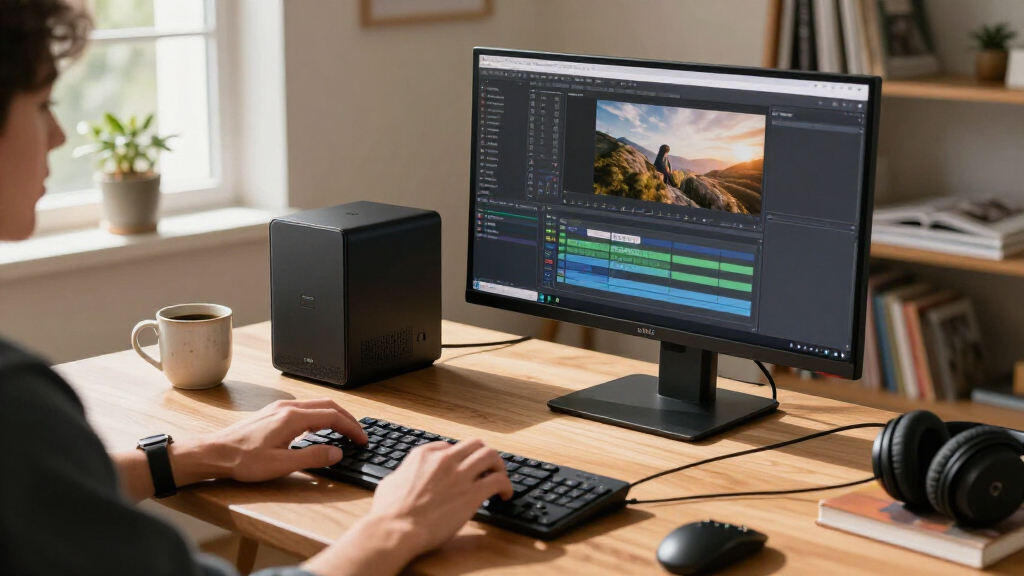

The best compact AI PCs balance processing power, memory, graphics, and desk space without asking buyers to pay for capabilities they will not use. My best overall pick is the NIMO AI Mini PC with Ryzen AI Max+ 388, 64GB RAM, and 2TB SSD, a strong fit for demanding local workloads; the 4TB NIMO suits users with large model or media libraries, while the Dell Pro Micro QCM1250 offers a more office-focused compact option. The main tradeoff is between integrated graphics and generous memory for AI work versus simpler, more conventional mini desktops for everyday tasks. Storage capacity, memory type, and whether a device is meant for edge deployment can matter as much as its processor label. Read on for the full breakdown and guidance on matching a system to your workload.

Get the latest gadgets delivered free with Prime
- Fast, free delivery on millions of items
- Prime Video, Amazon Music and more included
- Member-only deals all year
Complete the kit



Key Takeaways
- The NIMO Ryzen AI Max+ 388 configurations lead for demanding local workloads: their shared 64GB memory and Radeon 8060S graphics make them more suited to heavier AI and graphics tasks than the office-oriented Dell and entry-level GEEKOM options.
- Storage separates the NIMO variants more than their core platform does: the 1TB, 2TB, and 4TB configurations address different library sizes, so buyers should choose capacity rather than assume the largest SSD means a faster AI system.
- Dell’s Pro Micro models prioritize business-style desktop use: the Core Ultra 5 QCM1250 and Core Ultra 7 QBM1250 configurations offer a different balance from the NIMO systems, but their listed 16GB RAM is a more limiting starting point for memory-hungry local AI.
- The FANPEEC Ryzen 7 7840HS options show why RAM capacity matters: the 32GB version gives heavier multitasking more headroom than the 16GB version, while both are more moderate choices than the 64GB NIMO systems.
- The reComputer Mini J5012 is a specialized edge-computing pick, not a general mini desktop substitute; its Jetson AGX Orin 64GB and GMSL focus suit camera and embedded projects better than ordinary office or home use.
| Dell Pro Micro QCM1250 AI Mini PC – Intel Core Ultra 5-235T, 16 GB DDR5, 1 TB SSD |  | Best Compact Business PC | Processor: Intel Core Ultra 5-235T, 14 cores, up to 5GHz | Memory: 16GB DDR5-4800, expandable to 64GB | Storage: 1TB M.2 2230 PCIe NVMe SSD | VIEW LATEST PRICE | See Our Full Breakdown |
| NIMO AI Mini PC with AMD Ryzen AI Max+ 388, 64GB RAM, 2TB SSD |  | Best for Local AI and Graphics | Processor: AMD Ryzen AI Max+ 388, up to 5.0GHz | Graphics: Radeon 8060S, 40 compute units | Memory: 64GB LPDDR5X, 8000 MT/s | VIEW LATEST PRICE | See Our Full Breakdown |
| Dell Pro Micro Plus QBM1250 Mini Desktop, Intel Core Ultra 7 265, 16GB DDR5 RAM, 512GB SSD |  | Best for Multi-Monitor Business Desks | Processor: Intel Core Ultra 7 265 | Memory: 16GB DDR5-5600, expandable to 64GB | Storage: 512GB M.2 NVMe SSD | VIEW LATEST PRICE | See Our Full Breakdown |
| NIMO AI Mini PC with AMD Ryzen AI Max+ 388, 64GB RAM and Radeon 8060S Graphics | | Best Compact AI PC | Processor: AMD Ryzen AI Max+ 388, up to 5.0GHz | Graphics: Integrated Radeon 8060S, 40 compute units | Memory: 64GB LPDDR5X, 8000MHz | VIEW LATEST PRICE | See Our Full Breakdown |
| NIMO AI Mini PC with AMD Ryzen AI Max+ 388, 64GB RAM, 4TB SSD and Radeon 8060S Graphics | | Best for Large Local Projects | Processor: AMD Ryzen AI Max+ 388, up to 5.0GHz | Graphics: Integrated Radeon 8060S, 40 compute units | Memory: 64GB LPDDR5X, 8000MHz | VIEW LATEST PRICE | See Our Full Breakdown |
| NIMO AI Mini PC with AMD Ryzen AI Max+ 388, 64GB LPDDR5X RAM, 1TB SSD, and Radeon 8060S Graphics | | Best Compact AI PC for Graphics-Heavy Work | Processor: AMD Ryzen AI Max+ 388, up to 5.0GHz | Graphics: Radeon 8060S, 40 compute units | Memory: 64GB LPDDR5X, 8000MHz | VIEW LATEST PRICE | See Our Full Breakdown |
| Dell Pro Micro Plus QBM1250 Desktop, Intel Core Ultra 7 265, 16GB RAM, 512GB SSD | | Best Compact AI PC for Business Desks | Processor: Intel Core Ultra 7 265 | Graphics: Integrated Intel Graphics | Memory: 16GB DDR5 | VIEW LATEST PRICE | See Our Full Breakdown |
| GEEKOM A5 Mini PC with AMD Ryzen 7 7730U, 16GB RAM, and 500GB SSD |  | Best Compact AI PC for Expandable Everyday Use | Processor: AMD Ryzen 7 7730U, 8 cores and 16 threads, up to 4.5GHz | Graphics: AMD Radeon Vega 8 | Memory: 16GB DDR4, expandable up to 64GB | VIEW LATEST PRICE | See Our Full Breakdown |
| FANPEEC Mini PC with AMD Ryzen 7 7840HS, 32GB DDR5 RAM, and 512GB NVMe SSD |  | Best Compact AI PC for Balanced Multitasking | Processor: AMD Ryzen 7 7840HS, 8 cores and 16 threads, up to 5.1GHz | AI NPU: 10 TOPS | Memory: 32GB DDR5; two SO-DIMM slots, supports up to 64GB at 5600MHz | VIEW LATEST PRICE | See Our Full Breakdown |
| FANPEEC Mini PC with AMD Ryzen 7 7840HS, 16GB DDR5, and 512GB NVMe SSD | | Best Compact AI PC for Home Servers and Network Setups | Processor: AMD Ryzen 7 7840HS, 8 cores and 16 threads, up to 5.1GHz | AI acceleration: Integrated Ryzen AI NPU, 10 TOPS | Memory: 16GB DDR5; two SO-DIMM slots, up to 64GB at 5600MHz | VIEW LATEST PRICE | See Our Full Breakdown |
| GEEKOM A5 Mini PC, AMD Ryzen 7 7730U, 16GB RAM, 256GB NVMe SSD |  | Best for Multi-Display Office Setups | Processor: AMD Ryzen 7 7730U, 8 cores, 16 threads | Memory: 16GB DDR4, expandable to 64GB | Storage: 256GB PCIe NVMe SSD; maximum storage listed as up to 7TB | VIEW LATEST PRICE | See Our Full Breakdown |
| reComputer Mini J5012 with GMSL and NVIDIA Jetson AGX Orin 64GB |  | Best for Compact Edge-AI Robotics | Processor: NVIDIA Jetson AGX Orin 64GB | AI performance: Up to 275 TOPS | Memory: 64GB LPDDR5 | VIEW LATEST PRICE | See Our Full Breakdown |
| compact AI PC | Processor | Memory | Storage | Graphics |
|---|---|---|---|---|
| Dell Pro Micro QCM1250 AI Mini | Intel Core Ultra 5-235T, 14 cores, up to 5GHz | 16GB DDR5-4800, expandable to 64GB | 1TB M.2 2230 PCIe NVMe SSD | Integrated Intel graphics |
| NIMO AI Mini PC with AMD Ryzen | AMD Ryzen AI Max+ 388, up to 5.0GHz | 64GB LPDDR5X, 8000 MT/s | 2TB SSD | Radeon 8060S, 40 compute units |
| Dell Pro Micro Plus QBM1250 Mi | Intel Core Ultra 7 265 | 16GB DDR5-5600, expandable to 64GB | 512GB M.2 NVMe SSD | Integrated Intel graphics |
| NIMO AI Mini PC with AMD Ryzen | AMD Ryzen AI Max+ 388, up to 5.0GHz | 64GB LPDDR5X, 8000MHz | SSD; capacity stated up to 8TB, included capacity unspecified | Integrated Radeon 8060S, 40 compute units |
| NIMO AI Mini PC with AMD Ryzen | AMD Ryzen AI Max+ 388, up to 5.0GHz | 64GB LPDDR5X, 8000MHz | 4TB SSD | Integrated Radeon 8060S, 40 compute units |
| NIMO AI Mini PC with AMD Ryzen | AMD Ryzen AI Max+ 388, up to 5.0GHz | 64GB LPDDR5X, 8000MHz | 1TB SSD | Radeon 8060S, 40 compute units |
| Dell Pro Micro Plus QBM1250 De | Intel Core Ultra 7 265 | 16GB DDR5 | 512GB M.2 NVMe SSD | Integrated Intel Graphics |
| GEEKOM A5 Mini PC with AMD Ryz | AMD Ryzen 7 7730U, 8 cores and 16 threads, up to 4.5GHz | 16GB DDR4, expandable up to 64GB | 500GB M.2 2280 PCIe Gen4×4 NVMe SSD | AMD Radeon Vega 8 |
| FANPEEC Mini PC with AMD Ryzen | AMD Ryzen 7 7840HS, 8 cores and 16 threads, up to 5.1GHz | 32GB DDR5; two SO-DIMM slots, supports up to 64GB at 5600MHz | 512GB NVMe SSD; dual M.2 2280 slots support up to 4TB total | — |
| FANPEEC Mini PC with AMD Ryzen | AMD Ryzen 7 7840HS, 8 cores and 16 threads, up to 5.1GHz | 16GB DDR5; two SO-DIMM slots, up to 64GB at 5600MHz | 512GB NVMe SSD; dual M.2 2280 slots, up to 4TB total | — |
| GEEKOM A5 Mini PC | AMD Ryzen 7 7730U, 8 cores, 16 threads | 16GB DDR4, expandable to 64GB | 256GB PCIe NVMe SSD; maximum storage listed as up to 7TB | — |
| reComputer Mini J5012 with GMS | NVIDIA Jetson AGX Orin 64GB | 64GB LPDDR5 | — | — |
More Details on Our Top Picks
Dell Pro Micro QCM1250 AI Mini PC – Intel Core Ultra 5-235T, 16 GB DDR5, 1 TB SSD
The Dell Pro Micro QCM1250 is the practical office pick: its small 7.25-by-7.9-inch footprint, Windows 11 Pro, and included keyboard and mouse make it easy to place in a workspace or kiosk without assembling a separate setup. The 14-core Core Ultra 5-235T and AI Boost suit everyday multitasking and lighter AI-assisted tasks, while the 1TB SSD offers more room than the 512GB drive in the Dell Pro Micro Plus QBM1250. That Plus model has a higher-tier Core Ultra 7 and support for three 4K displays, so it is the better fit for heavier CPU work or a multi-monitor desk. This QCM1250 counters with more storage and a 90W power supply, but its integrated graphics rule out demanding GPU workloads, and its memory starts at 16GB even though it can be expanded.
Pros:- Compact 7.25-by-7.9-inch chassis suits space-limited desks and kiosks.
- 14-core Core Ultra 5 processor with AI Boost supports multitasking and lighter AI tasks.
- 1TB PCIe NVMe SSD provides more storage than the Dell Pro Micro Plus QBM1250’s 512GB drive.
- Wi-Fi 6E, Bluetooth 5.4, HDMI 2.1, DisplayPort, USB-C, multiple USB-A ports, and included keyboard and mouse.
Cons:- Integrated Intel graphics are not suited to demanding GPU-heavy creative work or gaming.
- Ships with 16GB of memory, so heavier workloads may call for an upgrade.
- No dedicated GPU slot for a later graphics upgrade.
Best for: Office managers and small-business users who want a very small Windows 11 Pro desktop with a roomy SSD and common peripherals included.
Not ideal for: Creators or local-AI users who need powerful graphics, and buyers who want a high-memory configuration without upgrading from 16GB.
- Processor:Intel Core Ultra 5-235T, 14 cores, up to 5GHz
- Memory:16GB DDR5-4800, expandable to 64GB
- Storage:1TB M.2 2230 PCIe NVMe SSD
- Graphics:Integrated Intel graphics
- Operating system:Windows 11 Pro 64-bit
- Connectivity:Wi-Fi 6E, Bluetooth 5.4, Ethernet, HDMI 2.1, DisplayPort, USB-C 3.2, five USB-A ports
- Dimensions and weight:7.25 × 7.9 × 1.5 inches; 2.5 lb
- Included power supply:90W
Our verdict“Choose the QCM1250 for a compact, ready-to-use business desktop with 1TB of storage, but pick a Radeon 8060S NIMO model for graphics-intensive local AI work.”
NIMO AI Mini PC with AMD Ryzen AI Max+ 388, 64GB RAM, 2TB SSD
The NIMO AI Mini PC with 2TB SSD brings a stronger graphics-and-memory balance to a compact 1L chassis than either Dell Pro Micro in this group. Its Radeon 8060S with 40 compute units and 64GB of fast LPDDR5X give creative applications and local AI workflows more room to run than the Dells’ integrated Intel graphics and 16GB starting memory. The 2TB SSD also provides ample working space without relying on external storage. Compared with the 4TB NIMO variant, this configuration gives up half the listed capacity, but keeps the same processor, memory, and graphics in the same footprint. USB4, OCuLink, and 2.5GbE add useful connection and expansion options. The catch is that 64GB is the stated memory ceiling, and the memory is LPDDR5X rather than an advertised upgradeable SO-DIMM configuration.
Pros:- Radeon 8060S graphics with 40 compute units are better suited to graphics-heavy work than the Dell models’ integrated Intel graphics.
- 64GB LPDDR5X memory supports demanding multitasking and local AI workflows.
- 2TB SSD provides substantial onboard space for projects and applications.
- USB4, OCuLink, and 2.5GbE support flexible connections and expansion.
Cons:- Memory is specified at 64GB, with no higher-capacity option stated.
- At 3.3 lb, it is heavier than the 2.5 lb Dell Pro Micro QCM1250.
- Windows 11 is listed, but a Pro edition is not specified.
Best for: Compact-workstation buyers running local AI experiments, creative tools, or graphics workloads who want 64GB memory and 2TB storage in a 1L PC.
Not ideal for: Users who need more than 64GB RAM, a documented dedicated-GPU configuration, or a traditional business desktop with Windows 11 Pro.
- Processor:AMD Ryzen AI Max+ 388, up to 5.0GHz
- Graphics:Radeon 8060S, 40 compute units
- Memory:64GB LPDDR5X, 8000 MT/s
- Storage:2TB SSD
- Operating system:Windows 11
- Connectivity:USB4, OCuLink, 2.5GbE Ethernet
- Dimensions and weight:6.3 × 6.3 × 1.85 inches; 3.3 lb
Our verdict“Pick this NIMO configuration if local AI, graphics capability, and 2TB of storage matter more than the Dell micros’ business-focused setup.”
Dell Pro Micro Plus QBM1250 Mini Desktop, Intel Core Ultra 7 265, 16GB DDR5 RAM, 512GB SSD
The Dell Pro Micro Plus QBM1250 is the business-focused choice for a desk built around multiple displays: it supports up to three external 4K monitors at 60Hz and provides three DisplayPort outputs. Its Core Ultra 7 265 offers a higher processor tier than the Core Ultra 5 in the Dell Pro Micro QCM1250, making this a better match for CPU-heavy office multitasking. The tradeoff is the smaller 512GB SSD, compared with the QCM1250’s 1TB, and the listing says this unit was resealed for a system upgrade. That condition detail makes it less straightforward than a standard new-system purchase. Its 16GB memory is expandable to 64GB, though buyers with graphics-heavy AI or creative workloads may prefer a NIMO model with Radeon 8060S graphics and 64GB installed from the outset.
Pros:- Core Ultra 7 265 is a higher processor tier than the Core Ultra 5 in the Dell Pro Micro QCM1250.
- Supports up to three external 4K displays at 60Hz.
- Windows 11 Pro, Wi-Fi 6E, Bluetooth, Ethernet, and a broad selection of USB ports suit managed office setups.
- Memory can be expanded from 16GB to 64GB.
Cons:- The system is disclosed as resealed after a system upgrade.
- 512GB SSD is half the listed capacity of the Dell Pro Micro QCM1250.
- Integrated Intel graphics are less suited to GPU-heavy workloads than the NIMO Radeon 8060S options.
Best for: Business users who need a compact Windows 11 Pro desktop driving up to three 4K monitors and value a Core Ultra 7 processor.
Not ideal for: Buyers who require a factory-sealed unit, large built-in storage, or graphics hardware for demanding AI and creative workloads.
- Processor:Intel Core Ultra 7 265
- Memory:16GB DDR5-5600, expandable to 64GB
- Storage:512GB M.2 NVMe SSD
- Graphics:Integrated Intel graphics
- Operating system:Windows 11 Pro 64-bit
- Display support:Up to three external monitors, up to 4K at 60Hz
- Ports:Two USB-C, six USB-A, three DisplayPort, headset jack, Ethernet
- Wireless and condition:Wi-Fi 6E, Bluetooth; resealed for a system upgrade
Our verdict“Choose the QBM1250 for a compact three-monitor business setup if its resealed condition is acceptable and 512GB of storage is enough.”
NIMO AI Mini PC with AMD Ryzen AI Max+ 388, 64GB RAM and Radeon 8060S Graphics
This NIMO keeps the same 1L chassis, Ryzen AI Max+ 388, 64GB LPDDR5X, and Radeon 8060S package as the other NIMO configurations, making it the most direct fit for buyers who prioritize AI and graphics capability in a small desktop. Its 40-compute-unit graphics are a clear distinction from the Dell Pro Micro models, which use integrated Intel graphics and start with 16GB RAM. Compared with the 2TB NIMO, the main uncertainty is storage: this listing says the SSD can be configured up to 8TB, but does not clearly state the capacity included. That ambiguity makes it harder to compare as a complete system, and the 4TB NIMO gives a more definite storage figure. The 64GB memory also has no stated path beyond that limit, so this compact performer is better for a planned workload than for buyers expecting extensive upgrades.
Pros:- Radeon 8060S with 40 compute units offers more graphics capability than the Intel graphics in either Dell micro.
- 64GB LPDDR5X memory is suited to substantial multitasking and local AI projects.
- Compact 6.3-inch-square chassis saves desk space.
- USB4, OCuLink, and 2.5GbE provide useful connection and expansion options.
Cons:- The included SSD capacity is not clearly specified, unlike the 2TB and 4TB NIMO configurations.
- Memory is listed at 64GB with no higher-capacity option.
- Windows 11 Pro is not specified.
Best for: AI and creative users who want a 1L PC with 64GB memory and Radeon 8060S graphics, and can verify the included SSD capacity before buying.
Not ideal for: Buyers who need a clearly specified storage configuration, expandable memory beyond 64GB, or Windows 11 Pro for business management.
- Processor:AMD Ryzen AI Max+ 388, up to 5.0GHz
- Graphics:Integrated Radeon 8060S, 40 compute units
- Memory:64GB LPDDR5X, 8000MHz
- Storage:SSD; capacity stated up to 8TB, included capacity unspecified
- Operating system:Windows 11
- Connectivity:USB4, OCuLink, 2.5GbE Ethernet
- Dimensions and weight:6.3 × 6.3 × 1.85 inches; 3.3 lb
- Chassis:Silver, 1L mini PC
Our verdict“Consider this NIMO for compact AI and graphics work only after confirming the included SSD capacity; the 4TB version is easier to evaluate if storage certainty matters.”
NIMO AI Mini PC with AMD Ryzen AI Max+ 388, 64GB RAM, 4TB SSD and Radeon 8060S Graphics
The 4TB NIMO AI Mini PC is the storage-forward member of this group’s compact AI options. It pairs the same Ryzen AI Max+ 388, Radeon 8060S graphics, and 64GB LPDDR5X found in the 2TB NIMO with twice the stated SSD capacity, giving local datasets, creative project files, and installed software more room before external storage becomes necessary. Against the Dell Pro Micro QCM1250, it is much better equipped for graphics-heavy work, while the Dell has a more office-ready bundle and Windows 11 Pro. The 1L NIMO chassis remains compact, but its 3.3 lb weight exceeds the Dell’s 2.5 lb. Buyers should also note that memory is capped at the installed 64GB and the listing does not detail display outputs, so those planning a specific multi-monitor setup should confirm compatibility before choosing it.
Pros:- 4TB SSD provides twice the stated capacity of the 2TB NIMO configuration.
- Radeon 8060S graphics with 40 compute units suit graphics and creative workloads better than the Dell micros.
- 64GB LPDDR5X memory supports intensive multitasking and local AI work.
- USB4, OCuLink, and 2.5GbE Ethernet offer flexible connection and expansion options.
Cons:- Memory is limited to the installed 64GB, with no larger configuration stated.
- Detailed display output capabilities are not listed.
- At 3.3 lb, it weighs more than the 2.5 lb Dell Pro Micro QCM1250.
Best for: Local AI practitioners and creative users who want 64GB memory, Radeon 8060S graphics, and 4TB of onboard storage in a compact PC.
Not ideal for: Business buyers who need Windows 11 Pro, users requiring a specified multi-monitor output setup, or anyone who expects RAM expansion beyond 64GB.
- Processor:AMD Ryzen AI Max+ 388, up to 5.0GHz
- Graphics:Integrated Radeon 8060S, 40 compute units
- Memory:64GB LPDDR5X, 8000MHz
- Storage:4TB SSD
- Operating system:Windows 11
- Connectivity:USB4, OCuLink, 2.5GbE Ethernet
- Dimensions and weight:6.3 × 6.3 × 1.85 inches; 3.3 lb
- Color:Silver
Our verdict“Choose the 4TB NIMO over the 2TB version when large onboard project storage matters, provided its display connections meet your setup needs.”
NIMO AI Mini PC with AMD Ryzen AI Max+ 388, 64GB LPDDR5X RAM, 1TB SSD, and Radeon 8060S Graphics
The NIMO AI Mini PC earns this role by combining a high-end integrated GPU with 64GB of fast LPDDR5X memory in a 1L chassis. That pairing suits creative applications, gaming, and local AI workloads that need more memory and graphics capability than the business-focused Dell Pro Micro Plus QBM1250 offers. Its USB4 and OCuLink also give buyers more room to build around external expansion, while 2.5GbE and multi-display support help it serve as a compact workstation.
The tradeoff is that this is a specialized performance pick, not the most upgrade-friendly option: memory is capped at 64GB, and the small enclosure limits internal expansion. Compared with the FANPEEC Ryzen 7 7840HS models, it provides a more ambitious integrated graphics setup, but those FANPEEC systems offer user-upgradeable memory and dual M.2 storage. Choose NIMO for its graphics and memory combination; skip it if easy upgrades matter more.
Pros:- Radeon 8060S graphics with 40 compute units are suited to graphics-intensive creative and gaming workloads.
- 64GB LPDDR5X memory provides substantial capacity and high bandwidth for multitasking and local AI tasks.
- USB4 and OCuLink offer useful expansion options.
- 1L chassis saves desk space while retaining 2.5GbE networking.
Cons:- Memory is capped at 64GB rather than being user-upgradeable.
- Compact chassis limits internal expansion.
- Its performance-focused hardware may be excessive for routine office and browsing tasks.
Best for: Creators and local-AI users who want strong integrated graphics and 64GB of memory in a desk-saving workstation.
Not ideal for: Buyers who need user-upgradeable memory, substantial internal expansion, or a primarily business-oriented desktop.
- Processor:AMD Ryzen AI Max+ 388, up to 5.0GHz
- Graphics:Radeon 8060S, 40 compute units
- Memory:64GB LPDDR5X, 8000MHz
- Storage:1TB SSD
- Operating system:Windows 11
- Connectivity:USB4, OCuLink, HDMI, USB 3.2 Gen 2, USB Type-C
- Networking:2.5GbE Ethernet
- Dimensions and weight:6.3 x 6.3 x 1.85 inches; 3.3 pounds
Our verdict“Choose this NIMO for demanding graphics and local-AI work in a compact enclosure, but pick a FANPEEC model if upgrade flexibility matters more.”
Dell Pro Micro Plus QBM1250 Desktop, Intel Core Ultra 7 265, 16GB RAM, 512GB SSD
The Dell Pro Micro Plus QBM1250 is the lineup’s business-first choice: its Windows 11 Pro environment, lightweight 2.71-pound chassis, and support for three 4K monitors fit managed offices better than the graphics-focused NIMO AI Mini PC. The Core Ultra 7 265 and NVMe storage are a practical foundation for everyday productivity and AI-assisted business applications, while a broad mix of USB ports and Ethernet makes it easier to connect existing office gear.
This is not the pick for graphics-heavy work. Its integrated Intel graphics are a clear limitation beside the NIMO’s Radeon 8060S, and the included 16GB of RAM is less generous than the 32GB configuration in the FANPEEC Ryzen 7 7840HS. Dell’s stated support through June 2029 and business-oriented features add appeal for organizations, but the compact chassis may restrict upgrades. I’d choose it for office deployment, not as a small gaming or creator workstation.
Pros:- Windows 11 Pro and business-focused security and management features suit office deployment.
- Supports up to three external monitors at 4K and 60Hz.
- Light 2.71-pound design helps keep a workstation footprint small.
- Includes Wi-Fi 6E, Bluetooth, USB-C, USB-A, and Ethernet.
Cons:- Integrated graphics are a weaker fit for graphics-intensive applications than the NIMO’s Radeon 8060S.
- The 16GB memory configuration may constrain heavier multitasking.
- Compact form factor may limit upgrade options.
Best for: Small businesses and office teams that need a lightweight Windows 11 Pro desktop with multi-monitor support and business-focused management features.
Not ideal for: Creators, gamers, or local-AI users who need strong graphics performance or more than the included 16GB of memory.
- Processor:Intel Core Ultra 7 265
- Graphics:Integrated Intel Graphics
- Memory:16GB DDR5
- Storage:512GB M.2 NVMe SSD
- Operating system:Windows 11 Pro 64-bit
- Wireless:Wi-Fi 6E and Bluetooth
- Ports:2 USB-C, 6 USB-A, 3 DisplayPort, headset jack, and Ethernet
- Monitor support:Up to 3 external monitors; up to 4K at 60Hz
- Weight:2.71 pounds
Our verdict“Pick the Dell for a compact, business-managed workstation and skip it if graphics performance or generous memory is central to your workload.”
GEEKOM A5 Mini PC with AMD Ryzen 7 7730U, 16GB RAM, and 500GB SSD
The GEEKOM A5 is a practical choice for everyday computing when expandability matters more than having the newest AI-focused hardware. Its Ryzen 7 7730U and Radeon Vega 8 graphics suit office tasks, multitasking, and cloud-based AI workflows, while memory can grow to 64GB and its storage layout supports multiple drives. That makes it more adaptable over time than the fixed 64GB memory in the NIMO AI Mini PC, although the NIMO is far better suited to graphics-intensive workloads.
For a compact desk setup, the A5 stands out with support for up to four displays, including 8K output via USB-C, plus Wi-Fi 6, Bluetooth 5.4, and 2.5GbE. Its included 16GB RAM and 500GB SSD are a more modest starting point than the 32GB configuration in the FANPEEC Ryzen 7 7840HS. The processor is also a 15W part, so I wouldn’t choose it for sustained heavy workloads. Buyers should treat its AI use as cloud-dependent rather than expecting powerful local AI acceleration.
Pros:- Memory is expandable up to 64GB.
- M.2, SATA, and 2.5-inch drive options provide substantial storage flexibility.
- Supports up to four displays, including 8K output via USB-C.
- Includes Wi-Fi 6, Bluetooth 5.4, 2.5GbE, and a 3-year limited warranty.
Cons:- The included 16GB RAM and 500GB SSD may be limiting for demanding workloads.
- Radeon Vega 8 graphics are less suited to heavy graphics work than the NIMO’s Radeon 8060S.
- AI workflows rely on compatible cloud AI agents rather than dedicated local AI acceleration.
Best for: Home-office users and general multitaskers who want a compact Windows PC with room to add memory and storage later.
Not ideal for: Buyers running demanding local-AI, gaming, or graphics-heavy workloads, or anyone who needs higher memory and storage out of the box.
- Processor:AMD Ryzen 7 7730U, 8 cores and 16 threads, up to 4.5GHz
- Graphics:AMD Radeon Vega 8
- Memory:16GB DDR4, expandable up to 64GB
- Storage:500GB M.2 2280 PCIe Gen4×4 NVMe SSD
- Storage expansion:M.2 2242 SATA III slot and 2.5-inch SATA bay; up to 10TB total
- Display support:Up to four displays; up to 8K via USB-C
- Connectivity:Wi-Fi 6, Bluetooth 5.4, and 2.5GbE LAN
- Operating system and warranty:Windows 11; 3-year limited warranty
Our verdict“Choose the GEEKOM for expandable everyday computing and broad display support, not for demanding local-AI or graphics workloads.”
FANPEEC Mini PC with AMD Ryzen 7 7840HS, 32GB DDR5 RAM, and 512GB NVMe SSD
This FANPEEC Ryzen 7 7840HS configuration hits a useful middle ground: its eight-core processor, 32GB of DDR5 memory, and built-in 10 TOPS NPU make it better equipped for mixed development, creative, and AI-assisted workloads than the 16GB FANPEEC variant. The memory and storage can both be upgraded, giving it a flexibility advantage over the NIMO AI Mini PC, whose 64GB LPDDR5X is faster and more plentiful from the outset but capped at that capacity.
Its three 4K display outputs and dual 2.5GbE ports also make it a strong fit for desk setups that combine monitors with network-heavy tasks. A copper vapor chamber and turbo fan help manage heat in the small chassis, but compact cooling still makes sustained performance a consideration. The 512GB SSD is a modest starting point, and the NPU’s 10 TOPS rating is not the same class of integrated graphics capability as the NIMO’s Radeon 8060S. I’d choose this for upgradeable versatility, not maximum graphics power.
Pros:- Ryzen 7 7840HS combines eight cores and 16 threads with a built-in 10 TOPS NPU.
- 32GB DDR5 is a stronger starting point than the 16GB in the other FANPEEC configuration.
- Two SO-DIMM slots and dual M.2 slots allow memory and storage upgrades.
- Three 4K display outputs and dual 2.5GbE ports support demanding desk and network setups.
Cons:- Memory tops out at 64GB.
- The 512GB SSD may require expansion for large project files.
- Sustained performance depends on cooling in the compact chassis.
Best for: Developers and multitaskers who want a compact, upgradeable system with 32GB RAM, multiple 4K outputs, and dual wired networking.
Not ideal for: Buyers who need the strongest integrated graphics in this group or who want more than 64GB of memory.
- Processor:AMD Ryzen 7 7840HS, 8 cores and 16 threads, up to 5.1GHz
- AI NPU:10 TOPS
- Memory:32GB DDR5; two SO-DIMM slots, supports up to 64GB at 5600MHz
- Storage:512GB NVMe SSD; dual M.2 2280 slots support up to 4TB total
- Networking:Dual 2.5G Ethernet
- Video outputs:HDMI 2.0 at 4K/60Hz, DisplayPort 1.4 at 4K/120Hz, USB-C at 4K/120Hz
- Cooling:Copper vapor chamber, phase-change thermal pad, and turbo fan
- Dimensions and weight:135 × 125 × 52mm; 0.8kg
- Operating systems and mounting:Windows 10, Windows 11, and Linux; VESA 75/100mm
Our verdict“Choose this FANPEEC for balanced performance and upgrade headroom; choose the NIMO if graphics capability matters more than user-upgradeable memory.”
FANPEEC Mini PC with AMD Ryzen 7 7840HS, 16GB DDR5, and 512GB NVMe SSD
The 16GB FANPEEC Ryzen 7 7840HS keeps the same core platform, dual 2.5GbE ports, and three-display support as the 32GB FANPEEC model, but its lower starting memory makes it a better fit for buyers who plan to configure the machine themselves. Two SO-DIMM slots and dual M.2 slots allow upgrades to 64GB RAM and 4TB storage, so it can grow into a home server, network appliance, or compact workstation. VESA mounting adds a clean installation option that the larger-feeling Dell Pro Micro Plus QBM1250 does not emphasize.
The tradeoff is immediate capacity: the included 16GB is less comfortable for heavy multitasking than the 32GB in its FANPEEC sibling. Its 10 TOPS Ryzen AI NPU and Ryzen 7 processor offer useful acceleration, but this is not the graphics-first choice beside the NIMO AI Mini PC and its Radeon 8060S. The 120W adapter and compact cooling system also make sustained workloads a less certain fit than light server or mixed-use tasks. Choose it for connectivity and upgrade plans, not a ready-to-go high-memory workstation.
Pros:- Dual 2.5GbE ports suit network appliances and home-server setups.
- Two SO-DIMM slots and dual M.2 slots permit memory and storage upgrades.
- Supports three 4K displays and VESA mounting.
- Ryzen 7 7840HS includes an integrated 10 TOPS Ryzen AI NPU.
Cons:- The included 16GB RAM is less suited to heavy multitasking than the 32GB FANPEEC configuration.
- Reaching the stated memory and storage capacities requires upgrades.
- Compact cooling can constrain sustained performance.
Best for: Home-lab builders and network-focused users who want dual 2.5GbE, VESA mounting, and a compact system they can upgrade.
Not ideal for: Buyers who need 32GB or more of memory immediately, or who prioritize graphics-heavy local-AI and creative workloads.
- Processor:AMD Ryzen 7 7840HS, 8 cores and 16 threads, up to 5.1GHz
- AI acceleration:Integrated Ryzen AI NPU, 10 TOPS
- Memory:16GB DDR5; two SO-DIMM slots, up to 64GB at 5600MHz
- Storage:512GB NVMe SSD; dual M.2 2280 slots, up to 4TB total
- Networking:2 × 2.5GbE
- Display outputs:HDMI 2.0 up to 4K@60Hz; DP 1.4 and USB-C up to 4K@120Hz
- Cooling:Copper vapor chamber, phase-change thermal pad, and turbo fan
- Dimensions and weight:135 × 125 × 52mm; 0.8kg
- Operating systems and mounting:Windows 10, Windows 11, and Linux; VESA 75/100mm
Our verdict“Pick this FANPEEC for a compact, network-rich system you plan to upgrade, but choose its 32GB sibling for heavier work straight out of the box.”
GEEKOM A5 Mini PC, AMD Ryzen 7 7730U, 16GB RAM, 256GB NVMe SSD
I’d choose the GEEKOM A5 for a compact desk setup that needs several screens and room to grow. Its Ryzen 7 7730U and 16GB of RAM suit office work and everyday multitasking, while support for up to four displays gives it a more flexible workspace than a basic mini PC. Compared with the listed GEEKOM A5 500GB version, this configuration starts with less storage, so buyers with large local files may need an upgrade sooner. Memory and storage are expandable, which softens that limitation, and 2.5GbE adds a faster wired-network option than Wi-Fi alone. The 1kg metal-bodied unit remains compact, but its 256GB SSD and unspecified pre-installed operating system make this a less ready-to-go choice for buyers who want generous storage and clear software details out of the box.
Pros:- Supports up to four displays, including USB-C output up to 8K
- RAM can be expanded from 16GB to 64GB, with storage expansion available
- Includes Wi-Fi 6, Bluetooth 5.4, and 2.5GbE networking
- Compact metal chassis with IceBlast 3.0 cooling and a 3-year limited warranty
Cons:- The included 256GB SSD leaves less room for files and applications than the 500GB GEEKOM A5 configuration
- The pre-installed operating system is not specified
- Its Ryzen 7 7730U and 16GB memory target everyday computing rather than the high-memory edge-AI workloads of the reComputer Mini J5012
Best for: Home-office users who want a compact computer for multitasking across several displays and are comfortable expanding storage later
Not ideal for: Buyers who need substantial storage immediately or want the included operating system clearly identified before purchase
- Processor:AMD Ryzen 7 7730U, 8 cores, 16 threads
- Memory:16GB DDR4, expandable to 64GB
- Storage:256GB PCIe NVMe SSD; maximum storage listed as up to 7TB
- Display support:Up to four displays; USB-C output up to 8K
- Connectivity:Wi-Fi 6, Bluetooth 5.4, 2.5GbE LAN, dual HDMI, dual USB-C, SD card reader
- Dimensions and weight:8.94 x 6.92 x 5.27 inches; 1 kg
- Power consumption:25 watts
- Operating system and warranty:Pre-installed OS not specified; 3-year limited warranty
Our verdict“Choose this GEEKOM A5 for a compact, expandable multi-monitor office PC, but favor the 500GB version if you want more storage from the start.”
reComputer Mini J5012 with GMSL and NVIDIA Jetson AGX Orin 64GB
The reComputer Mini J5012 is the specialist pick here: I’d shortlist it for robotics or computer-vision projects that need substantial inference capacity in a small footprint. Its Jetson AGX Orin 64GB offers up to 275 TOPS, and support for eight GMSL2 cameras makes it far better suited to multi-camera edge systems than the general-purpose GEEKOM A5. The 119 x 119 mm footprint helps when equipment space is limited, while CAN, RS-485, GPI, and GPO provide connections used in hardware-focused builds. Those strengths come with a narrower audience: this is an embedded AI platform running JetPack or Ubuntu, not a straightforward desktop for office tasks. Its listed software support is specific to JetPack 5.x and Ubuntu 20.04 LTS, and the 54V maximum input specification may require careful matching with a project’s power setup.
Pros:- Jetson AGX Orin 64GB provides up to 275 TOPS for edge-AI inference
- Supports up to eight GMSL2 cameras for multi-camera projects
- Small 119 x 119 mm footprint suits space-constrained embedded installations
- Includes robotics-oriented interfaces such as CAN, RS-485, GPI, and GPO
Cons:- Specialized embedded hardware is a poor fit for ordinary office and home-desktop use
- Listed operating system support is limited to JetPack 5.x, Linux, and Ubuntu 20.04 LTS
- The stated maximum input voltage of 54V requires attention when matching the unit to a project’s power system
Best for: Robotics and computer-vision developers building compact systems that need high AI inference performance and several GMSL2 camera connections
Not ideal for: Home-office buyers seeking a general-purpose mini desktop, or project teams whose software stack requires an operating system outside the listed JetPack 5.x and Ubuntu 20.04 LTS support
- Processor:NVIDIA Jetson AGX Orin 64GB
- AI performance:Up to 275 TOPS
- Memory:64GB LPDDR5
- Dimensions:119 x 119 mm footprint
- Camera support:Up to 8 GMSL2 cameras
- Connectivity:USB, 10G Ethernet, 1G Ethernet, CAN, RS-485, GPI, GPO, I2S
- USB and video:4 USB ports; HDMI video output
- Operating system:JetPack 5.x, Linux, Ubuntu 20.04 LTS
- Input voltage and warranty:Up to 54 V; 2-year warranty availability
Our verdict“Pick the reComputer Mini J5012 for compact, camera-rich edge-AI and robotics work, not as a conventional desktop alternative to the GEEKOM A5.”
How We Picked
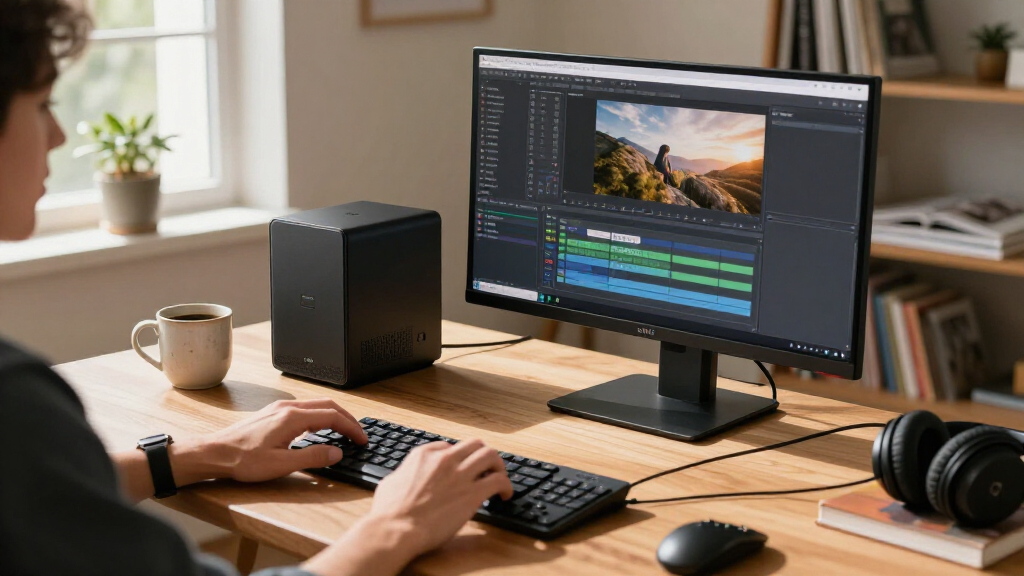
I ranked these systems by how well their stated components and intended form factor match the needs behind compact AI computing: local model work, graphics-assisted tasks, everyday productivity, and edge deployment. I weighed processor class, integrated graphics where specified, memory capacity and type, SSD capacity, and the practical flexibility each configuration appears to offer. Because no measured performance or cooling data is supplied, I do not treat model names as proof of benchmark results or make claims about sustained speeds.
The order reflects fit, not a single universal definition of “best.” The 64GB NIMO configurations rank highest for buyers seeking a compact system with substantial memory and Radeon 8060S graphics; their storage options distinguish capacity rather than an assumed performance tier. Dell’s Pro Micro systems follow for conventional desktop and business use, while the FANPEEC and GEEKOM models suit lighter workloads with different memory and processor tradeoffs. I place the reComputer in a separate specialized role: its Jetson AGX Orin and GMSL make it relevant to embedded vision, but less suitable as a standard personal computer. Missing details such as ports, upgrade access, operating system, and cooling should be checked against the exact listing before purchase.
| compact AI PC | Graphics | Operating system | Connectivity |
|---|---|---|---|
| Dell Pro Micro QCM1250 AI Mini | Integrated Intel graphics | Windows 11 Pro 64-bit | Wi-Fi 6E, Bluetooth 5.4, Ethernet, HDMI 2.1, DisplayPort, USB-C 3.2, five USB-A ports |
| NIMO AI Mini PC with AMD Ryzen | Radeon 8060S, 40 compute units | Windows 11 | USB4, OCuLink, 2.5GbE Ethernet |
| Dell Pro Micro Plus QBM1250 Mi | Integrated Intel graphics | Windows 11 Pro 64-bit | — |
| NIMO AI Mini PC with AMD Ryzen | Integrated Radeon 8060S, 40 compute units | Windows 11 | USB4, OCuLink, 2.5GbE Ethernet |
| NIMO AI Mini PC with AMD Ryzen | Integrated Radeon 8060S, 40 compute units | Windows 11 | USB4, OCuLink, 2.5GbE Ethernet |
| NIMO AI Mini PC with AMD Ryzen | Radeon 8060S, 40 compute units | Windows 11 | USB4, OCuLink, HDMI, USB 3.2 Gen 2, USB Type-C |
| Dell Pro Micro Plus QBM1250 De | Integrated Intel Graphics | Windows 11 Pro 64-bit | — |
| GEEKOM A5 Mini PC with AMD Ryz | AMD Radeon Vega 8 | — | Wi-Fi 6, Bluetooth 5.4, and 2.5GbE LAN |
| FANPEEC Mini PC with AMD Ryzen | — | — | — |
| FANPEEC Mini PC with AMD Ryzen | — | — | — |
| GEEKOM A5 Mini PC | — | — | Wi-Fi 6, Bluetooth 5.4, 2.5GbE LAN, dual HDMI, dual USB-C, SD card reader |
| reComputer Mini J5012 with GMS | — | JetPack 5.x, Linux, Ubuntu 20.04 LTS | USB, 10G Ethernet, 1G Ethernet, CAN, RS-485, GPI, GPO, I2S |
Factors to Consider When Choosing Best Compact AI PCs
I would start with the job the PC needs to do, not the “AI” label on the box. Compact systems can serve as everyday desktops, local inference machines, or embedded vision computers, and those uses place different demands on memory, graphics, storage, and connectivity. These checks can help avoid paying for the wrong kind of capability.
Match memory capacity to the size of your workload
Memory affects how much data and how many applications a system can keep active at once, which can shape local AI and creative workflows. A listed 64GB configuration gives more headroom than 16GB, but it does not guarantee that every model will run well; software requirements and memory allocation still matter. Before buying, check whether the listed memory is upgradeable or fixed, since that changes the cost of starting small. Do not confuse system RAM with SSD capacity: a larger drive stores more files but does not replace working memory. For basic office tasks, a lower-memory system may be adequate, while larger local workloads call for a more deliberate capacity choice.
Treat AI performance as a workload question, not a label
“AI PC” can refer to different hardware approaches, from general-purpose processors with AI features to systems with stronger integrated graphics or specialized edge platforms. Identify the software you plan to run and whether it uses the CPU, GPU, or a dedicated accelerator. Local inference, image processing, and camera analytics can place very different demands on hardware, so a single AI branding term does not make products interchangeable. Check software support and model compatibility before choosing based on processor family alone. If your work depends on a particular framework or accelerator, confirm that it is supported on the exact operating system and configuration.
Choose SSD capacity around your actual data footprint
AI models, datasets, video, and project files can consume storage quickly, but a bigger SSD is not automatically a faster computer. Estimate the space needed for applications, active projects, and local model files, then leave room for updates and working copies. The NIMO configurations in this roundup range from 1TB to 4TB, illustrating how buyers can select capacity without treating each size as a different performance class. A smaller drive can make sense if you already use network or external storage, provided the PC has suitable connections. Check whether the drive can be replaced or expanded before relying on future upgrades.
Check the physical setup, cooling, and upgrade path
A compact enclosure saves desk space, but it also makes placement and sustained workloads more relevant. Confirm the unit’s dimensions, power supply arrangement, ventilation needs, and noise information from the manufacturer or listing. A system tucked behind a monitor still needs airflow, especially when used for long compute sessions. Small PCs can vary in how easily memory and storage can be serviced, so verify access before assuming upgrades will be simple. If the machine will run unattended, reliability details and warranty support may matter more than a minor processor difference.
Separate office desktops from edge-computing systems
A mini PC designed for a desk and an embedded computer designed for cameras or industrial equipment solve different problems. The reComputer’s GMSL and Jetson AGX Orin identify a specialized edge role, while the Dell, GEEKOM, FANPEEC, and NIMO listings are more natural starting points for general desktop use. Buyers planning camera installations should check supported camera interfaces, deployment software, mounting, and power needs. Office users should instead prioritize display connectivity, peripherals, wireless support, and the operating system they need. Buying an edge platform for routine desktop work can add setup complexity without improving the tasks that matter.
Compare the complete configuration, not just the processor name
Products sharing a processor family can still differ in memory amount, memory type, SSD size, and included connectivity. The FANPEEC 16GB and 32GB configurations make the memory distinction visible, while the NIMO listings vary substantially in storage. Confirm the exact SKU because product families may have several configurations under similar names. Also check whether the listing includes the operating system, wireless hardware, mounting accessories, and the ports required for your monitors or storage. A careful configuration check can prevent buying a capable processor paired with too little memory or an inconvenient storage setup.
Frequently Asked Questions
Is 16GB of RAM enough for a compact AI PC?
It can be enough for office work, browsing, and lighter applications, but it leaves less room for large local models and heavy multitasking than 32GB or 64GB. The Dell Pro Micro and GEEKOM configurations listed here start at 16GB, so I would match them to modest workloads rather than assume they suit every local AI task. Check the memory needs of the exact software and model you plan to run before choosing. Also verify whether the memory can be upgraded, since fixed memory limits the system’s future flexibility. A larger SSD will not make up for insufficient RAM.
Should I choose a 2TB or 4TB compact AI PC?
Choose based on how much data you expect to keep on the machine, not on the idea that more storage automatically improves processing. The 2TB NIMO configuration provides substantial space for applications and local files, while 4TB is more appropriate when model collections, datasets, or media libraries are large. If you regularly archive work to network storage, a smaller internal drive may be enough. Check whether the SSD can be replaced or supplemented before deciding that you need the largest configuration immediately. Keep a separate backup plan for important files regardless of capacity.
Is a Jetson AGX Orin mini computer a good everyday desktop?
The reComputer Mini J5012 is better understood as an edge-computing platform than as a typical home or office desktop. Its Jetson AGX Orin 64GB and GMSL are relevant to embedded AI and camera systems, where compatible hardware interfaces can be central to the project. For routine desktop tasks, a conventional mini PC may be easier to configure around monitors, peripherals, and familiar software. Before choosing the reComputer, confirm that your applications support its platform and that you can manage its setup. It makes the most sense when its specialized interfaces solve a real project need.
Do the NIMO systems make sense for local AI if I do not need a 4TB drive?
Yes. The NIMO options share the Ryzen AI Max+ 388 platform and 64GB memory, while the listed SSD capacities differ, so the smaller-drive configurations can be a better fit for buyers who do not need a large local library. Decide how much room you need for models, datasets, applications, and active projects, then check the exact configuration details. Storage size alone does not establish how quickly a model will run. Confirm software compatibility and memory requirements for your intended workload before treating any configuration as a fit.
Which specs should I verify before ordering a compact AI PC?
Confirm the exact processor, memory capacity and type, SSD size, operating system, and whether memory or storage can be upgraded. Then check ports, wireless connectivity, monitor support, physical dimensions, and the power supply arrangement against your workspace and accessories. For AI projects, verify software and accelerator compatibility rather than relying on general product wording. Listings may use similar names for configurations with different RAM or storage, so match the full model and SKU. If the system will run sustained workloads, look for manufacturer details on cooling, noise, and support.
Conclusion
For most buyers seeking a compact machine with substantial memory and graphics capability, I would start with the NIMO Ryzen AI Max+ 388 with 64GB RAM and 2TB SSD as the best overall balance in this lineup. The best value depends on workload: the FANPEEC Ryzen 7 7840HS with 32GB is a sensible middle ground for buyers who need more memory than the 16GB systems without choosing a 64GB NIMO configuration. For a best premium capacity choice, the 4TB NIMO suits large local libraries; its extra storage is useful only if you will fill it. Beginners focused on ordinary desktop tasks may find the Dell Pro Micro QCM1250 or a GEEKOM A5 easier to match to everyday needs, provided 16GB RAM fits their plans. For camera-based embedded projects, choose the reComputer Mini J5012; for heavier local AI, favor the 64GB NIMO systems. Check the precise configuration and software support before deciding.
Halloween Picks
halloween
As an affiliate, we earn on qualifying purchases.