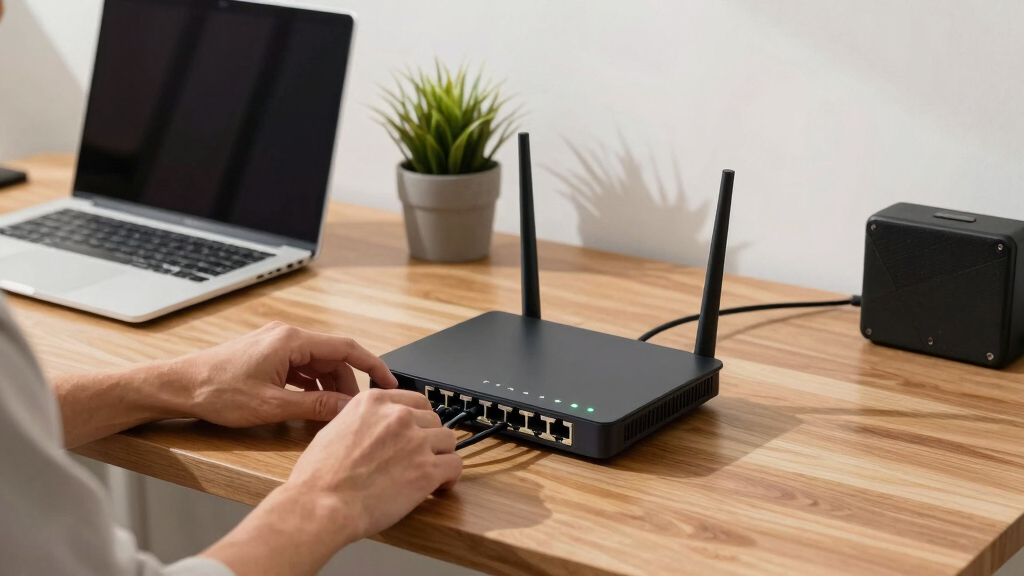

The MikroTik RB5009UG+S+in stands out as the best overall pick among the best MikroTik routers, thanks to its ARM CPU, 2.5G Ethernet, and 10G SFP+ port that keeps it ready for years of network growth. If you want strong value instead, the MikroTik hEX S (2025) packs a 2.5G SFP port and PoE output into a compact, affordable wired router, while the hAP ax2 is the easiest way into modern Wi-Fi 6. The main tradeoff across this category is raw performance and port flexibility versus setup complexity — RouterOS is powerful but demands more from you than a typical consumer router. Wireless buyers also face a choice between older, cheaper ac models and newer Wi-Fi 6 hardware. Read on for the full breakdown of all twelve models.

Get the latest gadgets delivered free with Prime
- Fast, free delivery on millions of items
- Prime Video, Amazon Music and more included
- Member-only deals all year
Complete the kit



Key Takeaways
- The RB5009UG+S+in earned the top spot because it is the only model here that combines 2.5G Ethernet, a 10G SFP+ cage, and a CPU fast enough to push those ports under load — every other pick forces a compromise somewhere.
- Fiber-ready SFP ports separate the lineup sharply: the hEX S (2025), RB5009, and L009 rackmount make sense for fiber builds, while the standard hEX models are Ethernet-only and better suited to cable internet.
- Wi-Fi generation matters more than Wi-Fi speed numbers in this lineup — the hAP ax2 and hAP axS use Wi-Fi 6 and will hold up far longer than the cheaper hAP ac2 and hAP ac3, which still perform but trail on capacity in busy homes.
- PoE output is the hidden differentiator for accessory-heavy setups: the hEX PoE and hEX S can power access points or cameras, letting you skip separate injectors entirely.
- Several models overlap heavily (the two standard hEX routers, and the hAP ac2 versus ac3), so paying more only makes sense when you actually need the extra RAM, USB port, or Wi-Fi 6 radio the higher-tier model adds.
| MikroTik hAP ac3 |  | Best Wireless All-Rounder for Busy Homes | Wi-Fi: Dual-band (2.4 GHz / 5 GHz) | Ethernet: 5x Gigabit ports | USB: Yes (storage or LTE modem) | VIEW LATEST PRICE | See Our Full Breakdown |
| MikroTik hEX S (2025) E60iUGS |  | Best Fiber-Ready Wired Router | CPU: Dual-core ARM EN7562CT @ 950 MHz | RAM: 512 MB | Ethernet: 5x Gigabit ports (1 with PoE-Out) | VIEW LATEST PRICE | See Our Full Breakdown |
| MikroTik RB5009UG+S+in Router |  | Best Premium Powerhouse | Ethernet: 7x Gigabit + 1x 2.5G RJ45 | Fiber: 1x 10G SFP+ cage | USB: USB 3.0 | VIEW LATEST PRICE | See Our Full Breakdown |
| Mikrotik hEX 5 Port Gigabit Router (E50UG) |  | Best Budget First Router | Ethernet: 5x Gigabit ports | RAM: 512 MB | CPU: Modern ARM architecture | VIEW LATEST PRICE | See Our Full Breakdown |
| MikroTik hAP ac2 RBD52G-5HacD2HnD-TC |  | Best Compact Budget Wireless Router | Wi-Fi: Dual-concurrent 2.4 GHz / 5 GHz | Ethernet: 5x Gigabit ports | CPU: 4-core | VIEW LATEST PRICE | See Our Full Breakdown |
| MikroTik hAP ax2 US Version (C52iG-5HaxD2HaxD-TC-US) WiFi 6 Router |  | Best WiFi 6 Home Router | Model: C52iG-5HaxD2HaxD-TC-US (hAP ax2) | CPU: Quad-Core IPQ-6010 864 MHz | RAM: 1GB | VIEW LATEST PRICE | See Our Full Breakdown |
| MikroTik IPQ-6010 Wireless Router with 2.4/5 GHz, 1200 Mbps, USB 3.0 |  | Best Budget Dual-Band Option | Platform: IPQ-6010 | Frequency: 2.4/5 GHz dual-band | Speed: Up to 1200 Mbps | VIEW LATEST PRICE | See Our Full Breakdown |
| MikroTik Routerboard hEX PoE RB960PGS 5 Port Gigabit Ethernet Router |  | Best Wired PoE Workhorse | Model: RB960PGS (hEX PoE) | CPU: 800 MHz | RAM: 128MB | VIEW LATEST PRICE | See Our Full Breakdown |
| MikroTik RB4011iGS+5HacQ2HnD-IN Router |  | Best for Power Users and Busy Networks | Model: RB4011iGS+5HacQ2HnD-IN | CPU: Quad-core ARM Cortex A15 | RAM: 1GB | VIEW LATEST PRICE | See Our Full Breakdown |
| MikroTik L009UiGS-RM Rackmount Router |  | Best Rackmount Pick | Model: L009UiGS-RM | Form Factor: 19-inch rackmount | Ethernet: Gigabit Ethernet ports | VIEW LATEST PRICE | See Our Full Breakdown |
| Mikrotik hEX RB750Gr3 5-port Ethernet Gigabit Router |  | Best Budget Wired Router | CPU: Dual-core 880MHz | RAM: 256MB | Ports: 5x Gigabit Ethernet | VIEW LATEST PRICE | See Our Full Breakdown |
| MikroTik hAP ax S Wireless Router – Wi-Fi 6 (802.11ax), Model W129280721 |  | Best Outdoor-Ready Wi-Fi 6 Upgrade | Wi-Fi Standard: Wi-Fi 6 (802.11ax) | Bands: Tri-band (2.4 GHz + 5 GHz) | Max Wireless Throughput: 4132.4 Mbps | VIEW LATEST PRICE | See Our Full Breakdown |
| MikroTik router | RAM | Ethernet | USB | Operating System |
|---|---|---|---|---|
| MikroTik hAP ac3 | — | 5x Gigabit ports | Yes (storage or LTE modem) | RouterOS |
| MikroTik hEX S | 512 MB | 5x Gigabit ports (1 with PoE-Out) | 1x USB 3.0 Type-A | RouterOS v7 |
| MikroTik RB5009UG+S+in Router | — | 7x Gigabit + 1x 2.5G RJ45 | USB 3.0 | RouterOS v7 |
| Mikrotik hEX 5 Port Gigabit Ro | 512 MB | 5x Gigabit ports | — | RouterOS |
| MikroTik hAP ac2 RBD52G-5HacD2 | 128 MB | 5x Gigabit ports | Yes (storage or LTE modem) | — |
| MikroTik hAP ax2 US Version | 1GB | — | — | RouterOS, License level 4 |
| MikroTik IPQ-6010 Wireless Rou | — | — | USB 3.0 Type A | — |
| MikroTik Routerboard hEX PoE R | 128MB | — | USB 2.0 | — |
| MikroTik RB4011iGS+5HacQ2HnD-I | 1GB | 10x Gigabit ports | — | — |
| MikroTik L009UiGS-RM Rackmount | — | Gigabit Ethernet ports | — | RouterOS |
| Mikrotik hEX RB750Gr3 5-port E | 256MB | — | Full-size USB port | — |
| MikroTik hAP ax S Wireless Rou | 512MB | — | — | RouterOS |
More Details on Our Top Picks
MikroTik hAP ac3
The hAP ac3 earns its spot as the wireless workhorse of this lineup. Its dual-band Wi-Fi runs alongside five Gigabit Ethernet ports, which means one box handles both your laptops and your wired devices without a separate access point. Compared with the hAP ac2, the ac3 targets larger households: more antennas, more RAM, and a stronger CPU translate into more simultaneous clients before things slow down. It also carries USB, so an LTE modem or storage can be attached for backup connectivity. The tradeoff is honest: this is still Wi-Fi 5 hardware in a Wi-Fi 6 world, so anyone buying fresh for multi-gig internet or dense smart-home networks should look at the hAP ax2 instead. For a typical family on a sub-gigabit connection, though, that difference rarely shows up in day-to-day use.
Pros:- Dual-band Wi-Fi plus five Gigabit ports in a single device
- Enough CPU and RAM headroom for busy home networks
- USB port for LTE failover or attached storage
- Full RouterOS feature set for growth into VLANs and VPNs
Cons:- Wi-Fi 5 radio is dated next to Wi-Fi 6 models like the hAP ax2
- Larger physical footprint than compact options like the hAP ac2
- RouterOS configuration still demands more learning than consumer firmware
Best for: Families on sub-gigabit plans who want one box to route and broadcast Wi-Fi for many devices at once
Not ideal for: Households with gigabit-plus internet or lots of Wi-Fi 6 devices — the older radio standard leaves speed on the table
- Wi-Fi:Dual-band (2.4 GHz / 5 GHz)
- Ethernet:5x Gigabit ports
- USB:Yes (storage or LTE modem)
- Form Factor:Desktop wireless router
- Operating System:RouterOS
- Target Use:Home / small office routing and Wi-Fi
Our verdict“A sensible one-box solution for families who need solid dual-band coverage and wired ports without chasing the latest Wi-Fi standard.”
MikroTik hEX S (2025) E60iUGS
What makes the hEX S (2025) stand out is the 2.5G SFP port — a rarity at this tier and the key reason to pick it over the plain hEX refresh. If your internet arrives over fiber, you can plug the SFP directly in and skip a media converter entirely, while the five Gigabit copper ports serve your LAN. Compared with the RB5009UG+S+, it gives up 10G SFP+ and multi-gig copper but costs far less and sips under 5 W without attachments. The dual-core ARM CPU at 950 MHz with 512 MB of RAM comfortably handles RouterOS, queues, and IPsec hardware acceleration. Remember this is a wired-only router: there is no Wi-Fi here, so you will pair it with an access point like the hAP ax2 if you need wireless. Passive cooling and a -40°C to 70°C rating also make it viable for garages and outbuildings.
Pros:- 2.5G SFP port accepts fiber directly without a media converter
- 512 MB RAM and hardware IPsec acceleration for VPN workloads
- PoE-Out on one port to power an access point
- Wide -40°C to 70°C operating range with passive cooling
Cons:- No Wi-Fi — requires a separate access point for wireless clients
- Gigabit-only copper ports; no 2.5G RJ45 for multi-gig LAN devices
- RouterOS learning curve steeper than consumer router firmware
Best for: Fiber subscribers and small-office builders who want a compact wired router with an SFP uplink and no Wi-Fi overhead
Not ideal for: Anyone expecting plug-and-play wireless — there is no radio at all, so a separate access point is mandatory
- CPU:Dual-core ARM EN7562CT @ 950 MHz
- RAM:512 MB
- Ethernet:5x Gigabit ports (1 with PoE-Out)
- Fiber:1x SFP port (2.5G supported)
- USB:1x USB 3.0 Type-A
- IPsec Hardware Acceleration:Yes
- Powering:DC jack or PoE-In (12–57 V)
- Operating Temperature:-40°C to 70°C
- Operating System:RouterOS v7
Our verdict“The pick for fiber-fed setups that want SFP flexibility and serious routing muscle in a small wired box.”
MikroTik RB5009UG+S+in Router
The RB5009UG+S+ sits at the top of this roundup for raw capability. With a quad-core ARM CPU, a 10G SFP+ cage, 2.5G Ethernet, USB 3.0, and a full Gigabit port array, it is the model you buy when gigabit ceilings feel limiting rather than generous. Next to the hEX S (2025), the difference is headroom: the RB5009 pushes heavy firewall rule sets, containers, and VPN tunnels without breaking a sweat, where the hEX S is merely adequate. Against the RB4011, it wins on the 2.5G port and SFP+ speed, which matter for NAS or multi-gig uplinks. The catches are real: it has no Wi-Fi, so budget for an access point, and its power means it is overkill for a household on a 300 Mbps plan. This is an enthusiast and small-business machine, plain and simple.
Pros:- 10G SFP+ and 2.5G Ethernet for multi-gig uplinks and NAS links
- Quad-core CPU handles heavy firewall, VPN, and container workloads
- USB 3.0 and PoE-In for flexible deployment
- RouterOS v7 with full enterprise feature depth
Cons:- No built-in Wi-Fi — a separate access point is required
- More router than most homes will ever use, both in cost and complexity
- Configuring advanced features demands genuine RouterOS familiarity
Best for: Enthusiasts and small offices running multi-gig internet, VPNs, or complex RouterOS configurations who need CPU headroom
Not ideal for: Casual home users on sub-gigabit plans — the capabilities go unused and the setup effort is wasted
- Ethernet:7x Gigabit + 1x 2.5G RJ45
- Fiber:1x 10G SFP+ cage
- USB:USB 3.0
- PoE-In:Supported
- Cooling:Passive (fanless)
- Operating System:RouterOS v7
- Form Factor:Desktop (rack-mountable with accessories)
Our verdict“The maximum-power pick for multi-gig networks where CPU headroom and 10G fiber matter more than convenience.”
Mikrotik hEX 5 Port Gigabit Router (E50UG)
The refreshed hEX (E50UG) is the cheapest credible entry into RouterOS, and that is exactly its role here. MikroTik doubled performance versus the classic hEX RB750Gr3 by moving to a modern ARM CPU with 512 MB of RAM, which means it keeps up with queues and firewall rules that would choke older budget routers. Compared with the hEX S (2025), it drops the SFP port, PoE-Out, and USB — so it is strictly for copper internet connections — but if you just need five Gigabit ports and a dependable wired router for a cable or DSL modem, the gap hardly matters. The 281 g plastic case sits quietly on a shelf, and the 70°C temperature rating handles warm closets. The honest limitation is expansion: no fiber, no PoE, no multi-gig anything. It routes packets well and stops there.
Pros:- Modern ARM CPU with 512 MB RAM at an entry-level tier
- Five Gigabit ports cover typical home wired needs
- Full RouterOS access for learning VLANs, firewalls, and VPNs
- Lightweight passive design rated to 70°C
Cons:- No SFP port, so fiber connections need a separate media converter
- No PoE output to power access points or cameras
- No Wi-Fi — a separate access point is required for wireless
Best for: First-time RouterOS learners and budget-conscious users on cable or DSL internet who need a dependable wired router
Not ideal for: Fiber subscribers or anyone wanting to power an access point over Ethernet — no SFP or PoE here
- Ethernet:5x Gigabit ports
- RAM:512 MB
- CPU:Modern ARM architecture
- Switch Type:Managed, Layer 2
- PoE:None
- Weight:281 g
- Operating Temperature:Up to 70°C
- Operating System:RouterOS
Our verdict“The smartest low-cost way into MikroTik routing for copper-internet homes that don’t need fiber or PoE extras.”
MikroTik hAP ac2 RBD52G-5HacD2HnD-TC
The hAP ac2 is the lightweight wireless option of this group — a dual-concurrent 2.4/5 GHz router in a shell small enough to tuck behind a TV or mount on a wall, horizontally or vertically. Where the hAP ac3 serves a whole house, the ac2 is better suited to an apartment, a single floor, or as a dedicated guest-network router. Its five Gigabit ports and USB for an LTE modem or storage give it flexibility that most budget consumer routers lack, and IPsec hardware acceleration means a VPN tunnel will not tank your throughput. The compromises come from its 128 MB of RAM and older Wi-Fi 5 radios: large rule sets, container packages, or dense device counts will strain it, and anyone buying for the future should weigh the Wi-Fi 6 hAP ax2 instead. It also leans on passive PoE (18–28 V), so check your power arrangements before mounting it out of reach.
Pros:- Dual-concurrent 2.4/5 GHz Wi-Fi in a very compact, flexible-mount design
- Five Gigabit Ethernet ports for wired devices
- USB port supports LTE modem for backup internet
- IPsec hardware acceleration keeps VPN throughput usable
Cons:- Only 128 MB RAM restricts advanced RouterOS packages and many clients
- Wi-Fi 5 radios trail Wi-Fi 6 models like the hAP ax2 in speed and capacity
- Passive PoE power requirement complicates placement compared with standard AC adapters
Best for: Apartment dwellers and small-space users who want affordable dual-band Wi-Fi plus Gigabit ports in a compact box
Not ideal for: Large homes or heavy smart-home setups — the 128 MB RAM and Wi-Fi 5 radios limit client counts and peak speeds
- Wi-Fi:Dual-concurrent 2.4 GHz / 5 GHz
- Ethernet:5x Gigabit ports
- CPU:4-core
- RAM:128 MB
- USB:Yes (storage or LTE modem)
- PoE:Passive PoE, 18–28 V
- IPsec Hardware Acceleration:Yes
- Placement:Horizontal or vertical
Our verdict“A tidy, affordable dual-band router for small spaces and light-duty networks where size matters more than raw speed.”
MikroTik hAP ax2 US Version (C52iG-5HaxD2HaxD-TC-US) WiFi 6 Router
The hAP ax2 stands out as the easiest way to bring WiFi 6 into a MikroTik-powered home network without paying for ports you will never use. Compared with the older hAP ac2, the generational jump is real: up to 40% higher speeds on 5 GHz and up to 90% on 2.4 GHz, which translates to smoother performance in apartments crowded with neighboring networks. The quad-core IPQ-6010 CPU and 1GB of RAM give it enough headroom for complex firewall rules and hardware-accelerated IPsec, something the smaller hEX units simply cannot handle. Compared with the RB4011, it trades port density and SFP+ for a compact, wall-mountable design that fits behind a shelf. Plan on a RouterOS update during initial setup, and expect a learning curve if you are coming from a consumer router.
Pros:- Genuine WiFi 6 performance gains over the hAP ac2 generation
- Quad-core CPU and 1GB RAM handle advanced RouterOS configurations
- WPA3 support for modern wireless security
- Mounts vertically, horizontally, or on a wall
Cons:- Requires a software update on first setup for stable operation
- RouterOS has a real learning curve for casual users
- Very limited wired connectivity for a router
Best for: Home users who want WiFi 6 speeds and MikroTik-grade control in a compact, affordable unit
Not ideal for: Buyers needing many wired ports or fiber uplinks — the single Ethernet port count here is minimal
- Model:C52iG-5HaxD2HaxD-TC-US (hAP ax2)
- CPU:Quad-Core IPQ-6010 864 MHz
- RAM:1GB
- Wireless Standard:802.11ax (WiFi 6), dual-band 2.4/5 GHz
- Antenna:Dual-chain, 4-4.5 dBi, fixed
- Security:WPA3
- Operating System:RouterOS, License level 4
Our verdict“The hAP ax2 makes the most sense for households that want modern wireless performance with room to grow into RouterOS.”
MikroTik IPQ-6010 Wireless Router with 2.4/5 GHz, 1200 Mbps, USB 3.0
This listing reads more like a component listing than a finished product, and that is exactly the tradeoff: you get the same IPQ-6010 platform that powers the hAP ax2, with dual-band wireless and a USB 3.0 port, typically at a lower cost than the branded hAP package. Compared with the hAP ax2, however, you give up the polished enclosure, fixed antenna design, warranty clarity, and detailed documentation — the sparse listing makes it hard to verify exactly which chassis and license level you will receive. For a tinkerer comfortable flashing and configuring RouterOS from scratch, that ambiguity is acceptable. For anyone who wants a predictable out-of-box experience, the hAP ac2 or hAP ax2 are safer picks at similar capability levels. The 1200 Mbps combined throughput is fine for everyday browsing and streaming, but it is not a WiFi 6 flagship.
Pros:- Dual-band 2.4/5 GHz connectivity
- USB 3.0 port for storage or LTE modem use
- Built on the capable IPQ-6010 platform
- Generally cheaper than branded equivalents
Cons:- Sparse listing with limited verifiable product details
- Unclear enclosure, antenna, and warranty situation
- No WiFi 6 at this price point when the hAP ax2 exists
Best for: DIY network builders who recognize the IPQ-6010 platform and don’t mind an unbranded, minimal listing
Not ideal for: First-time MikroTik buyers who need clear documentation and guaranteed RouterOS licensing
- Platform:IPQ-6010
- Frequency:2.4/5 GHz dual-band
- Speed:Up to 1200 Mbps
- USB:USB 3.0 Type A
- Connectivity:Wireless router
Our verdict“A reasonable gamble only for experienced buyers who know the platform; everyone else should pay slightly more for the hAP ax2.”
MikroTik Routerboard hEX PoE RB960PGS 5 Port Gigabit Ethernet Router
The hEX PoE solves a problem most routers ignore: powering the rest of your network. Ports 2-5 deliver PoE output, so access points, cameras, or outdoor radios run off the same box — fewer adapters and cables to manage. Compared with the standard hEX RB750Gr3, you gain the SFP port for fiber uplinks and the PoE capability, at the cost of a slightly larger footprint and no wireless at all. Compared with the newer hEX S, it is an older design, but the 800 MHz CPU still handles advanced RouterOS configurations including serious firewall work. With shielded Ethernet ports and a 1A per-port PoE limit, this is a device built for installations in garages, server closets, or on rooftops feeding a wireless link. It is a poor choice as your only router if you need WiFi — pair it with an access point like the hAP ax2.
Pros:- PoE output on ports 2-5 powers access points and cameras from one unit
- SFP port adds affordable fiber connectivity
- Shielded Ethernet ports and solid RouterOS feature support
- Compact and reliable for long-term installs
Cons:- 128MB of RAM limits heavy multi-service configurations
- No wireless radio at all — needs a separate access point
- Older platform compared with the hEX S and its 2.5G SFP
Best for: Installers and small offices that want one wired box to route, fiber-uplink, and power PoE devices
Not ideal for: Anyone who needs built-in WiFi — this is a wired-only router
- Model:RB960PGS (hEX PoE)
- CPU:800 MHz
- RAM:128MB
- Ports:5x Gigabit Ethernet
- PoE Output:Ports 2-5, up to 1A per port
- Uplink:SFP port for fiber
- USB:USB 2.0
- Wireless:None (wired only)
Our verdict“If your priority is powering and feeding a wired network from a single box, the hEX PoE still earns its place despite its age.”
MikroTik RB4011iGS+5HacQ2HnD-IN Router
The RB4011 is the port-heavy enthusiast pick: ten Gigabit Ethernet ports, an SFP+ 10Gbps cage, PoE output on port 10, and IPsec hardware acceleration for VPN-heavy setups. Compared with the hEX PoE, it is a different class of machine — more than double the ports, a quad-core Cortex A15 CPU, and 1GB of RAM that comfortably runs queues, VPNs, and complex routing simultaneously. Its dual-band wireless reaches up to 1733 Mbps, so unlike the hEX family it can serve as your only box, though its 4-chain radios are still a step behind dedicated access points. The RB5009 is its natural successor with a faster ARM CPU and 2.5G Ethernet, but the RB4011 remains attractive when you need sheer port count for a lab or dense wired office. The matte black metal enclosure doubles as a heatsink, which means it gets warm — give it ventilation room.
Pros:- Ten Gigabit ports plus SFP+ for 10G fiber uplinks
- IPsec hardware acceleration for VPN workloads
- Built-in dual-band wireless up to 1733 Mbps
- Rugged metal enclosure with PoE output on port 10
Cons:- Setup demands real networking knowledge
- 1GB RAM can bottleneck very intensive multitasking
- Runs warm under sustained load
Best for: Network enthusiasts and small offices running VPNs, VLANs, and many wired devices from one chassis
Not ideal for: Casual home users — the size, price, and RouterOS complexity are overkill for basic internet sharing
- Model:RB4011iGS+5HacQ2HnD-IN
- CPU:Quad-core ARM Cortex A15
- RAM:1GB
- Ethernet:10x Gigabit ports
- Fiber:SFP+ 10Gbps cage
- WiFi:Dual-band, 4-chain, up to 1733 Mbps
- PoE Output:Yes, port 10
- Enclosure:Solid metal, matte black
Our verdict“When your network outgrew the hEX tier and you need ports, VPN throughput, and WiFi in one unit, the RB4011 is the pragmatic pick.”
MikroTik L009UiGS-RM Rackmount Router
The L009UiGS-RM exists for one reason: it slides into a standard 19-inch rack instead of sitting on a shelf. That alone separates it from everything else in this lineup — the RB4011 and hEX units are desktop form factors that leave you improvising with shelf brackets in a network cabinet. Built on MikroTik’s 88DK5100 architecture with Gigabit ports and an SFP cage, it occupies the same performance tier as the hEX S but with a front-panel layout designed for patch panels and labeled cabling. Compared with the RB4011, you give up the ten-port density and built-in wireless, so plan on a separate access point — the hAP ax2 pairs well here. The tradeoff is visibility: listings for this model are thin on detail, so verify the current RouterOS version and port config before committing. This is a builder’s router, not an appliance.
Pros:- True 19-inch rackmount form factor for tidy cabinets
- SFP cage for fiber uplinks
- Gigabit Ethernet switching with RouterOS flexibility
- Dependable MikroTik build for always-on duty
Cons:- No built-in wireless — requires a separate access point
- Sparse official listing details make pre-purchase research necessary
- Configuration assumes networking experience
Best for: Home-lab owners and small businesses with a proper rack who want clean, mounted wiring
Not ideal for: Desktop users — the rackmount form factor wastes space and offers no wireless
- Model:L009UiGS-RM
- Form Factor:19-inch rackmount
- Ethernet:Gigabit Ethernet ports
- Fiber:SFP cage
- Operating System:RouterOS
- Wireless:None (wired only)
Our verdict“If your gear lives in a rack rather than on a desk, the L009UiGS-RM is the cleanest way to add MikroTik routing to it.”
Mikrotik hEX RB750Gr3 5-port Ethernet Gigabit Router
The hEX RB750Gr3 remains one of the most sensible entry points into RouterOS for anyone who just needs a wired gateway. Its dual-core 880MHz CPU and 256MB of RAM handle routing, firewall duty, and light tunneling without complaint, and the onboard IPsec hardware encryption (~470 Mbps) is something most routers at this end of the market simply don’t offer. Compared with the newer hEX S (E60iUGS), this model gives up the 2.5G SFP port and PoE output, but it costs less and still covers the basics for a small wired network. The microSD slot and full-size USB port add useful storage flexibility, including running The Dude server package. The tradeoff is aging: no wireless, Gigabit-only ports, and 16MB of built-in storage feel dated next to the E50UG refresh with 512MB of RAM.
Pros:- IPsec hardware encryption (~470 Mbps) is rare at this price point
- Dual-core 880MHz CPU and 256MB RAM comfortably run RouterOS features
- microSD slot and USB port enable file storage and The Dude server
- Compact, fanless, and powered via passive PoE input for flexible placement
Cons:- No wireless and no 2.5G/SFP connectivity unlike the hEX S
- Only 16MB of built-in storage limits on-device packages
- Gigabit ports cap throughput for faster internet plans
Best for: Hobbyists and small offices that want a cheap, capable wired RouterOS box for learning or basic gateway duty
Not ideal for: Anyone wanting multi-gig uplinks, Wi-Fi, or PoE — the hEX S or hAP ax2 cover those needs better
- CPU:Dual-core 880MHz
- RAM:256MB
- Ports:5x Gigabit Ethernet
- Storage:16MB + microSD slot
- IPsec Hardware Encryption:~470 Mbps
- USB:Full-size USB port
- Power:Passive PoE (PoE in)
- Dimensions:113 x 89 x 28mm
Our verdict“A dependable, low-cost wired router for RouterOS learners and small networks that don’t need Wi-Fi or multi-gig speeds.”
MikroTik hAP ax S Wireless Router – Wi-Fi 6 (802.11ax), Model W129280721
The hAP ax S sits at the modern end of this lineup, pairing tri-band Wi-Fi 6 (802.11ax) with aggregate wireless rates up to 4132.4 Mbps and a 2.5G-capable upstream path — a clear step up from the dual-band hAP ax2 for households or small offices with congested airwaves. Its 512MB of RAM keeps RouterOS responsive even with VLANs, VPN tunnels, and queue rules stacked up. Where the hAP ac3 was the do-everything Wi-Fi 5 pick of its generation, the hAP ax S is its Wi-Fi 6 successor in spirit: fewer compromises on wireless throughput, same deep configurability. That configurability cuts both ways — RouterOS still assumes you know what you’re doing, and the listed WPA2-only security protocol is a letdown on a router this modern, since Wi-Fi 6 clients increasingly expect WPA3.
Pros:- Tri-band Wi-Fi 6 delivers high aggregate throughput (up to 4132.4 Mbps)
- 512MB RAM keeps RouterOS smooth under heavy configurations
- 5 Ethernet ports with multi-gig upstream capability
- App-based control alongside full RouterOS access
Cons:- RouterOS learning curve is steep for novice users
- Security listing tops out at WPA2 with no WPA3 mentioned
- Internal antennas limit placement flexibility compared to external-antenna models
Best for: Enthusiasts and small offices that want a single tri-band Wi-Fi 6 RouterOS device to replace an aging hAP ac3 or ac2
Not ideal for: Plug-and-play buyers who want a app-guided consumer router — RouterOS has a real learning curve
- Wi-Fi Standard:Wi-Fi 6 (802.11ax)
- Bands:Tri-band (2.4 GHz + 5 GHz)
- Max Wireless Throughput:4132.4 Mbps
- Max Upstream Rate:2500 Mbps
- LAN Ports:5 (Gigabit)
- RAM:512MB
- Antennas:2 internal
- Operating System:RouterOS
- Power:24 volts
Our verdict“A powerful tri-band Wi-Fi 6 router for RouterOS-savvy buyers who want modern wireless without giving up fine-grained control.”

How We Picked
I evaluated each router against the factors that actually drive a MikroTik purchase: throughput under load (CPU architecture and port speeds, not just marketing numbers), connectivity flexibility (SFP/SFP+ cages, 2.5G Ethernet, PoE output, USB), wireless capability (Wi-Fi generation and antenna configuration where applicable), and fit for the RouterOS learning curve. Because MikroTik buyers range from home users to network professionals, I also weighed how well each model serves its intended buyer — a rackmount L009 and a beginner-friendly hAP ax2 serve very different purposes and were judged accordingly.
The ranking logic follows future-proofing first, value second. Models with 2.5G ports and SFP+ cages rank higher because internet speeds keep climbing, while purely Gigabit models rank lower unless their price-to-performance ratio or specific feature (like PoE output) justifies it. Wi-Fi 6 models outrank older ac hardware at similar positioning for the same reason. I also penalized models whose features overlap almost entirely with a cheaper sibling, since a recommendation only earns its place when the extra cost buys something real.
| MikroTik router | Operating System |
|---|---|
| MikroTik hAP ac3 | RouterOS |
| MikroTik hEX S | RouterOS v7 |
| MikroTik RB5009UG+S+in Router | RouterOS v7 |
| Mikrotik hEX 5 Port Gigabit Ro | RouterOS |
| MikroTik hAP ac2 RBD52G-5HacD2 | — |
| MikroTik hAP ax2 US Version | RouterOS, License level 4 |
| MikroTik IPQ-6010 Wireless Rou | — |
| MikroTik Routerboard hEX PoE R | — |
| MikroTik RB4011iGS+5HacQ2HnD-I | — |
| MikroTik L009UiGS-RM Rackmount | RouterOS |
| Mikrotik hEX RB750Gr3 5-port E | — |
| MikroTik hAP ax S Wireless Rou | RouterOS |
Factors to Consider When Choosing Best MikroTik Routers
MikroTik’s lineup looks confusing at first because many models share similar names and near-identical port counts, yet serve completely different purposes. Before picking, it helps to understand the broader patterns in the range — and the mistakes buyers make most often.Match the Ports to Your Internet Connection, Not Your Ambitions
The most common mistake is buying a router for connections you do not have while neglecting the one you do. If your internet service arrives over fiber with an SFP handoff, an Ethernet-only model forces a media converter into the chain and adds a point of failure. Conversely, paying extra for a 10G SFP+ cage on the RB5009 makes little sense if you have a 300 Mbps cable plan and no plans to upgrade. Look at your actual WAN speed today, add a realistic margin for the next three to five years, and buy to that number. A useful rule: once your plan exceeds roughly 1 Gbps, standard Gigabit routers become the bottleneck regardless of how fast their CPUs are.
RouterOS Is the Real Product — Decide How Much You Want to Learn
Every router here runs RouterOS, and that software is simultaneously MikroTik’s biggest advantage and its biggest barrier. Out of the box, the interface assumes networking vocabulary — firewalls, bridges, NAT rules — that consumer routers hide entirely. First-time buyers routinely underestimate the setup time for even a basic home deployment, and a misconfigured firewall can leave a network exposed. If you want MikroTik hardware without the deep end, the wireless hAP models with Quick Set are gentler entry points than the wired-only units. If you specifically want to learn networking, that same complexity becomes a feature rather than a flaw, and any model in this list works as a training ground.
Wi-Fi 6 Versus Wi-Fi 5: A Bigger Gap Than the Numbers Suggest
Spec sheets make the older hAP ac models look close to their ax successors on paper, but the real-world difference grows every year. Wi-Fi 6 handles multiple simultaneous devices far more efficiently, which matters in any household with smart home gear, streaming, and video calls happening at once. Wi-Fi 6 also tends to hold up better in apartment buildings where neighboring networks crowd the airwaves. The ac models remain perfectly capable for light use and single-digit device counts, so they can still be a smart budget play — but anyone keeping a router for five or more years should lean ax. A separate wired router paired with a dedicated access point later is another valid path worth weighing against an all-in-one.
PoE Output Can Quietly Reshape Your Whole Network Budget
Several models here can pass power to downstream devices over Ethernet, and buyers often overlook how much this changes total system cost. A router with PoE output can run an attic access point, a ceiling camera, or an outdoor radio without a separate injector and its accompanying power brick and cabling mess. The catch is that PoE output demands careful math: the router’s total power budget must cover every connected device plus its own overhead, and some models only support PoE on certain ports or when powered by a higher-voltage input. If you plan to build out MikroTik access points or IP cameras over time, treating PoE as a core requirement rather than a bonus will save money and wall outlets down the road.
Know When the Cheaper Sibling Is the Smarter Buy
MikroTik’s product line has deliberate overlaps, and the pricier option is not automatically the better value. The standard hEX and the hEX S share a family resemblance, yet the S version’s SFP port and PoE output only matter if you will use them. Similarly, stepping from the hAP ac2 to the ac3 buys more RAM and better radios — worthwhile for busy networks, wasted on a small apartment. My advice: list the two or three features you genuinely need, then find the cheapest model covering all of them. Spending the difference on a better access point or a UPS often delivers more tangible benefit than an over-spec’d router sitting idle at 5% CPU.
Plan for the Long Haul: Updates, Rack Space, and Spares
MikroTik supports hardware for many years after release, which makes the purchase decision more durable than in the consumer router world — but a few practical factors still deserve attention. Rackmount models like the L009 assume you have a rack or a shelf to hold them, while desktop units with external antennas need placement flexibility for good coverage. Check that the model you choose still receives current RouterOS v7 features, as very old stock can lag behind on newer releases. Finally, consider a cheap spare: because RouterOS configurations export cleanly to text files, keeping a low-cost hEX as a backup router lets you restore a full network setup in minutes if your primary unit ever fails.
Frequently Asked Questions
Are MikroTik routers too complicated for a home user?
They are more complicated than consumer routers, but the difficulty is often exaggerated. The wireless hAP models include a Quick Set page that gets a basic home network running in a few minutes, covering Wi-Fi, internet sharing, and a reasonable default firewall. Where MikroTik demands more is when you want advanced features like VLANs, VPNs, or traffic shaping — those require learning RouterOS properly. If you are comfortable spending an evening with documentation and forum guides, any model here is manageable. Buyers who want zero configuration should honestly weigh whether the control RouterOS offers is worth the learning curve for their situation.
Should I buy a router with Wi-Fi built in or a separate wired router plus access point?
A built-in Wi-Fi router like the hAP ax2 keeps things simple, cheaper, and neater — one box, one power supply, one configuration to maintain. A separate setup, such as the hEX S paired with a dedicated access point, gives you placement freedom, since the ideal spot for a router is rarely the ideal spot for Wi-Fi coverage. The separate approach also lets you upgrade Wi-Fi later without replacing the router, which matters because wireless standards evolve faster than routing hardware needs to. For smaller homes, the all-in-one approach wins on convenience; for larger spaces or multi-floor coverage, the split approach usually performs better. Many buyers start with an all-in-one and migrate to the split setup later, which RouterOS makes straightforward.
What is the SFP port actually for, and do I need one?
An SFP port accepts a small fiber or copper module and is most useful when your internet provider delivers service over fiber directly, as many ISPs in Europe and increasingly elsewhere do. Plugging the fiber into your router’s SFP port removes the provider’s modem or media converter from the chain, which means one less device, one less power supply, and one less potential failure point. On models like the hEX S, the SFP port also supports 2.5G modules, letting you exceed Gigabit speeds without changing routers. If your internet arrives over coax or a standard Ethernet cable, you can happily skip SFP entirely and save money. It is a future-proofing feature: worth having if fiber is available or coming, unnecessary otherwise.
Is the RB5009 overkill for a home network?
For most homes today, yes — its quad-core ARM CPU and 10G SFP+ port are sized for networks pushing well beyond Gigabit speeds or running demanding workloads like VPNs, containers, and heavy routing rules. That said, overkill can be a rational purchase if you value longevity: the RB5009 will handle whatever internet speeds and device counts arrive over the next decade without complaint. It also earns its place in homelabs and small offices where multiple VLANs, servers, and inter-VLAN routing would saturate a cheaper unit. The honest middle ground is that buyers between these extremes — ordinary homes with Gigabit internet — get nearly identical everyday performance from far cheaper models. Buy it for headroom and flexibility, not because a basic network needs it.
Can these routers replace my ISP’s modem or ONT?
Sometimes, and this is one of MikroTik’s quiet advantages. If your ISP delivers internet over active Ethernet (common with many fiber providers), a router with an SFP port can often accept the fiber directly or via a module, eliminating the provider’s box entirely — though you may need to request the connection details or have the line provisioned appropriately. For cable internet, no MikroTik router includes a DOCSIS modem, so you will keep your provider’s modem and connect it via Ethernet. Some ISPs lock their service to their own equipment or require specific authentication, which varies by provider and country. The practical advice: check with your ISP or local MikroTik community forums before buying specifically to replace provider hardware, as success depends heavily on how your particular service is delivered.
Conclusion
The right choice comes down to what your network needs to do. For the best overall pick, the RB5009UG+S+in is unmatched here: it has the headroom, port flexibility, and processing power to serve almost any buyer for years. The best value goes to the MikroTik hEX S (2025), whose 2.5G SFP port and PoE output deliver fiber-readiness at a price that embarrasses more expensive rivals. For beginners, the hAP ax2 is the gentlest entry into RouterOS with modern Wi-Fi 6 on board, while the hAP axS suits beginners who also want an SFP port from day one.
Specific needs narrow it further: the L009UiGS-RM is the pick for rack installs and small server rooms, the hEX PoE powers access points and cameras without injectors, and the budget hEX RB750Gr3 or hEX E50UG handle simple wired networks with money to spare. The RB4011 remains a strong choice for high-throughput wireless builds that do not need SFP+, and the hAP ac2 and ac3 fit light-duty wireless on a tight budget. Whichever you choose, every model here runs the same RouterOS — so pick the hardware that matches your ports, speed, and placement needs, and the software will grow with you.
Halloween Picks
halloween
As an affiliate, we earn on qualifying purchases.