
Choosing the best AI laptops requires balancing raw processing power with battery efficiency and software compatibility. The Apple MacBook Air 15-inch with M5 stands out as the best overall pick for its seamless integration of local AI models and exceptional battery life, making it ideal for mobile professionals. For Windows users prioritizing multitasking and broad software compatibility, the ASUS Vivobook S16 with Ryzen AI 9 offers superior NPU performance for heavy creative workloads. The main tradeoff in this category lies between the unified memory efficiency of Apple’s silicon and the raw, multi-threaded horsepower of AMD and Intel chips, often at the cost of shorter battery endurance. Continue reading to see how these thirteen contenders stack up against each other in real-world AI tasks.

Get the latest gadgets delivered free with Prime
- Fast, free delivery on millions of items
- Prime Video, Amazon Music and more included
- Member-only deals all year
Complete the kit



Key Takeaways
- Apple’s M5 chip dominates in energy efficiency for AI tasks, allowing longer unplugged work sessions than comparable Windows competitors.
- Windows laptops with AMD Ryzen AI 9 chips generally outperform Intel Core Ultra models in sustained NPU throughput for local LLM inference.
- 16GB of unified memory on MacBooks often handles AI workloads more efficiently than 32GB of traditional DDR5 on Windows due to higher bandwidth.
- OLED displays are becoming standard on premium AI laptops, providing better color accuracy for creators using AI image-generation tools.
- Thermal management is the primary differentiator between thin-and-light AI laptops and their thicker counterparts, impacting sustained performance.
| HP OmniBook 16 Touchscreen Laptop with AMD Ryzen AI 7 445, 16GB DDR5 RAM, and 1TB SSD |  | Best for Windows AI Features and Port Selection | Operating system: Windows 11 Pro | Display: 16-inch 1920 × 1200 IPS touchscreen | Processor: AMD Ryzen AI 7 445, 6 cores | VIEW LATEST PRICE | See Our Full Breakdown |
| Apple MacBook Air 15-inch Laptop with M5 Chip, 16GB Memory, 512GB SSD, Liquid Retina Display, and Touch ID (Midnight) |  | Best for Portable macOS AI Work | Operating system: macOS | Display: 15.3-inch Liquid Retina | Processor: Apple M5 chip | VIEW LATEST PRICE | See Our Full Breakdown |
| HP Pro Business Laptop with Intel Core Ultra 7, 17.3-Inch Touchscreen, 32GB DDR5 RAM, 1TB SSD, Windows 11 Pro, and Laptop Cooler |  | Best for Big-Screen Business Multitasking | Operating system: Windows 11 Pro | Display: 17.3-inch 1600 × 900 touchscreen, anti-glare, 60Hz | Processor: Intel Core Ultra 7 255U, 12 cores, 14 threads, up to 5.2 GHz | VIEW LATEST PRICE | See Our Full Breakdown |
| HP OmniBook 3 16-inch AI Laptop, 2K Touchscreen, AMD Ryzen AI 5 430, 16 GB RAM, 512 GB SSD, Radeon 840M, Windows 11 Home, Glacier Silver |  | Best for Everyday AI on a Lighter Budget | Operating system: Windows 11 Home | Display: 16-inch 1920 × 1200 IPS touchscreen, 300 nits, anti-glare | Processor: AMD Ryzen AI 5 430, 4 cores, 8 threads, up to 4.5 GHz | VIEW LATEST PRICE | See Our Full Breakdown |
| Dell 16-Inch Touchscreen Laptop, AMD Ryzen AI 7 350, 32GB DDR5 RAM, 1TB SSD |  | Best for Memory-Heavy Multitasking | Operating system: Windows 11 Pro | Display: 16-inch 1920 × 1200 touchscreen | Processor: AMD Ryzen AI 7 350 | VIEW LATEST PRICE | See Our Full Breakdown |
| MSI Venture A16 AI Laptop |  | Best for Storage-Heavy Workflows | Processor: AMD Ryzen 9 270 | Graphics: Integrated AMD Radeon Graphics | Memory: 32GB DDR5 | VIEW LATEST PRICE | See Our Full Breakdown |
| HP OmniBook 3 17.3″ Touchscreen Laptop |  | Best Large-Screen Productivity Hub | Processor: Intel Ultra 7 355 (49 NPU TOPS) | Memory: 32GB DDR5-5600 | Storage: 1TB PCIe SSD | VIEW LATEST PRICE | See Our Full Breakdown |
| ASUS Vivobook S16 16-Inch Copilot+ Laptop |  | Best Display and Battery Balance | Processor: AMD Ryzen AI 9 465 | Graphics: Integrated Radeon Graphics | Memory: 32GB DDR5 | VIEW LATEST PRICE | See Our Full Breakdown |
| ASUS Vivobook S16 16-inch OLED Laptop (Ryzen AI 7) | | Best Value OLED Alternative | Processor: AMD Ryzen AI 7 445 | Graphics: Integrated AMD Radeon Graphics | Memory: 32 GB DDR5 | VIEW LATEST PRICE | See Our Full Breakdown |
| HP Business Laptop with Intel Core Ultra 7 155H |  | Best Entry-Level Business Option | Processor: Intel Core Ultra 7 155H | Graphics: Integrated Intel Arc Graphics | Memory: 16GB DDR5 | VIEW LATEST PRICE | See Our Full Breakdown |
| Apple MacBook Air 13-inch with M5 chip | 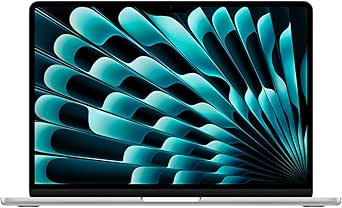 | Best for Portability and Efficiency | Chip: Apple M5 | Memory: 16GB unified memory | Storage: 512GB SSD | VIEW LATEST PRICE | See Our Full Breakdown |
| Acer Aspire 16 AI Copilot+ PC |  | Best Balanced AI Workhorse | Processor: Intel Core Ultra 5 226V | NPU performance: Up to 40 TOPS | Display: 16-inch WUXGA, 120Hz | VIEW LATEST PRICE | See Our Full Breakdown |
| Dell 16-Inch Touchscreen Laptop with AMD Ryzen AI 7 350 |  | Best for Power Users and Multitaskers | Processor: AMD Ryzen AI 7 350, 8 cores | NPU performance: Up to 50 TOPS | Memory: 32GB DDR5, 5600 MT/s | VIEW LATEST PRICE | See Our Full Breakdown |
| AI laptop | Display | Memory | Storage | Processor |
|---|---|---|---|---|
| HP OmniBook 16 Touchscreen Lap | 16-inch 1920 × 1200 IPS touchscreen | 16GB DDR5 | 1TB PCIe NVMe SSD | AMD Ryzen AI 7 445, 6 cores |
| Apple MacBook Air 15-inch Lapt | 15.3-inch Liquid Retina | 16GB unified memory | 512GB SSD | Apple M5 chip |
| HP Pro Business Laptop with In | 17.3-inch 1600 × 900 touchscreen, anti-glare, 60Hz | 32GB DDR5 | 1TB SSD | Intel Core Ultra 7 255U, 12 cores, 14 threads, up to 5.2 GHz |
| HP OmniBook 3 16-inch AI Lapto | 16-inch 1920 × 1200 IPS touchscreen, 300 nits, anti-glare | 16GB DDR5-5600 | 512GB PCIe Gen4 NVMe SSD | AMD Ryzen AI 5 430, 4 cores, 8 threads, up to 4.5 GHz |
| Dell 16-Inch Touchscreen Lapto | 16-inch 1920 × 1200 touchscreen | 32GB DDR5 | 1TB SSD | AMD Ryzen AI 7 350 |
| MSI Venture A16 AI Laptop | 16-inch LCD touchscreen | 32GB DDR5 | 2TB NVMe SSD | AMD Ryzen 9 270 |
| HP OmniBook 3 17.3" Touchscree | 17.3" FHD Anti-glare Touchscreen | 32GB DDR5-5600 | 1TB PCIe SSD | Intel Ultra 7 355 (49 NPU TOPS) |
| ASUS Vivobook S16 16-Inch Copi | 16-inch WUXGA OLED | 32GB DDR5 | 1TB SSD | AMD Ryzen AI 9 465 |
| ASUS Vivobook S16 16-inch OLED | 16-inch WUXGA OLED | 32 GB DDR5 | 1 TB SSD | AMD Ryzen AI 7 445 |
| HP Business Laptop with Intel | 15.6-inch FHD Touchscreen | 16GB DDR5 | 512GB PCIe M.2 SSD | Intel Core Ultra 7 155H |
| Apple MacBook Air 13-inch with | 13.6-inch Liquid Retina | 16GB unified memory | 512GB SSD | — |
| Acer Aspire 16 AI Copilot+ PC | 16-inch WUXGA, 120Hz | 16GB LPDDR5X onboard | 512GB PCIe Gen 4 SSD | Intel Core Ultra 5 226V |
| Dell 16-Inch Touchscreen Lapto | 16-inch FHD+ Touchscreen, 300 nits | 32GB DDR5, 5600 MT/s | 1TB M.2 PCIe NVMe SSD | AMD Ryzen AI 7 350, 8 cores |
More Details on Our Top Picks
HP OmniBook 16 Touchscreen Laptop with AMD Ryzen AI 7 445, 16GB DDR5 RAM, and 1TB SSD
The HP OmniBook 16 pairs a 50-TOPS NPU with a 16-inch 16:10 touchscreen, making it a strong fit for buyers who want local AI features and a roomy workspace without giving up familiar connections. Its two USB-C ports, two USB-A ports, and HDMI 2.1 give it a more flexible setup than the MacBook Air 15-inch, which lists just two Thunderbolt ports alongside MagSafe and a headphone jack. Windows 11 Pro, an IR camera, and a privacy shutter add practical appeal for work calls and sign-in security. The 1TB SSD also doubles the built-in storage of that MacBook configuration. The tradeoffs are its larger carry footprint, 16GB of memory, and integrated Radeon 840M graphics; buyers doing graphics-heavy work should look at a machine with stronger graphics.
Pros:- 50-TOPS NPU supports AI workloads on the laptop.
- 16-inch 1920 × 1200 touchscreen provides a spacious 16:10 work area.
- Two USB-C ports, two USB-A ports, and HDMI 2.1 reduce reliance on adapters.
- 1080p IR camera with a manual privacy shutter and Windows Hello support.
Cons:- The 16-inch chassis is less convenient to carry than a smaller laptop.
- Integrated Radeon 840M graphics are a constraint for demanding graphics work.
- 16GB RAM offers less multitasking headroom than the 32GB in the HP Pro Business Laptop.
Best for: Windows professionals who want a large touchscreen, a 1TB drive, biometric sign-in, and multiple ports for desk peripherals.
Not ideal for: Frequent travelers seeking a compact laptop, or creators whose graphics-heavy workloads call for more than integrated Radeon 840M graphics.
- Operating system:Windows 11 Pro
- Display:16-inch 1920 × 1200 IPS touchscreen
- Processor:AMD Ryzen AI 7 445, 6 cores
- NPU performance:50 TOPS
- Memory:16GB DDR5
- Storage:1TB PCIe NVMe SSD
- Graphics:AMD Radeon 840M
- Ports:2 USB-C, 2 USB-A, HDMI 2.1
- Camera:1080p FHD IR with manual privacy shutter
Our verdict“Choose the HP OmniBook 16 if you want a Windows AI laptop with a large touchscreen, useful ports, and 1TB of storage, and can accept its size and integrated graphics.”
Apple MacBook Air 15-inch Laptop with M5 Chip, 16GB Memory, 512GB SSD, Liquid Retina Display, and Touch ID (Midnight)
The 15-inch MacBook Air with M5 suits buyers who want a big screen without carrying a 16-inch Windows notebook: it weighs 3.32 pounds and is 0.45 inches thick. Its listed up-to-18-hour battery life, Wi-Fi 7, and support for two external displays make it a flexible choice for working away from a desk. Compared with the HP OmniBook 16, it gives up touchscreen input and a broader mix of built-in ports, but adds MagSafe charging and a 12MP Center Stage camera with Desk View. Its 15.3-inch Liquid Retina display supports one billion colors, which benefits vivid everyday viewing. The main compromises are 512GB of storage and only two Thunderbolt 4 ports; buyers with large local AI models or extensive project files may prefer the 1TB drives in several Windows alternatives.
Pros:- 3.32-pound, 0.45-inch-thick design is portable for a 15-inch laptop.
- Battery life is rated up to 18 hours.
- 12MP Center Stage camera includes Desk View.
- Wi-Fi 7 and support for up to two external displays.
Cons:- 512GB SSD provides less built-in storage than the 1TB options in this roundup.
- Only two Thunderbolt 4 ports are listed, so many peripherals may require a hub.
- Does not offer the touchscreen input available on the HP OmniBook 16 and HP OmniBook 3.
Best for: Mac users who want a large, lightweight laptop for mobile work, video calls, and everyday AI-enabled tasks.
Not ideal for: Windows-only users, buyers who need touchscreen input, or people who keep large datasets and AI models on a 512GB internal drive.
- Operating system:macOS
- Display:15.3-inch Liquid Retina
- Processor:Apple M5 chip
- Memory:16GB unified memory
- Storage:512GB SSD
- Camera:12MP Center Stage with Desk View
- Battery life:Up to 18 hours
- Ports:2 Thunderbolt 4, MagSafe, headphone jack
- Weight:3.32 pounds
Our verdict“Pick the MacBook Air 15-inch if portability, battery life, and macOS matter more to you than a touchscreen, Windows compatibility, or larger built-in storage.”
HP Pro Business Laptop with Intel Core Ultra 7, 17.3-Inch Touchscreen, 32GB DDR5 RAM, 1TB SSD, Windows 11 Pro, and Laptop Cooler
The HP Pro Business Laptop prioritizes screen size and memory over portability: its 17.3-inch touchscreen and 32GB of DDR5 RAM suit office multitasking, while Windows 11 Pro and a fingerprint reader add business-friendly tools. That memory capacity is twice what the HP OmniBook 16 offers, making this a better fit for buyers who keep many applications open. However, its 1600 × 900 resolution is less sharp than the OmniBook’s 1920 × 1200 panel, and integrated Intel Graphics is not a substitute for a dedicated GPU. The 34Wh battery and 4.6-pound weight also point toward desk-based use rather than long days on the move. The original seal was opened for the RAM and SSD upgrade, so buyers should weigh the stated coverage split between the upgraded components and the remaining laptop.
Pros:- 32GB DDR5 RAM gives more multitasking capacity than the 16GB HP OmniBook models.
- 17.3-inch anti-glare touchscreen offers a large workspace.
- Windows 11 Pro and a fingerprint reader suit business use.
- Includes a laptop cooler and a 1TB SSD.
Cons:- 1600 × 900 resolution is lower than the 1920 × 1200 displays on the HP OmniBook 16 and HP OmniBook 3.
- At 4.6 pounds with a 34Wh battery, it is a less appealing choice for mobile work.
- The original seal was opened for RAM and SSD upgrades, and coverage differs between upgraded and remaining components.
Best for: Office-based buyers who value a very large touchscreen, 32GB memory, Windows 11 Pro, and a fingerprint reader over portability.
Not ideal for: Frequent travelers, buyers who need a high-resolution display for detailed creative work, or people seeking confirmed AI-specific NPU performance.
- Operating system:Windows 11 Pro
- Display:17.3-inch 1600 × 900 touchscreen, anti-glare, 60Hz
- Processor:Intel Core Ultra 7 255U, 12 cores, 14 threads, up to 5.2 GHz
- Memory:32GB DDR5
- Storage:1TB SSD
- Graphics:Integrated Intel Graphics
- Battery:34Wh lithium-ion
- Weight:4.6 pounds
- Security:Fingerprint reader
Our verdict“Choose this HP Pro if your work stays mostly at a desk and 32GB of memory and a 17.3-inch touchscreen matter more than sharper resolution or portability.”
HP OmniBook 3 16-inch AI Laptop, 2K Touchscreen, AMD Ryzen AI 5 430, 16 GB RAM, 512 GB SSD, Radeon 840M, Windows 11 Home, Glacier Silver
The HP OmniBook 3 is the more approachable 16-inch AI option here: it keeps a 1920 × 1200 touchscreen, IR camera, and the same Radeon 840M graphics found in the HP OmniBook 16, while using a four-core Ryzen AI 5 430 rather than that model’s six-core Ryzen AI 7 445. That makes it better suited to everyday productivity, video calls, and AI-assisted features than sustained heavy workloads. Its 3.6-pound weight, claimed battery life of up to 19 hours and 30 minutes, and fast charging give it a mobility advantage over the much larger HP Pro Business Laptop. Two USB-C ports and HDMI 2.1 help at a desk, too. The tradeoffs are 16GB RAM, 512GB storage, and a display listed at 62.5% sRGB coverage, which limits its appeal for color-critical creative work.
Pros:- 16-inch 1920 × 1200 touchscreen provides a useful 16:10 workspace.
- 1080p IR camera and AI noise reduction support clearer video calls.
- Rated for up to 19 hours and 30 minutes of battery life, with fast charging to 50% in about 45 minutes.
- At 3.6 pounds, it is lighter than the HP Pro Business Laptop.
Cons:- Four-core Ryzen AI 5 430 is a less capable processor choice than the six-core Ryzen AI 7 445 in the HP OmniBook 16.
- The display is listed at 62.5% sRGB coverage, limiting color-critical work.
- 16GB RAM and 512GB storage provide less headroom than the 32GB, 1TB Dell option.
Best for: Students and general-purpose Windows users who want a large touchscreen, AI-capable processor, and a lighter 16-inch laptop for everyday tasks.
Not ideal for: Color-sensitive creators, users running demanding sustained workloads, or anyone who needs 1TB of storage without relying on external drives.
- Operating system:Windows 11 Home
- Display:16-inch 1920 × 1200 IPS touchscreen, 300 nits, anti-glare
- Processor:AMD Ryzen AI 5 430, 4 cores, 8 threads, up to 4.5 GHz
- Graphics:Integrated AMD Radeon 840M
- Memory:16GB DDR5-5600
- Storage:512GB PCIe Gen4 NVMe SSD
- Battery life:Up to 19 hours 30 minutes
- Weight:3.6 pounds
- Ports:2 USB-A, 2 USB-C, HDMI 2.1, headphone/microphone combo
Our verdict“Choose the HP OmniBook 3 for everyday AI and productivity in a portable 16-inch touchscreen design, but look elsewhere for color-focused work or heavier processing demands.”
Dell 16-Inch Touchscreen Laptop, AMD Ryzen AI 7 350, 32GB DDR5 RAM, 1TB SSD
The Dell 16-inch touchscreen stands out for pairing an AMD Ryzen AI 7 350 with 32GB of RAM and a 1TB SSD, a useful combination for buyers who juggle demanding applications and sizable local files. Compared with the 16GB HP OmniBook 16, this Dell offers twice the memory and the same stated storage capacity, while adding a fingerprint reader and SD card reader for quick sign-in and media transfers. Its 1920 × 1200 touchscreen keeps a spacious 16:10 layout, and the numeric keypad helps with spreadsheet-heavy work. The tradeoff is a less versatile video connection setup: it has HDMI 1.4, while the HP OmniBook 16 offers HDMI 2.1. The listed specs also do not give an NPU performance figure, so buyers choosing specifically for measured on-device AI capability should compare the details carefully.
Pros:- 32GB DDR5 RAM supports heavier multitasking than the 16GB HP OmniBook models.
- 1TB SSD offers room for local projects and files.
- 16-inch 1920 × 1200 touchscreen provides a spacious 16:10 work area.
- SD card reader, fingerprint reader, and numeric keypad add practical work features.
Cons:- HDMI 1.4 is older than the HDMI 2.1 port on the HP OmniBook 16.
- At 4.36 pounds, it is less portable than the 3.6-pound HP OmniBook 3.
- The supplied specs do not state NPU performance, making direct AI-capability comparisons harder.
Best for: Windows power users who keep many applications open, store large work files locally, and want a touchscreen with an SD card reader.
Not ideal for: Buyers who need HDMI 2.1, a particularly light laptop, or a clearly specified NPU performance figure for AI-focused workloads.
- Operating system:Windows 11 Pro
- Display:16-inch 1920 × 1200 touchscreen
- Processor:AMD Ryzen AI 7 350
- Memory:32GB DDR5
- Storage:1TB SSD
- Graphics:Integrated AMD Radeon
- Video output:USB-C with DisplayPort 1.4; HDMI 1.4
- Media reader:SD card reader
- Weight:4.36 pounds
Our verdict“Pick the Dell if 32GB of memory, 1TB storage, and a touchscreen are your priorities, and HDMI 1.4 and its 4.36-pound weight suit your setup.”
MSI Venture A16 AI Laptop
This model stands out primarily for its generous 2TB NVMe SSD and 32GB of DDR5 RAM, making it a robust choice for users who handle large datasets or local AI models without relying on cloud storage. Compared to the HP OmniBook 3, which offers only 1TB of storage, the MSI Venture provides significant headroom for growing libraries of creative assets. However, the tradeoff is clear: while the AMD Ryzen 9 270 is powerful, the integrated Radeon graphics limit its utility for heavy 3D rendering or high-end gaming, a limitation shared with many thin-and-light competitors. The 60Hz touchscreen is adequate for productivity but lacks the fluidity of higher-refresh panels found in premium gaming laptops. This is a workhorse machine, not a multimedia powerhouse.
Pros:- Massive 2TB NVMe SSD reduces the need for external storage
- 32GB DDR5 RAM supports heavy multitasking and virtual machines
- 16-inch touchscreen aids in direct manipulation of creative tools
- Solid port selection including USB-C and HDMI
Cons:- Integrated graphics limit performance in gaming and 3D rendering
- 60Hz display refresh rate feels less fluid than 120Hz alternatives
- Weight of 4.2 lbs is noticeable for a 16-inch ultraportable
Best for: Data scientists or content creators who need massive local storage and ample RAM for multitasking without external drives.
Not ideal for: Gamers or 3D artists, as the integrated graphics cannot handle demanding graphical workloads effectively.
- Processor:AMD Ryzen 9 270
- Graphics:Integrated AMD Radeon Graphics
- Memory:32GB DDR5
- Storage:2TB NVMe SSD
- Display:16-inch LCD touchscreen
- Resolution:1920 × 1200 pixels
- Weight:4.2 pounds
- Operating System:Windows 11 Home
Our verdict“Choose this if local storage capacity is your top priority over graphical power or display smoothness.”
HP OmniBook 3 17.3″ Touchscreen Laptop
If you refuse to use an external monitor, this 17.3-inch touchscreen offers the most screen real estate in this lineup, significantly outpacing the 16-inch panels of the ASUS Vivobook S16 and MSI Venture. The Intel Ultra 7 355 processor with its dedicated NPU is well-suited for AI-accelerated tasks like background noise cancellation and real-time translation, making it ideal for remote professionals. However, the bulk is a genuine drawback; at 4.43 pounds, it is heavier than the more portable ASUS options, and the lack of a dedicated GPU means it struggles with graphics-intensive applications. The anti-glare coating is a thoughtful addition for bright office environments, though the FHD resolution on such a large screen may look less sharp than OLED alternatives.
Pros:- Huge 17.3-inch screen eliminates the need for external monitors in many cases
- Intel Ultra 7 355 with 49 NPU TOPS accelerates local AI tasks
- Windows 11 Pro includes enterprise-grade security features like BitLocker
- Comprehensive port selection with USB-C power delivery
Cons:- Heavy at 4.43 lbs, reducing portability compared to 16-inch rivals
- Integrated graphics are insufficient for professional video editing or gaming
- FHD resolution on a 17-inch panel lacks pixel density of smaller displays
Best for: Remote workers and analysts who need maximum screen space for spreadsheets and multitasking without docking.
Not ideal for: Frequent travelers, as the large footprint and weight make it cumbersome for daily commuting.
- Processor:Intel Ultra 7 355 (49 NPU TOPS)
- Memory:32GB DDR5-5600
- Storage:1TB PCIe SSD
- Display:17.3″ FHD Anti-glare Touchscreen
- Operating System:Windows 11 Pro
- Weight:4.43 lbs
- Battery Life:Up to 14 hours
- Connectivity:Wi-Fi 6, Bluetooth 5.4
Our verdict“This is the definitive choice for desk-bound professionals who prioritize screen size over portability.”
ASUS Vivobook S16 16-Inch Copilot+ Laptop
This laptop strikes an impressive balance between visual fidelity and endurance, featuring a WUXGA OLED panel that delivers deeper blacks and more vibrant colors than the standard LCDs found on the MSI Venture A16. The AMD Ryzen AI 9 465 processor is tuned for efficiency, contributing to a claimed 23-hour battery life that far exceeds the 14-hour estimate of the HP OmniBook 3. While the 3.75-pound weight makes it easier to carry than the HP, the 60Hz refresh rate remains a sticking point for users accustomed to smoother scrolling. It is a refined machine for media consumption and general productivity, but the integrated graphics mean it shares the same graphical limitations as its competitors in this price bracket.
Pros:- Vivid OLED display offers superior contrast and color accuracy
- Exceptional battery life rated up to 23 hours for long workdays
- Lightweight 3.75 lbs design is highly portable for a 16-inch model
- Robust port selection includes HDMI 2.1 and multiple USB-A/C ports
Cons:- 60Hz refresh rate limits smoothness compared to 120Hz competitors
- Integrated Radeon graphics cannot handle heavy gaming or 3D tasks
- Battery life claims vary significantly based on usage intensity
Best for: Students and media consumers who value screen quality and all-day battery life over raw graphical power.
Not ideal for: Video editors or designers who need high-refresh-rate panels or dedicated GPUs for color-critical work.
- Processor:AMD Ryzen AI 9 465
- Graphics:Integrated Radeon Graphics
- Memory:32GB DDR5
- Storage:1TB SSD
- Display:16-inch WUXGA OLED
- Battery:70Wh; up to 23 hours
- Weight:3.75 lbs
- Operating System:Windows 11 Home
Our verdict“Pick this for the best combination of screen quality and battery endurance in a portable 16-inch form factor.”
ASUS Vivobook S16 16-inch OLED Laptop (Ryzen AI 7)
Visually, this model is nearly identical to its Ryzen AI 9 sibling, offering the same stunning OLED display and slim 3.75-pound chassis. The key difference lies in the AMD Ryzen AI 7 445 processor, which is slightly less powerful than the AI 9 variant but remains highly capable for everyday AI tasks and multitasking. For buyers who do not need the absolute peak performance of the top-tier chip, this represents a pragmatic choice that delivers the same premium visual experience. Like the other ASUS options, it suffers from a 60Hz refresh rate and integrated graphics, so it is not a gaming machine. However, the 21-hour battery claim is still competitive, ensuring you can leave the charger at home for most workdays.
Pros:- Identical premium OLED display to the higher-end Ryzen AI 9 model
- Lightweight and thin design at 3.75 lbs and 0.63 inches
- Long battery life rated up to 21 hours for extended mobility
- Includes physical privacy shutter and Windows Hello support
Cons:- Slightly lower CPU performance compared to the Ryzen AI 9 variant
- 60Hz panel lacks the fluid motion of higher-refresh displays
- Resolution is capped at WUXGA, missing 4K or higher pixel densities
Best for: Users who want the premium OLED experience and portability without paying for the highest-tier processor.
Not ideal for: Power users who need maximum CPU throughput for compiling code or running complex simulations.
- Processor:AMD Ryzen AI 7 445
- Graphics:Integrated AMD Radeon Graphics
- Memory:32 GB DDR5
- Storage:1 TB SSD
- Display:16-inch WUXGA OLED
- Battery:70 Wh; up to 21 hours
- Weight:3.75 lbs
- Operating System:Windows 11 Home
Our verdict“This is the smart buy for those who want the ASUS OLED experience but don’t need the top-spec CPU.”
HP Business Laptop with Intel Core Ultra 7 155H
This laptop targets a different niche than the creative-focused ASUS or storage-heavy MSI models. It features a 15.6-inch touchscreen and Intel Arc graphics, which, while integrated, offer a slight edge in basic graphical tasks over older integrated solutions. The 16GB of RAM is a clear step down from the 32GB found in the ASUS Vivobook line, making it less suitable for heavy multitasking or running large local AI models. However, the inclusion of Windows 11 Pro and a numeric keypad makes it a practical tool for finance professionals and office administrators who need spreadsheet efficiency. Be aware that the unit arrives with the seal broken for upgrades, which may affect long-term warranty clarity depending on the seller’s policy.
Pros:- Windows 11 Pro offers enhanced security and management features
- Numeric keypad is essential for financial and data-heavy work
- 15.6-inch touchscreen provides flexibility for direct input
- Intel Core Ultra 7 155H delivers solid single-core performance
Cons:- Only 16GB RAM limits multitasking compared to 32GB competitors
- 512GB SSD is the smallest storage option in this roundup
- Original packaging seal was opened for component upgrades
Best for: Office professionals and students who need a reliable business-grade machine with a numeric keypad for data entry.
Not ideal for: Power users or AI developers, as 16GB of RAM is insufficient for heavy multitasking or local model execution.
- Processor:Intel Core Ultra 7 155H
- Graphics:Integrated Intel Arc Graphics
- Memory:16GB DDR5
- Storage:512GB PCIe M.2 SSD
- Display:15.6-inch FHD Touchscreen
- Operating System:Windows 11 Pro
- Dimensions:14.17 × 9.29 × 0.73 inches
- Security:TPM 2.0, Privacy Shutter
Our verdict“Choose this for business-ready features and spreadsheet efficiency, accepting the lower RAM and storage specs.”
Apple MacBook Air 13-inch with M5 chip
This MacBook Air stands out for its unmatched battery life and silent operation, making it ideal for professionals who work away from a desk all day. The M5 chip handles AI-driven tasks in apps like Final Cut or Xcode smoothly, though it lacks the raw graphical punch of dedicated GPUs found in Windows rivals. Compared to the Acer Aspire 16, the Air is significantly lighter and more energy-efficient, but it sacrifices screen real estate and port variety. The 16GB unified memory is efficient for most workflows, but power users juggling massive datasets might find it restrictive compared to systems with 32GB. It is a premium pick for those who value build quality and ecosystem integration over expandability.
Pros:- Extremely lightweight at 2.71 pounds with a premium aluminum chassis
- Up to 18 hours of battery life for uninterrupted workdays
- Efficient M5 chip handles AI tasks without fan noise
- High-quality Liquid Retina display with vibrant colors
Cons:- Limited port selection requires dongles for many peripherals
- 16GB memory ceiling may limit heavy multitasking or large model local runs
- No touchscreen capability
Best for: Traveling professionals and students who prioritize all-day battery life, silent performance, and seamless integration with other Apple devices.
Not ideal for: Gamers or heavy video editors who need dedicated graphics power and large screen real estate for multitasking.
- Chip:Apple M5
- Memory:16GB unified memory
- Storage:512GB SSD
- Display:13.6-inch Liquid Retina
- Battery life:Up to 18 hours
- Weight:2.71 pounds
- Ports:Two Thunderbolt 4, MagSafe, Headphone jack
Our verdict“Choose this if you need a silent, portable machine that lasts all day and integrates seamlessly with the Apple ecosystem.”
Acer Aspire 16 AI Copilot+ PC
The Acer Aspire 16 strikes a compelling balance between screen size, performance, and connectivity. Its 16-inch 120Hz display offers smoother scrolling than the standard 60Hz panels found on many competitors, while the Intel Core Ultra 5 with a 40 TOPS NPU handles Copilot+ features effectively. Unlike the MacBook Air, this Windows machine offers a wider array of ports, including HDMI 2.1 and USB-A, reducing the need for adapters. However, the onboard memory means you cannot upgrade RAM later, so 16GB is a fixed constraint. It is a solid choice for users who want a larger canvas for multitasking without jumping to the heavier, more expensive premium segment.
Pros:- Large 16-inch 120Hz display enhances multitasking and visual smoothness
- Comprehensive port selection includes HDMI 2.1 and microSD reader
- 40 TOPS NPU supports current AI features and future Windows updates
- Sturdy aluminum chassis with a useful 180-degree hinge
Cons:- 16GB onboard memory is non-upgradable and may limit long-term longevity
- Battery life claims vary significantly between video playback and real-world mixed usage
- Plastic components on the underside feel less premium than all-metal rivals
Best for: Students and office workers who need a larger screen for multitasking and diverse port connectivity for legacy peripherals.
Not ideal for: Users who require expandable RAM or those who prefer the macOS ecosystem and its specific software compatibility.
- Processor:Intel Core Ultra 5 226V
- NPU performance:Up to 40 TOPS
- Display:16-inch WUXGA, 120Hz
- Memory:16GB LPDDR5X onboard
- Storage:512GB PCIe Gen 4 SSD
- Battery life:Up to 18.5 hours (MobileMark 2025)
- Ports:2 Thunderbolt 4, 2 USB 3.2, HDMI 2.1, microSD
Our verdict“This is the sensible choice for those who want a large, fast display and versatile ports without paying for premium branding.”
Dell 16-Inch Touchscreen Laptop with AMD Ryzen AI 7 350
With 32GB of DDR5 RAM and a 1TB SSD, the Dell 16 is built for heavy workloads that would choke the 16GB models in this lineup. The AMD Ryzen AI 7 350 delivers 50 TOPS of AI performance, surpassing the NPU capabilities of both the Acer Aspire 16 and the standard MacBook Air configurations. The touchscreen interface adds utility for direct manipulation, though the 300-nit brightness makes it difficult to use in well-lit offices or outdoors. This laptop is less about portability and more about providing a robust, high-capacity workstation experience for professionals running virtual machines or large datasets locally.
Pros:- 32GB RAM and 1TB storage provide ample headroom for heavy multitasking
- High AI performance with 50 TOPS NPU for advanced Copilot+ tasks
- Touchscreen display adds flexibility for creative and navigation tasks
- Includes a numeric keypad for efficient data entry
Cons:- Display brightness of 300 nits is underwhelming for bright environments
- Heavier and bulkier than thin-and-light competitors
- Integrated graphics limit its capability for high-end 3D rendering or gaming
Best for: Developers, data analysts, and power users who need substantial RAM and storage for running multiple virtual machines or large local AI models.
Not ideal for: Frequent travelers or outdoor workers, as it is heavier than ultrabooks and the screen is not bright enough for direct sunlight.
- Processor:AMD Ryzen AI 7 350, 8 cores
- NPU performance:Up to 50 TOPS
- Memory:32GB DDR5, 5600 MT/s
- Storage:1TB M.2 PCIe NVMe SSD
- Display:16-inch FHD+ Touchscreen, 300 nits
- Operating System:Windows 11 Pro
- Keyboard:Full-size with numeric keypad
Our verdict“Select this if your workflow demands high memory capacity and strong local AI processing power over portability.”
How We Picked
I evaluated these laptops based on their Neural Processing Unit (NPU) TOPS (Tera Operations Per Second), memory bandwidth, and thermal design power. Since AI workloads are memory-bound, I prioritized models with at least 16GB of unified or high-speed LPDDR5 memory. I also considered the ecosystem maturity, such as how well the hardware integrates with tools like Adobe Firefly, Microsoft Copilot, and local LLM runners like Ollama or LM Studio.
Rankings reflect a balance of performance-per-watt and build quality. While raw speed is important, I gave higher weight to devices that maintain performance without excessive fan noise or battery drain. This approach ensures the recommendations are practical for daily professional use rather than just benchmark champions.
| AI laptop | Operating system |
|---|---|
| HP OmniBook 16 Touchscreen Lap | Windows 11 Pro |
| Apple MacBook Air 15-inch Lapt | macOS |
| HP Pro Business Laptop with In | Windows 11 Pro |
| HP OmniBook 3 16-inch AI Lapto | Windows 11 Home |
| Dell 16-Inch Touchscreen Lapto | Windows 11 Pro |
| MSI Venture A16 AI Laptop | Windows 11 Home |
| HP OmniBook 3 17.3" Touchscree | Windows 11 Pro |
| ASUS Vivobook S16 16-Inch Copi | Windows 11 Home |
| ASUS Vivobook S16 16-inch OLED | Windows 11 Home |
| HP Business Laptop with Intel | Windows 11 Pro |
| Apple MacBook Air 13-inch with | — |
| Acer Aspire 16 AI Copilot+ PC | — |
| Dell 16-Inch Touchscreen Lapto | Windows 11 Pro |
Factors to Consider When Choosing Best AI Laptops
Selecting an AI-ready laptop goes beyond checking the spec sheet. You need to understand how hardware interacts with software to deliver a smooth experience.Understanding NPU Performance vs. CPU/GPU
Many buyers mistakenly believe a powerful CPU or GPU is sufficient for AI tasks. While CPUs handle general logic and GPUs excel at parallel rendering, the NPU (Neural Processing Unit) is designed specifically for low-power, high-efficiency matrix multiplication used in neural networks. For local AI chatbots or background image upscaling, a dedicated NPU frees up the CPU and GPU, keeping the laptop cool and quiet. If your workflow relies on cloud-based AI, the NPU matters less; however, for privacy-focused or offline work, a high-TOPS NPU is non-negotiable.
Memory Bandwidth and Capacity Constraints
AI models are notoriously memory-hungry. The bottleneck is rarely compute speed but rather how fast data moves between memory and the processor. Unified memory architectures, like those in Apple’s M-series chips, offer significantly higher bandwidth than traditional DDR5 RAM found in most Windows laptops. This means a MacBook with 16GB can often run larger local models more smoothly than a Windows laptop with 32GB of slower RAM. For heavy users, look for at least 32GB on Windows or 24GB+ on Mac to avoid swapping to the SSD, which slows performance.
Thermal Throttling in Thin-and-Light Designs
AI workloads are sustained, not bursty. They require the processor to run at high clock speeds for minutes or hours. Thin-and-light laptops often lack the thermal headroom to maintain these speeds, leading to throttling where performance drops to prevent overheating. If you plan to run local LLMs for extended periods, consider slightly thicker models with better heat dissipation, such as the MSI Venture series. Conversely, if your AI usage is intermittent, a fanless or low-noise design like the MacBook Air provides a quieter, more pleasant experience.
Software Compatibility and Ecosystem Lock-in
Hardware is useless without supporting software. Apple Silicon has strong support for Core ML and Metal, making it excellent for developers and creatives using Final Cut or Logic Pro. Windows PCs with AMD or Intel chips benefit from broader support for directx and open-source frameworks like PyTorch and TensorFlow. Check if your specific AI tools (e.g., specific video editors or coding assistants) are optimized for your preferred OS. Mismatched software support can negate hardware advantages, so align your choice with your existing workflow.
Battery Life as a Proxy for Efficiency
Battery life is a critical indicator of AI laptop efficiency. Running AI models drains power quickly if the hardware is inefficient. A laptop that lasts 15+ hours while handling background AI tasks indicates a highly optimized power management system. Apple’s M-series chips typically lead here, but newer AMD Ryzen AI chips have closed the gap significantly. If you travel frequently, prioritize models with proven endurance over those with slightly faster burst performance, as dead batteries render advanced AI features useless on the go.
Frequently Asked Questions
Do I really need a dedicated NPU for AI tasks?
Yes, if you plan to run AI models locally on your machine. A dedicated NPU handles neural network calculations far more efficiently than a CPU or GPU, resulting in faster response times and lower battery consumption. For tasks like real-time background blur, voice isolation, or running local chatbots, the NPU is essential for a smooth experience. If you only use cloud-based AI services like ChatGPT or Midjourney via a web browser, the NPU matters less, and you can prioritize CPU speed and display quality instead.
Is 16GB of RAM enough for an AI laptop?
For most users, 16GB is the minimum baseline, but it can be limiting for heavy AI workloads. Large language models (LLMs) and image generators require substantial memory to load into RAM. While Apple’s unified memory makes 16GB more usable than on Windows, running multiple AI apps simultaneously will likely cause slowdowns. If your budget allows, 32GB of RAM is the recommended sweet spot for future-proofing, especially on Windows machines where memory bandwidth is lower.
Which is better for AI: Apple Silicon or AMD Ryzen AI?
It depends on your software ecosystem. Apple Silicon (M3/M4/M5) offers superior efficiency and battery life, making it ideal for mobile professionals who value portability and quiet operation. AMD Ryzen AI chips provide higher raw TOPS numbers and better compatibility with open-source AI frameworks and Windows-specific creative tools. If you are a developer working with PyTorch or a gamer using AI upscaling, AMD might be the better choice. For general productivity and creative apps, Apple’s integration is often smoother.
Can I upgrade the RAM or storage on AI laptops?
In most modern AI laptops, the answer is no. To achieve the high memory bandwidth required for AI tasks, manufacturers solder the RAM and storage directly to the motherboard. This means you must choose the correct configuration at the time of purchase. Upgradability is rare in thin-and-light AI laptops, so if you anticipate needing more memory in two years, buy the higher capacity now. Check specific model details, as some thicker business laptops may still offer upgradeable slots.
Will an AI laptop make my existing software faster?
Not automatically. AI acceleration only benefits applications that are specifically coded to use the NPU or AI-optimized APIs. Common examples include Adobe Photoshop’s Generative Fill, Microsoft Copilot, and certain video editing tools. Legacy software that relies solely on the CPU or general GPU will not run significantly faster on an AI laptop compared to a standard high-end laptop. Always check if your primary work applications have announced support for local AI acceleration before purchasing.
Conclusion
Choosing the right AI laptop depends on your specific workflow and ecosystem preferences. For best overall performance and battery life, the Apple MacBook Air 15-inch remains the standout choice for most professionals. If you need maximum NPU power for Windows-based creative tasks, the ASUS Vivobook S16 with Ryzen AI 9 is the superior option. For business users who prioritize screen real estate and multitasking, the HP OmniBook 17.3-inch offers a compelling balance of power and portability. Beginners or those on a budget should look at the HP OmniBook 3 for entry-level AI features without breaking the bank. Ultimately, match the hardware to your software needs, and prioritize memory capacity over raw CPU speed for the best long-term value.