Finding the best Google Gemini laptops in 2026 involves balancing performance, portability, and price. The Lenovo Chromebook Plus i 15″ stands out as the best overall choice, offering a strong combination of power and screen size. Meanwhile, the Acer Chromebook Plus 514 impresses with its higher storage and processing power, making it ideal for heavier tasks. For those new to Chromebooks or on a budget, the Lenovo Chromebook 2-in-1 provides a versatile, lightweight option. Each of these choices highlights the main tradeoff: more power and features often come with a higher price or reduced portability. Keep reading to see how these options compare and which one fits your needs best.

Get the latest gadgets delivered free — and shop member deals
- Fast, free delivery on millions of items
- Access to Prime Big Deal Days deals on October 6–7
- Prime Video, Amazon Music and more included
Complete the kit



Key Takeaways
- High-performance models like the Acer Chromebook Plus 514 deliver more storage and processing power but tend to be more expensive.
- The Lenovo Chromebook Plus series balances performance and affordability, making it a versatile choice for most users.
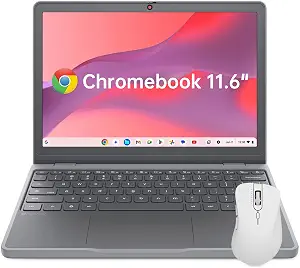
- Compact options like the Lenovo Chromebook 11.6″ are best for portability but may sacrifice some performance and screen real estate.
- The 2-in-1 models offer flexibility for users who want both tablet and laptop functionality, though they may have slightly lower specs.
- Choosing the right Google Gemini laptop depends on prioritizing either power, portability, or budget, rather than expecting all-in-one excellence.




| Google Gemini laptop | Processor | Storage | Display | RAM |
|---|---|---|---|---|
| Lenovo Chromebook Plus i 15" | Intel N355 | 256GB SSD | 15.3" WUXGA IPS | 8GB |
| Lenovo Chromebook 2-in-1 | Intel N150 CPU | 128GB UFS | 14" WUXGA IPS Touchscreen | 4GB |
| Lenovo Chromebook M14 | MediaTek Kompanio 540 | 64GB UFS | 14-inch WUXGA IPS | 8GB |
| Lenovo Flagship Chromebook 14" | MediaTek Kompanio 520 | 64GB eMMC | 14" FHD IPS Touchscreen | 4GB |
| Lenovo 2026 Chromebook 14" WUX | 8-core MediaTek Kompanio 540 | 64GB UFS | 14" WUXGA IPS, 400 nits | 4GB LPDDR5X |
| Acer Chromebook Plus 514 Lapto | Intel Core i3-1315U (up to 4.5GHz, 6 cores) | 256GB PCIe Gen4 SSD | 14" WUXGA IPS Touch Matte (1920 x 1200, 300 nits) | — |
| Lenovo Chromebook 15ITN10 15.3 | Intel N150, 4 cores, up to 3.9GHz | 128GB UFS | 15.3" WUXGA IPS (1920 x 1200), 400 nits | — |
| ASUS Chromebook Plus CX34 14-i | Intel Core i5-1335U (10-core) | 128GB UFS | 14" Full HD IPS (1920 x 1080) | — |
| Lenovo Chromebook 11.6" IPS In | Intel N150, 4 cores, up to 3.6GHz | 64GB UFS | 11.6" HD IPS (1366×768), 250 nits | — |
| Lenovo Chromebook 2-in-1 Light | Intel N150 (4C/4T, up to 3.6GHz) | 128GB UFS + 128GB SD card | 14" WUXGA IPS Touch (1920×1200), Gorilla Glass | — |
| ASUS Chromebook Plus CX34 14" | Intel Core i3-1315U (6-core) | 256GB (128GB UFS + 128GB SD card) | — | 8GB LPDDR5 |
| Acer Chromebook Plus 514 14" T | Intel Core i3-N355, 8-core | 512GB SSD | 14" WUXGA (1920×1200) IPS touchscreen | 8GB LPDDR5X |
| Lenovo Chromebook Plus 2-in-1 | Intel N355 | 256GB UFS | 14" WUXGA IPS Touchscreen | 8GB |
| Lenovo Chromebook M 15" | MediaTek Kompanio 540 | 128GB UFS | 15.3" WUXGA IPS | 8GB |
More Details on Our Top Picks
Lenovo Chromebook Plus i 15″ – Professional Laptop with Google Gemini, Intel N355, 15.3″ WUXGA IPS Display, 8GB RAM, 256GB Storage, Cosmic Blue
This Lenovo Chromebook Plus i 15″ stands out for its expansive 15.3″ WUXGA IPS display, offering vivid visuals that make it ideal for multitasking and media consumption. Its Intel N355 processor and 8GB RAM deliver responsive performance, outperforming smaller models like the Lenovo Chromebook M14, which has a more modest display and slightly less power. The inclusion of a fingerprint reader and multiple connectivity options, including HDMI and USB ports, add to its professional appeal. However, its reliance on Chrome OS limits compatibility with some Windows-based applications, and the battery life details are not specified, which could impact all-day portability. Compared to more lightweight options, this model sacrifices some mobility for a larger screen and stronger performance. This pick makes the most sense for users who need a larger display and versatile connectivity for productivity on the go without sacrificing security.
Pros:- Large, vibrant 15.3″ WUXGA IPS display for immersive viewing
- Strong performance with Intel N355 processor and 8GB RAM
- Secure login via fingerprint reader and multiple ports including HDMI
Cons:- Limited to Chrome OS, restricting Windows app support
- Battery life information is not provided, affecting portability expectations
Best for: Professionals and students who prioritize a large, high-quality display and robust connectivity in a lightweight design
Not ideal for: Users who need maximum portability and long battery life in a compact form, or those requiring Windows compatibility
- Display:15.3″ WUXGA IPS
- Processor:Intel N355
- RAM:8GB
- Storage:256GB SSD
- Graphics:Integrated Intel Graphics
- Connectivity:Dual USB-C, Dual USB-A, HDMI, Wi-Fi 6E
- Security:Fingerprint reader, Google H1 security chip
Our verdict“Best suited for users needing a large display and versatile performance in a lightweight package for professional or creative work.”
Lenovo Chromebook 2-in-1 – Lightweight Laptop with Google Gemini, 14″ WUXGA Touchscreen, 4GB RAM, 128GB Storage
This 2-in-1 Lenovo Chromebook is a clear choice for those who need a portable, flexible device. Its 14″ WUXGA touchscreen offers sharp visuals, and the convertible design allows seamless switching between laptop and tablet modes. Compared with the Lenovo Chromebook Plus i 15″—which boasts a larger screen—this model emphasizes portability and ease of use, ideal for students or remote workers. Its military-grade build ensures durability, but the 4GB RAM and limited storage of 128GB are less suited to heavy multitasking or storing large files locally. The Intel N150 CPU provides fast enough performance for everyday tasks but may struggle with demanding applications. This device is best for light productivity, note-taking, and media consumption on the go, not for intensive work or extensive multitasking.
Pros:- Lightweight and slim design for portability
- Versatile 2-in-1 convertible with touchscreen functionality
- Durable military-grade build quality
Cons:- Limited to 4GB RAM, restricting multitasking capacity
- 128GB storage may be insufficient for larger files or extensive downloads
Best for: Students or remote workers who value portability and convertible functionality for everyday tasks
Not ideal for: Power users or those needing robust multitasking and larger local storage for heavy workloads
- Display:14″ WUXGA IPS Touchscreen
- Processor:Intel N150 CPU
- RAM:4GB
- Storage:128GB UFS
- Build:Military-grade durability
- Ports:2 USB-C, 2 USB-A, HDMI
Our verdict“Ideal for users who want a durable, portable 2-in-1 Chromebook for casual and everyday use without heavy multitasking needs.”
Lenovo Chromebook M14 – 14-Inch WUXGA IPS Display, MediaTek Kompanio 540, 8GB RAM, 64GB UFS Storage, Google Gemini, Cosmic Blue
The Lenovo Chromebook M14 offers a good middle ground with its 14-inch WUXGA IPS display, providing clear visuals for everyday use. Its MediaTek Kompanio 540 CPU and 8GB RAM deliver smooth performance for browsing, streaming, and light productivity. Compared to the 2-in-1 model, it lacks a touchscreen, but for users who prefer a traditional clamshell design, this makes sense. The 64GB storage, while limiting, is typical for Chromebooks focused on cloud storage, but it may be tight for those storing many files locally. Its lightweight (under 3 lbs) and military-grade durability make it suitable for students or mobile workers. Performance-wise, it cannot handle heavy multitasking or demanding applications but excels in portability and everyday tasks.
Pros:- Vibrant 14″ WUXGA IPS display for clear visuals
- Lightweight and durable for mobile use
- Multiple ports including USB-C, USB-A, and HDMI
Cons:- Limited storage of 64GB, restricting local file handling
- No touchscreen feature, limiting interactive use
Best for: Students or professionals needing a durable, portable Chromebook for light tasks and cloud-based work
Not ideal for: Power users or those with large local storage needs or intensive multitasking requirements
- Display:14-inch WUXGA IPS
- Processor:MediaTek Kompanio 540
- RAM:8GB
- Storage:64GB UFS
- GPU:Arm Mali-G57 MC2
- Build:Military-grade durability
Our verdict“Suitable for users who prioritize portability and durability for basic computing and cloud workflows.”
Lenovo Flagship Chromebook 14″ FHD Touchscreen Laptop, MediaTek Kompanio 520, 4GB RAM, 64GB eMMC, Abyss Blue
This 14″ Lenovo Chromebook offers a Full HD IPS touchscreen in a slim, affordable package, making it a practical choice for budget-conscious users. Its MediaTek Kompanio 520 octa-core processor and 4GB RAM enable smooth web browsing and media streaming, though multitasking will be limited compared to higher-spec models like the Lenovo Chromebook Plus i 15″. The 64GB eMMC storage is minimal but typical at this price point, suitable for cloud storage or light local files. Its lightweight design and long battery life make it ideal for students or casual users who need portability without breaking the bank. The inclusion of Wi-Fi 6 and Bluetooth 5.1 enhances connectivity, but the lower RAM and storage restrict more demanding workflows.
Pros:- Full HD IPS touchscreen with vibrant display
- Slim, lightweight design for portability
- Wi-Fi 6 and Bluetooth 5.1 for fast connectivity
Cons:- Only 4GB RAM limits multitasking capabilities
- 64GB storage is quite limited for files and apps
Best for: Students, remote learners, or home users seeking an affordable, portable Chromebook for light tasks
Not ideal for: Power users or those requiring high multitasking capability and significant local storage
- Display:14″ FHD IPS Touchscreen
- Processor:MediaTek Kompanio 520
- RAM:4GB
- Storage:64GB eMMC
- Webcam:720p HD with Privacy Shutter
- Connectivity:Wi-Fi 6, Bluetooth 5.1
Our verdict“A solid budget option for basic tasks and casual use, perfect for students or light home computing.”
Lenovo 2026 Chromebook 14″ WUXGA Touchscreen Student Laptop with 8-Core CPU
This Lenovo Chromebook 14″ combines a bright 400-nit WUXGA IPS touchscreen with an 8-core MediaTek Kompanio 540 CPU, making it a compelling choice for students. Its 10-point multi-touch and anti-glare screen enhance interactive learning, especially in bright environments. Compared with the more budget-oriented Chromebook 14″ models, this one emphasizes a higher-quality display and a more powerful processor, suitable for multitasking and multimedia. The 4GB LPDDR5X RAM and 64GB UFS storage are adequate for light multitasking and storage of essential apps, but not for heavy workloads. Its lightweight design, at just under 3 lbs, plus a 50Wh battery and USB-C charging, makes it perfect for campus mobility. However, the limited local storage and modest RAM cap restrict heavy multitasking or large file handling.
Pros:- Bright 400-nit display with anti-glare for outdoor use
- Lightweight at 2.99 lbs with all-day battery life
- High-quality multi-touch with privacy shutter on webcam
Cons:- Limited to 4GB RAM, restricting multitasking
- Only 64GB storage, which may be tight for files and apps
Best for: Students needing a bright, interactive display for learning and light multitasking on campus
Not ideal for: Users requiring extensive local storage or heavy multitasking capabilities
- Display:14″ WUXGA IPS, 400 nits
- Processor:8-core MediaTek Kompanio 540
- RAM:4GB LPDDR5X
- Storage:64GB UFS
- Battery:50Wh with 65W USB-C charging
- Weight:2.99 lbs
Our verdict“Well-suited for students who need a bright display and portability for interactive learning and light multitasking.”
Acer Chromebook Plus 514 Laptop (CB514-5HT-33RD), 14″ WUXGA Touch Display, Intel Core i3-1315U, 8GB LPDDR5, 256GB SSD
The Acer Chromebook Plus 514 makes a compelling case as the best Google Gemini laptop for most users thanks to its bright, anti-glare 14-inch WUXGA touchscreen combined with a robust Intel Core i3-1315U processor. This model outshines many competitors like the Lenovo Chromebook 15ITN10 with its larger display and longer battery life, though its entry-level CPU might fall short for intensive tasks. Its 8GB LPDDR5 RAM and 256GB PCIe SSD ensure snappy multitasking and quick storage, while Wi-Fi 7 keeps connectivity future-proof. The inclusion of a 12-month Google AI Pro trial and a protective sleeve adds value, but the HDMI port’s outdated 1.4 standard limits compatibility with newer monitors. This pick makes the most sense for users who want a balanced combination of display quality, connectivity, and battery life in a portable package.
Pros:- Bright, anti-glare 14″ WUXGA touchscreen with 300 nits brightness
- Long-lasting battery up to 17 hours
- Modern Wi-Fi 7 and multiple USB-C ports for future-proof connectivity
- Includes 12-month Google AI Pro subscription with 5TB storage
Cons:- Entry-level Core i3 processor may limit performance on demanding apps
- 8GB RAM is non-upgradable, potentially restricting multitasking
Best for: Creative professionals or students who need a bright, touch-enabled display with long battery life and reliable performance for everyday tasks
Not ideal for: Power users running demanding software or gamers who require higher-end GPU support and more expansive ports
- Display:14″ WUXGA IPS Touch Matte (1920 x 1200, 300 nits)
- Processor:Intel Core i3-1315U (up to 4.5GHz, 6 cores)
- Memory:8GB LPDDR5
- Storage:256GB PCIe Gen4 SSD
- Battery Life:Up to 17 hours
- Connectivity:Wi-Fi 7, Bluetooth 5.3
Our verdict“A versatile choice for users seeking a bright display, solid battery life, and modern connectivity in a portable Chromebook.”
Lenovo Chromebook 15ITN10 15.3-inch WUXGA Laptop, Intel N150, 4GB RAM, 128GB UFS
The Lenovo Chromebook 15ITN10 stands out for its large, bright 15.3-inch WUXGA display and broad port selection, making it ideal for budget-conscious users who prioritize screen size. Compared to the ASUS CX34 with its more powerful Core i5, this model offers a more affordable price but sacrifices processor speed and multitasking capacity. Its Intel N150 processor and 4GB RAM are sufficient for basic web browsing and document work, but might fall behind for multitasking or more demanding applications. The 400-nit screen and Wi-Fi 6E support ensure good visibility and connectivity, while the 128GB UFS storage is decent for everyday use. However, the non-touch display and limited RAM mean it’s less suited for power users or those needing more flexibility. This Chromebook makes the most sense for students or casual users who need a large screen at an affordable price.
Pros:- Bright 400-nit WUXGA IPS display with 16:10 aspect ratio
- Large 15.3-inch screen ideal for productivity
- Wi-Fi 6E and versatile ports including HDMI and microSD
- Long battery life with Rapid Charge support
Cons:- Only 4GB RAM limits multitasking potential
- Non-touch display reduces flexibility for some tasks
- Processor may struggle with multiple simultaneous apps
Best for: Students or home users seeking a large display and reliable performance for basic tasks at an affordable price
Not ideal for: Multitaskers or power users who need more RAM or faster processors for demanding workloads
- Display:15.3″ WUXGA IPS (1920 x 1200), 400 nits
- Processor:Intel N150, 4 cores, up to 3.9GHz
- Memory:4GB LPDDR5X
- Storage:128GB UFS
- Wireless:Wi-Fi 6E
- Ports:HDMI, microSD, USB-A, USB-C
Our verdict“A solid choice for budget-conscious users who need a large, bright screen for everyday tasks without heavy multitasking demands.”
ASUS Chromebook Plus CX34 14-inch Touchscreen Laptop, Intel Core i5-1335U, 8GB RAM, 128GB Storage
The ASUS Chromebook Plus CX34 delivers a lightweight, durable design with a 14-inch Full HD touchscreen, powered by a 10-core Intel Core i5-1335U processor. Its MIL-STD 810H certification makes it suitable for frequent travelers and students who need a rugged device. Compared to the Acer Chromebook Plus 514, it offers a slightly smaller display but with a more powerful CPU and support for up to three 4K monitors, making it a better choice for multitasking and productivity. Its 8GB RAM and 128GB UFS storage handle everyday workloads well, though storage may be tight for large files. The inclusion of AI-enhanced Google and Adobe tools, Wi-Fi 6E, and a privacy webcam shutter enhances its appeal. However, its battery life of up to 10 hours is less than that of the Acer, which could be limiting on long travel days. This Chromebook is best for mobile professionals who need a rugged, high-performance device on the go.
Pros:- Military-grade durability with MIL-STD 810H
- Powerful 10-core Intel Core i5-1335U processor
- Supports up to three 4K external monitors
- Lightweight and robust for travel
Cons:- Battery life limited to around 10 hours
- 128GB storage may be tight for large files
- No microSD card slot for expansion
Best for: Travelers or students needing a durable, powerful Chromebook for multitasking and creative tasks
Not ideal for: Users requiring extensive local storage or longer battery life for all-day use
- Display:14″ Full HD IPS (1920 x 1080)
- Processor:Intel Core i5-1335U (10-core)
- Memory:8GB LPDDR5X
- Storage:128GB UFS
- Battery Life:Up to 10 hours
- Connectivity:Wi-Fi 6E, Bluetooth 5.2
Our verdict“Ideal for mobile professionals who need a rugged, high-performance Chromebook with excellent multitasking capabilities.”
Lenovo Chromebook 11.6″ IPS Intel N150 Portable Laptop
The Lenovo Chromebook 11.6″ IPS is the most portable option in this lineup, weighing just 2.69 lbs and with a slim profile, perfect for students, commuters, or light travel. Its Intel N150 processor and 4GB RAM provide adequate performance for basic web browsing and document editing, but fall short on multitasking or demanding apps. The 11.6-inch display with 1366×768 resolution and 250 nits brightness is functional but not vibrant, and the limited 64GB storage restricts offline file capacity. Its MIL-STD-810H certification and protective corners add durability, making it suitable for rough handling. Although it lacks LTE connectivity, the inclusion of a privacy shutter webcam, Waves MaxxAudio, and a 65W USB-C charger make it a practical choice for everyday mobility. This device best suits students or travelers who prioritize portability over power.
Pros:- Ultra-lightweight and compact design at 2.69 lbs
- Durable MIL-STD-810H standard
- All-day battery with fast 65W USB-C charging
- Privacy shutter on webcam
Cons:- Limited 4GB RAM restricts multitasking
- Low-resolution display (1366×768)
- Only 64GB storage limits offline files
Best for: Students or frequent travelers who need a lightweight, highly portable Chromebook for light tasks
Not ideal for: Power users or those running multiple tabs and applications simultaneously
- Display:11.6″ HD IPS (1366×768), 250 nits
- Processor:Intel N150, 4 cores, up to 3.6GHz
- Memory:4GB LPDDR5X
- Storage:64GB UFS
- Weight:2.69 lbs
- Durability:MIL-STD-810H
Our verdict“A perfect travel companion for students or users who need a highly portable Chromebook for basic tasks.”
Lenovo Chromebook 2-in-1 Lightweight Laptop, Intel N150, 14″ WUXGA IPS Touchscreen, 4GB RAM, 128GB UFS, Luna Grey (with EAT 128GB SD Card)
The Lenovo Chromebook 2-in-1 offers a flexible form factor with a 14-inch WUXGA IPS touchscreen and 360-degree hinge, making it ideal for users who want versatility for work and entertainment. Powered by an Intel N150 processor and 4GB of RAM, it handles everyday tasks comfortably but isn’t suited for heavy multitasking. Its durable design includes Corning Gorilla Glass, which adds scratch resistance and an upscale feel. The bundled EAT 128GB SD card provides extra storage, though the internal 128GB UFS limits local capacity. The device’s support for Wi-Fi 6E, multiple ports, and a backlit keyboard makes it well-rounded for students and casual users. However, the modest specs mean it’s best for light use, and the non-upgradable RAM could pose future performance challenges. This Chromebook makes the most sense for those who need a convertible device for flexible use on a budget.
Pros:- Convertible 14″ touchscreen with 360-degree hinge
- Durable Gorilla Glass with scratch resistance
- Includes extra 128GB SD card for expanded storage
- Good connectivity with Wi-Fi 6E and multiple ports
Cons:- Only 4GB RAM limits multitasking
- Internal storage of 128GB UFS may be modest for some users
- Processor is not suitable for intensive tasks
Best for: Students or casual users seeking a versatile 2-in-1 Chromebook for note-taking, media, and light multitasking
Not ideal for: Power users or professionals needing extensive local storage or high performance for demanding workloads
- Display:14″ WUXGA IPS Touch (1920×1200), Gorilla Glass
- Processor:Intel N150 (4C/4T, up to 3.6GHz)
- Memory:4GB LPDDR5
- Storage:128GB UFS + 128GB SD card
- Webcam:HD 720p with privacy shutter
- Connectivity:Wi-Fi 6E, Bluetooth 5.3
Our verdict“An adaptable, budget-friendly 2-in-1 Chromebook perfect for students and light users who want flexibility and durability.”
ASUS Chromebook Plus CX34 14″ Touchscreen Laptop (Intel Core i3-1315U, 8GB RAM, 256GB Storage)
The ASUS Chromebook Plus CX34 stands out for its combination of portability, durability, and connectivity. At just 3.17 lbs, it’s ideal for users who need a lightweight device that can handle daily work and multimedia tasks. Its MIL-STD 810H durability means it can withstand more rugged environments, making it suitable for students and field workers. The 14″ FHD touchscreen paired with a 6-core Intel Core i3 ensures decent performance, especially with 8GB RAM, but it may lag on demanding workloads compared to higher-end options like the Acer Chromebook 514. Its support for three external 4K monitors and AI-powered features adds to its versatility, though the internal storage is limited to 256GB, relying heavily on the bundled SD card for expansion. ChromeOS’s reliance on web-based apps limits compatibility with some software, which is a consideration for power users.
Pros:- Lightweight and durable with MIL-STD 810H certification
- Long-lasting 10-hour battery for all-day use
- Supports up to three 4K external monitors for expanded workspace
- Includes a versatile 7-in-1 USB hub for connectivity
Cons:- Limited internal storage that depends on SD card expansion
- Entry-level Core i3 processor may struggle with demanding tasks
- ChromeOS limits compatibility with Windows/macOS software
Best for: Students and mobile professionals needing durability and multi-monitor support
Not ideal for: Power users requiring intensive multitasking or Windows-only applications
- Screen Size:14″ FHD (1920 x 1080) IPS Touchscreen
- Processor:Intel Core i3-1315U (6-core)
- Graphics:Intel UHD Graphics
- RAM:8GB LPDDR5
- Storage:256GB (128GB UFS + 128GB SD card)
- Weight:3.17 lbs
- Battery Life:Up to 10 hours
- Webcam:1080p with privacy shutter
- Ports:2x USB-C 3.2 Gen 1, 2x USB-A 3.2 Gen 1, HDMI 1.4, Headphone/Mic combo
Our verdict“This Chromebook excels for users who prioritize portability, durability, and multi-display setups over raw power.”
Acer Chromebook Plus 514 14″ Touchscreen Laptop, Intel Core i3-N355, 8GB RAM, 512GB SSD
The Acer Chromebook Plus 514 offers a compelling mix of speed, storage, and durability. Its 14″ WUXGA IPS touchscreen with 1920×1200 resolution provides a sharper image than many competitors, making it excellent for media consumption and multitasking. Powered by an 8-core Intel Core i3-N355 processor and 8GB LPDDR5X RAM, it handles multiple apps efficiently, surpassing the performance of the entry-level Core i3 in the ASUS CX34. The standout feature is its 512GB SSD—ideal for users who need more local storage for files, apps, and offline work. Its MIL-STD 810H rating ensures it can withstand rough environments, suitable for students and field professionals. The device supports up to three monitors at 4K, but the max refresh rate is 30Hz over HDMI, which could affect smoothness during video editing or fast-paced tasks. ChromeOS’s software compatibility remains a limitation for some users.
Pros:- Large 512GB SSD provides ample local storage
- Sharp WUXGA display with high brightness for outdoor use
- Robust MIL-STD 810H durability standard
- Fast performance with 8-core CPU and 8GB RAM
Cons:- Max 4K @ 30Hz over HDMI limits smooth video playback
- ChromeOS’s app ecosystem can restrict some workflows
- Slightly heavier at 3.09 lbs compared to other lightweight options
Best for: Power users and students with large media files or offline work requirements
Not ideal for: Users needing Windows compatibility or lighter, ultra-portable devices
- Display:14″ WUXGA (1920×1200) IPS touchscreen
- Processor:Intel Core i3-N355, 8-core
- RAM:8GB LPDDR5X
- Storage:512GB SSD
- Weight:3.09 lbs
- Durability:MIL-STD 810H
- Webcam:1080p with privacy shutter
- Ports:2x USB-C 3.2, 2x USB-A 3.2, HDMI 1.4
Our verdict“This Chromebook is well-suited for those needing substantial local storage and a resilient design for demanding work or media projects.”
Lenovo Chromebook Plus 2-in-1 – 14″ Touchscreen Laptop with Intel N355, 8GB RAM, 256GB Storage
The Lenovo Chromebook Plus 2-in-1 prioritizes versatility and portability, making it a flexible choice for users who value multiple modes of use. Its 14″ WUXGA touchscreen supports tablet, laptop, and tent modes, ideal for students, casual workers, and entertainment on the go. Powered by an Intel N355 processor, it offers decent performance for web browsing, streaming, and light productivity, though it may fall behind in demanding multitasking compared to the Intel Core options. Weighing just 3.3 lbs and featuring a slim profile, it’s perfect for those who need a lightweight, highly portable device. Security features like a fingerprint reader and webcam shutter enhance privacy, but the device’s limited processing power and lack of a dedicated GPU restrict its use for intensive tasks or creative workflows.
Pros:- Lightweight design with flexible modes
- Fast boot times and quick performance with N355 processor
- Enhanced security features including fingerprint reader
- Supports multiple modes for productivity and entertainment
Cons:- Limited to Chrome OS ecosystem, restricting software options
- Processor may struggle with demanding multitasking or creative apps
- No dedicated graphics card for intensive graphics tasks
Best for: Students and casual users seeking a versatile, portable 2-in-1 device
Not ideal for: Power users or those needing high processing power for demanding applications
- Display:14″ WUXGA IPS Touchscreen
- Processor:Intel N355
- RAM:8GB
- Storage:256GB UFS
- Weight:3.3 lbs
- Security:Fingerprint reader, webcam shutter
Our verdict“This 2-in-1 Chromebook is ideal for users prioritizing flexibility and portability over raw computing power.”
Lenovo Chromebook M 15″ – 15.3″ WUXGA IPS Display – MediaTek Kompanio 540 – 8GB RAM – 128GB UFS Storage
The Lenovo Chromebook M 15 offers a larger display at 15.3 inches, appealing to users who prefer more screen real estate for work and entertainment. Its high-brightness IPS display (400 nits) makes it suitable for outdoor or brightly lit environments. Powered by the MediaTek Kompanio 540, it delivers reliable performance for everyday tasks like browsing, document editing, and media streaming, though it’s not designed for intensive multitasking or demanding applications. Its lightweight at 3.44 lbs and military-grade durability make it a portable choice, especially for students and casual users. The limited 128GB storage may be a constraint for media-heavy users, and the absence of touchscreen functionality reduces versatility. Its physical webcam shutter is a welcome privacy feature.
Pros:- Large 15.3-inch display with high brightness for outdoor use
- Lightweight and durable with military-grade standards
- Reliable MediaTek performance for everyday tasks
- Includes a physical webcam shutter for privacy
Cons:- Limited storage capacity for media files
- No touchscreen support
- Processor not suitable for demanding multitasking
Best for: Users who want a larger screen for basic tasks and portability
Not ideal for: Power users or creative professionals needing high performance or touchscreen capability
- Display:15.3″ WUXGA IPS
- Processor:MediaTek Kompanio 540
- RAM:8GB
- Storage:128GB UFS
- Weight:3.44 lbs
- Brightness:400 nits
- Graphics:Integrated Arm Mali-G57 MC2 GPU
Our verdict“This Chromebook is a solid choice for those who prioritize a large screen for casual use and portability without needing high-end specs.”

How We Picked
These laptops were evaluated based on a combination of performance, usability, build quality, and value. Performance was assessed through processor speed, RAM, and storage options, ensuring smooth multitasking and future-proofing. Usability factors like display quality, keyboard comfort, and touchscreen responsiveness were also considered. Build quality and design influence durability and portability, while price served as a key factor in determining value. We prioritized models that clearly demonstrate the strengths of Google Gemini’s capabilities and ranked them based on how well they serve different user needs, from casual browsing to more intensive tasks.Factors to Consider When Choosing Best Google Gemini Laptops
Choosing the best Google Gemini laptop involves understanding several key factors that go beyond raw specs. Performance is vital but should be balanced with portability and price. Screen quality impacts your daily usability, especially for extended work or entertainment sessions. Battery life can significantly influence your mobility, while build quality ensures durability over time. Finally, consider whether you need a 2-in-1 convertible for versatility or a straightforward laptop for simplicity. Understanding these factors helps avoid common pitfalls like overpaying for unnecessary features or settling for underpowered options.Performance and Processing Power
Performance determines how well your laptop handles multitasking, apps, and future demands. For Google Gemini devices, a capable processor like Intel Core i3-1315U or better, combined with at least 8GB of RAM, offers smooth operation for most tasks. Cheaper models with MediaTek chips or 4GB RAM may suffice for basic browsing and streaming but can struggle with multitasking or heavier applications. Prioritize performance if you plan to use your laptop for productivity or creative work, but recognize that higher specs usually mean a higher price.
Display Quality and Size
The display impacts your daily experience, especially if you spend hours on your device. Larger screens like 15.3″ provide more workspace but add weight and reduce portability. Touchscreens and IPS panels improve interaction and color accuracy, respectively, making them worth considering for creative or media consumption purposes. Lower resolution screens can reduce eye strain but may diminish clarity; WUXGA (1920×1200) is a good standard for clarity without excessive battery drain. Balance screen size and quality with your portability needs.
Battery Life and Portability
Battery life varies widely across models and directly affects how mobile you can be. Models with high-resolution displays and powerful processors tend to consume more power, reducing runtime. For frequent travelers or students, a Chromebook with at least 8 hours of battery life is advisable. Smaller, lightweight models like the 11.6″ Chromebook excel here but often come with tradeoffs in processing power or screen size. Decide how much mobility you need and select accordingly to avoid frustration.
Build Quality and Durability
Build quality influences how well your device withstands daily wear. Metal chassis and reinforced hinges tend to last longer and feel more premium. Cheaper models with plastic bodies may be lighter but can creak or break more easily over time. If you plan to carry your laptop frequently or use it in varied environments, investing in a sturdier build makes sense. Remember that a well-built device also maintains its appearance and resale value longer.
Value and Price Considerations
Price often reflects the balance of features, build quality, and performance. Budget models like the Lenovo Chromebook 2-in-1 provide good value for basic tasks but lack high-end specs. Conversely, premium options like the Acer Chromebook Plus 514 come with added storage and processing power but cost more. Consider what features are essential for your use case and avoid paying extra for specs you won’t utilize. The goal is to find a device that offers the best performance for your budget.
Frequently Asked Questions
How do I know if a Google Gemini Chromebook will handle my work tasks?
Most Google Gemini Chromebooks are optimized for web-based tasks, so if your work involves browsing, document editing, and streaming, they will perform well. For more demanding tasks like photo editing or multitasking with multiple apps, look for models with higher-end processors and at least 8GB of RAM, such as those with Intel Core i3 or better. Always check the specific specs and consider future needs, since more powerful models will extend the device’s usefulness over time.
Are 2-in-1 Google Gemini laptops worth the extra cost?
2-in-1 models provide greater flexibility, allowing you to switch between laptop and tablet modes. This versatility can be beneficial for note-taking, presentations, or media consumption. However, they often come with higher price tags and slightly bulkier designs. If you frequently use your device for drawing, reading, or presentations, a 2-in-1 makes sense. For purely traditional laptop tasks, a standard Chromebook might be more cost-effective and lighter.
Should I prioritize screen size or portability?
This depends on your primary use case. Larger screens, like 15.3″, improve productivity and media experience but increase weight and reduce portability. Smaller screens, such as 11.6″, excel for portability but may feel cramped for extended work sessions. If you commute often or travel frequently, a compact, lightweight model will serve you better. Conversely, if your work involves detailed editing or multitasking, a larger display can boost efficiency.
Is storage capacity important on a Google Gemini laptop?
Storage capacity impacts how many files and apps you can keep locally. While cloud storage is integrated with Chrome OS, local storage is still relevant for offline work, media, and app installation. Models with 128GB or more provide ample space for most users, especially if you handle large files or offline media. If you primarily use cloud services and prefer a lower price, models with 64GB may suffice, but consider external storage options if needed.
Can I upgrade components like RAM or storage in these Chromebooks?
Most Google Gemini Chromebooks are designed with integrated components that are not upgradeable. This means you should prioritize choosing a model with sufficient RAM and storage from the start. For future-proofing, opt for at least 8GB of RAM and 128GB of storage if your budget allows. Upgrading external storage or cloud solutions later can compensate, but the internal upgrade path is generally limited or nonexistent in these devices.
Conclusion
For general users seeking a reliable all-rounder, the Lenovo Chromebook Plus i 15″ offers a balanced mix of performance, screen size, and value. If you prioritize portability and budget, the Lenovo Chromebook 2-in-1 makes a compelling choice. Power users or those with demanding tasks should consider the Acer Chromebook Plus 514 for its higher specs and storage. Beginners or casual users can opt for more affordable, lightweight options, while students or professionals needing a versatile device should look into 2-in-1 models. Your ideal pick hinges on your specific needs—balance power, portability, and price to find the right fit.
As an affiliate, we earn on qualifying purchases.Fall Picks
fall essentials