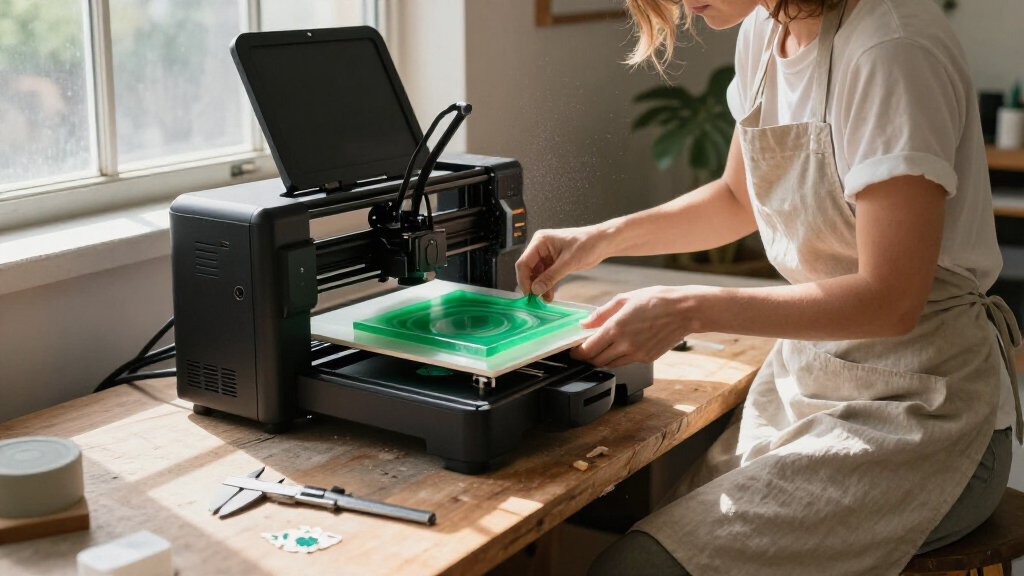

For most home makers, I’d start with the Flashforge Adventurer 5M: its automatic leveling, direct-drive extruder, and fast printing make it a capable all-around choice. The Bambu Lab P1S is a stronger fit if you want an enclosed premium machine, while the Entina Tina2C keeps setup simple for a first printer or a child’s projects. The main tradeoffs are between build size and countertop space, single-color simplicity and multicolor capability, and lower setup effort versus room to grow. I compare all 15 printers by those practical home-use differences below. Read on for the full breakdown and guidance on matching a printer to your projects.

Get the latest gadgets delivered free with Prime
- Fast, free delivery on millions of items
- Prime Video, Amazon Music and more included
- Member-only deals all year
Complete the kit


Key Takeaways
- The Adventurer 5M is the most balanced general-purpose pick: it pairs automatic leveling and a direct-drive extruder with a useful 8.7-inch-cubed build area, without making multicolor printing the focus.
- The P1S and K2 Combo better serve buyers who want room to grow: their enclosed or larger-format designs make them more substantial choices than the compact mini printers, though they call for more space and setup commitment.
- Multicolor options are not interchangeable: the Snapmaker U1 uses four toolheads, while the AD5X and several other models use different multicolor systems; compare their workflows and your expected color changes rather than treating the label alone as decisive.
- The Tina2C models prioritize an easy first experience over project scale: their assembled, compact format suits simple home and STEM prints, but a small build area can limit functional parts and larger designs.
- Speed claims matter less than the whole workflow at home: automatic calibration, material handling, noise, enclosure, and replacement-part access can shape everyday usefulness as much as a printer’s headline speed.
| Flashforge Adventurer 5M 3D Printer |  | Best for Fast Everyday Prototyping | Build volume: 8.7 x 8.7 x 8.7 inches | Acceleration: 20,000 mm/s² | Nozzle temperature: Up to 280°C | VIEW LATEST PRICE | See Our Full Breakdown |
| ELEGOO Centauri 2 Combo 3D Printer |  | Best for Beginner-Friendly Multicolor Printing | Printing technology: CoreXY, four-color CANVAS | Maximum print speed: Up to 500 mm/s | Maximum nozzle temperature: 350°C | VIEW LATEST PRICE | See Our Full Breakdown |
| Entina Tina2C 3D Printer for Beginners |  | Best Compact Starter for Families | Build volume: 3.9 x 3.9 x 3.9 inches | Setup: Fully assembled | Bed leveling: Auto-leveling | VIEW LATEST PRICE | See Our Full Breakdown |
| Snapmaker U1 3D Printer |  | Best for Multi-Material Projects | Build volume: 270 x 270 x 270 mm | Toolhead system: Four independent toolheads | Tool-change time: 5 seconds | VIEW LATEST PRICE | See Our Full Breakdown |
| FLASHFORGE AD5X Multi-Color 3D Printer |  | Best Value Multicolor Speed Pick | Build volume: 220 x 220 x 220 mm | Maximum print speed: 600 mm/s | Acceleration: 20,000 mm/s² | VIEW LATEST PRICE | See Our Full Breakdown |
| Flashforge AD5M 3D Printer |  | Best for Fast, Flexible DIY Printing | Build volume: 220 × 220 × 220 mm | Maximum print speed: 600 mm/s | Motion system: All-metal CoreXY | VIEW LATEST PRICE | See Our Full Breakdown |
| Entina Tina2C 3D Printer for Beginners & Kids |  | Best Compact Starter for Families | Build volume: 3.9 × 3.9 × 3.9 inches | Setup: Fully assembled; guided setup described as taking about five minutes | Leveling: Automatic bed leveling | VIEW LATEST PRICE | See Our Full Breakdown |
| Creality SparkX i7 Combo 3D Printer |  | Best for Photo-to-3D Creativity | Build volume: 260 × 260 × 255 mm | Multicolor printing: Four-color printing | AI feature: CubeMe AI photo-to-3D conversion | VIEW LATEST PRICE | See Our Full Breakdown |
| Creality K2 Combo 3D Printer |  | Best for Large Multicolor Projects | Build volume: 260 × 260 × 260 mm | Maximum printing speed: 600 mm/s | Multicolor capability: Up to 16 colors with up to four CFS units | VIEW LATEST PRICE | See Our Full Breakdown |
| AOSEED AI 3D Printer for Kids (X-MAKER AI+) |  | Best Enclosed Printer for Kids | Maximum stated speed: Up to 400 mm/s | Typical speed range: 220–250 mm/s | Resolution: 0.1/0.05 mm | VIEW LATEST PRICE | See Our Full Breakdown |
| Bambu Lab A1 3D Printer, Ready-to-Use FDM 3D Printer for Beginners and Kids |  | Best Overall for Easy, Fast Home Printing | Printer type: FDM | Maximum acceleration: 10,000 mm/s² | Noise level: Under 48 dB | VIEW LATEST PRICE | See Our Full Breakdown |
| TINA2C 3D Printer Beginner Friendly, Easy-Ready to Print in 5 Mins |  | Best for App-Guided Family Projects | Printer type: Mini 3D printer | Assembly: Fully assembled | Bed setup: Auto leveling and auto bed detection | VIEW LATEST PRICE | See Our Full Breakdown |
| Anycubic Kobra X Multicolor 3D Printer, Easy Setup, Native 4-Color |  | Best for Built-In Multicolor Home Printing | Printer type: FDM | Native color capacity: 4 colors | Expandable color capacity: Up to 19 colors with four ACE 2 Pro units | VIEW LATEST PRICE | See Our Full Breakdown |
| Bambu Lab P1S 3D Printer |  | Best Enclosed Printer for Advanced Home Materials | Printer type: FDM | Maximum print speed: 500 mm/s | Enclosure: Enclosed design | VIEW LATEST PRICE | See Our Full Breakdown |
| Fully Assembled Mini 3D Printer for Kids & Beginners – Complete Starter Kit with Auto Leveling 3D Printing Machine, 1 Roll of Filament, and SD Card, High-Speed 250mm/s, High Precision, for School Home |  | Best Complete Starter Kit for Kids | Printer type: Mini 3D printer | Assembly: Fully assembled | Maximum print speed: 250 mm/s | VIEW LATEST PRICE | See Our Full Breakdown |
| 3D printers for home maker | Build volume |
|---|---|
| Flashforge Adventurer 5M 3D Pr | 8.7 x 8.7 x 8.7 inches |
| ELEGOO Centauri 2 Combo 3D Pri | — |
| Entina Tina2C 3D Printer for B | 3.9 x 3.9 x 3.9 inches |
| Snapmaker U1 3D Printer | 270 x 270 x 270 mm |
| FLASHFORGE AD5X Multi-Color 3D | 220 x 220 x 220 mm |
| Flashforge AD5M 3D Printer | 220 × 220 × 220 mm |
| Entina Tina2C 3D Printer for B | 3.9 × 3.9 × 3.9 inches |
| Creality SparkX i7 Combo 3D Pr | 260 × 260 × 255 mm |
| Creality K2 Combo 3D Printer | 260 × 260 × 260 mm |
| AOSEED AI 3D Printer for Kids | — |
| Bambu Lab A1 3D Printer | — |
| TINA2C 3D Printer Beginner Fri | — |
| Anycubic Kobra X Multicolor 3D | 260 x 260 x 260 mm |
| Bambu Lab P1S 3D Printer | — |
| Fully Assembled Mini 3D Printe | — |
More Details on Our Top Picks
Flashforge Adventurer 5M 3D Printer
The Adventurer 5M is the strongest fit here for home makers who want quick, single-color parts without adding a multicolor system to their workflow. Its CoreXY frame, 600 mm/s rated speed, and 25-point auto-leveling target fast turnarounds and less bed setup, while the quick-change nozzle and magnetic PEI plate make routine swaps simpler. Compared with the FLASHFORGE AD5X, it gives up four-color printing but keeps the focus on straightforward prototyping; the AD5X is a better match when color changes are central to a project. The tradeoff is a substantial desktop footprint, and the high headline speed does not mean every model will print at that rate. I’d choose this for functional prototypes and household parts, not for a compact corner or color-heavy display prints.
Pros:- CoreXY motion system and dual linear rails are designed to limit vibration during fast printing.
- 25-point auto-leveling reduces manual bed adjustment and supports more consistent first layers.
- Quick-change nozzle and magnetic PEI plate simplify maintenance and print removal.
- 600 mm/s rated speed can shorten turnaround for suitable models.
Cons:- Its roughly 15.75 x 14.29 x 17.64-inch footprint needs considerable desk or bench space.
- It does not offer the built-in multicolor printing available on the AD5X and Centauri 2 Combo.
- A high maximum speed is not a guarantee that every material or detailed model can run at that pace.
Best for: Home makers who regularly print single-color prototypes, replacement parts, and practical models and have room for a full-size desktop printer.
Not ideal for: Makers with a cramped workspace or anyone whose main goal is multicolor printing; the AD5X or Centauri 2 Combo is more suited to color work.
- Build volume:8.7 x 8.7 x 8.7 inches
- Acceleration:20,000 mm/s²
- Nozzle temperature:Up to 280°C
- Frame:CoreXY with dual linear rails
- Auto-leveling:25-point system with pressure-sensor compensation
- Dimensions:15.75 x 14.29 x 17.64 inches
- Weight:23.3 pounds
Our verdict“Choose the Adventurer 5M if fast, straightforward single-color home prototyping matters more than multicolor output or a compact footprint.”
ELEGOO Centauri 2 Combo 3D Printer
The Centauri 2 Combo is the approachable multicolor pick for a household that wants prints with up to four colors but also values guided operation. RFID filament recognition, auto-refill, full auto-calibration, smart sensors, and a 5-inch touchscreen are aimed at reducing setup steps that can make multicolor printing feel like a project of its own. Its 500 mm/s-rated CoreXY system is also faster on paper than the compact Tina2C, which is built more for small learning projects than larger or faster output. The tradeoff is size: at 33 pounds and nearly 20 inches long, this is a dedicated workstation rather than a printer to tuck away between uses. I’d favor it over the Flashforge AD5M when color and guided controls matter, but not when desk space is limited.
Pros:- Four-color CANVAS printing supports more expressive models without manual color changes.
- RFID recognition and auto-refill reduce filament handling during color changes.
- Full auto-calibration and smart sensors help simplify setup and print monitoring.
- A 5-inch touchscreen and remote app control offer accessible ways to manage prints.
Cons:- At 33 pounds and 19.69 x 18.9 x 23.23 inches, it is bulky and difficult to move.
- Its multicolor features add workflow complexity compared with a straightforward single-color printer such as the Adventurer 5M.
- The supplied data does not specify build volume, making project-size planning harder.
Best for: Families and newer makers who want guided setup, app control, and four-color prints for toys, gifts, and creative projects.
Not ideal for: Apartment makers with limited bench space or buyers seeking a light, easy-to-store starter machine; the Tina2C is much more compact.
- Printing technology:CoreXY, four-color CANVAS
- Maximum print speed:Up to 500 mm/s
- Maximum nozzle temperature:350°C
- Color capability:Four colors
- Touchscreen:5 inches
- Dimensions:19.69 x 18.9 x 23.23 inches
- Weight:33 pounds
Our verdict“Pick the Centauri 2 Combo if guided controls and four-color printing justify dedicating a large, permanent workspace to it.”
Entina Tina2C 3D Printer for Beginners
The Tina2C makes the most sense when a home maker wants a small, low-friction introduction to printing rather than a machine for large parts. It arrives fully assembled, offers auto-leveling, and pairs with the Poloprint Cloud app for guided projects, model discovery, and STEM activities. Its 3.9-inch-cube build volume is the clearest limitation: it suits small learning models and creative pieces, not the household fixtures or larger prototypes possible on the Flashforge Adventurer 5M or AD5X. Wi-Fi and TF-card printing offer more than one way to send files, while the magnetic plate helps with removal. I’d pick it for supervised family projects or a first printer in a small workspace; experienced makers seeking speed, material range, or room to grow should look at the larger CoreXY options instead.
Pros:- Fully assembled setup and app guidance make it accessible to first-time users.
- Compact build volume and quiet-operation design suit home and learning spaces.
- Auto-leveling reduces manual bed setup for beginners.
- Wi-Fi and TF-card modes provide both app-based and offline printing options.
Cons:- The 3.9 x 3.9 x 3.9-inch build volume restricts projects to small objects.
- The supplied specifications do not state print speed or nozzle temperature, limiting technical comparison.
- App-centered guidance may be less appealing to makers who prefer a more open, workshop-focused workflow.
Best for: Parents, educators, and first-time makers who want a compact printer for small STEM projects, guided app activities, and learning the basics.
Not ideal for: Makers who need larger functional parts, fast production, or room for advanced projects; its small build volume is far more limiting than the Adventurer 5M.
- Build volume:3.9 x 3.9 x 3.9 inches
- Setup:Fully assembled
- Bed leveling:Auto-leveling
- Connectivity:2.4 GHz Wi-Fi and TF card
- App:Poloprint Cloud
- Build plate:Flexible magnetic plate
- Software compatibility:Cura and Simplify3D
- Supported operating systems:Windows, macOS, Linux, and Chromebook
Our verdict“Choose the Tina2C for a compact first printer focused on small family and STEM projects, not for larger or demanding home builds.”
Snapmaker U1 3D Printer
The Snapmaker U1 is the specialist choice for home makers whose projects need more than color changes: its four independent toolheads can handle different filaments, including flexible material and soluble supports, in one print. Swapping toolheads in a stated five seconds also avoids repeatedly loading and purging a single nozzle, a meaningful distinction from the FLASHFORGE AD5X and Centauri 2 Combo, which emphasize multicolor output. A 270 mm cube build volume gives it room for substantial parts, and automatic calibration plus remote monitoring help manage a more involved machine. The tradeoff is that four toolheads, material choices, and a large frame bring added setup and workspace demands. I’d choose it for functional mixed-material work, not for someone who only wants simple color accents on small models.
Pros:- Four independent toolheads support multi-material prints without repeated filament loading and unloading.
- Five-second tool changing is designed to reduce waiting and purge waste during tool changes.
- 270 x 270 x 270 mm build volume accommodates larger models than the Tina2C.
- Automatic toolhead offset calibration and vibration compensation reduce manual tuning.
Cons:- Four-toolhead operation creates a more involved workflow than single-nozzle printers.
- The supplied product data does not list dimensions or weight, so workspace planning is less certain.
- Its advanced material handling may be unnecessary for makers focused on simple, single-color household prints.
Best for: Experienced home makers and workshop users who want to combine rigid, flexible, or soluble-support materials in larger functional prints.
Not ideal for: Beginners seeking a compact, simple first printer or makers who only need occasional multicolor decoration; the Tina2C is easier to place and the AD5X is a more focused multicolor option.
- Build volume:270 x 270 x 270 mm
- Toolhead system:Four independent toolheads
- Tool-change time:5 seconds
- Maximum print speed:Up to 500 mm/s
- Motion system:CoreXY
- Supported materials:PLA, PVA, TPU, PETG, PCTG, ABS, ASA, PA, PC, and more
- Touchscreen:3.5 inches
- Warranty:One year
Our verdict“Choose the Snapmaker U1 if mixed-material capability and reduced tool-change waste matter more than simplicity and compact placement.”
FLASHFORGE AD5X Multi-Color 3D Printer
The AD5X is a strong match for home makers who want four-color printing and fast CoreXY motion in a familiar 220 mm cube format. Its 600 mm/s rated speed, one-click auto-leveling, and direct-drive extruder rated to 300°C make it more versatile on paper than the single-color Adventurer 5M, while four nozzle-size options let buyers favor fine detail or faster, sturdier prints with compatible nozzles. Compared with the ELEGOO Centauri 2 Combo, the AD5X lists a smaller 220 mm build volume but a higher stated speed; the Centauri emphasizes guided controls and filament recognition. Its color system and auxiliary features add complexity, and the advertised maximum speed will not suit every print. I’d choose it for varied color projects and rapid prototypes, not for a beginner wanting the smallest learning curve.
Pros:- Four-color capability supports multicolor models without limiting projects to single-filament output.
- CoreXY system is rated for speeds up to 600 mm/s with 20,000 mm/s² acceleration.
- 300°C direct-drive extruder supports a broader range of printing tasks than the Adventurer 5M’s 280°C limit.
- Optional 0.25 mm to 0.8 mm nozzle sizes allow detail or throughput to guide setup.
Cons:- The 220 x 220 x 220 mm build volume is smaller than the Snapmaker U1’s stated 270 mm cube.
- Multicolor filament handling adds setup and workflow steps compared with the single-color Adventurer 5M.
- Fast rated speed may require tuning and will vary with the model, filament, and print settings.
Best for: Home makers who want four-color models, quick prototyping, and nozzle options for both detailed miniatures and sturdier parts.
Not ideal for: Buyers who prioritize a compact beginner setup or a larger build area; the Tina2C is simpler, while the Snapmaker U1 offers a larger stated volume for multi-material work.
- Build volume:220 x 220 x 220 mm
- Maximum print speed:600 mm/s
- Acceleration:20,000 mm/s²
- Maximum nozzle temperature:300°C
- Color capability:Up to four colors
- Frame:CoreXY
- Nozzle sizes:0.25 mm, 0.4 mm, 0.6 mm, and 0.8 mm
- Bed leveling:One-click auto-leveling
Our verdict“Pick the AD5X if you want a fast four-color desktop printer with nozzle flexibility and can accept a more involved workflow.”
Flashforge AD5M 3D Printer
The Flashforge AD5M is a strong fit for home makers who want a capable general-purpose printer without spending their time on manual bed calibration. Its one-click leveling and quick-swap nozzles make setup and routine maintenance more approachable, while the all-metal CoreXY system supports speeds up to 600 mm/s for shorter print runs. Compared with the smaller Entina Tina2C, its 220 mm cube build area gives you room for larger household parts and multi-piece projects. It also offers more nozzle-size flexibility than a basic starter machine. The tradeoff is its substantial desktop footprint, and it does not offer the multicolor workflow of the Creality K2 Combo. Choose it for versatile single-material making, not if compactness or multicolor output is your main goal.
Pros:- Automatic one-click bed leveling reduces setup adjustments.
- All-metal CoreXY system supports printing speeds up to 600 mm/s.
- Quick-swap nozzle system and multiple nozzle diameters support different print priorities.
- Remote monitoring and power-loss recovery add convenience for longer jobs.
Cons:- Its roughly 16 × 14 × 18-inch footprint may be difficult to accommodate in a small workspace.
- Build volume is smaller than the 260 mm cube offered by the Creality K2 Combo.
- No multicolor capability is listed.
Best for: Home makers who want a fast, full-size single-material printer with straightforward calibration and nozzle changes.
Not ideal for: People with a cramped desk or makers whose main goal is multicolor printing; the printer takes up considerable space and lacks a stated multicolor system.
- Build volume:220 × 220 × 220 mm
- Maximum print speed:600 mm/s
- Motion system:All-metal CoreXY
- Nozzle sizes:0.25, 0.4, 0.6, and 0.8 mm
- Bed type:Double-sided PEI steel plate
- Dimensions:15.83 × 14.29 × 17.64 inches
- Weight:22 lb
- Additional features:Automatic leveling, remote monitoring, and power-loss recovery
Our verdict“Choose the AD5M if you want a fast, adaptable desktop printer for varied home projects and have room for its footprint.”
Entina Tina2C 3D Printer for Beginners & Kids
The Entina Tina2C prioritizes a low-friction first experience: it arrives fully assembled, uses automatic leveling, and pairs with an app library of ready-to-print models and DIY projects. That makes it a more approachable family entry point than the larger Flashforge AD5M, which offers a much roomier build area and higher stated speed but asks for more workspace. The Tina2C’s compact 3.9-inch cube is well suited to small toys, classroom activities, and simple household pieces, while its flexible magnetic plate helps remove prints without tools. Wi-Fi app control, TF-card printing, and compatibility with Cura and Simplify3D leave room to explore beyond the included catalog. The defining compromise is capacity: larger functional parts will need to be split or made on a bigger machine.
Pros:- Fully assembled design and automatic leveling simplify getting started.
- App includes more than 3,500 models and over 25 DIY projects.
- Compact body and quiet-printing focus suit desks and learning spaces.
- Flexible magnetic bed and quick-swap nozzle make print removal and maintenance easier.
Cons:- The 3.9 × 3.9 × 3.9-inch build volume is much smaller than the Flashforge AD5M’s.
- App-led model discovery may feel limiting to makers who prefer a more open workflow.
- No maximum print speed or machine dimensions are provided in the supplied specifications.
Best for: Parents, educators, and first-time makers seeking a small, ready-to-run printer for simple projects and supervised STEM activities.
Not ideal for: Makers planning large household repairs or bulky models; the 3.9-inch build area sharply limits part size.
- Build volume:3.9 × 3.9 × 3.9 inches
- Setup:Fully assembled; guided setup described as taking about five minutes
- Leveling:Automatic bed leveling
- Connectivity:2.4 GHz Wi-Fi and TF card
- Software compatibility:Cura and Simplify3D
- Model library:More than 3,500 models and 25+ DIY projects in the Poloprint Cloud app
- Build plate:Flexible magnetic plate
- Additional features:Power-loss recovery, built-in LED, and quick-swap nozzle
Our verdict“Pick the Tina2C for accessible, small-scale family and STEM printing, but choose a larger printer for functional parts or ambitious builds.”
Creality SparkX i7 Combo 3D Printer
The Creality SparkX i7 Combo is aimed at makers who want to create personalized objects from images, rather than only print models they find or design elsewhere. Its CubeMe AI photo-to-3D feature lowers the barrier to making portrait-based models, and the supplied description pairs that creative route with four-color printing and a 260 × 260 × 255 mm build volume. Compared with the Entina Tina2C, it can handle much larger projects and more involved visual prints; compared with the Creality K2 Combo, its listed multicolor capability is limited to four colors rather than up to 16 using additional CFS units. The 95% pre-assembled setup and Night Mode support home use, but its 33-pound weight makes moving it around less convenient. Choose it for image-led projects, not for a broad color palette.
Pros:- CubeMe AI photo-to-3D tools offer a direct path from portraits to printable models.
- Four-color printing adds visual variety without limiting projects to one filament color.
- 260 × 260 × 255 mm build volume accommodates larger work than the Entina Tina2C.
- 95% pre-assembled setup and Night Mode are suited to home printing routines.
Cons:- Four-color capability is narrower than the Creality K2 Combo’s stated up-to-16-color option.
- At 33 lb, it is less convenient to relocate than a compact starter printer.
- The supplied specifications do not state print speed, nozzle details, or connectivity.
Best for: Families and home makers who want to turn portraits or other photos into printable designs and make larger four-color projects.
Not ideal for: Makers who want up to 16-color output, a lightweight printer, or detailed performance specifications beyond the listed build volume.
- Build volume:260 × 260 × 255 mm
- Multicolor printing:Four-color printing
- AI feature:CubeMe AI photo-to-3D conversion
- Assembly:95% pre-assembled
- Noise feature:Night Mode
- Dimensions:16.6 × 17.9 × 18.5 inches
- Weight:33 lb
- Filament waste:Described as reducing waste by up to 50% during four-color printing
Our verdict“Choose the SparkX i7 Combo if photo-based model creation and four-color prints matter more than maximum color range or portability.”
Creality K2 Combo 3D Printer
For home makers who want multicolor prints at a larger scale, the Creality K2 Combo is the most capable option in this batch. Its 260 mm cube build area exceeds the Flashforge AD5M’s 220 mm cube, while its direct-drive extruder and stated 600 mm/s maximum speed are aimed at faster, more varied jobs. The headline is up to 16 colors, though that setup requires as many as four CFS units, so the full palette depends on extra hardware. Smart AI camera auto-leveling and pre-assembly simplify the start, and silent mode is a welcome fit for a home workspace. By contrast, the Creality SparkX i7 Combo offers a more focused photo-to-3D feature and is much lighter. At nearly 66 pounds, the K2 is better placed in a permanent spot than moved between rooms.
Pros:- 260 × 260 × 260 mm build volume supports larger parts than the Flashforge AD5M.
- Up to 16-color capability enables complex multicolor prints when configured with four CFS units.
- 600 mm/s stated maximum speed and direct-drive extruder support a capable range of jobs.
- Pre-assembled design, AI camera auto-leveling, and silent mode suit home operation.
Cons:- At 65.9 lb, the printer is difficult to relocate.
- Using the full multicolor capability requires additional CFS units.
- Its 16.93 × 16.54 × 21.06-inch dimensions call for a dedicated workspace.
Best for: Experienced home makers who want large-format multicolor prints, broad listed material compatibility, and a printer that can stay in one workspace.
Not ideal for: Beginners with limited desk space or anyone who needs to move a printer often; the unit is heavy, and expanded color capability needs additional CFS units.
- Build volume:260 × 260 × 260 mm
- Maximum printing speed:600 mm/s
- Multicolor capability:Up to 16 colors with up to four CFS units
- Extruder:Direct drive
- Leveling:Smart AI camera auto-leveling
- Material compatibility:PLA, PETG, ABS, PLA-CF, and PET
- Dimensions:16.93 × 16.54 × 21.06 inches
- Weight:65.9 lb
- Noise feature:Silent mode
Our verdict“Pick the K2 Combo if you want a large, fast multicolor setup and can dedicate space to a heavy printer and its additional color hardware.”
AOSEED AI 3D Printer for Kids (X-MAKER AI+)
The AOSEED X-MAKER AI+ puts kid-focused guidance and an enclosed design ahead of the open-ended machine control that many hobbyists want. Its catalog of more than 12,000 designs, voice-, text-, and image-based AI tools, and built-in assistant give families multiple ways to start a project without learning 3D modeling first. The enclosure protects access to moving parts and the hot nozzle, making it a more family-oriented choice than the open-frame Flashforge AD5M. It also arrives ready to use and includes eight PLA rolls, which supports a guided introduction at home or in a classroom. The compromise is its child-centered software and design focus: independent makers may prefer the more general-purpose workflows of the AD5M or Creality K2 Combo. Its advertised 400 mm/s maximum should not be read as a typical speed; the description gives a usual range of 220–250 mm/s.
Pros:- Enclosed design helps keep hands away from moving parts and the hot nozzle.
- AI tools and a large curated model catalog give children guided ways to start making.
- Ready-to-use setup, Wi-Fi, SD card, and USB support offer several ways to start and send prints.
- Eight PLA rolls, a magnetic plate, power-loss recovery, and quick nozzle replacement support home use.
Cons:- The advertised maximum of 400 mm/s is higher than the listed typical range of 220–250 mm/s.
- No build volume or machine dimensions are provided in the supplied product data.
- The child-focused catalog and AI workflow may not suit adult makers seeking a general-purpose machine.
Best for: Families, teachers, and makers buying for children ages 9–16 who want enclosed printing, guided creative tools, and included PLA.
Not ideal for: Adult hobbyists seeking a broadly configurable printer, larger documented build capacity, or a multicolor system; the supplied details emphasize kids’ software and do not list a build volume.
- Maximum stated speed:Up to 400 mm/s
- Typical speed range:220–250 mm/s
- Resolution:0.1/0.05 mm
- Design library:More than 12,000 curated digital designs
- Included filament:Eight PLA rolls
- Connectivity:Wi-Fi, SD card, and USB
- Display:3.5-inch touchscreen
- Noise level:Under 50 dB
- Additional features:Enclosed design, magnetic build plate, and power-loss recovery
Our verdict“Choose the X-MAKER AI+ for a guided, enclosed first printer for children, but look to a general-purpose model for adult-led workshop projects.”
Bambu Lab A1 3D Printer, Ready-to-Use FDM 3D Printer for Beginners and Kids
The Bambu Lab A1 is a strong fit for households that want a capable printer without making calibration a regular project. Its full-auto calibration and quick-swap nozzle help simplify setup and routine changes, while acceleration up to 10,000 mm/s² supports fast printing with controlled detail. At under 48 dB, it is also a more considerate choice for a shared home workspace than a louder machine may be. Compared with the TINA2C, the A1 is the better choice for makers who want higher-speed performance and room to grow; the TINA2C is more compact and emphasizes app-guided starter projects. The tradeoffs are its 22-pound weight and the fact that multicolor printing requires the separate AMS lite. I’d choose it for flexible everyday making, not for a tiny desk or a no-extra-accessories multicolor setup.
Pros:- Full-auto calibration reduces manual setup and bed-adjustment work.
- High-speed printing with active flow rate compensation supports detailed results.
- Quiet operation below 48 dB is better suited to shared home spaces.
- Touchscreen controls and a quick-swap nozzle simplify routine operation.
Cons:- Multicolor printing requires the separate AMS lite accessory.
- At 22 pounds, it is less convenient to move between work areas.
- Its stated dimensions call for a substantial, stable surface.
Best for: Home makers who want a fast, automatically calibrated FDM printer for regular projects and may add multicolor printing later.
Not ideal for: People with very limited desk space or anyone who wants multicolor printing included without buying an optional AMS lite system.
- Printer type:FDM
- Maximum acceleration:10,000 mm/s²
- Noise level:Under 48 dB
- Calibration:Full-auto calibration
- Multicolor support:Optional AMS lite system
- Dimensions:21.76 x 20.83 x 12.87 inches
- Weight:22 pounds
- Model number:PF002-A
Our verdict“Choose the A1 for fast, low-fuss home printing, and skip it if you need a compact machine or built-in multicolor hardware.”
TINA2C 3D Printer Beginner Friendly, Easy-Ready to Print in 5 Mins
The Hephi3D TINA2C makes its case through a guided first-print experience: it arrives fully assembled and factory preset, with auto leveling, a starter PLA spool, tools, and a TF card containing test files. Its app control and model library can help beginners move from choosing a design to printing without first learning a desktop slicer. Families can also use its design modules and STEM activities as a gentle introduction to making. Compared with the Bambu Lab A1, this model is more focused on compact, approachable projects than speed and broader performance. The open-source Cura and WiiBuilder support gives experienced users another route, though the listing does not provide a build volume or print-speed figure for judging larger or faster jobs. It is a sensible learning machine, but less suited to makers who want detailed technical specifications before choosing.
Pros:- Fully assembled, factory-preset setup with auto leveling is beginner-friendly.
- App offers a library of ready-to-print models and creative modules.
- Includes a starter PLA spool, tools, and TF card with test models and software.
- Supports Cura and WiiBuilder as well as app-based control.
Cons:- The product information does not state its build volume or print speed.
- A mini format is less suited to larger household parts and ambitious projects.
- Some advertised app features and the model library depend on connected software.
Best for: Families and first-time makers who want app-guided designs, simple setup, and included starter materials for small home projects.
Not ideal for: Experienced makers planning larger or speed-sensitive projects, or buyers who need a clearly stated build volume and print-speed specification.
- Printer type:Mini 3D printer
- Assembly:Fully assembled
- Bed setup:Auto leveling and auto bed detection
- Connectivity:App control, Wi-Fi, TF card, and USB Type-C
- Model library:3,500+ ready-to-print models
- Creative tools:25+ design modules
- Software:WiiBuilder and Cura compatibility
- Included starter materials:PLA filament, tools, and TF card
Our verdict“Pick the TINA2C for guided family learning and small starter prints, not for buyers who need documented capacity or performance figures.”
Anycubic Kobra X Multicolor 3D Printer, Easy Setup, Native 4-Color
The Anycubic Kobra X is the clearest pick here for makers who want multicolor output without starting with an add-on system: it supports four colors natively, with expansion up to 19 colors using four ACE 2 Pro units. Its 260 mm cubed build area also gives home projects more room than a mini printer such as the TINA2C. A hardened steel nozzle, 300°C nozzle temperature, and stated support for PLA, PETG, TPU, PVA, and ASA broaden the material options, while app monitoring adds remote visibility. The cost of that versatility is a larger and more involved setup than a basic single-color beginner machine. Filament is not included, and the expanded color range depends on additional compatible units. I’d rank it for color-focused makers, rather than anyone seeking the simplest first printer.
Pros:- Native four-color printing avoids needing an add-on to begin multicolor work.
- 260 x 260 x 260 mm build volume accommodates larger home projects than mini printers.
- Hardened steel nozzle and 300°C maximum nozzle temperature support the listed range of materials.
- Auto leveling and app-based monitoring add convenience for home use.
Cons:- Filament is not included, so buyers need to source material separately.
- Expansion up to 19 colors requires four ACE 2 Pro units, which are not included.
- Multicolor setup and material options are more involved than a basic starter printer.
Best for: Home makers who want native four-color printing, a larger build area, and flexibility across several listed filament types.
Not ideal for: First-time buyers who want the simplest possible single-color setup, or shoppers who expect filament and expanded multicolor hardware in the box.
- Printer type:FDM
- Native color capacity:4 colors
- Expandable color capacity:Up to 19 colors with four ACE 2 Pro units
- Maximum print speed:600 mm/s
- Build volume:260 x 260 x 260 mm
- Maximum nozzle temperature:300°C
- Listed filament compatibility:PLA, PETG, TPU, PVA, and ASA
- Connectivity:Dual-band Wi-Fi and LAN
- Filament included:No
Our verdict“Choose the Kobra X if native multicolor and a roomy build area matter more than keeping setup simple.”
Bambu Lab P1S 3D Printer
The Bambu Lab P1S stands apart from open-frame options with an enclosed design and support for printing materials that benefit from a more controlled environment. Its automatic bed leveling and setup time of about 15 minutes keep the initial process approachable, while speeds up to 500 mm/s suit makers who want to produce parts quickly. Compared with the open Bambu Lab A1, the P1S is the better fit for users prioritizing an enclosure and advanced filament work; the A1 is lighter and quieter by its stated specifications. The P1S can print up to 16 colors when paired with an optional AMS, so that capability is not included by default. It also weighs 38.9 pounds and is not recommended for carbon- or glass-fiber-reinforced filaments. I’d choose it for a dedicated workshop corner, not a frequently moved desktop setup.
Pros:- Enclosed body is better suited to materials that benefit from a more controlled print environment.
- Print speeds up to 500 mm/s support faster project turnaround.
- Automatic bed leveling reduces manual setup.
- Optional AMS supports up to 16 colors and multi-material printing.
Cons:- The AMS module is required for multicolor printing and is not included by default.
- At 38.9 pounds, it is relatively heavy for a shared or movable workspace.
- Not recommended for carbon- or glass-fiber-reinforced filaments.
Best for: Makers with a dedicated home workspace who want an enclosed printer for advanced filaments and the option to add multicolor printing.
Not ideal for: People who need a lightweight or frequently moved printer, or who plan to print carbon- or glass-fiber-reinforced filaments.
- Printer type:FDM
- Maximum print speed:500 mm/s
- Enclosure:Enclosed design
- Bed leveling:Automatic
- Setup time:About 15 minutes
- Multicolor capacity:Up to 16 colors with optional AMS
- Dimensions:15.31 x 18.03 x 15.31 inches
- Weight:38.9 pounds
- Model number:P1S
Our verdict“Choose the P1S for an enclosed, fast home workshop printer, and skip it if you need portability or reinforced-fiber capability.”
Fully Assembled Mini 3D Printer for Kids & Beginners – Complete Starter Kit with Auto Leveling 3D Printing Machine, 1 Roll of Filament, and SD Card, High-Speed 250mm/s, High Precision, for School Home
This fully assembled mini printer is aimed at families who want a ready-to-start kit rather than a machine that first needs assembly and setup. The package includes a roll of test PLA filament and an SD card, and its one-button auto leveling and touch filament loading reduce the number of steps a beginner must learn at once. A stated top speed of 250 mm/s gives it a clear performance target, while the PEI heated bed is designed to make finished parts easier to remove. Compared with the app-centered TINA2C, this model leans more on included physical starter materials and simple machine controls; the TINA2C offers a larger advertised online model library and creative app modules. The listing does not specify build volume, and the included filament is a test roll, so this is a starter-focused choice rather than a well-documented long-term workhorse.
Pros:- Fully assembled kit reduces setup demands for first-time users.
- Includes a test PLA roll, SD card, and printer accessories.
- One-button auto leveling and one-touch filament loading simplify routine tasks.
- PEI heated bed is designed to ease print removal.
Cons:- The listing does not state the build volume, limiting comparisons for project size.
- The included filament is a test roll rather than a stated full-size supply.
- The product information provides limited detail on material compatibility and software.
Best for: Parents, teachers, and young beginners who want an assembled printer with basic filament and an SD card included.
Not ideal for: Makers planning larger projects or anyone who needs a stated build volume, broad material guidance, or a clearly specified upgrade path.
- Printer type:Mini 3D printer
- Assembly:Fully assembled
- Maximum print speed:250 mm/s
- Precision:0.01 mm
- Bed:PEI heated bed
- Leveling:One-button auto leveling
- Included materials:One roll of test PLA filament and an SD card
- Warranty and support:30-day return/replacement policy, 12-month repair service, and lifetime technical support
Our verdict“Choose this kit for an uncomplicated first printer for kids or school projects, but look elsewhere if you need confirmed build capacity or advanced material support.”
How We Picked
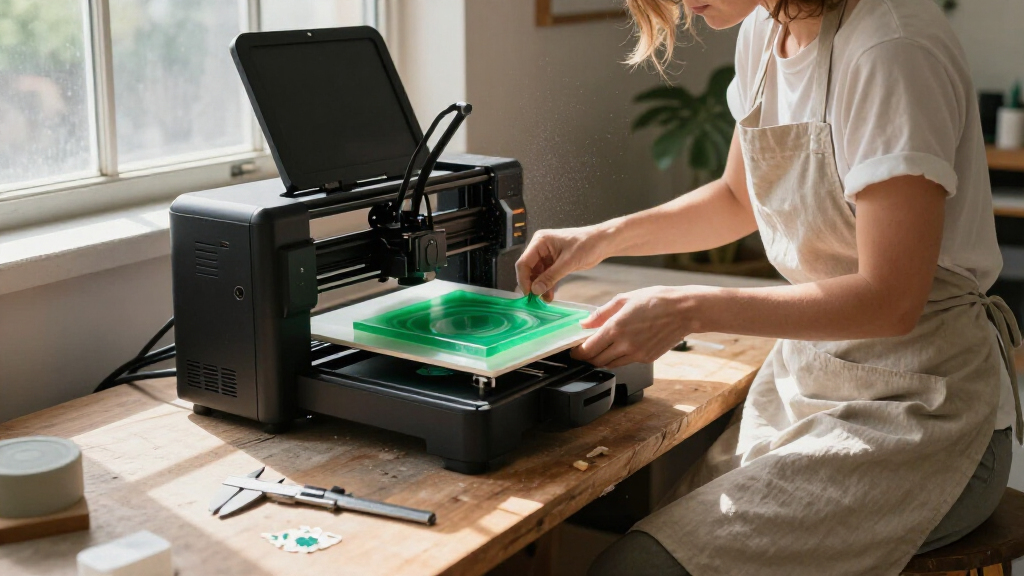
I ranked these 3D printers for home makers by how well their features support ordinary home projects, from useful household parts and models to crafts and STEM activities. I weighed setup effort, leveling and calibration, build volume, extruder and nozzle capability, enclosure, multicolor workflow, and the practical fit of each machine in a home workspace. I also treated advertised speed as one factor rather than a verdict: a fast printer is less useful if its size, workflow, or maintenance needs do not match the buyer.
The order reflects versatility and ease of ownership, not a claim that one machine suits every maker. The Adventurer 5M leads as a balanced single-color option; the P1S and K2 Combo appeal to buyers who want more capability or capacity; and the small Entina models rank for approachable entry, not ambitious output. Where several listings appear to share a model name or closely related specifications, I distinguish them by the capabilities stated in the product listing and avoid assuming unlisted differences.
Factors to Consider When Choosing 3D Printers For Home Makers
Before choosing a printer, I’d start with the kinds of objects you plan to make and the space you can give the machine. Home use can mean anything from occasional small models to frequent functional parts, so a sensible choice balances project scale, operating routine, and workspace needs rather than chasing the longest feature list.
Match Build Volume to Your Actual Projects
Build volume sets the largest object you can print in one piece, but it also affects the printer’s footprint and the space needed around it. Measure the shelf, desk, or bench first, including room to open an enclosure, remove prints, and reach the spool. For functional household parts, check the dimensions of objects you expect to make instead of assuming a larger bed is always better. Small models such as the Tina2C are appealing for tight spaces and modest prints, while machines like the K2 Combo offer more room for larger work. A common mistake is buying for a rare oversized project and then living with a bulky machine every day. If your occasional large part can be split and joined, a smaller printer may be the more practical home choice.
Choose a Workflow You Will Enjoy Repeating
Automatic leveling and calibration reduce the steps between a design and a successful first layer, which matters when you print in short sessions or share the machine with family. A fully assembled starter printer can lower the setup barrier, but a beginner-friendly label does not tell you how easy it is to load filament, recover from a failed print, or find replacement parts. Look for clear controls and a workflow that fits the people who will operate the printer. If you expect to troubleshoot settings and tune results, a more configurable machine may be satisfying; if not, simpler operation can be worth more than extra adjustments. Avoid choosing based on setup time alone, since routine tasks repeat long after the first print. Check whether the seller or manufacturer provides usable documentation and support information.
Decide Whether Multicolor Printing Is Worth the Added Workflow
Multicolor printing can make decorative models and labeled parts more expressive, but the changeover system affects how the printer handles color swaps, waste, and print time. The Snapmaker U1’s four-toolhead approach differs from systems that manage multiple filaments through a feeder, so compare the method rather than the color count alone. For occasional accents, painting or assembling separate pieces may be simpler than managing multicolor jobs. Makers who print signs, toys, or display pieces often may get more value from built-in color changes. Think about whether you will use multiple colors on a regular basis, not just whether the feature sounds appealing. Also check the supported materials and workflow details for the exact model and bundle you plan to buy.
Treat Speed as One Part of Print Quality and Convenience
High advertised speeds can shorten some jobs, but they do not tell you how a printer handles fine details, tall objects, or every filament type. A fast machine still needs stable motion, suitable settings, and a reliable first layer to deliver useful results. For home makers, a predictable print that succeeds while you are doing something else may be more valuable than a short quoted print time. Compare speed alongside calibration, frame design, nozzle options, and the kinds of models you make. Avoid assuming that every print will run at the maximum listed rate. If you mostly make small detailed pieces, prioritize dependable quality and a manageable workflow over headline speed.
Plan for Materials, Noise, and Household Placement
A printer’s enclosure and material range influence where it fits at home and what projects it can handle. An enclosed design such as the P1S may suit buyers seeking a more contained setup, while an open-frame machine can be easier to access but needs a suitable location away from curious hands and household disruption. Check the manufacturer’s guidance for materials, ventilation, and operating conditions rather than inferring compatibility from the nozzle temperature alone. Noise can also affect whether a printer belongs in a shared room, workshop, or separate workspace. A common buying error is focusing on the machine while overlooking filament storage, spool clearance, and the surface it will sit on. Choose a location before purchasing and confirm that it can support the printer’s footprint and routine use.
Budget for the Whole Making Setup
The printer is only one part of a home setup: filament, tools for removing and finishing prints, storage, and replacement parts can all shape the long-term experience. A starter bundle may include useful supplies, but check exactly what is included and whether the filament type suits your planned projects. For multicolor machines, account for the extra material handling and the possibility of more waste during color changes. A premium or more capable printer makes sense when its added build area, enclosure, or workflow will get regular use. If you are still learning what you enjoy printing, a simpler model can limit the commitment while you build skills. Compare ongoing needs and support options, not just the machine’s advertised feature set.
Frequently Asked Questions
Should I get a small beginner printer or a full-size machine for my first home setup?
I’d choose based on the projects you already expect to make, not on the idea that every beginner needs the smallest machine. A Tina2C-style mini printer can be a sensible starting point for small models, school activities, and limited desk space. If you want functional household parts or expect your projects to grow, a full-size machine such as the Adventurer 5M gives you more room to work. Consider who will handle setup and troubleshooting, too: an assembled starter model reduces the initial hurdle, while a larger printer may offer more flexibility over time. If you are unsure, measure a few likely projects and compare them with each printer’s build area.
Is multicolor printing worth choosing for a home maker?
It is worth choosing when color is part of the project rather than an occasional decoration. Makers producing signs, character models, or labeled objects may appreciate the ability to print distinct colors without separate assembly. The Snapmaker U1’s toolhead design and the other multicolor systems in this roundup use different approaches, so consider workflow, material handling, and expected waste alongside the number of colors. If most of your prints are brackets, organizers, or replacement parts, a simpler single-color printer may be easier to maintain and use. You can also add color after printing with paint or separate components when multicolor output is not a regular need.
Do I need an enclosed 3D printer for use at home?
Not every home maker needs an enclosure, but it can affect placement, access, and the range of projects you plan to pursue. An enclosed machine such as the Bambu Lab P1S is a stronger candidate for buyers who want a more contained setup or expect to print materials that benefit from controlled conditions. An open printer may be easier to reach and can suit common beginner projects, provided it sits in an appropriate location. Follow the manufacturer’s material and ventilation guidance, and keep the machine away from children or pets unless its setup is suitable for the household. Choose the enclosure for a real workspace or material need, not simply because it sounds more advanced.
How much should I rely on a printer’s advertised speed?
Use the speed figure as a comparison point, not a promise for every model or material. Actual print time depends on the object, layer settings, filament, and how the printer manages motion and detail. A printer that completes a smaller job quickly may still be a poor fit if it struggles with the size or finish your projects require. For home use, automatic leveling and a repeatable first layer can save more frustration than a faster maximum setting. Check the intended print types and workflow, then favor a machine whose speed claims align with the jobs you plan to run.
What should I check before placing a 3D printer in a shared home space?
Start with the printer’s footprint, access needs, operating noise, and the manufacturer’s guidance for materials and ventilation. Leave room to remove prints, change filament, and open an enclosure rather than measuring only the base. Consider whether children or pets can reach moving parts, hot components, or filament, and place the machine accordingly. A compact printer may fit a desk more easily, but compact size does not remove the need for a suitable, stable location. If the printer will run in a shared room, check how its sound and routine maintenance fit the household schedule before choosing a model.
Conclusion
For the broadest mix of home projects, I recommend the Flashforge Adventurer 5M as best overall, thanks to its automatic leveling, direct-drive setup, and practical build area. The Flashforge AD5M is my best value-style choice for makers who want a fast CoreXY format and automatic calibration without making multicolor printing the priority. For a more capable enclosed setup, the Bambu Lab P1S is my best premium pick, while the Entina Tina2C is best for beginners who want a compact, ready-to-start machine for simple prints. If multicolor work is your focus, compare the Snapmaker U1, AD5X, and other multicolor options by their specific color-change workflow; for larger prints, look closely at the Creality K2 Combo. Choose the model that fits your projects and available space, rather than paying for features you are unlikely to use.
Fall Picks
fall essentials
As an affiliate, we earn on qualifying purchases.