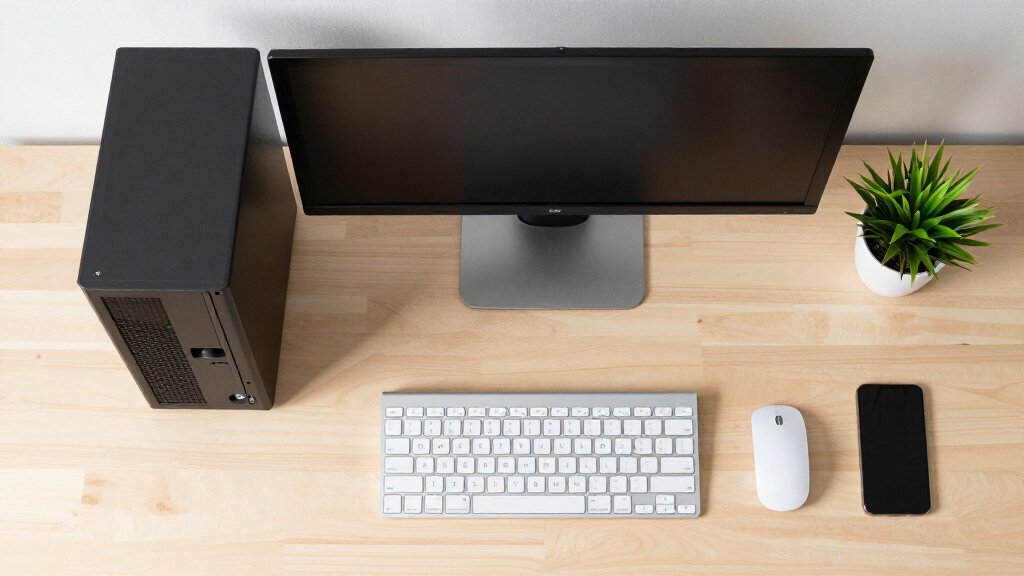

The best desktop PCs pair enough processing power and memory for your workload with the right size, ports, and room to grow. My best overall pick is the HP OmniDesk M03, which combines a Core Ultra 7, 32GB of memory, 1TB SSD, and support for four 4K displays. For a business-focused setup, the Dell Pro Tower Plus QBT1250 stands out with Windows 11 Pro, 32GB RAM, and three 4K DisplayPort connections, while the Dell Slim Desktop suits buyers short on desk space. The main tradeoffs are tower size versus compactness, newer processors versus older business hardware, and useful memory and storage versus unnecessary extras. Read on for the full breakdown and advice on matching a desktop to your needs.

Get the latest gadgets delivered free with Prime
- Fast, free delivery on millions of items
- Prime Video, Amazon Music and more included
- Member-only deals all year
Complete the kit



Key Takeaways
- The HP OmniDesk M03 leads this lineup for balanced capability: its Core Ultra 7, 32GB RAM, 1TB SSD, and four-display support make it a strong fit for demanding office multitasking.
- The Dell Pro Tower Plus QBT1250 is the clearest business-focused alternative: it has 32GB RAM, Windows 11 Pro, and three 4K DisplayPort outputs, but its Core Ultra 5 is a different performance tier from the OmniDesk’s Ultra 7.
- Several models share a Core Ultra 5 225 platform, but their configurations are not interchangeable: compare RAM, storage, operating system, and case style across the Dell Slim, Dell Ect1250, and Dell 2026 Edition.
- The HP OmniDesk with Ryzen 7 8700G offers a distinct integrated-graphics option: its Radeon 780M makes it more appealing for light graphics tasks than the older ProDesk systems with GT 610 or Intel i5-10400F processors.
- Entry-level configurations call for close scrutiny: 8GB RAM and 256GB SSD options can constrain multitasking or file storage, while SFF and slim cases save space but may limit future upgrades.


| desktop PC | Processor | Memory | Storage | Operating system |
|---|---|---|---|---|
| HP OmniDesk M03 Business Deskt | Intel Core Ultra 7 265, 20 cores and 20 threads, up to 5.3 GHz | 32GB DDR5 | 1TB PCIe NVMe M.2 SSD | Windows 11 Pro |
| Dell Pro Tower Business Deskto | Intel Core i5-14500 vPro, 14 cores, up to 5.0 GHz | 16GB DDR5 | 512GB PCIe SSD | Windows 11 Pro |
| HP Business Tower Desktop PC | 10th Generation Intel Core i5-10400F, 6 cores, up to 4.3 GHz | 16GB DDR4 | 1TB SSD | Windows 11 Home |
| Dell Tower Desktop with Intel | Intel Core Ultra 7 265 | 32GB | SSD; capacity not specified | Windows 11 Home |
| Dell 2026 Edition Tower Deskto | Intel Core i3-14100, 4 cores, up to 4.7 GHz | 8GB DDR5 | 512GB PCIe NVMe SSD | Windows 11 Pro 64-bit |
| ASUS V500 Home & Business Towe | Intel Core i7-13620H, 10 cores, 16 threads, 2.4GHz base, up to 4.9GHz | 32GB DDR5 | 1TB SSD | Windows 11 Pro |
| ASUS V500 Business Tower Deskt | Intel Core i7-13620H, 10 cores, 16 threads, 2.4GHz base, up to 4.9GHz | 16GB DDR5; supports up to 64GB | Up to 4TB PCIe M.2 SSD; included capacity not specified | Windows 11 Home 64-bit |
| Dell Slim Desktop with Intel C | Intel Core Ultra 5-225 | Capacity not specified | 512GB SSD | Windows 11 Home |
| HP ProDesk 600 G6 SFF Desktop | Intel Core i5-10400F, 6 cores, 2.9GHz base, up to 4.3GHz | 16GB DDR4 | 256GB PCIe SSD | Windows 11 Pro |
| HP ProDesk 600 Desktop Compute | Intel Core i5-10400F, 2.90GHz base, up to 4.30GHz | 16GB DDR4 | 512GB PCIe NVMe SSD | Windows 11 Pro |
| HP OmniDesk Desktop Computer P | AMD Ryzen 7 8700G, 4.2 GHz | 32GB DDR5-5200 | 1TB PCIe Gen4 NVMe SSD | Windows 11 Home |
| HP ProDesk SFF 400 G9 Business | Intel Core i7-14700, 20 cores, 28 threads | 16GB DDR5 | 1.5TB; drive type not specified | Windows 11 |
| Dell Pro Tower Plus QBT1250 Bu | Intel Core Ultra 5-235 | 32GB DDR5 | 1TB PCIe NVMe SSD | Windows 11 Pro |
| HP ProDesk 400 G9 SFF Desktop | Intel Core i7-12700, up to 5.4 GHz | 16GB DDR4 | 512GB PCIe SSD | — |
| Dell Ect1250 Tower Desktop PC | Intel Core Ultra 5-225, 10 cores, 3.3 GHz base, up to 4.9 GHz turbo | 32GB DDR5-5600; maximum 64GB | 1TB NVMe SSD | Windows 11 Pro |
More Details on Our Top Picks
HP OmniDesk M03 Business Desktop PC, Intel Core Ultra 7 265, 32GB DDR5 RAM, 1TB SSD, 4-Monitor Support 4K, Wired KB & Mouse, Wi-Fi 6, Win11 Pro, Black, 64GB Flash Drive Bundle
The HP OmniDesk M03 is the strongest fit here for office users who need substantial multitasking headroom and several displays. Its Core Ultra 7 265, 32GB DDR5 memory, and 1TB NVMe SSD give it a more capable starting configuration than the Dell Pro Tower’s 16GB of RAM and 512GB SSD, while Windows 11 Pro adds business-oriented security and management features. The listing says it supports up to four 4K monitors, a useful advantage for analysts or teams working across dashboards and documents. Its large selection of USB ports, Wi-Fi 6, and included keyboard and mouse make it ready for a conventional workstation setup. The tradeoff is that this bundle has been opened for upgrades, with separate coverage terms for the upgraded parts, and integrated graphics are not a substitute for a dedicated GPU.
Pros:- Core Ultra 7 265 and 32GB DDR5 provide strong capacity for office multitasking.
- 1TB NVMe SSD leaves more room for work files than the Dell Pro Tower’s 512GB drive.
- Advertised support for up to four 4K monitors suits display-heavy workflows.
- Windows 11 Pro, Wi-Fi 6, and included wired keyboard and mouse make for a practical office setup.
Cons:- No dedicated graphics card is listed, limiting its fit for demanding gaming and graphics work.
- The seal was opened for upgrades, and the upgraded parts have different coverage from the remaining components.
Best for: Business users who keep several applications and up to four 4K displays in use and want Windows 11 Pro, generous memory, and an included keyboard and mouse.
Not ideal for: Gamers, 3D creators, or buyers who want an unopened, uniform manufacturer-warranty configuration or a dedicated graphics card.
- Processor:Intel Core Ultra 7 265, 20 cores and 20 threads, up to 5.3 GHz
- Memory:32GB DDR5
- Storage:1TB PCIe NVMe M.2 SSD
- Operating system:Windows 11 Pro
- Display support:Advertised support for up to four 4K monitors
- Wireless:Wi-Fi 6
- Included accessories:Wired keyboard and mouse; 64GB USB flash drive
- Ports:USB-A, USB-C, HDMI, DisplayPort, RJ-45 Ethernet, and audio connections
Our verdict“Choose the OmniDesk M03 for a multi-display office workstation with ample memory and storage, not for GPU-heavy work or a uniform factory-sealed warranty.”
Dell Pro Tower Business Desktop, 14th Gen Intel Core i5-14500 vPro, 16GB DDR5, 512GB SSD, Windows 11 Pro
The Dell Pro Tower is the practical pick for organizations that value manageability and business security over a premium processor or unusually large memory configuration. Its Core i5-14500 vPro and Windows 11 Pro are suited to everyday professional workloads, while the tower supports dual 4K monitors for a productive desk setup. Compared with the HP OmniDesk M03, it has half the listed memory and storage, so it is less appealing for heavy multitasking or large local work libraries; its advantage is a clearly specified vPro configuration in a compact 11.5-inch chassis. Intel UHD 770 graphics cover office displays, not demanding gaming or visual production. The 16GB RAM may also call for an upgrade if workloads grow, and no keyboard or mouse is listed.
Pros:- Core i5-14500 vPro and Windows 11 Pro suit managed workplace deployments.
- Dual 4K monitor support gives office users room for parallel applications.
- 512GB PCIe SSD supports quick system startup and application loading.
- Compact 11.5-inch chassis takes less space than a larger tower.
Cons:- 16GB of RAM offers less multitasking headroom than the HP OmniDesk M03’s 32GB.
- Intel UHD 770 integrated graphics are not intended for demanding gaming or graphics workloads.
- No keyboard or mouse is listed as included.
Best for: Small-business IT teams and office staff who need a vPro-equipped Windows 11 Pro tower for standard workloads and dual 4K displays.
Not ideal for: Power users handling memory-heavy workloads, buyers who need more than 512GB of listed storage, or anyone seeking dedicated graphics or included peripherals.
- Processor:Intel Core i5-14500 vPro, 14 cores, up to 5.0 GHz
- Memory:16GB DDR5
- Storage:512GB PCIe SSD
- Graphics:Intel UHD 770
- Operating system:Windows 11 Pro
- Display support:Dual 4K monitors
- Connectivity:Gigabit Ethernet, USB-C, USB-A, HDMI 2.1, and DisplayPort 1.4a
- Chassis size:11.5 inches
Our verdict“Pick the Dell Pro Tower for a compact, vPro-enabled office desktop, but look to the HP OmniDesk M03 for more memory, storage, and multi-monitor capacity.”
HP Business Tower Desktop PC, Intel Core i5, 16GB RAM, 1TB SSD, Windows 11
The HP Business Tower makes the most sense for a home office that needs room for documents and applications but does not require a current-generation processor or Pro edition of Windows. Its 1TB SSD provides twice the listed capacity of the Dell Pro Tower’s 512GB drive, giving local files more space without relying as heavily on external storage. The 10th-generation Core i5-10400F and 16GB DDR4 memory can handle routine productivity, though they sit behind the newer Core i5-14500 in the Dell and Core Ultra 7 265 in the HP OmniDesk M03. This listing includes a keyboard, mouse, and Wi-Fi adapter, but Wi-Fi is not built in according to the supplied details. Windows 11 Home and the absence of dedicated graphics also make it less suited to managed business fleets or demanding visual work.
Pros:- 1TB SSD offers more listed storage than the Dell Pro Tower’s 512GB drive.
- 16GB RAM is suitable for everyday office tasks and moderate multitasking.
- Keyboard, mouse, and a Wi-Fi adapter are included.
- Multiple front and rear USB-A ports support common desktop accessories.
Cons:- The 10th-generation Core i5-10400F is older than the processors in the Dell Pro Tower and HP OmniDesk M03.
- Wi-Fi depends on the included adapter rather than built-in wireless connectivity.
- Windows 11 Home and integrated graphics limit its appeal for managed business use and demanding graphics tasks.
Best for: Home-office users who want a 1TB SSD, basic productivity performance, and included keyboard and mouse for a straightforward desk setup.
Not ideal for: Businesses requiring Windows 11 Pro, users who need newer high-performance processing, or gamers and creators seeking dedicated graphics.
- Processor:10th Generation Intel Core i5-10400F, 6 cores, up to 4.3 GHz
- Memory:16GB DDR4
- Storage:1TB SSD
- Operating system:Windows 11 Home
- Wireless:Wi-Fi adapter included
- Dimensions:13.2 x 11.9 x 6.1 inches
- Weight:9.26 lbs
- Power supply:180W
Our verdict“Choose this HP for a basic home office that prioritizes 1TB of storage and included accessories over newer processing hardware or Windows 11 Pro.”
Dell Tower Desktop with Intel Core Ultra 7-265, 32GB RAM, Windows 11 Home
The Dell Tower Desktop pairs a high-tier Core Ultra 7 processor with 32GB of memory, making it a strong personal desktop for demanding multitasking and a useful alternative to the business-oriented HP OmniDesk M03. Its tool-less upgrade design gives owners a simpler path to adjust the system, and the listed footprint—11.54 x 6.06 x 12.77 inches—keeps it relatively compact for a tower. The Dell supports up to four FHD monitors or one 4K monitor, a narrower high-resolution setup than the HP’s advertised four-monitor 4K support. Dell’s listing specifies Windows 11 Home rather than Pro, and gives no precise SSD capacity or dedicated graphics card. That makes it harder to judge storage value and a poor match for GPU-heavy gaming or creative applications.
Pros:- Core Ultra 7 265 and 32GB RAM support demanding everyday multitasking.
- Tool-less upgrades make routine internal changes more accessible.
- Supports up to four FHD monitors or one 4K monitor.
- Compact tower dimensions suit desks with limited floor or desktop space.
Cons:- The supplied details do not state the SSD capacity, making storage planning difficult.
- Windows 11 Home lacks the Pro edition listed with the HP OmniDesk M03 and Dell Pro Tower.
- No dedicated graphics card is specified for demanding gaming or creative workloads.
Best for: Home and personal productivity users who want a Core Ultra 7 desktop with 32GB RAM and straightforward tool-less upgrades.
Not ideal for: Business buyers who need Windows 11 Pro, users who require a specified large SSD, or people planning demanding gaming and graphics work.
- Processor:Intel Core Ultra 7 265
- Memory:32GB
- Storage:SSD; capacity not specified
- Operating system:Windows 11 Home
- Display support:Up to four FHD monitors or one 4K monitor
- Dimensions:11.54 x 6.06 x 12.77 inches
- Additional features:Tool-less upgrades, memory card reader, Bluetooth, Ethernet, and hardware TPM security chip
- Power consumption:180 watts
Our verdict“Choose this Dell for a compact, upgrade-friendly personal desktop with strong processing and memory, but favor the HP OmniDesk M03 for clearer storage details and business-oriented features.”
Dell 2026 Edition Tower Desktop Computer, 8GB DDR5 RAM, 512GB PCIe SSD
The Dell 2026 Edition Tower is the most basic fit in this group: a current 14th-generation Core i3, Windows 11 Pro, and a 512GB NVMe SSD in a compact tower. That makes it a reasonable starting point for routine office work, web apps, and dual-display productivity, with Wi-Fi 6 and Bluetooth built in. Its main limitation is immediately clear: 8GB of DDR5 RAM leaves less breathing room than the 16GB in the Dell Pro Tower or HP Business Tower, and much less than the 32GB in the two Core Ultra 7 systems. The Core i3 and UHD 730 graphics also keep this out of the running for demanding creative work and gaming. Choose it for basic business use, not as a high-headroom workstation.
Pros:- 14th-generation Core i3-14100 is suited to routine productivity workloads.
- Windows 11 Pro provides a business-oriented operating system.
- 512GB PCIe NVMe SSD offers responsive storage for everyday files and applications.
- Wi-Fi 6, Bluetooth, and dual 4K monitor support provide useful connectivity and display flexibility.
Cons:- 8GB RAM is half the capacity of the Dell Pro Tower and HP Business Tower, limiting multitasking headroom.
- Intel UHD Graphics 730 is not intended for demanding gaming or graphics production.
- The Core i3 configuration is a less capable choice for sustained workloads than the Core Ultra 7 desktops.
Best for: Small-office users with routine document, browser, and email workloads who want Windows 11 Pro and dual 4K display support.
Not ideal for: Heavy multitaskers, users running memory-intensive professional applications, or gamers and creators who need dedicated graphics.
- Processor:Intel Core i3-14100, 4 cores, up to 4.7 GHz
- Memory:8GB DDR5
- Storage:512GB PCIe NVMe SSD
- Graphics:Intel UHD Graphics 730
- Operating system:Windows 11 Pro 64-bit
- Wireless:Wi-Fi 6 and Bluetooth
- Display connections:HDMI 2.1 and DisplayPort 1.4
- Dimensions:12.76 x 6.06 x 11.53 inches
Our verdict“Pick this Dell for routine office tasks and dual 4K displays, but choose a 16GB or 32GB system if you regularly multitask heavily.”
ASUS V500 Home & Business Tower Desktop with Intel Core i7-13620H, 32GB DDR5, 1TB SSD, Bundle with 64GB USB Drive
The ASUS V500 with 32GB of DDR5 is a strong fit for busy home offices where several demanding apps, browser tabs, and displays need to run together. Its 10-core, 16-thread Core i7-13620H and 1TB SSD give it more memory and storage headroom than the 16GB ASUS V500 Business Tower, which makes this configuration the better choice for keeping larger workloads open without quickly running short on space. Windows 11 Pro also suits buyers who want business-oriented Windows features, and HDMI plus DisplayPort support a multi-screen desk. The tradeoff is graphics: no dedicated GPU is listed, so this is not the pick for demanding gaming or graphics work. The listing also says the original seal was opened for upgrades, which may put buyers seeking an untouched package off.
Pros:- 32GB DDR5 provides useful capacity for heavy multitasking.
- 1TB SSD offers more room for files and applications than the 512GB Dell Slim Desktop.
- 10-core, 16-thread processor is suited to demanding productivity workloads.
- HDMI and DisplayPort support a multi-monitor workspace.
Cons:- No dedicated graphics card is specified, limiting suitability for graphics-heavy work and gaming.
- The original seal was opened for upgrades, which may concern buyers who want factory-sealed packaging.
- The listed bundle includes a USB drive, but does not specify a dedicated graphics upgrade.
Best for: Home-office professionals and small-business users who run several work applications at once and want Windows 11 Pro with generous memory and storage.
Not ideal for: PC gamers, 3D creators, and buyers who require a dedicated graphics card or an unopened retail package.
- Processor:Intel Core i7-13620H, 10 cores, 16 threads, 2.4GHz base, up to 4.9GHz
- Memory:32GB DDR5
- Storage:1TB SSD
- Graphics output:DisplayPort, HDMI
- Operating system:Windows 11 Pro
- Included accessory:ADATA 64GB USB flash drive
Our verdict“Choose this ASUS V500 if your priority is multitasking capacity and Windows 11 Pro rather than gaming graphics or factory-sealed packaging.”
ASUS V500 Business Tower Desktop Computer with Intel Core i7-13620H, 16GB DDR5, 1TB Storage, Windows 11
This ASUS V500 Business Tower pairs a 10-core Core i7 with a broad set of ports and wireless connections, making it a practical workstation for users who regularly attach peripherals or multiple displays. Compared with the 32GB ASUS V500 Home & Business Tower, this configuration starts with 16GB of DDR5, so it gives up some out-of-the-box multitasking headroom but retains stated upgrade support up to 64GB. Its HDMI and DisplayPort outputs, Wi-Fi 6, Bluetooth 5.4, and USB-C make it easier to build a flexible desk setup without relying on adapters for every connection. Windows 11 Home is less business-focused than the Pro edition on the other ASUS model, and the listed Intel UHD graphics are not a substitute for a dedicated GPU. The listing also describes storage as up to 4TB, so the exact included capacity should be checked.
Pros:- Core i7-13620H has 10 cores and 16 threads for demanding productivity tasks.
- Memory support up to 64GB DDR5 allows future capacity expansion.
- HDMI, DisplayPort, USB-C, Wi-Fi 6, and Bluetooth 5.4 provide versatile connectivity.
- Compact tower dimensions make it easier to place than a larger desktop chassis.
Cons:- The listed starting memory of 16GB is half the capacity of the 32GB ASUS V500 Home & Business Tower.
- Windows 11 Home lacks the business-focused edition supplied with the other ASUS V500.
- Intel UHD Graphics are not suited to demanding gaming or graphics-intensive production.
- Storage is described as up to 4TB, leaving the included capacity unclear.
Best for: Office users who need varied wired and wireless connections, a Core i7 processor, and the option to expand memory and storage later.
Not ideal for: Buyers who need Windows 11 Pro included, a confirmed high-capacity SSD configuration, or dedicated graphics for games and creative software.
- Processor:Intel Core i7-13620H, 10 cores, 16 threads, 2.4GHz base, up to 4.9GHz
- Memory:16GB DDR5; supports up to 64GB
- Storage:Up to 4TB PCIe M.2 SSD; included capacity not specified
- Graphics:Intel UHD Graphics for 13th Gen Intel Processors
- Operating system:Windows 11 Home 64-bit
- Connectivity:Wi-Fi 6, Bluetooth 5.4, Ethernet RJ-45
- Ports:7 USB ports, including USB-C and USB-A; HDMI, DisplayPort, audio jack, Ethernet
- Dimensions and weight:6.1 x 11.65 x 13.66 inches; 13.23 lbs
Our verdict“Pick this ASUS V500 if port selection and upgrade options matter more than having 32GB of memory or Windows 11 Pro from the outset.”
Dell Slim Desktop with Intel Core Ultra 5-225, 512GB SSD, Windows 11 Home
The Dell Slim Desktop is the lineup’s space-conscious choice, with a slim design and tool-less access that makes basic upgrades less of a project. Its standout workspace feature is support for up to four FHD displays or two 4K displays, a broader stated monitor setup than the dual-monitor support listed for the HP ProDesk 600 G6 SFF. A TPM chip and lock slot also suit shared home offices and small workplaces where physical and system security matter. The Core Ultra 5-225 is paired with a 512GB SSD, but RAM capacity is not specified here, which makes direct workload planning difficult. That storage is half the 1TB offered by either ASUS V500, and no dedicated graphics card is listed. I would favor this Dell for a tidy, adaptable desk rather than heavy graphics work or a large local media library.
Pros:- Slim design is well suited to compact desks and office setups.
- Tool-less access makes supported upgrades easier to carry out.
- Supports up to four FHD displays or two 4K displays.
- TPM security chip and lock slot add useful security features.
Cons:- RAM capacity is not provided, making it difficult to judge multitasking capacity before purchase.
- 512GB SSD is smaller than the 1TB drives listed for the ASUS V500 desktops.
- No dedicated graphics card is specified for graphics-intensive work or gaming.
Best for: Home-office and small-office buyers with limited desk space who want easy hardware access and support for several productivity displays.
Not ideal for: Users who need a specified high memory capacity, more than 512GB of included storage, or dedicated graphics for gaming and creative workloads.
- Processor:Intel Core Ultra 5-225
- Memory:Capacity not specified
- Storage:512GB SSD
- Operating system:Windows 11 Home
- Display support:Up to four FHD displays or two 4K displays
- Security:TPM security chip and lock slot
- Design:Slim design made from recycled materials; tool-less upgrade access
Our verdict“Choose the Dell Slim Desktop for a space-saving, upgrade-friendly work setup, but look elsewhere if you need confirmed memory capacity or substantial storage.”
HP ProDesk 600 G6 SFF Desktop – Intel i5-10400F, 16GB RAM, 256GB SSD, Windows 11 Pro, Dual Monitor, Business PC with Keyboard, Mouse & WiFi Adapter
The HP ProDesk 600 G6 SFF is a compact office-first desktop supplied with a keyboard, mouse, and Wi-Fi adapter, making it a straightforward fit for a basic business workstation. Its 16GB of RAM and six-core Core i5-10400F are suited to everyday office applications, while Windows 11 Pro and dual-monitor support fit common business setups. Compared with the HP ProDesk 600 Microtower, this SFF version is the more space-conscious option, but it has only a 256GB SSD rather than 512GB. That smaller drive can fill quickly if users keep large projects or media files locally. The GeForce GT 610 is listed as dedicated graphics, yet it is an entry-level part; I would not choose this system for demanding games or design software. HDMI and DVI outputs also make display compatibility worth checking before ordering.
Pros:- Small-form-factor chassis fits tighter work areas than a microtower.
- Windows 11 Pro suits business users who need its professional features.
- Includes a keyboard, mouse, and Wi-Fi adapter for a ready-to-set-up office bundle.
- 16GB RAM and dual-monitor support suit everyday productivity workloads.
Cons:- 256GB SSD offers less storage than the 512GB drive in the HP ProDesk 600 Microtower.
- GeForce GT 610 is an older, basic graphics card and is not a gaming or heavy-design solution.
- HDMI and DVI outputs may not match every current monitor without an adapter.
Best for: Small offices and administrative workstations that need Windows 11 Pro, two displays, and a compact desktop with basic peripherals included.
Not ideal for: Users with large local file libraries, modern gaming needs, graphics-heavy creative work, or displays that require newer video connections.
- Processor:Intel Core i5-10400F, 6 cores, 2.9GHz base, up to 4.3GHz
- Memory:16GB DDR4
- Storage:256GB PCIe SSD
- Graphics:NVIDIA GeForce GT 610
- Operating system:Windows 11 Pro
- Video outputs:HDMI, DVI
- Ports and networking:8 USB ports, including USB-C; Gigabit Ethernet; Wi-Fi adapter included
- Form factor and dimensions:Small Form Factor; 10.63 x 3.74 x 11.93 inches
- Included peripherals:Keyboard and mouse
Our verdict“Choose this ProDesk for a compact, bundled Windows 11 Pro office station, provided 256GB of storage and basic graphics are enough.”
HP ProDesk 600 Desktop Computer, Intel i5-10400F, 16GB RAM, 512GB SSD, GeForce GT 610, Windows 11 Pro
This HP ProDesk 600 gives office users a familiar business-focused setup: a six-core Core i5-10400F, 16GB of DDR4, Windows 11 Pro, and a 512GB NVMe SSD. That drive doubles the capacity of the 256GB HP ProDesk 600 G6 SFF, making this microtower a better match for users who keep more documents and applications on the PC. It also lists Wi-Fi support, USB-C, Ethernet, and multiple video outputs for a flexible desk. The trade is a larger microtower footprint compared with the G6’s small-form-factor case, while the stated 180W power supply and limited upgrade options constrain future expansion. Its GeForce GT 610 provides display support, not modern gaming performance or serious creative acceleration. For routine office work and remote meetings, the extra storage is the clearest reason to choose it.
Pros:- 512GB NVMe SSD provides twice the capacity of the HP ProDesk 600 G6 SFF configuration.
- 16GB DDR4 and a six-core Core i5 suit common office and remote-work tasks.
- Windows 11 Pro is included for business-oriented use.
- USB-C, USB-A, Ethernet, Wi-Fi adapter, and multiple video outputs support a varied desk setup.
Cons:- Microtower takes more desk or floor space than the HP ProDesk 600 G6 SFF.
- GeForce GT 610 is not suited to modern gaming or demanding graphics work.
- The listed 180W power supply and limited upgrade options restrict future hardware changes.
Best for: Small-business and remote-office users who want Windows 11 Pro, 16GB RAM, and more local SSD space for everyday files and applications.
Not ideal for: Buyers who need a very small chassis, substantial graphics performance, or room for major hardware upgrades.
- Processor:Intel Core i5-10400F, 2.90GHz base, up to 4.30GHz
- Memory:16GB DDR4
- Storage:512GB PCIe NVMe SSD
- Graphics:GeForce GT 610, 2GB
- Operating system:Windows 11 Pro
- Form factor:Microtower
- Dimensions:5.98 x 11.93 x 13.27 inches
- Power supply:180W
- Connectivity:Wi-Fi adapter, USB Type-C, USB Type-A, Ethernet, multiple video outputs
Our verdict“Pick this HP ProDesk if you want a business-ready Windows 11 Pro desktop with more storage than the SFF alternative and do not need powerful graphics.”
HP OmniDesk Desktop Computer PC with AMD Ryzen 7 8700G, 32GB DDR5, 1TB SSD, Radeon 780M Graphics, Wi-Fi 6, Bluetooth 5.4, Includes Keyboard and Mouse
I’d pick the HP OmniDesk for a home desktop that needs stronger graphics than basic office PCs provide without adding a separate graphics card. Its Radeon 780M integrated graphics and Ryzen 7 8700G make it better suited to casual gaming and graphics-heavy everyday tasks than the HP ProDesk 400 G9 SFF, which uses older Intel UHD Graphics 730. The 32GB of DDR5 memory and 1TB Gen4 SSD also leave room for busy multitasking and a substantial local file library.
The tradeoff is that integrated graphics still fall short of a desktop with a dedicated GPU for demanding games or intensive creative work. Its tower also takes more desk space than the ProDesk SFF models, and upgrade details are limited. I like the included keyboard and mouse for a ready-to-set-up package, but buyers focused on business security or Windows Pro should compare it with the Dell Pro Tower Plus QBT1250.
Pros:- Ryzen 7 8700G and 32GB DDR5 support demanding multitasking
- Radeon 780M is a stronger integrated-graphics choice than the Intel UHD Graphics 730 in the HP ProDesk 400 G9 SFF
- 1TB PCIe Gen4 NVMe SSD provides fast storage and room for files
- Keyboard and mouse are included
Cons:- No dedicated graphics card for high-end gaming or GPU-intensive creative work
- Tower footprint is larger than small-form-factor business PCs
- Upgrade options are not specified
Best for: Home users who want a capable general-purpose desktop for multitasking, casual gaming, and everyday graphics work without a separate graphics card.
Not ideal for: Gamers targeting demanding modern titles or creators who need dedicated GPU performance; the Radeon 780M is integrated graphics.
- Processor:AMD Ryzen 7 8700G, 4.2 GHz
- Memory:32GB DDR5-5200
- Storage:1TB PCIe Gen4 NVMe SSD
- Graphics:Radeon 780M integrated graphics, 8GB DDR5 SDRAM
- Operating system:Windows 11 Home
- Wireless:Wi-Fi 6, Bluetooth 5.4
- Dimensions and weight:13.27 x 6.1 x 12.4 inches; 12.7 pounds
- Ports:9 USB ports, 1 HDMI port, 1 component output
Our verdict“Choose the HP OmniDesk if you want a well-equipped home tower with better integrated graphics than the office-focused alternatives.”
HP ProDesk SFF 400 G9 Business Desktop Computer, 14th Gen Intel i7-14700, 16GB DDR5 RAM, 1.5TB Storage, Windows 11
The HP ProDesk SFF 400 G9 puts a 20-core, 28-thread Core i7-14700 in a small-form-factor case, making it a strong fit for office users who run many CPU-heavy applications but have little room for a tower. Compared with the HP ProDesk 400 G9 SFF with the Core i7-12700, this model has a newer processor and DDR5 memory, plus more listed storage capacity. Its DisplayPort, HDMI, and Type-C connections also make it practical for a multi-display desk setup.
The configuration is less balanced for buyers who need graphics performance: no dedicated GPU is specified, and 16GB of RAM is more modest than the 32GB in the Dell Pro Tower Plus QBT1250 and Dell Ect1250. The SFF case saves space, but it can constrain internal expansion compared with a tower. Storage is listed as 1.5TB without a drive type, so I wouldn’t assume it matches the speed of a specified NVMe SSD.
Pros:- 20-core, 28-thread Core i7-14700 is suited to demanding CPU workloads
- Small-form-factor design takes less desk space than tower PCs
- DDR5 memory and 1.5TB listed storage support everyday office workloads
- DisplayPort, HDMI, and Type-C provide useful connection options
Cons:- No dedicated graphics card is specified
- 16GB RAM is less than the 32GB supplied with several tower alternatives
- Small case may limit internal upgrade options, and the storage type is unspecified
Best for: Office professionals who need a compact machine for processor-intensive multitasking, several displays, and business applications.
Not ideal for: Users planning GPU-intensive work or frequent internal upgrades; no dedicated graphics card is listed and the small case may limit expansion.
- Processor:Intel Core i7-14700, 20 cores, 28 threads
- Memory:16GB DDR5
- Storage:1.5TB; drive type not specified
- Form factor:Small Form Factor
- Operating system:Windows 11
- Video connections:DisplayPort and HDMI
- Other connectivity:Type-C and Wi-Fi
Our verdict“Pick this ProDesk if desk space and strong office processing matter more than graphics capability or tower-style expansion.”
Dell Pro Tower Plus QBT1250 Business Desktop with Intel Core Ultra 5-235, 32GB DDR5 RAM, 1TB PCIe SSD, DVDRW, 3x4K DP, Windows 11 Pro
The Dell Pro Tower Plus QBT1250 is the clearest choice here for a business desk built around several high-resolution displays: it supports three 4K DisplayPort monitors and pairs them with 32GB of DDR5 and a 1TB NVMe SSD. That display capacity sets it apart from the HP ProDesk 400 G9 SFF, whose listed connections support a more conventional dual-display arrangement. Windows 11 Pro and TPM 2.0 also make this a more natural fit for managed workplace environments than the HP OmniDesk running Windows 11 Home.
Its focus is productivity, not gaming. The Intel Core Ultra 5-235 has no dedicated graphics card listed, so demanding 3D work is a poor match. The included DVD-RW drive may help offices with legacy discs, but it adds little for buyers who have moved to downloads and cloud storage. I’d choose the Dell over the Dell Ect1250 when three 4K displays and the stated TPM security feature matter more than a simpler everyday configuration.
Pros:- Supports up to three 4K monitors through DisplayPort
- 32GB DDR5 and 1TB PCIe NVMe SSD suit busy productivity workloads
- Windows 11 Pro and TPM 2.0 fit business security needs
- DVD-RW supports workplaces with legacy optical media
Cons:- No dedicated graphics card is listed for demanding gaming or GPU workloads
- DVD-RW may be unnecessary for users who no longer use discs
- Business-focused feature set is less compelling for a basic home PC
Best for: Business users who need Windows 11 Pro, TPM 2.0, and a workstation layout with up to three 4K DisplayPort monitors.
Not ideal for: Gamers and GPU-focused creators, or buyers who have no use for an optical drive and want a home-oriented PC.
- Processor:Intel Core Ultra 5-235
- Memory:32GB DDR5
- Storage:1TB PCIe NVMe SSD
- Operating system:Windows 11 Pro
- Display output:3x 4K DisplayPort
- Optical drive:DVD-RW
- Security:TPM 2.0
- Connectivity:USB 3.2 Gen 2×2 Type-C, USB-A, Wi-Fi adapter
Our verdict“Choose the Dell Pro Tower Plus when multi-monitor support and business security take priority over gaming graphics.”
HP ProDesk 400 G9 SFF Desktop Computer with 12th Gen Intel Core i7
This HP ProDesk 400 G9 SFF suits a small office that wants a compact business desktop with a clear memory and storage upgrade path. Its Core i7-12700 and support for up to 64GB RAM and 2TB storage give buyers more defined expansion limits than the HP ProDesk SFF 400 G9 listing, which does not specify maximum capacities. It also includes Wi-Fi 6, Bluetooth, USB-C, and wired keyboard and mouse, making it a practical starting point for a standard productivity setup.
The initial 16GB of DDR4 and 512GB SSD are more modest than the 32GB DDR5 and 1TB SSD in the Dell Ect1250, so heavy multitaskers may need to upgrade sooner. Intel UHD Graphics 730 is meant for everyday display work, not demanding games or GPU-heavy creative software. Dual-display support helps spread office applications across screens, but this HP is a less suitable pick than the HP OmniDesk for casual gaming and graphics-focused home use.
Pros:- Core i7-12700 provides capable processing for everyday business multitasking
- Specified support for up to 64GB RAM and 2TB storage gives a clear upgrade path
- Small-form-factor chassis suits desks with limited space
- Wi-Fi 6, USB-C, and dual-display support serve common office setups
Cons:- Starts with 16GB DDR4 and a 512GB SSD, less capacity than the Dell Ect1250 configuration
- Intel UHD Graphics 730 is not suited to demanding gaming or graphics work
- No optical drive is included
Best for: Small-office buyers who want a compact productivity desktop and value specified RAM and storage upgrade limits.
Not ideal for: Gamers, graphics professionals, or users who need 32GB memory and a larger SSD out of the box.
- Processor:Intel Core i7-12700, up to 5.4 GHz
- Memory:16GB DDR4
- Maximum memory:64GB
- Storage:512GB PCIe SSD
- Maximum storage:2TB
- Graphics:Intel UHD Graphics 730
- Wireless and network:Wi-Fi 6, Bluetooth, Gigabit Ethernet
- Video outputs:DisplayPort 1.4 and HDMI 1.4; supports dual monitors
Our verdict“Choose this HP for a compact office PC you can expand later, but look elsewhere for stronger graphics or higher starting memory.”
Dell Ect1250 Tower Desktop PC – Intel Core Ultra 5 225, 32GB DDR5 RAM, 1TB NVMe SSD, Windows 11 Pro, Keyboard & Mouse
The Dell Ect1250 is a well-rounded choice for buyers who want a straightforward business or school desktop with the key parts already in place: a 10-core Core Ultra 5-225, 32GB DDR5 memory, a 1TB NVMe SSD, Windows 11 Pro, and a wired keyboard and mouse. Compared with the HP ProDesk SFF 400 G9, it offers twice the listed memory and a specified NVMe drive, though it gives up that model’s compact SFF format. Wi-Fi 6 and Bluetooth 5.4 also make it easy to connect without relying solely on Ethernet.
This is a balanced productivity tower, not a gaming system. Its Intel UHD Graphics are integrated, while the HP OmniDesk’s Radeon 780M is a more appealing option for casual gaming. The Dell also has limited expansion-port details, so buyers planning multiple add-in devices should check their connection needs carefully. Its Windows 11 Pro setup and included peripherals make it simpler to deploy for office tasks than a more graphics-oriented home PC.
Pros:- 10-core Core Ultra 5-225 and 32GB DDR5 support productive multitasking
- 1TB NVMe SSD provides fast storage for applications and files
- Windows 11 Pro suits business and school environments
- Wired keyboard and mouse are included
Cons:- Intel UHD Graphics are not intended for high-end gaming or demanding GPU work
- Port and internal expansion details are limited
- Tower occupies more desk space than the HP ProDesk SFF models
Best for: Small businesses, educators, and home-office users who want Windows 11 Pro, 32GB RAM, and included peripherals in one ready-to-set-up PC.
Not ideal for: Gamers and GPU-intensive creators, or buyers who need a compact SFF chassis or clearly documented expansion options.
- Processor:Intel Core Ultra 5-225, 10 cores, 3.3 GHz base, up to 4.9 GHz turbo
- Memory:32GB DDR5-5600; maximum 64GB
- Storage:1TB NVMe SSD
- Graphics:Intel UHD Graphics
- Operating system:Windows 11 Pro
- Wireless:Wi-Fi 6, Bluetooth 5.4
- Ports:HDMI 2.1, DisplayPort 1.4, USB 3.2, USB 2.0, Ethernet
- Dimensions and weight:12.76 x 6.06 x 11.53 inches; 12.02 pounds
Our verdict“Pick the Dell Ect1250 for a ready-to-use productivity tower with ample memory and Windows 11 Pro, not for graphics-heavy workloads.”
How We Picked
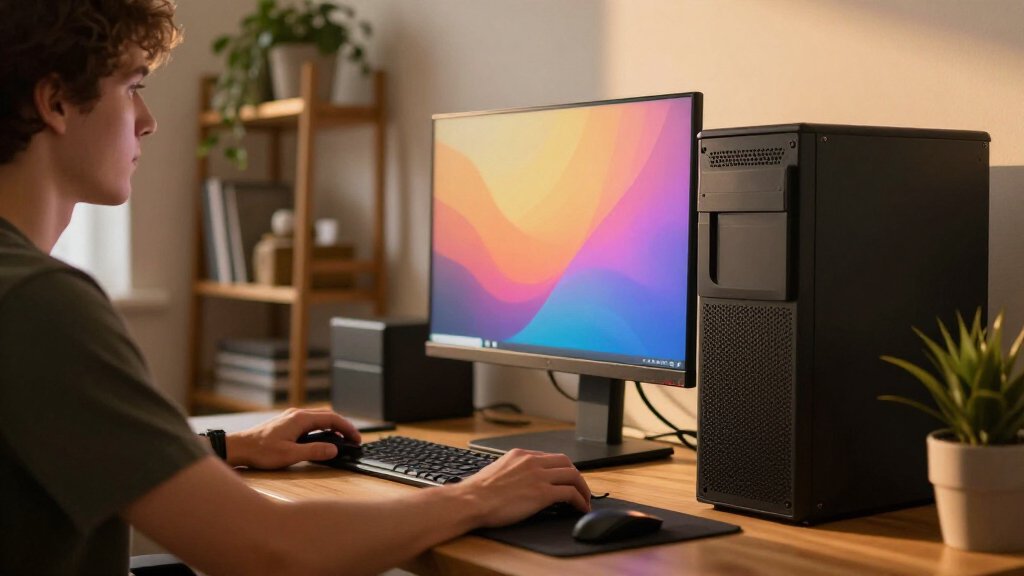
I compared the 15 desktops by how well their stated configurations match real home and business workloads, giving weight to processor class, installed memory, storage capacity, operating system, display connections, and case format. I also considered practical ownership factors: whether a system is easy to fit into a workspace, whether its specifications leave headroom for multitasking, and whether its stated features point to business administration or everyday home use. Product names and processor families alone do not establish performance, so I treated configuration details—not marketing labels—as the basis for comparison.
The ranking puts the HP OmniDesk M03 first for its strong balance of processor, memory, storage, and multi-display support. Business-ready towers with Windows 11 Pro and useful port configurations rank highly for office buyers, while compact desktops earn places for space-saving needs rather than raw flexibility. Systems with less memory, smaller drives, older processors, or limited configuration details rank lower unless their format or a specific feature serves a clear buyer need. I do not assume gaming performance, upgrade access, or benchmark results that are not specified in the product information.
| desktop PC | Operating system |
|---|---|
| HP OmniDesk M03 Business Deskt | Windows 11 Pro |
| Dell Pro Tower Business Deskto | Windows 11 Pro |
| HP Business Tower Desktop PC | Windows 11 Home |
| Dell Tower Desktop with Intel | Windows 11 Home |
| Dell 2026 Edition Tower Deskto | Windows 11 Pro 64-bit |
| ASUS V500 Home & Business Towe | Windows 11 Pro |
| ASUS V500 Business Tower Deskt | Windows 11 Home 64-bit |
| Dell Slim Desktop with Intel C | Windows 11 Home |
| HP ProDesk 600 G6 SFF Desktop | Windows 11 Pro |
| HP ProDesk 600 Desktop Compute | Windows 11 Pro |
| HP OmniDesk Desktop Computer P | Windows 11 Home |
| HP ProDesk SFF 400 G9 Business | Windows 11 |
| Dell Pro Tower Plus QBT1250 Bu | Windows 11 Pro |
| HP ProDesk 400 G9 SFF Desktop | — |
| Dell Ect1250 Tower Desktop PC | Windows 11 Pro |
Factors to Consider When Choosing Best Desktop PCs
Choosing a desktop is less about finding the biggest number in a specification list and more about avoiding a mismatch between the computer and the work it must do. I would start with the demands of your applications, then check the memory, storage, ports, and case before deciding between a tower and a compact system.
Match the processor to sustained workloads
Processor names help sort broad performance tiers, but the generation and exact model matter more than labels such as Core i5 or Core i7 alone. A newer Core Ultra chip may suit heavy office multitasking, while a previous-generation processor can still handle routine documents, web use, and video calls. Buyers should identify the most demanding apps they use and check their software requirements rather than paying for a high-end chip by default. For long rendering, data analysis, or other sustained tasks, cooling and system design can affect performance as much as the processor family. When a listing omits details such as cooling design or power limits, avoid assuming that two systems with similarly named chips will behave alike.
Choose memory for the way you multitask
Memory affects how comfortably a desktop can keep multiple apps, browser tabs, and large files active at once. An 8GB configuration may be adequate for light use, but it leaves less room for demanding software and busy multitasking than 16GB or 32GB. Before choosing a smaller configuration, check whether the computer supports memory upgrades and whether any slots are already occupied. A compact case may make an upgrade less convenient, and some models may have limits that are not obvious from the product name. If you expect your workload to grow, buying enough memory up front can be simpler than relying on a future upgrade.
Size storage around your files, not just the operating system
An SSD generally helps the operating system and applications respond quickly, but capacity determines how much room remains for projects, photos, and local backups. A 256GB drive can fill faster than expected once applications and personal files accumulate; 512GB is more comfortable for basic use, while 1TB gives larger local collections more breathing room. Check whether a listing describes a single drive or combined storage, and confirm the type and expansion options if those details matter to you. Buyers who keep large media libraries may prefer external or network storage rather than paying for capacity they will rarely use. Leave room for backups, since the main drive should not be the only copy of important files.
Count the displays and ports you actually need
Display support is a practical differentiator, especially for spreadsheet work, research, and creative workflows that benefit from several screens. Count the available video outputs and check their type and supported resolution; a headline claim about multiple displays is not a substitute for confirming that your monitors can connect directly. Also check for the USB ports, wired networking, audio connections, and legacy ports your setup requires. Business models may include Windows 11 Pro or extra display outputs, but those features matter only if your workplace uses them. If you rely on adapters or a docking station, confirm compatibility before choosing a system with a sparse port selection.
Decide between a tower and a compact case
A full tower usually gives you more physical room for cooling, internal components, and service access, but it takes up more floor or desk space. Slim and small-form-factor systems fit beside a monitor or under a desk more easily, yet their smaller interiors can limit expansion and make some repairs more involved. Do not assume every tower is easy to upgrade or every compact PC is sealed; check the specific model’s service and expansion information. Measure the planned location, including space for cables and airflow, before ordering. If the computer will stay in one place and may need new parts later, a larger chassis can be worth the space it occupies.
Pay for business features only when they solve a real need
Windows 11 Pro, vPro branding, and business-oriented support can matter for managed company devices, security policies, and centralized administration. They may add little for a home user who needs a browser, office apps, and entertainment, so compare the operating system and management features with your actual setup. Bundled keyboards, mice, and USB drives can be convenient, but they should not distract from memory, storage, processor, or warranty details. For a shared or business computer, also check the seller’s warranty terms and the manufacturer’s support information. Spending more makes sense when it buys a feature your workflow depends on, not simply a more impressive product name.
Frequently Asked Questions
Is 8GB of RAM enough for a desktop PC in 2027?
It can handle light browsing, email, and basic document work, but 8GB leaves little room for many browser tabs or several applications running together. For a desktop meant to last through changing workloads, 16GB is a more flexible starting point, and 32GB suits heavier multitasking. Before buying an 8GB system, verify that its memory can be upgraded and check whether the upgrade would require replacing existing modules. If you cannot confirm upgrade access, choose a configuration that already meets your needs.
Should I choose a newer Core Ultra 5 desktop or an older Core i7 model?
The processor tier alone does not settle the choice: generation, exact model, memory, cooling, and intended software all matter. A newer Core Ultra 5 system may offer a more current platform, while an older Core i7 desktop may still suit everyday work or applications that do not need the newest hardware. Compare the complete configurations, including RAM, SSD capacity, operating system, and display outputs. For demanding workloads, look for reliable independent performance data for the exact desktop model rather than inferring speed from the processor label.
Do I need Windows 11 Pro, or is Windows 11 Home enough?
Windows 11 Home is suitable for many personal computers, while Pro adds features aimed at business administration and certain security or remote-work needs. If your employer manages devices, requires domain or policy controls, or specifies Pro, confirm those requirements before buying. For a home desktop used for web browsing, schoolwork, and common applications, Home may be sufficient. Also check the exact operating system listed for the configuration; similar product names can refer to different versions.
Can a slim or small-form-factor desktop support two or more monitors?
Some compact desktops can drive multiple displays, but the answer depends on the model’s video outputs and supported display limits, not its case size alone. Check the number and type of ports, the resolutions and refresh rates supported, and whether your monitors need adapters. Product descriptions sometimes name multi-monitor support without making every connection detail clear, so consult the manufacturer’s specifications when the setup is a deciding factor. For several high-resolution displays, prioritize a system with clearly documented outputs.
Are desktops with older processors still a sensible choice for office work?
Older business desktops can remain useful for documents, email, web apps, and basic office tasks if their memory and storage meet current software needs. Their tradeoffs may include less performance headroom, older connectivity, and fewer years of comfortable use as applications grow more demanding. Check that the operating system and required workplace software are supported, and look closely at the SSD capacity and upgrade options. For a new primary computer expected to handle heavier work over time, a newer platform is usually the safer fit.
Conclusion
For the strongest all-around configuration in this group, I recommend the HP OmniDesk M03 as best overall, thanks to its Core Ultra 7, 32GB RAM, 1TB SSD, and four-display support. The Dell Pro Tower Plus QBT1250 is my pick for business users who need Windows 11 Pro and multiple 4K DisplayPort outputs, while the Dell Slim Desktop is the better match for a tight workspace. For a home PC with capable integrated graphics, consider the HP OmniDesk with Ryzen 7 8700G; for beginners doing basic tasks, a straightforward 16GB system such as the HP Business Tower is easier to justify than a high-spec business workstation. Buyers seeking a more premium business configuration should look at the HP ProDesk 600 G9 SFF with Core i7-14700 or the Dell Pro Tower Plus, then confirm the exact ports, expandability, and storage setup before choosing. Skip the lowest-memory configurations for heavy multitasking, and choose the tower, slim, or SFF form that fits both your desk and your plans for future upgrades.
Halloween Picks
halloween
As an affiliate, we earn on qualifying purchases.