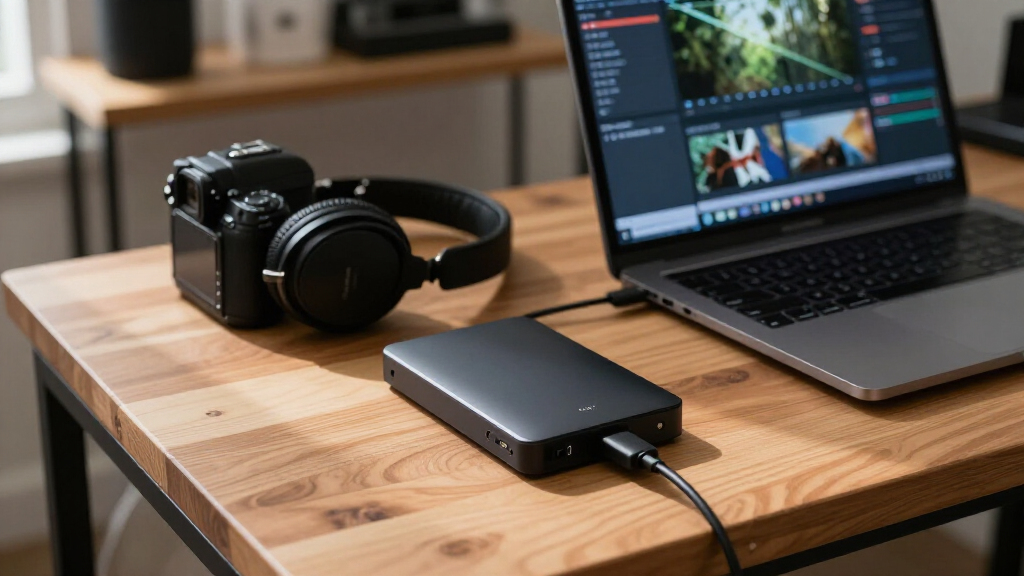

For most buyers seeking the best high-capacity hard drive, I’d start with the Seagate Expansion 24TB: it offers abundant space in a straightforward external-drive format. The WD Elements 16TB is a simpler desktop-storage alternative, while the SanDisk Professional G-RAID Project 2 52TB is aimed at demanding creative workflows that need much more room. The main tradeoffs are capacity versus portability, ready-to-use external storage versus an internal drive that needs a compatible computer, and standard consumer models versus enterprise drives that may be renewed. Read on for the full breakdown and help matching a drive to your setup.

Get the latest gadgets delivered free with Prime
- Fast, free delivery on millions of items
- Prime Video, Amazon Music and more included
- Member-only deals all year
Complete the kit



Key Takeaways
- External desktop drives offer the easiest route to bulk storage: the Seagate Expansion 24TB and WD Elements 16TB avoid internal installation, but need desk space and a suitable connection.
- The 52TB G-RAID is a specialist pick, not a universal winner: its unusually high capacity suits large creative projects, while most home users can choose a simpler single-drive enclosure.
- Internal enterprise models prioritize capacity and workload class over plug-and-play convenience: the renewed Ultrastar and Exos options require a compatible computer or enclosure and warrant careful seller and warranty checks.
- Portable convenience comes with a capacity compromise in this lineup: the WD Elements 6TB Portable is easier to carry than the desktop models, but offers far less room than the 16TB and 24TB options.
- More capacity does not automatically mean better fit: internal models such as the WD Blue 12TB and Seagate BarraCuda 8TB need installation, while external drives are more approachable for backup and general storage.


| high-capacity hard drife | Capacity | Form factor | Interface | Rotational speed |
|---|---|---|---|---|
| Seagate Expansion 24TB Externa | 24 TB | 3.5 inches | USB 3.0 | 7200 rpm |
| WD Elements 6TB Portable Exter | 6 TB | 2.5 inches | USB 3.2 Gen 1 / USB 3.0 | — |
| Western Digital WD Blue 12TB 3 | 12 TB | 3.5 inches | SATA 6 Gb/s | 7200 rpm |
| WD My Book 18TB Desktop Extern | 18 TB | 3.5 inches | USB 3.0; USB 2.0 compatible | — |
| Western Digital Ultrastar DC H | 24 TB | 3.5 inches | SATA 6 Gb/s | 7200 rpm |
| Seagate One Touch 16TB Desktop | 16 TB | 3.5 inches | USB 3.0 | 7200 rpm |
| WD_BLACK 10TB 7200 RPM SATA In | 10 TB | 3.5 inches | SATA 6 Gb/s | 7200 RPM |
| SanDisk Professional G-RAID Pr | 52 TB | — | — | — |
| Seagate BarraCuda 8TB 3.5-Inch | 8 TB | 3.5 inches | SATA 6 Gb/s | 5400 rpm |
| WD Elements 16TB Desktop Exter | 16 TB | 3.5 inches | USB 3.0 | — |
| UnionSine 14TB Desktop Externa | 14 TB | 3.5 inches | — | 5400 rpm |
| Seagate Expansion 24TB Externa | 24 TB | Desktop | — | — |
| Western Digital Ultrastar DC H | 18 TB | 3.5 inches | SATA 6Gb/s | 7200 RPM |
| Seagate Exos 22TB SATA HDD 6Gb | 22 TB | 3.5 inches | SATA 6Gb/s | 7200 rpm |
| Seagate Exos 26TB Enterprise I | 26 TB | 3.5 inches | SATA 6Gb/s | 7200 rpm |
More Details on Our Top Picks
Seagate Expansion 24TB External Hard Drive
For buyers who want a very large archive without opening a computer case, the Seagate Expansion 24TB is my strongest all-around external pick. Its capacity exceeds the WD My Book 18TB, leaving more room for video libraries, backups, and other files on a single desktop drive. Drag-and-drop setup keeps everyday file storage straightforward, and Windows and Mac support widens its usefulness across mixed-computer households.
The tradeoff is its desktop format: it needs the included 18W power adapter, so it is not a travel drive like the WD Elements 6TB Portable. Its stated 140 MB/s read speed also suits bulk storage better than work that depends on fast, frequent file access. Mac users planning Time Machine backups should expect to reformat it first.
Pros:- 24TB capacity provides more space than the WD My Book 18TB in this lineup.
- Drag-and-drop file saving requires no extra software.
- Works with Windows and Mac computers.
- Includes Rescue Data Recovery Services.
Cons:- Requires a power adapter, limiting portability.
- Must be reformatted for Apple Time Machine.
- 140 MB/s stated read speed is better suited to storage than performance-sensitive work.
Best for: Desktop users building a large photo, video, or general-file archive who want simple USB storage without installing an internal drive.
Not ideal for: Travelers and Mac users seeking immediate Time Machine setup; it needs wall power, and Time Machine requires reformatting.
- Capacity:24 TB
- Interface:USB 3.0
- Form factor:3.5 inches
- Rotational speed:7200 rpm
- Read speed:140 MB/s
- Compatibility:Windows and Mac
- Included power adapter:18W
- Warranty:1-year limited
Our verdict“Choose the Seagate Expansion if you want a straightforward desktop drive with 24TB of external storage and do not need a portable, bus-powered design.”
WD Elements 6TB Portable External Hard Drive
The WD Elements 6TB Portable gives up capacity compared with the desktop Seagate Expansion 24TB, but it earns a distinct place for buyers who need storage they can carry between locations. Its 2.5-inch form and listed 44.8 g weight make it easier to pack than the larger, separately powered desktop models. USB 3.2 Gen 1 / USB 3.0 connectivity and plug-and-play setup keep it practical for moving files between compatible computers.
That portability comes with a real ceiling: 6TB is modest beside the 18TB WD My Book or either 24TB option here. It is also a mechanical hard drive, not solid-state storage, so it is not the pick for buyers prioritizing SSD-style responsiveness. The provided compatibility details also leave device-specific support to be checked before purchase.
Pros:- Portable 2.5-inch design is easier to carry than the desktop drives in this roundup.
- 6TB capacity holds a sizable collection of files in a compact drive.
- Plug-and-play setup supports simple computer connections.
- USB 3.2 Gen 1 / USB 3.0 interface.
Cons:- Offers much less capacity than the 18TB and 24TB desktop drives in this lineup.
- Mechanical drive design is not an SSD alternative for buyers seeking solid-state storage.
- Compatibility with specific devices may vary.
Best for: Students, photographers, and mobile workers who need a portable mechanical drive for carrying a substantial working archive between compatible computers.
Not ideal for: Users building a large stationary media archive or needing confirmed support for a specific console, router, or other non-computer device.
- Capacity:6 TB
- Interface:USB 3.2 Gen 1 / USB 3.0
- Form factor:2.5 inches
- Drive type:Mechanical hard disk
- Listed read speed:1050 megabytes per second
- Weight:44.8 g
- Enclosure material:Plastic
- Warranty:2-year limited
Our verdict“Pick the WD Elements Portable if carrying 6TB matters more than matching the much higher capacities of the desktop drives.”
Western Digital WD Blue 12TB 3.5-Inch Internal Hard Drive (WD120EAGZ)
The WD Blue 12TB is the internal-drive choice for a desktop owner who wants substantial capacity installed inside the computer rather than sitting beside it. Its SATA 6 Gb/s connection and 3.5-inch form factor suit compatible desktop builds, while the included Acronis True Image WD Edition cloning software can help with a drive migration. Compared with the external Seagate Expansion 24TB, it offers half the capacity but avoids adding another external enclosure and cable to a desk.
This is not a plug-and-play external archive: buyers need a compatible bay, SATA connection, and comfort installing an internal drive. Its mechanical design also makes it less fitting for users seeking solid-state storage or a portable solution. For desktop and everyday computing use, the 12TB capacity balances room for files with a more integrated setup than the external options.
Pros:- 12TB capacity adds substantial storage inside a compatible desktop.
- SATA 6 Gb/s interface fits supported desktop configurations.
- 7200 rpm rotational speed is specified for the drive.
- Includes Acronis True Image WD Edition cloning software.
Cons:- Requires installation in a compatible system rather than offering external plug-and-play use.
- 3.5-inch size may not fit laptops or compact computers.
- Mechanical HDD design is not solid-state storage.
Best for: Desktop owners with an available 3.5-inch bay who want a large internal storage upgrade and may benefit from included cloning software.
Not ideal for: Laptop owners without a compatible 3.5-inch bay, or anyone who needs a ready-to-connect portable external drive.
- Capacity:12 TB
- Drive type:Mechanical HDD
- Interface:SATA 6 Gb/s
- Rotational speed:7200 rpm
- Cache:512 MB
- Form factor:3.5 inches
- Compatibility:Desktop, laptop
- Warranty:2-year limited
Our verdict“Choose the WD Blue if you have a compatible desktop and prefer a 12TB internal upgrade over the larger but desk-bound Seagate Expansion.”
WD My Book 18TB Desktop External Hard Drive
The WD My Book 18TB suits buyers who want a substantial desktop archive with hardware encryption built in. Its 256-bit AES hardware encryption gives it a security-focused distinction over the simpler Seagate Expansion 24TB, while backup and device-management software support gives users tools for organizing backup routines. It also supports Time Machine, making it a more direct fit for Mac backup plans than the Seagate Expansion, which must be reformatted for that use.
The compromise is capacity: at 18TB, it holds less than the Seagate Expansion 24TB, so buyers with the largest libraries may favor that alternative. The My Book is also a desktop drive, not a carry-around option like the WD Elements Portable. Its backup and management software requires download and installation, adding setup work for people who only want basic file storage.
Pros:- 18TB provides a large external storage pool.
- 256-bit AES hardware encryption adds a security feature absent from the listed Seagate Expansion specifications.
- Supports backup and device-management software.
- Supports Time Machine.
Cons:- Desktop-oriented design is less convenient to carry than the WD Elements Portable.
- Offers 6TB less capacity than the Seagate Expansion 24TB.
- Backup and device-management software must be downloaded and installed.
Best for: Home-office and Mac users who want a large desktop backup drive with hardware encryption and backup-software support.
Not ideal for: Travelers or buyers who prioritize maximum capacity over encryption; it is desktop-only and has less space than the 24TB Seagate Expansion.
- Capacity:18 TB
- Interface:USB 3.0; USB 2.0 compatible
- Encryption:256-bit AES hardware encryption
- Form factor:3.5 inches
- Weight:2.8 pounds
- Compatible devices:Desktop PC, Mac
- Model number:WDBBGB0180HBK-NESN
- Operating temperature:5°C to 35°C
Our verdict“Choose the WD My Book if encryption and backup support matter more than having the lineup’s largest external capacity.”
Western Digital Ultrastar DC HC580 24TB 7200 RPM SATA 3.5-Inch Enterprise Hard Drive (Renewed)
The WD Ultrastar DC HC580 24TB is the internal enterprise option for a server or storage system that runs continuously. Its 24/7 workload design, CMR recording, 512MB cache, and 7200 rpm speed set it apart from the consumer-focused WD Blue 12TB. Like the Seagate Expansion 24TB, it offers 24TB, but this Ultrastar is a bare SATA drive intended for compatible systems rather than a ready-to-use external enclosure.
That distinction shapes the buying decision: server builders gain a drive specified for enterprise duty, while everyday users must supply a suitable bay, power, and data connection. It is also a renewed product, not a new drive, and its warranty is seller-provided. Buyers who want simple external storage should choose the Seagate Expansion instead; this model makes more sense when internal integration and round-the-clock operation take priority.
Pros:- 24TB capacity suits large server and storage-system pools.
- Designed for 24/7 operation and demanding workloads.
- CMR recording and 512MB cache are specified.
- SATA 6 Gb/s interface and hot-swap support.
Cons:- Renewed condition may not suit buyers who require new hardware.
- Bare internal drive requires a compatible system, bay, and connections.
- Warranty is a 3-year seller warranty.
Best for: Server administrators and storage-system builders who need a 24TB internal SATA drive specified for continuous operation and accept renewed hardware.
Not ideal for: Home users seeking easy external storage, or buyers who require a new drive and a manufacturer-backed warranty rather than a seller warranty.
- Capacity:24 TB
- Condition:Renewed
- Interface:SATA 6 Gb/s
- Rotational speed:7200 rpm
- Cache:512 MB
- Recording technology:CMR
- Form factor:3.5 inches
- Hot swappable:Yes
- Warranty:3-year seller warranty
Our verdict“Choose the renewed Ultrastar for a compatible server or storage system that needs 24TB and continuous-duty specifications, not for simple external backup.”
Seagate One Touch 16TB Desktop External Hard Drive with USB-C
The Seagate One Touch brings 16TB of desktop-class capacity to a USB-C setup without requiring a separate wall outlet—provided the host can supply 15W over USB. That makes it a distinct alternative to the WD Elements 16TB Desktop External Hard Drive, which uses a desktop enclosure and AC adapter. The One Touch suits buyers who want one-cable storage for large project files or media libraries and have a sufficiently powered computer or device.
The tradeoff is that this remains a 3.5-inch mechanical drive, not a pocketable travel disk, and its power requirement rules out some USB-C hosts. Its two-year warranty and included Rescue Data Recovery Services add support, but they do not replace a separate backup. Choose it for high capacity with fewer cables; skip it if your device cannot deliver the required power.
Pros:- 16TB capacity for large file and media collections
- Single-cable USB-C connection
- Can operate without a separate wall outlet when the host supplies 15W
- Includes Rescue Data Recovery Services and a two-year limited warranty
Cons:- Requires 15W from the connected device, limiting host compatibility
- 3.5-inch mechanical design is less portable than compact external drives
Best for: USB-C desktop and laptop owners who need 16TB for files or media and can supply 15W from the connected device.
Not ideal for: Buyers with low-power USB-C ports, or anyone needing a compact drive for frequent travel.
- Capacity:16 TB
- Connectivity:USB-C
- Interface:USB 3.0
- Host power requirement:15 W from connected device
- Form factor:3.5 inches
- Rotational speed:7200 rpm
- Read speed:120 MB/s
- Warranty and service:Two-year limited warranty; Rescue Data Recovery Services
Our verdict“Choose the One Touch if you need 16TB and your USB-C host can power it; choose the WD Elements 16TB instead if you prefer a conventional desktop setup with an AC adapter.”
WD_BLACK 10TB 7200 RPM SATA Internal Hard Drive, 3.5-inch (WD102FZBX)
For a gaming or creative desktop with an open 3.5-inch bay, the WD_BLACK 10TB makes more sense than an external archive drive: its 7200 RPM spindle and 512MB cache are aimed at responsive access to games and working files, while SATA keeps installation inside the system. Its stated transfer rate of 267 MB/s also exceeds the listed rates for the Seagate BarraCuda 8TB and its 5400 rpm spindle.
The extra capacity over the BarraCuda is useful for a growing game library, but this is still a mechanical hard drive, not an SSD; loading and access will not match solid-state storage. It also needs a compatible desktop bay and SATA connection, so it cannot serve as a plug-and-play external backup. I’d pick it for internal capacity and rotational speed, not for portability or the fastest application loads.
Pros:- 10TB capacity for games and large desktop files
- 7200 RPM spindle and 512MB cache
- 267 MB/s stated data transfer rate
- StableTrac and Dynamic Cache technologies are specified for this model
Cons:- Requires a compatible desktop with a 3.5-inch bay and SATA connection
- Mechanical storage is slower than an SSD for loading and random access
Best for: PC gamers and desktop creators who have a 3.5-inch bay and want a large internal drive for games and project files.
Not ideal for: Laptop owners, console users seeking an external drive, or buyers who expect SSD-level loading and access speeds.
- Capacity:10 TB
- Interface:SATA 6 Gb/s
- Form factor:3.5 inches
- Rotational speed:7200 RPM
- Cache:512 MB
- Data transfer rate:267 MB/s
- Average latency:4.2 ms
- Weight:1.5 lb
Our verdict“Choose the WD_BLACK for a high-capacity internal gaming drive with 7200 RPM performance, but pick the Seagate BarraCuda if 8TB is enough and you want a lower-capacity alternative.”
SanDisk Professional G-RAID Project 2 52TB External Hard Drive
The SanDisk Professional G-RAID Project 2 is the capacity leader in this group at 52TB, paired with two 7200 RPM Ultrastar drives and Thunderbolt 3 connectivity. Its stated read and write speeds of 520 MB/s and 510 MB/s put it ahead of the single-drive options here, including the WD Elements 16TB, and make it better suited to large video projects than ordinary desktop backup storage.
That performance comes with a major data-safety tradeoff: the unit is preconfigured in RAID 0, with no redundancy. A drive failure can put the array’s data at risk, so I’d pair it with a separate backup. At 6.7 pounds, it is also a workstation system rather than a portable disk. The PRO-BLADE SSD Mag slot offers an expansion path, but buyers who only need bulk storage may find the simpler WD Elements 16TB easier to justify.
Pros:- 52TB capacity for very large media libraries and project files
- Thunderbolt 3 and USB 3.2 Gen 2 connectivity
- Stated speeds reach 520 MB/s read and 510 MB/s write
- PRO-BLADE SSD Mag slot supports performance expansion
Cons:- Preconfigured RAID 0 provides no data redundancy
- 6.7-pound enclosure is poorly suited to frequent travel
- Mechanical drives remain more vulnerable and slower than SSD-only storage
Best for: Video editors and production teams working with large 4K, 8K, or VR projects who need high-capacity Thunderbolt storage and maintain a separate backup.
Not ideal for: Buyers who need redundancy in the same device, lightweight portable storage, or straightforward bulk storage without a high-throughput workflow.
- Capacity:52 TB
- Drive layout:Two-bay, two 7200 RPM Ultrastar drives
- RAID configuration:RAID 0, preconfigured
- Interfaces:Thunderbolt 3; USB 3.2 Gen 2
- Read speed:Up to 520 MB/s
- Write speed:Up to 510 MB/s
- Expansion:PRO-BLADE SSD Mag slot
- Weight:6.7 lb
Our verdict“Choose the G-RAID Project 2 for a large, fast media workspace only if you can back it up elsewhere; for simpler desktop storage, the WD Elements 16TB is less complex.”
Seagate BarraCuda 8TB 3.5-Inch Internal Hard Drive (ST8000DM004)
The Seagate BarraCuda 8TB is a straightforward internal option for buyers who need more room for everyday files, games, or desktop media without moving up to a larger 10TB or 16TB model. It uses SATA 6 Gb/s, carries 256MB of cache, and lists transfer rates up to 190 MB/s. Compared with the WD_BLACK 10TB, it gives up capacity and the faster 7200 rpm spindle, but it remains a sensible fit when 8TB meets the storage need.
This is not an external drive: installation requires a compatible 3.5-inch bay, and the listed packaging includes no cables or retail box. Its 5400 rpm speed and mechanical design also make it a weaker fit for buyers prioritizing fast game loading or intensive active work. For desktop bulk storage, the tradeoff is clear: useful capacity and a simple SATA connection, without the speed-focused positioning of the WD_BLACK.
Pros:- 8TB capacity for desktop files, games, and media
- SATA 6 Gb/s interface
- 256 MB cache and stated transfer rate up to 190 MB/s
- Compatible with desktop computers and gaming consoles
Cons:- 5400 rpm mechanical drive is slower than the 7200 rpm WD_BLACK 10TB
- Internal installation requires a compatible bay and connection
- Packaging includes no cables or retail box
Best for: Desktop owners or compatible gaming-console users who need an 8TB SATA drive for general storage and already have the required connection hardware.
Not ideal for: Buyers seeking a ready-to-use external drive, faster 7200 rpm performance, or SSD-like load times.
- Capacity:8 TB
- Interface:SATA 6 Gb/s
- Form factor:3.5 inches
- Rotational speed:5400 rpm
- Cache:256 MB
- Transfer rate:Up to 190 MB/s
- Weight:630 g
- Warranty:2 years
Our verdict“Choose the BarraCuda if 8TB of internal storage covers your needs; step up to the WD_BLACK 10TB for greater capacity and a 7200 rpm spindle.”
WD Elements 16TB Desktop External Hard Drive
The WD Elements 16TB prioritizes straightforward desktop storage: connect it to a Windows PC for plug-and-play use and add a substantial pool for backups, media, or other files. Its USB 3.0 connection also supports USB 2.0 devices, offering broader compatibility than a setup that depends on a USB-C host supplying 15W, such as the Seagate One Touch 16TB.
The tradeoff is a conventional desktop arrangement: the 3.5-inch enclosure needs an AC adapter, so it is not as cable-light as the One Touch when the host can power that drive. Although Mac is listed among compatible platforms, the supplied details emphasize Windows plug-and-play, so Mac buyers should check their setup before choosing it. This is a strong fit for stationary personal storage, not for travel or high-speed creative workflows like those suited to the G-RAID Project 2.
Pros:- 16TB capacity for desktop storage and backup libraries
- USB 3.0 connection supports USB 2.0 devices
- Plug-and-play setup specified for Windows PCs
- Two-year limited manufacturer’s warranty
Cons:- Requires an AC adapter and a stationary desktop setup
- Mac compatibility is listed, but setup details are limited
- Not positioned for high-speed media workflows
Best for: Windows PC owners who want a large, stationary external drive for personal files, media, or routine backups.
Not ideal for: Frequent travelers, buyers who want bus-powered USB-C operation, or creative teams needing the G-RAID Project 2’s higher stated transfer speeds.
- Capacity:16 TB
- Interface:USB 3.0
- USB compatibility:USB 2.0 devices
- Form factor:3.5 inches
- Read speed:125 MB/s
- Data transfer rate:5 Gbit/s
- Dimensions:8.9 × 8 × 3.7 in
- Warranty:Two-year limited manufacturer’s warranty
Our verdict“Choose the WD Elements for uncomplicated 16TB Windows desktop storage; choose the Seagate One Touch if your USB-C host can power a drive without a separate outlet.”
UnionSine 14TB Desktop External Hard Drive, USB 3.0, 3.5-Inch
The UnionSine 14TB suits buyers who want a large desktop drive without installing an internal disk or building a storage setup. Its USB 3.0 connection and plug-and-play setup make it simpler to get running than the internal Seagate Exos 22TB, which needs a compatible SATA bay. Broad support for Windows, Mac, Linux, Android, TVs, and Xbox also gives it more device flexibility than the computer-focused Seagate Expansion 24TB. The tradeoff is lower capacity than those larger options, and its 12V power adapter means it still needs an outlet rather than working as a single-cable portable drive. The listed transfer speeds are theoretical, so I would treat them as a guide, not a promise of everyday performance. Its vibration-reducing silicone may help keep operation quieter, but advertised capacity will exceed usable space.
Pros:- 14TB capacity for consolidating backups and media
- Plug-and-play USB connection with no driver required
- Works with a broad range of listed operating systems and devices
- Internal vibration-reducing silicone is intended to limit noise
Cons:- Requires a separate 12V power adapter and nearby outlet
- Offers less capacity than the Seagate Expansion 24TB and renewed Exos drives
- Usable capacity is lower than the advertised figure
Best for: Home users who need a simple, high-capacity desktop drive for backups and media across computers, TVs, or compatible consoles.
Not ideal for: Buyers who need the roundup’s largest capacity, a portable bus-powered drive, or an internal disk for a NAS or desktop bay.
- Capacity:14 TB
- Form factor:3.5 inches
- Connection:USB 3.0
- Drive interface:Serial ATA-600
- Rotational speed:5400 rpm
- Read speed:Up to 270 MB/s
- Data transfer rate:130 MB/s
- Power supply:12V/3A
Our verdict“Choose the UnionSine if easy setup and broad device compatibility matter more than maximum capacity or portability.”
Seagate Expansion 24TB External Hard Drive HDD (USB 3.0)
The Seagate Expansion 24TB is a strong fit when the priority is putting a very large amount of storage behind a straightforward USB connection. At 24TB, it has substantially more room than the UnionSine 14TB, making it better suited to centralizing extensive backups, video files, or an existing archive. Setup is designed to be plug-and-play with Windows and Mac, so it avoids the SATA-bay requirements of the internal Seagate Exos 22TB. Seagate also includes Rescue Data Recovery Services and a limited warranty, though those terms should not be mistaken for a substitute for a second backup. The main qualification for Mac users is that Time Machine requires reformatting. It is a desktop drive, not a compact carry-around option, and the supplied information does not specify transfer speeds beyond USB 3.0.
Pros:- 24TB capacity for large archives and backup collections
- USB 3.0 plug-and-play setup for Windows and Mac
- Includes Rescue Data Recovery Services
- Desktop external format avoids installing an internal SATA drive
Cons:- Time Machine use requires reformatting
- Desktop form factor requires a fixed workspace and power arrangement
- No specific transfer-speed figure is provided in the supplied product data
Best for: Windows or Mac desktop users consolidating large backups and media libraries into one externally connected drive.
Not ideal for: Mac users who want immediate Time Machine setup without reformatting, or buyers who need portability or a SATA drive for a NAS.
- Capacity:24 TB
- Form factor:Desktop
- Connection:USB 3.0
- Compatibility:Windows and Mac
- Setup:Plug-and-play
- Data recovery:Rescue Data Recovery Services included
- Warranty:Limited warranty
Our verdict“Pick this Seagate when you want a simple external setup with more capacity than the UnionSine 14TB and do not need a portable drive.”
Western Digital Ultrastar DC HC550 18TB 7200 RPM SATA Enterprise Hard Drive (Renewed)
The renewed WD Ultrastar DC HC550 18TB is aimed at buyers who need an internal drive for an always-on storage system, not a plug-in desktop backup. Its 7200 RPM speed, CMR recording, and 24/7 operation rating suit workloads that keep the disk active, while hot-plug support can help in compatible systems designed for drive replacement without shutdown. Against the renewed Seagate Exos 22TB, the WD gives up 4TB of capacity; against the UnionSine 14TB external drive, it offers an enterprise SATA design but requires an appropriate bay and host system. The major compromise is its renewed condition and 90-day limited warranty, a much shorter stated warranty than the renewed Seagate Exos 26TB listing. Pin-3 Power Disable can also require checking host compatibility before installation.
Pros:- 18TB capacity in a 3.5-inch enterprise drive
- CMR recording and 7200 RPM design
- Specified for continuous 24/7 operation
- Hot-plug support for compatible storage systems
Cons:- Renewed condition with a 90-day limited warranty
- Requires a compatible 3.5-inch SATA bay and system
- Pin-3 Power Disable may not work with every host setup
Best for: NAS, server, and workstation owners with a compatible 3.5-inch SATA bay who need a renewed drive for sustained operation.
Not ideal for: Buyers who want a ready-to-use USB backup drive, a longer stated warranty, or a no-compatibility-check installation.
- Capacity:18 TB
- Form factor:3.5 inches
- Interface:SATA 6Gb/s
- Rotational speed:7200 RPM
- Cache:512 MB
- Recording technology:CMR
- Sustained transfer rate:Up to 262 MB/s
- Operation and warranty:24/7 operation; 90-day limited warranty
Our verdict“Choose the HC550 for a compatible always-on SATA system if enterprise features matter more than external convenience or a longer warranty.”
Seagate Exos 22TB SATA HDD 6Gb/s 7200RPM 3.5-inch Enterprise Hard Drive (ST22000NM000C) (Renewed)
The renewed Seagate Exos 22TB offers an enterprise SATA route to a large storage pool, with enough capacity to outsize the WD Ultrastar HC550 18TB while fitting the same broad 3.5-inch internal-drive category. Its 7200 rpm speed and listed 285 MB/s read and transfer rates make it a stronger match for a compatible NAS or server than a basic external desktop disk such as the UnionSine 14TB. The helium-sealed design and PowerBalance technology are presented as ways to support efficiency in demanding storage environments. That focus comes with real limits: this is not a USB drive, so installation depends on a compatible SATA system, and its 90-day limited warranty offers little runway for a renewed enterprise disk. Buyers should also allow for possible cosmetic wear and verify their NAS compatibility before choosing it.
Pros:- 22TB capacity for an internal storage pool
- 7200 rpm spindle speed and listed 285 MB/s transfer rate
- Helium-sealed design and PowerBalance technology
- Designed for enterprise workloads and listed NAS compatibility
Cons:- Renewed condition with a 90-day limited warranty
- Requires a compatible SATA system rather than connecting over USB
- May show cosmetic wear from prior use
Best for: NAS and server owners who need more internal capacity than an 18TB drive and can accept renewed hardware with a short warranty.
Not ideal for: People seeking an external plug-and-play backup, buyers who need a long warranty, or anyone without a compatible 3.5-inch SATA bay.
- Capacity:22 TB
- Form factor:3.5 inches
- Interface:SATA 6Gb/s
- Rotational speed:7200 rpm
- Read speed:285 MB/s
- Data transfer rate:285 MB/s
- Design features:Helium-sealed; PowerBalance technology
- Warranty and condition:90-day limited warranty; renewed
Our verdict“Choose this Exos when your NAS needs 22TB in an internal drive and you are comfortable with renewed condition and a short warranty.”
Seagate Exos 26TB Enterprise Internal Hard Drive (ST26000NM000C, Renewed)
For buyers who want the most capacity in this group of internal drives, the renewed Seagate Exos 26TB leads with room beyond the Exos 22TB and WD Ultrastar HC550 18TB. Its CMR recording, 7200 rpm spindle, and helium-sealed design are aimed at enterprise storage, making it a better fit for a compatible NAS, server, or archive system than a USB desktop drive like the Seagate Expansion 24TB. Hot-swap support and a stated 2.5 million-hour MTBF are relevant to system builders, but they do not remove the need for a compatible enclosure or backup plan. The drive is mechanical, so it will not match solid-state storage for access behavior. Its renewed status also calls for care: the supplied data lists a two-year seller warranty, whose coverage should be checked before purchase.
Pros:- 26TB is the largest listed capacity in this batch
- CMR recording and 7200 rpm design for enterprise workloads
- Helium-sealed construction and hot-swap capability
- 512MB cache and a listed 2.5 million-hour MTBF
Cons:- Renewed condition, with warranty coverage supplied by the seller
- Requires a compatible 3.5-inch SATA system
- Mechanical storage is not a substitute for SSD access performance
Best for: NAS and server owners who need the largest single internal drive here for backups, archives, or data-heavy workloads.
Not ideal for: Buyers needing external USB convenience, SSD responsiveness, or factory-new hardware and warranty terms.
- Capacity:26 TB
- Form factor:3.5 inches
- Interface:SATA 6Gb/s
- Rotational speed:7200 rpm
- Cache:512 MB
- Recording technology:CMR
- Design and hot-swap:Helium sealed; hot swappable
- Condition and warranty:Renewed; 2-year seller warranty
Our verdict“Choose the Exos 26TB if maximum internal capacity is your priority and your system supports it; skip it if you want external simplicity or solid-state responsiveness.”

How We Picked
I ranked these drives by how well their capacity, connection type, and intended setup match common storage needs—not by capacity alone. I gave preference to options that make bulk storage practical for their intended buyer, separating plug-and-play external drives from internal disks that require installation, a compatible bay, or an enclosure. Portability, interface convenience, product format, and the clarity of the use case also shaped each position.
The ranking also reflects tradeoffs that are easy to miss in a capacity-first search. A renewed enterprise drive may offer substantial storage and a high-performance design, but condition, warranty coverage, noise, and system compatibility deserve extra scrutiny. The G-RAID stands apart as a high-capacity multi-drive solution for specialized workflows, while the simpler desktop models make more sense for everyday storage. I treat closely related listings with the same stated capacity as alternatives, not as meaningfully different picks without evidence of a practical distinction.
| high-capacity hard drife | Interface |
|---|---|
| Seagate Expansion 24TB Externa | USB 3.0 |
| WD Elements 6TB Portable Exter | USB 3.2 Gen 1 / USB 3.0 |
| Western Digital WD Blue 12TB 3 | SATA 6 Gb/s |
| WD My Book 18TB Desktop Extern | USB 3.0; USB 2.0 compatible |
| Western Digital Ultrastar DC H | SATA 6 Gb/s |
| Seagate One Touch 16TB Desktop | USB 3.0 |
| WD_BLACK 10TB 7200 RPM SATA In | SATA 6 Gb/s |
| SanDisk Professional G-RAID Pr | — |
| Seagate BarraCuda 8TB 3.5-Inch | SATA 6 Gb/s |
| WD Elements 16TB Desktop Exter | USB 3.0 |
| UnionSine 14TB Desktop Externa | — |
| Seagate Expansion 24TB Externa | — |
| Western Digital Ultrastar DC H | SATA 6Gb/s |
| Seagate Exos 22TB SATA HDD 6Gb | SATA 6Gb/s |
| Seagate Exos 26TB Enterprise I | SATA 6Gb/s |
Factors to Consider When Choosing Best High-capacity Hard Drives
Capacity is only the starting point when choosing a high-capacity hard drive. I’d match the drive to where it will live, how it connects, how important uninterrupted access is, and how the data will be protected. These checks can prevent a drive that looks suitable on paper from becoming awkward or risky in daily use.
Choose External or Internal Before Comparing Terabytes
An external desktop drive is usually the simpler choice for backups, media libraries, and files shared between computers: connect it, format it if needed, and set it up through the operating system. An internal drive can be a better fit when you have a free 3.5-inch bay, want storage inside a desktop, or are building a dedicated enclosure. But an internal disk may also call for SATA data and power connections, mounting hardware, and compatible firmware or enclosure support. A common mistake is buying an internal enterprise drive for a laptop or a computer with no open bay. Check the physical dimensions and connection requirements before focusing on capacity. If you need storage that travels, a compact portable model is a different category from a high-capacity desktop unit.
Plan for Your Real Usable Capacity
Drive capacity is advertised in decimal units, while many operating systems display storage using binary units, so the visible number may look smaller after formatting. Filesystem overhead and the drive’s own formatting reduce usable space further. Leave headroom for growth rather than filling a drive to its limit; a nearly full disk can make routine file management and backup rotation harder. For large video libraries or archives, estimate current data and likely additions over the next few years, then allow room for temporary project files. Avoid choosing a model solely because it has the largest number on its label if the extra space will sit unused. A smaller drive paired with a separate backup may be a better plan than putting every file on one enormous disk.
Match the Interface to the Computer and Workload
USB connection labels can be confusing: a USB-C connector describes its shape, not necessarily the data rate, and a USB 3.0 label does not tell you whether your computer has a matching port or cable. A hard drive’s mechanical speeds also limit sustained transfers, so a faster interface cannot make it behave like an SSD. For backups and media playback, convenience and compatibility may matter more than peak transfer claims. For editing large files directly from a drive, check the host computer, cable, enclosure, and drive configuration as a complete chain. Multi-drive systems can serve different workflow needs from a single disk, but they add setup and management decisions. Verify included cables and supported operating systems before ordering.
Treat Redundancy and Backup as Separate Decisions
A drive with a large capacity is not a backup strategy by itself. A single disk can fail, be damaged, or be affected by accidental deletion, so keep another copy of important files on a separate device or service. RAID configurations can help maintain access after certain drive failures, but RAID is not a substitute for an independent backup because deletion, theft, or other damage can affect the whole system. Decide how quickly you need to restore files and how much downtime you can accept. A multi-drive enclosure may support a more structured workflow, yet it still needs a separate copy of irreplaceable data. Test a restore occasionally; a backup that cannot be read is not useful protection.
Check Noise, Heat, Power, and Placement
High-capacity desktop and enterprise drives may be less suited to a quiet desk than a small portable disk, particularly during sustained activity. Enclosures need airflow, and a drive kept in a crowded cabinet can run hotter than one placed in an open, ventilated area. Desktop external models generally need space and may use an external power adapter, so confirm that your setup can accommodate both. Internal enterprise drives can bring different noise and vibration expectations from ordinary consumer storage, especially under heavier workloads. If the drive will sit beside a workstation or home theater system, think about sound and power access before choosing it. A little placement planning can matter more to everyday satisfaction than the difference between nearby capacity tiers.
Evaluate Renewed Drives and Warranty Terms
Renewed enterprise drives can appeal to buyers who want large internal capacity, but the label alone does not tell you the drive’s prior workload or remaining service life. Read the seller’s condition description, return window, and warranty terms, and check whether support comes from the manufacturer or the reseller. Confirm the exact model number and interface; similarly named drives can have different specifications. For data that would be costly to recreate, factor in the possibility of earlier replacement and maintain a separate backup. A new external consumer drive may be easier to set up and support, even if an internal renewed model appears more capable on paper. Choose renewed hardware only when the savings and intended use justify the added uncertainty.
Frequently Asked Questions
Is a 24TB external drive a good choice for my only backup?
It can hold a large backup, but I would not make any single drive the only copy of important files. A disk can fail, be lost, or be damaged along with the computer it backs up. Keep another copy on a separate drive or in a suitable cloud backup, and store at least one copy away from the computer when practical. Also check that your backup software supports the chosen filesystem and can restore individual files as well as full folders. Capacity solves space limits; it does not remove the need for redundancy.
Should I buy an external drive or an internal enterprise drive?
Choose an external model if you want a simpler connection for a desktop or laptop and do not want to install hardware. An internal enterprise drive makes more sense when you have a compatible 3.5-inch bay or enclosure and are comfortable checking power, cooling, and SATA support. Renewed enterprise models call for extra attention to seller terms, warranty, and condition. They may not be quiet or convenient for a living-room setup. Decide based on the computer and where the drive will sit, not just the capacity label.
Does a USB-C hard drive transfer files faster than a USB 3.0 drive?
Not necessarily: USB-C describes the connector shape, while the supported data standard determines the connection’s potential speed. The drive itself is a mechanical hard disk, so its sustained transfer rate can be the limiting factor even when connected to a faster port. Check the exact drive interface, included cable, and your computer’s port specifications. A matching connector can reduce adapter clutter, but it does not by itself promise faster transfers. For frequent work on very large files, compare the full setup rather than the port name alone.
Are renewed 18TB to 26TB enterprise drives worth choosing for home storage?
They may suit a technically comfortable buyer with a compatible desktop or enclosure, strong airflow, and a separate backup. Their enterprise format does not make them plug-and-play, and renewed condition introduces uncertainty about previous use and remaining service life. Check the model number, seller return policy, warranty source, and power and cooling requirements before buying. For straightforward home backups, an external desktop drive can be easier to connect and support. I would choose a renewed enterprise disk only when its capacity and intended workload outweigh the added setup and support checks.
When is a multi-drive system like the 52TB G-RAID a better fit than a single large disk?
A multi-drive system can make sense when a creative project or work archive needs a large shared workspace and the system’s connection and drive configuration match the workflow. It may also offer capabilities a single external disk cannot, depending on the exact setup and supported modes. That added flexibility comes with more hardware, configuration, and maintenance decisions. Confirm how the system handles a drive failure and whether its configuration prioritizes capacity, performance, or redundancy. Keep an independent backup either way, since a multi-drive enclosure does not protect against every form of data loss.
Conclusion
For most buyers who want easy access to a lot of desktop storage, I’d choose the Seagate Expansion 24TB as the best overall because its capacity and external format suit general bulk storage without requiring internal installation. The WD Elements 16TB is my best value-style pick for people who want a simpler desktop drive and do not need the extra capacity. Beginners should start with an external model such as the WD Elements 16TB rather than a bare internal disk. For a premium, project-focused setup, the SanDisk Professional G-RAID Project 2 52TB is the specialist choice; for maximum internal capacity, compare the renewed Exos and Ultrastar drives only if you can handle compatibility, cooling, and warranty checks. If portability matters more than total space, the WD Elements 6TB Portable is the clearer fit. Whichever option you choose, keep a separate copy of files you cannot afford to lose.