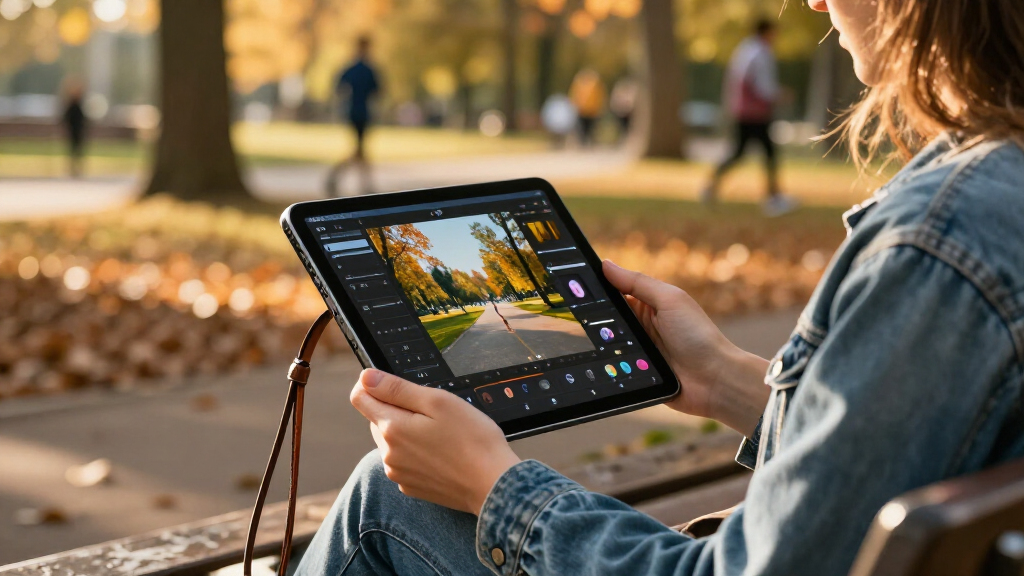
Choosing the best high-end tablets in 2027 requires balancing raw processing power with ecosystem compatibility and display quality. The Apple iPad Pro 13-inch (M5) stands out as the top pick for creative professionals who demand the fastest silicon and superior color accuracy, while the Samsung Galaxy Tab S11 Ultra offers the most versatile multitasking experience for Android users. Buyers face a significant tradeoff between the streamlined, app-optimized nature of iPadOS and the file-system flexibility of Android. This guide breaks down the critical differences in performance, accessory support, and long-term value to help you avoid overpaying for features you won’t use. Continue reading for a detailed comparison of the market’s leading premium tablets.

Get the latest gadgets delivered free with Prime
- Fast, free delivery on millions of items
- Prime Video, Amazon Music and more included
- Member-only deals all year
Complete the kit



Key Takeaways
- The M5 chip in the newest iPad Pros provides a measurable performance lead over current Snapdragon processors for heavy video editing and 3D rendering.
- Samsung’s DeX mode remains the strongest argument for Android tablets, offering a desktop-like interface that iPadOS still lacks.
- Storage tiers matter more than RAM for high-end users; 256GB is the practical minimum for professional workflows, while 128GB limits creative potential.
- Cellular connectivity is rarely worth the premium for tablet-only users unless you frequently work in environments without reliable Wi-Fi.
- Refurbished M4 iPad Pros offer a compelling value proposition, delivering 90% of the M5 performance at a significantly lower entry cost.
| Samsung Galaxy Tab S11 Ultra with S-Pen 2025 (256GB, 12GB RAM, Wi-Fi Only) 14.6″ AMOLED Tablet |  | Best Overall for Big-Screen Android | Display: 14.6-inch AMOLED, 120Hz, HDR10+ | Processor: MediaTek Dimensity 9400+ | Memory: 12GB RAM | VIEW LATEST PRICE | See Our Full Breakdown |
| Apple iPad Pro 13-Inch (M4) with 256GB Storage, Space Black | 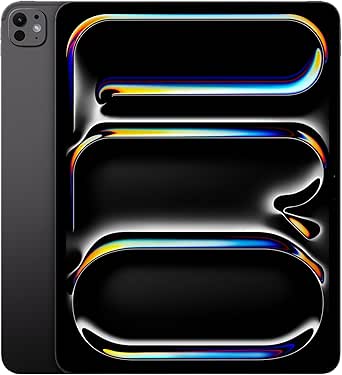 | Best Premium Apple Workstation | Display: 13-inch Ultra Retina XDR | Processor: Apple M4 chip, up to 10-core CPU | Storage: 256GB | VIEW LATEST PRICE | See Our Full Breakdown |
| Apple iPad Pro 11-Inch (M4) with 256GB – Silver |  | Best Compact Pro Tablet | Display: 11-inch Ultra Retina XDR | Processor: Apple M4 chip, up to 10-core CPU | Storage: 256GB | VIEW LATEST PRICE | See Our Full Breakdown |
| Apple iPad Air 13-inch (M4) with Liquid Retina Display, 128GB, Wi-Fi 7, Touch ID, Space Gray |  | Best Big-Screen Everyday Pick | Display: 13-inch Liquid Retina | Processor: Apple M4 chip | Storage: 128GB | VIEW LATEST PRICE | See Our Full Breakdown |
| Samsung Galaxy Tab S11 Ultra, 11th Gen, AI Tablet, WiFi, 12GB RAM, 512GB Storage, Gray, 14.6 Inch, 120Hz Display, Includes S Pen, IP68 |  | Best for Storage and Outdoor Flexibility | Display: 14.6-inch AMOLED, 120Hz | Processor: Exynos, 2.4GHz | Memory: 12GB RAM | VIEW LATEST PRICE | See Our Full Breakdown |
| Apple iPad Air 11-inch (M4) with Liquid Retina Display, 256GB, Wi-Fi 7, Touch ID, Space Gray |  | Best High-Performance Compact Pick | Display: 11-inch Liquid Retina | Processor: Apple M4 | Storage: 256GB | VIEW LATEST PRICE | See Our Full Breakdown |
| Apple iPad Pro 13-inch (M5) with Ultra Retina XDR Display, 512GB, Space Black |  | Best Premium Creative Workstation | Display: 13-inch Ultra Retina XDR | Processor: Apple M5 | Memory: 16GB | VIEW LATEST PRICE | See Our Full Breakdown |
| Samsung Galaxy Tab S12+ 512GB WiFi Android Tablet |  | Best for Long Sessions and Included S Pen | Display: 12.6-inch Dynamic AMOLED 2X | Processor: MediaTek Dimensity 9500 | Storage: 512GB | VIEW LATEST PRICE | See Our Full Breakdown |
| Samsung Galaxy Tab S11 128GB WiFi Android Tablet, Silver |  | Best Compact Android Premium Tablet | Display: 11-inch Dynamic AMOLED 2X | Storage: 128GB | RAM: 12GB | VIEW LATEST PRICE | See Our Full Breakdown |
| Samsung Galaxy Tab S11 Ultra with S-Pen 2025 (256GB, 12GB RAM, Wi-Fi Only) 14.6″ AMOLED Tablet |  | Best for a Maximum-Size Android Display | Display: 14.6-inch AMOLED 2X, 120Hz, HDR10+ | Processor: MediaTek Dimensity 9400+ | RAM: 12GB | VIEW LATEST PRICE | See Our Full Breakdown |
| Samsung Galaxy Tab S10+ Plus 12.4” 512GB Android Tablet |  | Best Android Productivity Tablet | Display: 12.4-inch AMOLED 2X | Processor: MediaTek Dimensity 9300+ | Storage: 512 GB | VIEW LATEST PRICE | See Our Full Breakdown |
| Samsung Galaxy Tab S11 Ultra Wi-Fi Model, 14.6″ 256GB |  | Best Large-Screen Android Tablet | Display: 14.6-inch Dynamic AMOLED 2X, 120Hz | Processor: MediaTek Dimensity 9400+ | RAM: 12GB | VIEW LATEST PRICE | See Our Full Breakdown |
| Apple iPad Pro 13-Inch (M4) with 2TB Storage |  | Best Premium Creative Workhorse | Display: 13-inch Ultra Retina XDR with nano-texture | Processor: Apple M4 chip | Storage: 2TB | VIEW LATEST PRICE | See Our Full Breakdown |
| Apple iPad Pro 11-inch (M5) with Ultra Retina XDR |  | Best Portable Powerhouse | Display: 11-inch Ultra Retina XDR | Processor: Apple M5 | Storage: 256GB | VIEW LATEST PRICE | See Our Full Breakdown |
| Apple iPad Pro 2024 (13-inch, Wi-Fi + Cellular, 256GB) – Renewed |  | Best Value High-End Tablet | Display: 13-inch Tandem OLED Ultra Retina XDR | Processor: Apple M4 | Storage: 256 GB | VIEW LATEST PRICE | See Our Full Breakdown |
| high-end tablet | Display | Processor | Storage | Connectivity |
|---|---|---|---|---|
| Samsung Galaxy Tab S11 Ultra w | 14.6-inch AMOLED, 120Hz, HDR10+ | MediaTek Dimensity 9400+ | 256GB | Wi-Fi 6E, Bluetooth 5.4, USB Type-C 3.2 |
| Apple iPad Pro 13-Inch | 13-inch Ultra Retina XDR | Apple M4 chip, up to 10-core CPU | 256GB | Wi-Fi 6E, Thunderbolt/USB 4 |
| Apple iPad Pro 11-Inch | 11-inch Ultra Retina XDR | Apple M4 chip, up to 10-core CPU | 256GB | Wi-Fi 6E, 5G, Thunderbolt/USB 4 |
| Apple iPad Air 13-inch | 13-inch Liquid Retina | Apple M4 chip | 128GB | Wi-Fi 7 with Apple N1 |
| Samsung Galaxy Tab S11 Ultra | 14.6-inch AMOLED, 120Hz | Exynos, 2.4GHz | 512GB listed: 256GB internal plus 256GB SD card | — |
| Apple iPad Air 11-inch | 11-inch Liquid Retina | Apple M4 | 256GB | Wi-Fi 7 with Apple N1 |
| Apple iPad Pro 13-inch | 13-inch Ultra Retina XDR | Apple M5 | 512GB | Wi-Fi 7 with Apple N1 |
| Samsung Galaxy Tab S12+ 512GB | 12.6-inch Dynamic AMOLED 2X | MediaTek Dimensity 9500 | 512GB | Wi-Fi |
| Samsung Galaxy Tab S11 128GB W | 11-inch Dynamic AMOLED 2X | MediaTek 3nm | 128GB | — |
| Samsung Galaxy Tab S11 Ultra w | 14.6-inch AMOLED 2X, 120Hz, HDR10+ | MediaTek Dimensity 9400+ | 256GB | Wi-Fi 6E, Bluetooth 5.4, USB Type-C 3.2 |
| Samsung Galaxy Tab S10+ Plus 1 | 12.4-inch AMOLED 2X | MediaTek Dimensity 9300+ | 512 GB | Wi-Fi 6E/7 |
| Samsung Galaxy Tab S11 Ultra W | 14.6-inch Dynamic AMOLED 2X, 120Hz | MediaTek Dimensity 9400+ | 256GB | Wi-Fi 7, Bluetooth 5.3 |
| Apple iPad Pro 13-Inch | 13-inch Ultra Retina XDR with nano-texture | Apple M4 chip | 2TB | Wi-Fi 6E, 5G, Thunderbolt/USB 4 |
| Apple iPad Pro 11-inch | 11-inch Ultra Retina XDR | Apple M5 | 256GB | Wi-Fi 7 |
| Apple iPad Pro 2024 | 13-inch Tandem OLED Ultra Retina XDR | Apple M4 | 256 GB | Wi-Fi + Cellular |
More Details on Our Top Picks
Samsung Galaxy Tab S11 Ultra with S-Pen 2025 (256GB, 12GB RAM, Wi-Fi Only) 14.6″ AMOLED Tablet
The Galaxy Tab S11 Ultra earns my top Android pick with a 14.6-inch, 120Hz AMOLED screen that gives movies, split-screen apps, and drawing room to breathe. Its included S Pen makes it more ready for note-taking and sketching than the iPad Pro models, which require a separately purchased Pencil. The Dimensity 9400+ and 12GB RAM suit demanding multitasking, while the 11,600mAh battery supports long sessions away from an outlet. Compared with the 512GB Tab S11 Ultra, this version offers less storage but has a clearly specified Dimensity processor. Its main compromises are the Wi-Fi-only connection and international-version warranty uncertainty; it is also a large tablet to hold for long stretches. I’d choose it for Android flexibility and a huge display, not portability.
Pros:- 14.6-inch 120Hz AMOLED display gives movies and creative work a spacious, fluid canvas.
- S Pen is included for handwriting, annotation, and drawing.
- Dimensity 9400+ and 12GB RAM support demanding multitasking.
- 11,600mAh battery is suited to extended sessions.
Cons:- Wi-Fi-only connectivity limits use away from available networks.
- International version may not include U.S. warranty coverage.
- Large screen makes handheld use less comfortable than with an 11-inch tablet.
Best for: Android users who want a large canvas for drawing, split-screen work, and video, with an S Pen included.
Not ideal for: Commuters who need cellular data or buyers who want a compact tablet; the Wi-Fi-only connection and 14.6-inch size are limiting.
- Display:14.6-inch AMOLED, 120Hz, HDR10+
- Processor:MediaTek Dimensity 9400+
- Memory:12GB RAM
- Storage:256GB
- Battery:11,600mAh
- Rear cameras:13MP wide and 8MP ultrawide
- Connectivity:Wi-Fi 6E, Bluetooth 5.4, USB Type-C 3.2
- Included:S Pen and 25W fast charger
- Version:11th generation, 2025 international model
Our verdict“Choose this Tab S11 Ultra if you want a high-performance Android tablet with a huge AMOLED screen and an included pen, and can live without cellular connectivity.”
Apple iPad Pro 13-Inch (M4) with 256GB Storage, Space Black
The 13-inch iPad Pro is the strongest fit here for Apple users who want a premium large-screen tablet for demanding creative work. Its M4 chip and Ultra Retina XDR display pair processing headroom with a screen suited to detailed image and video work, while Thunderbolt/USB 4 supports fast wired workflows. Compared with the 11-inch iPad Pro, this model gives projects and multitasking more room, but its 1.27-pound weight makes it less convenient to carry and hold. It also lacks the Tab S11 Ultra’s included pen: Apple Pencil Pro and Magic Keyboard are separate accessories. The 256GB capacity may constrain large media libraries or editing projects, so buyers with heavy storage needs should look at higher-capacity options. This is a premium choice for capability and screen area, not an all-in-one bundle.
Pros:- M4 chip is suited to demanding creative and productivity workloads.
- 13-inch Ultra Retina XDR display provides room for detailed work.
- Thunderbolt/USB 4 supports fast wired connections and workflows.
- Apple Pencil Pro and Magic Keyboard support expand its creative and work uses.
Cons:- Apple Pencil Pro and Magic Keyboard are not included.
- 256GB storage can be restrictive for large video and photo projects.
- At 1.27 pounds, it is less comfortable to hold than the 11-inch iPad Pro.
Best for: Apple-based designers, video editors, and professionals who want a large display, strong processing, and Thunderbolt connectivity.
Not ideal for: Buyers who want a pen and keyboard in the box, need cellular data, or plan to store large creative libraries on the device.
- Display:13-inch Ultra Retina XDR
- Processor:Apple M4 chip, up to 10-core CPU
- Storage:256GB
- Front camera:12MP Ultra Wide with Center Stage
- Rear camera:12MP Wide with 4K video and ProRes
- Connectivity:Wi-Fi 6E, Thunderbolt/USB 4
- Battery life:All-day
- Weight:1.27 pounds
- Color:Space Black
Our verdict“Pick the 13-inch iPad Pro if you want Apple’s high-end performance and a large XDR screen, and are prepared to add accessories separately.”
Apple iPad Pro 11-Inch (M4) with 256GB – Silver
The 11-inch iPad Pro keeps the M4 performance and Ultra Retina XDR display of the 13-inch model in a lighter, more portable form. At 15.7 ounces, it is easier to carry between meetings or use one-handed than either large-screen Pro tablet in this group. It also lists 5G connectivity, giving mobile workers an option beyond Wi-Fi, unlike the 13-inch iPad Pro and the Wi-Fi-only Tab S11 Ultra in this roundup. The smaller panel is the tradeoff: detailed editing and side-by-side app layouts have less room than on those larger devices. Apple Pencil Pro and Magic Keyboard compatibility adds flexibility, but accessories are separate, and buyers need to be comfortable with Apple’s ecosystem. I’d favor this model for a portable premium tablet rather than a laptop-like workspace.
Pros:- M4 chip supports demanding apps and multitasking.
- Ultra Retina XDR display brings premium image quality to a portable size.
- 5G and Wi-Fi 6E provide connectivity options beyond Wi-Fi alone.
- 15.7-ounce weight is easier to carry than the 13-inch iPad Pro.
Cons:- Smaller screen gives less room for editing and side-by-side apps than the 13-inch models.
- Apple Pencil Pro and Magic Keyboard are sold separately.
- Apple ecosystem may not suit buyers who rely on Android workflows.
Best for: Mobile professionals and creatives who want M4 performance, a high-end display, and 5G in a tablet that is easy to carry.
Not ideal for: People who need the largest possible canvas for video editing, extensive split-screen work, or drawing; the 11-inch screen offers less room than the 13-inch Pro.
- Display:11-inch Ultra Retina XDR
- Processor:Apple M4 chip, up to 10-core CPU
- Storage:256GB
- Cameras:12MP front and 12MP rear with LiDAR Scanner
- Connectivity:Wi-Fi 6E, 5G, Thunderbolt/USB 4
- Battery life:All-day
- Weight:15.7 ounces
- Color:Silver
Our verdict“Choose the 11-inch iPad Pro if portability and optional 5G matter more than the broader workspace of a 13-inch tablet.”
Apple iPad Air 13-inch (M4) with Liquid Retina Display, 128GB, Wi-Fi 7, Touch ID, Space Gray
The 13-inch iPad Air brings the M4 chip and a generous display to buyers who do not need every Pro feature. Its Liquid Retina screen offers a broad workspace for notes, creative apps, and video, while Wi-Fi 7 is a newer wireless standard than the Wi-Fi 6E listed for the iPad Pro models here. Compared with the 13-inch iPad Pro, the Air gives up the Ultra Retina XDR display, making the Pro a better fit for buyers whose work depends on its higher-end screen. The Air’s 128GB base storage is another constraint for large projects, and the Apple Pencil and Magic Keyboard are not included. For everyday productivity and creative tasks, its M4 chip keeps it capable without requiring the Pro line. I’d skip it if display fidelity or extensive local storage is a priority.
Pros:- M4 chip provides strong performance for multitasking and creative apps.
- 13-inch Liquid Retina display offers a roomy workspace.
- Wi-Fi 7 support provides current-generation wireless connectivity.
- Supports Apple Pencil and Magic Keyboard for optional creative and productivity setups.
Cons:- 128GB storage may fill quickly with large media and project files.
- Liquid Retina lacks the Ultra Retina XDR specification of the iPad Pro.
- Apple Pencil and Magic Keyboard are not included.
Best for: Apple users who want a large screen and M4 performance for everyday work, studying, and creative apps without needing the Pro display.
Not ideal for: Professional video and image editors who need the iPad Pro’s Ultra Retina XDR display, or users who need more than 128GB of built-in storage.
- Display:13-inch Liquid Retina
- Processor:Apple M4 chip
- Storage:128GB
- Front camera:12MP with Center Stage
- Rear camera:12MP Wide with 4K video
- Connectivity:Wi-Fi 7 with Apple N1
- Battery life:All-day
- Weight:1.36 pounds
- Dimensions:11.05 x 8.46 x 0.24 inches
Our verdict“Choose the 13-inch iPad Air if you want a large, capable Apple tablet for general work and can accept less storage and a less advanced display than the iPad Pro.”
Samsung Galaxy Tab S11 Ultra, 11th Gen, AI Tablet, WiFi, 12GB RAM, 512GB Storage, Gray, 14.6 Inch, 120Hz Display, Includes S Pen, IP68
This Galaxy Tab S11 Ultra suits buyers who want a large Android canvas plus more listed storage and a water-resistance rating. Its 14.6-inch, 120Hz AMOLED display matches the 256GB Tab S11 Ultra’s expansive format, while the included S Pen, AI-assisted writing and drawing features, and DeX multitasking support creative work and a desktop-style workflow. The stated 512GB capacity is appealing for keeping more files on the device, though the listing describes it as 256GB internal storage plus a 256GB SD card, so buyers should note that distinction. IP68 is an advantage over the other tablet listings here, but the processor is identified only as an Exynos chip at 2.4GHz, with fewer details than the Dimensity 9400+ specified for the 256GB model. It is a feature-rich pick, but that processor uncertainty makes the other Ultra easier to compare.
Pros:- 14.6-inch 120Hz AMOLED display offers ample room for creative apps and multitasking.
- S Pen and AI writing and drawing assistance support hands-on creative work.
- IP68 water resistance adds protection not listed for the other tablets in this group.
- Listing describes 512GB capacity as 256GB internal storage plus a 256GB SD card.
Cons:- Processor details are less specific than the Dimensity 9400+ listing for the 256GB Tab S11 Ultra.
- The listed storage combines internal capacity and an SD card rather than 512GB internal storage.
- Large 14.6-inch size is less convenient for extended handheld use.
Best for: Android creatives and multitaskers who want a 14.6-inch display, an included S Pen, listed expandable storage, and IP68 water resistance.
Not ideal for: Buyers who need clearly specified processor performance, cellular connectivity, or a tablet that is comfortable to hold for long periods.
- Display:14.6-inch AMOLED, 120Hz
- Processor:Exynos, 2.4GHz
- Memory:12GB RAM
- Storage:512GB listed: 256GB internal plus 256GB SD card
- Battery:11,600mAh; listed for up to 23 hours of video playback
- Water resistance:IP68
- Included accessory:S Pen
- Color:Gray
Our verdict“Pick this Tab S11 Ultra if IP68 protection and the listed expanded storage matter more to you than having a clearly identified processor.”
Apple iPad Air 11-inch (M4) with Liquid Retina Display, 256GB, Wi-Fi 7, Touch ID, Space Gray
The 11-inch iPad Air with M4 is the most balanced choice here for buyers who want serious tablet speed without committing to a large screen. Its chip is well suited to demanding creative apps and multitasking, while the lighter, smaller body is easier to carry than the 13-inch iPad Pro or Samsung’s expansive Tab S11 Ultra. The Liquid Retina display offers broad color support and True Tone, but it lacks the Pro models’ XDR display and ProMotion, so demanding HDR work and especially fluid scrolling favor the iPad Pro. Wi-Fi 7 and Pencil and Magic Keyboard support add flexibility, though those accessories are separate purchases. The 256GB configuration also gives less room for large local video or design libraries than the 512GB iPad Pro listed here.
Pros:- M4 chip provides strong performance for demanding apps and multitasking.
- Compact 11-inch size is more portable than the 13-inch iPad Pro and Tab S11 Ultra.
- Liquid Retina display supports True Tone and P3 wide color.
- Wi-Fi 7 and compatibility with Apple Pencil and Magic Keyboard support work and creative setups.
Cons:- Display lacks the Pro iPad’s XDR and ProMotion features.
- Apple Pencil and Magic Keyboard are not included.
- 256GB may constrain buyers who keep large creative projects or media libraries on the tablet.
Best for: Creative students and mobile professionals who want M-series performance in a tablet that is easier to carry than a 13-inch model.
Not ideal for: HDR-focused artists, buyers who want a high-refresh-rate display, or anyone needing a keyboard and Pencil included in the box.
- Display:11-inch Liquid Retina
- Processor:Apple M4
- Storage:256GB
- Connectivity:Wi-Fi 7 with Apple N1
- Front camera:12MP with Center Stage
- Rear camera:12MP Wide; 4K video
- Weight:1.02 pounds
- Battery life:All-day
Our verdict“Choose the 11-inch iPad Air if you want M4 performance in a portable size and can live without the iPad Pro’s more advanced display.”
Apple iPad Pro 13-inch (M5) with Ultra Retina XDR Display, 512GB, Space Black
The 13-inch iPad Pro with M5 earns its premium role through a combination of a spacious Ultra Retina XDR display and high-end processing, making it the strongest fit here for demanding visual work. ProMotion and P3 wide color give motion, artwork, and HDR content more room to shine than on the iPad Air’s Liquid Retina screen. Its 16GB of memory and 512GB storage also make it better suited to complex projects and larger files than the 256GB Air. That capability comes with a real portability cost: at 1.28 pounds, it is less convenient to carry than the 11-inch Air, and the large canvas can feel unwieldy for casual use. The Apple Pencil and Magic Keyboard are supported but not listed as included, so a complete laptop-style setup requires additional accessories.
Pros:- 13-inch Ultra Retina XDR display includes ProMotion and P3 wide color.
- M5 chip and 16GB memory suit demanding creative and multitasking workloads.
- 512GB storage provides more working room than the 256GB iPad Air.
- LiDAR-equipped rear camera adds depth-sensing capability.
Cons:- Larger body is less convenient to carry than the 11-inch iPad Air.
- Apple Pencil and Magic Keyboard are supported but not listed as included.
- Its premium capabilities can be excessive for basic browsing, streaming, and note-taking.
Best for: Digital artists, video editors, and professionals who want a large, color-rich display and substantial capacity for demanding tablet workflows.
Not ideal for: Commuters prioritizing a compact tablet, or buyers who mainly browse and stream and would not benefit from the Pro display and M5 performance.
- Display:13-inch Ultra Retina XDR
- Processor:Apple M5
- Memory:16GB
- Storage:512GB
- Connectivity:Wi-Fi 7 with Apple N1
- Cameras:12MP front; 12MP rear with LiDAR Scanner
- Weight:1.28 pounds
- Dimensions:8.48 x 11.09 x 0.2 inches
Our verdict“Pick this iPad Pro if your work benefits from its large XDR display and powerful hardware enough to justify the size and accessory costs.”
Samsung Galaxy Tab S12+ 512GB WiFi Android Tablet
The Galaxy Tab S12+ pairs a generous 12.6-inch Dynamic AMOLED 2X display with 512GB of storage, a useful middle ground between the compact Galaxy Tab S11 and the much larger S11 Ultra. Its included S Pen makes handwriting and sketching possible without adding a separate stylus purchase, unlike the iPad Pro and iPad Air options here, where accessories are supported but not listed as included. Samsung also specifies up to 21 hours of battery life and IP68 water and dust resistance, useful advantages for long days away from a desk or work in less protected settings. The tradeoff is its size: it is less convenient to carry than the 11-inch Tab S11. This is a Wi-Fi model, and its large display suits split-screen work better than one-handed use.
Pros:- 12.6-inch Dynamic AMOLED 2X screen offers a roomy viewing and writing area.
- 512GB storage exceeds the listed capacities of both Tab S11 models.
- S Pen is included, unlike the separately supported Apple accessories in this lineup.
- Up to 21 hours of battery life and IP68 resistance support extended, varied use.
Cons:- Large screen is less portable than the 11-inch Galaxy Tab S11.
- Wi-Fi connectivity only is specified; no cellular option is listed.
- Its roomy display may be more tablet than buyers need for basic browsing and casual use.
Best for: Android users who want a large AMOLED screen, bundled S Pen, high storage capacity, and specified long battery life for work or entertainment.
Not ideal for: Buyers who need cellular connectivity or a small tablet for frequent one-handed use and light travel.
- Display:12.6-inch Dynamic AMOLED 2X
- Processor:MediaTek Dimensity 9500
- Storage:512GB
- Battery life:Up to 21 hours
- Water and dust resistance:IP68
- Included stylus:S Pen
- Thickness:5.3mm
- Connectivity:Wi-Fi
Our verdict“Choose the Tab S12+ if you want a large Samsung screen and included S Pen without moving up to the oversized S11 Ultra.”
Samsung Galaxy Tab S11 128GB WiFi Android Tablet, Silver
The Galaxy Tab S11 is the lineup’s compact Android pick: it keeps the 11-inch Dynamic AMOLED 2X display, bundled S Pen, and IP68 protection while being easier to carry than the Tab S12+ or S11 Ultra. Its 12GB of RAM supports multitasking, and expandable microSD storage offers a way to add space beyond the built-in 128GB—an advantage over the listed iPad Air configuration, which has no expandable-storage option in its specs. The smaller footprint does mean less room for split-screen work or drawing than the 12.6-inch S12+ and 14.6-inch S11 Ultra. Battery life is not specified in the product data, and some AI features may depend on an internet connection and Samsung account. It makes the most sense for buyers who value portability over maximum screen area.
Pros:- 11-inch AMOLED display is easier to carry than the S12+ and S11 Ultra.
- 12GB of RAM is suited to juggling multiple apps.
- S Pen is included for handwriting and drawing.
- IP68 rating and expandable microSD storage add durability and capacity flexibility.
Cons:- 128GB built-in storage is less than the 512GB offered by the Tab S12+.
- Battery life is not specified in the product data.
- Some AI features may require internet access and a Samsung account.
Best for: Android users who want a travel-friendly AMOLED tablet with an included S Pen, multitasking memory, and expandable storage.
Not ideal for: Artists and multitaskers who need the largest possible canvas, or buyers who require clearly specified battery-life expectations.
- Display:11-inch Dynamic AMOLED 2X
- Storage:128GB
- RAM:12GB
- Processor:MediaTek 3nm
- Durability:IP68 rated
- Expandable storage:microSD
- Included stylus:S Pen
- Model year:2025
Our verdict“Choose the Tab S11 if portability, an included S Pen, and expandable storage matter more than the larger screens of Samsung’s Plus and Ultra models.”
Samsung Galaxy Tab S11 Ultra with S-Pen 2025 (256GB, 12GB RAM, Wi-Fi Only) 14.6″ AMOLED Tablet
The Galaxy Tab S11 Ultra is built around a 14.6-inch AMOLED 2X panel with a 120Hz refresh rate and HDR10+, giving movies, artwork, and side-by-side apps far more space than the 11-inch Galaxy Tab S11. Its included S Pen makes that large canvas immediately useful for handwriting and sketching, while 12GB of RAM and a Dimensity 9400+ processor are aimed at demanding multitasking. The 11,600mAh battery is substantial, though the listed capacity alone does not establish how long it lasts in everyday use. Compared with the 13-inch iPad Pro, this Samsung offers a larger display and bundled stylus, but uses Wi-Fi 6E rather than Wi-Fi 7 and is a Wi-Fi-only international model. Check regional warranty terms before choosing it over the more portable Tab S12+.
Pros:- 14.6-inch AMOLED 2X display with 120Hz refresh rate and HDR10+ offers a large, fluid canvas.
- S Pen is included for writing and drawing.
- Dimensity 9400+ processor and 12GB RAM are suited to demanding multitasking.
- 11,600mAh battery capacity and included 25W charger support extended use and charging.
Cons:- Wi-Fi-only configuration has no cellular connectivity.
- International version may have limited warranty coverage in some regions.
- Its 14.6-inch size is less portable than the Tab S12+ or 11-inch Tab S11.
- Wi-Fi 6E is specified rather than the Wi-Fi 7 found on the listed Apple models.
Best for: Android users who prioritize a very large, high-refresh-rate screen for drawing, media, and split-screen work, and are comfortable with an international Wi-Fi-only model.
Not ideal for: Frequent travelers who prefer a compact tablet, buyers who need cellular data, or anyone seeking certainty about regional warranty coverage.
- Display:14.6-inch AMOLED 2X, 120Hz, HDR10+
- Processor:MediaTek Dimensity 9400+
- RAM:12GB
- Storage:256GB
- Battery:11,600mAh
- Cameras:Rear: 13MP + 8MP; front: dual 12MP
- Connectivity:Wi-Fi 6E, Bluetooth 5.4, USB Type-C 3.2
- Included components:S Pen, 25W Fast Charger
Our verdict“Pick the S11 Ultra if you want Samsung’s largest screen and included S Pen, and can accept its Wi-Fi-only format and regional warranty uncertainty.”
Samsung Galaxy Tab S10+ Plus 12.4” 512GB Android Tablet
This model strikes a rare balance between screen real estate and portability. While the 12.4-inch AMOLED 2X display is smaller than the Samsung Galaxy Tab S11 Ultra, it remains highly manageable for one-handed reading or lap use. The MediaTek Dimensity 9300+ processor handles multitasking with DeX mode smoothly, though it trails the raw power of Apple’s M-series chips in heavy creative workloads. What sets this unit apart is the inclusion of 512GB storage and the bundled S Pen, offering immediate value for note-takers. However, the lack of cellular connectivity in some variants and the requirement for a Samsung account for AI features can be hurdles for privacy-focused users. It is a robust choice for Android loyalists who prioritize ecosystem integration over raw benchmark scores.
Pros:- Vibrant 12.4-inch AMOLED 2X display with excellent color accuracy
- Generous 512GB storage reduces reliance on cloud services
- Durable Armor Aluminum frame with water and dust resistance
- Includes S Pen for immediate drawing and note-taking capability
Cons:- AI features require network connectivity and a Samsung account
- Heavier than smaller tablets, making prolonged one-handed use tiring
- Processor performance lags behind top-tier Apple silicon
Best for: Android power users who want a large screen without the bulk of 14-inch tablets and need substantial built-in storage.
Not ideal for: Users seeking the absolute fastest processor for 4K video editing or those who dislike mandatory brand account integration.
- Display:12.4-inch AMOLED 2X
- Processor:MediaTek Dimensity 9300+
- Storage:512 GB
- Battery:Long-lasting (10,090 mAh)
- Durability:IP68 Water and Dust Resistance
- Included Accessories:S-Pen, Data Cable
- Connectivity:Wi-Fi 6E/7
- Camera:12 MP Rear, 12 MP Front
Our verdict“This tablet is the ideal choice for Android users who want a large, high-resolution canvas for productivity without the overwhelming size of the Ultra series.”
Samsung Galaxy Tab S11 Ultra Wi-Fi Model, 14.6″ 256GB
For those who treat their tablet as a primary monitor, the 14.6-inch Dynamic AMOLED display on this device is unmatched in the Android world. Compared to the Samsung Galaxy Tab S10+, the S11 Ultra offers significantly more workspace for split-screen multitasking and drawing. The MediaTek Dimensity 9400+ chip ensures that this large canvas remains fluid, even when running demanding applications. However, the sheer size makes it impractical for travel or reading in bed. Furthermore, the Wi-Fi-only configuration means you cannot work on the go without a hotspot, a limitation not present in cellular-enabled alternatives. It is a specialized tool for stationary creative professionals who need maximum screen area.
Pros:- Massive 14.6-inch 120Hz Dynamic AMOLED display for immersive work
- Top-tier MediaTek Dimensity 9400+ processor for smooth multitasking
- Includes S Pen for precise creative input and note-taking
- Long-lasting 11,600mAh battery supports extended work sessions
Cons:- Wi-Fi only model lacks cellular connectivity for on-the-go use
- Bulky dimensions make it difficult to hold with one hand
- Limited warranty information available in the US market
Best for: Digital artists and multitaskers who need the largest possible canvas and primarily work in fixed locations.
Not ideal for: Travelers or commuters who need cellular connectivity or a tablet that fits easily in a small bag.
- Display:14.6-inch Dynamic AMOLED 2X, 120Hz
- Processor:MediaTek Dimensity 9400+
- RAM:12GB
- Storage:256GB
- Battery:11,600mAh
- Connectivity:Wi-Fi 7, Bluetooth 5.3
- Dimensions:12.85 x 8.21 x 0.20 inches
- Camera:13 MP Rear, 12 MP Front
Our verdict“This is the definitive choice for users who prioritize screen real estate above all else and do not require mobile data access.”
Apple iPad Pro 13-Inch (M4) with 2TB Storage
This configuration represents the pinnacle of tablet storage and processing power. The M4 chip delivers performance that rivals many laptops, making it capable of handling 4K video editing and complex 3D rendering tasks that would stutter on the Samsung Galaxy Tab S11 Ultra. The Ultra Retina XDR display with nano-texture glass reduces glare significantly, a feature absent in most competitors. With 2TB of storage, it is built for professionals who work with massive media libraries locally. However, the price tag is steep, and the nano-texture glass can slightly reduce sharpness compared to standard glossy panels. This device is overkill for casual users but essential for pros who refuse to compromise on speed or capacity.
Pros:- Extremely powerful M4 chip handles heavy creative workflows effortlessly
- Massive 2TB storage capacity eliminates the need for external drives
- Nano-texture glass option reduces reflections for outdoor viewing
- Premium build quality with Thunderbolt/USB 4 connectivity
Cons:- Extremely high price point limits accessibility
- Nano-texture glass can slightly soften image sharpness
- Overkill performance for standard productivity tasks
Best for: Professional video editors, photographers, and designers who need massive local storage and laptop-grade performance.
Not ideal for: General consumers or students who do not require terabytes of storage or extreme processing power.
- Display:13-inch Ultra Retina XDR with nano-texture
- Processor:Apple M4 chip
- Storage:2TB
- Connectivity:Wi-Fi 6E, 5G, Thunderbolt/USB 4
- Camera:12MP ProRes capable rear, 12MP front
- Weight:1.28 pounds
- Battery Life:All-day battery life
- Security:Face ID
Our verdict“This tablet is strictly for professionals who need the highest possible performance and storage capacity in a portable form factor.”
Apple iPad Pro 11-inch (M5) with Ultra Retina XDR
The Apple iPad Pro 11-inch (M5) offers the latest silicon in the most compact premium package. Compared to the 13-inch iPad Pro M4, this model is significantly easier to transport and hold for extended periods, yet the M5 chip promises a leap in efficiency and AI processing capabilities. The Ultra Retina XDR display remains a standout, offering deep blacks and high brightness that surpass the Samsung Galaxy Tab S10+. However, the 256GB storage is a bottleneck for professionals working with large files, often necessitating cloud reliance or external drives. It is the perfect companion for executives and creators who value portability and speed over screen size.
Pros:- Cutting-edge Apple M5 chip offers best-in-class efficiency and speed
- Compact 11-inch size is highly portable and easy to handle
- Stunning Ultra Retina XDR display with ProMotion technology
- Future-proof Wi-Fi 7 and Face ID security features
Cons:- 256GB storage may fill quickly for media-heavy users
- Premium pricing for a smaller screen compared to larger rivals
- Requires external accessories for full desktop-like productivity
Best for: Business professionals and creators who need top-tier performance in a highly portable, one-hand-friendly device.
Not ideal for: Users who work with large local media files and find 256GB insufficient for their workflow.
- Display:11-inch Ultra Retina XDR
- Processor:Apple M5
- Storage:256GB
- Connectivity:Wi-Fi 7
- Security:Face ID
- Camera:12MP Rear with LiDAR, 12MP Front
- Color:Space Black
- Display Technology:ProMotion, True Tone
Our verdict“This is the best choice for users who want the fastest available tablet performance without sacrificing portability.”
Apple iPad Pro 2024 (13-inch, Wi-Fi + Cellular, 256GB) – Renewed
This renewed unit offers a compelling entry into the high-end tablet market at a reduced cost. It features the M4 chip and the excellent Tandem OLED display, providing visual quality that rivals new units. Unlike the Apple iPad Pro 11-inch M5, this 13-inch model offers more screen real estate for multitasking, though it lacks the latest silicon. The inclusion of Cellular connectivity is a major advantage over Wi-Fi-only competitors like the Samsung Galaxy Tab S11 Ultra, ensuring productivity anywhere. However, buying renewed means accepting potential wear on the chassis or battery, and the software update horizon is shorter than for brand-new devices. It is a smart buy for those who want premium features without the premium new-release price.
Pros:- Includes Cellular connectivity for on-the-go internet access
- M4 chip delivers excellent performance for most professional tasks
- 13-inch Tandem OLED display offers superior contrast and brightness
- Significant cost savings compared to buying new
Cons:- Renewed condition may have cosmetic wear or reduced battery health
- Shorter remaining lifespan for software updates compared to new models
- 256GB storage might be limiting for heavy media users
Best for: Budget-conscious professionals who want cellular connectivity and a large OLED screen without paying for the newest model.
Not ideal for: Users who require a brand-new device with a full manufacturer warranty and the longest possible support window.
- Display:13-inch Tandem OLED Ultra Retina XDR
- Processor:Apple M4
- Storage:256 GB
- Connectivity:Wi-Fi + Cellular
- RAM:8 GB
- Battery:40 watt-hours
- Condition:Renewed
- Operating System:iPadOS
Our verdict“This renewed tablet is the most cost-effective way to access cellular connectivity and a large OLED screen in the Apple ecosystem.”
How We Picked
To determine the best high-end tablets, I evaluated each device based on three core pillars: computational power, display fidelity, and ecosystem utility. I prioritized devices equipped with flagship-grade processors (Apple M-series and Snapdragon 8 Gen 3/4) because they dictate the device’s lifespan and ability to handle demanding creative applications like DaVinci Resolve or Adobe Photoshop. Display quality was assessed not just by resolution, but by brightness levels, refresh rate consistency, and color accuracy, which are critical for photographers and designers.
I also weighed the practicality of software integration. A powerful chip is useless if the operating system cannot effectively multitask or if the app ecosystem lacks pro-grade tools. Ranking logic favored devices that offer tangible productivity gains, such as robust stylus support, desktop-mode interfaces, and seamless file management. Products that relied solely on marketing specs without real-world usability improvements were ranked lower.
Factors to Consider When Choosing Best High-end Tablets
Selecting a premium tablet is rarely about finding the ‘best’ device in isolation, but rather finding the one that fits your specific workflow. The differences between these top-tier models often come down to ecosystem lock-in and specific productivity features.Processor Power vs. Software Optimization
High-end tablets now feature processors that rival entry-level laptops, but raw benchmarks do not tell the whole story. The Apple M4 and M5 chips benefit from tight software-hardware integration, allowing for efficient power usage and sustained performance during long editing sessions. In contrast, Android tablets often rely on Snapdragon flagship chips that excel in burst performance but may throttle under sustained load due to different thermal designs. For video editors, the M-series offers a distinct advantage in encoding speed. However, for multitaskers who need to run multiple heavy apps simultaneously, Android’s memory management and DeX mode can sometimes feel more responsive despite lower peak benchmarks.
The True Cost of Storage Tiers
One of the most common mistakes buyers make is underestimating storage needs. Unlike laptops, you cannot upgrade internal storage later. 256GB is the realistic baseline for anyone shooting 4K video or working with large RAW photo libraries. Many premium tablets start at 128GB, which fills up rapidly with system files and a few large apps. While cloud storage is a viable workaround, it introduces latency and dependency on connectivity. If your workflow involves local file access, investing in a 512GB or 1TB model upfront is far more cost-effective than managing constant deletions or paying for expanded cloud plans over three years.
Display Technology and Eye Comfort
Premium tablets differentiate themselves through display technology, primarily OLED vs. Mini-LED. Apple’s Ultra Retina XDR displays offer exceptional brightness and contrast, making them ideal for HDR content creation. Samsung’s Dynamic AMOLED 2X panels provide deep blacks and vibrant colors, which are pleasing for media consumption but may require calibration for professional color work. Consider the refresh rate; 120Hz ProMotion is standard on high-end models and significantly improves the fluidity of stylus input and scrolling. If you work in bright outdoor environments, higher peak brightness levels are more valuable than resolution, as they ensure visibility without straining your eyes.
Accessory Ecosystem and Input Methods
The tablet itself is only half the equation; the accessories define its utility. The Apple Pencil Pro offers advanced features like squeeze gestures and hover detection, which streamline creative workflows in supported apps. Samsung’s S Pen is included in the box for most Galaxy Tab S-series models, providing immediate value and low-latency writing. You must also evaluate keyboard cases. Apple’s Magic Keyboard offers a desktop-like typing experience but adds significant weight and cost. Third-party keyboards for Android tablets often offer more customizable layouts and cheaper alternatives, though they may lack the seamless integration of first-party options. Factor the total cost of ownership (tablet + stylus + keyboard) into your decision.
Longevity and Software Support
A high-end tablet is a multi-year investment. Apple typically provides five to seven years of iOS updates, ensuring security patches and new features remain available long after purchase. Samsung has improved its commitment, offering four years of OS updates and five years of security patches for its Galaxy Tab S series. This difference impacts resale value and long-term usability. If you plan to keep the device for five years or more, the Apple ecosystem currently offers greater assurance of compatibility with future apps. For users who upgrade every two to three years, Samsung’s faster hardware iteration cycle may offer better value per dollar spent.
Frequently Asked Questions
Is the M5 iPad Pro worth the upgrade over the M4 model?
For most users, the M4 iPad Pro remains an incredibly capable device, and the jump to M5 offers incremental gains rather than a revolutionary leap. The M5 chip provides better efficiency and slightly faster ray-tracing capabilities, which benefit specific professional 3D and video workflows. If you already own an M4 model, the upgrade is likely not justified unless your specific software demands the new architectural improvements. However, if you are buying new, the M5 ensures longer relevance in an evolving software landscape, making it a safer long-term investment for those who keep devices for five or more years.Can a high-end tablet truly replace a laptop for work?
A high-end tablet can replace a laptop for specific tasks like email, communication, light editing, and content consumption, but it struggles with complex multitasking and file management. The iPadOS ecosystem is app-centric, which limits traditional windowed multitasking, whereas Samsung’s DeX mode offers a closer desktop experience. If your work involves heavy spreadsheet manipulation, coding, or complex file organization, a traditional laptop remains superior. Tablets shine as companions or for mobile-first roles where touch and pen input accelerate the workflow, but they rarely replace a full desktop OS for power users.Why is cellular connectivity rarely recommended for premium tablets?
Cellular models cost significantly more and require a separate monthly data plan, which adds to the total cost of ownership. Most users find that tethering to their smartphone provides sufficient connectivity for occasional on-the-go work, making the dedicated cellular hardware redundant for many. Unless you work in areas with no smartphone signal or need to keep your phone battery preserved for emergencies, the Wi-Fi-only model is the more economical choice. The premium price of the cellular variant is often better spent on higher storage or a better keyboard case.How does the Galaxy Tab S11 Ultra compare to the iPad Pro for drawing?
The Galaxy Tab S11 Ultra includes the S Pen in the box, which offers a soft tip and excellent low latency, making it a great value for artists who don’t want to buy accessories separately. However, the iPad Pro combined with the Apple Pencil Pro benefits from a larger ecosystem of professional drawing apps like Procreate, which often receive updates and features exclusive to iOS. While Samsung’s hardware is impressive, the software maturity for professional digital art is still slightly ahead on Apple’s platform. Choose Samsung for value and Android integration; choose Apple for the broadest pro-app compatibility.Are refurbished high-end tablets a smart buy in 2027?
Refurbished Apple products, particularly those sold by authorized retailers, undergo rigorous testing and often come with warranties, making them a reliable option. Buying a refurbished M4 iPad Pro or a previous-gen Galaxy Tab S9 Ultra can save substantial money while delivering 90-95% of the current generation’s performance. The main risk is battery health; ensure the seller guarantees a minimum battery capacity (usually 80-90%). For users who do not need the absolute latest chip or display tweaks, refurbished models offer the best price-to-performance ratio in the premium segment.Conclusion
The market for best high-end tablets in 2027 is defined by a clear split between ecosystem loyalty and specific workflow needs. If you require the absolute peak of performance and creative software compatibility, the Apple iPad Pro 13-inch (M5) is the unmatched leader. For Android users who value multitasking and included accessories, the Samsung Galaxy Tab S11 Ultra provides a versatile, desktop-like experience that iPadOS cannot replicate. Those seeking value should consider the Apple iPad Air 13-inch (M4), which delivers flagship processing power in a lighter, more affordable chassis. For beginners entering the premium space, the Samsung Galaxy Tab S11 standard model offers a balanced entry point with strong productivity features. Ultimately, match the device to your primary use case: choose Apple for creative depth and longevity, and Samsung for multitasking flexibility and hardware value.
Columbus Day / Indigenous Peoples' Day Picks
long weekend sales
As an affiliate, we earn on qualifying purchases.