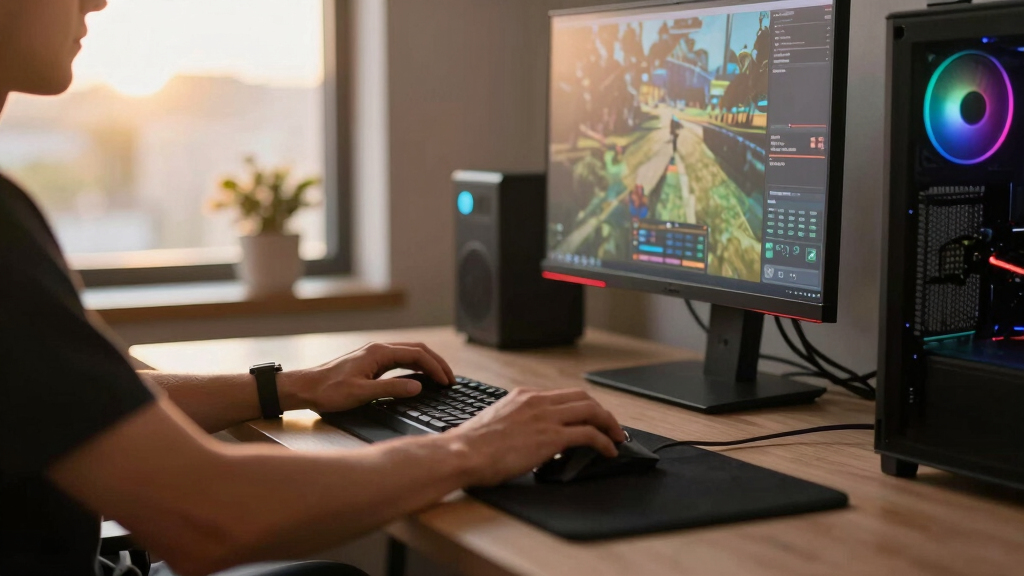

My best overall pick among these best Steam gaming PCs is the Lenovo Legion Tower 5i, pairing an RTX 5070 Ti with an Intel Core Ultra 7 for a strong fit for demanding games. For buyers prioritizing graphics performance, the ASUS ROG GM700 pairs a Ryzen 7 9800X3D with a Radeon RX 9070 XT, while the MSI Codex Z2 adds 32GB of memory and a 2TB SSD. The main tradeoffs are graphics power versus system cost, and ready-to-play specifications versus room to upgrade. A less powerful GPU can be a sensible match for lighter games or a 1080p display, while higher-end hardware makes more sense for demanding titles and higher resolutions. Read on for the full breakdown, the selection criteria, and advice on choosing a Steam gaming PC that fits your library.

Get the latest gadgets delivered free with Prime
- Fast, free delivery on millions of items
- Prime Video, Amazon Music and more included
- Member-only deals all year
Complete the kit



Key Takeaways
The Lenovo Legion Tower 5i leads this roundup because its RTX 5070 Ti gives it a stronger graphics ceiling than the RTX 5070 and RTX 5060 Ti systems, making it the clearest overall choice for demanding games.
The ASUS ROG GM700 stands apart with its Ryzen 7 9800X3D and Radeon RX 9070 XT, a combination aimed at buyers who prioritize high-end gaming performance over a more familiar GeForce setup.
The MSI Codex Z2 and iBUYPOWER Element both pair 32GB of DDR5 with an RTX 5070, but the MSI‘s 2TB SSD offers more built-in space for a large Steam library than the iBUYPOWER‘s 1TB drive.
Several RTX 5060 and RTX 5060 Ti options show that buyers have a broad choice below the highest-performance tier, but some arrive with just 16GB of RAM or less storage, making configuration checks especially important.
Processor names alone do not decide the ranking: graphics hardware, memory, storage, and the intended use case separate the RTX 5070 Ti and RX 9070 XT systems from capable but more modest RTX 5060 builds.
| CyberPowerPC Gaming PC, Intel Core i7-14700F, GeForce RTX 5060 Ti 8GB | Gamer Xtreme, 16GB DDR5, 1TB PCIe 4.0 SSD, WiFi 6 & Windows 11 Home |  | Best for CPU-Heavy Games | Processor: Intel Core i7-14700F, 20 cores, 2.1GHz | Graphics: NVIDIA GeForce RTX 5060 Ti, 8GB | Memory: 16GB DDR5 | VIEW LATEST PRICE | See Our Full Breakdown |
| KOTIN Prebuilt Gaming PC RTX 5070 12GB, Ryzen 7 9700X, 32GB DDR5, 1TB SSD |  | Best for Display and Cooling Features | Processor: AMD Ryzen 7 9700X | Graphics: NVIDIA RTX 5070, 12GB | Memory: 32GB DDR5-6000 | VIEW LATEST PRICE | See Our Full Breakdown |
| Lenovo Legion Tower 5i AI-Powered Gaming PC with Intel Core Ultra 7 265F and NVIDIA GeForce RTX 5070 Ti |  | Best for Upgrades and Creative Work | Processor: Intel Core Ultra 7 265F | Graphics: NVIDIA GeForce RTX 5070 Ti | Memory: 32GB DDR5, expandable to 128GB | VIEW LATEST PRICE | See Our Full Breakdown |
| MSI Codex Z2 Gaming Desktop, AMD Ryzen 7 8700F, RTX 5070, 32GB DDR5, 2TB SSD |  | Best for a Large Steam Library | Processor: AMD Ryzen 7 8700F, 8 cores and 16 threads | Graphics: NVIDIA RTX 5070 | Memory: 32GB DDR5 | VIEW LATEST PRICE | See Our Full Breakdown |
| Skytech Gaming Crystal Gaming PC with AMD Ryzen 7 5700, NVIDIA RTX 5060, 32GB RAM, 1TB SSD, Wi-Fi, Windows 11 |  | Best for 1080p Steam Gaming | Processor: AMD Ryzen 7 5700, 3.7GHz; up to 4.6GHz turbo | Graphics: NVIDIA RTX 5060, 8GB GDDR7 | Memory: 32GB DDR4-3200 | VIEW LATEST PRICE | See Our Full Breakdown |
| ASUS ROG GM700 (2025) Gaming Desktop PC with AMD Ryzen 7 9800X3D and Radeon RX 9070 XT |  | Best for High-End AMD Gaming | Processor: AMD Ryzen 7 9800X3D | Graphics: AMD Radeon RX 9070 XT PRIME OC | Memory: 32GB DDR5 | VIEW LATEST PRICE | See Our Full Breakdown |
| Skytech Gaming PC Desktop, Intel i5 14400F, RTX 5060, 16GB RAM, 1TB SSD |  | Best for a Ready-to-Play Starter Setup | Processor: Intel Core i5-14400F, 2.5 GHz base and up to 4.7 GHz turbo | Graphics: NVIDIA GeForce RTX 5060 8GB GDDR7; brand may vary | Memory: 16GB DDR5 6000 MHz | VIEW LATEST PRICE | See Our Full Breakdown |
| Alienware Aurora Gaming Desktop ACT1250 |  | Best for AlienFX Design | Processor: Intel Core Ultra 7 265F | Graphics: NVIDIA GeForce RTX 5060 Ti | Memory: 16GB DDR5 | VIEW LATEST PRICE | See Our Full Breakdown |
| CyberPowerPC Gaming PC, Intel Core i5-14400F, GeForce RTX 5060 8GB |  | Best for Everyday Connectivity | Processor: Intel Core i5-14400F, 10 cores, 2.5 GHz | Motherboard: Intel B760 chipset | Graphics: NVIDIA GeForce RTX 5060 8GB | VIEW LATEST PRICE | See Our Full Breakdown |
| Skytech Gaming Shadow 5 Gaming PC, AMD Ryzen 7 9700X, NVIDIA RTX 5060 Ti, 16GB DDR5 RAM, 1TB NVMe SSD, 750W Gold PSU, 360mm ARGB AIO Cooler, Windows 11 |  | Best for Liquid-Cooled Midrange Gaming | Processor: AMD Ryzen 7 9700X, 3.8 GHz base and up to 5.5 GHz turbo | Graphics: NVIDIA RTX 5060 Ti 16GB GDDR7; graphics-card model may vary | Memory: 16GB DDR5 6000 | VIEW LATEST PRICE | See Our Full Breakdown |
| Skytech Gaming Archangel 5 Gaming PC with AMD Ryzen 7 7700X and NVIDIA RTX 5070 |  | Best Overall for 1440p Steam Gaming | Processor: AMD Ryzen 7 7700X, 4.5GHz | Graphics: NVIDIA RTX 5070, 12GB | Memory: 32GB DDR5 6000 | VIEW LATEST PRICE | See Our Full Breakdown |
| Skytech Gaming O11 Vision Gaming PC with AMD Ryzen 7 7800X3D and NVIDIA RTX 5060 Ti |  | Best for CPU-Heavy Games | Processor: AMD Ryzen 7 7800X3D, 4.2GHz, up to 5.0GHz turbo | Graphics: NVIDIA RTX 5060 Ti, 16GB GDDR7 | Memory: 32GB DDR5 5600 | VIEW LATEST PRICE | See Our Full Breakdown |
| CyberPowerPC Gaming PC with AMD Ryzen 7 8700F and GeForce RTX 5060 Ti |  | Best Starter Steam Desktop | Processor: AMD Ryzen 7 8700F, 4.1GHz, 8 cores | Motherboard: AMD B850 chipset | Graphics: NVIDIA GeForce RTX 5060 Ti, 8GB | VIEW LATEST PRICE | See Our Full Breakdown |
| Alienware Aurora Gaming Desktop with RTX 5070 and Intel Core Ultra 7 265F |  | Best for Alienware Design and Support | Processor: Intel Core Ultra 7 265F | Graphics: NVIDIA GeForce RTX 5070 | Design: Matte basalt black finish | VIEW LATEST PRICE | See Our Full Breakdown |
| iBUYPOWER Element Gaming PC Desktop Computer (AMD Ryzen 9 7900X, NVIDIA GeForce RTX 5070 12GB, 32GB DDR5 RAM, 1TB NVMe SSD, Windows 11 Home) |  | Best for Gaming and Creation | Processor: AMD Ryzen 9 7900X | Graphics: NVIDIA GeForce RTX 5070, 12GB | Memory: 32GB DDR5 RGB 4800MHz | VIEW LATEST PRICE | See Our Full Breakdown |
| Steam gaming PC | Processor | Graphics | Memory | Storage |
|---|---|---|---|---|
| CyberPowerPC Gaming PC | Intel Core i7-14700F, 20 cores, 2.1GHz | NVIDIA GeForce RTX 5060 Ti, 8GB | 16GB DDR5 | 1TB PCIe 4.0 NVMe SSD |
| KOTIN Prebuilt Gaming PC RTX 5 | AMD Ryzen 7 9700X | NVIDIA RTX 5070, 12GB | 32GB DDR5-6000 | 1TB PCIe 4.0 NVMe SSD |
| Lenovo Legion Tower 5i AI-Powe | Intel Core Ultra 7 265F | NVIDIA GeForce RTX 5070 Ti | 32GB DDR5, expandable to 128GB | 1TB SSD |
| MSI Codex Z2 Gaming Desktop | AMD Ryzen 7 8700F, 8 cores and 16 threads | NVIDIA RTX 5070 | 32GB DDR5 | 2TB SSD |
| Skytech Gaming Crystal Gaming | AMD Ryzen 7 5700, 3.7GHz; up to 4.6GHz turbo | NVIDIA RTX 5060, 8GB GDDR7 | 32GB DDR4-3200 | 1TB NVMe M.2 SSD |
| ASUS ROG GM700 | AMD Ryzen 7 9800X3D | AMD Radeon RX 9070 XT PRIME OC | 32GB DDR5 | 2TB PCIe Gen 4.0 SSD |
| Skytech Gaming PC Desktop | Intel Core i5-14400F, 2.5 GHz base and up to 4.7 GHz turbo | NVIDIA GeForce RTX 5060 8GB GDDR7; brand may vary | 16GB DDR5 6000 MHz | 1TB NVMe M.2 SSD |
| Alienware Aurora Gaming Deskto | Intel Core Ultra 7 265F | NVIDIA GeForce RTX 5060 Ti | 16GB DDR5 | 1TB SSD |
| CyberPowerPC Gaming PC | Intel Core i5-14400F, 10 cores, 2.5 GHz | NVIDIA GeForce RTX 5060 8GB | 16GB DDR5, 4800 MHz | 1TB PCIe 4.0 NVMe SSD |
| Skytech Gaming Shadow 5 Gaming | AMD Ryzen 7 9700X, 3.8 GHz base and up to 5.5 GHz turbo | NVIDIA RTX 5060 Ti 16GB GDDR7; graphics-card model may vary | 16GB DDR5 6000 | 1TB NVMe SSD |
| Skytech Gaming Archangel 5 Gam | AMD Ryzen 7 7700X, 4.5GHz | NVIDIA RTX 5070, 12GB | 32GB DDR5 6000 | 1TB Gen4 NVMe SSD |
| Skytech Gaming O11 Vision Gami | AMD Ryzen 7 7800X3D, 4.2GHz, up to 5.0GHz turbo | NVIDIA RTX 5060 Ti, 16GB GDDR7 | 32GB DDR5 5600 | 1TB Gen4 NVMe SSD |
| CyberPowerPC Gaming PC with AM | AMD Ryzen 7 8700F, 4.1GHz, 8 cores | NVIDIA GeForce RTX 5060 Ti, 8GB | 16GB DDR5 | 1TB PCIe 4.0 NVMe SSD |
| Alienware Aurora Gaming Deskto | Intel Core Ultra 7 265F | NVIDIA GeForce RTX 5070 | — | — |
| iBUYPOWER Element Gaming PC De | AMD Ryzen 9 7900X | NVIDIA GeForce RTX 5070, 12GB | 32GB DDR5 RGB 4800MHz | 1TB NVMe SSD |
More Details on Our Top Picks
CyberPowerPC Gaming PC, Intel Core i7-14700F, GeForce RTX 5060 Ti 8GB | Gamer Xtreme, 16GB DDR5, 1TB PCIe 4.0 SSD, WiFi 6 & Windows 11 Home
I’d choose the Gamer Xtreme when the mix of games matters as much as the graphics card. Its 20-core Core i7-14700F gives it more CPU headroom than the Ryzen 7 5700 in the Skytech Crystal, which can help with demanding simulations, busy strategy games, and running other applications while Steam is open. The RTX 5060 Ti 8GB is a stronger graphics tier than the Crystal’s RTX 5060, but the Lenovo Legion Tower 5i and MSI Codex Z2 pair their RTX 5070 GPUs with 32GB of memory for a more compelling starting point for higher-resolution gaming. Here, 16GB DDR5 is the main compromise: buyers may want to plan a memory upgrade. I also can’t confirm expansion details from the supplied information, so this is less appealing to buyers who want a clearly documented upgrade path.
Pros:- 20-core Intel processor offers substantial CPU headroom for multitasking and CPU-intensive games.
- RTX 5060 Ti is a step above the RTX 5060 listed in the Skytech Crystal.
- 1TB PCIe 4.0 NVMe SSD provides fast game loading and a useful starting library capacity.
- Wi-Fi 6 and Bluetooth 5.3 provide current wireless connectivity.
Cons:- 16GB DDR5 is less memory than the 32GB configurations in the Lenovo Legion Tower 5i and MSI Codex Z2.
- The 8GB graphics memory and RTX 5060 Ti place it below the RTX 5070-class options for demanding higher-resolution play.
- The supplied details do not specify memory or storage expansion options.
Best for: Steam players who run CPU-heavy strategy or simulation games and want a strong processor alongside an RTX 5060 Ti.
Not ideal for: Players targeting demanding 1440p or 4K gaming who want an RTX 5070-class GPU and 32GB RAM out of the box.
- Processor:Intel Core i7-14700F, 20 cores, 2.1GHz
- Graphics:NVIDIA GeForce RTX 5060 Ti, 8GB
- Memory:16GB DDR5
- Storage:1TB PCIe 4.0 NVMe SSD
- Motherboard:Intel B760 chipset
- Operating system:Windows 11 Home
- Connectivity:Wi-Fi 6, Bluetooth 5.3, USB-C 3.2, USB-A 3.2, USB-A 2.0, LAN
- Warranty and support:1-year parts and labor warranty; lifetime technical support
Our verdict“Choose the Gamer Xtreme if CPU-heavy Steam games matter more to you than having 32GB RAM or an RTX 5070-class graphics card.”
KOTIN Prebuilt Gaming PC RTX 5070 12GB, Ryzen 7 9700X, 32GB DDR5, 1TB SSD
The KOTIN stands out for combining an RTX 5070 12GB with a built-in 11.3-inch smart display, giving the setup a feature the other PCs here do not list. Its Ryzen 7 9700X, 32GB DDR5-6000, and 360mm liquid cooler make it a ready-to-play package for Steam libraries that include demanding games and multitasking. Compared with the MSI Codex Z2, it has the same RTX 5070 tier but a smaller listed SSD; the MSI’s 2TB capacity better suits a large collection without immediate storage planning. The KOTIN instead brings Wi-Fi 7 and a substantial cooler. That hardware also means a sizeable case, and the display is an extra feature rather than a substitute for a monitor. I’d pick it for a feature-rich setup, not for compact placement or maximum storage.
Pros:- RTX 5070 12GB and Ryzen 7 9700X make a strong pairing for demanding games.
- 32GB DDR5-6000 provides more memory headroom than the CyberPowerPC Gamer Xtreme’s 16GB.
- 360mm liquid cooler and 850W 80+ Gold power supply are substantial listed components.
- Built-in 11.3-inch smart display and Wi-Fi 7 give it distinctive features among these picks.
Cons:- The 1TB SSD offers half the listed capacity of the MSI Codex Z2’s 2TB SSD.
- Its listed 16.81 x 8.66 x 14.25-inch dimensions and 30-pound weight call for room in a fixed setup.
- It has no integrated speakers, so audio requires external speakers or headphones.
Best for: PC gamers who want an RTX 5070 system with 32GB RAM, liquid cooling, and a built-in case display for system information.
Not ideal for: Buyers with limited desk or floor space, or Steam users who want 2TB of built-in storage without adding a drive.
- Processor:AMD Ryzen 7 9700X
- Graphics:NVIDIA RTX 5070, 12GB
- Memory:32GB DDR5-6000
- Storage:1TB PCIe 4.0 NVMe SSD
- Cooling:360mm liquid cooler
- Power supply:850W 80+ Gold
- Display:11.3-inch smart display
- Operating system and connectivity:Windows 11 Home; Wi-Fi 7, Bluetooth, Ethernet, HDMI, DisplayPort, USB
Our verdict“Pick the KOTIN if you want an RTX 5070 gaming PC with a built-in display and liquid cooling, and can accommodate its size and 1TB drive.”
Lenovo Legion Tower 5i AI-Powered Gaming PC with Intel Core Ultra 7 265F and NVIDIA GeForce RTX 5070 Ti
I’d rank the Lenovo Legion Tower 5i for buyers who want a gaming PC that can grow beyond its initial setup. Its RTX 5070 Ti sits above the RTX 5070 in the MSI Codex Z2 and KOTIN, while 32GB DDR5 expandable to 128GB gives streamers and creative users a clear memory-upgrade path. The tool-less side panel also makes access less fussy than a case that requires more effort to open. That balance makes the Legion more adaptable than the Skytech Crystal, though the Crystal lists a 2TB larger-than-none? Wait no, it has 1TB, so compare: the MSI has 2TB; the Lenovo lists 1TB and has up to 180W air cooling rather than the KOTIN’s 360mm liquid cooler. Those details matter for buyers prioritizing storage capacity or a specified liquid-cooling setup. For Steam play, this is the most flexible performance pick, but the supplied specs leave storage expansion details unclear.
Pros:- RTX 5070 Ti is a higher listed graphics tier than the RTX 5070 in the MSI Codex Z2 and KOTIN.
- 32GB DDR5 memory is expandable to 128GB, supporting future memory-intensive workloads.
- Tool-less side panel makes internal access more convenient.
- 2.5G Ethernet and Wi-Fi 6E provide wired and wireless networking choices.
Cons:- The listed 1TB SSD has less capacity than the MSI Codex Z2’s 2TB SSD.
- Cooling is specified as up to 180W air cooling, rather than the KOTIN’s 360mm liquid cooler.
- The supplied specifications do not give further storage configuration or expansion details.
Best for: Steam gamers who also stream or create content and want a higher-tier GPU with a clearly stated memory upgrade ceiling.
Not ideal for: Players who want a 2TB drive out of the box or specifically prefer a liquid-cooled CPU setup.
- Processor:Intel Core Ultra 7 265F
- Graphics:NVIDIA GeForce RTX 5070 Ti
- Memory:32GB DDR5, expandable to 128GB
- Storage:1TB SSD
- Cooling:Up to 180W air cooling
- Networking:2.5G Ethernet, Wi-Fi 6E
- Case access and lighting:Tool-less side panel, RGB lighting
- Included software:3 months of PC Game Pass and EA Play
Our verdict“Choose the Legion Tower 5i if you want an RTX 5070 Ti and a documented memory upgrade path for gaming, streaming, and creative work.”
MSI Codex Z2 Gaming Desktop, AMD Ryzen 7 8700F, RTX 5070, 32GB DDR5, 2TB SSD
For anyone whose Steam library keeps growing, the MSI Codex Z2’s main advantage is straightforward: its 2TB SSD gives it twice the listed storage of the KOTIN and Lenovo Legion Tower 5i. That can mean fewer choices about which games stay installed. The RTX 5070 and 32GB DDR5 also make it a more capable starting point for demanding games than the Skytech Crystal’s RTX 5060 and DDR4 memory. Compared with the KOTIN, the MSI trades the built-in smart display, Wi-Fi 7, and 360mm liquid cooler for more storage and a simpler listed cooling setup: four system fans with ARGB lighting. The supplied information does not identify the SSD interface or networking standard, so buyers wanting those details should check the configuration before choosing. I’d favor it for capacity, not for the most thoroughly specified feature set.
Pros:- 2TB SSD offers more listed storage than the 1TB drives in the KOTIN and Lenovo Legion Tower 5i.
- RTX 5070 graphics provide a higher listed GPU tier than the Skytech Crystal’s RTX 5060.
- 32GB DDR5 supports gaming alongside background applications.
- Four system cooling fans and ARGB lighting are specified.
Cons:- The supplied specs do not identify the SSD interface or networking standards.
- Its Ryzen 7 8700F is a different processor tier from the Ryzen 7 9700X in the KOTIN.
- The listed cooling details do not specify a liquid cooler like the KOTIN’s 360mm unit.
Best for: Steam players who keep many large games installed and want an RTX 5070-class desktop with 32GB RAM.
Not ideal for: Buyers who want a listed high-end liquid cooler, a built-in monitoring display, or detailed networking specifications.
- Processor:AMD Ryzen 7 8700F, 8 cores and 16 threads
- Graphics:NVIDIA RTX 5070
- Memory:32GB DDR5
- Storage:2TB SSD
- Operating system:Windows 11 Home
- Cooling:Four system cooling fans
- Lighting:Customizable ARGB lighting
Our verdict“Pick the MSI Codex Z2 if built-in storage for a large Steam library matters more than a smart display or specified liquid cooling.”
Skytech Gaming Crystal Gaming PC with AMD Ryzen 7 5700, NVIDIA RTX 5060, 32GB RAM, 1TB SSD, Wi-Fi, Windows 11
The Skytech Crystal is the more modest graphics option here, and that gives it a clear role: 1080p Steam gaming without stepping up to the RTX 5060 Ti or RTX 5070 systems. Its RTX 5060 8GB and 32GB DDR4 suit buyers focused on popular games at 1080p, while the 1TB NVMe SSD offers a quick place to start a library. Against the CyberPowerPC Gamer Xtreme, the Crystal has twice the listed memory but a lower graphics tier and an older Ryzen 7 5700 processor; the CyberPowerPC is the better fit for buyers who prioritize CPU strength and the RTX 5060 Ti. Compared with the MSI Codex Z2, the Crystal gives up both GPU tier and SSD capacity. Its tempered-glass case and ARGB fans add visual flair, but the listed 802.11 AC Wi-Fi is less current than Wi-Fi 6 or Wi-Fi 7.
Pros:- 32GB DDR4 provides more listed memory than the CyberPowerPC Gamer Xtreme’s 16GB.
- RTX 5060 8GB is suited to the product’s stated 1080p gaming focus.
- 1TB NVMe M.2 SSD supports fast game loading.
- Tempered-glass case and ARGB fans provide a visible customizable build.
Cons:- RTX 5060 sits below the RTX 5060 Ti in the CyberPowerPC Gamer Xtreme and the RTX 5070 options.
- DDR4-3200 memory is an older memory generation than the DDR5 used in the other PCs here.
- 802.11 AC Wi-Fi is an older listed wireless standard than Wi-Fi 6, 6E, or 7.
- The product details say the graphics card model may vary, which makes the exact configuration less certain.
Best for: Steam players targeting 1080p who want 32GB RAM and an RTX 5060 system rather than a higher-tier graphics configuration.
Not ideal for: Gamers seeking stronger 1440p or 4K performance, newer wireless networking, or an RTX 5060 Ti or RTX 5070 GPU.
- Processor:AMD Ryzen 7 5700, 3.7GHz; up to 4.6GHz turbo
- Graphics:NVIDIA RTX 5060, 8GB GDDR7
- Memory:32GB DDR4-3200
- Storage:1TB NVMe M.2 SSD
- Power supply:650W Gold
- Operating system:Windows 11 Home 64-bit
- Cooling and case:High-performance air cooler; Skytech Crystal case with triple tempered glass and ARGB fans
- Connectivity and ports:802.11 AC Wi-Fi; HDMI, DisplayPort, USB 2.0, USB 3.0, USB 3.2 Gen 1, HD audio and mic
Our verdict“Choose the Skytech Crystal for 1080p play with 32GB RAM, but favor the CyberPowerPC or an RTX 5070 system if graphics performance is your priority.”
ASUS ROG GM700 (2025) Gaming Desktop PC with AMD Ryzen 7 9800X3D and Radeon RX 9070 XT
The ASUS ROG GM700 earns its place as the strongest AMD-focused pick here: its Ryzen 7 9800X3D and Radeon RX 9070 XT pair with 32GB DDR5 and a 2TB SSD, giving Steam players room for demanding games, multitasking, and a sizable installed library. Compared with the Skytech Gaming Shadow 5, it has more memory and storage, while the Shadow 5’s RTX 5060 Ti 16GB and 360mm liquid cooler offer a different balance of features. The ASUS’s main appeal is its high-end GPU and gaming-oriented CPU rather than bundled extras. Its tradeoffs are a large footprint and a premium-class parts mix that may be excessive for players focused on lighter games or standard 1080p play. The listed specs also do not identify its cooling setup or upgrade options.
Pros:- Ryzen 7 9800X3D and Radeon RX 9070 XT are a strong high-end gaming pairing.
- 32GB DDR5 supports gaming alongside streaming or other demanding applications.
- 2TB PCIe Gen 4.0 SSD provides generous space for a Steam library and quick game loads.
- Windows 11 Home is ready for PC gaming and everyday use.
Cons:- Large desktop footprint can make placement difficult in a compact setup.
- High-end hardware may be unnecessary for players focused on lighter titles or 1080p gaming.
- The provided specs do not state cooling details or upgrade options.
Best for: Steam players who want a high-end AMD desktop for demanding games, frequent multitasking, and a large local game library.
Not ideal for: Budget-minded 1080p players or anyone with limited desk space; its high-end hardware and large chassis may be more than they need.
- Processor:AMD Ryzen 7 9800X3D
- Graphics:AMD Radeon RX 9070 XT PRIME OC
- Memory:32GB DDR5
- Storage:2TB PCIe Gen 4.0 SSD
- Operating system:Windows 11 Home
- Product year:2025
Our verdict“Choose the ASUS ROG GM700 if you want a high-end AMD Steam PC with 32GB of memory and 2TB of storage, and have room for a large desktop.”
Skytech Gaming PC Desktop, Intel i5 14400F, RTX 5060, 16GB RAM, 1TB SSD
The Skytech Archangel 5 is the straightforward choice for a first Steam desktop: its Core i5-14400F, RTX 5060, and 16GB DDR5 target 1080p gaming, while the included keyboard and mouse help complete a basic setup. The listed performance target is smooth 1080p play, not a promise of the higher-resolution headroom offered by the ASUS ROG GM700 and its RX 9070 XT. The 1TB NVMe SSD gives games quick load times, though a large library may fill it sooner than the ASUS’s 2TB drive. Skytech also specifies air cooling and ARGB fans, but the graphics-card brand may vary, so buyers should not assume every unit uses an identical card. This is a practical entry point, not the pick for 4K ambitions or extensive creative workloads.
Pros:- Core i5-14400F and RTX 5060 are suited to the stated 1080p gaming target.
- 1TB NVMe M.2 SSD supports quick game loading.
- Includes a gaming keyboard and mouse for a more complete starter setup.
- Air cooler and ARGB fans are specified for cooling.
Cons:- The graphics-card brand may vary, leaving some component detail uncertain.
- 16GB memory and 1TB storage offer less room for heavy multitasking and a large game library than the ASUS ROG GM700.
- The RTX 5060 configuration is not positioned for 4K gaming.
Best for: First-time PC gamers who want a Windows desktop for 1080p Steam play and need a keyboard and mouse included.
Not ideal for: Players targeting 4K, a large installed game library, or consistent graphics-card branding across units.
- Processor:Intel Core i5-14400F, 2.5 GHz base and up to 4.7 GHz turbo
- Graphics:NVIDIA GeForce RTX 5060 8GB GDDR7; brand may vary
- Memory:16GB DDR5 6000 MHz
- Storage:1TB NVMe M.2 SSD
- Cooling:High-performance air cooler with ARGB fans
- Wireless:802.11 AC Wi-Fi
- Operating system:Windows 11 Home 64-bit
- Case:Skytech Archangel 5 white case with tempered glass
- Warranty:1 year parts and labor
Our verdict“Pick the Skytech Archangel 5 for a simple 1080p Steam setup with peripherals included, but skip it if you want 4K capability or fixed GPU branding.”
Alienware Aurora Gaming Desktop ACT1250
The Alienware Aurora ACT1250 suits buyers who want a distinctive desktop design as much as a capable Steam machine. Its Core Ultra 7 265F and RTX 5060 Ti give it a stronger graphics position than the RTX 5060-equipped Skytech Archangel 5, while the matte black case and customizable AlienFX lighting make it the more style-focused choice. Both systems list 16GB of memory and 1TB of storage, so the Alienware does not offer extra room for a large library on paper. Its 500W Platinum-rated power supply is specified, but the supplied information does not detail upgrade paths, cooling behavior, or port selection. That leaves less to go on for buyers who plan to modify their PC. Choose this Aurora for its design and GPU tier, not for maximum memory or storage capacity.
Pros:- RTX 5060 Ti is a higher graphics tier than the RTX 5060 listed in the Skytech Archangel 5.
- Intel Core Ultra 7 265F provides a modern processor platform for gaming and general workloads.
- Customizable AlienFX lighting and matte black design offer a distinct look.
- 500W Platinum-rated power supply is specified.
Cons:- 16GB DDR5 and 1TB SSD provide less memory and storage than the ASUS ROG GM700.
- The supplied product details do not describe upgrade options or port selection.
- Potentially high noise under intensive gaming is listed as a drawback.
Best for: Steam players who value Alienware styling and customizable lighting alongside an RTX 5060 Ti graphics card.
Not ideal for: Buyers planning upgrades or wanting detailed component and cooling information before choosing a desktop.
- Processor:Intel Core Ultra 7 265F
- Graphics:NVIDIA GeForce RTX 5060 Ti
- Memory:16GB DDR5
- Storage:1TB SSD
- Power supply:500W Platinum-rated
- Operating system:Windows 11 Home
- Design:Matte basalt black with customizable AlienFX lighting
Our verdict“Choose the Alienware Aurora ACT1250 if its AlienFX design and RTX 5060 Ti matter more to you than extra memory, storage, or clear upgrade details.”
CyberPowerPC Gaming PC, Intel Core i5-14400F, GeForce RTX 5060 8GB
This CyberPowerPC is a sensible match for Steam players who want a familiar midrange pairing with plenty of wired connections. Its Core i5-14400F and RTX 5060 resemble the Skytech Archangel 5’s core gaming setup, but CyberPowerPC lists Wi-Fi 6, Bluetooth 5.3, and eight USB-A ports, making it easier to connect peripherals and accessories. Its 16GB of DDR5 runs at 4800 MHz, below the Skytech’s listed 6000 MHz memory speed, and both desktops provide 1TB of storage. Neither has the memory or drive capacity of the ASUS ROG GM700, which is a better fit for a larger game collection or heavier workloads. CyberPowerPC’s tempered side panel and RGB lighting add visual flair, but upgradeability is not detailed and its 12.84 kg weight may complicate repositioning.
Pros:- Core i5-14400F and RTX 5060 offer a familiar midrange gaming configuration.
- Wi-Fi 6 and Bluetooth 5.3 are specified for wireless networking and accessories.
- Eight USB-A ports provide room for multiple peripherals.
- Tempered side panel and RGB lighting add a visible gaming-PC look.
Cons:- 16GB DDR5 at 4800 MHz is listed at a lower memory speed than the Skytech Archangel 5’s 6000 MHz.
- 1TB SSD provides less capacity than the ASUS ROG GM700’s 2TB drive.
- The 12.84 kg weight and unspecified upgradeability may limit flexibility.
Best for: Players who want an RTX 5060 Steam desktop with Wi-Fi 6, Bluetooth, and multiple USB-A connections for accessories.
Not ideal for: Buyers seeking high-end gaming headroom, faster listed memory, or a lightweight desktop that is easy to move.
- Processor:Intel Core i5-14400F, 10 cores, 2.5 GHz
- Motherboard:Intel B760 chipset
- Graphics:NVIDIA GeForce RTX 5060 8GB
- Memory:16GB DDR5, 4800 MHz
- Storage:1TB PCIe 4.0 NVMe SSD
- Connectivity:Wi-Fi 6, Bluetooth 5.3, LAN, HDMI, and DisplayPort
- Ports:1 HDMI, 2 DisplayPort, and 8 USB-A
- Dimensions and weight:18.11 x 9.25 x 19.61 inches; 12,840 g
- Operating system:Windows 11 Home
Our verdict“Choose this CyberPowerPC for its broad connectivity and RTX 5060 setup, but look elsewhere for higher-end graphics, more storage, or easier portability.”
Skytech Gaming Shadow 5 Gaming PC, AMD Ryzen 7 9700X, NVIDIA RTX 5060 Ti, 16GB DDR5 RAM, 1TB NVMe SSD, 750W Gold PSU, 360mm ARGB AIO Cooler, Windows 11
The Skytech Shadow 5 stands out among the midrange choices for its combination of an AMD Ryzen 7 9700X, RTX 5060 Ti with 16GB GDDR7, and a 360mm ARGB liquid cooler. Compared with the Alienware Aurora ACT1250, it specifies a larger GPU memory capacity and gives more detail about cooling and power; the Alienware instead has a named Core Ultra processor and AlienFX lighting. The Shadow’s 16GB system memory and 1TB SSD are less generous than the ASUS ROG GM700’s 32GB and 2TB, so its appeal is the cooling and component balance rather than maximum out-of-box capacity. Wi-Fi 5 is also an older listed wireless standard than the Wi-Fi 6 on the CyberPowerPC. Skytech notes that the graphics-card model may vary, so verify the exact configuration before buying.
Pros:- Ryzen 7 9700X pairs with an RTX 5060 Ti listed with 16GB GDDR7.
- 360mm ARGB AIO liquid cooler is a specified cooling feature.
- 750W Gold power supply is listed.
- 1TB NVMe SSD and Windows 11 are included.
Cons:- Graphics-card model may vary, making the exact configuration less certain.
- 16GB DDR5 and 1TB storage trail the ASUS ROG GM700’s 32GB and 2TB.
- Wi-Fi 5 is an older listed standard than the CyberPowerPC’s Wi-Fi 6.
Best for: Gamers who want an RTX 5060 Ti desktop with a specified 360mm liquid cooler and a 750W Gold power supply.
Not ideal for: Buyers who prioritize 32GB of system memory, 2TB of storage, Wi-Fi 6, or certainty about the exact graphics-card model.
- Processor:AMD Ryzen 7 9700X, 3.8 GHz base and up to 5.5 GHz turbo
- Graphics:NVIDIA RTX 5060 Ti 16GB GDDR7; graphics-card model may vary
- Memory:16GB DDR5 6000
- Storage:1TB NVMe SSD
- Cooling:360mm ARGB AIO liquid cooler
- Power supply:750W Gold
- Wireless:Wi-Fi 5, 802.11ac
- Operating system:Windows 11
- Warranty:1 year parts and labor
Our verdict“Pick the Shadow 5 if you want an RTX 5060 Ti system with a large specified liquid cooler, but favor the ASUS for more memory and storage.”
Skytech Gaming Archangel 5 Gaming PC with AMD Ryzen 7 7700X and NVIDIA RTX 5070
The Archangel 5 is my strongest all-round pick here for a Steam library centered on demanding 1440p games. Its RTX 5070 12GB gives it a stronger graphics tier than the RTX 5060 Ti in the Skytech O11 Vision, while the Ryzen 7 7700X and 32GB of memory leave room for multitasking alongside games. A 1TB Gen4 SSD gets a sizable starter library loaded quickly, though players with a large backlog may need more space. The 360mm liquid cooler and 750W Gold power supply are generous supporting parts, but they also make this a larger, more power-hungry setup than a modest Steam gaming PC needs. I rank it ahead of the Alienware Aurora for clearer memory and storage details; buyers who value Alienware’s onsite support and design may prefer that model instead.
Pros:- RTX 5070 with 12GB VRAM is a strong fit for demanding 1440p games.
- 32GB DDR5 supports gaming while keeping browsers, chat, or creative apps open.
- 1TB Gen4 NVMe storage provides quick loads and a practical starting capacity.
- 360mm AIO cooling and a 750W Gold PSU provide substantial thermal and power headroom.
Cons:- The 1TB SSD may fill quickly for players with many large Steam installs.
- The powerful GPU and large liquid cooler can mean higher power use and a less compact setup.
- Graphics card brand may vary, limiting certainty about the exact component supplied.
Best for: Steam players who want strong 1440p performance, 32GB RAM, and a clearly specified system for gaming plus creative work.
Not ideal for: Players focused on lighter indie games, compact setups, or low power use; its RTX 5070 and 360mm cooler are more machine than those needs demand.
- Processor:AMD Ryzen 7 7700X, 4.5GHz
- Graphics:NVIDIA RTX 5070, 12GB
- Memory:32GB DDR5 6000
- Storage:1TB Gen4 NVMe SSD
- Cooling:360mm AIO liquid cooler with ARGB fans
- Power supply:750W Gold
- Operating system:Windows 11 Home
- Case:Skytech Archangel 5 with tempered glass
Our verdict“Choose the Archangel 5 for a well-rounded, RTX 5070-based Steam PC with enough memory for gaming and multitasking.”
Skytech Gaming O11 Vision Gaming PC with AMD Ryzen 7 7800X3D and NVIDIA RTX 5060 Ti
The O11 Vision makes its case through a gaming-focused processor rather than a higher graphics tier. Its Ryzen 7 7800X3D is a particularly appealing match for CPU-intensive games, while the RTX 5060 Ti 16GB and 32GB RAM offer a capable foundation for a varied Steam library. Compared with the Archangel 5, this system gives up the RTX 5070’s stronger graphics positioning but adds a striking Lian Li PC-O11 Vision case and the 7800X3D’s gaming emphasis. The 16GB of GPU memory is a useful capacity, but it does not by itself make the graphics card equivalent to the Archangel’s higher-tier GPU. A 650W Gold supply and 1TB SSD are practical, though neither is a standout upgrade feature. I’d pick it for CPU-led play and case aesthetics, not for maximum graphics performance.
Pros:- Ryzen 7 7800X3D is well suited to games that benefit from a gaming-focused CPU.
- RTX 5060 Ti includes 16GB GDDR7 memory.
- 32GB DDR5 and a 1TB Gen4 NVMe SSD provide a useful gaming and multitasking base.
- Lian Li PC-O11 Vision case and 360mm ARGB AIO give the system a distinctive presentation.
Cons:- RTX 5060 Ti sits below the RTX 5070 in the Archangel 5 for buyers prioritizing GPU tier.
- The 650W PSU offers less power capacity than the Archangel 5’s 750W unit.
- The provided details do not specify upgradeability options.
Best for: Players focused on CPU-heavy competitive or simulation games who want a 7800X3D system, 32GB RAM, and a showcase-style case.
Not ideal for: Buyers prioritizing the strongest graphics performance in this group, or those who need more than 1TB of included storage.
- Processor:AMD Ryzen 7 7800X3D, 4.2GHz, up to 5.0GHz turbo
- Graphics:NVIDIA RTX 5060 Ti, 16GB GDDR7
- Memory:32GB DDR5 5600
- Storage:1TB Gen4 NVMe SSD
- Cooling:360mm ARGB AIO liquid cooler
- Power supply:650W Gold
- Operating system:Windows 11 Home
- Case:Lian Li PC-O11 Vision
Our verdict“Choose the O11 Vision if CPU-focused gaming and its showcase case matter more to you than stepping up to an RTX 5070.”
CyberPowerPC Gaming PC with AMD Ryzen 7 8700F and GeForce RTX 5060 Ti
This CyberPowerPC is the most approachable configuration in this group for someone building a Steam setup from a single purchase. The Ryzen 7 8700F, RTX 5060 Ti, Windows 11 Home, and included keyboard and mouse cover the basics without requiring a separate peripheral order. It also provides a useful range of connections, including Wi-Fi 6 and Bluetooth 5.3. Its key compromise is the 16GB of RAM and 8GB of graphics memory, compared with the 32GB and 12GB GPU memory in the Archangel 5. That makes the Archangel a stronger choice for heavier games and multitasking, while this model is a more restrained entry into desktop gaming. The 1TB PCIe 4.0 SSD is a practical starting point, but the supplied information leaves upgrade details unspecified.
Pros:- Ryzen 7 8700F and RTX 5060 Ti provide a capable core gaming configuration.
- Includes a keyboard and mouse, helping first-time buyers get started.
- Wi-Fi 6, Bluetooth 5.3, and multiple USB-C and USB-A ports support varied peripherals.
- 1TB PCIe 4.0 NVMe SSD offers quick game loading.
Cons:- 16GB RAM is half the capacity of the Archangel 5 and O11 Vision configurations.
- RTX 5060 Ti has 8GB graphics memory, less than the 16GB version in the O11 Vision.
- Upgradeability details are not provided, making future expansion harder to judge.
Best for: First-time desktop PC buyers who want a Windows gaming system with a keyboard and mouse included and broad wireless connectivity.
Not ideal for: Players seeking 32GB RAM out of the box, more graphics memory, or clearly documented upgrade paths for a growing game library.
- Processor:AMD Ryzen 7 8700F, 4.1GHz, 8 cores
- Motherboard:AMD B850 chipset
- Graphics:NVIDIA GeForce RTX 5060 Ti, 8GB
- Memory:16GB DDR5
- Storage:1TB PCIe 4.0 NVMe SSD
- Connectivity:Wi-Fi 6, Bluetooth 5.3, LAN, 2 USB-C 3.2, 4 USB-A 3.2, 2 USB-A 2.0
- Operating system:Windows 11 Home
- Included peripherals:Keyboard and mouse
Our verdict“Pick this CyberPowerPC as a ready-to-start Steam desktop if included peripherals and connectivity matter more than 32GB RAM.”
Alienware Aurora Gaming Desktop with RTX 5070 and Intel Core Ultra 7 265F
The Aurora is the design-led RTX 5070 choice here. Its Core Ultra 7 265F and GeForce RTX 5070 target buyers who want a current high-performance gaming platform, while AlienFX lighting and one year of onsite support add appeal beyond raw components. Against the Skytech Archangel 5, the Aurora shares the RTX 5070 tier but is less transparent in the supplied specifications: RAM, storage, cooling, and power supply are not listed. That missing information makes it harder to judge how ready it is for a large Steam library or future upgrades. The Archangel is the clearer pick for shoppers comparing component capacity; I’d favor the Aurora when its matte basalt black design, lighting control, and onsite service carry more weight than a fully specified parts list.
Pros:- GeForce RTX 5070 provides a strong graphics foundation for demanding games.
- Intel Core Ultra 7 265F pairs a modern processor with the GPU.
- AlienFX offers customizable lighting zones and performance monitoring.
- Includes one year of onsite support.
Cons:- RAM and storage capacity are not specified in the supplied product details.
- Cooling and power supply information are also missing, limiting component-to-component comparison.
- Less transparent on core configuration than the Skytech Archangel 5.
Best for: Buyers who want an Alienware-branded desktop with customizable lighting and onsite support, and who are comfortable confirming memory and storage details before purchase.
Not ideal for: Spec-focused shoppers who need confirmed RAM, SSD capacity, cooling, or power supply details to compare Steam game performance and expansion needs.
- Processor:Intel Core Ultra 7 265F
- Graphics:NVIDIA GeForce RTX 5070
- Design:Matte basalt black finish
- Lighting:Customizable AlienFX lighting zones
- Software features:AlienFX lighting control and performance monitoring
- Support:1 year onsite service
Our verdict“Choose the Aurora for Alienware styling and onsite support, but verify its memory and storage configuration before committing.”
iBUYPOWER Element Gaming PC Desktop Computer (AMD Ryzen 9 7900X, NVIDIA GeForce RTX 5070 12GB, 32GB DDR5 RAM, 1TB NVMe SSD, Windows 11 Home)
The iBUYPOWER Element is the multitasking pick for Steam players who also edit, stream, or run demanding work applications. Its Ryzen 9 7900X and 32GB of DDR5 provide more CPU and memory headroom than the Archangel 5’s Ryzen 7 7700X, while both systems use an RTX 5070 12GB and 1TB SSD. That makes this a better fit when work outside games matters, rather than a clear graphics upgrade over the Archangel. The 240mm liquid cooler is smaller than the Archangel’s 360mm AIO, and the supplied memory runs at 4800MHz. A white tempered-glass case, RGB RAM, and included keyboard and mouse round out the package, but the 36-pound chassis is cumbersome to move and 1TB can constrain a large Steam collection.
Pros:- Ryzen 9 7900X and 32GB DDR5 suit gaming alongside CPU-intensive creative tasks.
- RTX 5070 with 12GB VRAM offers the same stated graphics tier as the Archangel 5.
- Includes an RGB gaming keyboard and mouse.
- White tempered-glass case and 240mm liquid cooling provide a coordinated setup.
Cons:- At 36 pounds, the system is awkward to relocate.
- The 1TB SSD may be restrictive for large Steam libraries and project files.
- The Archangel 5 has a larger 360mm AIO, while this model uses a 240mm cooler.
Best for: Steam players who also edit video, stream, or use CPU-heavy creative software and want peripherals included.
Not ideal for: Buyers who move their PC often, want a larger included game drive, or are choosing mainly for gaming rather than processor-heavy work.
- Processor:AMD Ryzen 9 7900X
- Graphics:NVIDIA GeForce RTX 5070, 12GB
- Memory:32GB DDR5 RGB 4800MHz
- Storage:1TB NVMe SSD
- Cooling:240mm liquid AIO
- Operating system:Windows 11 Home
- Case:iBUYPOWER Element, white tempered glass with RGB
- Connectivity:Wi-Fi 802.11AC, 6 USB 3.1 ports, RJ-45 Ethernet
- Weight and included peripherals:36 pounds; iBUYPOWER gaming keyboard and RGB mouse
Our verdict“Choose the iBUYPOWER Element if you need Ryzen 9 multitasking and included peripherals alongside an RTX 5070, and can accommodate its heavy case.”

How We Picked
I ranked these desktops by how well their listed components suit a Steam library that can span lightweight indie games, competitive titles, and graphically demanding releases. Graphics performance received the most weight because the GPU has the clearest effect on game settings, resolution, and headroom for newer titles. I also compared processor class, memory capacity, SSD size, and whether the listed configuration appears ready for a broad mix of games without an immediate component change.
The order reflects those tradeoffs rather than a single specification: higher-tier graphics systems sit above lower-tier models for buyers who want more gaming headroom, while useful memory and storage can lift a practical all-rounder. I gave distinct consideration to premium performance, value-oriented configurations, and systems suited to newcomers. Where product listings omit details such as the exact case layout, power supply, cooling, or upgrade access, I avoid treating those qualities as confirmed advantages; buyers should verify the specific configuration before ordering.
| Steam gaming PC | Operating system |
|---|---|
| CyberPowerPC Gaming PC | Windows 11 Home |
| KOTIN Prebuilt Gaming PC RTX 5 | — |
| Lenovo Legion Tower 5i AI-Powe | — |
| MSI Codex Z2 Gaming Desktop | Windows 11 Home |
| Skytech Gaming Crystal Gaming | Windows 11 Home 64-bit |
| ASUS ROG GM700 | Windows 11 Home |
| Skytech Gaming PC Desktop | Windows 11 Home 64-bit |
| Alienware Aurora Gaming Deskto | Windows 11 Home |
| CyberPowerPC Gaming PC | Windows 11 Home |
| Skytech Gaming Shadow 5 Gaming | Windows 11 |
| Skytech Gaming Archangel 5 Gam | Windows 11 Home |
| Skytech Gaming O11 Vision Gami | Windows 11 Home |
| CyberPowerPC Gaming PC with AM | Windows 11 Home |
| Alienware Aurora Gaming Deskto | — |
| iBUYPOWER Element Gaming PC De | Windows 11 Home |
Factors to Consider When Choosing Best Steam Gaming PCs
Choosing a Steam desktop is less about finding one universally best specification and more about matching the machine to your games, display, and library habits. These broader checks can help you avoid paying for unused performance or buying a system that needs an immediate upgrade.
Match the GPU to Your Games and Display
Start with the games you actually play and the resolution of your monitor. Lighter indie games and many competitive titles may not need the same graphics headroom as visually demanding releases at higher resolutions. A stronger GPU can help maintain smoother performance with more demanding settings, but it is only useful if that improvement matters to your play and display. Do not choose by graphics-card name alone: check the exact memory configuration and compare the specific desktop listing, since model variants can differ. If you plan to replace your monitor soon, buying more graphics capability now may make sense; otherwise, a lower tier can leave more room in your budget for storage or peripherals.
Treat Memory and Storage as Separate Decisions
System memory and SSD capacity solve different problems, so a larger figure in one does not compensate for a shortfall in the other. Memory helps the operating system and games run alongside background apps, while drive space determines how many large games can stay installed. The lineup includes several 32GB systems as well as 16GB configurations, and SSD capacities range from 1TB to 2TB in the listed options. Before choosing, estimate how many games you keep installed at once and whether you stream, create content, or run other software while gaming. Check whether memory and storage can be expanded, but do not assume an upgrade is easy until you confirm the motherboard slots, drive bays, and warranty terms.
Balance Processor Choice Against Graphics
A premium processor does not automatically make a desktop the best gaming choice if its graphics card is a weaker match for your games. For most buyers comparing complete systems, the GPU is the clearest point of difference, while the processor still matters for game logic, high-frame-rate play, and multitasking. The options here span Ryzen 7, Ryzen 9, Intel Core i5, Core i7, and Core Ultra chips, so buyers should compare the full component pairing rather than choose by family name. If your games are primarily GPU-intensive, avoid paying extra for a processor tier that does not address your main limit. A faster CPU is more appealing if you also stream, create, or play titles that depend heavily on processor performance.
Check Upgrade Access and Component Details
A prebuilt PC’s specifications tell only part of the ownership story. Case access, motherboard expansion, cooling, power supply capacity, and connector availability affect whether future upgrades are practical. Listings that do not name these parts leave real questions unanswered, so look up the exact configuration rather than assuming a model family uses the same components in every version. Small cases and proprietary layouts can narrow upgrade options, while a standard layout may offer more flexibility; confirm this before planning a future GPU change. Also check whether the system includes the wireless connectivity and operating system you need, since those details can vary across configurations.
Decide What You Need From a Ready-to-Play PC
Newcomers may benefit most from a clearly specified, complete desktop that includes Windows and the connectivity they need, rather than from chasing the largest processor number. Experienced builders may care more about component transparency and how readily they can swap parts later. Set aside money and desk space for a monitor, keyboard, mouse, and headset if those are not already available; the PC itself is only one part of a gaming setup. A system with a powerful GPU can be a poor fit if your display cannot make use of that performance, while an entry-level configuration can feel limiting if you intend to upgrade the display soon. Confirm the return policy and support terms before purchase, particularly when the listing leaves component details unclear.
Frequently Asked Questions
Is an RTX 5060 desktop enough for the Steam games I play?
It can be a reasonable fit for buyers focused on a 1080p display, lighter games, or competitive titles, but the answer depends on the games and settings you want. More demanding releases may call for reduced graphics settings or a more capable GPU, especially if you plan to play at higher resolution. In this roundup, RTX 5060 systems are the more modest graphics choices compared with RTX 5070, RTX 5070 Ti, and RX 9070 XT configurations. Check performance information for your specific games and the exact system variant before deciding. If you want more headroom for future releases, the higher graphics tier is the safer direction.
Should I choose the RTX 5070 Ti or the Radeon RX 9070 XT system?
Both sit among the strongest graphics options in this lineup, but they pair with different processors and graphics platforms. The Lenovo Legion Tower 5i combines the RTX 5070 Ti with an Intel Core Ultra 7, while the ASUS ROG GM700 pairs an RX 9070 XT with a Ryzen 7 9800X3D. Compare performance in the games you play, supported features you care about, and the exact configuration rather than assuming one card wins every workload. If your decision includes streaming software or other GPU-specific tools, check compatibility for those needs too. These are premium-style picks; buyers whose games run comfortably on an RTX 5060-class system may not benefit enough to justify moving up.
Is 16GB of RAM enough, or should I pick a 32GB PC?
Sixteen gigabytes can be adequate for a gaming-focused setup, particularly if you close unnecessary apps while playing. Thirty-two gigabytes gives more breathing room for multitasking, background tools, and games that use more memory, and it may reduce the chance of needing an early upgrade. Several models in this roundup have 16GB, while options such as the KOTIN, MSI Codex Z2, Skytech Crystal, and iBUYPOWER Element list 32GB. The right choice depends on your play habits and the system’s upgrade path, not memory capacity alone. Before buying a 16GB configuration, confirm whether the memory is expandable and whether adding modules later would replace or supplement what is installed.
Does a 2TB SSD matter if I mainly use Steam?
It matters most if you keep many large games installed at once or prefer not to uninstall titles between sessions. In this group, the MSI Codex Z2 lists a 2TB SSD, while several alternatives list 1TB, so the MSI offers more out-of-the-box room for a broad library. A 1TB drive can still suit someone who rotates games and has reliable broadband for reinstalling or downloading titles. Check whether a second drive can be added before treating an initial capacity limit as permanent. Remember to leave some free space for updates and other files rather than planning to fill the drive completely.
What should I verify when a prebuilt listing leaves component details out?
Look for the exact graphics card and memory configuration first, then confirm the power supply, motherboard, cooling, case dimensions, and available storage connections. Those parts affect noise, temperatures, reliability, and upgrade options, yet a model name may cover more than one build. Check whether Wi-Fi and Windows are included if you need them, and confirm what support or warranty applies to the specific seller and configuration. Do not assume that a desktop with a high-end CPU has a power supply or case ready for a future graphics-card upgrade. If key details remain unavailable, compare it with a similarly capable system whose components are clearly listed.
Conclusion
For most buyers seeking a well-rounded desktop with substantial graphics headroom, I recommend the Lenovo Legion Tower 5i as the best overall pick, while the ASUS ROG GM700 is the best premium choice for shoppers drawn to its Ryzen 7 9800X3D and RX 9070 XT pairing. Buyers who want a useful balance of memory and installed space should look closely at the MSI Codex Z2; its 32GB of RAM and 2TB SSD make it the strongest value-oriented fit in this group, though value depends on the final configuration and what you need. For beginners, I would start with a clearly specified RTX 5060 or RTX 5060 Ti desktop and verify memory, connectivity, and upgrade access before ordering. If your priority is a large game library without frequent uninstalling, favor the MSI’s 2TB drive; if graphics performance is the priority, compare the Lenovo and ASUS first. Pick the machine that matches your display and games, not simply the longest processor name.
Halloween Picks
halloween
As an affiliate, we earn on qualifying purchases.