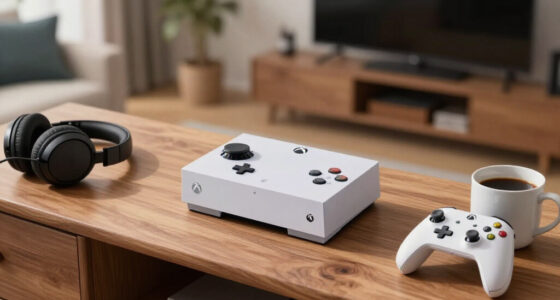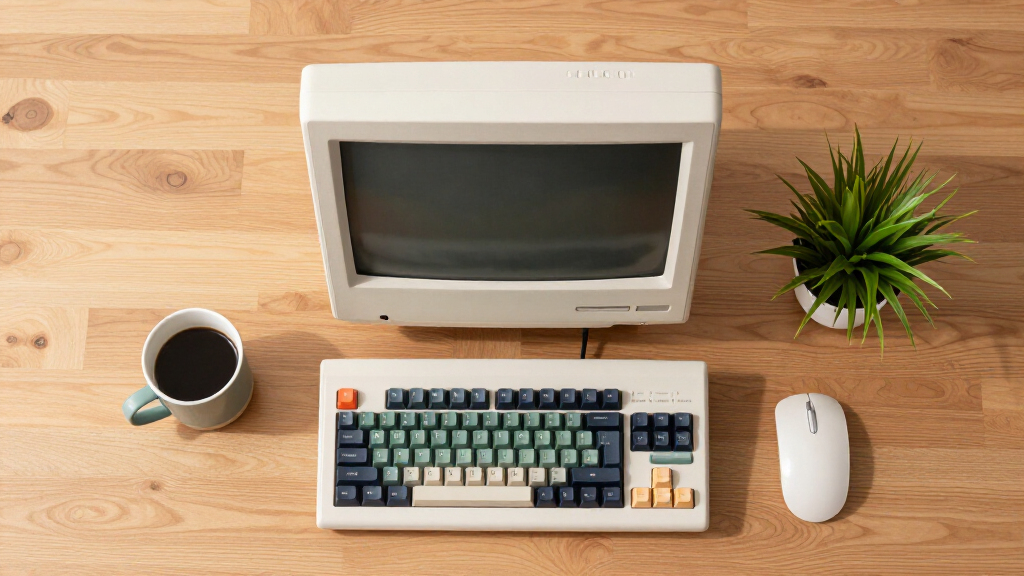

The best retro home computer overall in this lineup is the Atari 800XL for buyers who want an authentic vintage machine, while the THE400 Mini is a simpler pick for revisiting Atari games and the Retro DOS Laptop suits portable DOS-era computing. The main choice is between original hardware, a purpose-built retro system, and a modern mini PC that can run contemporary software but may need extra setup for older programs. Vintage systems offer a period-correct experience, while newer options bring easier everyday connectivity and more current components. I compare all seven by how well they serve distinct retro-computing needs, not by treating every small desktop as a classic computer. Read on for the full breakdown and guidance on which tradeoffs matter most.

Get the latest gadgets delivered free with Prime
- Fast, free delivery on millions of items
- Prime Video, Amazon Music and more included
- Member-only deals all year
Complete the kit



Key Takeaways
- The Atari 800XL is the most authentic home-computer choice in this group, but its vintage status brings practical setup and upkeep questions that do not apply to new devices.
- THE400 Mini favors accessible Atari-style play over full vintage-computer ownership, so buyers seeking a simple gaming-focused experience should not mistake it for an original 800XL.
- The Retro DOS Laptop is the clearest portable period-computing option; its 386SX-era specifications make it more suited to older DOS software than to modern desktop tasks.
- The modern mini PCs are not retro computers by themselves. They offer newer hardware for a compact desktop, but recreating a classic experience depends on software, configuration, and compatibility.
- Among the modern PCs, the ACEMAGIC Retro X3 has the strongest stated memory and connectivity profile, while the BOSGAME E4 stands out for its 1TB SSD and dual Gigabit Ethernet; the KAMRUI and R2544 ACEMAGIC models share more modest 256GB storage.


| retro home computer | Processor | Memory | Storage | Graphics |
|---|---|---|---|---|
| THE400 Mini | — | — | — | — |
| BOSGAME E4 Mini PC | AMD Ryzen 5 3550H, up to 3.7GHz | 16GB DDR4 | 1TB NVMe SSD | Radeon Vega 8 integrated graphics |
| ACEMAGIC Retro X3 Mini Gaming | AMD Ryzen 7 H 255, 8 cores/16 threads, up to 4.9GHz | 16GB LPDDR5, 6400MT/s; soldered | 1TB NVMe PCIe 4.0 SSD, expandable up to 4TB | Radeon 780M, 12 compute units, RDNA 3 |
| KAMRUI Pinova P1 Mini PC Windo | AMD Ryzen R2544, up to 3.7GHz | 16GB DDR4 | 256GB SSD, expandable up to 4TB | AMD Radeon Graphics |
| Atari 800XL Home Computer Syst | — | — | — | — |
| Retro DOS Laptop 386SX-40MHz w | 386SX-40MHz, M6117 chipset | 16MB RAM | 1GB CF card | SVGA with 512KB video memory |
| ACEMAGIC Mini PC Windows 11 Pr | AMD Ryzen R2544, 4 cores/8 threads, 3.35GHz base and 3.7GHz maximum | 16GB DDR4 | 256GB M.2 SSD, expandable to 2TB | AMD Radeon Graphics, 5 cores at 1400MHz |
More Details on Our Top Picks
THE400 Mini
The THE400 Mini is the clearest fit here for someone who wants an Atari-era computer experience rather than a modern desktop styled to look retro. It emulates 8-bit Atari systems, including the 400, 5200, and XL series, and sends video to a current display over HDMI. That makes setup more straightforward than with the vintage Atari 800XL, which is actual period hardware but brings the uncertainties of an older used machine. The small, Atari-inspired case also gives it more nostalgic presence than the BOSGAME E4, though the BOSGAME is far more capable for everyday computing. The tradeoff is a purpose-built, limited platform: its listed 128 MB storage is modest, and the supplied details do not clarify update support or included accessories. Choose it for Atari-focused play, not general PC tasks.
Pros:- Emulates Atari 400, 5200, and XL-era systems
- HDMI output connects to modern displays
- Compact case draws on Atari 400 styling
- A simpler route to Atari emulation than sourcing vintage hardware
Cons:- 128 MB listed storage limits room for content
- Software update details are not provided
- Included controllers and accessories are not specified
Best for: Atari enthusiasts who want several 8-bit Atari systems in a compact device with HDMI output for a modern display.
Not ideal for: Buyers seeking a full desktop for current software, extensive storage, or clearly documented upgrade and accessory options.
- Platform:Atari 800
- Emulation:8-bit Atari systems, including Atari 400, 5200, and XL series
- Connectivity:HDMI
- Resolution:720p
- Memory storage:128 MB
- Wireless:Wi-Fi
- Input device:Joystick
- Weight:80 g
Our verdict“Choose the THE400 Mini for compact Atari-focused nostalgia; pick the vintage Atari 800XL instead if original hardware matters more than modern-display convenience.”
BOSGAME E4 Mini PC, AMD Ryzen 5 3550H, 16GB DDR4, 1TB NVMe SSD, Supports Triple 4K Displays, Dual Gigabit Ethernet, Small Form Factor Desktop
The BOSGAME E4 is the practical pick for a buyer whose idea of a retro home computer is a small desktop that leaves room for old-school projects alongside current work. Its Ryzen 5 3550H, 16GB of RAM, and 1TB NVMe SSD make it much more suited to everyday multitasking than the THE400 Mini or the original Atari 800XL, neither of which is presented as a modern Windows PC. Triple-display support and dual Gigabit Ethernet also favor desk and office setups over nostalgia-focused play. That capability comes with a clear mismatch for a retro-computer roundup: its listed design is a plain black mini PC, not vintage-inspired hardware, and integrated Vega 8 graphics are not a substitute for a dedicated gaming GPU. I would choose it for compact utility, not for the most authentic period look.
Pros:- 16GB DDR4 memory and 1TB NVMe storage suit everyday multitasking
- Supports up to three 4K displays
- Dual Gigabit Ethernet offers flexible wired networking
- Supports Windows 11 Pro and Linux or Ubuntu
Cons:- Black contemporary case has little retro-computer character
- Integrated Radeon Vega 8 graphics are less suited to demanding gaming
- Needs external peripherals for a complete desktop setup
Best for: Home-office users who want a compact Windows or Linux desktop for multitasking, multiple displays, and wired networking.
Not ideal for: Collectors seeking vintage styling, original computer hardware, or a dedicated graphics card for demanding games.
- Processor:AMD Ryzen 5 3550H, up to 3.7GHz
- Memory:16GB DDR4
- Storage:1TB NVMe SSD
- Graphics:Radeon Vega 8 integrated graphics
- Video outputs:HDMI, DisplayPort, USB-C
- Display support:Up to three 4K displays
- Networking:Dual Gigabit Ethernet
- Operating system:Windows 11 Pro; supports Linux and Ubuntu
Our verdict“Pick the BOSGAME E4 if compact modern PC capability matters more than retro styling or original hardware.”
ACEMAGIC Retro X3 Mini Gaming PC Ryzen 7 H 255, 16GB LPDDR5, 1TB NVMe SSD, Windows 11 Pro, 8K Support, WiFi6E, Small Desktop for Business and Home
The ACEMAGIC Retro X3 earns its place through the strongest blend of retro-inspired looks and modern performance in this group. Its Ryzen 7 H 255 and Radeon 780M graphics give it a more substantial modern-computing profile than the THE400 Mini, which is focused on 8-bit Atari emulation, while the 1TB SSD and Wi-Fi 6E make it better suited to a current home setup. Compared with the BOSGAME E4, the X3 has newer listed graphics and 8K output support, but its LPDDR5 memory is soldered and not upgradeable. That limits how far the system can grow, even with storage expansion available. This is the pick for buyers who want a compact machine with nostalgic design cues, not for someone seeking original Atari hardware or a dedicated retro platform.
Pros:- Retro-inspired compact design pairs nostalgia with current PC hardware
- Ryzen 7 H 255 and Radeon 780M graphics offer broad modern-use capability
- 1TB PCIe 4.0 SSD is expandable up to 4TB
- Wi-Fi 6E, USB4, and 8K display support provide current connectivity
Cons:- 16GB LPDDR5 memory is soldered and cannot be upgraded
- Small form factor limits internal expansion
- Modern retro styling does not provide an original vintage-computer experience
Best for: Buyers who want a retro-styled compact Windows PC for modern gaming, creative work, and high-resolution display use.
Not ideal for: Retro-computing purists seeking an original-era machine, or PC owners who want to upgrade memory later.
- Processor:AMD Ryzen 7 H 255, 8 cores/16 threads, up to 4.9GHz
- Graphics:Radeon 780M, 12 compute units, RDNA 3
- Memory:16GB LPDDR5, 6400MT/s; soldered
- Storage:1TB NVMe PCIe 4.0 SSD, expandable up to 4TB
- Wireless:Wi-Fi 6E and Bluetooth 5.2
- Video connectivity:HDMI 2.1, DisplayPort 2.0, USB4 Type-C; supports 8K output
- Ports:6 USB-A 3.2, 1 USB-C, 2.5Gbps Ethernet, 3.5mm audio
- Warranty:2 years
Our verdict“Choose the Retro X3 for a modern, capable mini PC with retro styling, but choose the THE400 Mini for dedicated Atari emulation.”
KAMRUI Pinova P1 Mini PC Windows 11 Pro, AMD Ryzen R2544, 16GB RAM, 256GB SSD, Triple 4K Display, WiFi, Bluetooth, Compact Desktop for Business & Home Office
The KAMRUI Pinova P1 is a compact modern desktop first, with its strongest appeal in a tidy home-office setup rather than a period-correct computer collection. At 5.05 inches square and with VESA mounting, it can keep a desk clear in a way the vintage Atari 800XL cannot, while its triple-4K output gives it more display flexibility than the THE400 Mini. The Ryzen R2544 and 16GB of RAM are aimed at general multitasking, but the included 256GB SSD is much smaller than the BOSGAME E4’s 1TB drive. Storage can be expanded, though buyers with large libraries should plan for that. Its integrated Radeon graphics also make it a poor choice for demanding modern games. I would shortlist it for a compact work machine, not for authentic retro computing.
Pros:- Small 5.05-inch-square footprint helps save desk space
- VESA mounting supports an out-of-sight installation
- Triple 4K display support suits multi-screen work
- Storage can be expanded up to 4TB
Cons:- 256GB SSD provides less included storage than the BOSGAME E4
- Integrated Radeon graphics are not suited to demanding graphics workloads
- Setup features such as PXE boot may be less approachable for nontechnical buyers
Best for: Home-office users with limited desk space who need a compact PC, VESA mounting, and multiple high-resolution displays.
Not ideal for: Vintage-computer collectors, buyers with large storage needs out of the box, or people seeking high-end gaming graphics.
- Processor:AMD Ryzen R2544, up to 3.7GHz
- Memory:16GB DDR4
- Storage:256GB SSD, expandable up to 4TB
- Graphics:AMD Radeon Graphics
- Display support:Triple 4K via HDMI, DisplayPort 1.4, and Type-C
- Wireless:Dual-band 2.4GHz/5GHz Wi-Fi and Bluetooth
- Dimensions:5.05 x 5.05 x 2 inches
- Features:VESA mount, Wake On LAN, PXE Boot, RTC Wake, Auto Power On
Our verdict“Choose the Pinova P1 for a compact multi-display office PC, not for vintage hardware or graphics-heavy gaming.”
Atari 800XL Home Computer System (Vintage)
The Atari 800XL is the most direct choice here for buyers who value real vintage hardware over a modern device that recreates an older computer. This used system is described as tested and working, with functional memory, sound, and keyboard—details that make it a more grounded purchase than an unspecified vintage unit. Compared with the THE400 Mini, the 800XL offers the original machine rather than emulation, while the Mini is the easier fit for HDMI-connected setups and several emulated Atari systems. The tradeoff is age and uncertainty: the listing gives little detail about included software or accessories, and its listed USB connectivity is not enough to clarify how it connects to a modern display. This is best for collectors comfortable with vintage hardware, not plug-and-play convenience seekers.
Pros:- Original Atari 800XL hardware rather than an emulation device
- Listing states the unit has been tested and works
- Memory, sound, and keyboard are reported functional
- Iconic vintage design suits a period-computer collection
Cons:- Used hardware can carry age-related reliability uncertainty
- Included accessories and software are not specified
- Listed USB connectivity does not clarify modern display compatibility
Best for: Collectors and Atari enthusiasts who specifically want a tested, original Atari 800XL with working keyboard, sound, and memory.
Not ideal for: Buyers who need a clearly documented modern-display connection, included software, or the simpler setup of a compact emulation device.
- Brand:Atari
- Model:800XL
- Condition:Used, tested working
- Reported working components:Memory, sound, and keyboard
- Color:Beige
- Listed input device:Gamepad
- Listed connectivity:USB
Our verdict“Choose the Atari 800XL if original hardware is the priority; choose the THE400 Mini for a more straightforward route to Atari-era emulation on a modern display.”
Retro DOS Laptop 386SX-40MHz with 9.7-Inch IPS LCD, 16MB RAM, 1GB CF Storage
For buyers seeking a period-style DOS experience rather than a modern PC in a retro shell, this 386SX laptop is the most distinctive choice in this group. Its 40MHz processor, 16MB of RAM, Adlib-compatible sound, and joystick port suit vintage software and games, while the built-in 9.7-inch display and battery make it easier to use as a self-contained machine than the Atari 800XL. The CF card provides storage without relying on floppy disks, though floppy support needs an external drive. Its 1024×600 screen and SVGA graphics are modernized elements, so it is not a strict replica of a particular 386-era laptop. Compared with the ACEMAGIC Mini PC, it gives up everyday speed and current connectivity for a much more period-focused computing experience; its limited memory and lack of usable internet are meaningful constraints.
Pros:- 386SX processor, Adlib-compatible sound, and joystick interface suit vintage DOS programs and games
- Built-in 9.7-inch screen and lithium battery allow portable use without a separate monitor
- CF storage offers a practical alternative to floppy disks for loading and storing software
- Serial, parallel, and USB ports support a mix of period peripherals and flash storage
Cons:- 16MB RAM and 386SX performance limit the machine to older, compatible software
- Listed network hardware does not provide internet support
- Floppy disks require an external drive, and the built-in battery runtime is approximately two hours
Best for: Retro-computing collectors and DOS gaming enthusiasts who want a portable, self-contained machine for compatible vintage software
Not ideal for: Buyers who need current web access, broad modern software compatibility, or enough performance for everyday computing
- Processor:386SX-40MHz, M6117 chipset
- Memory:16MB RAM
- Storage:1GB CF card
- Display:9.7-inch IPS LCD, 4:3 aspect ratio
- Display resolution:1024×600 pixels
- Graphics:SVGA with 512KB video memory
- Sound:Adlib compatible, YMF262-M
- Ports:USB, DB15 joystick, RS-232 serial, DB25 parallel
- Battery:Built-in 18650 lithium battery; approximately 2 hours runtime
Our verdict“Choose this laptop for portable DOS-era software and gaming, but pick the ACEMAGIC Mini PC for modern applications and connectivity.”
ACEMAGIC Mini PC Windows 11 Pro, AMD Ryzen R2544, 16GB DDR4, 256GB SSD, 4K Triple Display, WiFi, Bluetooth, LAN, Compact Desktop
This ACEMAGIC is the practical pick for someone who wants a compact modern computer in a roundup centered on home-computing history, not a machine that recreates it. Windows 11 Pro, a Ryzen R2544 processor, and triple-4K display support make it far more suited to current office tasks and multitasking than the 386SX laptop, while its small VESA-mountable body can keep a desk uncluttered. Wi-Fi, Bluetooth, and six USB-A ports also make it easier to connect current peripherals than the Atari 800XL. Those strengths are precisely where it departs from the retro brief: it offers no period hardware or classic operating environment. Its 256GB SSD may call for expansion for large libraries, and fan noise can rise under heavy workloads. Buyers choosing for historical character should favor the DOS laptop instead.
Pros:- Ryzen R2544 and 16GB RAM are suited to everyday Windows multitasking
- Supports up to three 4K displays through HDMI 2.0 and DisplayPort 1.4
- Compact 5 x 5 x 1.6-inch design supports a space-saving VESA-mounted setup
- Includes Wi-Fi 5, Bluetooth 4.2, Gigabit Ethernet, and multiple USB ports
Cons:- Modern Windows hardware does not reproduce the software or feel of a retro home computer
- 256GB SSD may be restrictive for users with large media or game libraries
- Cooling fan can become more audible under heavy load
Best for: Home-office users who want a small Windows 11 PC for multitasking, several 4K displays, and modern peripherals
Not ideal for: Retro-computer collectors seeking original-era hardware, DOS compatibility, or the distinctive experience of a classic home computer
- Processor:AMD Ryzen R2544, 4 cores/8 threads, 3.35GHz base and 3.7GHz maximum
- Memory:16GB DDR4
- Storage:256GB M.2 SSD, expandable to 2TB
- Graphics:AMD Radeon Graphics, 5 cores at 1400MHz
- Display output:HDMI 2.0 and DisplayPort 1.4; triple 4K support
- Connectivity:Wi-Fi 5, Bluetooth 4.2, Gigabit Ethernet
- Ports:6 USB 3.2 Type-A and 1 USB Type-C
- Dimensions:5 x 5 x 1.6 inches
- Operating system:Windows 11 Pro
Our verdict“Choose this mini PC for current Windows work in a compact space, not for an authentic retro-computing experience.”
How We Picked
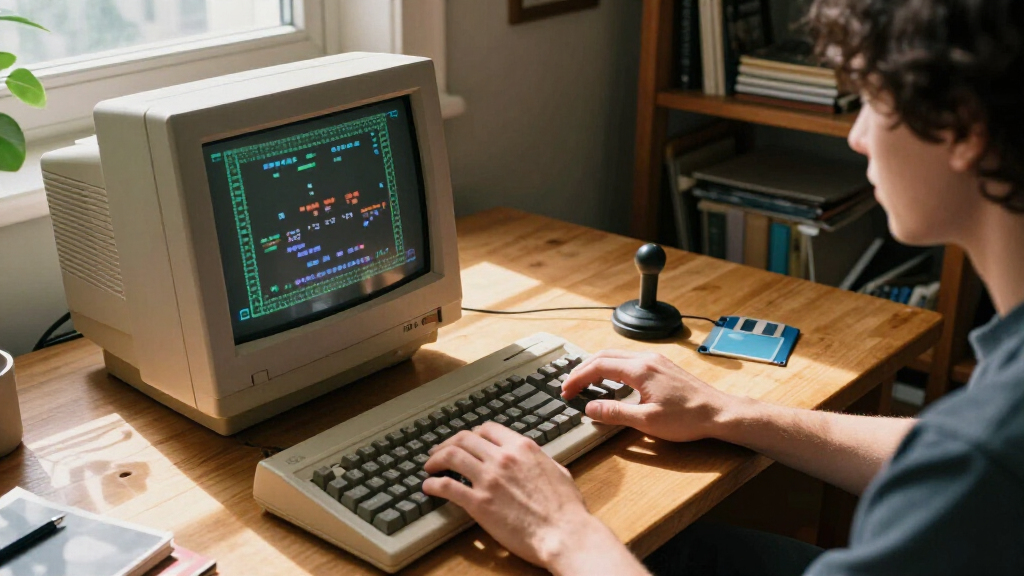
I ranked these options by how directly they answer the search for a retro home computer, then by practical usability, hardware fit, and the effort a buyer may face before getting started. That gives authentic vintage hardware and dedicated retro-focused devices an advantage over generic modern mini PCs, even when the latter have newer processors, larger storage, or broader display support. I also looked at whether each product’s stated features match a distinct buyer need, such as period-correct computing, accessible classic gaming, portable DOS use, or a compact modern desktop.
The ranking reflects meaningful differences rather than treating all seven as interchangeable. The Atari 800XL leads for authenticity, while THE400 Mini offers a less involved route into Atari nostalgia; the DOS laptop earns its place through its specific portable DOS format. The modern PCs are assessed as flexible hardware platforms, not as ready-made retro experiences, and their relative position reflects their listed specifications and the gap between current computing capability and vintage-software compatibility.
| retro home computer | Graphics |
|---|---|
| THE400 Mini | — |
| BOSGAME E4 Mini PC | Radeon Vega 8 integrated graphics |
| ACEMAGIC Retro X3 Mini Gaming | Radeon 780M, 12 compute units, RDNA 3 |
| KAMRUI Pinova P1 Mini PC Windo | AMD Radeon Graphics |
| Atari 800XL Home Computer Syst | — |
| Retro DOS Laptop 386SX-40MHz w | SVGA with 512KB video memory |
| ACEMAGIC Mini PC Windows 11 Pr | AMD Radeon Graphics, 5 cores at 1400MHz |
Factors to Consider When Choosing Best Retro Home Computers
Before choosing, decide whether “retro” means owning period hardware, playing classic games with less setup, or building a modern compact PC for older software. That distinction matters more than a processor name or display figure: each route brings different compatibility, maintenance, and convenience tradeoffs.
Decide What Retro Means to You
A vintage computer offers original-era hardware and a more historically faithful experience, but it may require extra work to connect, maintain, or use with modern displays and peripherals. A dedicated retro device can reduce some of that friction, though it may focus on a narrower experience than a full home computer. A modern mini PC is the most flexible base for current desktop tasks, but it does not automatically recreate classic hardware or guarantee that old software will run as expected. Buyers often choose by appearance alone and only later discover that they wanted a gaming device, a working vintage computer, or a compact daily-use PC. Write down the programs or activities you actually want to run before comparing products. That simple distinction points toward the Atari 800XL, THE400 Mini, DOS laptop, or one of the modern systems more reliably than the word “retro” on a product page.
Check Software Compatibility Before Buying
Classic software can depend on a specific processor, operating system, graphics mode, or peripheral, so a newer computer is not always a straightforward upgrade for an old program. A modern mini PC may need an appropriate operating environment or other setup before it can serve as a useful retro-computing platform. A period machine can offer a closer match to software written for its era, but that does not mean every vintage program or accessory will be ready to use. Check the exact titles, file formats, and accessories you care about rather than assuming that “DOS-compatible” or “retro” covers everything. Emulation can make some older software more accessible, but it is a separate approach from running original hardware. If compatibility is the main goal, favor a product whose intended software path is clear over one chosen only for higher specs.
Plan for Connections and Display Setup
Older computers and modern televisions or monitors may use different video and peripheral connections, which can add adapters or configuration to a vintage setup. A modern mini PC’s stated support for multiple displays can help with current desks, but it says little about whether it will connect easily to period accessories. Count the ports you need for a keyboard, mouse, storage, network, and display before deciding that a compact chassis is convenient. Buyers can also mistake high-resolution output support for improved compatibility with old games; display capability and software behavior are separate issues. For vintage hardware, research the exact connection path to your screen before purchase. For a modern system, check that its listed ports match your actual desk and any retro controllers or adapters you plan to use.
Balance Vintage Authenticity Against Maintenance
An original home computer can provide the strongest sense of period ownership, but its age makes condition, missing parts, and future repair needs part of the buying decision. Confirm what is included and whether the seller describes the machine’s working state, power supply, keyboard, and storage. Do not assume that a vintage system is ready for long-term use just because it powers on; storage media and other aging components can affect reliability. A purpose-built device or new mini PC generally avoids some age-related concerns, though it cannot provide the same original hardware experience. Set aside time and possible repair effort as part of the purchase, not as an afterthought. If you prefer a device that asks less of you, favor a simpler retro-focused option over an unverified vintage unit.
Choose Modern Mini PC Specs for a Real Workload
Memory, storage, and display support matter most when the mini PC will also handle current desktop work, not simply because larger numbers sound more future-proof. In this group, the BOSGAME E4 and ACEMAGIC Retro X3 list 1TB NVMe storage, while the KAMRUI and R2544 ACEMAGIC models list 256GB SSDs; that difference affects how much room is available for files and applications. The Retro X3 lists 16GB LPDDR5 and Wi-Fi 6E, while the other modern options list different processor and connection details that may better match a particular office setup. Extra display outputs are useful only if you intend to connect multiple screens. Check whether the operating system, ports, and network connections fit your day-to-day needs, then consider retro software as a separate compatibility question. Paying for stronger modern specifications will not by itself make a system more authentic or more compatible with vintage programs.
Account for the Whole Setup
The computer is only one part of a usable retro setup: a screen, input devices, power, storage media, and sometimes adapters or software may also be needed. Product names and specifications do not always make clear which accessories are included, so verify the box contents before relying on a particular keyboard, cable, or controller. This matters especially when comparing a vintage home computer with a compact modern desktop, since their requirements can differ considerably. A small chassis saves desk space, but it may shift work to external accessories or a separate display. Buyers on a tight setup budget should compare the complete kit they need, not just the computer. Choosing a device with fewer missing pieces can be more practical than buying a higher-spec system that requires several extra purchases.
Frequently Asked Questions
Should I buy the Atari 800XL or THE400 Mini for Atari nostalgia?
Choose the Atari 800XL if original-era home-computer hardware is the point of the purchase and you are prepared to check condition, connections, and included accessories. The THE400 Mini is the more focused choice for buyers who mainly want an accessible Atari-style gaming experience rather than vintage computer ownership. They are not interchangeable: one is a vintage computer system, while the other serves a more streamlined retro-gaming role. Before buying the 800XL, confirm that the specific unit and its peripherals are complete and working. If you want fewer vintage-hardware questions, the Mini’s role is a better fit.
Can a modern mini PC replace a vintage computer for old software?
Not automatically. A modern mini PC can provide current desktop hardware, but older software may rely on operating systems, hardware behavior, or accessories that it does not reproduce by default. Some buyers use emulation or other software tools, but setup and compatibility depend on the programs they want to run. The BOSGAME E4, ACEMAGIC Retro X3, KAMRUI Pinova P1, and R2544 ACEMAGIC are better viewed as compact modern computers than as ready-made vintage replacements. If exact period behavior matters, an original system or a clearly defined emulation setup is a safer starting point.
Is the Retro DOS Laptop a good choice for modern everyday computing?
The Retro DOS Laptop is best matched to portable DOS-era computing, not to the expectations of a current general-purpose laptop. Its listed 386SX-40MHz processor, 16MB RAM, and 1GB CF storage describe a system aimed at older software and a period-style experience. Those specifications make it distinct from the modern mini PCs, which are the more sensible choices for current desktop applications and newer connectivity needs. Before choosing the laptop, identify the DOS programs or activities you want to use and check their requirements. If you mainly need web, office, or contemporary applications, look to a modern system instead.
Which modern mini PC makes the most sense if I also need a work computer?
Start with the work setup rather than the retro label. The ACEMAGIC Retro X3 lists a Ryzen 7 H 255, 16GB LPDDR5, 1TB NVMe SSD, Windows 11 Pro, and Wi-Fi 6E, while the BOSGAME E4 lists a Ryzen 5 3550H, 16GB DDR4, 1TB NVMe SSD, and dual Gigabit Ethernet. The KAMRUI Pinova P1 and R2544 ACEMAGIC list 256GB SSDs, which may be enough for a lighter desktop but leave less listed storage. Compare the required connections, operating system, and workloads, then research how you will run any classic software separately. None of those modern specifications alone settles vintage compatibility.
What should I check before buying a vintage Atari 800XL?
Ask for the exact unit’s working condition and check which parts are included, especially the power supply, keyboard, storage-related accessories, and any cables needed for your display. Confirm how you will connect it to your screen and whether you need adapters or additional peripherals. Vintage hardware can require maintenance even when a seller reports that it powers on, so treat condition details as part of the decision rather than a minor detail. Also verify that the software and accessories you want to use are suitable for the system. If you prefer to avoid those checks and upkeep, THE400 Mini is the more approachable Atari-themed alternative in this roundup.
Conclusion
For best overall authenticity, I recommend the Atari 800XL, provided you are comfortable checking a vintage system’s condition and setup needs. For best value in a focused Atari experience, choose THE400 Mini; for beginners who want a less involved way into Atari nostalgia, it is also the easiest fit in this lineup. The best premium modern option by listed specifications is the ACEMAGIC Retro X3, with its Ryzen 7 H 255, 16GB LPDDR5, and 1TB NVMe SSD, though it is a modern PC rather than an original retro computer. Choose the Retro DOS Laptop for portable DOS-era use, or the BOSGAME E4 if a compact modern desktop with 1TB storage and dual Gigabit Ethernet better suits your needs. The KAMRUI Pinova P1 and R2544 ACEMAGIC are alternatives for buyers whose modern desktop requirements fit their listed 256GB storage. Match the purchase to the experience you want: original hardware, accessible classic gaming, portable DOS, or a current mini PC configured for older software.
Halloween Picks

10-Foot Halloween Inflatable Double-Headed Dragon Archway

Panefright Halloween Window Projector – Scary Projector for Spooky Decor

11.2-Foot Halloween Inflatable Pumpkin with LED Lights
As an affiliate, we earn on qualifying purchases.