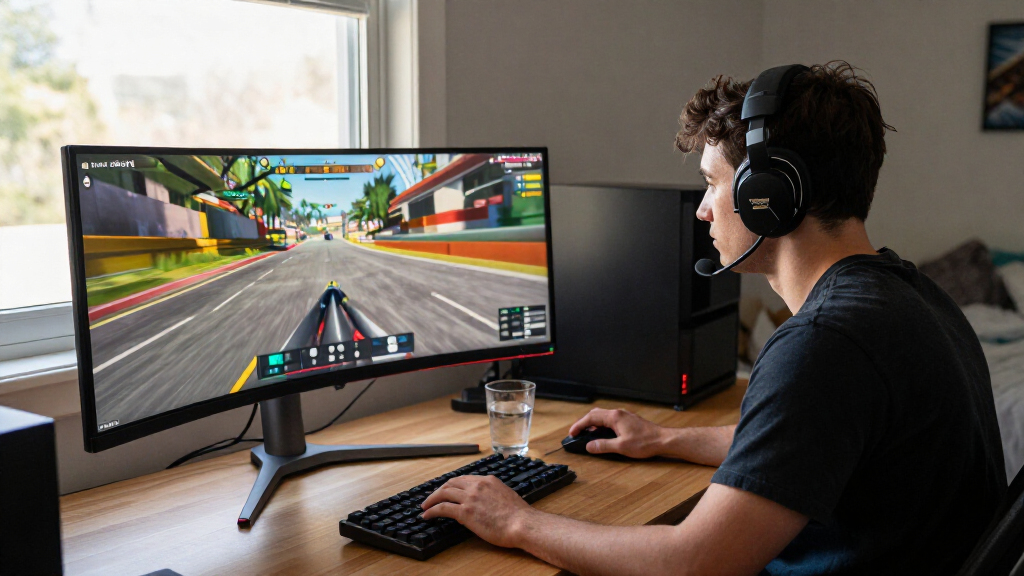
Choosing the best 34 inch gaming monitors requires balancing panel technology with refresh rates and budget. The Samsung Odyssey OLED G8 stands out as the best overall pick for its perfect blacks and instant response times, ideal for competitive play. For those prioritizing value, the Acer Nitro EDA340CUR offers a strong 200Hz IPS experience without the premium price tag. Meanwhile, the LG UltraGear 34G600A-B provides excellent connectivity for console gamers. The main tradeoff in this category is between the superior contrast of OLED panels and the brightness and burn-in peace of mind offered by LCD alternatives. Continue reading for a detailed breakdown of these options and how to select the right screen for your setup.

Get the latest gadgets delivered free with Prime
- Fast, free delivery on millions of items
- Prime Video, Amazon Music and more included
- Member-only deals all year
Complete the kit



Key Takeaways
- OLED panels dominate the premium segment for contrast, but IPS options remain safer for static desktop use.
- Refresh rates above 165Hz are now standard, making sub-144Hz models poor value for competitive gamers.
- USB-C connectivity is a key differentiator for hybrid work-and-play setups, often found on mid-tier LG and Samsung models.
- Curvature is uniform across 34-inch ultrawides, so panel type (VA vs. IPS vs. OLED) dictates image quality more than curve radius.
- HDR performance is highly variable; true HDR requires OLED or high-end Mini-LED, while basic HDR10 on budget LCDs offers little benefit.
| Acer Nitro EDA340CUR 34-Inch Curved WQHD Gaming Monitor |  | Best High-Refresh Value | Screen Size: 34 inches | Resolution: 3440 × 1440 | Refresh Rate: 200 Hz | VIEW LATEST PRICE | See Our Full Breakdown |
| LG 34-inch UltraWide WQHD Curved Monitor, 120Hz, HDR10 |  | Best for Productivity & Mixed Use | Screen Size: 34 inches | Resolution: 3440 × 1440 | Refresh Rate: 120 Hz | VIEW LATEST PRICE | See Our Full Breakdown |
| Samsung Odyssey OLED G8 34-Inch Curved Ultra WQHD Gaming Monitor |  | Best Premium Visual Quality | Screen Size: 34 inches | Resolution: 3440 × 1440 | Refresh Rate: 175 Hz | VIEW LATEST PRICE | See Our Full Breakdown |
| LG UltraGear 34G600A-B 34-Inch Curved WQHD Gaming Monitor |  | Best Balanced Performance | Screen Size: 34 inches | Resolution: 3440 × 1440 | Refresh Rate: 160 Hz | VIEW LATEST PRICE | See Our Full Breakdown |
| SANSUI 34-Inch Curved UWQHD Gaming Monitor, 240Hz |  | Best for Maximum Refresh Rate | Screen Size: 34 inches | Resolution: 3440 × 1440 | Refresh Rate: 240 Hz | VIEW LATEST PRICE | See Our Full Breakdown |
| LG UltraGear 34-Inch Curved WQHD Gaming Monitor |  | Best for Hybrid Work and Play | Screen Size: 34 inches | Resolution: 3440 x 1440 (WQHD) | Refresh Rate: 240Hz | VIEW LATEST PRICE | See Our Full Breakdown |
| Sceptre 34-Inch Curved Ultrawide WQHD Monitor |  | Best Budget Entry Point | Screen Size: 34 inches | Resolution: 3440 x 1440 (WQHD) | Refresh Rate: Up to 180Hz | VIEW LATEST PRICE | See Our Full Breakdown |
| Sceptre E345W Series 34-inch Ultrawide Gaming Monitor |  | Best for Casual Gaming and Multitasking | Screen Size: 34 inches | Resolution: 3440 x 1440 (UWQHD) | Refresh Rate: 115Hz (DisplayPort) | VIEW LATEST PRICE | See Our Full Breakdown |
| SANSUI 34-Inch Curved UWQHD Gaming Monitor |  | Best for High-Contrast Visuals | Screen Size: 34 inches | Resolution: 3440 x 1440 | Refresh Rate: 200Hz | VIEW LATEST PRICE | See Our Full Breakdown |
| Sceptre C345B-QU240T 34-Inch Curved Ultrawide Gaming Monitor |  | Best for High-Refresh Motion Clarity | Screen Size: 34 inches | Resolution: 3440 x 1440 | Refresh Rate: 240Hz | VIEW LATEST PRICE | See Our Full Breakdown |
| LG UltraGear 34-Inch Curved QHD Gaming Monitor |  | Best Balanced Performance | Screen Size: 34 inches | Resolution: 3440 × 1440 (QHD) | Refresh Rate: 160Hz | VIEW LATEST PRICE | See Our Full Breakdown |
| MSI MAG 346CQDF E20 34-Inch UWQHD Curved Gaming Monitor |  | Best High-Refresh Value | Screen Size: 34 inches | Resolution: 3440 × 1440 (UWQHD) | Refresh Rate: 200Hz | VIEW LATEST PRICE | See Our Full Breakdown |
| AOC CU34G4H 34-Inch Curved UWQHD Gaming Monitor |  | Best Connectivity & Flexibility | Screen Size: 34 inches | Resolution: 3440 × 1440 | Refresh Rate: Up to 200Hz (DP), 100Hz (HDMI) | VIEW LATEST PRICE | See Our Full Breakdown |
| Alienware AW3425DWM 34-Inch Curved WQHD Gaming Monitor |  | Best Premium Experience | Screen Size: 34 inches | Resolution: 3440 x 1440 | Refresh Rate: 180 Hz | VIEW LATEST PRICE | See Our Full Breakdown |
| Samsung 34-inch ViewFinity S50GC Ultra-WQHD Monitor |  | Best for Productivity & Multitasking | Screen Size: 34 inches | Resolution: 3440 × 1440 pixels | Refresh Rate: 100 Hz | VIEW LATEST PRICE | See Our Full Breakdown |
| 34 inch gaming monitor | Screen Size | Resolution | Refresh Rate | Panel Type |
|---|---|---|---|---|
| Acer Nitro EDA340CUR 34-Inch C | 34 inches | 3440 × 1440 | 200 Hz | VA |
| LG 34-inch UltraWide WQHD Curv | 34 inches | 3440 × 1440 | 120 Hz | VA LED |
| Samsung Odyssey OLED G8 34-Inc | 34 inches | 3440 × 1440 | 175 Hz | OLED |
| LG UltraGear 34G600A-B 34-Inch | 34 inches | 3440 × 1440 | 160 Hz | VA LED |
| SANSUI 34-Inch Curved UWQHD Ga | 34 inches | 3440 × 1440 | 240 Hz | VA LED |
| LG UltraGear 34-Inch Curved WQ | 34 inches | 3440 x 1440 (WQHD) | 240Hz | VA |
| Sceptre 34-Inch Curved Ultrawi | 34 inches | 3440 x 1440 (WQHD) | Up to 180Hz | — |
| Sceptre E345W Series 34-inch U | 34 inches | 3440 x 1440 (UWQHD) | 115Hz (DisplayPort) | VA |
| SANSUI 34-Inch Curved UWQHD Ga | 34 inches | 3440 x 1440 | 200Hz | — |
| Sceptre C345B-QU240T 34-Inch C | 34 inches | 3440 x 1440 | 240Hz | — |
| LG UltraGear 34-Inch Curved QH | 34 inches | 3440 × 1440 (QHD) | 160Hz | VA |
| MSI MAG 346CQDF E20 34-Inch UW | 34 inches | 3440 × 1440 (UWQHD) | 200Hz | VA LCD |
| AOC CU34G4H 34-Inch Curved UWQ | 34 inches | 3440 × 1440 | Up to 200Hz (DP), 100Hz (HDMI) | VA |
| Alienware AW3425DWM 34-Inch Cu | 34 inches | 3440 x 1440 | 180 Hz | — |
| Samsung 34-inch ViewFinity S50 | 34 inches | 3440 × 1440 pixels | 100 Hz | — |
More Details on Our Top Picks
Acer Nitro EDA340CUR 34-Inch Curved WQHD Gaming Monitor
This monitor stands out for delivering 200Hz refresh rates at an accessible price point, making it a strong contender for competitive players on a budget. Compared to the LG 34-inch UltraWide (Product 2), which caps out at 120Hz, the Acer offers significantly smoother motion for fast-paced shooters. The VA panel provides deep blacks and good contrast, though it lacks the pixel-perfect clarity of the Samsung Odyssey OLED (Product 3). While the 1500R curve enhances immersion, the limited tilt adjustment (-5° to 20°) restricts ergonomic flexibility. It is a solid choice for gamers who prioritize frame rate over color accuracy or HDR performance.
Pros:- 200Hz refresh rate supports smooth, tear-free gameplay
- 0.5ms response time minimizes motion blur
- Matte screen finish reduces glare effectively
- AMD FreeSync Premium ensures variable refresh rate support
Cons:- Limited ergonomic adjustment (tilt only, no height/swivel)
- VA panel may exhibit slight ghosting in dark scenes
- HDR10 support is basic and lacks peak brightness
Best for: Competitive gamers who need high refresh rates and low input lag without paying for premium panel technology.
Not ideal for: Content creators or HDR enthusiasts, as the color gamut and HDR10 implementation are basic compared to OLED or IPS alternatives.
- Screen Size:34 inches
- Resolution:3440 × 1440
- Refresh Rate:200 Hz
- Panel Type:VA
- Response Time:0.5 ms GTG
- Curvature:1500R
- Connectivity:DisplayPort, HDMI
Our verdict“Choose this for high-speed gaming performance if you can accept limited ergonomic adjustments.”
LG 34-inch UltraWide WQHD Curved Monitor, 120Hz, HDR10
This model excels in versatility, offering a 21:9 aspect ratio that is ideal for multitasking alongside casual gaming. Unlike the Acer Nitro (Product 1), which focuses purely on speed, this LG monitor includes Reader Mode and a height-adjustable stand, making it better suited for long work sessions. The 120Hz refresh rate is sufficient for most single-player titles but falls short of the 240Hz offered by the SANSUI (Product 5) for high-end competitive play. Its 1800R curve is gentler than the 1500R curve on cheaper models, reducing distortion for office work. It is the practical choice for those who split time between work and play.
Pros:- Height and tilt adjustable stand improves ergonomics
- Reader Mode reduces eye strain during text-heavy tasks
- 1800R curve offers a balanced immersive experience
- LG Switch software allows easy screen layout management
Cons:- 120Hz refresh rate limits high-end gaming potential
- 250 cd/m² brightness is low for bright rooms
- 5ms response time may show noticeable ghosting
Best for: Professionals or students who need ultrawide screen real estate for productivity and moderate gaming.
Not ideal for: Hardcore competitive gamers, as the 120Hz refresh rate and 5ms response time are too slow for esports.
- Screen Size:34 inches
- Resolution:3440 × 1440
- Refresh Rate:120 Hz
- Panel Type:VA LED
- Curvature:1800R
- Stand Adjustment:Height and Tilt
- Brightness:250 cd/m²
Our verdict“This is the best pick for hybrid users who value screen space and comfort over raw gaming speed.”
Samsung Odyssey OLED G8 34-Inch Curved Ultra WQHD Gaming Monitor
The Samsung Odyssey OLED G8 redefines visual fidelity with its OLED panel, delivering infinite contrast and perfect blacks that VA panels like the Acer Nitro (Product 1) cannot match. Its 0.03 ms response time is virtually instant, outperforming the LG UltraGear 34G600A-B (Product 4) in motion clarity. While the 175Hz refresh rate is slightly lower than the 240Hz found on the SANSUI (Product 5), the image quality advantage is substantial for AAA titles. The Glare Free coating is a standout feature, mitigating the typical OLED glossiness. This is a luxury item for those who prioritize picture quality above all else.
Pros:- OLED technology provides perfect blacks and vibrant colors
- 0.03 ms response time eliminates motion blur almost entirely
- Glare Free matte coating reduces reflections effectively
- Supports both G-SYNC Compatible and FreeSync Premium Pro
Cons:- Premium price point compared to VA or IPS alternatives
- Risk of burn-in with static content over long periods
- Peak brightness is lower than high-end LCD monitors
Best for: Enthusiasts seeking the best possible image quality, vibrant colors, and deep blacks for cinematic gaming.
Not ideal for: Budget-conscious buyers or those who leave static UI elements on screen for hours, due to potential burn-in risks and cost.
- Screen Size:34 inches
- Resolution:3440 × 1440
- Refresh Rate:175 Hz
- Panel Type:OLED
- Response Time:0.03 ms GtG
- Contrast Ratio:1,000,000:1
- Connectivity:DisplayPort, HDMI, USB-A
Our verdict“Select this monitor if you demand top-tier visual immersion and have the budget for OLED technology.”
LG UltraGear 34G600A-B 34-Inch Curved WQHD Gaming Monitor
This monitor strikes a compelling balance between speed and features, offering a 160Hz refresh rate that surpasses the LG 34-inch UltraWide (Product 2) while remaining more affordable than the Samsung Odyssey (Product 3). The 4000:1 contrast ratio is exceptional for a VA panel, providing deeper blacks than the Acer Nitro (Product 1). Its 1ms Motion Blur Reduction technology helps sharpen fast-moving images, though it is not as effective as the native OLED response times. The inclusion of built-in speakers and a fully adjustable stand adds convenience, making it a robust all-rounder for gamers who want good visuals without the OLED premium.
Pros:- 160Hz refresh rate provides smooth gameplay
- High 4000:1 contrast ratio enhances dark scene visibility
- Fully adjustable stand (tilt, height, swivel) improves comfort
- Built-in stereo speakers save desk space
Cons:- Built-in speakers lack depth and bass
- Motion Blur Reduction can introduce input lag artifacts
- Heavier build may be difficult to move or mount
Best for: Gamers who want high refresh rates and good contrast but aren’t ready to invest in an OLED display.
Not ideal for: Audio purists, as the built-in speakers are basic, and users who need peak brightness for HDR content.
- Screen Size:34 inches
- Resolution:3440 × 1440
- Refresh Rate:160 Hz
- Panel Type:VA LED
- Contrast Ratio:4000:1
- Curvature:1800R
- Stand Adjustment:Tilt, Height, Swivel
Our verdict“This is a strong middle-ground choice for gamers seeking high refresh rates and solid ergonomics.”
SANSUI 34-Inch Curved UWQHD Gaming Monitor, 240Hz
The SANSUI 34-inch is defined by its 240Hz refresh rate, outpacing the 160Hz of the LG UltraGear (Product 4) and the 200Hz of the Acer Nitro (Product 1). This makes it the optimal choice for esports players who need every millisecond of advantage. The HDMI 2.1 ports also make it more future-proof for console gaming compared to monitors with older HDMI standards. However, the build quality feels less refined than the Samsung Odyssey (Product 3), and the 1ms MPRT specification is marketing-driven rather than true pixel response. It is a raw performance tool for competitive players who prioritize speed over color accuracy or build aesthetics.
Pros:- 240Hz refresh rate delivers ultra-smooth motion
- HDMI 2.1 ports support next-gen console features
- HDR400 certification offers better brightness than basic HDR10
- Includes gaming aids like AI Crosshair and Sniper Scope
Cons:- No built-in speakers requires external audio setup
- Build quality and stand feel less premium than competitors
- VRR support on consoles is limited by connection type
Best for: Competitive esports players who demand the highest possible refresh rates for fast-paced games.
Not ideal for: Users who value color accuracy for creative work, as the focus on speed often comes at the expense of color fidelity.
- Screen Size:34 inches
- Resolution:3440 × 1440
- Refresh Rate:240 Hz
- Panel Type:VA LED
- Curvature:1500R
- Connectivity:2x HDMI 2.1, 2x DisplayPort 1.4
- HDR:HDR400
Our verdict“Buy this if your primary goal is the highest frame rate possible for competitive gaming.”
LG UltraGear 34-Inch Curved WQHD Gaming Monitor
This LG UltraGear stands out as the most versatile option in the lineup, specifically for users who split time between gaming and productivity. Unlike the SANSUI 34-Inch Curved UWQHD Gaming Monitor, which lacks built-in audio and robust connectivity, this LG model includes USB-C with 15W power delivery, allowing it to charge laptops while extending displays. The 240Hz refresh rate and 1ms response time deliver fluid motion that rivals high-end competitive monitors. However, the VA panel may exhibit slight motion blur compared to IPS alternatives, and the 15W power limit means larger laptops may not charge fully while gaming. It is a balanced choice for those who need a single hub for work and leisure.Pros:- USB-C connectivity simplifies cable management for laptop users.
- High 240Hz refresh rate ensures smooth gameplay.
- DisplayHDR 400 offers better contrast than standard SDR monitors.
- Ergonomic stand with height, tilt, and swivel adjustments.
Cons:- USB-C power delivery is capped at 15W, insufficient for high-performance laptops.
- VA panel technology may show ghosting in very fast-moving scenes.
- Requires a powerful GPU to consistently hit 240Hz at WQHD resolution.
Best for: Gamers who also work from home and need USB-C connectivity to manage laptop docking.
Not ideal for: Competitive esports players who demand zero motion blur, as VA panels can smear during fast pans.
- Screen Size:34 inches
- Resolution:3440 x 1440 (WQHD)
- Refresh Rate:240Hz
- Response Time:1ms (GtG)
- Panel Type:VA
- Connectivity:USB-C, DisplayPort, HDMI, USB-A
- HDR Support:DisplayHDR 400, HDR10
Our verdict“This is the best choice for hybrid users who want a gaming monitor that doubles as a functional work hub.”
Sceptre 34-Inch Curved Ultrawide WQHD Monitor
For those seeking the lowest barrier to entry into ultrawide gaming, this Sceptre model delivers essential specs at a minimal cost. It offers a 180Hz refresh rate and 1ms MPRT response time, providing a significant upgrade over standard 60Hz office monitors. While it lacks the advanced connectivity of the LG UltraGear 34-Inch Curved WQHD Gaming Monitor, such as USB-C, it compensates with a clean aesthetic and built-in LED backcover lighting. The 99% sRGB color gamut is adequate for gaming but may fall short for professional color grading. It is a functional, no-frills display that prioritizes speed and size over premium features or extensive adjustability.Pros:- High 180Hz refresh rate for smooth motion.
- Curved ultrawide format enhances immersion.
- Built-in speakers eliminate the need for immediate audio purchases.
- Aesthetic LED lighting adds visual flair to setups.
Cons:- Limited connectivity options compared to premium rivals.
- Stand adjustments are often more restricted than higher-end models.
- Color accuracy is sufficient for gaming but not for creative work.
Best for: Budget-conscious gamers who want ultrawide immersion without paying for premium connectivity.
Not ideal for: Professionals needing accurate color reproduction or users requiring USB-C laptop docking.
- Screen Size:34 inches
- Resolution:3440 x 1440 (WQHD)
- Refresh Rate:Up to 180Hz
- Response Time:1ms MPRT
- Color Gamut:99% sRGB
- Connectivity:2 x DisplayPort
- Curvature:R1500
Our verdict“This monitor is a solid starter for ultrawide gaming when budget is the primary constraint.”
Sceptre E345W Series 34-inch Ultrawide Gaming Monitor
This Sceptre E345W targets users who prioritize screen real estate and eye comfort over raw speed. With a 115Hz refresh rate and AMD FreeSync, it handles casual gaming smoothly but trails behind the 240Hz LG UltraGear 34-Inch Curved WQHD Gaming Monitor in competitive scenarios. The standout feature is the 103% sRGB color gamut and Blue-Light Shift technology, making it suitable for long browsing or media consumption sessions. The 2000:1 contrast ratio of the VA panel provides deeper blacks than IPS alternatives. However, the 5ms standard response time may result in noticeable ghosting during fast-paced action, limiting its appeal for serious esports enthusiasts.Pros:- Blue-Light Shift reduces eye strain during long sessions.
- High contrast ratio delivers deeper blacks than IPS panels.
- Ample connectivity with two HDMI and two DisplayPort inputs.
- Ultrawide aspect ratio boosts productivity for multitasking.
Cons:- Lower 115Hz refresh rate limits competitive gaming potential.
- Standard response time of 5ms may cause motion blur.
- Built-in speakers are basic and lack audio depth.
Best for: Casual gamers and multitaskers who value eye comfort and vibrant colors over maximum refresh rates.
Not ideal for: Competitive gamers who require sub-1ms performance and high refresh rates for precision.
- Screen Size:34 inches
- Resolution:3440 x 1440 (UWQHD)
- Refresh Rate:115Hz (DisplayPort)
- Response Time:5ms (Standard)
- Panel Type:VA
- Contrast Ratio:2000:1
- Color Gamut:103% sRGB
Our verdict“Choose this for a balanced mix of productivity features and casual gaming performance.”
SANSUI 34-Inch Curved UWQHD Gaming Monitor
This SANSUI monitor distinguishes itself with a 3000:1 contrast ratio, offering significantly deeper blacks than the standard VA panels found in competitors like the Sceptre E345W Series. The 200Hz refresh rate and 1ms response time make it a strong contender for immersive single-player games where atmospheric lighting matters. Connectivity is modern, featuring HDMI 2.1 and DisplayPort 1.4, ensuring compatibility with next-gen consoles and high-end PCs. However, the lack of built-in speakers and a stand that only offers tilt adjustment reduces its convenience. It is a specialized tool for visual fidelity rather than a general-purpose workstation display.Pros:- Excellent 3000:1 contrast ratio for deep blacks.
- Modern HDMI 2.1 and DisplayPort 1.4 connectivity.
- High 200Hz refresh rate for smooth gameplay.
- Wide 97% DCI-P3 color gamut for vibrant visuals.
Cons:- No built-in speakers require external audio solutions.
- Stand offers only tilt adjustment, lacking height or swivel.
- Brand recognition is lower than established monitor manufacturers.
Best for: Gamers focused on atmospheric single-player titles who prioritize contrast and color depth.
Not ideal for: Users who need a VESA-compatible ergonomic setup or integrated audio for desk simplicity.
- Screen Size:34 inches
- Resolution:3440 x 1440
- Refresh Rate:200Hz
- Response Time:1ms
- Contrast Ratio:3000:1
- Color Gamut:97% DCI-P3
- Connectivity:2x HDMI 2.1, 1x DisplayPort 1.4
Our verdict“This is the best pick for players who want superior contrast and modern connectivity in a curved format.”
Sceptre C345B-QU240T 34-Inch Curved Ultrawide Gaming Monitor
The Sceptre C345B-QU240T competes directly with premium models by offering a 240Hz refresh rate and 1ms response time with blur reduction. While it shares the high refresh spec of the LG UltraGear 34-Inch Curved WQHD Gaming Monitor, it lacks USB-C connectivity, making it less versatile for hybrid work environments. The 1500R curve enhances immersion, and Adaptive Sync ensures tear-free visuals. However, the 100% sRGB color gamut is standard, lacking the wider DCI-P3 coverage seen in the SANSUI 34-Inch Curved UWQHD Gaming Monitor. It is a focused gaming display that prioritizes speed and motion clarity over connectivity or advanced color features.Pros:- 240Hz refresh rate with blur reduction for clear motion.
- 1500R curvature enhances immersive gaming.
- Adaptive Sync support prevents screen tearing.
- Multiple HDMI and DisplayPort inputs for flexible connections.
Cons:- No USB-C connectivity for laptop charging or data.
- Color gamut is limited to sRGB, not DCI-P3.
- Built-in speakers are basic and may require external audio.
Best for: Competitive gamers who want high refresh rates and blur reduction at a mid-range price.
Not ideal for: Users needing USB-C docking or wide color gamuts for professional creative work.
- Screen Size:34 inches
- Resolution:3440 x 1440
- Refresh Rate:240Hz
- Response Time:1ms
- Curvature:1500R
- Color Gamut:100% sRGB
- Sync Technology:Adaptive Sync
Our verdict“This monitor is ideal for gamers prioritizing high refresh rates and motion clarity over connectivity features.”
LG UltraGear 34-Inch Curved QHD Gaming Monitor
This monitor strikes a reliable balance for gamers who want smooth motion without paying a premium. The 160Hz refresh rate and FreeSync Premium support deliver fluid gameplay, while the 1800R curve provides immersion that feels natural rather than forced. Compared to the MSI MAG 346CQDF, this LG model offers a more gentle curvature and better stand ergonomics, making it easier to adjust for long sessions. However, the VA panel retains some ghosting potential despite the 1ms MBR claim, which is a tradeoff for its strong contrast ratio. It lacks the high-refresh punch of the SANSUI 240Hz options but compensates with superior color accuracy and build quality. This pick makes the most sense for players who value consistency and comfort over raw speed records.
Pros:- Ergonomic stand with tilt, height, and pivot adjustments
- Strong 3000:1 contrast ratio for deep blacks
- 99% sRGB coverage ensures vivid and accurate colors
- 160Hz refresh rate provides smooth motion for most genres
Cons:- 5ms listed response time may show ghosting in fast motion
- Headphone jack is audio-only with no USB hub
- 1800R curve is less immersive than tighter 1500R competitors
Best for: Competitive and casual gamers who prioritize ergonomic comfort and color accuracy over extreme refresh rates.
Not ideal for: Hardcore esports players who require the absolute fastest response times and highest refresh rates available.
- Screen Size:34 inches
- Resolution:3440 × 1440 (QHD)
- Refresh Rate:160Hz
- Panel Type:VA
- Curvature:1800R
- Adaptive Sync:AMD FreeSync Premium
- Contrast Ratio:3000:1
- Connectivity:2 × HDMI, 1 × DisplayPort
Our verdict“This monitor is the smart choice for gamers who want a comfortable, color-accurate ultrawide experience without paying for unnecessary specs.”
MSI MAG 346CQDF E20 34-Inch UWQHD Curved Gaming Monitor
The MSI MAG 346CQDF targets gamers seeking high speed on a budget. Its 200Hz refresh rate and 0.5ms response time place it firmly in the competitive tier, offering noticeably smoother motion than the LG UltraGear 160Hz model. The 1500R curve wraps more tightly around the field of view, enhancing immersion in racing and flight sims. However, connectivity is sparse with only one HDMI port listed, which limits flexibility for console gamers who need to switch devices quickly. While it supports HDR Ready, the brightness levels may not fully leverage high dynamic range content compared to the Alienware AW3425DWM. This option stands out for PC gamers who prioritize frame rates and want to maximize their GPU’s potential without breaking the bank.
Pros:- 200Hz refresh rate supports high-frame-rate gaming
- 0.5ms response time minimizes motion blur
- 1500R curvature provides immersive wrapping effect
- Matte screen finish reduces glare in bright rooms
Cons:- Limited to one HDMI port for external devices
- HDR Ready is basic and lacks peak brightness for true HDR impact
- Stand adjustments are less robust than premium competitors
Best for: PC gamers with powerful GPUs who want high refresh rates for competitive titles.
Not ideal for: Console gamers or multi-source setups that require multiple HDMI inputs for easy switching.
- Screen Size:34 inches
- Resolution:3440 × 1440 (UWQHD)
- Refresh Rate:200Hz
- Response Time:0.5ms
- Panel Type:VA LCD
- Curvature:1500R
- Adaptive Sync:AMD FreeSync Premium
- Connectivity:DisplayPort, 1 × HDMI
Our verdict“Choose this monitor if you want competitive-grade speed and immersion without the premium price tag of high-end displays.”
AOC CU34G4H 34-Inch Curved UWQHD Gaming Monitor
The AOC CU34G4H distinguishes itself with superior port selection and ergonomic flexibility. Unlike the MSI MAG, which limits HDMI inputs, this AOC model offers two HDMI 2.0 ports and a DisplayPort 1.4, making it ideal for users who alternate between PC and console. The stand adjusts for height, tilt, and swivel, allowing precise positioning that rivals more expensive monitors. While it hits 200Hz via DisplayPort, users relying on HDMI will be capped at 100Hz, a significant tradeoff for console players. The glossy finish enhances color pop but reflects ambient light, unlike the matte panels on the LG UltraGear. This pick makes the most sense for hybrid users who need versatile inputs and adjustable ergonomics for mixed gaming and work tasks.
Pros:- Two HDMI ports and one DisplayPort for versatile connectivity
- Stand offers height, tilt, and swivel adjustments
- 200Hz refresh rate via DisplayPort for competitive play
- 0.3ms MPRT response time aids motion clarity
Cons:- HDMI input is limited to 100Hz, restricting console performance
- Glossy screen finish causes noticeable reflections
- Adaptive-Sync support is less robust than FreeSync Premium
Best for: Hybrid users who game on both PC and console and need multiple video inputs.
Not ideal for: Gamers in very bright rooms, as the glossy screen reflects significant ambient light.
- Screen Size:34 inches
- Resolution:3440 × 1440
- Refresh Rate:Up to 200Hz (DP), 100Hz (HDMI)
- Panel Type:VA
- Curvature:1500R
- Ports:1 × DisplayPort 1.4, 2 × HDMI 2.0
- Stand Adjustments:Height, Tilt, Swivel
- Screen Finish:Glossy
Our verdict“This monitor is the best fit for multi-device users who value flexible connectivity and ergonomic adjustability over a glare-free screen.”
Alienware AW3425DWM 34-Inch Curved WQHD Gaming Monitor
The Alienware AW3425DWM represents the high end of this group, offering DCI-P3 95% color coverage and DisplayHDR 400 certification for a richer visual experience. Its 180Hz refresh rate and 1ms response time provide competitive fluidity, while the 1500R curve ensures immersive engagement. Compared to the AOC CU34G4H, the Alienware includes USB connectivity and Bluetooth, adding convenience for peripherals and audio devices. The build quality is heavier and more substantial, reflecting its premium positioning. However, the native resolution listing can be confusing, though it operates at ultrawide WQHD. This option stands out for gamers who demand top-tier color accuracy, robust connectivity, and a polished aesthetic that complements a high-end gaming setup.
Pros:- DCI-P3 95% color gamut for vibrant, accurate visuals
- DisplayHDR 400 certification improves dynamic range
- Includes USB ports and Bluetooth for peripheral support
- 180Hz refresh rate balances speed and stability well
Cons:- Heavier weight requires a sturdy desk setup
- Premium pricing compared to value-focused competitors
- Resolution specifications can be ambiguous in marketing
Best for: Enthusiasts who want premium build quality, extensive connectivity, and superior color accuracy.
Not ideal for: Budget-conscious buyers who can get similar refresh rates from cheaper VA panels.
- Screen Size:34 inches
- Resolution:3440 x 1440
- Refresh Rate:180 Hz
- Response Time:1 ms
- Color Gamut:DCI-P3 95%
- HDR Certification:VESA DisplayHDR 400
- Connectivity:DisplayPort, HDMI, USB, Bluetooth
- Contrast Ratio:3,000:1
Our verdict“This monitor is the premium choice for gamers who want the best combination of color fidelity, connectivity, and build quality.”
Samsung 34-inch ViewFinity S50GC Ultra-WQHD Monitor
The Samsung ViewFinity S50GC shifts focus from pure speed to productivity and eye comfort. With a 100Hz refresh rate, it is slower than the MSI MAG 200Hz or AOC 200Hz models, making it less suited for fast-paced esports. However, features like Eye Saver Mode, Flicker Free, and ambient light adjustment prioritize long-term viewing comfort. The inclusion of Picture-in-Picture and Picture-by-Picture makes it ideal for multitaskers who need to view multiple sources simultaneously. The 72% color gamut is adequate for general use but lacks the vibrancy of the Alienware or LG UltraGear. This pick makes the most sense for professionals who game casually and need a reliable, comfortable ultrawide workspace.
Pros:- Eye Saver Mode and Flicker Free reduce eye strain
- Picture-by-Picture supports true multitasking workflows
- Lightweight design at 10.8 pounds is easy to move
- Matte screen finish minimizes distractions from reflections
Cons:- 100Hz refresh rate is too slow for serious competitive gaming
- 72% color gamut limits vibrancy for creative work
- 300 nits brightness struggles in very bright environments
Best for: Professionals and students who prioritize eye comfort and multitasking over high refresh rates.
Not ideal for: Competitive gamers who need 144Hz+ refresh rates for smooth motion in fast games.
- Screen Size:34 inches
- Resolution:3440 × 1440 pixels
- Refresh Rate:100 Hz
- Response Time:5 ms
- Features:Eye Saver Mode, Flicker Free, PiP/PbP
- Ports:2 × HDMI 2.2, 1 × DisplayPort 1.2
- Brightness:300 cd/m²
- Weight:10.8 pounds
Our verdict“This monitor is the best option for productivity-focused users who want a comfortable ultrawide display for work and casual gaming.”
How We Picked
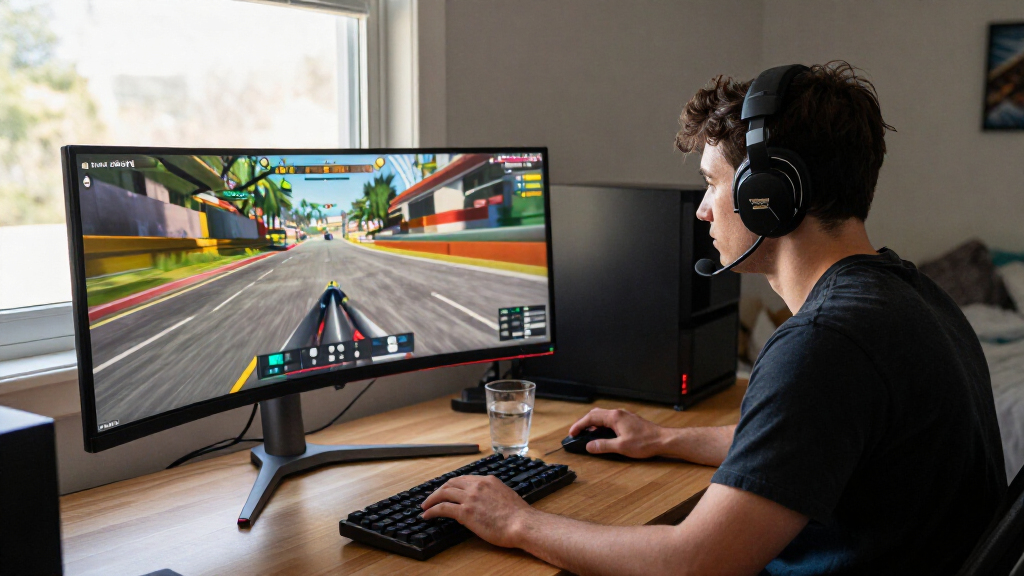
To identify the best 34 inch gaming monitors, I evaluated each model based on panel technology, refresh rate, color accuracy, and feature set. I prioritized monitors that offer a genuine advantage in gaming immersion or competitive performance, filtering out models with poor color reproduction or slow response times that lead to ghosting. The ranking logic places heavy weight on the balance between visual fidelity and input lag, recognizing that a beautiful image is useless if it feels sluggish during fast-paced gameplay.
I also considered build quality and connectivity, such as the presence of USB-C hubs, which add versatility for users who switch between consoles and PCs. Products were compared not just on spec sheets, but on how those specs translate to real-world usage, ensuring that premium picks justify their cost through tangible improvements in motion clarity or contrast depth.
Factors to Consider When Choosing Best 34 Inch Gaming Monitors
Selecting a 34-inch ultrawide monitor involves more than just picking the highest refresh rate. These panels introduce unique ergonomic and visual considerations that differ from standard 16:9 displays.
Panel Technology: OLED vs. IPS vs. VA
Understanding panel types is the most important step in this purchase. OLED panels provide perfect black levels and infinite contrast, making them superior for dark-room gaming and HDR content, though they carry a risk of static image burn-in over long periods. IPS panels offer the best color accuracy and viewing angles, making them ideal for mixed use including photo editing or office work, but they suffer from lower contrast and potential backlight bleed. VA panels sit in the middle, delivering better contrast than IPS but often struggling with slower response times that cause smearing in fast motion. Choose OLED for pure visual impact, IPS for versatility, and VA only if budget is the primary constraint.
Refresh Rate and Response Time Realities
While marketing materials highlight high refresh rates like 240Hz, the response time is often the bottleneck for perceived smoothness. A 240Hz panel with slow pixel transitions will still look blurry compared to a 165Hz panel with instant response times. For competitive shooters, prioritize panels with 1ms GtG response times and overdrive features that minimize ghosting. If you play single-player titles at 60FPS, a 120Hz or 144Hz monitor is perfectly adequate and saves money. Do not pay a premium for 240Hz unless your GPU can consistently push that frame rate in your favorite titles.
Resolution and GPU Requirements
34-inch monitors typically use UWQHD resolution (3440 x 1440). This adds roughly 35% more pixels than a standard 1440p display, demanding more from your graphics card. Before buying, verify your GPU can maintain target frame rates at this resolution. Integrated graphics or entry-level discrete cards will struggle, leading to a stuttering experience that negates the benefit of a high-refresh panel. If you are upgrading from a 1080p monitor, expect to need a mid-to-high-tier GPU to take full advantage of the screen’s clarity and smoothness.
Connectivity and Ergonomics
Ultrawide monitors are wider and heavier, so ergonomic stands with height, tilt, and swivel adjustments are vital for long-term comfort. Check if the stand allows the monitor to sit low enough for your desk setup. Connectivity is another factor; look for DisplayPort 1.4 or 2.1 to ensure full bandwidth for high refresh rates. HDMI 2.1 is essential for console gamers using PS5 or Xbox Series X. USB-C ports add convenience for laptop users, allowing for single-cable docking, but ensure the monitor supports sufficient power delivery if you plan to charge your device.
HDR Performance Expectations
Many mid-range monitors advertise HDR10 or DisplayHDR 400 support, but these labels often indicate basic compatibility rather than a genuine HDR experience. Without local dimming zones or OLED pixels, HDR content on these screens can look washed out or overly bright. True HDR impact requires OLED or high-end Mini-LED backlighting. If HDR is a priority, avoid budget VA and IPS models with low peak brightness. Instead, invest in a panel capable of deep blacks and high peak luminance to see actual detail in shadows and highlights.
Frequently Asked Questions
Is a curved 34-inch monitor better for gaming than a flat one?
For 34-inch ultrawide monitors, curvature is generally preferred because it reduces eye strain and improves immersion by keeping the edges of the screen at a more consistent distance from your eyes. A flat 34-inch screen can cause distortion at the periphery and require excessive head movement. Most top-tier gaming monitors in this category are curved, typically with a 1000R or 1800R radius. Unless you have a specific professional workflow that demands a flat plane for design work, the curved option provides a significantly better gaming experience.
Do I need DisplayPort or HDMI for a 34-inch gaming monitor?
DisplayPort is the preferred connection for PC gaming on 34-inch monitors, especially if you want to run high refresh rates like 165Hz or 240Hz at UWQHD resolution. Many monitors restrict their maximum refresh rate to lower levels over HDMI unless it is HDMI 2.1. If you are connecting a modern GPU, use DisplayPort 1.4 or higher to ensure you get the full performance capabilities of the panel. Console gamers using PS5 or Xbox Series X must use HDMI 2.1, so check the monitor’s port specifications carefully if you plan to use both platforms.
Is OLED burn-in a real risk for 34-inch gaming monitors?
Modern OLED monitors have implemented several safeguards, such as pixel shifting and automated cleaning cycles, which significantly reduce the risk of burn-in compared to earlier generations. However, the risk is not zero, particularly if you use the monitor for static desktop tasks with fixed UI elements like taskbars or window borders for many hours daily. For pure gaming, where images change constantly, the risk is minimal. If your usage is 50/50 gaming and office work, an IPS alternative might offer greater peace of mind and longevity without the premium cost.
Can I use a 34-inch ultrawide monitor for console gaming?
Yes, but with caveats. Most current consoles do not output in 21:9 aspect ratio natively; they output 16:9. This means you will see black bars on the left and right sides of your 34-inch screen unless the game specifically supports ultrawide or you use a black bar cropping method. Some monitors offer features to stretch the image, but this distorts the picture. If console gaming is your primary focus, ensure the monitor supports HDMI 2.1 for 4K/120Hz passthrough, but be aware that you won’t utilize the full width of the screen in most titles.
What is the difference between 1000R and 1800R curvature?
The number refers to the radius of the circle the curve would form if completed. A 1000R curve is much more aggressive and tightly curved than an 1800R curve. 1000R is designed to match the natural curvature of the human field of view, offering deeper immersion and potentially less eye strain during long sessions. However, some users find 1000R too extreme for productivity tasks like spreadsheets or video editing. If you are new to ultrawides, 1800R offers a gentler introduction, while 1000R is favored by hardcore gamers seeking maximum immersion.
Conclusion
Selecting the right 34 inch gaming monitor depends largely on your primary use case and budget. The Samsung Odyssey OLED G8 is the best overall choice for gamers who prioritize visual fidelity and motion clarity, offering an unmatched contrast ratio. For those seeking the best value, the Acer Nitro EDA340CUR delivers high refresh rates and solid IPS colors at a more accessible price point. Beginners or hybrid users who need versatility should look at the LG UltraGear 34G600A-B for its robust connectivity and reliable performance. If you are looking for a premium experience without OLED risks, the Alienware AW3425DWM offers exceptional build quality and color accuracy. Finally, budget-conscious buyers should consider the Sansui 34-Inch Curved UWQHD models, which provide high refresh rates on a tight budget, though they may lack in color depth and build refinement.