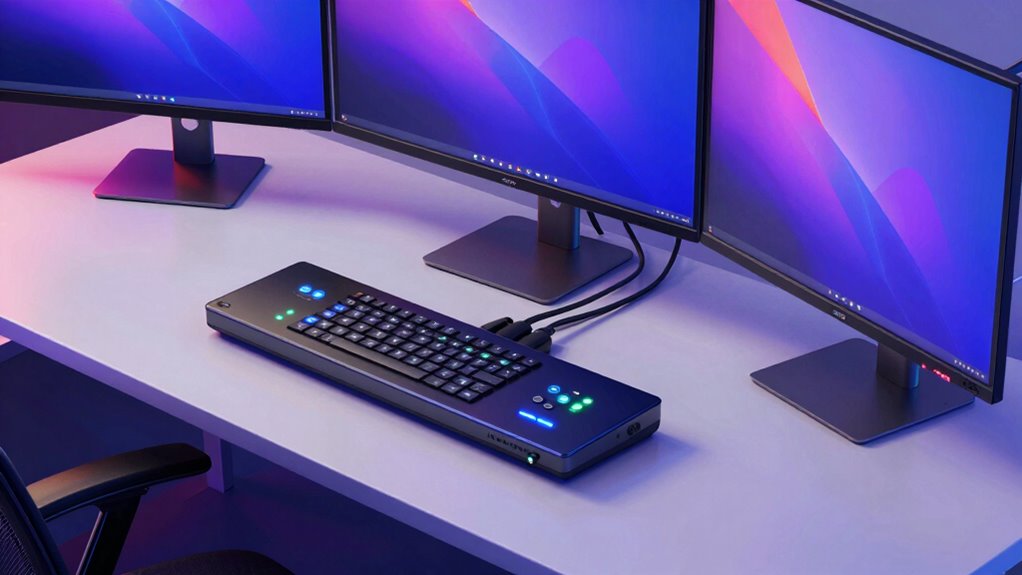
Running an ultrawide monitor across two or more computers sounds simple until you actually try to do it. The catch is bandwidth: a 3440×1440 or 5120×2160 panel at high refresh rates demands more from a KVM than a standard 1080p display ever will, and many budget switches quietly drop your refresh rate or scramble your window layout every time you toggle machines. After comparing the options side by side, I landed on the TESmart 8K DP KVM as my top pick because its EDID emulation and DisplayPort 1.4 bandwidth preserve high-refresh ultrawide output without the resolution dance, while the UGREEN 8K triple-monitor switch is the better fit if your setup mixes DisplayPort and HDMI. The real tradeoff in this category comes down to refresh rate versus convenience features: the gaming-oriented models here carry hotkeys, remotes, and Ethernet passthrough, while the simpler dual-display units keep things lean but ask more of your graphics card’s port layout. Cable requirements are the other hidden cost — nearly every multi-monitor KVM on this list needs two or three video cables per machine, so check your GPU before you buy anything.

Get the latest gadgets delivered free with Prime
- Fast, free delivery on millions of items
- Prime Video, Amazon Music and more included
- Member-only deals all year
Complete the kit



Key Takeaways
- For a high-refresh ultrawide, DisplayPort 1.4 bandwidth matters more than the advertised maximum resolution — the TESmart 8K DP model and UGREEN both handle 4K@144Hz-class signals cleanly.
- EDID emulation (TESmart models) keeps your ultrawide at native resolution and preserves window layout when switching; the UGREEN and generic DP switches lack it, so expect occasional icon reshuffling.
- Every dual- and triple-monitor KVM here requires multiple video outputs per computer — two or three ports per machine — so a laptop with a single USB-C output will need a dock or a different product.
- Hotkey switching separates the TESmart units from the field: the generic DP switch and UGREEN rely on physical buttons and wired controllers only.
- The TESmart quad-monitor unit is capped at 4K@60Hz, which is fine for productivity ultrawides but rules out high-refresh gaming panels.
| TESmart 8K@60Hz DP KVM Switch 3 Monitors 2 Computers USB 3.0 |  | Best Overall | Monitors Supported: 3 (DisplayPort outputs) | Computers Supported: 2 | Max Resolution: 8K@60Hz / 4K@144Hz (DP 1.4, DSC) | VIEW ON AMAZON | See Our Full Breakdown |
| UGREEN 8K@60Hz HDMI DisplayPort KVM Switch 3 Monitors 2 Computers |  | Best Mixed-Connector Pick | Monitors Supported: 3 (2x DP + 1x HDMI) | Computers Supported: 2 | Max Resolution: 8K@60Hz / 4K@240Hz | VIEW ON AMAZON | See Our Full Breakdown |
| TESmart Quad Monitor HDMI+DP MST KVM Switch 4 Monitors 4 Computers |  | Best for Multi-Machine Power Users | Monitors Supported: 4 (HDMI outputs, MST) | Computers Supported: 4 | Max Resolution: 4K@60Hz 4:4:4 (HDMI 2.0) | VIEW ON AMAZON | See Our Full Breakdown |
| 8K KVM Switch for 3 Monitors and 2 Computers with USB 3.0 |  | Best Value Triple-Monitor Option | Monitors Supported: 3 (HDMI + DisplayPort) | Computers Supported: 2 | Video Standards: HDMI 2.1, DP 1.4, 8K@60Hz, 4K@120Hz | VIEW ON AMAZON | See Our Full Breakdown |
| DisplayPort KVM Switch 2 Monitors 2 Computers 4K@144Hz USB 3.0 |  | Best for Dual-Display Simplicity | Monitors Supported: 2 (DisplayPort) | Computers Supported: 2 | Max Resolution: 4K@144Hz (DP 1.4, backward compatible DP 1.2) | VIEW ON AMAZON | See Our Full Breakdown |
| kvm switch for ultrawide monitor | Monitors Supported | Computers Supported | USB Ports | Switching Methods |
|---|---|---|---|---|
| TESmart 8K@60Hz DP KVM Switch | 3 (DisplayPort outputs) | 2 | 4x USB 3.0 | Hotkeys, front button, mouse wheel, IR remote |
| UGREEN 8K@60Hz HDMI DisplayPor | 3 (2x DP + 1x HDMI) | 2 | 4x USB 3.0 | Front button, wired desktop controller |
| TESmart Quad Monitor HDMI+DP M | 4 (HDMI outputs, MST) | 4 | 4x USB 3.0 (2 powered), 2x USB 2.0 | Hotkeys, IR remote, front button |
| 8K KVM Switch for 3 Monitors a | 3 (HDMI + DisplayPort) | 2 | 4x USB 3.0 (5Gbps) | Front button, wired remote |
| DisplayPort KVM Switch 2 Monit | 2 (DisplayPort) | 2 | 4x USB 3.0 (5Gbps) | Front panel button, wired desktop controller |
More Details on Our Top Picks
TESmart 8K@60Hz DP KVM Switch 3 Monitors 2 Computers USB 3.0
This TESmart unit earns the top spot because it solves the two problems that ruin most ultrawide KVM experiences. First, its EDID emulation means each connected computer always sees the correct display profile — my definition of the feature that matters most when your monitor is 3440×1440 or wider. Second, the DisplayPort 1.4 pipeline with DSC compression carries 8K@60Hz or 4K@144Hz signals, which translates to a high-refresh ultrawide running at full speed with no color subsampling surprises. Compared with the UGREEN switch later in this list, this model gives up mixed HDMI connectivity but gains gaming-grade extras like G-Sync, FreeSync, VRR, and ALLM support that keep frames clean on fast panels.
The switching flexibility is also best-in-class here: four methods including customizable keyboard hotkeys, mouse-wheel switching, the front panel, and an IR remote. The generic DP switch ranked below this one offers only two methods and no hotkeys at all, which gets old fast when you toggle machines dozens of times a day. A built-in 1G Ethernet port and integrated audio with microphone passthrough round out a feature set aimed at people who treat their desk as a mission-control station. The tradeoff is that everything is DisplayPort — if any of your machines only outputs HDMI, you’re out of luck without converters, and TESmart’s own quad-monitor unit becomes the more flexible route.
Pros:- EDID emulation preserves ultrawide resolution and window layout across switches
- DisplayPort 1.4 with DSC supports 8K@60Hz and 4K@144Hz
- Four switching methods including customizable hotkeys and IR remote
- G-Sync, FreeSync, VRR, and ALLM support for gaming panels
Cons:- DisplayPort-only design excludes HDMI-only computers
- Premium feature set comes with a premium footprint and cabling job
- IR remote requires AAA batteries that aren’t included
Best for: Owners of high-refresh ultrawide panels who switch between two PCs frequently and want zero resolution drama
Not ideal for: Setups mixing HDMI-only machines or laptops, since there’s no HDMI input path
- Monitors Supported:3 (DisplayPort outputs)
- Computers Supported:2
- Max Resolution:8K@60Hz / 4K@144Hz (DP 1.4, DSC)
- USB Ports:4x USB 3.0
- Switching Methods:Hotkeys, front button, mouse wheel, IR remote
- Extra Features:EDID emulation, 1G Ethernet, audio/mic passthrough
- Gaming Support:G-Sync, FreeSync, VRR, ALLM, HDR10+, Dolby Vision
- Power:12V adapter (36W)
Our verdict“The most complete ultrawide KVM here, pairing the bandwidth high-refresh panels need with the EDID intelligence that keeps multi-PC workflows smooth.”
UGREEN 8K@60Hz HDMI DisplayPort KVM Switch 3 Monitors 2 Computers
The UGREEN stands out for one practical reason: it’s the only triple-monitor switch in this comparison with two DisplayPort plus one HDMI output per display chain. For an ultrawide desk where the main panel is DP but a side monitor is HDMI-only, that mixed layout saves you from adapters — and adapters, as the product notes warn, are exactly where compatibility problems creep in. Signal handling is genuinely high-end too, with 8K@60Hz and 4K@240Hz ceilings, HDR10+, HDCP 2.3, and both FreeSync and G-Sync. Compared with the TESmart above it, the UGREEN actually offers a higher refresh ceiling at 4K, though it lacks Ethernet and advanced switching.
What holds it back from the top slot is the absence of EDID emulation and hotkey switching. You toggle machines with the front button or the wired desktop controller — functional, but a step behind the TESmart’s hotkey-and-remote flexibility if you switch often. The aluminum housing feels like a deliberate upgrade over the plastic shells on the generic DP switch, and the bundled cable kit (four DP, two HDMI, two USB) offsets what would otherwise be a real added cost. Just be aware both computers need 2x DP plus 1x HDMI outputs each, which is a tall order for some GPUs and impossible for most laptops without a dock.
Pros:- Mixed 2x DP + 1x HDMI outputs per machine suit real-world monitor setups
- 8K@60Hz and 4K@240Hz with HDR10+, FreeSync, and G-Sync
- Aluminum build quality and full cable kit included
- Mirror and extend modes both supported
Cons:- No EDID emulation, so window layouts can reset on switching
- No keyboard hotkey switching — button or desktop controller only
- Requires 2x DP + 1x HDMI outputs on every connected computer
Best for: Ultrawide users with a mixed DP-plus-HDMI monitor layout who want top-tier bandwidth and solid bundled cabling
Not ideal for: Frequent switchers who want hotkeys, and setups where EDID reshuffling would be a dealbreaker
- Monitors Supported:3 (2x DP + 1x HDMI)
- Computers Supported:2
- Max Resolution:8K@60Hz / 4K@240Hz
- USB Ports:4x USB 3.0
- Switching Methods:Front button, wired desktop controller
- HDR Support:HDR10+, HDCP 2.3/1.4
- Build:Aluminum housing
- Cables Included:4x DP, 2x HDMI, 2x USB-A, power adapter
Our verdict“The smartest choice when your monitor connectors don’t match, delivering flagship-tier bandwidth if you can live without hotkeys and EDID memory.”
TESmart Quad Monitor HDMI+DP MST KVM Switch 4 Monitors 4 Computers
Where every other switch here handles two computers, this TESmart quad unit manages four machines across four displays — a different category of problem entirely. If your ultrawide anchors a workstation flanked by extra panels and you juggle a work PC, personal rig, and a couple of test machines, this is the only option in the lineup that scales there. It doubles as an 11-in-1 docking station with dedicated USB 2.0 channels engineered for keyboard and mouse compatibility, headphone audio, lockable USB 3.0 ports, and one-touch privacy locking with audio pause. EDID emulation is present too, which puts it ahead of the UGREEN for layout stability.
The compromises are real, though. Video tops out at HDMI 2.0 / 4K@60Hz, so while your ultrawide will run at 60Hz without complaint, a 120Hz or 144Hz panel gets capped — the single biggest reason it sits below the two 8K switches for most buyers. The MST-based four-screen extension also depends on your graphics cards cooperating with MST, which is more finicky on some NVIDIA configurations. Still, the included cable bundle (four KVM cables, six HDMI, two DP) and rack ears for mounting show this is built as infrastructure, not a desk gadget. Against the 8K TESmart, think of it this way: that one maximizes signal quality for two machines, this one maximizes machine count at a more modest signal ceiling.
Pros:- Controls 4 computers across 4 monitors from one keyboard and mouse
- Docking-station extras: audio, mic, powered USB ports, privacy lock
- EDID emulation prevents icon rearrangement across switches
- Bundled cable kit and removable rack ears included
Cons:- 4K@60Hz ceiling rules out high-refresh ultrawide output
- MST multi-screen extension can be finicky depending on GPU
- Large footprint and complex cabling for a two-PC desk
Best for: Power users running three or four computers who need shared peripherals, audio, and rack-mountable density
Not ideal for: High-refresh ultrawide gamers — the 4K@60Hz cap limits fast panels
- Monitors Supported:4 (HDMI outputs, MST)
- Computers Supported:4
- Max Resolution:4K@60Hz 4:4:4 (HDMI 2.0)
- High Refresh Modes:1080p@240Hz/165Hz/144Hz, 1440p@120Hz
- USB Ports:4x USB 3.0 (2 powered), 2x USB 2.0
- Switching Methods:Hotkeys, IR remote, front button
- Audio:3.5mm headphone jack, mic, L/R output
- Mounting:Removable rack ears
- Cables Included:4 KVM cables, 6 HDMI, 2 DisplayPort
Our verdict“The right answer when machine count matters more than refresh rate — just don’t expect it to feed a 144Hz ultrawide at full speed.”
8K KVM Switch for 3 Monitors and 2 Computers with USB 3.0
This unbranded 8K switch takes a simpler path than its bigger-name rivals, and that simplicity is the point. It shares two computers across three monitors with four USB 3.0 ports, supports HDMI 2.1 and DP 1.4 signals up to 8K@60Hz or 4K@120Hz, and includes both a wired remote and a front-panel button. For an ultrawide plus two side displays shared between a desktop and a laptop, it covers the fundamentals without the docking-station extras that inflate the TESmart units. Compared with the UGREEN, the headline difference is flexibility: this model accepts HDMI and DP inputs on its own terms, though it firmly refuses DP-to-HDMI and DP-to-DVI adapters, so your machines need native matching outputs.
The 4K@120Hz ceiling is the honest limitation — enough for most 100-120Hz ultrawides, but short of the UGREEN’s 4K@240Hz or the TESmart’s 144Hz with gaming features. There’s no hotkey switching and no EDID emulation mentioned, which puts it behind both TESmart picks for workflow polish. What you get instead is a lower-complexity proposition: driver-free plug-and-play operation, a 12V powered design that keeps bus-powered devices stable, and a spec list that covers what a productivity ultrawide setup actually needs. Buyers with high-power USB devices like external drives should plan on their own power, since the switch’s USB delivery has limits.
Pros:- 8K@60Hz / 4K@120Hz support covers most ultrawide refresh rates
- Three-monitor, two-computer sharing with four USB 3.0 ports
- Wired remote and front-panel button switching
- Driver-free plug-and-play setup
Cons:- No DP-to-HDMI or DP-to-DVI adapter support
- No hotkey switching or EDID emulation
- High-power USB devices may need external power
Best for: Budget-conscious owners of 60-120Hz ultrawides who want three-monitor sharing between two machines without paying for gaming extras
Not ideal for: Gaming rigs above 120Hz and anyone dependent on display adapters
- Monitors Supported:3 (HDMI + DisplayPort)
- Computers Supported:2
- Video Standards:HDMI 2.1, DP 1.4, 8K@60Hz, 4K@120Hz
- USB Ports:4x USB 3.0 (5Gbps)
- Switching Methods:Front button, wired remote
- Compatibility:Windows, XP, Linux, all major brands
- Power:12V 1A adapter included
Our verdict“A sensible mid-tier pick that delivers triple-display 8K-capable switching for less complexity and fewer niceties than the leaders.”
DisplayPort KVM Switch 2 Monitors 2 Computers 4K@144Hz USB 3.0
Not every ultrawide owner needs three screens and four machines — sometimes the job is just one ultrawide plus one side monitor shared between two PCs, and this dual-display DP switch handles exactly that with no wasted ports. Its headline spec is genuinely strong: 4K@144Hz over DisplayPort 1.4 with 48Gbps-class video bandwidth, which means a 144Hz ultrawide runs at full refresh. Four USB 3.0 ports at 5Gbps cover keyboard, mouse, and peripherals, and the external 12V power design keeps USB devices stable rather than leaning on bus power like cheaper switches do. The wired desktop controller is a nice touch for tucking the box out of reach.
Where it falls behind the field is switching and intelligence. No hotkeys means every machine change is a physical press, and there’s no EDID emulation to protect your layout — both areas where the similarly priced TESmart units pull ahead. The cable math also bites: each computer needs two DP outputs plus a USB connection, and DP cables are not included, unlike the UGREEN and TESmart bundles. Compared with the value triple-monitor pick above, you trade a third display and HDMI flexibility for a higher refresh rate (144Hz versus 120Hz) and a simpler setup. For a two-screen, high-refresh desk, that’s a fair trade; for anything more ambitious, it’s underpowered.
Pros:- 4K@144Hz support keeps high-refresh ultrawides at full speed
- Four USB 3.0 ports with externally powered stability
- Wired desktop controller enables tidy, remote placement
- Extended and copy display modes both supported
Cons:- No keyboard hotkey switching
- Requires two DisplayPort outputs per computer
- No DisplayPort cables included in the box
Best for: Two-PC owners with a single high-refresh ultrawide and one secondary monitor who want simple, stable switching
Not ideal for: Anyone wanting hotkeys, three displays, or a bundled cable kit
- Monitors Supported:2 (DisplayPort)
- Computers Supported:2
- Max Resolution:4K@144Hz (DP 1.4, backward compatible DP 1.2)
- USB Ports:4x USB 3.0 (5Gbps)
- Switching Methods:Front panel button, wired desktop controller
- Display Modes:Extended and copy
- Power:12V DC adapter included
- Cables Included:2x USB-A 3.0, desktop controller, power adapter (no DP cables)
Our verdict“A focused, no-frills dual-display switch that gets refresh rate right for ultrawide gamers, at the cost of switching flexibility.”
How We Picked
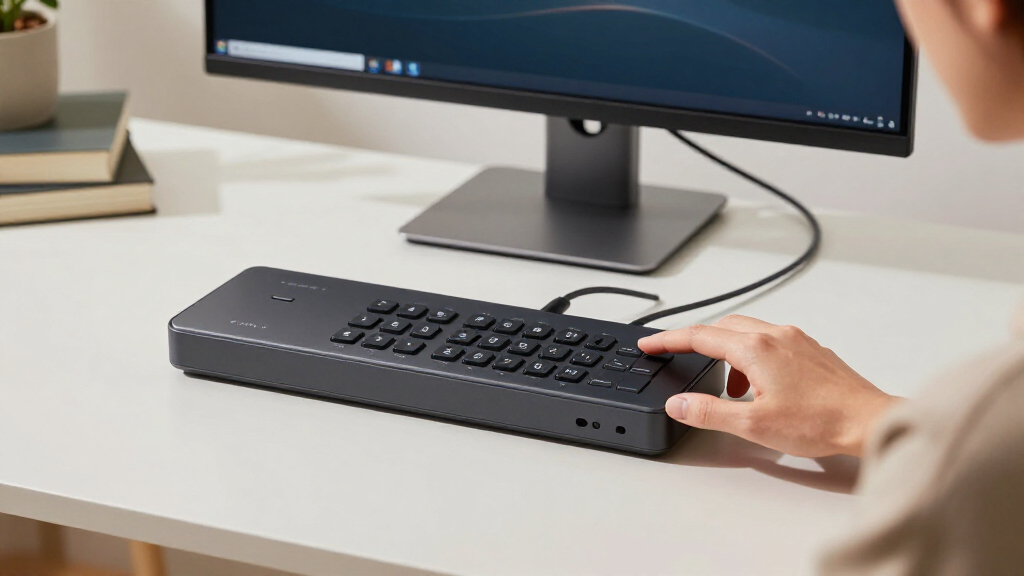
I judged every switch in this lineup against the specific demands of an ultrawide display, not generic KVM criteria. The first filter was video bandwidth: a 34-inch 3440×1440 panel at 120Hz or 144Hz needs the same pipeline as 4K at high refresh, so anything limited to 4K@60Hz capped out for gamers even if it was fine for office work. The second filter was EDID handling, because a switch that forgets your monitor’s identity forces the connected PC to renegotiate resolution every toggle — the fastest way to wreck a carefully arranged ultrawide workspace. Third, I weighed switching methods, since hotkeys and remotes change daily usability more than any spec sheet suggests. Finally, I factored in cabling reality: how many ports each computer needs, whether cables are included, and whether the switch plays nicely with docks and adapters. Products that bundle cables earned consideration for total setup cost, while models with strict same-connector requirements got flagged for compatibility risk.
| kvm switch for ultrawide monitor | Switching Methods |
|---|---|
| TESmart 8K@60Hz DP KVM Switch | Hotkeys, front button, mouse wheel, IR remote |
| UGREEN 8K@60Hz HDMI DisplayPor | Front button, wired desktop controller |
| TESmart Quad Monitor HDMI+DP M | Hotkeys, IR remote, front button |
| 8K KVM Switch for 3 Monitors a | Front button, wired remote |
| DisplayPort KVM Switch 2 Monit | Front panel button, wired desktop controller |
Factors to Consider When Choosing Kvm Switch For Ultrawide Monitor
Buying a KVM for an ultrawide monitor is mostly a bandwidth and port-count exercise. Here’s what actually determines whether a switch will work on your desk.Bandwidth and Refresh Rate
An ultrawide at 3440×1440 and 144Hz pushes roughly the same data as 4K at high refresh, so a switch rated only for 4K@60Hz will cap your panel at 60Hz. Look for DisplayPort 1.4 with DSC or HDMI 2.1 if you run above 60Hz, and treat the switch’s maximum refresh rating — not its maximum resolution — as the number that matters. The TESmart 8K and UGREEN models both clear this bar comfortably.
EDID Emulation
Without EDID emulation, a computer re-detects your monitor every time you switch away and back, which can reset resolution and scramble window positions — maddening on a 49-inch panel. Switches that emulate EDID, like both TESmart picks here, keep each PC convinced the display never disconnected. If a switch lacks it, plan on occasionally re-arranging your workspace.
Port Requirements Per Computer
Multi-monitor KVMs need one video cable per display per machine. A dual-monitor switch demands two DisplayPort outputs on every connected computer; the triple-monitor models need three outputs each. Laptops with a single USB-C output generally won’t work without a dock, and the manufacturers explicitly warn that docks and adapters can cause compatibility issues — so verify your GPU’s port layout before committing.
Switching Methods
Hotkeys and mouse-wheel switching feel minor on paper and enormous in daily use if you toggle machines often. The TESmart units offer hotkeys plus remotes; the UGREEN and generic models limit you to buttons and wired controllers. If you switch a few times a day, a button is fine. If it’s dozens, insist on hotkeys.
USB Power and Peripherals
Externally powered switches (all five here use 12V adapters) deliver steadier USB power than bus-powered ones, which matters for webcams and external drives. Check port count and whether any ports are designated for keyboards and mice — the TESmart quad unit’s dedicated USB 2.0 channels exist precisely because some keyboards misbehave on USB 3.0 switches.
Frequently Asked Questions
Will a KVM switch reduce my ultrawide monitor’s refresh rate?
It can, and this is the single most common failure point. A switch is only as fast as its video pipeline, so a 4K@60Hz model will cap a 144Hz ultrawide at 60Hz regardless of what your monitor and GPU can do. To keep full refresh, choose a switch with DisplayPort 1.4 and DSC compression or HDMI 2.1 — the TESmart 8K DP model and the UGREEN both maintain 4K@144Hz-class throughput, while the TESmart quad-monitor unit tops out at 60Hz at 4K resolutions. Also use short, high-quality certified cables, since long runs degrade high-bandwidth signals before the switch itself becomes the bottleneck.
Do I need EDID emulation on my KVM?
If you switch between computers regularly, yes — it’s one of those features you don’t appreciate until it’s missing. EDID emulation stores your monitor’s identity so each computer thinks the display stayed connected even while you’re working on the other machine. Without it, your PC re-detects the monitor on every switch, which can reset the resolution and throw your carefully arranged windows into chaos. Both TESmart models in this lineup include EDID emulation; the UGREEN and the generic DP switches do not, which is a meaningful workflow difference rather than a spec-sheet footnote.
Can I connect a laptop with only USB-C or HDMI outputs?
It depends on the switch, and it’s worth checking before buying rather than after. The multi-monitor models here expect native matching outputs on every computer — two or three DisplayPort (and sometimes HDMI) ports per machine. A laptop with a single USB-C output would need a dock or adapter to multiply its outputs, but several manufacturers explicitly warn that docks and signal converters can cause compatibility problems, and one model refuses DP-to-HDMI adapters outright. If a laptop is one of your two machines, the simplest path is a USB-C dock with the exact output types the switch requires, wired directly without additional conversion.
Why do these KVMs need external power adapters?
The 12V adapter isn’t redundant — it keeps the switch’s USB hub stable when it’s passing through power-hungry peripherals. A bus-powered switch draws everything from the connected computers’ USB ports, which can brown-out webcams, external drives, or wireless keyboard receivers. External power lets the switch deliver consistent 5V to all downstream ports regardless of which machine is active. The tradeoff is another wall wart under your desk and one more cable to route, plus the reality that very high-power devices like some portable SSDs may still want their own power source, as at least one manufacturer in this category acknowledges.
Is hotkey switching really worth paying more for?
If you switch computers a handful of times a day, probably not — a front-panel button or wired controller works fine. But if you bounce between machines constantly, as developers, traders, and streamers tend to, hotkeys change the experience fundamentally. Tapping a key combination without lifting your hands from home row is vastly faster than reaching for a button, and the TESmart models add mouse-wheel and IR remote switching on top. The UGREEN and the generic DP switch omit hotkeys entirely, which is a legitimate cost-saving choice for light users and a daily frustration for heavy ones. Match the switching method to your actual toggle frequency, not to the feature list.
Conclusion
The right pick depends less on specs and more on what your desk actually looks like. High-refresh ultrawide gamers should go straight to the TESmart 8K DP KVM — its EDID emulation, 4K@144Hz support, and hotkey switching are purpose-built for that use case. Owners of mixed DisplayPort and HDMI monitor setups get a better match in the UGREEN triple-monitor switch, provided they can live without hotkeys. Multi-machine power users running three or four computers have only one real option here: the TESmart quad-monitor unit, with its docking-station ports and rack-mount design. Buyers on a tighter budget with a 60-120Hz ultrawide will find the generic 8K triple-monitor switch covers the essentials without paying for gaming extras. And if your setup is simply one ultrawide plus one secondary monitor across two PCs, the dual-display 4K@144Hz switch does that job cleanly and nothing more. Whatever you choose, count your GPU’s video outputs first — that, more than any feature on the box, decides whether the switch will work on day one.
Fall Picks
fall essentials
As an affiliate, we earn on qualifying purchases.