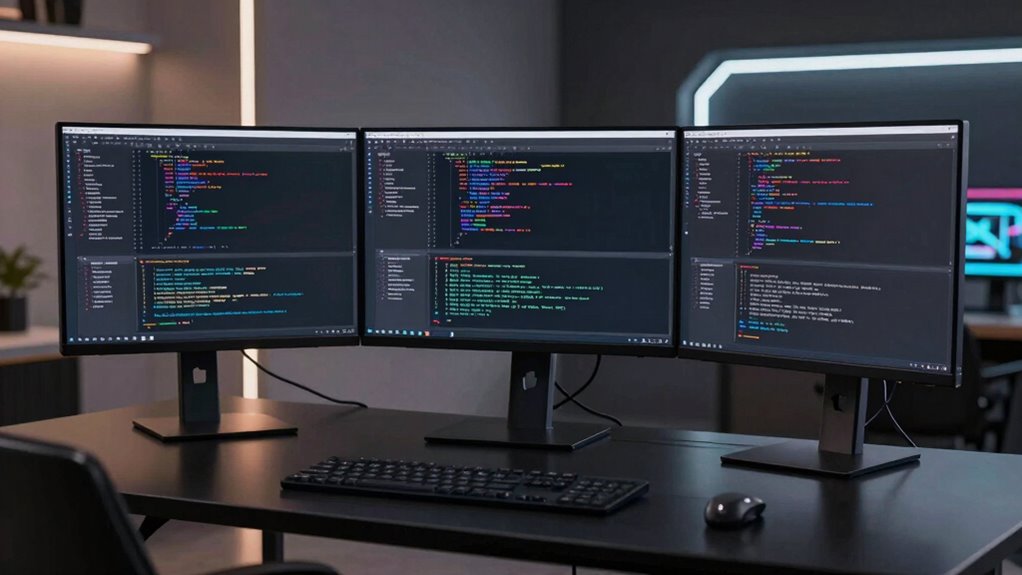
Finding a monitor that excels in coding and text clarity involves balancing screen size, resolution, color accuracy, and refresh rate. The ASUS ProArt PA278QV stands out as the best overall choice for its excellent color accuracy and sharp image quality. The Dell S2725DSM offers a fantastic QHD resolution at 27 inches, providing crisp text without breaking the bank. Meanwhile, the BenQ RD280UG offers 4K resolution ideal for detailed work but requires a more powerful GPU and may have higher costs. Buyers often face tradeoffs between resolution, refresh rate, and ergonomics. Continue reading for a detailed breakdown of these options and more to find the best fit for your needs.

Get the latest gadgets delivered free with Prime
- Fast, free delivery on millions of items
- Prime Video, Amazon Music and more included
- Member-only deals all year
Complete the kit



Key Takeaways
- Higher resolution monitors like 4K provide sharper text but demand more powerful hardware.
- Color accuracy and factory calibration are key for professional coding and editing work.
- Size and resolution balance greatly affect readability; larger screens with QHD or higher are ideal.
- Refresh rates above 60Hz benefit general productivity but are less critical for static coding tasks.
- Budget models often compromise on ergonomics and color calibration, making premium models worth considering.
| ASUS ProArt PA278QV 27-Inch 1440p QHD Professional Monitor |  | Best Overall for Color Accuracy and Professional Use | Display Size: 27 inches | Resolution: 2560 x 1440 (QHD) | Color Gamut: 100% sRGB & 100% Rec. 709 | VIEW ON AMAZON | See Our Full Breakdown |
| Dell 24 Plus Monitor – S2425HSM – 23.8-inch FHD (1920×1080) 144Hz 1ms Display, HDMI, Speakers, Adjustable, AMD FreeSync |  | Best for Gaming and Fast Response in a Compact Size | Display Size: 23.8 inches | Resolution: 1920 x 1080 | Refresh Rate: 144Hz | VIEW ON AMAZON | See Our Full Breakdown |
| BenQ RD280UG 28.2″ 4K+ Programming Monitor with 120Hz Refresh Rate and Nano Matte Panel |  | Best for Long Coding Sessions with Glare Reduction | Display Size: 28.2 inches | Resolution: 3840 x 2560 (4K+) | Aspect Ratio: 3:2 | VIEW ON AMAZON | See Our Full Breakdown |
| Samsung 32-Inch Flat Computer Monitor |  | Best for Wide Workspace with Stylish Design | Display Size: 32 inches | Resolution: 1920 x 1080 | Brightness: 250 cd/m² | VIEW ON AMAZON | See Our Full Breakdown |
| Dell 27 Plus QHD Monitor – S2725DSM – 27-inch QHD (2560×1440) 144Hz 1ms Display, HDMI/DisplayPort, Speakers, Adjustable |  | Best for Versatile Productivity and Gaming Balance | Display Size: 27 inches | Resolution: 2560 x 1440 | Refresh Rate: 144Hz | VIEW ON AMAZON | See Our Full Breakdown |
| Samsung 27″ Odyssey G5 (G51F) Series QHD Gaming Monitor |  | Best for High-Performance Visuals and Versatile Ergonomics | Screen Size: 27 inches | Resolution: 2560 x 1440 (QHD) | Refresh Rate: 180Hz | VIEW ON AMAZON | See Our Full Breakdown |
| Dell 24 Monitor – SE2426H – 23.8-inch FHD (1920×1080) 144Hz 1ms IPS Display with AMD FreeSync |  | Best for Balanced Everyday Use with Fast Refresh | Screen Size: 23.8 inches | Resolution: 1920 x 1080 (FHD) | Refresh Rate: 144Hz | VIEW ON AMAZON | See Our Full Breakdown |
| Sceptre 22-Inch Gaming Monitor, FHD 1080p, Up to 144Hz, HDMI, DisplayPort, Built-in Speakers, Matte Finish |  | Best for Compact, Budget-Friendly Gaming and Coding | Display Size: 22 inches | Resolution: 1920 x 1080 pixels | Refresh Rate: 144Hz | VIEW ON AMAZON | See Our Full Breakdown |
| Sceptre 27-inch Curved Gaming Monitor with 180Hz Refresh Rate and Built-in Speakers |  | Best for Immersive Gaming and Multimedia with Vibrant Colors | Screen Size: 27 inches | Curvature: 1500R | Refresh Rate: 180Hz | VIEW ON AMAZON | See Our Full Breakdown |
| CUNPU 24-inch 4K UHD Professional USB-C Monitor with Color Accuracy and Ergonomic Stand |  | Best for Creative and Technical Professionals Requiring Precision | Display Size: 24 inches | Resolution: 3840 x 2160 (4K UHD) | Pixel Density: 185 PPI | VIEW ON AMAZON | See Our Full Breakdown |
| Philips 24 Inch Full HD VA Monitor, 100Hz, VESA Flicker-Free |  | Best Overall for Balanced Clarity and Eye Comfort | Display Size: 24 inches | Resolution: 1920×1080 (Full HD) | Panel Type: VA | VIEW ON AMAZON | See Our Full Breakdown |
| Sceptre 27-inch Prime Gaming Monitor with 180Hz Refresh Rate, DisplayPort x2, HDMI x2, Built-in Speakers, Black |  | Best for Gaming and Fast-paced Text Editing | Screen Size: 27 inches | Resolution: 1080p Full HD | Refresh Rate: 180Hz | VIEW ON AMAZON | See Our Full Breakdown |
| Dell 34 Monitor S3425DW, WQHD VA, 120Hz, FreeSync Premium, Eye Comfort |  | Best for Wide Workspace and Accurate Color | Display Size: 34 inches | Resolution: 3440×1440 | Display Technology: VA | VIEW ON AMAZON | See Our Full Breakdown |
| monitor for coding and text clarity | Resolution | Refresh Rate | Display Size | Connectivity |
|---|---|---|---|---|
| ASUS ProArt PA278QV 27-Inch 14 | 2560 x 1440 (QHD) | — | 27 inches | DisplayPort, HDMI, DVI-D, Mini DP, USB hub |
| Dell 24 Plus Monitor | 1920 x 1080 | 144Hz | 23.8 inches | — |
| BenQ RD280UG 28.2" 4K+ Program | 3840 x 2560 (4K+) | 120Hz | 28.2 inches | HDMI, USB Type C |
| Samsung 32-Inch Flat Computer | 1920 x 1080 | 75Hz | 32 inches | HDMI, DisplayPort |
| Dell 27 Plus QHD Monitor | 2560 x 1440 | 144Hz | 27 inches | — |
| Samsung 27" Odyssey G5 | 2560 x 1440 (QHD) | 180Hz | — | — |
| Dell 24 Monitor | 1920 x 1080 (FHD) | 144Hz | — | — |
| Sceptre 22-Inch Gaming Monitor | 1920 x 1080 pixels | 144Hz | 22 inches | — |
| Sceptre 27-inch Curved Gaming | — | 180Hz | — | 2 HDMI, 2 DisplayPort |
| CUNPU 24-inch 4K UHD Professio | 3840 x 2160 (4K UHD) | — | 24 inches | USB-C, HDMI, DisplayPort |
| Philips 24 Inch Full HD VA Mon | 1920×1080 (Full HD) | 100Hz | 24 inches | — |
| Sceptre 27-inch Prime Gaming M | 1080p Full HD | 180Hz | — | 2 HDMI, 2 DisplayPort |
| Dell 34 Monitor S3425DW | 3440×1440 | 120Hz | 34 inches | 2 HDMI, 4 USB |
More Details on Our Top Picks
ASUS ProArt PA278QV 27-Inch 1440p QHD Professional Monitor
The ASUS ProArt PA278QV stands out for its factory-calibrated color accuracy, with Delta E < 2 and 100% sRGB coverage, making it ideal for creative professionals who need precise color reproduction. Compared to the Dell S2725DSM, it offers a wider color gamut and more extensive connectivity options, including a USB hub, which benefit users who require versatile setups. However, its premium price and large size mean it might be less appealing to budget-conscious buyers or those with limited desk space. The adjustable stand and eye care features, like flicker-free technology, support long hours of work comfortably. Calibration may be necessary for the best performance, but the included factory calibration helps ensure accuracy right out of the box. This monitor makes the most sense for designers or editors prioritizing color fidelity over cost or compactness.
Pros:- Factory-calibrated with Delta E < 2 for precise color accuracy
- Extensive connectivity including USB hub and multiple ports
- Fully adjustable ergonomic stand (tilt, pivot, swivel, height)
- Built-in eye care technology reduces eye strain during long editing sessions
Cons:- High price point may be prohibitive for some users
- Large size may not suit small or cluttered desks
- Requires calibration for optimal color performance
Best for: Professional creatives and photo editors who need high color accuracy and ergonomic flexibility
Not ideal for: Casual users or those with limited desk space who do not require professional-grade color precision
- Display Size:27 inches
- Resolution:2560 x 1440 (QHD)
- Color Gamut:100% sRGB & 100% Rec. 709
- Color Accuracy:Delta E < 2
- Connectivity:DisplayPort, HDMI, DVI-D, Mini DP, USB hub
- Stand Adjustments:Tilt, pivot, swivel, height
- Eye Care Technology:Flicker-free, blue light filter
- Warranty:5 years
Our verdict“This monitor is best suited for creative professionals who need accurate colors and flexible ergonomics, despite its higher cost.”
Dell 24 Plus Monitor – S2425HSM – 23.8-inch FHD (1920×1080) 144Hz 1ms Display, HDMI, Speakers, Adjustable, AMD FreeSync
The Dell S2425HSM offers a 23.8-inch FHD display with a rapid 1ms response time and 144Hz refresh rate, making it an excellent choice for gamers and fast-paced video editing. Compared with the ASUS ProArt PA278QV, it sacrifices color accuracy and resolution for speed and affordability, catering to those who prioritize smooth motion over professional-grade color fidelity. Its ergonomic adjustments and eye care features help reduce fatigue during extended gaming or multimedia use. However, its 1080p resolution limits detail for professional text work or detailed editing, and it lacks USB-C connectivity, which might be limiting for modern setups. The built-in speakers add convenience but lack deep audio quality. This monitor is best for users seeking a budget-friendly, fast-refresh display for gaming or casual coding, not for color-critical tasks.
Pros:- 144Hz high refresh rate for ultra-smooth motion
- 1ms response time minimizes ghosting
- Ergonomic stand with height, tilt, pivot adjustments
- Eye comfort features like flicker-free technology
Cons:- Limited to 1080p resolution, not suitable for detailed text work
- Lacks USB-C port for modern device connectivity
- Speakers provide basic audio quality only
Best for: Gamers and streamers who need quick response times and smooth visuals in a compact, ergonomic package
Not ideal for: Professional editors or color-sensitive designers who require high-resolution, color-accurate displays
- Display Size:23.8 inches
- Resolution:1920 x 1080
- Refresh Rate:144Hz
- Response Time:1ms
- Contrast Ratio:1500:1
- Viewing Angle:178 degrees
- Ports:2 x HDMI
- Speakers:2 x 3W
Our verdict“This monitor is ideal for gamers and casual users needing fast visuals, but not suited for professional color-critical work.”
BenQ RD280UG 28.2″ 4K+ Programming Monitor with 120Hz Refresh Rate and Nano Matte Panel
The BenQ RD280UG emphasizes low reflection with its Nano Matte Panel, making it well-suited for long coding or reading hours. Its 28.2-inch 4K+ resolution provides an expansive workspace, while the 120Hz refresh rate ensures smooth cursor movement and scrolling, reducing eye fatigue during intensive tasks. Compared to the Samsung 32-Inch Flat Monitor, it offers a higher resolution and specialized coding modes, but it lacks built-in speakers and detailed ergonomic adjustments, which might be a drawback for some users. Its wide viewing angle and moon halo backlight contribute to a comfortable viewing experience, especially in brightly lit environments. However, its higher price and limited connectivity options (mainly HDMI and USB-C) could be limiting for budget-conscious or multi-device setups. It’s optimal for coders who value glare reduction and high resolution over multimedia features.
Pros:- Nano Matte Panel reduces glare and reflections
- High 4K+ resolution offers expansive workspace
- 120Hz refresh rate provides smooth cursor movement
- Wide viewing angles and low reflection enhance comfort
Cons:- Limited connectivity options, mainly HDMI and USB-C
- No built-in speakers or advanced ergonomic features
- Price may be higher compared to standard 4K monitors
Best for: Programmers and developers seeking a glare-free, high-resolution display for extended coding sessions
Not ideal for: Those who need built-in speakers or extensive ergonomic adjustments for frequent repositioning
- Display Size:28.2 inches
- Resolution:3840 x 2560 (4K+)
- Aspect Ratio:3:2
- Refresh Rate:120Hz
- Panel Type:Nano Matte
- Viewing Angle:178 degrees
- Connectivity:HDMI, USB Type C
- Additional:MoonHalo Backlight
Our verdict“This monitor is ideal for long coding hours in bright environments where glare reduction and resolution are priorities.”
Samsung 32-Inch Flat Computer Monitor
The Samsung 32-Inch Flat Monitor offers a modern, borderless design that enhances multi-monitor setups, making it suitable for users who need a broad workspace. Its 1080p resolution limits sharpness for detailed text and images compared to higher-resolution options like the ASUS ProArt PA278QV or Dell S2725DSM. The 75Hz refresh rate and AMD FreeSync technology provide smoother visuals for casual gaming and multimedia consumption, while the eye care features help reduce strain during extended use. However, the lower brightness and resolution may be less effective in bright environments or for precise editing. The limited refresh rate makes it less ideal for fast-paced gaming, and the 1080p resolution could be a drawback for those working with fine text or detailed graphics. Overall, it’s a solid choice for general productivity and entertainment, but not for professionals demanding high resolution or color accuracy.
Pros:- Sleek, borderless design for modern aesthetics
- Great for multi-monitor setups
- Eye care technology reduces eye fatigue
- AMD FreeSync and 75Hz for smooth multimedia
Cons:- Maximum resolution of 1080p limits sharpness
- Brightness may be insufficient in very bright rooms
- Limited to 75Hz, less optimal for gaming
Best for: Users seeking a stylish, wide-screen monitor for multitasking and general office work with occasional entertainment
Not ideal for: Professional designers or coders requiring high resolution or color fidelity
- Display Size:32 inches
- Resolution:1920 x 1080
- Brightness:250 cd/m²
- Contrast Ratio:4000:1
- Refresh Rate:75Hz
- Viewing Angle:178 degrees
- Connectivity:HDMI, DisplayPort
- Item Dimensions:8.71″D x 28.09″W x 20.97″H
Our verdict“This monitor offers style and broad workspace for casual use, but falls short for high-resolution or color-critical tasks.”
Dell 27 Plus QHD Monitor – S2725DSM – 27-inch QHD (2560×1440) 144Hz 1ms Display, HDMI/DisplayPort, Speakers, Adjustable
The Dell S2725DSM strikes a balance between high refresh rate and sharp resolution with its 27-inch QHD display and 144Hz refresh rate, making it suitable for both fast-paced gaming and detailed productivity work. Its IPS panel ensures vibrant visuals and wide viewing angles, similar to the ASUS ProArt PA278QV, but with a focus on smooth motion rather than color precision. Its adjustable stand and built-in speakers add to its versatility, though the limited number of HDMI ports and the absence of USB-C might restrict multi-device setups. While not as color-accurate as the ProArt, it provides enough visual fidelity for general editing and coding tasks, especially when combined with its eye comfort features. This monitor suits users who want a blend of gaming, entertainment, and productive work without the premium price of professional-grade displays.
Pros:- High 144Hz refresh rate for smooth visuals
- IPS panel with wide viewing angles
- Adjustable stand with ergonomic features
- Built-in speakers for multimedia
Cons:- Limited HDMI ports, no USB-C
- Less color accuracy compared to professional monitors
- Some users may find stand adjustments limited
Best for: Mixed-use users who need a high-refresh, sharp display for both work and casual gaming
Not ideal for: Color-critical professionals or those needing extensive port options for complex setups
- Display Size:27 inches
- Resolution:2560 x 1440
- Refresh Rate:144Hz
- Response Time:1ms
- Contrast Ratio:1500:1
- Viewing Angle:178 degrees
- Ports:1 HDMI, 1 DisplayPort
- Speakers:2 x 3W
Our verdict“This monitor offers a compelling mix of speed and clarity for versatile use, though it’s less suited for precise color work.”
Samsung 27″ Odyssey G5 (G51F) Series QHD Gaming Monitor
The Samsung Odyssey G5 stands out for its impressive 180Hz refresh rate and 1ms response time, which make it ideal for fast-paced gaming. The high pixel density of QHD resolution provides sharp text and detailed visuals, beneficial for coding and reading long documents. Its HDR10 support enhances contrast, although this feature isn’t essential for text clarity. The ergonomic stand with tilt, pivot, and height adjustments ensures comfortable long-term use. Compared with monitors like the Dell SE2426H, this model offers a higher refresh rate and better visual fidelity but sacrifices focus on professional color accuracy and static work environments. The main tradeoff is its gaming-centric design, which might be overkill for purely coding tasks, and it lacks built-in speakers. Best suited for programmers who also enjoy gaming or need high refresh rates for multimedia but may not be ideal for those prioritizing color accuracy or all-day office use.
Pros:- High 180Hz refresh rate and 1ms response time for smooth visuals
- Vivid HDR10 support enhances contrast and detail
- Ergonomic stand with multiple adjustments for comfort
- Black Equalizer for better dark scene visibility
Cons:- Primarily designed for gaming, not color-critical work
- Higher power consumption due to high refresh rate
- No integrated speakers, requiring external audio
Best for: Developers and coders who prefer high-refresh-rate monitors for multitasking and occasional gaming.
Not ideal for: Professionals seeking precise color reproduction or those working solely on color-sensitive tasks, as this monitor focuses more on motion clarity than color accuracy.
- Screen Size:27 inches
- Resolution:2560 x 1440 (QHD)
- Refresh Rate:180Hz
- Response Time:1ms
- HDR:HDR10
- Stand Adjustments:Tilt, Pivot, Height
Our verdict“This monitor is an excellent choice for coders who want a smooth, vibrant display with ergonomic flexibility but less focus on color precision.”
Dell 24 Monitor – SE2426H – 23.8-inch FHD (1920×1080) 144Hz 1ms IPS Display with AMD FreeSync
This 23.8-inch Dell monitor offers a solid combination of 144Hz refresh rate and 1ms response time, making it suitable for fluid motion in both gaming and coding. Its IPS panel ensures wide viewing angles and accurate colors, which is a step up from basic TN panels and comparable to the Sceptre 22″ in color fidelity. The TÜV Rheinland eye comfort certification makes it appealing for prolonged coding sessions, reducing blue light exposure. Unlike the Samsung Odyssey G5, this model emphasizes color accuracy and ergonomic comfort over ultra-high refresh rates or HDR support. The limited resolution at 1080p may be a drawback for those needing sharper text rendering or multitasking with detailed visuals. Its basic aesthetic and no built-in speakers may also be less appealing for some users. Best for professionals who want a reliable, eye-friendly monitor with decent motion clarity, but not for high-end gaming or ultra-high resolution work.
Pros:- Fast 144Hz refresh rate and 1ms response for smooth motion
- IPS technology delivers wide viewing angles and accurate colors
- Eye comfort certification reduces blue light strain
- Thin bezels optimize multi-monitor setups
Cons:- Limited to 1080p resolution, less sharp for detailed work
- Basic design lacking premium features or USB hubs
Best for: Professional developers and office users who prioritize color accuracy and eye comfort with good refresh rates.
Not ideal for: Gamers or creative professionals needing 4K resolution or advanced color grading capabilities, as this monitor focuses on general clarity and comfort.
- Screen Size:23.8 inches
- Resolution:1920 x 1080 (FHD)
- Refresh Rate:144Hz
- Response Time:1ms
- Display Technology:IPS
- Viewing Angle:178° / 178°
Our verdict“This monitor offers a balanced mix of speed, color accuracy, and comfort for everyday coding and office tasks, but falls short for ultra-high-resolution needs.”
Sceptre 22-Inch Gaming Monitor, FHD 1080p, Up to 144Hz, HDMI, DisplayPort, Built-in Speakers, Matte Finish
The Sceptre 22-inch monitor packs a punch with its 144Hz refresh rate and 1ms response time, providing smooth visuals that benefit both gaming and fast typing or scrolling. Its compact size makes it a good fit for smaller desks or setups where space is limited. The matte finish reduces glare, which can help in bright environments, and the built-in speakers add convenience. Compared to larger models like the Samsung Odyssey, this monitor sacrifices size and resolution but keeps performance sharp at 1080p. Its limited port selection and lack of advanced ergonomic features make it less suitable for prolonged ergonomic use or complex setups. The full HD resolution might feel limiting for detailed coding or multitasking, especially if you prefer larger or higher-dpi displays. Best for entry-level gamers or coders with limited space seeking a budget-friendly, fast display, though not ideal for detailed professional work or color-sensitive tasks.
Pros:- Fast 144Hz refresh rate and 1ms response for smooth visuals
- Built-in speakers for convenience
- Matte finish reduces glare in bright settings
- Minimal bezel design enhances multitasking
Cons:- Limited to 1080p resolution, less detail for coding
- Small screen size may limit workspace
- Basic connectivity with only two ports
Best for: Budget-conscious users who need a compact, fast monitor for casual gaming and coding.
Not ideal for: Professionals requiring higher resolution or extensive port options, or those with large, multi-window workflows.
- Display Size:22 inches
- Resolution:1920 x 1080 pixels
- Refresh Rate:144Hz
- Response Time:1ms
- Display Technology:LED
- Finish:Matte
Our verdict“This compact monitor is perfect for casual users who want speed in a small package but may lack the resolution for heavy, detailed coding tasks.”
Sceptre 27-inch Curved Gaming Monitor with 180Hz Refresh Rate and Built-in Speakers
The Sceptre 27″ curved monitor excels with a 180Hz refresh rate and 1ms response time, delivering fluid visuals ideal for gaming and multimedia use. Its 1500R curvature enhances immersion, which can also benefit those seeking a more engaging viewing experience while coding long hours, though some may find the curve distracting for straight text or dual-monitor setups. The 100% sRGB coverage offers vibrant colors, useful for multimedia tasks but less critical for text clarity. Connectivity options like HDMI and DisplayPort make integration straightforward. Compared with the flat Samsung Odyssey G5, this model emphasizes immersive design over a higher resolution or HDR support. The main tradeoff is its Full HD resolution, which may not be sharp enough for detailed coding or professional work requiring pixel-perfect clarity. The curved design may not suit all desk arrangements. Best for users who want a high-refresh-rate, immersive monitor for gaming or multimedia work with some coding but not as a primary professional display.
Pros:- High 180Hz refresh rate and 1ms response for fluid visuals
- 1500R curvature for immersive experience
- Vibrant 100% sRGB color coverage
- Multiple connectivity options, including HDMI and DisplayPort
Cons:- Limited to 1080p resolution, less sharp for detailed coding
- Curved design may cause issues with straight text alignment
- Full HD resolution might be limiting for multitasking or detailed work
Best for: Gamers and multimedia enthusiasts who also do coding and want an immersive curved display.
Not ideal for: Professionals needing precise, large-scale text rendering or working on color-sensitive projects, due to its 1080p resolution and curved form.
- Screen Size:27 inches
- Curvature:1500R
- Refresh Rate:180Hz
- Response Time:1ms
- Color Gamut:100% sRGB
- Connectivity:2 HDMI, 2 DisplayPort
Our verdict“This curved monitor offers immersive visuals and fast refresh rates perfect for gaming and multimedia, though it isn’t ideal as a primary text or coding display.”
CUNPU 24-inch 4K UHD Professional USB-C Monitor with Color Accuracy and Ergonomic Stand
The CUNPU 24″ 4K UHD monitor offers exceptional pixel density and professional-grade color coverage, making it an excellent choice for coding, editing, and color-sensitive work. Its 3840×2160 resolution provides sharp, easily readable text, surpassing the clarity of lower-resolution screens like the Dell SE2426H or the Sceptre models. The USB-C connection streamlines workflows by combining video, data, and power delivery into a single cable, reducing clutter. The wide color gamut covering sRGB, Adobe RGB, and DCI-P3 ensures accurate color representation, beneficial for developers working on visual projects. Compared to the Samsung Odyssey G5, this model sacrifices high refresh rates and gaming features for pixel-perfect detail and color fidelity. The main limitations include its 60Hz refresh rate, which isn’t suitable for fast-paced gaming, and the absence of a built-in USB hub. This monitor makes the most sense for creative professionals, designers, or developers who prioritize image quality over speed.
Pros:- Ultra-sharp 4K resolution with 185 PPI pixel density
- Exceptional color accuracy covering multiple professional standards
- Single USB-C connection simplifies desk setup
- Fully adjustable ergonomic stand for comfort
Cons:- Limited to 60Hz refresh rate, not suitable for fast gaming
- Higher price point and no built-in USB hub
- No mention of additional ports for peripherals
Best for: Creative professionals, developers, and colorists needing high resolution and color accuracy in a compact form.
Not ideal for: Gamers or users seeking high refresh rates or gaming-centric features, as this model emphasizes image precision over motion smoothness.
- Display Size:24 inches
- Resolution:3840 x 2160 (4K UHD)
- Pixel Density:185 PPI
- Color Gamut:99% sRGB, Adobe RGB, DCI-P3
- Connectivity:USB-C, HDMI, DisplayPort
- Stand Adjustments:Height, pivot, tilt, swivel
Our verdict“This monitor provides pixel-perfect clarity and color accuracy tailored for creative and technical work, but isn’t designed for high-speed gaming or fast motion.”
Philips 24 Inch Full HD VA Monitor, 100Hz, VESA Flicker-Free
The Philips 24-inch monitor stands out for its vibrant VA panel delivering deep contrast and wide viewing angles, which makes reading text easy and reduces eye strain—an essential feature for long coding sessions. Its 100Hz refresh rate ensures smooth motion, beneficial for video editing or occasional gaming, while flicker-free technology minimizes fatigue during extended use. Compared to larger or higher-resolution monitors like the Dell S3425DW, this model’s Full HD resolution might feel limiting for multitasking or detailed editing, yet its compact size and sleek bezel-free design make it ideal for smaller desks. The limited brightness of 250 cd/m² may hinder visibility in brightly lit rooms, but overall, it offers a well-rounded experience for those prioritizing clarity and eye comfort without premium price tags.
Pros:- Vivid Full HD display with high contrast improves text clarity
- Wide 178-degree viewing angles ensure consistent visuals from different positions
- Flicker-free and LowBlue Mode reduce eye fatigue over long periods
Cons:- Limited to 24 inches, which might be small for multitasking or detailed work
- Brightness of 250 cd/m² may be insufficient in bright environments
- Lacks built-in speakers, requiring external audio devices
Best for: Developers and writers who need accurate, comfortable text viewing in a space-efficient setup
Not ideal for: Designers or video editors requiring high-resolution, color-accurate displays for detailed work
- Display Size:24 inches
- Resolution:1920×1080 (Full HD)
- Panel Type:VA
- Refresh Rate:100Hz
- Contrast Ratio:3000:1
- Viewing Angle:178 degrees
- Brightness:250 cd/m²
- Display Technology:LED
- VESA Compatibility:Yes
Our verdict“This monitor is ideal for users needing clear, comfortable text display in a compact, affordable package.”
Sceptre 27-inch Prime Gaming Monitor with 180Hz Refresh Rate, DisplayPort x2, HDMI x2, Built-in Speakers, Black
The Sceptre 27-inch monitor excels with its high 180Hz refresh rate and 1ms response time, making it a strong choice for fast-paced coding, gaming, or real-time collaboration. Its 1080p resolution is comparable to the Philips but offers more screen real estate, which helps when reviewing multiple code windows side by side. Connectivity options like dual HDMI and DisplayPort support versatile device pairing, while built-in speakers add convenience. However, the 1080p resolution might fall short for users working on detailed design projects or multi-window multitasking, unlike higher-res options like the Dell S3425DW. The absence of ergonomic features such as height adjustment could also be limiting for those seeking a more customizable setup. Overall, this monitor balances speed and clarity for gamers and coders who prioritize motion smoothness over resolution.
Pros:- High 180Hz refresh rate with 1ms response for ultra-smooth visuals
- Multiple connection ports including HDMI and DisplayPort for versatility
- Built-in speakers and eye-care tech enhance prolonged use
- Vibrant color coverage with 94% sRGB supports accurate visuals
Cons:- Limited to 1080p resolution, less ideal for high-detail tasks
- No ergonomic adjustments, potentially uncomfortable for long use
- High refresh rate may lead to increased power consumption
Best for: Competitive gamers and coders who need ultra-smooth motion and vibrant visuals
Not ideal for: Creative professionals needing high resolution and precise color accuracy
- Screen Size:27 inches
- Resolution:1080p Full HD
- Refresh Rate:180Hz
- Response Time:1ms
- Color Gamut:94% sRGB
- Connectivity:2 HDMI, 2 DisplayPort
- Built-in Speakers:Yes
Our verdict“This monitor is perfect for fast-paced coding and gaming where motion clarity is more critical than resolution detail.”
Dell 34 Monitor S3425DW, WQHD VA, 120Hz, FreeSync Premium, Eye Comfort
The Dell S3425DW offers a spacious 34-inch curved screen with WQHD resolution, making it an excellent choice for coding, multitasking, and text clarity. Its VA panel provides excellent contrast and color depth, covering 99% sRGB and 95% DCI-P3, which surpasses the color range of smaller monitors like the Philips. The 120Hz refresh rate ensures smooth scrolling and movement, beneficial for long coding sessions or video playback. Its USB-C connectivity simplifies workspace setup, and eye comfort features reduce blue light emissions, easing eye strain. However, its large size demands a substantial desk space, and the absence of adjustable height could be inconvenient for ergonomic needs. Unlike the more gaming-focused Sceptre, this model emphasizes productivity and color accuracy, making it suitable for extended work hours.
Pros:- Vivid, true-to-life colors with comprehensive coverage
- Large, immersive workspace ideal for multitasking
- Smooth display with FreeSync Premium support
- Eye comfort technology reduces blue light emissions
Cons:- Large size requires ample desk space and setup planning
- Lack of height adjustment may cause ergonomic discomfort
- Higher price point compared to smaller or less feature-rich monitors
Best for: Developers and content creators needing expansive, color-rich screens for coding and visual tasks
Not ideal for: Users with limited space or ergonomic preferences requiring height adjustment
- Display Size:34 inches
- Resolution:3440×1440
- Display Technology:VA
- Contrast Ratio:3000:1
- Refresh Rate:120Hz
- Color Coverage:99% sRGB, 95% DCI-P3
- Connectivity:2 HDMI, 4 USB
Our verdict“This monitor is well-suited for professionals who need a wide, vivid display for coding, design, and multitasking in a comfortable, color-accurate environment.”

How We Picked
We evaluated monitors based on their resolution, color accuracy, screen size, refresh rate, ergonomic features, and overall build quality. Given the focus on coding and text clarity, screens with at least 1080p resolution were considered the baseline, but higher resolutions like QHD and 4K were prioritized for sharper text. Color accuracy was crucial for developers working with color-sensitive tasks, so monitors with factory calibration or professional-grade panels ranked higher. We also considered user ergonomics, such as adjustable stands and eye comfort features, to ensure prolonged comfort. The ranking reflects a balance between performance, usability, and value, aiming to help users find monitors suited specifically for coding and text clarity tasks.Factors to Consider When Choosing Monitor For Coding And Text Clarity
Choosing the right monitor for coding and text clarity involves understanding several key factors. While resolution is fundamental, other elements like panel type, size, and ergonomic features also influence comfort and productivity. Making the right tradeoffs can improve your workflow significantly, but common mistakes include prioritizing size over resolution or neglecting calibration. This guide highlights the main considerations to help you select a monitor that will enhance your coding experience without unnecessary compromises.Resolution and Screen Size
Higher resolutions like QHD (2560×1440) and 4K (3840×2160) deliver sharper text and finer details, which reduce eye strain during long coding sessions. Combining these with larger screen sizes, such as 27 inches or more, enhances workspace and makes multitasking easier. However, larger screens at higher resolutions require more powerful hardware and can be more expensive. Avoid choosing a high-resolution display that exceeds your GPU’s capability, as this can lead to sluggish performance. Balance screen size and resolution based on your workspace and hardware to maximize clarity and comfort.
Panel Type and Color Accuracy
IPS panels are generally preferred for coding due to their wide viewing angles and consistent color reproduction, which is important if you switch between multiple devices. Monitors with factory calibration or professional-grade panels ensure text and user interface elements are sharp and true to color, reducing eye fatigue. VA panels offer higher contrast but may have slower response times, which can be distracting if you also do gaming or multimedia work. Avoid budget TN panels if color accuracy and viewing angles are priorities, as they tend to be inferior in these areas.
Ergonomics and Eye Comfort Features
Adjustable stands, height, tilt, and swivel features are essential for customizing your viewing position and reducing neck strain. Eye comfort features like flicker-free technology and blue light filters help prevent eye fatigue during extended work sessions. Monitors lacking these features might seem fine initially but can cause discomfort over time, especially during long coding marathons. Prioritize monitors with ergonomic adjustments and eye care tech to maintain comfort and productivity.
Refresh Rate and Response Time
While a higher refresh rate (above 60Hz) is crucial for gaming or multimedia editing, it is less critical for coding and text clarity. However, a 75Hz or 120Hz monitor can provide a smoother experience when scrolling or switching between windows, reducing eye strain. Response time matters less unless you also plan to use the monitor for fast-paced gaming. For pure coding and text work, focus more on resolution, panel quality, and ergonomics than on high refresh rates.
Budget vs. Premium Features
Budget monitors often compromise on color calibration, ergonomic adjustments, and panel quality, which might affect long-term comfort and clarity. Premium models tend to offer better factory calibration, wider color gamuts, and more ergonomic options, making them worth the investment if you prioritize visual fidelity and comfort. Consider your workflow, budget, and whether high-end features will genuinely improve your productivity before splurging on a premium display.
Frequently Asked Questions
Is a 4K monitor necessary for coding and text clarity?
A 4K monitor provides sharp, crisp text, which can reduce eye strain and improve readability, especially on larger screens. However, it also demands more from your graphics card and can cause scaling issues on some applications. For many users, a QHD monitor offers a balanced mix of clarity and performance without requiring high-end hardware. If you work with detailed graphics or want the best possible text clarity, a 4K display is a good choice, but it’s not strictly necessary for effective coding.
Should I prioritize color accuracy or screen size?
For coding and general text work, color accuracy is important if you’re doing development related to design, UI, or color-sensitive tasks. However, screen size significantly impacts how much code or text you can view at once, improving productivity. Ideally, look for a monitor that balances both—such as a 27-inch QHD or 32-inch 4K display—so you get ample workspace and accurate visuals. If you must choose, prioritize size for readability but don’t neglect color calibration if your work involves visual elements.
What panel type is best for long coding sessions?
IPS panels are generally best suited for long coding sessions because of their superior viewing angles and consistent color reproduction, which help reduce eye strain. They also tend to have faster response times and better overall image quality compared to VA or TN panels. Avoid cheap TN panels that might cause color shifting and narrow viewing angles, which can lead to eye fatigue over time. Investing in an IPS monitor with calibration features will provide a more comfortable and visually accurate experience.
Are high refresh rates important for coding?
High refresh rates above 60Hz are less critical for coding and text clarity, but they can make scrolling and window switching feel smoother. A 75Hz or 120Hz monitor can reduce flickering and provide a more fluid experience, which may lessen eye fatigue during prolonged use. However, for pure text clarity and static work, prioritizing resolution, panel quality, and ergonomics generally yields better results than chasing high refresh rates that are more beneficial for gaming or multimedia tasks.
Is curved screens better for coding?
Curved monitors can offer a more immersive viewing experience and help reduce distortion at the edges, which may benefit some users during long hours of coding. They can also help minimize neck movement by providing a more natural viewing arc. However, for detailed text work, flat screens often provide more consistent sharpness across the entire display. The choice depends on your workspace and personal preference, but generally, a flat panel with high resolution and good ergonomics remains the most practical for text clarity.
Conclusion
For most users seeking the best overall experience, the ASUS ProArt PA278QV offers excellent color accuracy, sharp text, and reliable ergonomics. Budget-conscious coders will appreciate the Dell S2425HSM for its crisp FHD display and adjustable stand. Professionals or enthusiasts willing to invest more should consider the BenQ RD280UG for its 4K resolution and color precision. Beginners or casual users might start with more affordable options like the Sceptre 22-Inch Gaming Monitor. Ultimately, your choice should reflect your specific needs—whether prioritizing clarity, color fidelity, or budget constraints—so you can work comfortably and efficiently.