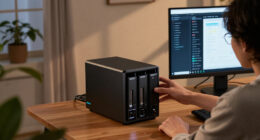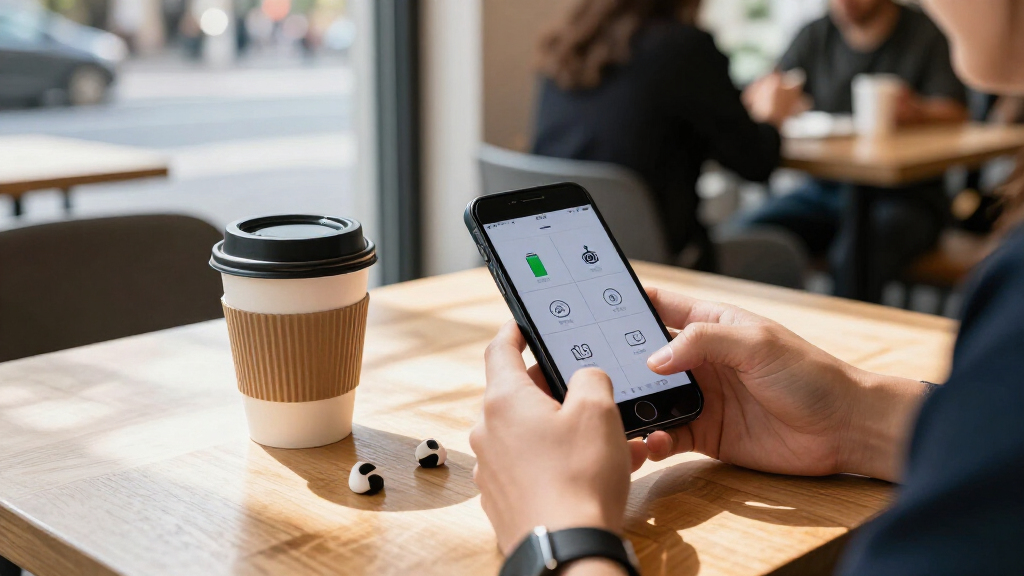

This checklist is for anyone choosing everyday mobile tech, from charging and storage to tracking, photography, and recording. Start with the items that solve a recurring need, then consider the extras that fit your devices and routines. Your devices and habits are the best guide to what belongs on your list.

Get the latest gadgets delivered free with Prime
- Fast, free delivery on millions of items
- Prime Video, Amazon Music and more included
- Member-only deals all year
The sections are organized by product type, with each pick paired with practical questions to ask before buying. Product names can suggest features, but confirm the details that affect your setup—such as connector type, device compatibility, included accessories, and how you plan to use the item. Check the exact model and its current specifications before you commit.
Use the look-for points as a quick checklist, then read the fit notes for possible mismatches. If a product needs an app or software, check its requirements and whether it works with your devices. Prioritize the item that addresses your most frequent frustration, and leave specialty gear until you know it suits your needs. Match each pick to a real task you expect it to handle.
USB-C Charging Cable
A cable is a small purchase that can affect charging, data transfer, and display connections, so match its capabilities to the devices and accessories you actually use. The StarTech.com pick is named as a 6-foot active Thunderbolt 4 cable with 40Gbps, 100W PD, and 4K/8K in its product title. Confirm that the exact cable supports the functions your setup needs; a connector that fits does not by itself confirm full feature compatibility. Verify the connection requirements on both ends.
A common mistake is choosing by length or USB-C appearance alone. Check whether the computer, phone, charger, display, or dock supports the relevant Thunderbolt or USB-C features, and confirm the power needs of the device being charged. Consider whether six feet reaches comfortably from your outlet or dock without creating excess cable on a desk or in a bag. Also check the product listing for included accessories, connector details, and usage limitations. Confirm power and data support across the whole chain before relying on the cable for a demanding setup.
What to look for:
- Confirm Thunderbolt 4 support on the devices you plan to connect.
- Check whether 100W PD meets your device’s charging requirements.
- Verify display resolution and refresh-rate needs against the full setup.
- Measure the route to see whether six feet is a suitable length.
- Review the exact connector details and any stated compatibility limits.
StarTech.com 6ft Active Thunderbolt 4 Cable – 40Gbps, 100W PD, 4K/8K Video, USB4

This 6-foot active Thunderbolt 4 cable delivers high-performance connectivity with 40Gbps data transfer, 100W power delivery, and supports 4K and 8K video resolutions. It is Thunderbolt-certified and compatible with USB4, Thunderbolt 3, and USB 3.2 devices, making it ideal for high-bandwidth applications such as external storage and docking stations.
Pros:
- High-speed 40Gbps data transfer
- Supports 100W power delivery
- Compatible with multiple standards including Thunderbolt 4, USB4, and Thunderbolt 3
- Supports high-resolution video up to 8K
Cons:
- Relatively short at 6.6 feet for some setups
- Premium cable may be costly compared to standard options
Best for: People connecting compatible devices that need a cable for charging, data, or display use.
Not ideal for: Anyone who has not confirmed their devices’ port and power requirements.
Bottom line: Check your device specifications and connection path before choosing this cable.
Portable SSD
Portable storage can make it easier to keep files close at hand, move work between devices, or maintain a separate copy of important data. The Samsung T9 pick is identified as a 4TB portable SSD with USB 3.2 Gen 2×2 in its name. Before buying, verify that the capacity suits your library and that the devices you plan to use support the connection standard needed for your workflow. Compatibility shapes performance, so inspect the ports and specifications on both the drive and host devices.
A frequent buying mistake is assuming that every USB-C port supports the same transfer features. Check whether your computer or other host supports USB 3.2 Gen 2×2, and whether the included cable and connector arrangement works for your setup. Think about where the drive will travel, how you will organize backups, and whether the files need encryption or other safeguards; confirm those capabilities in the product details rather than assuming them. For phones and tablets, verify operating-system support, available storage workflows, and any required adapters. Plan your backup routine as well as your storage capacity so important files are not kept in only one place.
What to look for:
- Confirm the host device supports USB 3.2 Gen 2×2 if that matters to your workflow.
- Decide whether 4TB fits the files you expect to carry or store.
- Check connector and cable compatibility with each device you plan to use.
- Review supported operating systems and any setup requirements.
- Confirm any security features you specifically need in the product listing.
Samsung T9 Portable SSD 4TB, USB 3.2 Gen 2×2

The Samsung T9 is a 4TB portable solid-state drive with read and write speeds of up to 2,000 MB/s when used with a compatible host and cable. It features AES 256-bit hardware encryption, thermal management, and drop resistance up to 9.8 feet, and is compatible with PCs, Macs, gaming consoles, tablets, and iPhone 15 and 16.
Pros:
- Up to 2,000 MB/s read and write speeds
- Large 4 TB storage capacity
- AES 256-bit hardware encryption
- Thermal management and drop resistance up to 9.8 feet
Cons:
- Maximum speeds require a compatible host, cable, and UASP mode
- Compatibility may vary by host device
Best for: People who need a portable drive and have checked host-device compatibility.
Not ideal for: Anyone whose devices or file workflow do not support the needed connection.
Bottom line: Match the drive’s connection standard to your host before settling on capacity.
Bluetooth Tracker
A tracker is most useful when it fits the belongings you routinely misplace and works with the phone ecosystem you already use. The listed pick is an Apple AirTag (2nd Generation) four-pack, so consider how many items you want to track and whether you have a use for several units. Check the manufacturer’s current compatibility information, setup requirements, and location features for your region before buying. Start with ecosystem fit, since a tracker’s usefulness depends on being able to set it up and use its network features.
A common mistake is buying a multipack without deciding where each tracker will go, or assuming a tracker works identically with every phone. Verify supported devices, account requirements, and how sharing or locating works for your intended use. Consider the physical size and attachment method for keys, bags, or other belongings; confirm whether holders or accessories are included or sold separately. Review privacy and safety information, including how unwanted tracking alerts work. Choose the right attachment for each item and make sure you understand the app and account steps before relying on a tracker when something goes missing.
What to look for:
- Confirm compatibility with your phone and its operating system.
- Check setup, account, and app requirements before purchase.
- Plan which belongings will use each tracker in the four-pack.
- Verify whether holders or attachment accessories are included.
- Review privacy features and unwanted-tracking alert behavior.
Apple AirTag (2nd Generation) – 4 Pack

The second‑generation Apple AirTag helps you locate items via the Find My app with expanded Precision Finding on iPhone and Apple Watch. It features a louder speaker, upgraded Ultra Wideband and Bluetooth chips for longer range, and a replaceable battery that lasts over a year.
Pros:
- Expanded Precision Finding provides step‑by‑step directions on iPhone and Apple Watch.
- 50% louder speaker makes the audible alert easier to hear.
- Battery lasts more than a year and is user‑replaceable.
- Sustainable design with 85% recycled plastic and eco‑friendly packaging.
Cons:
- Requires compatible Apple devices and recent iOS/watchOS versions.
- Limited usefulness for non‑Apple users.
- Battery will need replacement after about a year of use.
Best for: People with compatible Apple devices who have several belongings to track.
Not ideal for: Anyone using a phone or account that is not supported.
Bottom line: Confirm ecosystem support and attachment needs before deciding a four-pack is right.
Wireless Charging Pad
This pick combines a wireless charging pad with an RGB mouse pad and phone stand, according to its product name. That combination may suit a desk where charging and a phone resting place are both useful, but the exact charging compatibility and layout should be confirmed in the listing. Check your phone’s supported wireless charging standard and whether the pad’s placement accommodates its size and any case you use. Desk layout matters when one accessory has to serve multiple roles.
A common mistake is assuming the words “wireless charging” guarantee compatibility, charging behavior, or included power equipment. Verify supported phone models, input requirements, whether a power adapter is included, and any stated case limitations. Measure the desk space available for a large gaming mouse pad and check whether the phone stand position works with your mouse movement and cable routing. Also confirm how the RGB lighting is powered and controlled, and whether the stand is built into the pad or attaches separately. Check the full footprint before buying, especially if the desk is shared or already crowded with peripherals.
What to look for:
- Verify your phone supports the charger’s stated wireless charging standard.
- Check whether a power adapter is included and what input is required.
- Measure the available desk space for the large pad.
- Confirm phone stand placement works with your case and viewing angle.
- Review how RGB lighting is powered and controlled.
Wireless Charging RGB Mouse Pad with Phone Stand, Large Gaming Desk Mat

This large gaming desk mat features dual wireless charging zones, a foldable phone stand, and customizable RGB lighting. The water-resistant surface and non-slip rubber base make it ideal for gaming, office work, and study setups, providing organized and efficient workspace functionality.
Pros:
- Dual wireless charging zones for convenience
- Customizable RGB lighting enhances gaming setup
- Foldable phone stand saves desk space
- Water-resistant and non-slip design for durability
Cons:
- Charging speed depends on device and case
- Limited to compatible Qi-enabled devices
- RGB lighting may be unnecessary for some users
Best for: People with a compatible phone who want a combined charging and desk accessory.
Not ideal for: Anyone with limited desk space or an incompatible charging setup.
Bottom line: Confirm charging support, power needs, and desk fit before choosing this combined accessory.
Phone Camera Lens Kit
A clip-on lens kit can appeal to phone photographers who want to experiment with close-up or magnified subjects. This APEXEL pick is named as a 10X Tele-Macro Pro dual lens 2-in-1 for iPhone. The product name alone does not establish which iPhone models it fits, how the lens attaches, or whether a case must be removed. Check your exact iPhone model and the manufacturer’s compatibility details before ordering.
A frequent mistake is expecting a lens to align cleanly with every camera layout or deliver the same results across different phones. Confirm which camera lens the attachment is designed to cover, whether it works with your phone case, and how it is secured. Consider whether you want telephoto-style framing, macro photography, or both, and look for clear guidance on switching between the two modes. Check what accessories are included, such as a clip, case, or storage pouch, rather than assuming they come with the kit. Think through handling too: a setup that is awkward to attach or carry may be less convenient for spontaneous photos.
What to look for:
- Confirm compatibility with your exact iPhone model and camera layout.
- Check whether the lens can be used with your current case.
- Verify how the attachment aligns and secures to the phone.
- Review instructions for switching between tele-macro modes.
- Check which mounting or storage accessories are included.
APEXEL 10X Tele‑Macro Pro Dual Lens 2‑in‑1 for iPhone

The APEXEL 10X Tele‑Macro Pro combines a 10× telephoto lens and a 10× macro lens in one lightweight, clip‑on design. Its 12‑element optics with HD coating deliver sharp, vibrant images from distant subjects to close‑up details as close as 8 inches.
Pros:
- Dual functionality provides both telephoto and macro capabilities in one lens.
- Lightweight and portable clip‑on design fits easily in a pocket.
- High‑quality 12‑element optics with multi‑layer coating reduce glare and improve sharpness.
Cons:
- No image stabilization, which may affect handheld low‑light shots.
Best for: iPhone users who want to explore tele-macro photography with a compatible setup.
Not ideal for: Anyone whose phone model or case is not supported.
Bottom line: Confirm camera alignment and attachment compatibility before expecting the kit to fit.
Digital Voice Recorder
A dedicated voice recorder may suit people who regularly capture spoken notes, interviews, or meetings and want a separate recording device. The Olympus DS-9000 listing names ODMS R7 software, so check the current product details for what is included and which operating systems the software supports. Also verify recording formats, transfer options, and the controls available on the device. Start with your recording workflow and make sure the recorder and software fit it.
A common mistake is focusing on the recorder alone without checking how files will be transferred, organized, and reviewed afterward. Confirm whether the software requires a license, account, or particular computer setup, and whether your intended workflow supports the file formats produced. Consider whether you need built-in microphones, external microphone connections, transcription tools, or docking accessories, and verify each capability in the official specifications. Check how the device is powered and what accessories are supplied. If you record conversations with other people, understand the consent and recording rules that apply where you are. Plan the full handoff from recording to listening, transcription, or archiving before choosing this model.
What to look for:
- Confirm the recorder’s supported file formats and transfer options.
- Check ODMS R7 operating-system and licensing requirements.
- Verify microphone connections and recording features you need.
- Review included accessories and power requirements.
- Plan how recordings will be organized, transcribed, and backed up.
Olympus DS-9000 Digital Voice Recorder with ODMS R7 Software

The Olympus DS-9000 is a stereo digital voice recorder with slide-switch controls, dual directional microphones, and noise-canceling features designed to capture clear speech in noisy environments. It includes 32 GB of storage, MP3 recording, and USB and microSD interfaces.
Pros:
- Noise-canceling features help reduce ambient sound.
- Dual microphones support directional voice capture.
- 32 GB of storage and MP3 recording.
Cons:
- No battery-life or recording-time figure is provided.
- The listed 2.4-inch screen may be small for some users.
Best for: People who regularly record speech and want a separate device with software support.
Not ideal for: Anyone who has not checked the software and file-transfer requirements.
Bottom line: Verify recorder features and ODMS R7 compatibility with your computer before buying.
For a budget-first buying order, rank products by how often they solve a real problem. Start with a cable, storage drive, or tracker if one of those needs comes up regularly, and check compatibility before purchasing. Add the desk charging pad, lens kit, or recorder when its specific use fits your devices and routine. Buy for repeated use, and avoid adding accessories until you know where they fit.
Use the checklist to compare exact specifications, device support, included accessories, and setup requirements. A little research can prevent a mismatch and help each item earn its place in your everyday kit. Choose with confidence by confirming the details that matter to your setup.