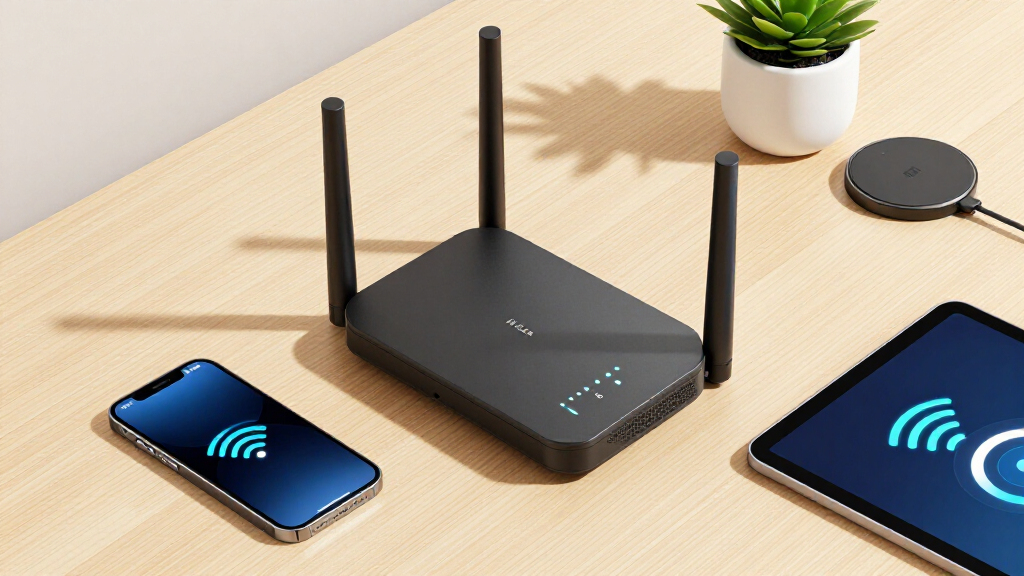

Choosing the best long range Wi-Fi routers in 2026 means balancing coverage, speed, and ease of setup. The TP-Link Deco X55 offers excellent mesh coverage for multi-room setups, making it ideal for large homes. The NETGEAR Nighthawk RAX120 stands out for its high throughput and robust performance for demanding networks. However, longer range often comes with tradeoffs like increased complexity or higher cost. Continue reading to see how each option stacks up and which might be the best fit for your space and needs.

Get the latest gadgets delivered free with Prime
- Fast, free delivery on millions of items
- Prime Video, Amazon Music and more included
- Member-only deals all year
Complete the kit



Key Takeaways
- Mesh systems like the TP-Link Deco X55 deliver seamless coverage across large areas but tend to be more expensive per unit.
- High-performance routers like the NETGEAR RAX120 excel in speed and stability but may have a steeper learning curve for setup.
- Tri-band Wi-Fi 6E options, such as the TP-Link Deco XE75, provide future-proofing and extensive coverage but come at a premium price.
- Despite their range, some budget models like the Tenda AX1500 still offer decent coverage for smaller or less demanding environments.
- The best long range routers balance coverage, speed, ease of use, and price, with some tradeoffs depending on the specific needs.


| long range Wi-Fi router | Ports |
|---|---|
| TP-Link Deco X55 AX3000 WiFi 6 | — |
| TP-Link AX6000 Wi-Fi 6 Router | 1 x 2.5 Gbps WAN/LAN port |
| TP-Link AX5400 WiFi 6 Router | 1× USB 3.0 |
| WAVLINK AX6000 Dual Band WiFi | — |
| TP-Link Deco XE75 AXE5400 Tri- | — |
| GL.iNet GL-MT6000 Flint 2 Wi-F | 2 x 2.5G, 4 x 1G |
| NETGEAR Nighthawk WiFi 6 Route | — |
| Tenda WiFi 6 Router for Home | 4 Gigabit Ethernet |
| TP-Link AXE5400 Tri-Band WiFi | — |
| TP-Link AC1200 Gigabit WiFi Ro | 4 Gigabit LAN |
| TP-Link BE6500 Dual-Band WiFi | 1x 2.5 Gbps WAN/LAN, 1x 2.5 Gbps LAN, 3x 1 Gbps LAN |
| GL.iNet GL-BE9300 Flint 3 Tri- | — |
More Details on Our Top Picks
TP-Link Deco X55 AX3000 WiFi 6 Mesh System (3-Pack)
The TP-Link Deco X55 AX3000 Mesh System stands out for delivering extensive coverage up to 6,500 square feet, making it ideal for larger homes. Compared to the WAVLINK AX6000, which offers high-speed performance in smaller areas, the Deco X55 prioritizes wide coverage over raw speed. Its mesh design allows seamless connectivity for up to 150 devices, a crucial advantage for busy households with many smart gadgets. The setup is straightforward via the Deco app, and multiple Gigabit Ethernet ports support wired devices. However, it requires a separate modem for most ISPs, and its price can be a consideration. This pick makes the most sense for homeowners who need reliable, whole-home Wi-Fi without sacrificing ease of use.
Pros:- Extensive coverage up to 6,500 sq ft
- Supports up to 150 devices with Wi-Fi 6
- Simple setup via the Deco app
- Multiple Gigabit Ethernet ports
Cons:- Requires a separate modem for most ISPs
- Price can be high for budget-conscious buyers
Best for: Large households or multi-room homes needing reliable Wi-Fi coverage up to 6,500 sq ft
Not ideal for: Small apartments or users with modest internet needs, as mesh coverage isn’t necessary and cost may be high
- Wi-Fi Standard:Wi-Fi 6 (AX3000)
- Coverage Area:6500 sq ft
- Number of Units:3
- Ethernet Ports per Unit:3
- Total Ethernet Ports:6
- Supports Ethernet Backhaul:Yes
Our verdict“This system is best for those seeking expansive, reliable Wi-Fi coverage across large homes without complex setup.”
TP-Link AX6000 Wi-Fi 6 Router (Archer AX80) – Dual Band, 2.5 Gbps WAN/LAN, Long Range Coverage, WPA3, Beamforming
The TP-Link AX6000 Archer AX80 offers exceptional speed, reaching up to 4804 Mbps on 5 GHz, making it ideal for heavy streaming and gaming. Its eight high-gain antennas with Beamforming provide broad coverage, comparable to the AX5400 AX73, but with a focus on raw speed and multi-device capacity. It supports multi-gigabit wired connections via a 2.5 Gbps port, and its advanced security (WPA3) and OneMesh support ensure both safety and seamless coverage. While the setup can be complex for non-technical users and it requires a modem, the AX6000 is better suited for tech-savvy users who demand maximum speed and coverage. The premium price may be a barrier for some.
Pros:- High-speed Wi-Fi up to 4804 Mbps
- Eight high-gain antennas with Beamforming
- Supports multi-gigabit wired connections
- Includes WPA3 security and OneMesh
Cons:- Requires a modem for most ISPs
- Setup complexity for non-technical users
Best for: Power users needing fast, reliable Wi-Fi over large areas with multiple devices
Not ideal for: Casual users or those with simple internet plans, as it may be overkill and complex to configure
- Wi-Fi Technology:Wi-Fi 6
- Max Speed:4804 Mbps on 5 GHz
- Ports:1 x 2.5 Gbps WAN/LAN port
- Antennas:8 high-gain antennas with Beamforming
- Security:WPA3, TP-Link HomeShield
- Features:OneMesh, MU-MIMO, OFDMA
Our verdict“Ideal for demanding households or small offices that need maximum speed and coverage with advanced security features.”
TP-Link AX5400 WiFi 6 Router (Archer AX73) – Dual Band Gigabit Wireless Internet Router for Streaming and Long Range Coverage
The TP-Link AX5400 Archer AX73 excels at delivering speeds up to 5400 Mbps, making it suitable for intensive streaming, gaming, and multiple devices. Its six antennas and advanced beamforming technology provide solid coverage, comparable to the WAVLINK AX6000, but with a focus on speed rather than ultra-wide coverage. MU-MIMO and OFDMA support help manage multiple connections efficiently. The included USB port adds media sharing capabilities, enhancing its versatility. However, it requires an external modem for most internet providers, and its high-speed features come with a higher price tag. This makes it a good choice for users who prioritize fast, stable Wi-Fi in a large home or a busy household.
Pros:- Fast Wi-Fi speeds up to 5400 Mbps
- Supports MU-MIMO and OFDMA
- USB port for media sharing
- Good coverage with 6 antennas
Cons:- Requires a modem for most ISPs
- Higher cost due to high-speed capabilities
Best for: Gamers and streamers needing reliable, high-speed Wi-Fi in large spaces
Not ideal for: Small households with minimal internet use or those seeking simple setup without additional equipment
- WiFi Speed:Up to 5400 Mbps
- Bands:Dual Band
- Antennas:6× Antennas
- Ports:1× USB 3.0
- Technology:WiFi 6, MU-MIMO, OFDMA
- Requires Modem:Yes
Our verdict“Best for high-demand users seeking fast, stable Wi-Fi optimized for streaming and gaming in larger homes.”
WAVLINK AX6000 Dual Band WiFi 6 Router, High-Speed Gigabit Router with 8 Antennas, 2.5G Ethernet, Mesh Support, WPA3, OpenVPN, Smart App
The WAVLINK AX6000 offers a compelling mix of high-speed Wi-Fi 6 performance and extensive coverage, thanks to its 8 antennas and mesh support. Covering approximately 1700 sq.ft., it’s designed for larger homes that want seamless, secure Wi-Fi with VPN support and smart management through its app. Compared to the AX5400 AX73, the WAVLINK provides more advanced security features like WPA3 and VPN functionality, but its coverage is more limited unless combined with additional units. It requires an ISP-provided modem, and mesh support is limited to WAVLINK-compatible devices, which could restrict expandability. Nonetheless, it’s well-suited for tech-savvy users prioritizing security and easy management.
Pros:- High-speed Wi-Fi 6 with 8 antennas
- Supports mesh networking
- Advanced security including WPA3 and VPN
- Easy setup via mobile app
Cons:- Limited coverage alone (1700 sq.ft.)
- Requires ISP modem
- Mesh support limited to WAVLINK devices
Best for: Homeowners who want fast, secure Wi-Fi with mesh support and VPN features for large properties
Not ideal for: Users seeking extensive coverage over many rooms or larger areas without purchasing additional units
- Frequency Band:Dual-Band
- Max Data Rate:6 Gbps
- Number of Antennas:8
- WAN Port:1 x 2.5G
- LAN Ports:4 x 1G, 1 x 2.5G
- Coverage:1700 sq.ft
Our verdict“Ideal for security-conscious users with large homes wanting fast Wi-Fi and VPN support, but may need additional units for broader coverage.”
TP-Link Deco XE75 AXE5400 Tri-Band WiFi 6E Mesh System – 2-Pack, Covers up to 5500 Sq.Ft
The TP-Link Deco XE75 AXE5400 mesh system introduces WiFi 6E, offering a new 6 GHz band for interference-free, high-speed connections, making it ideal for tech enthusiasts seeking the latest in wireless tech. Compared to the dual-band AX5400 AX73, this tri-band system provides a dedicated 6 GHz channel, significantly reducing congestion and improving performance in busy households. Covering up to 5500 square feet, it’s perfect for large homes, with easy setup via the Deco app and smart management features. However, the higher price point and the need for a compatible modem mean it’s best suited for users who want cutting-edge Wi-Fi technology and have the budget for it.
Pros:- Includes WiFi 6E with 6 GHz band
- Covers up to 5500 sq.ft.
- Easy setup and smart management
- Enhanced security with HomeShield
Cons:- Higher price point
- Requires compatible modem
- Limited to 2 units, may need expansion for very large homes
Best for: Users wanting the latest WiFi 6E technology for large, multi-device homes with future-proofing in mind
Not ideal for: Budget-conscious buyers or those with smaller homes who won’t utilize the 6 GHz band
- Coverage Area:up to 5500 sq.ft
- Bands:Tri-Band (2.4 GHz, 5 GHz, 6 GHz)
- Maximum Speed:5,400 Mbps
- Number of Units:2
- WiFi Standard:WiFi 6E
- Security:TP-Link HomeShield
Our verdict“Best suited for early adopters and large households seeking cutting-edge Wi-Fi technology with extensive coverage.”
GL.iNet GL-MT6000 Flint 2 Wi-Fi 6 Gaming Router with Dual 2.5G Ports
The GL.iNet GL-MT6000 Flint 2 stands out for its exceptional Wi-Fi 6 speeds up to 6 Gbps and support for over a hundred devices simultaneously, making it ideal for gamers and tech-savvy users who want open-source firmware and advanced VPN options. Compared with the NETGEAR RAX120, it offers more customization flexibility but involves a more complex setup process. Its dual 2.5G ports provide fast wired connections, perfect for reducing lag during intense gaming. The open-source Linux OS enables deep customization, appealing to advanced users, though this can be daunting for casual users. The main tradeoff is the setup complexity and the need for firmware updates to optimize performance. This model makes the most sense for users who want a highly configurable, high-speed network with strong security and are comfortable with technical setup.
Pros:- Supports Wi-Fi 6 speeds up to 6 Gbps for demanding applications
- Supports over 100 devices simultaneously, ideal for busy households
- OpenWrt pre-installed for advanced customization
Cons:- Setup may require firmware updates and technical knowledge
- Advanced features could be too complex for casual users
Best for: Tech enthusiasts and gamers needing customizable, ultra-fast Wi-Fi 6 with open-source flexibility
Not ideal for: Casual users or those seeking plug-and-play simplicity, as setup and configuration can be challenging
- Wi-Fi Standard:Wi-Fi 6
- Max Speed:6 Gbps
- Number of Ports:6
- Ports:2 x 2.5G, 4 x 1G
- Security Protocol:WPA3
- Operating System:Linux
- Antenna Type:Retractable
- Coverage:Wide
- Frequency:5 GHz
Our verdict“This router is perfect for power users who want high performance and customization at the expense of ease of setup.”
NETGEAR Nighthawk WiFi 6 Router (RAX120) 12-Stream Dual-Band Gigabit AX6000
The NETGEAR Nighthawk RAX120 offers impressive coverage up to 3,500 sq.ft. and supports up to 30 devices with speeds up to 6 Gbps, making it a top choice for large households with heavy streaming and gaming needs. Compared with the TP-Link AX5400 Archer AX73, it provides more streams and broader coverage, but at a higher price point and larger size, which may require more space. Its quad-core 2.2 GHz processor ensures reliable performance, and the inclusion of USB ports allows network storage sharing. Security features like WPA3 and management via app make it user-friendly, yet setup can be complex for non-technical users. The main tradeoff is its size and cost, which may be prohibitive for smaller spaces or budget-conscious buyers. This router is ideal for homeowners needing extensive coverage and high device capacity without sacrificing speed.
Pros:- Supports Wi-Fi 6 speeds up to 6 Gbps for demanding applications
- Covers up to 3,500 sq.ft., ideal for large homes
- Includes USB ports for network storage and device sharing
Cons:- Large size requires significant space
- Setup and management can be complex for non-technical users
Best for: Large households or small offices with multiple devices requiring broad Wi-Fi coverage and high throughput
Not ideal for: Small apartments or users on a tight budget due to its size and premium price
- Maximum Range:3500 sq ft
- WiFi Standard:Wi-Fi 6 (802.11ax)
- Speed:Up to 6 Gbps
- Number of Streams:12
- Processor:2.2GHz quad-core
- Ethernet Ports:4 x 1G, 1 x multi-Gig
- USB Ports:2 x 3.0
- Coverage:Up to 3,500 sq.ft.
- Device Capacity:30 devices
Our verdict“This router makes the most sense for large homes needing extensive coverage and multiple device support, despite its size and cost.”
Tenda WiFi 6 Router for Home, AX1500 Dual Band Gigabit Router with High-Gain Antennas
The Tenda RX2Pro delivers solid Wi-Fi 6 performance with speeds up to 1501 Mbps and extensive coverage thanks to its five high-gain antennas. Compared with the TP-Link AX5400 Archer AX73, it offers slightly lower maximum speeds but excels in coverage and ease of use, especially for medium-sized households. Its WPA3 security and remote management via the Tenda app make it a reliable choice for security-conscious users. The intelligent band switching optimizes performance across devices, yet it lacks mesh networking capabilities, which could limit seamless coverage in very large or multi-story homes. Its straightforward setup and user-friendly app are advantages, but it may not be suitable for very small or very large spaces. This router is best for users seeking a balance between coverage, security, and affordability.
Pros:- Supports Wi-Fi 6 speeds up to 1501 Mbps for smooth streaming
- Wide coverage with five high-gain antennas
- Advanced WPA3 security and easy app management
Cons:- No mesh networking support for seamless multi-room coverage
- Limited high-end speed capabilities compared to premium routers
Best for: Medium to large households needing reliable Wi-Fi coverage without high-speed demands
Not ideal for: Very small spaces or households needing multi-room mesh coverage, as it lacks mesh features
- WiFi Technology:WiFi 6 (802.11ax)
- Speed:1501 Mbps
- Antennas:5 x 6dBi high-gain
- Ports:4 Gigabit Ethernet
- Security:WPA3
- Coverage:Whole-home
Our verdict“This router suits medium households seeking broad coverage and good security at an affordable price, with some limitations in mesh functionality.”
TP-Link AXE5400 Tri-Band WiFi 6E Router (Archer AXE75)
The TP-Link Archer AXE75 stands out for its tri-band WiFi 6E support, delivering up to 5400 Mbps across 6 GHz, 5 GHz, and 2.4 GHz bands. This model outperforms dual-band options like the Archer AX73 by providing a dedicated 6 GHz band for ultra-fast, low-latency connections, especially beneficial for gaming and 4K streaming. Its dual-core CPU and 512 MB memory ensure robust performance, while OneMesh support helps create a seamless whole-home network. Compared to the AX5400, it offers a significant speed boost on the 6 GHz band but requires a modem and more technical setup. The main tradeoff involves complexity and higher cost, making it less suitable for less tech-savvy users. This router is best for early adopters seeking the latest WiFi standards and maximum future-proofing.
Pros:- Supports tri-band WiFi 6E with speeds up to 5400 Mbps
- Dedicated 6 GHz band for low latency gaming and high-res streaming
- Supports OneMesh for seamless whole-home coverage
Cons:- Requires a compatible modem and more complex setup
- Higher price point compared to dual-band routers
Best for: Tech-savvy users who want the fastest Wi-Fi 6E speeds and future-proof network capabilities
Not ideal for: Casual users or households on a tight budget, due to complexity and cost
- WiFi Speed:5400 Mbps
- Bands:Tri-Band (6 GHz, 5 GHz, 2.4 GHz)
- 6 GHz Speed:2402 Mbps
- 5 GHz Speed:2402 Mbps
- 2.4 GHz Speed:574 Mbps
- CPU:Dual-Core 1.0 GHz
- Memory:512 MB
- Supports:OneMesh, VPN
Our verdict“This router is ideal for early adopters and tech enthusiasts who want cutting-edge wifi speeds and future-proof features, despite the complexity and cost.”
TP-Link AC1200 Gigabit WiFi Router (Archer A6) – Dual Band MU-MIMO Wireless Internet Router with 4 Antennas, OneMesh, and AP Mode
The TP-Link Archer A6 offers a practical, budget-friendly option with dual-band WiFi speeds up to 1200 Mbps and four external antennas for reliable coverage. Compared with higher-end options like the AX5400 Archer AX73, it provides lower maximum speeds but remains capable for everyday streaming, browsing, and device connections. Its MU-MIMO technology and Beamforming enhance performance for multiple devices, and OneMesh allows easy expansion into a mesh system for better coverage. Setup is straightforward, making it accessible for beginners and households with moderate needs. The main tradeoff is its lower speed ceiling and fewer advanced features, which could limit performance in very demanding or large environments. This router is best for users seeking dependable Wi-Fi at a lower price point with basic long-range coverage.
Pros:- Supports dual-band Wi-Fi speeds up to 1200 Mbps
- Four external antennas for improved coverage
- Supports OneMesh for expanding coverage easily
Cons:- Lower maximum speeds limit high-bandwidth applications
- No advanced features like Wi-Fi 6 or mesh support beyond OneMesh
Best for: Budget-conscious households needing reliable, decent-range Wi-Fi for everyday activities
Not ideal for: Heavy gamers or smart home users with demanding bandwidth needs, due to lower speeds
- Wireless Speed:1200 Mbps
- Frequency Bands:2.4GHz and 5GHz
- Antennas:4 external
- Technology:MU-MIMO, Beamforming
- Ports:4 Gigabit LAN
- Security:WPA3
- Features:OneMesh, AP Mode
Our verdict“This router is a solid choice for budget-minded users who need stable, extended coverage for everyday use without the latest speed demands.”
TP-Link BE6500 Dual-Band WiFi 7 Router (BE400) with 2.5Gbps Ports, USB 3.0, Covers 2,400 sq. ft., Supports 90 Devices, Quad-Core CPU, HomeShield Security
The TP-Link BE6500 stands out for its cutting-edge Wi-Fi 7 technology, delivering high-speed, low-latency connections that outperform older Wi-Fi 6 options like the TP-Link AX6000. Its broad coverage of 2,400 sq. ft. and support for up to 90 devices make it ideal for large households with heavy internet demands. The inclusion of multi-gig ports and advanced security features such as HomeShield adds to its appeal, especially for users prioritizing both performance and security. However, its premium price and complex features might be overwhelming for casual users or those with simpler needs. To fully benefit, you will need compatible Wi-Fi 7 devices, which are still emerging in the market.
Pros:- Supports the latest Wi-Fi 7 for fast, low-latency connections
- Wide coverage suitable for large homes
- Advanced security with HomeShield and WPA3 encryption
Cons:- Premium price may be prohibitive for some buyers
- Features can be complex for casual users
Best for: Large families or smart home enthusiasts needing high-speed, reliable coverage over a big area
Not ideal for: Casual users or small households that do not have Wi-Fi 7 devices or require simpler setups
- Wi-Fi Technology:Wi-Fi 7
- Max Coverage:2,400 sq. ft.
- Device Capacity:90 devices
- Ports:1x 2.5 Gbps WAN/LAN, 1x 2.5 Gbps LAN, 3x 1 Gbps LAN
- Processor:Quad-Core CPU
- Dimensions:10.6 x 6 x 1.9 inches
Our verdict“This router is best suited for large households with multiple devices seeking top-tier speed and security, despite its higher cost and complexity.”
GL.iNet GL-BE9300 Flint 3 Tri-Band Wi-Fi 7 Router
The GL.iNet GL-BE9300 Flint 3 delivers exceptional speeds up to 9 Gbps with tri-band Wi-Fi 7, making it a compelling choice for heavy streaming, gaming, and video conferencing, especially when compared to the dual-band TP-Link BE6500. Its MLO technology reduces latency, and its support for over 100 devices suits busy households or small offices. While setup may require a firmware update for optimal performance, its extensive coverage and advanced features like parental controls and support for Bark make it highly versatile. Speed variations may occur depending on your internet plan and environment, but overall it provides a stable, high-capacity network for demanding users.
Pros:- Speeds up to 9 Gbps for seamless streaming and gaming
- Supports over 100 devices with stable connections
- Advanced MLO technology reduces latency
Cons:- Setup may require firmware updates for peak performance
- Speed can depend heavily on internet service and environment
Best for: High-demand households or small offices needing ultra-fast, reliable connections for multiple devices
Not ideal for: Users with basic internet needs or those seeking simple plug-and-play solutions without firmware tweaking
- Wi-Fi Standard:Wi-Fi 7
- Wireless Speed:up to 9 Gbps
- Tri-Band:Yes
- Maximum Coverage:2000 sq ft
- Device Capacity:over 100 devices
- Technology:MLO, OFDMA, 4K QAM
Our verdict“This router is ideal for tech-savvy users seeking maximum speeds and capacity in a high-density setup, with some setup complexity involved.”
How We Picked
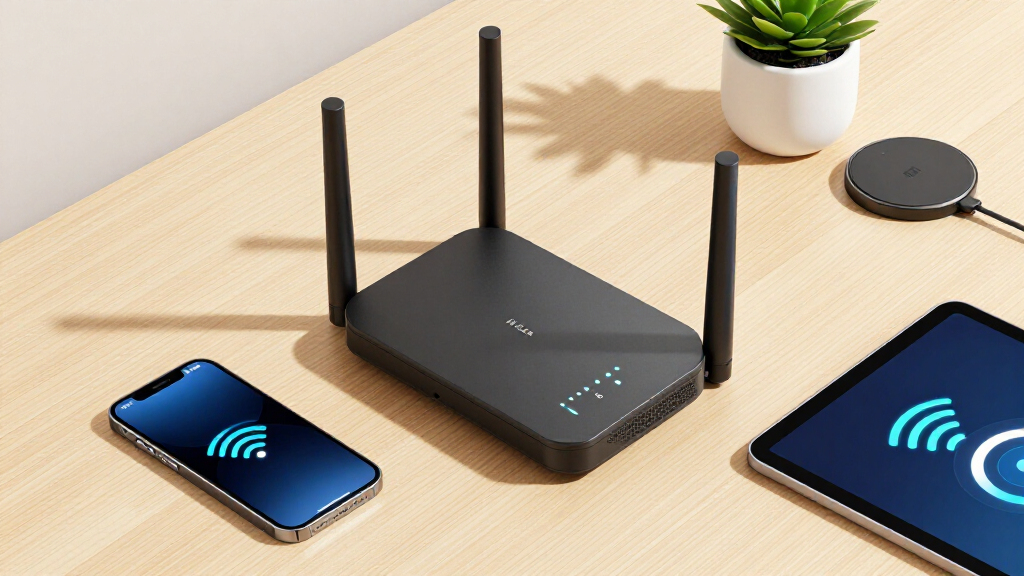
I evaluated these routers based on how well they deliver extended coverage, their maximum speeds, ease of setup, build quality, and additional features like mesh support or security. Routers with advanced antenna designs, multiple bands, and support for Wi-Fi 6 or 6E generally ranked higher because they provide better future-proofing and performance over larger areas. Price was also a consideration, ensuring each option offers value for its intended use. The ranking reflects a combination of raw performance, coverage capabilities, usability, and overall value, catering to different needs from casual users to tech enthusiasts.Factors to Consider When Choosing Best Long Range Wi-Fi Routers
When selecting a long range Wi-Fi router, several key factors influence how well it will perform in your space. Understanding coverage needs, speed requirements, and compatibility ensures you choose a device that truly meets your expectations. Considering these factors can prevent overspending on features you don’t need or ending up with insufficient coverage for your home or office.Coverage Area and Range
Assess the size of your space to determine the necessary coverage. Mesh systems like the Deco X55 excel in large homes where seamless coverage across multiple floors is essential. For smaller homes or apartments, a high-powered single router might suffice, saving money. Keep in mind that physical obstructions such as walls and floors can significantly reduce range, so consider routers with multiple antennas or mesh capabilities for complex layouts.
Wi-Fi Standards and Speed
Opt for routers supporting Wi-Fi 6 or Wi-Fi 6E, as these standards offer higher speeds and better performance in congested environments. While higher speeds are attractive, they are most beneficial if your internet plan can handle them. For most users, a router with gigabit speeds will suffice, but if you have demanding streaming or gaming needs, prioritize models with multi-gig ports and advanced beamforming technology.
Ease of Setup and Management
Complex setups can be frustrating, especially for non-technical users. Look for routers with user-friendly apps or web interfaces that simplify installation and management. Mesh systems often provide a more intuitive experience for extending coverage without complicated wiring. Also, consider whether the router supports firmware updates and parental controls, which can enhance usability and security over time.
Price and Future-Proofing
Budget models may save money upfront but often compromise on range or speed, which can lead to additional upgrades later. Investing in a more capable router like those supporting Wi-Fi 6E can extend the device’s relevance for years, thanks to expanded spectrum and bandwidth. Balance your current needs with anticipated future demands, especially if you plan to add smart home devices or increase internet speeds.
Additional Features and Security
Features like mesh compatibility, multiple Ethernet ports, or advanced security protocols (like WPA3) add value. Some routers include integrated security services or VPN support, which can be critical if you prioritize privacy. Evaluate whether these extras justify the price premium and align with your specific use case, such as gaming, streaming, or smart home integration.
Frequently Asked Questions
Will a mesh Wi-Fi system provide better range than a traditional router?
Generally, mesh Wi-Fi systems like the Deco X55 are designed specifically to provide broader, more seamless coverage by using multiple nodes that communicate with each other. This setup reduces dead zones and maintains consistent speeds across larger areas. Traditional routers can also cover large spaces, but their effectiveness diminishes with physical obstacles and distance unless combined with range extenders or additional access points. For very large or complex layouts, mesh systems tend to be more reliable in delivering consistent coverage.
Is Wi-Fi 6E worth the extra cost for long-range coverage?
Wi-Fi 6E offers additional spectrum in the 6 GHz band, which reduces congestion and increases potential speeds, especially in densely populated areas. For long-range coverage, the main advantage is future-proofing, as more devices will support Wi-Fi 6E over time. However, to fully benefit from Wi-Fi 6E, you need compatible devices and a premium router, such as the Deco XE75. If your current devices are Wi-Fi 5 or Wi-Fi 6, investing in Wi-Fi 6E might not provide immediate noticeable benefits, but it can extend the lifespan of your network hardware.
Can I use a single high-power router instead of a mesh system for large homes?
Yes, a high-power router with multiple antennas and beamforming can deliver excellent range in large homes, especially if the layout is open and unobstructed. However, in homes with multiple floors or many walls, a single router’s signal may weaken over distance, leading to dead zones. Mesh systems are often more reliable in these scenarios because they create a network of nodes that distribute coverage evenly. Consider your home’s layout carefully to decide whether a powerful single router or a mesh setup will serve you better.
How important are multi-gig Ethernet ports for long-range Wi-Fi routers?
Multi-gig Ethernet ports, such as 2.5 Gbps or 10 Gbps, are valuable if you transfer large files locally or connect high-speed devices directly to the router. While they don’t affect Wi-Fi range directly, they can improve overall network performance and future-proof your setup. For most home users focused on extending wireless coverage, gigabit ports are sufficient, but if you plan to upgrade your internet plan or have demanding local network needs, multi-gig ports can be a smart investment.