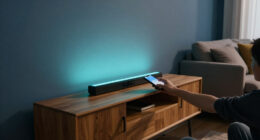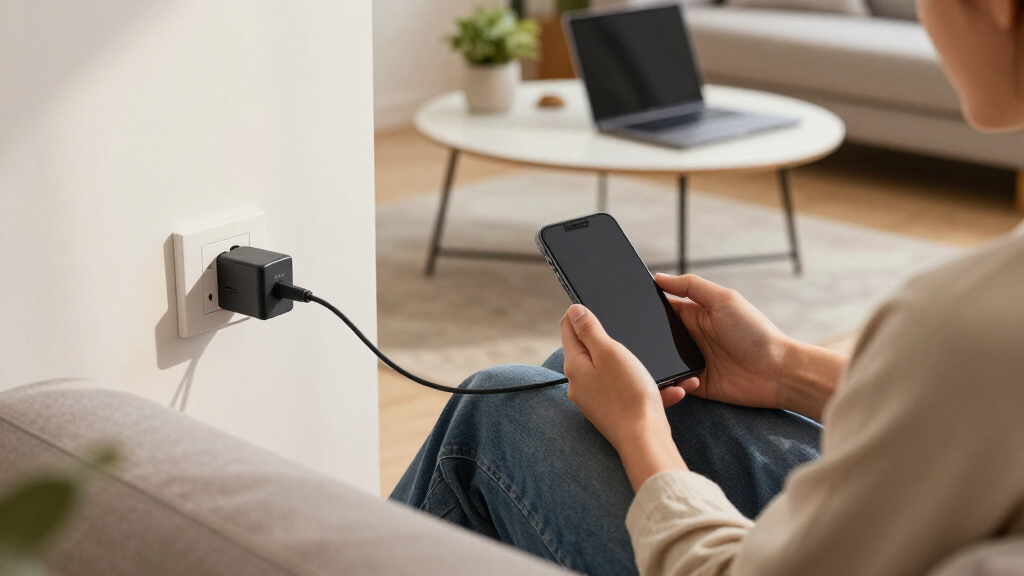

Choosing the right cellular home phone adapter depends on your specific needs—whether you want to reduce radiation, improve call quality, or ditch monthly bills. The CELL2JACK stands out for its smart home integration and radiation reduction, making it ideal for tech-savvy seniors or smart home enthusiasts. The XLink BT2 offers seamless Bluetooth connectivity for multiple cell phones, which benefits busy households with multiple devices. The magicJack VOIP adapter is perfect for those seeking unlimited calls without ongoing fees, especially if you primarily call the US and Canada. Each option comes with its own tradeoffs—some require technical setup, others are limited in compatibility or range—but all promise to improve your home communication landscape.

Get the latest gadgets delivered free with Prime
- Fast, free delivery on millions of items
- Prime Video, Amazon Music and more included
- Member-only deals all year
Complete the kit



Key Takeaways
- The CELL2JACK is best for integrating landline phones with smart home tech and reducing radiation exposure.
- The XLink BT2 excels in supporting multiple cell phones with high audio quality, ideal for multi-user households.
- The XLink BT HD offers wideband audio and compatibility with antique telephones for a versatile calling experience.
- The magicJack provides unlimited US and Canadian calls at a one-time cost, perfect for budget-conscious users.
- Tradeoffs include setup complexity, limited Bluetooth range, or compatibility constraints depending on the choice.
| CELL2JACK Cellphone to Home Phone Adapter |  | Best Overall for Smart Home Integration and Radiation Reduction | Compatibility: All analog landline phones | Connectivity: Bluetooth | Charging Port: 5V out | VIEW ON AMAZON | See Our Full Breakdown |
| Xtreme Technologies XLink BT2 Bluetooth Cell to Home Telephone |  | Best for Multi-Device Household Connection | Connects: Up to 2 cell phones | Features: Bluetooth, echo compression | Compatibility: Home telephones | VIEW ON AMAZON | See Our Full Breakdown |
| Xtreme Technologies XLink BT HD Bluetooth Cell to Home Telephone | 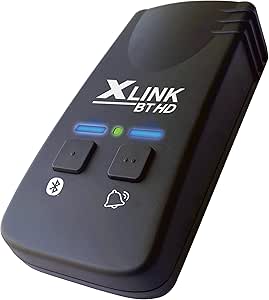 | Best for Superior Audio and Antique Phone Compatibility | Connectivity: Bluetooth 5 | Audio Quality: 16KHz Wide Band | Compatibility: Cell phones, antique phones | VIEW ON AMAZON | See Our Full Breakdown |
| magicJack VOIP Phone Adapter |  | Best for Unlimited Calls and Cost Savings | Compatible Devices: Cellular phones | Specific Uses: Telephone | Connector Type: Micro USB, USB Type C | VIEW ON AMAZON | See Our Full Breakdown |
| cellular home phone adapter | Compatibility | Connectivity |
|---|---|---|
| CELL2JACK Cellphone to Home Ph | All analog landline phones | Bluetooth |
| Xtreme Technologies XLink BT2 | Home telephones | — |
| Xtreme Technologies XLink BT H | Cell phones, antique phones | Bluetooth 5 |
| magicJack VOIP Phone Adapter | — | — |
More Details on Our Top Picks
CELL2JACK Cellphone to Home Phone Adapter
The CELL2JACK stands out for turning your existing landline phones into smart home-compatible devices, supporting all analog phones including rotary and senior-friendly models. Its Bluetooth connection allows it to pair with smartphones, making calls via your landline while reducing cellphone radiation exposure—a key benefit for health-conscious users. Compared with other adapters, it’s more versatile in supporting different phone types, but setup can be complex for non-technical users. It’s an excellent choice for those who want smart home integration and radiation reduction without sacrificing landline familiarity.
Pros:- Reduces cellphone radiation exposure
- Supports all types of analog landline phones
- Integrates with Siri and Google Assistant
Cons:- Requires Bluetooth pairing with cell phone
- Limited to analog phones, not digital or VoIP
- Setup may be complex for some users
Best for: Smart home enthusiasts and health-conscious seniors
Not ideal for: Digital or VoIP phone users, those seeking a simple plug-and-play solution
- Compatibility:All analog landline phones
- Connectivity:Bluetooth
- Charging Port:5V out
- Supported Devices:Smartphones, smart home devices
- Technology Patents:US 8503948B1, US 9020445B2
Our verdict“A versatile, smart home-friendly adapter ideal for reducing radiation and supporting all analog phones, but best suited for tech-savvy users.”
Xtreme Technologies XLink BT2 Bluetooth Cell to Home Telephone
The XLink BT2 is designed for households with multiple cell phones, supporting up to two simultaneously. Its Bluetooth connectivity enables you to make and answer calls on your home phone without physically switching devices, a huge convenience for busy families. The audio quality is enhanced with echo compression, making conversations clearer. However, its limited Bluetooth range means you need to stay close to the adapter, and it works only with compatible home telephones. Compared with other options, it’s less versatile in device types but excels in multi-phone support.
Pros:- Supports two cell phones at once
- Enables making and answering calls through home phones
- Clear audio with echo reduction
Cons:- Limited Bluetooth range
- Requires compatible landline setup
- Not suitable for digital or VoIP phones
Best for: Households with multiple cell phones needing seamless call management
Not ideal for: Users with digital or VoIP phones, or those requiring long-range connectivity
- Connects:Up to 2 cell phones
- Features:Bluetooth, echo compression
- Compatibility:Home telephones
Our verdict“A practical choice for multi-phone households seeking simple Bluetooth integration, with range limitations to consider.”
Xtreme Technologies XLink BT HD Bluetooth Cell to Home Telephone
The XLink BT HD elevates call clarity with wideband audio at 16KHz, supporting Bluetooth 5 for more stable connections. It can connect to both modern smartphones and antique telephones, making it a flexible choice for vintage setups. Its automatic connection feature means you don’t need to worry about manual pairing once within range. The main limitation is that it only works with Bluetooth-enabled cell phones, and setting it up for antique phones might require some patience. It’s well-suited for users who value high audio quality and compatibility with older phones.
Pros:- Wideband audio for clear sound
- Supports antique and modern phones
- Automatic Bluetooth connection
Cons:- Limited to Bluetooth-enabled cell phones
- Setup may be complex for antique phones
- Range limited to Bluetooth specifications
Best for: Users with antique or vintage telephones and a need for high-quality sound
Not ideal for: Non-Bluetooth cell phones or digital VoIP users
- Connectivity:Bluetooth 5
- Audio Quality:16KHz Wide Band
- Compatibility:Cell phones, antique phones
Our verdict“Ideal for vintage phone enthusiasts who prioritize audio quality, with some setup effort required.”
magicJack VOIP Phone Adapter
The magicJack VOIP adapter offers unlimited calling to the US and Canada without recurring monthly fees, making it a standout for budget-conscious users. Setup is straightforward, with compatibility for multiple devices and the option to port your existing number for a low one-time fee. Its voice quality is clear, and the mobile app allows calls and texts on the go. However, it depends heavily on a reliable high-speed internet connection, and its limited to US and Canada calling. This pick is perfect for those seeking a low-cost, reliable communication solution without ongoing bills.
Pros:- Unlimited calls to US & Canada
- Easy setup and device compatibility
- Mobile app for calls and texts
Cons:- Requires high-speed internet
- One-time porting fee of $19.95
- Limited to US and Canada calls
Best for: Budget-conscious users seeking unlimited US/Canada calls
Not ideal for: International callers or users without high-speed internet
- Compatible Devices:Cellular phones
- Specific Uses:Telephone
- Connector Type:Micro USB, USB Type C
- Number of Ports:2
- Input Voltage:12V
- Warranty:1 year
Our verdict“A cost-effective, unlimited calling solution ideal for US and Canada residents on a budget.”

How We Picked
Our selections are based on a combination of technical features, user convenience, compatibility, and value. We prioritized adapters that support common home phone setups, offer seamless connectivity, and deliver clear audio. We also considered ease of installation and integration with smart home devices, as these are often key factors for modern users. Tradeoffs such as range limitations, setup complexity, and device compatibility were factored into the rankings to present balanced options for different needs.
| cellular home phone adapter | Compatibility | Connectivity |
|---|---|---|
| CELL2JACK Cellphone to Home Ph | All analog landline phones | Bluetooth |
| Xtreme Technologies XLink BT2 | Home telephones | — |
| Xtreme Technologies XLink BT H | Cell phones, antique phones | Bluetooth 5 |
| magicJack VOIP Phone Adapter | — | — |
Factors to Consider When Choosing 10 Best Cellular Home Phone Adapters
Choosing the right cellular home phone adapter depends on your household’s calling habits, existing equipment, and connectivity preferences. Key factors include compatibility with your phones, range of Bluetooth or Wi-Fi connections, audio quality, and whether you prioritize cost savings or smart home integration. Understanding these aspects makes it easier to find an adapter that fits your specific communication needs and future-proof your setup.
Compatibility and Phone Types
First, consider whether you need support for analog, digital, or VoIP phones. If you have vintage or analog landlines, options like the CELL2JACK and XLink BT HD are ideal thanks to their broad compatibility. For households with newer digital phones or multiple cell phones, the Bluetooth adapters like the XLink BT2 and BT HD excel. Always double-check device compatibility to avoid frustration during setup.
Range and Connectivity
Bluetooth range can vary significantly, impacting how freely you can move around your home while on calls. The XLink BT HD, with Bluetooth 5, provides a more stable and extended connection, making it suitable for larger spaces. Conversely, the XLink BT2’s limited range suits smaller homes or personal use. Wi-Fi or smart home integration features, like those offered by CELL2JACK, can add further flexibility.
Audio Quality and Clarity
High-quality audio can make a big difference, especially if you frequently make long or important calls. The wideband audio support in the XLink BT HD ensures clearer, more natural sound, which benefits users with hearing difficulties or those who value call clarity. Echo reduction features, like those in the BT2, improve call experience but may not match the audio fidelity of the HD model.
Cost and Monthly Expenses
Some adapters, like the magicJack, eliminate ongoing costs with a one-time fee, appealing to budget-minded users. Others may require ongoing service subscriptions or high-speed internet, which should be factored into your total expenses. Weigh the initial investment against recurring costs for the best value over time.
Frequently Asked Questions
Can these adapters work with digital or VoIP phones?
Most cellular home phone adapters listed here are designed for analog phones, such as rotary or cordless landlines. The CELL2JACK supports all analog phones but does not work with digital or VoIP systems. Similarly, the Bluetooth adapters are compatible mainly with traditional or antique phones, and may not support digital phones without specific interfaces. Always verify your phone system’s compatibility before purchasing.
Do these adapters require Wi-Fi or internet connection?
While some adapters like the magicJack depend heavily on a high-speed internet connection for VoIP calls, others, such as the Bluetooth models, do not require internet but rely on Bluetooth range. The CELL2JACK integrates with smart home systems via Wi-Fi, so a stable internet connection enhances its capabilities. Consider your internet reliability and how you plan to use the device when choosing.
Are these adapters suitable for seniors or people with limited technical skills?
Adapters like the CELL2JACK, with its smart home integration and support for senior-friendly phones, can be suitable for less tech-savvy users if they are comfortable with Bluetooth pairing. The magicJack offers straightforward setup, making it accessible for most users. Bluetooth adapters may require some technical knowledge for pairing and configuration, so they might be less ideal for those who prefer simple plug-and-play solutions.
Will these adapters reduce cellphone radiation exposure?
The CELL2JACK specifically advertises radiation reduction by routing calls through landline phones instead of directly via cell towers. This makes it a good choice for health-conscious individuals. Other Bluetooth adapters do not impact radiation levels, as they merely connect your cell phone to a landline device, so their radiation exposure depends on your phone’s direct use.
What is the typical setup process for these adapters?
Setup varies by device. The CELL2JACK involves pairing via Bluetooth and configuring smart home integrations, which can be complex but offers extensive features. Bluetooth adapters like the BT2 and BT HD require pairing with your cell phones and connecting to your landline phone, often via simple instructions. The magicJack generally involves connecting to your internet, plugging into power, and porting your number, which is straightforward but relies on internet stability. Be prepared for some technical steps, especially with smart home integration.
Conclusion
If you need a versatile, smart home-compatible adapter that reduces radiation, the CELL2JACK is a smart choice. Households with multiple cell phones and a desire for seamless call management will benefit most from the XLink BT2. For vintage phone lovers seeking high audio clarity, the XLink BT HD is ideal. Budget-conscious users looking for unlimited calling should consider the magicJack. Each option balances features and complexity differently, so your choice hinges on your specific communication habits and setup preferences.
Halloween Picks
halloween
As an affiliate, we earn on qualifying purchases.