
Choosing the best dictation software for Mac depends on whether you want to speak text into a document, manage professional dictation files, or transcribe recordings with playback controls. In this group, AI VoiceWriter is the most direct fit for Mac voice typing, with multilingual speech recognition and AI editing. Philips SpeechExec Pro is the workflow-focused pick for people already using compatible Philips equipment and Dragon NaturallySpeaking, while Philips SpeechExec Basic is a transcription kit aimed at Windows-based workstations rather than Mac users.

Get the latest gadgets delivered free with Prime
- Fast, free delivery on millions of items
- Prime Video, Amazon Music and more included
- Member-only deals all year
The main tradeoff is between Mac compatibility and a focused dictation workflow. VoiceWriter lists macOS 13 and later, but it requires a USB dongle and mobile app setup. Philips Pro describes useful file handling and monitoring tools, though its supplied details do not establish Mac compatibility. Express Scribe Pro includes a foot pedal and playback controls, but the listing explicitly says it is for Windows PCs, so it is not a Mac recommendation. I rank these options by how well they serve a Mac buyer, not by how much equipment comes in the box.
Complete the kit



Key Takeaways
- AI VoiceWriter is the clearest Mac match in this lineup: it lists macOS 13 or later, 33 languages, speech-to-text, and AI editing, but uses a USB dongle and companion app.
- Philips SpeechExec Pro is a workflow pick, not a confirmed Mac pick: its strongest advantages are automatic downloads, status monitoring, priority processing, and Dragon compatibility.
- Philips SpeechExec Basic is a Windows transcription kit with a foot pedal and headphones; its listed Windows 10 Pro/Enterprise requirement makes it a poor choice for Mac-only setups.
- Express Scribe Pro should be skipped by Mac buyers because its supplied details say Windows-only, despite its useful foot pedal and variable-speed playback.
- Decide whether you need live dictation or recorded-audio transcription first: VoiceWriter is positioned for speech-to-text, while the Philips kits and Express Scribe emphasize dictation-file handling or playback workflows.
| AI VoiceWriter – Smart Dictation & AI Writing Assistant for Windows & Mac |  | Best Overall for Mac Voice Typing | Supported operating systems: Windows 10 and later, macOS 13 and later, iOS 15 and later, Android 9.0 and later | Languages: 33 supported languages | Dictation features: Real-time speech-to-text and AI-powered editing | VIEW LATEST PRICE | See Our Full Breakdown |
| Philips SpeechExec Pro Digital Dictation Software 2-Year Subscription |  | Best for Professional Dictation Workflows | Subscription duration: 2 years | Voice recognition compatibility: Dragon NaturallySpeaking | File handling: Automatic file download via USB | VIEW LATEST PRICE | See Our Full Breakdown |
| Philips LFH7177/06 SpeechExec Digital Basic Transcription Software 2-Year Subscription Kit |  | Best Windows Transcription Bundle, Not a Mac Pick | Operating system: Windows 10 Pro/Enterprise, 64-bit | Software: SpeechExec Transcribe, 2-year subscription | Headphones: Philips LFH0334 stereo headphones | VIEW LATEST PRICE | See Our Full Breakdown |
| Express Scribe Pro Transcription Software with USB Foot Pedal |  | Best for Windows Foot-Pedal Transcription | Compatible device: Personal computer | Operating-system compatibility: Windows PCs; listing says not compatible with Mac | Hardware interface: USB 3.0 | VIEW LATEST PRICE | See Our Full Breakdown |
| dictation software for Mac | Hardware interface | Memory storage | Warranty | Foot pedal |
|---|---|---|---|---|
| AI VoiceWriter | USB dongle | 4 GB | 1 year | — |
| Philips SpeechExec Pro Digital | — | — | — | — |
| Philips LFH7177/06 SpeechExec | — | 1 GB | — | USB foot pedal ACC2330 |
| Express Scribe Pro Transcripti | USB 3.0 | — | 1 year | Heavy-duty USB foot pedal included |
More Details on Our Top Picks
AI VoiceWriter – Smart Dictation & AI Writing Assistant for Windows & Mac
AI VoiceWriter is the most straightforward choice here for a Mac user who wants to speak text rather than manage a transcription desk. Its listed operating-system support includes macOS 13 and later, and its core offer combines real-time speech-to-text, 33-language support, and AI-powered editing. That makes it the strongest match for drafting, note-taking, or turning spoken thoughts into editable writing. Compared with Philips SpeechExec Pro, VoiceWriter makes a clearer Mac compatibility claim and places live voice input closer to the center of the product.
The broader device support is useful if you move between a Mac, phone, and other systems: the listing names Windows, macOS, iOS, and Android. But the flexibility comes with setup overhead. A USB dongle and mobile app are part of the arrangement, so this is not simply a software download that disappears into an existing Mac workflow. Buyers should also check whether their preferred Mac ports and daily setup work with the included USB connection before relying on it.
Its microphone is described as a lavalier model, and the listed recording capacity is less than one hour. That specification makes VoiceWriter better suited to live speech input and shorter voice tasks than to long unattended recordings. Philips SpeechExec Basic and Express Scribe are more clearly built around working through recorded audio, but both are listed for Windows rather than Mac. VoiceWriter’s AI editing and multilingual support distinguish it from those playback-focused kits, although the available details do not specify how editing behaves in every application or language.
I rank it first because it is the only option in this set with explicit Mac support and a direct voice-typing purpose. Still, a buyer who needs a proven professional file-routing system should look closely at Philips Pro and confirm Mac support with the seller or manufacturer; someone who mainly transcribes long recordings should compare dedicated playback workflows. VoiceWriter wins on Mac relevance, not on being a universal answer: the dongle, companion app, and limited stated recording time are meaningful constraints.
Pros:- Explicitly lists support for macOS 13 and later.
- Combines real-time speech-to-text with AI-powered editing.
- Supports 33 languages and several desktop and mobile operating systems.
- A one-time purchase with lifetime updates is listed.
Cons:- Requires a USB dongle and mobile app setup.
- Listed recording capacity is less than one hour, limiting long recording tasks.
- The one-year warranty and hardware setup add considerations beyond a software-only tool.
Best for: Mac users on macOS 13 or later who want real-time speech-to-text, multilingual voice input, and AI editing across desktop and mobile devices.
Not ideal for: People who want a simple software-only setup, need long continuous recordings, or rely on a specific Mac transcription workflow that has not been verified for this device.
- Supported operating systems:Windows 10 and later, macOS 13 and later, iOS 15 and later, Android 9.0 and later
- Languages:33 supported languages
- Dictation features:Real-time speech-to-text and AI-powered editing
- Hardware interface:USB dongle
- Microphone form factor:Lavalier
- Recording capacity:Less than one hour, as listed
- Memory storage:4 GB
- Warranty:1 year
Our verdict“For Mac buyers in this group, VoiceWriter is the most direct live-dictation choice, provided its dongle-based setup and short stated recording capacity suit the way you work.”
Philips SpeechExec Pro Digital Dictation Software 2-Year Subscription
SpeechExec Pro is the workflow-oriented option for offices that already handle digital dictation with compatible equipment. Its listed strengths are automatic file downloads via USB, real-time work monitoring, and priority processing for urgent recordings. Those tools matter most when dictation moves between people or stages: automatic downloads can reduce manual file handling, while status monitoring gives a coordinator a view of work in progress. Compared with VoiceWriter, this is less about speaking directly into a writing assistant and more about organizing recorded dictation.
Dragon NaturallySpeaking compatibility is another potential advantage. For a buyer whose established process uses Dragon, the stated compatibility may let SpeechExec Pro fit into a voice-recognition workflow rather than replace it. However, the listing does not name a supported Mac version or confirm a Mac-specific Dragon setup. I would not treat this as a confirmed Mac application based on the supplied details. A Mac buyer should verify operating-system support, Dragon compatibility for their exact configuration, and any Philips hardware requirements before choosing it.
The two-year subscription is a different commitment from VoiceWriter’s listed one-time purchase with lifetime updates. A subscription can suit a managed professional environment that values an ongoing workflow product, but it creates a renewal or replacement decision after the term. The provided product information also says compatible hardware and software setup is required, so the software may be a poor fit for someone seeking an independent, quick-install Mac dictation tool.
Compared with the Philips Basic kit, SpeechExec Pro emphasizes monitoring, downloads, and prioritization rather than bundling a foot pedal and headphones. Compared with Express Scribe, it is the stronger candidate for managing a dictation pipeline, but Express Scribe’s Windows-only limitation does not make Pro’s Mac support certain. I place SpeechExec Pro second because it offers the most developed professional workflow described here, while its unconfirmed Mac compatibility is a serious qualification. It makes sense only after a buyer confirms that the complete hardware-and-software setup works on their Mac.
Pros:- Automatic USB file download can reduce manual handling in a dictation workflow.
- Real-time work monitoring helps track recordings and processing status.
- Priority processing is designed for urgent recordings.
- Lists compatibility with Dragon NaturallySpeaking.
Cons:- The supplied specifications do not confirm macOS compatibility.
- Requires compatible hardware and software setup.
- The two-year subscription creates an ongoing-term decision.
Best for: Professional teams with compatible Philips dictation equipment that need file downloads, job-status visibility, priority handling, and a verified supported setup.
Not ideal for: Mac users seeking a clearly documented, standalone voice-typing app or anyone unwilling to confirm operating-system and hardware compatibility before purchase.
- Subscription duration:2 years
- Voice recognition compatibility:Dragon NaturallySpeaking
- File handling:Automatic file download via USB
- Workflow monitoring:Real-time work-status monitoring
- Priority handling:Priority processing for urgent recordings
- Hardware requirements:Compatible hardware and software setup required
- Mac compatibility:Not established in the supplied product details
Our verdict“SpeechExec Pro is the strongest workflow pick for a compatible professional dictation setup, but Mac buyers should confirm platform support before treating it as a viable option.”
Philips LFH7177/06 SpeechExec Digital Basic Transcription Software 2-Year Subscription Kit
This Philips kit is built for transcription playback, not Mac dictation. The bundle includes SpeechExec Transcribe software, stereo headphones, and a USB foot pedal, giving a Windows workstation the basic controls needed to listen, pause, and work through recordings. For a transcriber who spends much of the day handling audio, a foot pedal can free the hands for typing. That is a different job from VoiceWriter’s live speech-to-text and AI editing, and the distinction should guide the decision.
The platform restriction is decisive for this roundup: the supplied specification lists Windows 10 Pro/Enterprise, 64-bit. It does not list macOS support. That makes this a poor purchase for someone who needs software to run on a Mac, even though its dedicated transcription accessories may look more complete than VoiceWriter’s dongle setup. A Mac user should not assume that the pedal or software can be made to work with macOS without confirmation from the manufacturer.
Within its intended Windows setting, the kit’s included accessories may be more convenient than assembling playback controls separately. The listed recording time is eight hours, and the pedal is designed around transcription work. But the product is explicitly limited to digital transcription and recording functions, and its two-year subscription differs from VoiceWriter’s stated one-time-purchase model. It may also feel unnecessarily involved for casual use, where a Mac-native voice-typing feature or a simpler app could be easier to manage.
Compared with SpeechExec Pro, this bundle puts more emphasis on hands-on playback equipment than workflow monitoring and urgent-job prioritization. Compared with Express Scribe, it also includes headphones and a pedal alongside its transcription software, but neither product is a suitable Mac recommendation given the stated Windows constraints. I rank it third because it is a coherent transcription kit for its listed Windows audience, while its operating-system requirement puts it outside the needs of most Mac shoppers.
Pros:- Bundles SpeechExec Transcribe software with stereo headphones and a USB foot pedal.
- Foot-pedal control can support hands-on audio transcription.
- Lists up to eight hours of digital recording time.
- Includes a two-year SpeechExec subscription.
Cons:- The listed operating system is Windows 10 Pro/Enterprise 64-bit, not macOS.
- The stated functionality is limited to digital transcription and recording.
- The full kit may be more complex than casual users need.
Best for: Windows 10 Pro or Enterprise users who transcribe digital recordings and want the software, stereo headphones, and USB foot pedal in one kit.
Not ideal for: Mac-only buyers, people looking for live dictation into documents, and casual users who do not need a dedicated transcription workstation.
- Operating system:Windows 10 Pro/Enterprise, 64-bit
- Software:SpeechExec Transcribe, 2-year subscription
- Headphones:Philips LFH0334 stereo headphones
- Foot pedal:USB foot pedal ACC2330
- Memory storage:1 GB
- Digital recording time:8 hours, as listed
- Power:AAA batteries required
- Weight:658 g
Our verdict“This is a useful-looking Windows transcription bundle, but its stated operating-system requirement makes it a poor fit for Mac buyers.”
Express Scribe Pro Transcription Software with USB Foot Pedal
Express Scribe Pro is a transcription playback package rather than Mac dictation software. Its strongest practical feature is the included heavy-duty USB foot pedal, which lets a transcriber control audio playback while keeping hands available for typing. Variable-speed playback and support for MP3, WAV, and WMA files are aimed at people working through existing recordings. That puts it closer to the Philips LFH7177/06 kit than to VoiceWriter, though the Philips bundle also lists headphones and a defined SpeechExec subscription.
For Mac shoppers, the central issue is not the playback feature set: the supplied description says Windows PCs only and not compatible with Mac. I cannot recommend it as a Mac solution on the basis of this listing. It may be useful for a separate Windows transcription workstation, but a buyer should not treat the included pedal as evidence that the software runs on a Mac or that the pedal will suit a Mac-based workflow.
Within its stated platform, Express Scribe’s file-format support gives it a practical role for people receiving audio from different sources. Variable playback speed can help a typist work at a pace that matches the recording, while a foot pedal reduces repeated mouse or keyboard control. The license is described as included with no subscription required, which contrasts with both Philips products’ two-year terms. That model may appeal to a Windows buyer who prefers not to manage a term-based software subscription.
Its limitations still matter. The listed hardware connection is USB, making it a desk-oriented package rather than a mobile option, and the product information offers little reason to choose it for live speech recognition. Compared with Philips Basic, Express Scribe emphasizes broad common audio formats and playback speed, while Philips includes a coordinated set of transcription accessories. For this Mac-focused ranking, its Windows-only restriction puts it last; for a Windows typist who needs pedal-controlled playback and does not need live dictation, its role is clearer.
Pros:- Includes a USB foot pedal for playback control while typing.
- Supports MP3, WAV, and WMA audio formats.
- Offers variable-speed playback and multi-channel control.
- A license is included, with no subscription required according to the listing.
Cons:- The supplied description says it is Windows-only and not Mac-compatible.
- USB connection makes the setup less suited to mobile use.
- It is focused on transcription playback rather than live dictation.
Best for: Windows-based transcribers who work with MP3, WAV, or WMA recordings and want foot-pedal playback control without a term-based subscription.
Not ideal for: Mac users, people seeking live speech-to-text, and anyone who needs a mobile or USB-free transcription setup.
- Compatible device:Personal computer
- Operating-system compatibility:Windows PCs; listing says not compatible with Mac
- Hardware interface:USB 3.0
- Audio formats:MP3, WAV, WMA
- Playback controls:Variable speed and multi-channel control
- Foot pedal:Heavy-duty USB foot pedal included
- License:License included; no subscription required, as listed
- Warranty:1 year
Our verdict“Express Scribe Pro is a practical Windows foot-pedal transcription package, but its stated lack of Mac compatibility rules it out for Mac buyers.”
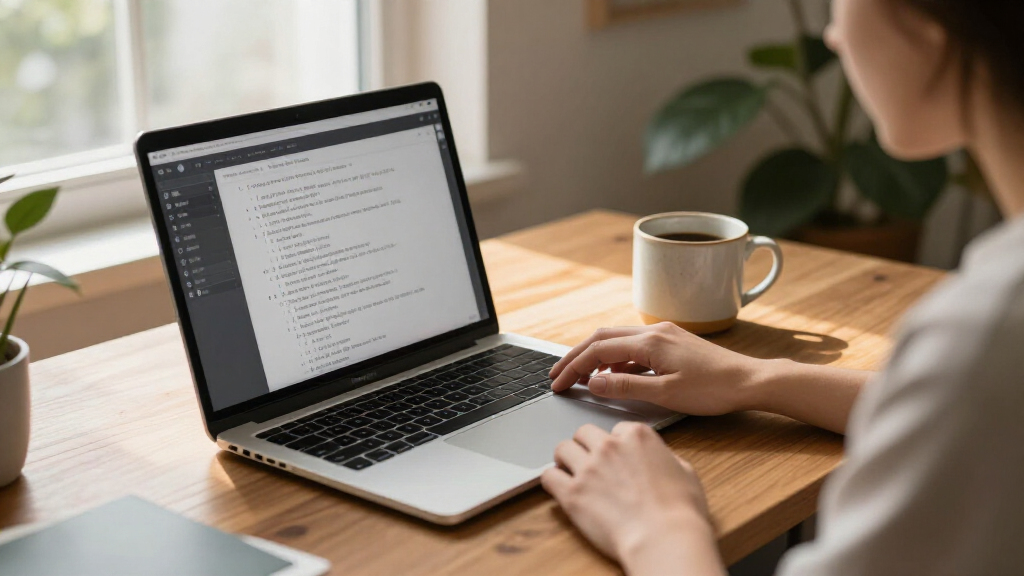
How We Picked
I ranked these products by their fit for someone specifically searching for dictation software for Mac. Mac compatibility comes first: a transcription kit with good controls still falls behind if the supplied specifications say it runs only on Windows. I then compared each option’s intended task, setup requirements, workflow features, and the extent to which its listed details answer practical questions a Mac buyer is likely to have.
That approach puts AI VoiceWriter first because its specifications explicitly list macOS 13 and later, alongside real-time speech-to-text and multilingual support. Philips SpeechExec Pro comes next as a potentially useful professional workflow, but its provided compatibility information names Dragon NaturallySpeaking rather than a Mac operating system. I treat that as an unanswered compatibility question, not proof that the product works on Mac. Philips SpeechExec Basic ranks lower because its specification explicitly names Windows 10 Pro/Enterprise. Express Scribe sits last for Mac shoppers because the supplied description explicitly calls it Windows-only.
I also separated dictation from transcription. Dictation software turns spoken words into text or manages dictated files; transcription tools help a person work through existing recordings. The products here do not all serve the same job. I considered whether their controls, accessories, file handling, and stated limitations make sense for their intended role, while avoiding assumptions about unlisted Mac features, recording quality, or setup steps. A buyer should check current vendor compatibility and hardware requirements before committing, especially for the Philips products.
Finally, I considered drawbacks as part of the ranking rather than treating them as footnotes. VoiceWriter’s dongle and app can complicate a simple Mac setup. Philips Pro depends on compatible hardware and software, and its subscription is for a defined term. The Philips Basic kit and Express Scribe bundle may make sense for Windows transcription desks, but their listed operating-system limits are decisive for this roundup. The ranking reflects Mac suitability first, then workflow usefulness; it is not a claim that every option is interchangeable or suitable for every Mac.
| dictation software for Mac | Hardware interface | Foot pedal |
|---|---|---|
| AI VoiceWriter | USB dongle | — |
| Philips SpeechExec Pro Digital | — | — |
| Philips LFH7177/06 SpeechExec | — | USB foot pedal ACC2330 |
| Express Scribe Pro Transcripti | USB 3.0 | Heavy-duty USB foot pedal included |
Factors to Consider When Choosing Best Dictation Software For Mac
Before choosing from this group, I would pin down two things: which Mac you need to support and whether you dictate live or transcribe recordings. The products span voice typing, professional dictation-file management, and playback control, so their feature lists are not directly interchangeable. The platform details also vary sharply: one option explicitly lists recent macOS support, one does not establish Mac support, and two are described as Windows products.
Start with operating-system compatibility
For Mac buyers, platform support is the first filter, not a minor specification. AI VoiceWriter explicitly lists macOS 13 and later, making it the clearest fit in this group. Philips SpeechExec Pro lists Dragon compatibility but does not provide a Mac operating-system claim in the supplied details, so I would ask the seller or manufacturer to confirm the exact Mac version and required components. Philips SpeechExec Basic lists Windows 10 Pro/Enterprise, and Express Scribe is described as Windows-only. Do not infer Mac support from a USB connection: a physical connector alone does not establish that the software or pedal works with macOS.
Choose live dictation or recorded-audio transcription
Live dictation turns your speech into text as you compose or capture ideas. VoiceWriter is the product here most directly positioned for that job, with real-time speech-to-text and AI editing. Transcription software, by contrast, helps you listen through an existing audio file and type what was said. The Philips Basic kit and Express Scribe are organized around playback workflows, while Philips Pro emphasizes moving and tracking dictation files. Match the software to the moment text is created: speaking into a writing tool and transcribing a stored recording call for different controls.
Judge the full setup, not just the app
VoiceWriter requires a USB dongle and mobile app setup, which may be acceptable if you want its cross-device support but less appealing if you expect a software-only Mac install. Philips Pro calls for compatible hardware and software, so a prospective buyer should identify all required pieces before purchasing. The Philips Basic kit includes headphones and a pedal, while Express Scribe includes a pedal. These accessories can help on a fixed transcription desk, but they add little value if you dictate casually or work away from a desk. Check ports, accessories, and companion software together rather than evaluating the application name alone.
Compare subscription terms with long-term use
The two Philips products list two-year subscriptions. That can align with a team or project that already uses the matching workflow, but buyers should know what happens when the subscription term ends and whether continued access or updates require renewal. VoiceWriter is described as a one-time purchase with lifetime updates, while Express Scribe’s listing says a license is included with no subscription required. These are different licensing claims and should be checked against the current seller terms. Think about how long you expect to use the same workflow, not only how quickly you can start.
Account for recording length and audio habits
VoiceWriter’s listed recording capacity is less than one hour, making it a more natural fit for live speech input and shorter tasks than lengthy unattended recording sessions. The Philips Basic kit and Express Scribe each list eight hours of recording time, but their operating-system restrictions keep them from being Mac recommendations here. If long recordings are central to your work, look for a Mac-compatible product with clearly documented recording limits and playback controls rather than assuming that a stated capacity transfers across platforms. Recording capacity, live recognition, and transcription playback are separate needs.
Confirm recognition, language, and workflow requirements
VoiceWriter lists 33 languages and AI editing, while Philips SpeechExec Pro names Dragon NaturallySpeaking compatibility. Those claims address different requirements: multilingual voice entry is not the same as integrating with an established recognition system or managing jobs across a team. If your work depends on a particular language, vocabulary, application, Dragon version, or file-routing process, verify that exact combination with the vendor. The listings do not provide enough detail to promise identical performance across every language or Mac application. Confirm the specific workflow you rely on before making a purchase decision.
Treat Windows transcription bundles as alternatives, not Mac finalists
The Philips LFH7177/06 kit and Express Scribe Pro may look attractive because they include transcription controls, but their described Windows requirements take them out of contention for a Mac-only workstation. They can still be relevant if you maintain a separate Windows computer or are comparing products for another user. For a Mac purchase, however, those accessories do not overcome the platform mismatch. I would redirect that buyer toward VoiceWriter for live dictation or seek a separate transcription tool with explicit support for the Mac version in use. A good accessory bundle cannot compensate for unsupported software.
Frequently Asked Questions
Which product in this roundup is the clearest fit for Mac?
AI VoiceWriter is the clearest Mac fit because its specifications explicitly list macOS 13 and later and describe real-time speech-to-text. It also includes multilingual support and AI editing. The tradeoffs are its USB dongle and mobile app setup, plus a listed recording capacity of less than one hour. Philips SpeechExec Pro may interest professional users, but the supplied information does not confirm macOS support.
Can I use the Philips SpeechExec products on a Mac?
The supplied details do not establish that Philips SpeechExec Pro supports macOS, so I would confirm compatibility with Philips or the seller before buying it for a Mac. The LFH7177/06 Basic kit specifically lists Windows 10 Pro/Enterprise, 64-bit. I would not assume that either product works on a Mac based on the Philips name or its USB accessories alone.
Are these products for dictation or for transcribing recordings?
They serve different jobs. VoiceWriter is positioned for live voice typing with speech-to-text and AI editing. Philips SpeechExec Pro focuses on dictation-file workflow features such as downloading, monitoring, and priority processing. Philips SpeechExec Basic and Express Scribe are more directly aimed at playback-based transcription, where a person listens to existing audio and types the content. Choose by how your audio enters the workflow.
Is Express Scribe Pro compatible with Mac?
The supplied product description says Express Scribe Pro is limited to Windows PCs and is not compatible with Mac. Its USB foot pedal, variable-speed playback, and MP3, WAV, and WMA support may suit a Windows transcription desk, but they do not make it a Mac option. Mac buyers should select software with explicit support for their operating system.
What should I check before buying dictation software for my Mac?
Confirm the exact macOS version, whether the product supports live recognition or recorded-audio transcription, and whether it needs a dongle, pedal, compatible recorder, or companion app. Check language and Dragon requirements if those affect your work, and compare subscription duration with the licensing terms for continued use. For any product whose listing leaves Mac support unclear, verify the complete setup with the manufacturer before purchase.
Conclusion
For most Mac buyers in this comparison, I would start with AI VoiceWriter: it explicitly lists macOS 13 and later and combines live speech-to-text with AI editing. It is best suited to people who want to dictate drafts or notes across devices and who are comfortable with the dongle and app setup. If long recordings or a software-only installation are central to your work, its stated recording limit and hardware requirements may make it the wrong fit.
For a professional dictation team, Philips SpeechExec Pro is the workflow-focused alternative when automatic downloads, job monitoring, priority handling, and Dragon compatibility matter. I would only choose it for a Mac after confirming that the full configuration supports the specific Mac and software versions in use. The Philips Basic kit is better suited to a Windows transcription desk that wants a pedal and headphones, while Express Scribe Pro makes most sense for a Windows user who values pedal-controlled playback and common audio formats. Mac-only buyers should skip both Windows-listed transcription bundles and choose an option with explicit macOS support.
Halloween Picks
halloween
As an affiliate, we earn on qualifying purchases.