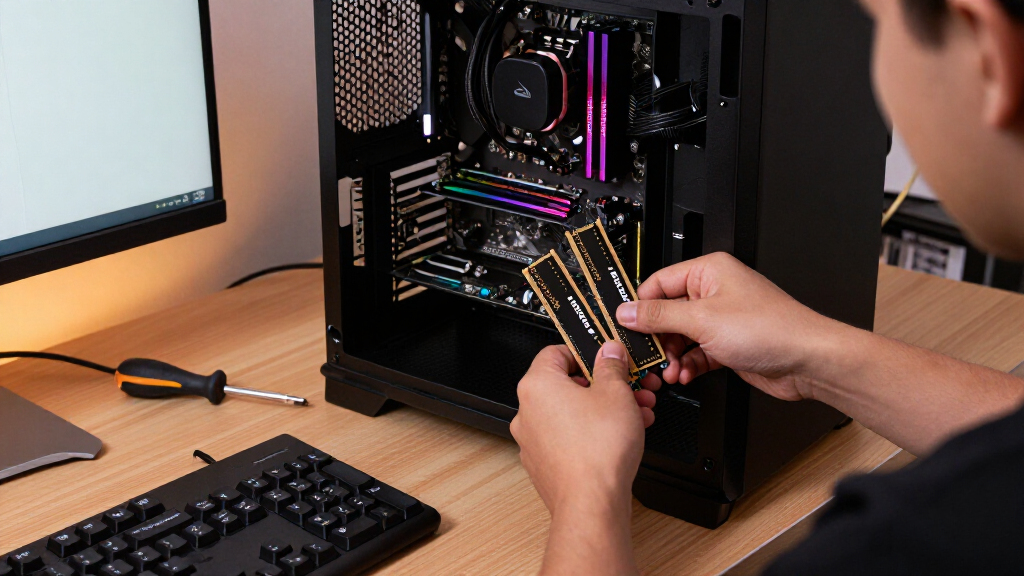
The best DDR4 RAM kits depend on more than capacity: system compatibility, speed, timings, and desktop-versus-laptop form factor all shape the right choice. My best overall pick is the G.Skill Ripjaws V 32GB kit, a well-rounded desktop option for many performance-focused builds. The Crucial Pro 32GB 3200MHz kit is a strong alternative for buyers prioritizing a straightforward mainstream upgrade, while the Corsair Vengeance LPX 32GB kit pairs 3200MHz speed with a low-profile design. The main tradeoffs are capacity versus speed, rated performance versus motherboard support, and compact fit versus heat-spreader styling. Read on for the full breakdown, compatibility guidance, and picks for different upgrade needs.

Get the latest gadgets delivered free with Prime
- Fast, free delivery on millions of items
- Prime Video, Amazon Music and more included
- Member-only deals all year
Complete the kit



Key Takeaways
- 32GB is the roundup’s most versatile desktop capacity: several picks offer two 16GB modules, while the 16GB kits suit tighter budgets or lighter workloads.
- Speed alone does not decide the ranking: 3600MHz kits from TEAMGROUP and Patriot may suit compatible systems, but 3200MHz options are broadly represented and can be a simpler match for many builds.
- 2666MHz kits have a narrower role: the Crucial UDIMMs and A-Tech SODIMM favor compatibility-led upgrades over higher rated memory speed.
- Form factor is a hard compatibility requirement: the two laptop kits are SODIMMs, unlike the desktop UDIMMs, and cannot be substituted for one another.
- Capacity and physical fit separate the standout picks: G.Skill offers a 64GB four-module option, while Corsair Vengeance LPX emphasizes low-profile clearance rather than RGB styling.


| DDR4 RAM kit | Memory type | Capacity | Speed | Form factor |
|---|---|---|---|---|
| G.Skill Ripjaws V DDR4 32GB | DDR4 | 32GB (2 x 16GB) | 4000 MHz | DIMM |
| Netac DDR4 32GB Kit | DDR4 | 32GB (2 x 16GB) | 3200MHz | DIMM |
| TEAMGROUP T-Force Vulcan Z DDR | DDR4 | 16GB (2 x 8GB) | 3600 MHz | DIMM |
| Crucial Pro 32GB DDR4 RAM Kit | DDR4 | 32GB (2 x 16GB) | 3200MHz | DIMM |
| G.SKILL Trident Z RGB Series D | DDR4 | 32GB (2 x 16GB) | Up to 3200MT/s | UDIMM |
| GIGASTONE Game PRO 32GB DDR4 R | DDR4 | 32GB (2 x 16GB) | 3200MHz | UDIMM |
| Patriot Viper Steel DDR4 RAM 1 | DDR4 | 16GB (2 x 8GB) | 3600MHz | UDIMM |
| Crucial 16GB Kit | DDR4 | 16GB (2 x 8GB) | 2666 MT/s | UDIMM |
| Crucial 32GB Kit | DDR4 | 32GB (2 x 16GB) | 2666 MT/s | UDIMM |
| TEAMGROUP T-CREATE Expert DDR4 | DDR4 | 32GB (2 x 16GB) | 3600MHz | DIMM |
| PUSKILL DDR4 3200MHz CL16 Desk | DDR4 | 16GB (2×8GB) | 3200MHz | DIMM |
| Corsair Vengeance LPX DDR4 RAM | DDR4 | 32GB (2×16GB) | 3200MHz | DIMM |
| G.SKILL Ripjaws V Series DDR4 | DDR4 | 64GB (4×16GB) | Up to 3200MT/s | UDIMM |
| Crucial 32GB | DDR4 | 32GB (2×16GB) | Up to 3200MHz | SODIMM |
| A-Tech DDR4 RAM 32GB Kit | DDR4 | 32GB (2×16GB) | 2666MHz (PC4-21300) | SODIMM |
More Details on Our Top Picks
G.Skill Ripjaws V DDR4 32GB (2 x 16GB) Memory Kit
The Ripjaws V pairs a useful 32GB capacity with a listed 4000 MHz speed, making it the performance-focused choice in this group. Compared with the Crucial Pro 32GB kit at 3200 MHz, it targets buyers whose compatible CPU and motherboard can take advantage of faster memory rather than those seeking a straightforward default-speed upgrade. Its two 16GB modules also leave the other DIMM slots available for a later capacity increase. The tradeoff is that the supplied details do not list a heatsink, and the 1.4V specification is higher than the Crucial Pro’s 1.2V. I’d choose it for a tuned desktop build, not as a plug-and-play pick for systems where memory settings or motherboard support are uncertain.
Pros:- 4000 MHz listed speed is the highest among these five kits.
- 32GB capacity suits gaming and multitasking workloads.
- Two 16GB modules preserve two slots on a typical four-slot board.
- CL18 latency is specified alongside the rated speed.
Cons:- The 1.4V operating voltage is higher than the 1.2V Crucial Pro kit.
- No heatsink or cooling feature is specified in the supplied product data.
- Its rated speed depends on compatible motherboard and system settings.
Best for: Desktop builders with a DDR4 motherboard and processor that support high memory speeds, who want 32GB in two modules for demanding games or workloads.
Not ideal for: Buyers prioritizing simple compatibility, low-voltage operation, or a standard-speed upgrade without checking motherboard memory support.
- Memory type:DDR4
- Capacity:32GB (2 x 16GB)
- Speed:4000 MHz
- Latency:CL18
- Voltage:1.4V
- Form factor:DIMM
- Pin count:288
Our verdict“Choose the Ripjaws V if your desktop supports its 4000 MHz rating and speed matters more to you than a lower-voltage, simpler setup.”
Netac DDR4 32GB Kit (16GBx2) 3200MHz C16 Dual Channel RAM with Aluminum Heat Sink
The Netac makes a practical case for buyers who want 32GB in dual channel without chasing unusually high memory speeds. Its 3200MHz rating and CL16 latency give it a more performance-oriented profile than the Crucial Pro 32GB kit, which is also 3200MHz but lists CL22. The aluminum heat sink is another point of difference from the Crucial Pro’s supplied specs, though it does not by itself guarantee better system performance. This kit suits a gaming or multitasking desktop where the motherboard supports DDR4 and the rated settings. Skip it if lighting or a distinctive visual build is a priority: unlike the G.SKILL Trident Z RGB, the Netac description lists no RGB features. Its main appeal is a balanced specification set, not extras.
Pros:- 32GB capacity is provided as two 16GB modules for dual-channel use.
- 3200MHz speed and CL16 latency are specified.
- Aluminum heat sinks are included on the modules.
- 1.35V operating voltage is specified.
Cons:- No RGB lighting is listed, unlike the G.SKILL Trident Z RGB.
- Requires a compatible desktop DDR4 motherboard.
- The supplied specifications do not identify a particular Intel or AMD compatibility range.
Best for: Desktop gamers and multitaskers seeking 32GB, CL16 timing, and an aluminum heat sink in a conventional DDR4 DIMM kit.
Not ideal for: Builders who want RGB lighting, laptop memory, or a kit whose compatibility does not depend on a DDR4 desktop motherboard.
- Memory type:DDR4
- Capacity:32GB (2 x 16GB)
- Speed:3200MHz
- Latency:CL16
- Voltage:1.35V
- Form factor:DIMM
- Pin count:288
- Heat spreader:Aluminum
Our verdict“Pick the Netac for a straightforward 32GB desktop kit with CL16 timing and heat spreaders, rather than for lighting or unusually high speed.”
TEAMGROUP T-Force Vulcan Z DDR4 16GB Kit (2x8GB) 3600MHz CL18 Desktop Memory Module
The T-Force Vulcan Z is the 16GB option here, with two 8GB modules rated at 3600MHz and CL18. That makes it a more focused fit for a budget-conscious or existing-system upgrade than the 32GB Netac and Crucial Pro kits, which provide more room for heavy multitasking. Its XMP 2.0 support offers a route to the rated settings on compatible systems, while Intel and AMD desktop support broadens its potential fit. The tradeoff is capacity: demanding games, content work, and many concurrent applications can make 16GB feel limiting sooner than 32GB. I’d also check motherboard support for XMP before buying; the higher speed is not a reason to assume every DDR4 desktop will run it at its rated profile.
Pros:- 3600MHz rated speed in a two-module kit.
- XMP 2.0 support for setting the rated profile on compatible boards.
- Listed compatibility with Intel and AMD desktops.
- 1.35V operating voltage is specified.
Cons:- 16GB total capacity offers less room for demanding workloads than the 32GB kits.
- Rated XMP settings require a compatible motherboard and system configuration.
- Desktop DIMMs are not suitable for laptops.
Best for: Desktop gamers upgrading from a lower-capacity setup who want two 8GB modules and a 3600MHz rating on an XMP-compatible Intel or AMD system.
Not ideal for: People running memory-heavy creative work or extensive multitasking who would benefit from 32GB, such as the Netac or Crucial Pro kits.
- Memory type:DDR4
- Capacity:16GB (2 x 8GB)
- Speed:3600 MHz
- Latency:CL18
- Voltage:1.35V
- Form factor:DIMM
- Pin count:288
- Supported platforms:Intel and AMD desktops
- Memory profile:XMP 2.0
Our verdict“Choose the Vulcan Z for a 16GB, 3600MHz desktop upgrade, but favor a 32GB kit if your workload regularly pushes memory use.”
Crucial Pro 32GB DDR4 RAM Kit (2x16GB), 3200MHz Desktop Memory, Compatible with Intel and AMD Ryzen
The Crucial Pro is the measured choice for a 32GB desktop upgrade: two 16GB modules, a 3200MHz rating, and stated support for a range of Intel and AMD Ryzen processors. Its 1.2V specification is lower than the Netac and Trident Z RGB kits’ 1.35V, a useful distinction for buyers who prefer a standard-voltage configuration. The main compromise is timing: CL22 is looser than the Netac’s CL16 and the Trident Z RGB’s CL16-18-18-38, so this kit is less compelling for someone prioritizing tighter listed timings. It also lacks the Netac’s specified aluminum heat sink and the G.SKILL kit’s RGB lighting. I’d favor it when capacity and stated platform range matter more than enthusiast-style timings or appearance.
Pros:- 32GB capacity comes in two 16GB modules.
- Lists compatibility with Intel 8th–13th Gen and AMD Ryzen 1000–5000 Series processors.
- 1.2V operating voltage is lower than the 1.35V Netac and Trident Z RGB specifications.
- XMP 2.0 support is listed.
Cons:- CL22 timing is looser than the CL16 Netac kit and the Trident Z RGB’s listed timings.
- No heat sink or RGB lighting is specified.
- Rated operation still depends on a compatible motherboard and system configuration.
Best for: Desktop owners with supported Intel 8th–13th Gen or AMD Ryzen 1000–5000 systems who want a 32GB, 1.2V kit for general multitasking.
Not ideal for: Enthusiast builders seeking tighter listed timings, a heat sink feature, or RGB styling; the Netac or Trident Z RGB may fit those preferences better.
- Memory type:DDR4
- Capacity:32GB (2 x 16GB)
- Speed:3200MHz
- Latency:CL22
- Voltage:1.2V
- Form factor:DIMM
- Pin count:288
- ECC:Non-ECC
- Compatibility:Intel 8th–13th Gen; AMD Ryzen 1000–5000 Series
Our verdict“Choose the Crucial Pro for a 32GB, lower-voltage kit with a clearly stated Intel and Ryzen compatibility range, not for the tightest timings.”
G.SKILL Trident Z RGB Series DDR4 RAM 32GB (2x16GB) Up to 3200MT/s CL16-18-18-38 1.35V for Desktop
The Trident Z RGB is the clear appearance-led pick, combining 32GB in two modules with customizable RGB lighting and a listed 3200MT/s profile. Compared with the Netac kit, it trades the specifically listed aluminum heat sink for lighting as its headline feature; against the Crucial Pro, it offers tighter listed timings but runs at 1.35V rather than 1.2V. Intel XMP 2.0 can simplify applying the rated profile, but the product details warn that BIOS adjustments and compatible hardware may be needed. I’d choose it for a desktop build where coordinated lighting matters and the owner is comfortable checking settings. If appearance is secondary, the Crucial Pro’s lower voltage or the Netac’s stated heat spreader may be a better match.
Pros:- RGB lighting supports a visually coordinated desktop build.
- 32GB capacity is supplied as two 16GB modules.
- Listed timings are CL16-18-18-38 at up to 3200MT/s.
- Intel XMP 2.0 support is specified.
Cons:- 1.35V is higher than the Crucial Pro kit’s listed 1.2V.
- Rated settings may require BIOS adjustments and compatible hardware.
- Mixing it with other memory kits may cause stability issues.
Best for: Desktop builders who want a 32GB DDR4 kit with RGB lighting and are comfortable configuring XMP and checking hardware compatibility.
Not ideal for: Buyers who prioritize lower voltage, a specified aluminum heat sink, or a no-adjustment setup over visual customization.
- Memory type:DDR4
- Capacity:32GB (2 x 16GB)
- Speed:Up to 3200MT/s
- Latency:CL16-18-18-38
- Voltage:1.35V
- Form factor:UDIMM
- Pin count:288
- Memory profile:Intel XMP 2.0
- Compatible devices:Desktop
Our verdict“Pick the Trident Z RGB when lighting and tighter listed timings matter more than the Crucial Pro’s lower voltage or the Netac’s specified heat spreader.”
GIGASTONE Game PRO 32GB DDR4 RAM Kit (2x16GB) 3200MHz, Unbuffered Non-ECC Desktop Memory
The GIGASTONE Game PRO pairs a practical 32GB capacity with 3200MHz speed and support for Intel XMP 2.0 and AMD Ryzen platforms. That makes it a sensible step up from the 16GB Patriot Viper Steel kit when newer games, background apps, or heavier multitasking need more memory. Compared with the Crucial 32GB 2666 kit, this option has a higher listed speed and overclocking-profile support, though actual operation depends on motherboard and processor compatibility. The tradeoff is a plain, function-first design: the supplied details list no heatsink or RGB, and the kit is limited to compatible desktop UDIMM slots. I’d choose it for capacity and a faster profile, not for visual flair or specialized thermal hardware.
Pros:- 32GB capacity in a two-module kit
- 3200MHz rated speed with Intel XMP 2.0 support
- Listed compatibility with Intel and AMD Ryzen platforms
- Non-ECC, unbuffered UDIMM design for compatible desktops
Cons:- No listed heatsink or cooling solution
- No RGB or other stated aesthetic features
- 3200MHz operation and XMP support depend on system compatibility
Best for: Desktop gamers with a compatible DDR4 motherboard who want 32GB and XMP support without prioritizing RGB styling.
Not ideal for: Laptop owners, buyers who need a decorative RGB kit, or systems whose motherboard cannot support this desktop memory configuration.
- Capacity:32GB (2 x 16GB)
- Memory type:DDR4
- Speed:3200MHz
- Form factor:UDIMM
- Pins:288
- Voltage:1.35V
- ECC:Non-ECC
- Overclocking support:Intel XMP 2.0; AMD Ryzen
Our verdict“Choose the GIGASTONE kit if you want 32GB of 3200MHz DDR4 for a compatible gaming desktop and can do without added styling or a heatsink.”
Patriot Viper Steel DDR4 RAM 16GB (2x8GB) 3600MHz CL18 Desktop Memory
The Patriot Viper Steel is the speed-focused 16GB choice here, pairing 3600MHz and CL18 with an aluminum heat spreader. It suits a gaming desktop where the motherboard and processor can make use of a faster memory profile, and XMP 2.0 offers a straightforward way to enable the rated settings on compatible systems. Its role differs from the GIGASTONE Game PRO: Patriot lists a higher speed, but provides 16GB rather than 32GB, so it is less appealing for heavy multitasking or games that benefit from more capacity. The Crucial 16GB 2666 kit is a more basic-speed alternative, while this Viper Steel brings a faster rated profile and heat spreader. Its limitation is clear: compatibility governs the benefit, and 16GB may be restrictive for demanding workloads.
Pros:- 3600MHz rated speed with CL18 latency
- XMP 2.0 support for enabling rated settings on compatible systems
- Aluminum heat spreader
- Listed compatibility with Intel and AMD platforms
Cons:- 16GB capacity can constrain demanding games and multitasking
- Realizing the rated speed depends on motherboard and processor support
- Faster speed may not benefit systems limited to lower memory settings
Best for: Gamers building or upgrading a compatible desktop who prefer a 3600MHz profile and currently have workloads that fit within 16GB.
Not ideal for: Users running memory-heavy creative applications, frequent multitasking, or systems that cannot support the 3600MHz profile.
- Capacity:16GB (2 x 8GB)
- Memory type:DDR4
- Speed:3600MHz
- CAS latency:CL18
- Voltage:1.35V
- Form factor:UDIMM
- Pins:288
- Compatibility:Intel and AMD platforms
Our verdict“Pick the Viper Steel for a compatible desktop that needs a 16GB, 3600MHz kit more than it needs the extra capacity of a 32GB alternative.”
Crucial 16GB Kit (8GB x 2) DDR4 2666 MT/s UDIMM Memory – CT2K8G4DFRA266
For a desktop that needs a modest memory refresh rather than a high-speed gaming kit, this Crucial 16GB pair keeps the specification straightforward: two 8GB modules rated at 2666 MT/s, running at 1.2V. It is a simpler match for compatible systems than the Patriot Viper Steel, whose 3600MHz profile and XMP support target faster configurations. The lower listed speed also puts it behind the GIGASTONE Game PRO for buyers seeking a faster 32GB gaming setup. In return, the Crucial kit offers dual-module capacity for everyday multitasking without an overclocking profile being listed in the supplied data. Its limits are just as relevant: 16GB may be tight for heavier workloads, and the motherboard determines the speed at which it can run.
Pros:- Two-module 16GB kit for compatible desktop upgrades
- 1.2V operating voltage
- Straightforward 2666 MT/s specification for systems suited to that speed
- UDIMM format for compatible desktop motherboards
Cons:- 2666 MT/s is slower than the 3200MHz and 3600MHz kits in this batch
- 16GB may not provide enough headroom for demanding multitasking
- Limited to compatible desktop DDR4 systems
Best for: Desktop owners upgrading a compatible DDR4 system for everyday multitasking, browsing, and general productivity rather than high-speed gaming.
Not ideal for: Gamers seeking a faster memory profile, users who need 32GB, or anyone upgrading a laptop or non-DDR4 system.
- Capacity:16GB (2 x 8GB)
- Memory type:DDR4
- Speed:2666 MT/s
- Form factor:UDIMM
- Pins:288
- Voltage:1.2V
- CAS latency:CL19
- Data transfer rate:12 Gbps
Our verdict“Choose this Crucial kit for an everyday desktop upgrade when 16GB and 2666 MT/s match your system and workload.”
Crucial 32GB Kit (16GB x 2) DDR4 2666 MT/s UDIMM Memory – CT2K16G4DFRA266
This Crucial kit makes the most sense when 32GB capacity matters more than a higher memory speed. Its two 16GB modules offer twice the capacity of the Crucial 16GB 2666 kit, which can give busy desktops more room for large projects and simultaneous applications. The tradeoff is its 2666 MT/s, CL19 specification: the GIGASTONE Game PRO offers the same listed capacity at 3200MHz, while TEAMGROUP T-CREATE Expert goes to 3600MHz. Those faster kits may suit systems built to use their rated profiles; this Crucial set is a simpler capacity-focused option for compatible desktop platforms. It is not a laptop kit, and buyers should check motherboard support rather than assume a DDR4 board will run memory at a particular speed.
Pros:- 32GB capacity in a two-module kit
- 1.2V operating voltage
- 288-pin UDIMM format for compatible desktops
- Twice the capacity of the Crucial 16GB 2666 kit
Cons:- 2666 MT/s is below the rated speeds of the GIGASTONE and TEAMGROUP 32GB alternatives
- CL19 latency
- Not designed for laptops or servers
Best for: Desktop users who need 32GB for multitasking or data-heavy work and whose compatible system is suited to 2666 MT/s memory.
Not ideal for: Gamers aiming for higher memory speeds, laptop owners, or desktop users whose workload fits comfortably within 16GB.
- Capacity:32GB (2 x 16GB)
- Memory type:DDR4
- Speed:2666 MT/s
- Form factor:UDIMM
- Pins:288
- Voltage:1.2V
- CAS latency:CL19
- Data transfer rate:12 Gbps
Our verdict“Choose this kit when your desktop needs 32GB and capacity takes priority over a faster rated memory speed.”
TEAMGROUP T-CREATE Expert DDR4 32GB (2 x 16GB) 3600MHz Desktop Memory Module
The TEAMGROUP T-CREATE Expert combines 32GB capacity with a 3600MHz CL18 rating, making it the performance-oriented 32GB choice in this group. Compared with the GIGASTONE Game PRO, it raises the listed speed from 3200MHz to 3600MHz while keeping the same two-module capacity; compared with the Crucial 32GB kit, it targets a much faster memory profile. The described 10-layer PCB and high-temperature-resistant capacitors point to a component-focused design, but the supplied details do not list a heatsink or cooling feature. Its rated speed also calls for a compatible motherboard and desktop platform, so the specification alone does not guarantee that every system will run it at 3600MHz. I’d favor it when both capacity and speed matter, not when broad system fit is the main priority.
Pros:- 32GB capacity in a 2 x 16GB configuration
- 3600MHz rated speed with CL18 latency
- Described 10-layer PCB and high-temperature-resistant capacitors
- Overclocking-oriented design for compatible systems
Cons:- 3600MHz operation depends on motherboard and processor support
- No heatsink or cooling feature is listed
- The supplied product data gives limited warranty information
Best for: Desktop builders with a motherboard and processor that support 3600MHz DDR4 who want 32GB for gaming and demanding multitasking.
Not ideal for: Owners of systems capped at lower memory speeds, laptop users, or buyers who want a kit with a stated heatsink or RGB lighting.
- Capacity:32GB (2 x 16GB)
- Memory type:DDR4
- Speed:3600MHz
- CAS latency:CL18
- Form factor:DIMM
- Voltage:1.35V
- Compatible devices:Desktop
- PCB:10-layer
Our verdict“Choose T-CREATE Expert if your desktop supports 3600MHz DDR4 and you want a fast 32GB kit rather than a lower-speed capacity upgrade.”
PUSKILL DDR4 3200MHz CL16 Desktop RAM Kit Heatsink, 16GB (2x8GB)
The PUSKILL kit suits desktop builders who want dual-channel DDR4-3200 without moving up to 32GB. Its 2×8GB layout can handle everyday multitasking and gaming, while CL16 timing is a better fit for performance-oriented builds than slower, looser-timed memory. Compared with the Corsair Vengeance LPX 32GB, though, it offers half the capacity, so demanding games, creative applications, or heavy multitasking may run out of room sooner. The aluminum heatsink and Intel/AMD compatibility broaden its appeal, but the advertised speed depends on enabling XMP or DOCP in BIOS; at default settings, it may run slower. I’d choose it for a modest desktop upgrade, not for a system that needs room for memory-heavy workloads or a laptop-compatible module.
Pros:- Two-module configuration supports dual-channel operation.
- 3200MHz speed and CL16 timing suit responsive gaming and general desktop use.
- Aluminum heatsink provides passive heat dissipation.
- Listed compatibility includes Intel and AMD systems.
Cons:- Only 16GB total, less headroom than the Corsair Vengeance LPX 32GB kit.
- Reaching the advertised speed requires enabling XMP or DOCP.
- Desktop DIMMs do not fit laptop SODIMM slots.
Best for: Desktop builders upgrading from a single memory module or assembling a modest gaming PC who want two-channel 16GB capacity.
Not ideal for: Laptop owners and desktop users running memory-heavy creative workloads who need 32GB or more.
- Capacity:16GB (2×8GB)
- Memory type:DDR4
- Speed:3200MHz
- CAS latency:CL16
- Form factor:DIMM
- Pins:288
- Voltage:1.35V
- Heat spreader:Aluminum
- Compatibility:Intel and AMD desktop systems
Our verdict“Choose this kit for a cost-conscious desktop that needs 16GB in two-channel form, but pick a 32GB option for heavier workloads.”
Corsair Vengeance LPX DDR4 RAM 32GB (2x16GB) 3200MHz CL16-20-20-38 Black
The low-profile heat spreader is the Vengeance LPX’s clearest advantage: it can make memory clearance easier in compact cases or under large CPU air coolers. Its 32GB, two-module configuration also gives gaming and multitasking builds more breathing room than the 16GB PUSKILL kit. Both are listed at 3200MHz and CL16, so the Corsair’s case is mainly about capacity and physical fit rather than a dramatic speed advantage. The tradeoff is that the advertised memory profile may require BIOS adjustments, and actual results depend on the CPU and motherboard. I’d shortlist it when clearance and broad Intel/AMD desktop compatibility matter more than decorative lighting; builders seeking laptop memory or guaranteed operation at the rated profile should look elsewhere.
Pros:- Low-profile design helps with case and CPU-cooler clearance.
- 32GB across two modules suits multitasking and demanding games.
- 3200MHz and CL16 specification offers a balanced desktop performance target.
- Aluminum heat spreader and listed Intel/AMD DDR4 compatibility.
Cons:- Rated speed may require BIOS adjustments and an enabled memory profile.
- Performance depends on the rest of the system.
- The product data does not provide an overclocking guarantee.
Best for: Small-form-factor desktop builders and PC owners with large air coolers who need 32GB without tall memory modules.
Not ideal for: Laptop owners, or desktop buyers who want memory that reaches its rated profile without BIOS setup.
- Capacity:32GB (2×16GB)
- Memory type:DDR4
- Speed:3200MHz
- Timings:CL16-20-20-38
- Voltage:1.35V
- Form factor:DIMM
- Pins:288
- Color:Black
- Compatibility:Intel 300/400/500 Series and AMD DDR4 systems
Our verdict“Pick the Vengeance LPX when a 32GB desktop kit must fit around tight cooler or case clearances.”
G.SKILL Ripjaws V Series DDR4 RAM 64GB (4x16GB) Up to 3200MT/s CL16-18-18-38 1.35V for Desktop
With 64GB across four 16GB modules, this Ripjaws V kit is aimed at desktops running memory-hungry workloads, not buyers chasing the smallest capacity upgrade. It offers twice the capacity of the Corsair Vengeance LPX 32GB kit, making it a stronger fit for large projects, extensive multitasking, and applications that benefit from more memory. Its listed CL16-18-18-38 timings and XMP 2.0 support add a performance profile, though reaching up to 3200MT/s can require BIOS changes and system support. Filling all four slots also leaves less room for later expansion than a two-module kit, and the product guidance warns against mixing memory kits. I’d choose it when capacity is the priority; for a typical gaming desktop, a 32GB kit is likely the more proportionate choice.
Pros:- 64GB capacity provides substantial room for demanding desktop workloads.
- Four matched 16GB modules provide a full kit configuration.
- XMP 2.0 supports a profile for reaching the listed speed.
- CL16-18-18-38 timings and 1.35V specification.
Cons:- Using all four slots can limit straightforward capacity expansion.
- Maximum listed speed may require BIOS adjustments and platform support.
- The guidance advises against mixing kits, limiting flexible upgrades.
Best for: Desktop creators and power users who run memory-intensive projects or keep many demanding applications open at once.
Not ideal for: Typical gaming-PC builders who do not need 64GB, or anyone who wants to preserve open slots for a later upgrade.
- Capacity:64GB (4×16GB)
- Memory type:DDR4
- Speed:Up to 3200MT/s
- Timings:CL16-18-18-38
- Voltage:1.35V
- Form factor:UDIMM
- Pins:288
- Memory profile:Intel XMP 2.0
- Compatible devices:Desktop
Our verdict“Choose Ripjaws V when your desktop workload benefits from 64GB now; otherwise, a two-module 32GB kit is simpler to expand.”
Crucial 32GB (16GBx2) DDR4 3200MHz Laptop Memory Kit
This Crucial kit is the laptop-focused choice in a lineup otherwise weighted toward desktop DIMMs: its 260-pin SODIMM modules are made for compatible DDR4 laptops, not desktop motherboards. Two 16GB sticks bring the total to 32GB, while support for speeds up to 3200MHz gives compatible systems room to use a higher memory speed or downclock as needed. Compared with the A-Tech 32GB SODIMM kit, Crucial lists a higher maximum speed, though its CL22 latency is not aimed at low-latency gaming performance. The main limitation is fit: buyers must confirm their laptop supports DDR4 SODIMMs and the module capacity. I’d favor this over desktop kits when upgrading a compatible notebook, but not for a desktop build or a system that uses another memory generation.
Pros:- Two 16GB modules provide 32GB for compatible laptops.
- Supports speeds up to 3200MHz with downclocking options.
- SODIMM form factor targets laptop upgrades rather than desktop slots.
- Listed limited lifetime warranty.
Cons:- CL22 latency is higher than the CL16 timing listed for desktop kits such as the PUSKILL.
- Does not fit standard desktop DIMM slots.
- Requires a laptop that supports DDR4 260-pin SODIMMs and the module capacity.
Best for: Laptop owners with two DDR4 SODIMM slots who want to upgrade to 32GB for multitasking or demanding applications.
Not ideal for: Desktop builders, owners of laptops that use DDR5 or soldered memory, and buyers prioritizing tighter latency.
- Capacity:32GB (2×16GB)
- Memory type:DDR4
- Speed:Up to 3200MHz
- Form factor:SODIMM
- Pins:260
- Latency:CL22
- Compatible devices:Laptops supporting DDR4 SODIMM
- Warranty:Limited lifetime
Our verdict“Choose this Crucial kit for a compatible DDR4 laptop needing 32GB, not for desktop systems or latency-focused builds.”
A-Tech DDR4 RAM 32GB Kit (2x16GB) 2666MHz PC4-21300 SODIMM Laptop Memory
A-Tech’s 32GB SODIMM kit is a practical match for laptops, mini PCs, and all-in-ones that support DDR4-2666 memory. Its 1.2V specification and plug-and-play positioning suit systems where a straightforward capacity upgrade matters more than a high-speed profile. Compared with Crucial’s 32GB 3200MHz laptop kit, this one has a lower listed speed, so buyers should choose it when 2666MHz matches their device rather than expecting a speed boost on a faster-capable system. The 2×16GB arrangement supplies useful capacity, but compatibility still depends on the system supporting 260-pin DDR4 SODIMMs. It is not a desktop kit, and the supplied data does not list overclocking support. I’d consider it for a compatible older laptop or mini PC, not a newer system whose specifications call for faster memory.
Pros:- 32GB capacity across two 16GB SODIMM modules.
- Designed for compatible laptops, mini PCs, and all-in-one systems.
- 1.2V specification suits the listed laptop memory format.
- Limited lifetime warranty is listed.
Cons:- 2666MHz is slower than the 3200MHz Crucial laptop kit.
- 260-pin SODIMMs do not fit desktop DIMM slots.
- The product data does not list overclocking support.
Best for: Owners of DDR4-2666 laptops, mini PCs, or all-in-ones who need 32GB and want a simple memory replacement or upgrade.
Not ideal for: Desktop builders, laptop owners whose systems require faster memory, and buyers looking for explicit overclocking features.
- Capacity:32GB (2×16GB)
- Memory type:DDR4
- Speed:2666MHz (PC4-21300)
- Form factor:SODIMM
- Pins:260
- Voltage:1.2V
- Latency:CL19
- Compatibility:Laptop, mini PC, and all-in-one
- Warranty:Limited lifetime
Our verdict“Pick the A-Tech kit when 2666MHz matches your laptop or mini PC and you want a 32GB SODIMM upgrade.”
How We Picked
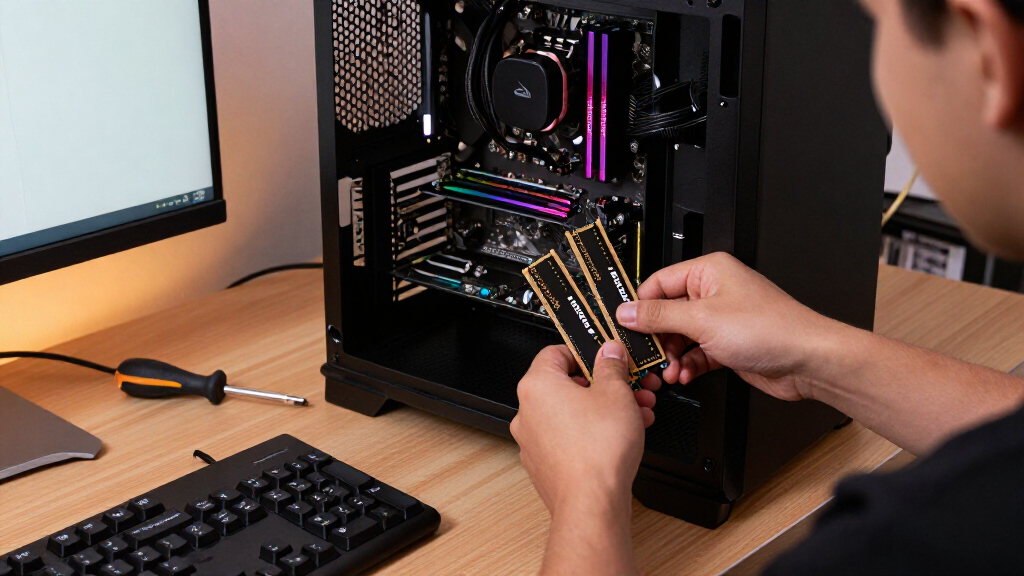
I ranked these kits around the decisions that matter in a DDR4 upgrade: capacity, rated speed and timings, form factor, and likely system fit. A kit with appealing specifications is not useful if it is the wrong type for the motherboard or laptop, so I distinguished desktop UDIMMs from laptop SODIMMs and treated platform compatibility as a first check. I also weighed whether a kit offers a practical balance for common builds or serves a narrower need, such as 64GB capacity, a low-profile heat spreader, or a basic 2666MHz replacement.
The ranking favors versatile 32GB desktop kits with mainstream speeds, then places specialized options according to who benefits from their tradeoffs. Higher frequency does not automatically put a kit ahead: motherboard and processor support, memory profiles, and module configuration affect whether a buyer can use the rated performance. The laptop kits and slower UDIMMs remain useful choices for the right system, but rank below more flexible desktop upgrades for this roundup’s broad audience. I compare listed specifications and intended fit, rather than implying hands-on testing or guaranteed performance.
Factors to Consider When Choosing Best DDR4 RAM Kits
Before choosing from this list, match the memory to your system and workload. These checks can prevent common mistakes and help you decide whether added capacity, a faster kit, or a simpler replacement best fits your upgrade.
Check Form Factor and System Type First
Desktop DDR4 kits use full-size UDIMM modules, while most laptops that accept replaceable memory need smaller SODIMMs. The two laptop options in this roundup are not alternatives to the desktop kits; they fit a different class of device. Check the system or motherboard specifications for supported memory type, module capacity, and available slots before ordering. Some laptops have soldered memory or a mix of soldered and replaceable RAM, so a kit may not be usable even if it is DDR4. A desktop motherboard can also have limits on total capacity and supported module arrangements. Match the exact form factor and platform requirements before weighing speed or styling.
Choose Capacity Around Your Workload
Capacity determines how much data and how many applications your system can keep in memory at once, while speed affects how quickly memory transfers data. A 16GB kit can suit everyday use and lighter gaming, but demanding games, creative applications, and heavier multitasking can benefit from 32GB. The 64GB G.Skill kit is aimed at larger workloads, though four modules occupy more slots and may leave less room for a future upgrade. Think about whether you expect to add memory later; two-module kits often leave more slots open than four-module kits on a typical four-slot board. Check your motherboard’s slot count and supported capacity before deciding that more modules are the better route.
Treat Rated Speed as a Platform-Matching Choice
A kit’s advertised frequency is not a promise that every system will run at that setting automatically. The processor and motherboard both affect supported memory speeds, and some kits need a BIOS memory profile such as XMP or a compatible equivalent to reach their rated specification. The 3600MHz options in this roundup may appeal to buyers whose systems support that speed, but a 3200MHz kit can be a more straightforward match for other builds. A 2666MHz kit can make sense when replacing older memory or matching a system with a lower supported ceiling. Confirm the platform’s specifications and profile support before paying extra attention to frequency labels.
Read Timings Alongside Frequency
Frequency is only one part of memory responsiveness; timings describe delays in memory operations, and the figures need to be read together. A higher frequency does not automatically make one kit faster in every workload if its timings are also looser or the platform cannot run it at its rated setting. Compare the listed timings of kits with similar capacities and check whether the difference matters for your intended use. For many buyers, capacity and a stable match to the system are more useful priorities than chasing small specification differences. Avoid treating a single latency number as a complete performance verdict.
Plan Around Clearance, Slots, and Appearance
Heat spreaders and decorative lighting can affect both appearance and physical fit, while neither guarantees a meaningful performance gain. A low-profile kit can reduce the chance of interference with a large CPU cooler, but you should still compare module height with the cooler and motherboard layout. RGB models may suit a build where coordinated lighting matters, while plain or compact modules can be a better fit for restrained systems. Four-module configurations can also complicate future capacity upgrades if all slots are occupied. Check the case, cooler, and planned memory layout before choosing based on looks alone.
Use Matched Kits and Verify Upgrade Rules
A matched kit is designed to operate together, which is preferable to combining separate modules with different capacities, speeds, or timings. Mixing memory can cause the system to run all modules at a lower common setting, and some combinations may be unstable or unsupported. If you are adding RAM to an existing build, check the exact module specifications and motherboard guidance rather than relying only on the brand name. When replacing all memory, a two-module kit can offer a clean dual-channel configuration on compatible boards. After installation, confirm that the system recognizes the full capacity and is using the intended memory profile.
Frequently Asked Questions
Should I choose a 3200MHz kit or a 3600MHz kit for my DDR4 desktop?
Start with your processor and motherboard specifications, then check whether the BIOS supports the kit’s memory profile. The 3600MHz TEAMGROUP and Patriot kits are only clear fits when the system can run them at their rated speed. A 3200MHz kit may be the more straightforward option for a build with a lower supported memory ceiling or less appetite for setup adjustments. Compare timings as well as frequency, rather than assuming the higher number guarantees a better result. If system stability and easy setup matter more than tuning, favor the speed your platform supports reliably.
Can I use a laptop DDR4 kit in a desktop motherboard?
Usually not: laptop memory uses SODIMM modules, while standard desktop motherboards use full-size UDIMMs. The Crucial and A-Tech laptop kits in this roundup are physically different from the desktop kits, even though both are DDR4. Before buying, check the device manual or motherboard specifications for the required form factor and memory type. Some compact systems use SODIMMs, so the device category alone is not a reliable guide. Match the exact module format rather than relying on the DDR4 label.
Is a 64GB four-module kit a better choice than a 32GB two-module kit?
It is a better fit only if your workload can use the extra capacity. The 64GB G.Skill kit suits memory-heavy tasks and substantial multitasking, while a 32GB kit is a more flexible starting point for many gaming and general desktop builds. Four modules use more slots, which can limit later expansion and may place more demand on the platform’s memory controller. Check motherboard capacity and memory configuration support before choosing a four-module setup. If you do not need the additional capacity, a two-module kit can leave room to grow.
Can I add one of these kits to the RAM already installed in my PC?
You can sometimes add modules, but mixing kits is less predictable than using a matched set. Different timings, speeds, capacities, or module designs can lead the system to use a slower shared setting or cause stability problems. Check the existing RAM’s full specifications and your motherboard’s supported configurations before adding anything. If reliable operation matters more than preserving the installed modules, replacing them with a matched kit is often the simpler path. After an upgrade, verify the detected capacity and memory speed in the system settings or BIOS.
When does a 2666MHz kit make more sense than a faster DDR4 kit?
A 2666MHz kit can make sense when your existing system supports that speed, when you are replacing faulty or missing memory in an older machine, or when platform compatibility matters more than a frequency upgrade. The Crucial UDIMMs serve desktop systems, while the A-Tech SODIMM is intended for compatible laptops; those form factors are not interchangeable. A faster kit may run below its advertised speed if the computer cannot support its profile. Check the device’s memory limits before upgrading, since a higher frequency will not help if the platform caps it. For a newer compatible build, compare faster kits as well as capacity and timings.
Conclusion
For most desktop builders seeking a balanced upgrade, I recommend the G.Skill Ripjaws V 32GB kit as the best overall pick. The Crucial Pro 32GB 3200MHz kit is my best value-style choice for a practical mainstream configuration, while G.SKILL Trident Z RGB is the best premium-style pick for buyers who want a more decorative, lighting-focused build. Beginners can start with the Corsair Vengeance LPX 32GB kit if its specifications match their system and low-profile clearance is useful. For specific needs, choose the G.Skill 64GB kit for higher-capacity desktop workloads, a Crucial or A-Tech SODIMM for a compatible laptop, or the 2666MHz Crucial UDIMM for a desktop with that memory requirement. Check form factor, platform limits, and profile support before selecting any kit.
Halloween Picks
halloween
As an affiliate, we earn on qualifying purchases.