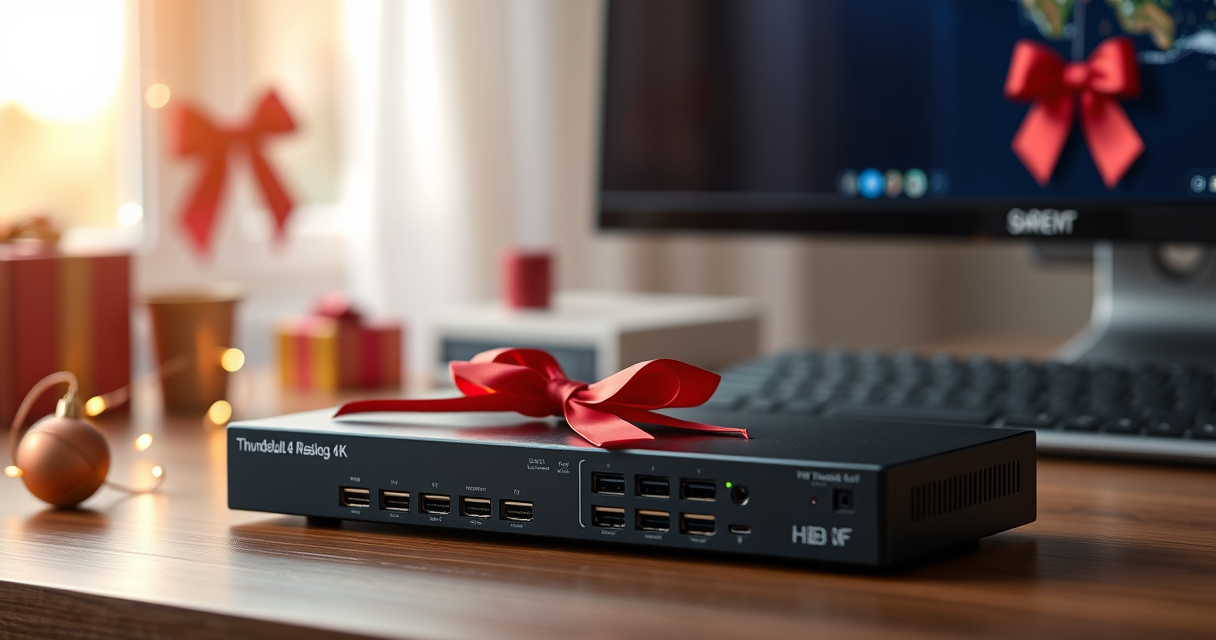

Holiday desk upgrades are most useful when they make everyday work simpler. The Sabrent Thunderbolt 4 KVM Switch lets you share Thunderbolt and USB devices between two computers, so a two-machine setup can feel less cluttered.

Get the latest gadgets delivered free with Prime
- Fast, free delivery on millions of items
- Prime Video, Amazon Music and more included
- Member-only deals all year
It brings multiple USB ports, charging capability and high-resolution display support into one aluminum unit. Here’s what it offers, where to be cautious, and who should consider it around Black Friday and Cyber Monday.
Our top pick at a glance
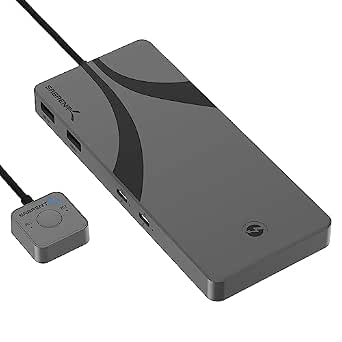
Sabrent Thunderbolt 4 KVM Switch
- ✔ Computers: Windows and macOS
- ✔ Input power: 24V/5A adapter
- ✔ Device support: Thunderbolt and USB devices
One setup for two computers
The central appeal is straightforward: connect compatible peripherals and switch them between two computers. That can suit a home office where a work machine and a personal computer share desk space, keyboard-adjacent USB devices or other Thunderbolt and USB gear.
The switch is designed primarily for Thunderbolt 4 devices. Sabrent describes switching as easy, though compatibility with non-compliant devices may be limited, so check the connections in your setup before making it the centerpiece of a holiday desk refresh.
Display support and desk connections
Sabrent lists support for displays up to 8K at 60Hz or 4K at 60Hz, alongside 40Gbps transfer speed. The supplied product details also specify 4 USB-A and 2 USB-C ports, with charging capabilities and 60W power delivery.
There is a discrepancy in the product description: its headline mentions 4K at 144Hz, while the detailed display specification says 4K at 60Hz. Treat 4K at 60Hz as the confirmed listed specification and verify the exact configuration with the seller before relying on higher refresh rates.
The trade-offs to weigh
The aluminum body gives the switch a sturdy, polished desk presence, and its 6.3 x 2.76 x 0.71-inch footprint is compact enough to place alongside other equipment. It does require an external 24V/5A power adapter, so it won’t make the desk completely cable-free.
Two other points matter for a gift: the listing says no warranty is included, and compatibility may be limited with devices that do not meet Thunderbolt 4 requirements. Check the recipient’s computers and peripherals first, especially if their setup mixes connection standards.
Holiday verdict: best for a compatible two-machine desk
The Sabrent Thunderbolt 4 KVM Switch makes sense for someone who regularly moves between two compatible computers and wants shared peripherals and display connections in one place. It’s a considered Black Friday or Cyber Monday desk-tech pick when the recipient’s setup matches its requirements.
For someone with uncertain device compatibility, a single-computer desk or a need for an included warranty, it is harder to recommend as a surprise gift. Confirm the hardware fit first, then it can be a practical upgrade for a more organized workspace.
More Details on Our Top Picks
Sabrent Thunderbolt 4 KVM Switch
The Sabrent Thunderbolt 4 KVM Switch shares Thunderbolt and USB devices between two computers and supports high-resolution displays. Its port selection and aluminum construction are appealing, but compatibility limits, external power and the absence of a warranty deserve consideration.
Pros:
- Switches shared devices between two computers
- Supports displays up to 8K at 60Hz
- Four USB-A and two USB-C ports
- Sturdy aluminum construction
Cons:
- Compatibility may be limited with non-compliant devices
- Requires an external power adapter
- No warranty included
Best for: People with two compatible computers who want to share Thunderbolt and USB devices at one desk.
Not ideal for: Anyone with uncertain device compatibility, a one-computer setup or a preference for products that include a warranty.
Bottom line: Consider it as a holiday desk upgrade for someone with two compatible computers, after confirming their device connections.
Affiliate disclosure: As an Amazon Associate we earn from qualifying purchases. Prices and availability are accurate as of the time of publishing.
Fall Picks
fall essentials
As an affiliate, we earn on qualifying purchases.