Robot vacuums with self-emptying bases reduce how often you handle collected dust, but they differ in navigation, cleaning features, and day-to-day upkeep. My best overall pick is the Shark PowerDetect Self-Empty Robot Vacuum for buyers prioritizing vacuum-focused cleaning, while the Shark AV2501S AI Ultra stands out for mapped cleaning and the Tikom L8000 Plus adds mopping for homes that want more than vacuuming. The main tradeoff is between simpler self-emptying setups and broader features that can add maintenance or setup steps. Base capacity, mapping, floor plan, and whether you need mopping all affect which model makes sense. Read on for the full comparison and guidance by household need.

Get the latest gadgets delivered free with Prime
- Fast, free delivery on millions of items
- Prime Video, Amazon Music and more included
- Member-only deals all year
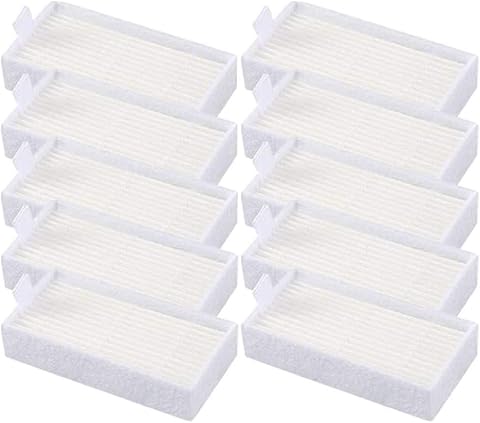
Complete the kit


Key Takeaways
- The Shark PowerDetect is the strongest all-around fit for buyers who want a self-emptying vacuum without making mopping the priority.
- The Shark AV2501S AI Ultra is the mapping-focused alternative, while the PowerDetect is a better fit for shoppers who favor a vacuum-centered setup.
- The Tikom L8000 Plus and Lefant M2 Plus add mop functions; choose either only if you are comfortable with the extra care that a combined vacuum-and-mop routine can require.
- Shark offers several distinct self-emptying options: the Navigator models suit more straightforward needs, while the IQ Robot adds home mapping.
- A self-empty base reduces bin handling, not all maintenance; filters, brushes, sensors, and any mop components still need regular attention.
| Shark PowerDetect Self-Empty Robot Vacuum, Black (AV2820S) |  | Best for Adaptive Cleaning | Model: AV2820S | Navigation: 360° LiDAR and 3D object detection | Self-empty base: Bagless with HEPA anti-allergen seal; stated 30-day capacity | VIEW LATEST PRICE | See Our Full Breakdown |
| Shark Navigator Robot Vacuum with 30-Day Self-Emptying Base, White (AV2110S) |  | Best for Pet-Hair Households | Model: AV2110S | Navigation: LiDAR SmartPath | Self-empty base: Bagless; stated capacity up to 30 days | VIEW LATEST PRICE | See Our Full Breakdown |
| Q10 PRO Robot Vacuum and Mop with Self-Emptying Station |  | Best for Longer Hands-Free Runs | Suction power: 8,000Pa | Self-empty station: 3.3L; advertised hands-free cleaning up to 60 days | Navigation: 360° LiDAR and SLAM | VIEW LATEST PRICE | See Our Full Breakdown |
| Shark Navigator Robot Vacuum with Self-Empty Base, Dark Grey (RV2120AE) |  | Best for Less-Frequent Base Emptying | Model number: RV2120AE | Navigation: LiDAR SmartPath Navigation | Obstacle handling: Detects and avoids objects | VIEW LATEST PRICE | See Our Full Breakdown |
| Tikom L8000 Plus Robot Vacuum and Mop with Self-Emptying Base |  | Best for Multi-Floor Homes | Maximum suction: 6,000Pa | Self-empty dustbag: 3 liters | Navigation: 360° LiDAR | VIEW LATEST PRICE | See Our Full Breakdown |
| Shark AV2501S AI Ultra Robot Vacuum with Matrix Clean and Self-Empty Base |  | Best for Thorough, Allergy-Conscious Cleaning | Model: AV2501S | Navigation: Matrix Clean with 360° LiDAR mapping | Base: Bagless self-emptying base | VIEW LATEST PRICE | See Our Full Breakdown |
| Lefant M2 Plus Robot Vacuum and Mop Combo with Self-Emptying Station |  | Best Self-Emptying Vacuum-and-Mop Combo | Suction power: Up to 6000 Pa | Navigation: 360° LiDAR mapping | Dustbin capacity: 250 ml | VIEW LATEST PRICE | See Our Full Breakdown |
| Shark IQ Robot Self-Empty XL Robot Vacuum with Home Mapping |  | Best for Longer Self-Empty Intervals | Model: RV1001AE | Navigation: IQ Navigation with home mapping and row-by-row cleaning | Base: Bagless self-emptying base; holds up to 45 days of dirt and debris | VIEW LATEST PRICE | See Our Full Breakdown |
| robot vacuums with self emptying | Navigation | Battery life | Model | Brushroll |
|---|---|---|---|---|
| Shark PowerDetect Self-Empty R | 360° LiDAR and 3D object detection | 110 minutes | AV2820S | — |
| Shark Navigator Robot Vacuum w | LiDAR SmartPath | 120 minutes | AV2110S | Self-cleaning with anti-hair-wrap design |
| Q10 PRO Robot Vacuum and Mop w | 360° LiDAR and SLAM | — | — | — |
| Shark Navigator Robot Vacuum w | LiDAR SmartPath Navigation | 120 minutes | — | Self-cleaning with anti-hair-wrap design |
| Tikom L8000 Plus Robot Vacuum | 360° LiDAR | Up to 150 minutes | — | — |
| Shark AV2501S AI Ultra Robot V | Matrix Clean with 360° LiDAR mapping | — | AV2501S | Self-cleaning with anti-hair wrap |
| Lefant M2 Plus Robot Vacuum an | 360° LiDAR mapping | 140 minutes | — | — |
| Shark IQ Robot Self-Empty XL R | IQ Navigation with home mapping and row-by-row cleaning | — | RV1001AE | Self-cleaning, anti-hair-wrap |
More Details on Our Top Picks
Shark PowerDetect Self-Empty Robot Vacuum, Black (AV2820S)
The Shark PowerDetect is the pick for homes where debris varies from room to room. DirtDetect can trigger extra cleaning when it senses hidden dirt, while FloorDetect adjusts brushroll engagement for different surfaces; those features make it more responsive to mixed carpet and hard-floor layouts than the more straightforward Shark Navigator AV2110S. Its 360° LiDAR and 3D object detection support mapping and obstacle handling, and NeverStuck is intended to help it cross thresholds. The bagless base has a HEPA anti-allergen seal and a stated 30-day capacity, so there are no disposable bags to replace. The tradeoff is a relatively small 0.24-quart onboard dustbin and 110-minute listed battery life, both less appealing for large, debris-heavy homes than the Q10 PRO’s longer runtime.
Pros:- DirtDetect can prompt extra cleaning where hidden debris is sensed.
- FloorDetect adapts brushroll engagement to different floor types.
- NeverStuck and 3D object detection support threshold crossing and obstacle handling.
- Bagless self-empty base has a HEPA anti-allergen seal and stated 30-day capacity.
Cons:- Listed 110-minute battery life is shorter than the Q10 PRO and Tikom L8000 Plus runtimes.
- The 0.24-quart onboard dustbin is modest for homes with heavy debris.
- The stated 30-day base capacity is a claim, not a fixed interval for every household.
Best for: Households with a mix of carpet and hard floors that want the robot to adapt its cleaning and avoid frequent base-bag purchases.
Not ideal for: Owners of large homes or especially debris-heavy spaces who prioritize longer cleaning sessions and less frequent trips to the dock.
- Model:AV2820S
- Navigation:360° LiDAR and 3D object detection
- Self-empty base:Bagless with HEPA anti-allergen seal; stated 30-day capacity
- Dustbin capacity:0.24 quarts
- Battery life:110 minutes
- Filter:HEPA
- Controls:App, buttons, and voice
Our verdict“Choose the PowerDetect if adaptive floor and dirt sensing matter more to you than longer runtime or a larger onboard bin.”
Shark Navigator Robot Vacuum with 30-Day Self-Emptying Base, White (AV2110S)
The Shark Navigator AV2110S centers its case on practical daily pickup: its self-cleaning, anti-hair-wrap brushroll is designed to reduce hair tangles, while LiDAR SmartPath maps rooms for orderly row-by-row cleaning. That makes it a more focused choice for pet owners than the Shark PowerDetect, which adds dirt and floor sensing for more adaptive cleaning. The bagless base is stated to hold up to 30 days of debris, and recharge-and-resume helps it finish a job that outlasts one charge. Its 120-minute battery life is also longer than the PowerDetect’s listed runtime. The main compromise is a small 0.21-quart robot capacity; scheduling, target cleaning, and no-go zones require the app, so this is less suited to buyers who want extensive control from onboard buttons.
Pros:- Self-cleaning anti-hair-wrap brushroll is designed to manage pet hair.
- LiDAR SmartPath maps the home and cleans in orderly rows.
- Bagless base is stated to hold up to 30 days of debris.
- Recharge-and-resume can continue cleaning after the robot recharges.
Cons:- The listed 0.21-quart robot capacity is small.
- Scheduling, target cleaning, and no-go zones require the SharkClean app.
- The base’s stated 30-day capacity may vary with household debris levels.
Best for: Pet owners who want mapped, scheduled cleaning and a brushroll designed to limit hair wrap without buying replacement dust bags.
Not ideal for: Buyers who want onboard controls for room targeting or no-go zones, or who need a large onboard bin for long intervals between emptying.
- Model:AV2110S
- Navigation:LiDAR SmartPath
- Self-empty base:Bagless; stated capacity up to 30 days
- Brushroll:Self-cleaning with anti-hair-wrap design
- Battery life:120 minutes
- Dust capacity:0.21 quarts
- Controls:SharkClean app; Amazon Alexa and Google Voice compatibility
Our verdict“Pick the AV2110S for mapped routine cleaning and hair-wrap-conscious brushroll design, provided app-based controls suit you.”
Q10 PRO Robot Vacuum and Mop with Self-Emptying Station
The Q10 PRO is the strongest fit here for buyers who want a self-emptying vacuum that also mops and can cover longer cleaning sessions. Its 3.3L station is advertised for up to 60 days of debris collection, twice the stated interval of the Shark AV2110S base, while its up-to-150-minute runtime and recharge-and-resume support larger mapped jobs. The 8,000Pa suction and adjustable water flow add flexibility across hard floors and low-pile carpet, but the mop holder must come off before carpet cleaning. That extra setup makes it less seamless than the vacuum-only Shark Navigator RV2120AE. LiDAR mapping, schedules, and no-go zones help manage rooms, though app and voice connectivity require 2.4GHz Wi-Fi. The 60-day claim is not a guarantee for every home.
Pros:- 3.3L self-emptying station is advertised for up to 60 days of debris collection.
- Combines vacuuming, sweeping, and mopping with adjustable suction and water flow.
- Up to 150 minutes of runtime with automatic recharge-and-resume.
- LiDAR mapping supports schedules and no-go zones.
Cons:- Mop holder must be removed before cleaning carpets.
- App and voice connectivity require 2.4GHz Wi-Fi.
- The advertised 60-day collection period will depend on cleaning frequency and debris.
Best for: Owners of larger homes with mostly hard floors who want vacuuming, mopping, and a high-capacity self-emptying station in one robot.
Not ideal for: Homes with extensive carpeting or buyers who want to switch between vacuuming and mopping without removing the mop holder.
- Suction power:8,000Pa
- Self-empty station:3.3L; advertised hands-free cleaning up to 60 days
- Navigation:360° LiDAR and SLAM
- Cleaning modes:Vacuuming, sweeping, mopping, and self-emptying
- Runtime:Up to 150 minutes
- Recommended cleaning area:Up to 2,000 sq. ft.
- Wi-Fi requirement:2.4GHz
Our verdict“Choose the Q10 PRO if you want long mapped runs and mopping alongside self-emptying, and can manage the carpet-related mop setup.”
Shark Navigator Robot Vacuum with Self-Empty Base, Dark Grey (RV2120AE)
The Shark Navigator RV2120AE stands apart from the AV2110S by offering a bagless base stated to hold up to 60 days of dirt and debris, rather than up to 30 days. That makes it the more compelling Navigator for buyers who want fewer base-emptying chores, while its LiDAR SmartPath mapping and row-by-row routes keep the core cleaning approach familiar. It also detects and avoids objects and has a self-cleaning anti-hair-wrap brushroll, useful for homes with pets or everyday clutter. Compared with the feature-rich Shark PowerDetect, it lacks the listed DirtDetect and FloorDetect adjustments, so its appeal is simpler maintenance rather than adaptive cleaning. Its 120-minute battery life and small 0.22-quart dust capacity are practical limits, and control is listed through the app.
Pros:- Bagless base is stated to hold up to 60 days of dirt and debris.
- LiDAR SmartPath maps rooms and cleans in orderly rows.
- Object detection and avoidance can help with everyday obstacles.
- Self-cleaning anti-hair-wrap brushroll is designed to reduce hair maintenance.
Cons:- The 0.22-quart dust capacity is small.
- App control is the listed control method.
- Unlike the Shark PowerDetect, it does not list DirtDetect or FloorDetect adaptive cleaning.
Best for: Busy households that prefer a bagless dock with a longer stated debris capacity and want mapped cleaning across carpet and hard floors.
Not ideal for: Buyers who want adaptive dirt sensing, a larger onboard dustbin, or cleaning controls that do not rely on an app.
- Model number:RV2120AE
- Navigation:LiDAR SmartPath Navigation
- Obstacle handling:Detects and avoids objects
- Self-empty base:Bagless; stated capacity up to 60 days
- Brushroll:Self-cleaning with anti-hair-wrap design
- Battery life:120 minutes
- Dust capacity:0.22 quarts
Our verdict“Choose the RV2120AE if a longer stated bagless-base interval matters more than adaptive sensing or control flexibility.”
Tikom L8000 Plus Robot Vacuum and Mop with Self-Emptying Base
The Tikom L8000 Plus earns its place for homes with more than one level: its LiDAR system can store maps for up to five floors, a capability not listed for the Q10 PRO or the Shark Navigator models here. It pairs vacuuming and mopping with a 3-liter dustbag, 150-minute maximum battery life, and automatic recharge-and-resume, giving it a broad set of hands-off features. The tradeoff against the Q10 PRO is lower stated suction—6,000Pa versus 8,000Pa—while the Tikom offers wider Wi-Fi support at 2.4GHz and 5GHz. Its maximum runtime is specified for gentle suction mode, so demanding cleaning may shorten sessions. As with the Q10 PRO, the mop setup needs attention around carpets; a mop holder removal or no-go zone helps prevent wetting them.
Pros:- Stores maps for up to five floors.
- 3-liter dustbag and automatic recharge-and-resume reduce routine intervention.
- Combines vacuuming and mopping with adjustable suction and water flow.
- Supports both 2.4GHz and 5GHz Wi-Fi.
Cons:- Maximum 150-minute runtime is specified for gentle suction mode.
- Its 6,000Pa maximum suction is below the Q10 PRO’s stated 8,000Pa.
- Mop holder removal or no-go zones are needed to avoid wetting carpets.
Best for: Households with multiple mapped floors that want one robot for vacuuming and mopping, plus app or voice scheduling.
Not ideal for: Buyers who prioritize the strongest stated suction or want to mop and vacuum carpeted areas without managing no-go zones or the mop setup.
- Maximum suction:6,000Pa
- Self-empty dustbag:3 liters
- Navigation:360° LiDAR
- Multi-floor maps:Up to 5
- Battery life:Up to 150 minutes
- Wi-Fi:2.4GHz and 5GHz
- Noise level:60dB
Our verdict“Pick the L8000 Plus if multi-floor mapping and dual vacuum-mop functions matter more than the Q10 PRO’s higher stated suction.”
Shark AV2501S AI Ultra Robot Vacuum with Matrix Clean and Self-Empty Base
The AV2501S is the stronger fit for buyers who want a self-emptying vacuum to revisit areas rather than simply follow a basic route. Its Matrix Clean pattern makes multiple passes, while 360° LiDAR mapping organizes coverage across carpets and hard floors. The bagless base holds up to 30 days of debris, so it avoids replacement dust bags, and its HEPA filtration is specified to capture 99.97% of dust and allergens down to 0.3 microns. Compared with the Shark IQ Robot Self-Empty XL, this model emphasizes repeated coverage and HEPA filtration, while the IQ advertises a longer 45-day base interval. The tradeoff is a shorter stated runtime of up to 120 minutes, and the listed 0.09-liter capacity is small; Recharge and Resume helps with larger jobs but does not remove the need for recharging.
Pros:- Matrix Clean makes multiple passes over areas for more thorough coverage.
- Bagless self-emptying base holds up to 30 days of dirt and debris.
- HEPA filtration captures 99.97% of dust and allergens down to 0.3 microns.
- Recharge and Resume lets it continue cleaning after recharging.
Cons:- Up to 120 minutes of runtime may require a recharge during larger cleaning jobs.
- The listed robot capacity is 0.09 liters.
- Vacuum-only design does not handle mopping.
Best for: Households with carpets, hard floors, and dust or allergen concerns that want methodical cleaning without buying disposal bags.
Not ideal for: People who prioritize the longest time between base emptying or need a mop function; the base is rated for 30 days, and this model is vacuum-only.
- Model:AV2501S
- Navigation:Matrix Clean with 360° LiDAR mapping
- Base:Bagless self-emptying base
- Base capacity:Up to 30 days of dirt and debris
- Filtration:HEPA; captures 99.97% of dust and allergens down to 0.3 microns
- Runtime:Up to 120 minutes
- Brushroll:Self-cleaning with anti-hair wrap
- Controls:App and voice control; compatible with Amazon Alexa and Google Home
Our verdict“Choose the AV2501S if repeated cleaning passes and HEPA filtration matter more to you than a longer self-empty interval or a mop attachment.”
Lefant M2 Plus Robot Vacuum and Mop Combo with Self-Emptying Station
The Lefant M2 Plus suits buyers who want one self-emptying machine to vacuum and mop, rather than adding a separate floor-cleaning device. Its LiDAR mapping plans routes, and carpet detection adjusts its behavior depending on whether the mop holder is attached. The station includes two 2.5 L dust bags and advertises up to 75 days of hands-free cleaning, a longer stated interval than the Shark AV2501S and its bagless base rated for up to 30 days. That capacity comes with a practical catch: this Lefant uses replaceable dust bags, and its 300 ml water tank may need refilling during larger mopping sessions. Carpet protection also depends on attaching the mop holder, so buyers should not treat its detection feature as a substitute for setting it up correctly. It adds versatility, but asks for more routine attention than a vacuum-only model.
Pros:- Combines vacuuming, sweeping, and mopping in one device.
- 360° LiDAR mapping supports planned routes and multi-floor navigation.
- Station includes two 2.5 L dust bags and advertises up to 75 days of hands-free cleaning.
- Carpet detection adjusts cleaning behavior based on whether the mop holder is attached.
Cons:- The 300 ml water tank may require refilling during larger mopping jobs.
- Carpet avoidance while mopping depends on attaching the mop holder.
- The self-emptying station uses dust bags rather than a bagless design.
Best for: Households with mixed hard floors and carpet that want vacuuming and light mopping from one mapped robot with a large dust-bag station.
Not ideal for: People who want a bagless base or hands-off mopping across a large home; the station uses dust bags, and the 300 ml water tank may need refilling.
- Suction power:Up to 6000 Pa
- Navigation:360° LiDAR mapping
- Dustbin capacity:250 ml
- Water tank capacity:300 ml
- Self-emptying bags:2 × 2.5 L
- Advertised hands-free cleaning:Up to 75 days
- Battery life:140 minutes
- Filter type:Sponge
- Controls and Wi-Fi:App and voice control; 2.4 GHz and 5 GHz Wi-Fi
Our verdict“Pick the M2 Plus if you want vacuuming and mopping in one self-emptying system and are comfortable managing its water tank and dust bags.”
Shark IQ Robot Self-Empty XL Robot Vacuum with Home Mapping
If reducing how often you deal with the base is the main goal, the Shark IQ stands out: its bagless self-emptying base is rated to hold up to 45 days of debris, longer than the 30-day claim for the Shark AV2501S. Home mapping and row-by-row cleaning let you select rooms through the app or use voice control, making it a practical choice for scheduled, targeted vacuuming. Its self-cleaning, anti-hair-wrap brushroll is designed for hair on both carpet and hard floors, and Recharge and Resume can help finish a larger job after a recharge. The tradeoff is a non-washable high-efficiency filter, which needs replacement rather than rinsing. It also lacks the AV2501S’s stated HEPA filtration and Matrix Clean passes, so buyers prioritizing those features may prefer that newer alternative.
Pros:- Bagless self-emptying base holds up to 45 days of dirt and debris.
- Home mapping supports room selection and row-by-row cleaning.
- Self-cleaning brushroll is designed to reduce hair wrap across carpets and hard floors.
- Recharge and Resume helps complete cleaning after the battery recharges.
Cons:- The included high-efficiency filter is non-washable and must be replaced.
- It does not offer a mop function.
- Compared with the AV2501S, it lacks stated HEPA filtration and Matrix Clean multiple passes.
Best for: Pet-owning households that want mapped room cleaning, a bagless base with a longer stated debris interval, and app or voice control.
Not ideal for: Buyers who want a washable filter, mopping, or the AV2501S’s specified HEPA filtration and multiple-pass Matrix Clean pattern.
- Model:RV1001AE
- Navigation:IQ Navigation with home mapping and row-by-row cleaning
- Base:Bagless self-emptying base; holds up to 45 days of dirt and debris
- Brushroll:Self-cleaning, anti-hair-wrap
- Filter:Non-washable high-efficiency filter
- Connectivity:Wi-Fi; Amazon Alexa and Google Assistant
- Capacity:0.19 liters
- Battery:Lithium-ion
- Included components:Robot vacuum, self-empty base, 2 side brushes, 1 filter, BotBoundary strips
Our verdict“Choose the Shark IQ if a longer stated interval between base emptying and mapped room selection outweigh washable filtration or mopping.”
How We Picked
I compared these eight models through the main promise of this roundup: how much routine bin-emptying they can remove and how practical the rest of the cleaning routine remains. I weighed the self-emptying setup alongside navigation and mapping, vacuuming and mopping capability, ease of operation, and the likely upkeep each feature brings. I also treated clear differences in use case as more valuable than a long feature list on its own.
The ranking favors models that pair useful cleaning features with a straightforward ownership routine. The PowerDetect leads as a vacuum-first all-rounder; the AI Ultra and IQ offer a stronger case for shoppers who value mapping, while the Navigator options focus on simpler setups. The Q10 PRO, Tikom, and Lefant provide mop-capable alternatives, but their added versatility comes with more components and maintenance to manage. Since product names and included equipment can vary by configuration, check the exact listing before choosing.
| robot vacuums with self emptying | Model | Brushroll |
|---|---|---|
| Shark PowerDetect Self-Empty R | AV2820S | — |
| Shark Navigator Robot Vacuum w | AV2110S | Self-cleaning with anti-hair-wrap design |
| Q10 PRO Robot Vacuum and Mop w | — | — |
| Shark Navigator Robot Vacuum w | — | Self-cleaning with anti-hair-wrap design |
| Tikom L8000 Plus Robot Vacuum | — | — |
| Shark AV2501S AI Ultra Robot V | AV2501S | Self-cleaning with anti-hair wrap |
| Lefant M2 Plus Robot Vacuum an | — | — |
| Shark IQ Robot Self-Empty XL R | RV1001AE | Self-cleaning, anti-hair-wrap |
Factors to Consider When Choosing Robot Vacuums With Self Emptying
A self-emptying base changes one part of robot-vacuum ownership, but it does not make every model equally low-effort. I would match the robot to the home first, then decide how much mapping, mopping, and ongoing care I am willing to manage.
Match the Base to Your Emptying Routine
Self-emptying bases differ in how much debris they hold and how the collected material is stored, so do not treat the feature as a universal promise of hands-off cleaning. Think about how often the robot runs, how much dirt and hair your floors collect, and how comfortable you are handling a full bag or bin. A larger stated capacity can reduce interventions, but it does not remove the need to check the base. Homes with shedding pets or frequent cleaning may fill the collection system sooner than a lightly used apartment. Check replacement-bag availability and the cost and frequency of consumables before buying. The common mistake is focusing on the robot’s dustbin while overlooking the base’s own upkeep.
Choose Navigation for Your Floor Plan
Mapping can help a robot clean in a more organized pattern and make room-based control easier, but it is not equally valuable in every home. Open layouts with few obstacles may work well with a simpler navigation setup, while several rooms, narrow passages, or frequent no-go areas make map controls more useful. Measure the space available around the charging and emptying base too; a capable robot still needs a practical place to dock. Rugs, cords, low furniture, and thresholds can interrupt cleaning regardless of mapping claims. Before paying extra for smarter controls, consider whether you will actually use room selection or scheduling by area. A complex layout makes those tools more useful; a simple one may not.
Treat Mopping as a Separate Ownership Choice
A vacuum-and-mop combo can help with light hard-floor upkeep, but it is not a substitute for a dedicated mop or deep cleaning. Mop pads and water-related parts add tasks that vacuum-only owners can skip, including cleaning and drying components after use. Check whether the model’s mop setup suits your floors and whether you can keep rugs out of its path during a wet run. One common mistake is buying a combo for the promise of fewer chores, then finding its extra maintenance outweighs the occasional convenience. If most of your home is carpeted, a vacuum-first model may be the more practical choice. Consider mopping only when hard floors make that extra feature useful often enough.
Plan Around Hair, Rugs, and Obstacles
Pet hair and long hair can collect around brushes even when the base handles routine dust disposal. Look for a maintenance routine you can live with, and expect to inspect brushes and filters periodically rather than assuming self-emptying prevents clogs. Thick rugs, fringe, cables, and small objects can also disrupt a cleaning run or require room preparation. If your floors have many obstacles, the robot’s navigation and your willingness to tidy before runs may matter more than a long list of cleaning modes. Homes with pets should also think about where the base sits and how often its collection system needs attention. Match the machine to your actual floor conditions, not an idealized clear-room layout.
Decide Which Controls You Will Use
Scheduling and app controls can make a robot easier to fit into household routines, but extra settings have little value if you prefer a simple start-and-clean experience. Decide whether you want room selection, zone cleaning, or the ability to set recurring runs, and check which controls are included for the exact model. Setup may involve connecting the robot to a home network and creating a map before those tools become useful. If several people will operate it, a straightforward interface may matter more than fine-grained customization. Beginners often benefit from choosing a model whose everyday operation is easy to understand. Avoid paying for controls you do not expect to use.
Frequently Asked Questions
Does a self-emptying base mean I can leave the robot unattended for weeks?
Not necessarily. The base reduces how often you need to empty the robot’s onboard dustbin, but its bag or collection chamber still fills and needs attention. Hair, dust volume, cleaning frequency, and the size of the household all affect how quickly that happens. You will also need to maintain brushes and filters, and mop-capable models add care for their water and pad components. Treat self-emptying as less frequent bin handling, not maintenance-free cleaning.
Should I choose a mapped robot if my home has an open floor plan?
A mapped model can still be useful in an open home, particularly if you want to direct cleaning to a specific area or set room-based routines. If your layout is simple and you are happy to let the robot clean the available space, advanced map controls may not change your routine much. Think about furniture, room boundaries, and whether you want to exclude areas before paying for added navigation features. Mapping is most valuable when it solves a real control or coverage problem. A simpler setup may suit an uncomplicated floor plan just as well.
Is a vacuum-and-mop combo a good choice if I have both rugs and hard floors?
It can be, if hard floors need frequent light upkeep and you can manage the extra mop care. Mixed flooring also calls for a plan to keep rugs dry, such as setting boundaries or scheduling vacuum-only runs where appropriate. Check how the specific robot handles mop use near carpets rather than assuming every combo behaves the same way. If most of your cleaning is on rugs, a vacuum-first model may be easier to own. A combo is a better fit when its mop function will see regular use.
What should I check before placing a self-emptying base in my home?
Check the base’s footprint and the clearance around it, including space the robot needs to approach and dock. A cramped location can make docking less reliable or block access to the collection system when it needs attention. Keep it near a suitable outlet and away from spots where household traffic may disturb the robot. If you plan to use mapping, choose a location that supports a consistent start point and avoid moving the base casually between runs. Confirm the dimensions for the exact model and base configuration you intend to buy.
How do I choose between the Shark Navigator models and the Shark IQ Robot?
Start with how much you value home mapping and the controls that come with it. The Navigator options are the more straightforward choices in this lineup, while the IQ Robot is the one to compare when mapped cleaning is a priority. Also check the exact model number and listing: the two Navigator entries differ in their named base configuration, and included features can vary by version. If you mainly want self-emptying with fewer decisions, a Navigator may be the simpler fit. If your rooms and routines benefit from mapping, compare the IQ’s setup against the Shark AI Ultra as well.
Conclusion
For the best overall balance, I would choose the Shark PowerDetect if vacuuming and less frequent bin handling are the main goals. Buyers who want a map-focused Shark should compare the AV2501S AI Ultra, while the Shark Navigator models suit people who prefer a more straightforward setup. For a value-minded choice, consider the Tikom L8000 Plus if its vacuum-and-mop format fits your floors and you are comfortable maintaining the extra components; check the exact package before buying. The Q10 PRO and Lefant M2 Plus are also worth comparing for shoppers who specifically want a combo model. For premium-style mapped cleaning, put the AV2501S and Shark IQ on your shortlist, then choose based on the controls and configuration you need. The right pick is the one whose base, navigation, and upkeep match your home—not simply the one with the most features.