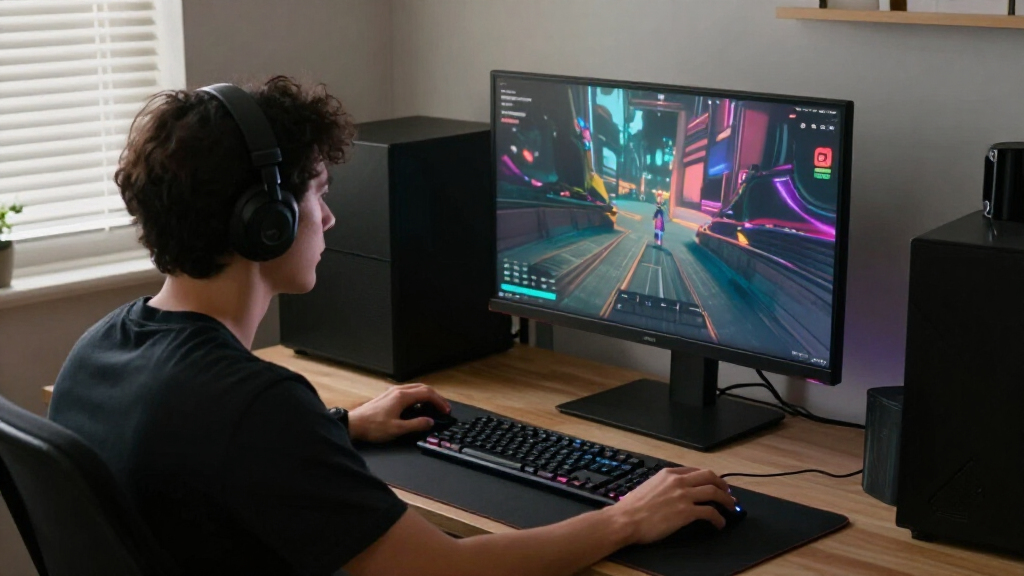

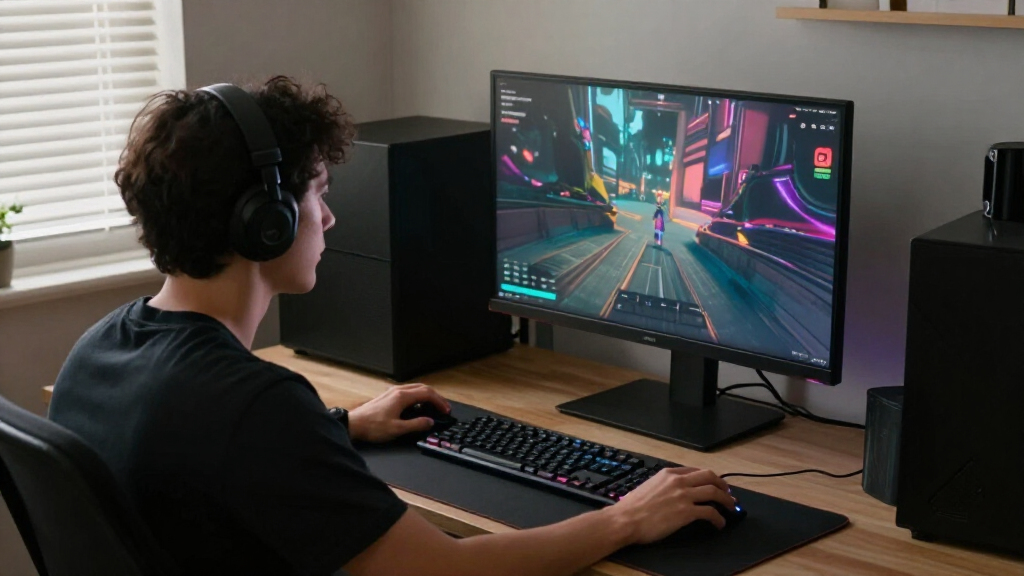
The best high refresh rate gaming monitors balance smooth motion with the resolution and screen size your PC can handle. My best overall pick is the LG UltraGear 27G640A-B: its 27-inch QHD IPS screen and 300Hz refresh rate make it a strong fit for fast play without dropping to Full HD. The ASUS TUF VG27AQ3A is a more approachable QHD 180Hz choice, while the Samsung Odyssey OLED G6 stands out for buyers who want QD-OLED contrast and speed. The main tradeoffs are resolution versus frame rate, flat versus curved or ultrawide formats, and the cost and care demands of OLED. Read on for the full breakdown and guidance on matching a monitor to your games and hardware.

Get the latest gadgets delivered free with Prime
- Fast, free delivery on millions of items
- Prime Video, Amazon Music and more included
- Member-only deals all year
Complete the kit



Key Takeaways
- The LG UltraGear 27G640A-B leads this lineup for balanced speed and clarity: QHD at 300Hz offers a useful middle ground between the Full HD 240Hz screens and the more demanding ultrawides.
- QHD is the most flexible resolution tier represented here. The ASUS TUF VG27AQ3A, AOC Q27G41ZE, and Samsung Odyssey G5 G51F pair sharper detail than Full HD with refresh rates suited to competitive play.
- 240Hz does not mean the same experience on every screen. The Dell SE2426HG and Westinghouse 27-inch curved model prioritize Full HD speed, while the SANSUI and Sceptre 34-inch options combine 240Hz with ultrawide QHD.
- Screen format changes what the refresh rate is good for. A compact 23.8-inch screen can suit focused competitive setups, while a 34-inch ultrawide favors immersion but asks more of the GPU and desk.
- The MSI MAG 272URDFA E16 and Samsung Odyssey OLED G6 serve distinct premium priorities. The MSI targets UHD detail; the OLED G6 prioritizes panel contrast and fast response, so buyers should choose based on image goals rather than refresh rate alone.
| Westinghouse 24-Inch FHD IPS Gaming Monitor, 180Hz, 1ms |  | Best Compact FHD Pick | Screen size: 24 inches | Resolution: 1920 × 1080 (FHD) | Panel: IPS | VIEW LATEST PRICE | See Our Full Breakdown |
| Samsung 27-inch Odyssey G5 G51F QHD Gaming Monitor |  | Best Balanced QHD Pick | Screen size: 27 inches | Resolution: 2560 × 1440 (QHD) | Panel: VA LCD | VIEW LATEST PRICE | See Our Full Breakdown |
| Westinghouse 27-Inch Curved 240Hz FHD Gaming Monitor |  | Best Curved FHD Speed Pick | Screen size: 27 inches | Resolution: 1920 × 1080 (FHD) | Panel: VA | VIEW LATEST PRICE | See Our Full Breakdown |
| AOC Q27G41ZE 27-Inch QHD 240Hz Gaming Monitor |  | Best QHD Competitive Pick | Screen size: 27 inches | Resolution: 2560 × 1440 (QHD) | Panel: IPS | VIEW LATEST PRICE | See Our Full Breakdown |
| SANSUI 34-Inch Curved UWQHD Gaming Monitor, 240Hz |  | Best Ultrawide High-Refresh Pick | Screen size: 34 inches | Resolution: 3440 × 1440 | Aspect ratio: 21:9 | VIEW LATEST PRICE | See Our Full Breakdown |
| Samsung Odyssey G55C 32-Inch QHD 1000R Curved Gaming Monitor |  | Best for Immersive Curved QHD Gaming | Screen size: 32 inches | Resolution: 2560 x 1440 (QHD) | Curvature: 1000R | VIEW LATEST PRICE | See Our Full Breakdown |
| Samsung 27-inch Odyssey OLED G6 QD-OLED QHD Gaming Monitor |  | Best Premium OLED for Fast Motion | Screen size: 27 inches | Panel type: QD-OLED | Resolution: 2560 x 1440 (QHD) | VIEW LATEST PRICE | See Our Full Breakdown |
| LG UltraGear 27G640A-B 27-Inch QHD IPS Gaming Monitor, 300Hz, 1ms, G-SYNC Compatible, FreeSync Premium, DisplayHDR 400 |  | Best Overall for High-Refresh QHD | Screen size: 27 inches | Panel type: IPS | Resolution: 2560 x 1440 (QHD) | VIEW LATEST PRICE | See Our Full Breakdown |
| ASUS TUF Gaming VG27AQ3A 27-Inch QHD 180Hz Fast IPS Monitor |  | Best for Straightforward QHD Gaming | Screen size: 27 inches | Panel type: Fast IPS | Resolution: 2560 x 1440 (QHD) | VIEW LATEST PRICE | See Our Full Breakdown |
| Sceptre C345B-QU240T 34-Inch Curved Ultrawide Gaming Monitor, 3440 x 1440, 240Hz |  | Best Ultrawide for High-Refresh Play | Screen size: 34 inches | Panel type: VA | Aspect ratio: 21:9 | VIEW LATEST PRICE | See Our Full Breakdown |
| SANSUI 32-Inch Curved 240Hz FHD Gaming Monitor |  | Best Large-Screen 240Hz Pick | Screen size: 32 inches | Resolution: 1920 × 1080 (Full HD) | Refresh rate: 240Hz | VIEW LATEST PRICE | See Our Full Breakdown |
| Dell SE2426HG 23.8-Inch FHD 240Hz Gaming Monitor |  | Best Compact 240Hz Pick | Screen size: 23.8 inches | Resolution: 1920 × 1080 (Full HD) | Refresh rate: 240Hz | VIEW LATEST PRICE | See Our Full Breakdown |
| MSI MAG 272URDFA E16 27-inch UHD Gaming Monitor |  | Best Dual-Mode Premium Pick | Screen size: 27 inches | Resolution: 3840 × 2160 (4K UHD) | Dual-mode refresh rates: 160Hz at 4K; 320Hz at Full HD | VIEW LATEST PRICE | See Our Full Breakdown |
| high refresh rate gaming monitor | Screen size | Resolution | Response time | Refresh rate |
|---|---|---|---|---|
| Westinghouse 24-Inch FHD IPS G | 24 inches | 1920 × 1080 (FHD) | 1ms | 180Hz |
| Samsung 27-inch Odyssey G5 G51 | 27 inches | 2560 × 1440 (QHD) | 1ms MPRT | 180Hz |
| Westinghouse 27-Inch Curved 24 | 27 inches | 1920 × 1080 (FHD) | 1ms | 240Hz |
| AOC Q27G41ZE 27-Inch QHD 240Hz | 27 inches | 2560 × 1440 (QHD) | 0.3ms MPRT | 240Hz native; 260Hz overclocked |
| SANSUI 34-Inch Curved UWQHD Ga | 34 inches | 3440 × 1440 | 1ms MPRT | 240Hz |
| Samsung Odyssey G55C 32-Inch Q | 32 inches | 2560 x 1440 (QHD) | 1ms MPRT | 165Hz |
| Samsung 27-inch Odyssey OLED G | 27 inches | 2560 x 1440 (QHD) | 0.03ms GtG | 240Hz |
| LG UltraGear 27G640A-B 27-Inch | 27 inches | 2560 x 1440 (QHD) | 1ms GtG | 300Hz |
| ASUS TUF Gaming VG27AQ3A 27-In | 27 inches | 2560 x 1440 (QHD) | 1ms | 180Hz |
| Sceptre C345B-QU240T 34-Inch C | 34 inches | 3440 x 1440 | 1ms | 240Hz |
| SANSUI 32-Inch Curved 240Hz FH | 32 inches | 1920 × 1080 (Full HD) | 1ms MPRT | 240Hz |
| Dell SE2426HG 23.8-Inch FHD 24 | 23.8 inches | 1920 × 1080 (Full HD) | 0.5ms | 240Hz |
| MSI MAG 272URDFA E16 27-inch U | 27 inches | 3840 × 2160 (4K UHD) | 0.5ms GtG | — |
More Details on Our Top Picks
Westinghouse 24-Inch FHD IPS Gaming Monitor, 180Hz, 1ms
I’d choose this Westinghouse for a compact setup where 180Hz responsiveness matters more than high resolution. Its 24-inch IPS panel keeps viewing angles broad, while AMD FreeSync can reduce tearing when frame rates fluctuate. Compared with the 27-inch Samsung Odyssey G5 G51F, this model gives up QHD detail but asks less of a graphics card and takes up less desk space. That makes it a sensible match for competitive games at 1080p, especially for players who want a straightforward high-refresh display rather than a feature-heavy centerpiece. The compromises are a 250 cd/m² brightness rating and Full HD resolution, which can look less crisp than QHD on a larger screen. Built-in speakers are handy for basic audio, but they won’t replace a dedicated headset or speakers.
Pros:- 180Hz refresh rate and 1ms response time suit fast-paced play.
- IPS panel provides broad viewing angles and 110% sRGB color gamut.
- FreeSync helps reduce tearing and stutter.
- Built-in speakers and included DisplayPort cable simplify setup.
Cons:- Full HD resolution offers less detail than the QHD Samsung Odyssey G5 G51F.
- 250 cd/m² brightness may feel limited in bright rooms.
Best for: Competitive players with limited desk space who want a 24-inch 1080p screen that is easier to drive at high frame rates.
Not ideal for: Players seeking sharp QHD detail, a large screen, or strong brightness for a brightly lit room.
- Screen size:24 inches
- Resolution:1920 × 1080 (FHD)
- Panel:IPS
- Refresh rate:180Hz
- Response time:1ms
- Adaptive sync:AMD FreeSync
- Brightness:250 cd/m²
- Connectivity:2 × HDMI, DisplayPort
Our verdict“Choose this compact Westinghouse if you prioritize responsive 1080p gaming and a small footprint over QHD sharpness.”
Samsung 27-inch Odyssey G5 G51F QHD Gaming Monitor
The Odyssey G5 G51F makes a strong case for players who want QHD detail at 180Hz without moving to a more demanding 240Hz screen. Its 27-inch VA panel gives games more contrast than the AOC Q27G41ZE’s IPS panel, while the AOC runs at a higher native refresh rate and can be overclocked further. That split makes the Samsung better suited to immersive, detail-rich play than to chasing every possible competitive advantage. AMD FreeSync helps smooth variable frame rates, and the height-, pivot-, and tilt-adjustable stand offers more positioning flexibility than the AOC’s tilt-only support. HDR10 is included, though the listed 300 cd/m² brightness limits how much impact HDR highlights can have. The available connection types are clear, but the product information doesn’t state port counts.
Pros:- QHD resolution gives a 27-inch screen more detail than FHD alternatives.
- 180Hz refresh rate supports fluid gameplay without requiring a 240Hz display.
- VA panel’s 3000:1 contrast ratio adds depth to darker scenes.
- Height, pivot, and tilt adjustments help fit different desk setups.
Cons:- Runs at a lower refresh rate than the 240Hz AOC Q27G41ZE and Westinghouse curved model.
- The listed 300 cd/m² brightness may limit HDR impact.
- Port counts are not specified in the provided product information.
Best for: Players with a graphics card suited to QHD who want a versatile 27-inch screen for both detailed games and high-refresh play.
Not ideal for: Esports players who prioritize 240Hz or higher, or buyers who need specified port counts and connection flexibility.
- Screen size:27 inches
- Resolution:2560 × 1440 (QHD)
- Panel:VA LCD
- Refresh rate:180Hz
- Response time:1ms MPRT
- Contrast ratio:3000:1
- HDR:HDR10
- Stand adjustments:Tilt, pivot, and height
Our verdict“Pick the Samsung if you want a flexible QHD monitor with strong contrast and 180Hz rather than a 240Hz-first competitive display.”
Westinghouse 27-Inch Curved 240Hz FHD Gaming Monitor
This Westinghouse is the pick for players who want 240Hz speed and a curved screen while staying at Full HD. The 1500R curve and VA panel’s 4000:1 contrast ratio give games a more enveloping look and richer dark scenes than the flat 24-inch Westinghouse, which instead offers an IPS panel and a more compact footprint. Against the QHD AOC Q27G41ZE, this model trades resolution and IPS viewing characteristics for a curve and a lower-resolution target that can be easier to drive at very high frame rates. FreeSync and stated G-Sync compatibility offer adaptive-sync options, while the audio-out jack adds flexibility. The main compromise is its 1080p image on a 27-inch screen; buyers prioritizing fine detail should choose a QHD alternative.
Pros:- 240Hz refresh rate and 1ms response time support fast gameplay.
- 1500R curvature creates a more enveloping view than the flat Westinghouse 24-inch model.
- 4000:1 contrast ratio helps dark scenes retain depth.
- FreeSync, stated G-Sync compatibility, built-in speakers, and audio-out jack add flexibility.
Cons:- FHD resolution looks less detailed than the QHD Samsung Odyssey G5 G51F and AOC Q27G41ZE.
- VA panel viewing characteristics differ from the broad-angle IPS options in the lineup.
Best for: Competitive players who want a curved 27-inch display, high contrast, and 240Hz gameplay at a more manageable FHD resolution.
Not ideal for: Players who want crisp QHD detail at 27 inches, or those who prefer a flat IPS screen.
- Screen size:27 inches
- Resolution:1920 × 1080 (FHD)
- Panel:VA
- Curvature:1500R
- Refresh rate:240Hz
- Response time:1ms
- Contrast ratio:4000:1
- Adaptive sync:AMD FreeSync; G-Sync Compatible
Our verdict“Choose this model for curved, high-contrast 240Hz FHD play, but pick the AOC if QHD clarity matters more than the curve.”
AOC Q27G41ZE 27-Inch QHD 240Hz Gaming Monitor
The AOC Q27G41ZE stands out for combining QHD resolution with a native 240Hz refresh rate, a pairing that makes it the strongest fit here for players chasing both detail and speed. Its IPS panel offers a different balance from the Samsung Odyssey G5 G51F: the Samsung has higher listed contrast and a more adjustable stand, while the AOC raises refresh from 180Hz to 240Hz and includes an overclock option up to 260Hz. The 0.3ms MPRT specification is aimed at reducing perceived motion blur, though it shouldn’t be read as a guarantee of identical real-world results in every setting. Adaptive-Sync and Shadow Control add useful gaming tools. The tradeoffs are modest 300-nit brightness, a glossy finish that may reflect room light, and tilt-only stand adjustment.
Pros:- QHD IPS resolution pairs detailed images with broad viewing angles.
- 240Hz native refresh rate, with an overclock option up to 260Hz.
- 0.3ms MPRT specification targets reduced motion blur.
- Adaptive-Sync, Shadow Control, and gaming presets support gameplay tuning.
Cons:- Glossy finish can reflect light in bright rooms.
- Stand adjustment is limited to tilt, unlike the Samsung Odyssey G5 G51F’s height and pivot options.
- 300-nit brightness is modest for HDR or sunlit rooms.
Best for: Competitive PC players with hardware capable of high QHD frame rates who want a fast IPS panel without stepping down to FHD.
Not ideal for: Buyers who need height adjustment, a matte screen for a bright room, or the higher contrast of a VA panel.
- Screen size:27 inches
- Resolution:2560 × 1440 (QHD)
- Panel:IPS
- Refresh rate:240Hz native; 260Hz overclocked
- Response time:0.3ms MPRT
- Brightness:300 nits
- Adaptive sync:Supported
- Connectivity:1 × DisplayPort 1.4, 2 × HDMI 2.0, audio out
Our verdict“Pick the AOC for high-speed QHD competitive gaming, provided you can manage its glossy screen and tilt-only stand.”
SANSUI 34-Inch Curved UWQHD Gaming Monitor, 240Hz
The SANSUI is the most immersive choice in this group: its 34-inch 21:9 UWQHD panel gives compatible games a wider field of view than either 27-inch 240Hz monitor. With a 1500R curve, VA contrast, and 240Hz refresh rate, it combines an expansive picture with fast motion rather than forcing a choice between size and speed. Compared with the AOC Q27G41ZE, it offers substantially more horizontal workspace but uses a VA panel and demands more graphics performance to drive its 3440 × 1440 resolution at high frame rates. Its HDMI 2.1 and DisplayPort 1.4 connections, FreeSync, and VRR support suit a multi-device setup, though console VRR is limited to HDMI 2.1 connections. There are no built-in speakers, and the stand adjusts only for tilt.
Pros:- 3440 × 1440 ultrawide resolution provides more horizontal game space than the 27-inch options.
- 240Hz refresh rate and 1ms MPRT combine speed with an expansive display.
- 1500R curve and 3000:1 contrast ratio suit immersive play.
- HDMI 2.1, DisplayPort 1.4, FreeSync, and VRR support offer flexible connections.
Cons:- The 34-inch width needs substantial desk space and compatible games may be needed to use the full aspect ratio.
- No built-in speakers.
- Console VRR support is limited to HDMI 2.1 connections, and the stand only tilts.
Best for: PC gamers who want a wide, curved field of view for compatible games and have a graphics card capable of pushing high frame rates at 3440 × 1440.
Not ideal for: Players with limited desk space, systems that struggle with ultrawide QHD, or buyers who need built-in speakers or broad console VRR support.
- Screen size:34 inches
- Resolution:3440 × 1440
- Aspect ratio:21:9
- Panel:VA LED
- Refresh rate:240Hz
- Response time:1ms MPRT
- Curvature:1500R
- Brightness:450 cd/m²
- Connectivity:2 × HDMI 2.1, 2 × DisplayPort 1.4, 3.5 mm audio
Our verdict“Choose the SANSUI if you want a wide, curved 240Hz gaming view and have the space and graphics performance to support it.”
Samsung Odyssey G55C 32-Inch QHD 1000R Curved Gaming Monitor
The Odyssey G55C pairs a 32-inch QHD screen with a tight 1000R curve, giving single-player games a more enveloping view than the flatter 27-inch ASUS TUF VG27AQ3A. Its 165Hz refresh rate is a clear step below the 180Hz ASUS and far behind the 300Hz LG UltraGear 27G640A-B, so I’d rank it for screen presence rather than competitive speed. FreeSync helps limit tearing, while HDR10 and Eye Saver Mode add useful viewing features, though the listed 300 cd/m² brightness puts a ceiling on HDR impact. The glossy finish can reflect nearby lights, and the listed connection is sparse: just one HDMI port. Choose it for a large, curved QHD image; skip it if you prioritize high-frame-rate esports or flexible connectivity.
Pros:- 32-inch QHD panel gives games more screen area than the 27-inch options here.
- 1000R curvature creates a pronounced wraparound view.
- 165Hz refresh rate and FreeSync support smoother, tear-reduced play.
- HDR10 and Eye Saver Mode add viewing and comfort features.
Cons:- 165Hz is slower than the 180Hz ASUS, 240Hz Samsung OLED, and 300Hz LG.
- Glossy finish may reflect room lighting.
- Only one HDMI port is listed.
Best for: Players who want a large, strongly curved QHD display for immersive single-player gaming and have room for a 32-inch screen.
Not ideal for: Competitive players chasing the highest refresh rates, or buyers who need multiple listed video inputs and a low-reflection finish.
- Screen size:32 inches
- Resolution:2560 x 1440 (QHD)
- Curvature:1000R
- Refresh rate:165Hz
- Response time:1ms MPRT
- Adaptive sync:AMD Radeon FreeSync
- HDR:HDR10
- Ports:1 HDMI port
Our verdict“Choose the Odyssey G55C for a roomy, tightly curved QHD gaming view, not for the roundup’s fastest motion or broadest connectivity.”
Samsung 27-inch Odyssey OLED G6 QD-OLED QHD Gaming Monitor
The Odyssey OLED G6 earns its premium role by combining 240Hz QHD with a specified 0.03ms response time and QD-OLED contrast. Against the IPS LG UltraGear 27G640A-B, it gives up 60Hz of refresh headroom but offers a very different strength: deep contrast, HDR10, and Pantone-validated color in a compact 27-inch format. Its matte Glare Free finish can help in brighter rooms, and the adjustable stand supports height, tilt, pivot, and swivel. OLED safeguards are listed to reduce burn-in risk, but they do not make long sessions with static interface elements irrelevant. The single listed HDMI port also limits connection flexibility compared with the LG’s multiple video inputs and USB-C. I’d pick this for image quality and responsive play, not maximum refresh rate or a larger viewing area.
Pros:- QD-OLED panel combines QHD detail with a listed 1,000,000:1 contrast ratio.
- 240Hz refresh rate and 0.03ms response time suit responsive gaming.
- Matte Glare Free finish and HDR10 support broaden its viewing appeal.
- Stand adjusts for height, tilt, pivot, and swivel.
Cons:- The LG UltraGear reaches 300Hz and offers more listed video connections.
- Only one HDMI port is listed.
- OLED safeguards reduce, but do not eliminate, burn-in concerns with static content.
Best for: QHD players who value OLED contrast, quick pixel response, and an adjustable 27-inch setup for both gaming and color-focused content.
Not ideal for: Buyers who want the roundup’s highest refresh rate, more than one HDMI connection, or a screen better suited to persistent static content.
- Screen size:27 inches
- Panel type:QD-OLED
- Resolution:2560 x 1440 (QHD)
- Refresh rate:240Hz
- Response time:0.03ms GtG
- Adaptive sync:AMD FreeSync Premium
- Stand adjustments:Height, tilt, pivot, and swivel
- Ports:1 HDMI port
Our verdict“Pick the Odyssey OLED G6 if OLED contrast and fast QHD response matter more to you than the LG’s higher refresh rate and wider port selection.”
LG UltraGear 27G640A-B 27-Inch QHD IPS Gaming Monitor, 300Hz, 1ms, G-SYNC Compatible, FreeSync Premium, DisplayHDR 400
The LG UltraGear is my most balanced high-refresh pick because it delivers 300Hz at QHD without narrowing its appeal to one GPU brand. Its IPS panel pairs a listed 1ms response time with FreeSync Premium and G-SYNC compatibility, while the Samsung Odyssey OLED G6 offers OLED contrast at 240Hz instead. The LG’s matte screen, 400 cd/m² brightness, DisplayHDR 400, and up to 95% DCI-P3 coverage make it a versatile fit for gaming and general desktop use, though its HDR support is more modest than the OLED’s contrast advantage. Connectivity is a standout: two HDMI 2.1 ports, DisplayPort 1.4, and USB-C. That USB-C port supplies only 15W, and reaching 300Hz depends on a compatible graphics card and connection. I’d choose it for speed and flexibility, not for OLED-level blacks.
Pros:- 300Hz QHD refresh rate leads the listed 27-inch QHD options here.
- FreeSync Premium and G-SYNC compatibility support variable refresh rate play across GPU setups.
- Two HDMI 2.1 ports, DisplayPort 1.4, and USB-C provide flexible connections.
- Adjustable stand and up to 95% DCI-P3 color coverage suit varied desk setups.
Cons:- USB-C power delivery is limited to 15W.
- Reaching 300Hz requires a compatible graphics card and supported connection.
- IPS contrast does not match the Samsung Odyssey OLED G6’s listed OLED contrast.
Best for: PC players with a graphics card and connection capable of driving QHD at high frame rates, especially those who want both HDMI 2.1 and DisplayPort.
Not ideal for: Buyers prioritizing OLED contrast, or laptop users expecting the USB-C port to provide substantial charging power.
- Screen size:27 inches
- Panel type:IPS
- Resolution:2560 x 1440 (QHD)
- Refresh rate:300Hz
- Response time:1ms GtG
- Adaptive sync:AMD FreeSync Premium; NVIDIA G-SYNC Compatible
- HDR:VESA DisplayHDR 400; HDR10
- Ports:USB-C (15W), 2 x HDMI 2.1, DisplayPort 1.4
- Stand adjustments:Height, tilt, swivel, and pivot
Our verdict“Choose the LG UltraGear if you want the strongest blend of QHD speed, variable-refresh support, and connection options in this group.”
ASUS TUF Gaming VG27AQ3A 27-Inch QHD 180Hz Fast IPS Monitor
The ASUS TUF VG27AQ3A is a sensible middle ground for players who want QHD detail and 180Hz without building around a 240Hz or 300Hz panel. Its Fast IPS display and 1ms response time are backed by ELMB Sync plus broad adaptive-sync support, giving it a motion-focused feature set at a lower refresh ceiling than the LG UltraGear 27G640A-B. The LG is the stronger choice for esports players targeting very high frame rates and offers more connection options; the ASUS adds built-in speakers and covers 130% of sRGB, which may suit color-rich everyday use. HDR10 is included, but the listed 1000:1 contrast ratio is modest beside the Samsung Odyssey OLED G6. I’d shortlist the ASUS for a simple, fast QHD setup, while checking desk dimensions carefully because the supplied depth measurement is unusually large.
Pros:- QHD resolution and 180Hz refresh rate balance sharpness with fluid gameplay.
- Fast IPS panel, 1ms response time, and ELMB Sync address motion clarity.
- FreeSync Premium, G-SYNC compatibility, and VESA AdaptiveSync support are listed.
- Built-in speakers and 130% sRGB coverage add everyday utility.
Cons:- 180Hz trails the LG UltraGear’s 300Hz and Samsung OLED G6’s 240Hz.
- Listed 1000:1 contrast is lower than the Samsung OLED G6’s listed contrast.
- The supplied 24.2-inch depth measurement may make desk fit difficult.
Best for: Players moving to QHD who want a 180Hz IPS display, motion-blur tools, adaptive sync, and built-in speakers.
Not ideal for: Esports players targeting 240Hz or above, or buyers who need strong dark-scene contrast and a compact desk footprint.
- Screen size:27 inches
- Panel type:Fast IPS
- Resolution:2560 x 1440 (QHD)
- Refresh rate:180Hz
- Response time:1ms
- Motion technology:ELMB Sync
- Adaptive sync:FreeSync Premium, G-SYNC compatible, VESA AdaptiveSync
- HDR:HDR10
- Audio:Built-in speakers
Our verdict“Choose the ASUS TUF if 180Hz QHD and useful motion features are enough, and you prefer built-in speakers over higher refresh rates.”
Sceptre C345B-QU240T 34-Inch Curved Ultrawide Gaming Monitor, 3440 x 1440, 240Hz
The Sceptre C345B-QU240T is the pick for players who want ultrawide immersion without giving up 240Hz. Its 34-inch, 21:9 VA panel spreads a 3440 x 1440 image across a wider field than the 16:9 Samsung Odyssey G55C, whose 32-inch screen offers a more pronounced 1000R curve but lower 165Hz refresh. Sceptre’s 1500R curve, 1ms response time, blur reduction, and Adaptive Sync target fluid play, while two HDMI and two DisplayPort connections make it more flexible than several options with only one listed HDMI port. The tradeoff is practical as well as technical: the wide chassis needs substantial desk space, and games or systems may not make full use of the ultrawide format. The VA panel’s stated color coverage is 100% sRGB, but no HDR support is listed. I’d choose it for compatible games and a spacious setup.
Pros:- 3440 x 1440 ultrawide resolution gives games more horizontal viewing space than 16:9 options.
- 240Hz refresh rate, 1ms response time, and blur reduction support fluid motion.
- 1500R curve and Adaptive Sync suit an immersive gaming setup.
- Two HDMI ports, two DisplayPort ports, and an audio jack offer broad connection choice.
Cons:- 34-inch ultrawide chassis needs more desk width than the 27-inch monitors.
- The 21:9 format may not suit every game or player.
- No HDR support is listed, and built-in speakers may not satisfy buyers seeking stronger audio.
Best for: Players with a wide desk who want a curved 21:9 view for compatible games and a refresh rate suited to fast play.
Not ideal for: Small-desk users, players who need standard 16:9 framing, or buyers seeking listed HDR support and standalone audio quality.
- Screen size:34 inches
- Panel type:VA
- Aspect ratio:21:9
- Resolution:3440 x 1440
- Curvature:1500R
- Refresh rate:240Hz
- Response time:1ms
- Connectivity:2 HDMI, 2 DisplayPort, audio out
- Color gamut:100% sRGB
Our verdict“Choose the Sceptre if you have the desk space and want a 240Hz ultrawide view rather than a conventional 16:9 gaming screen.”
SANSUI 32-Inch Curved 240Hz FHD Gaming Monitor
The SANSUI pairs a 32-inch 1500R curve with a 240Hz refresh rate, giving fast-paced games a broad, enveloping view without sacrificing high refresh. FreeSync can help reduce tearing, while the 1ms MPRT rating is aimed at clearer motion. Compared with the Dell SE2426HG, it offers a much larger curved screen, but Dell’s smaller IPS display is a better fit for sharp-looking Full HD and wide viewing angles. The SANSUI’s main compromise is its 1080p resolution across 32 inches: fine details and text will look less crisp than on smaller Full HD screens or QHD alternatives such as the AOC Q27G41ZE. It also lacks built-in speakers, so plan on headphones or external audio.
Pros:- 240Hz refresh rate supports fluid motion in competitive games.
- Large 1500R curved screen creates a more enveloping view.
- FreeSync support helps reduce screen tearing.
- VESA mounting and tilt adjustment offer flexible placement.
Cons:- Full HD resolution looks less sharp across a 32-inch screen.
- No built-in speakers.
- Tilt-only stand adjustment limits ergonomic positioning.
Best for: Players who want a large, curved screen for high-refresh gaming and sit far enough back to accommodate 32 inches.
Not ideal for: Buyers who prioritize crisp text and fine detail at a desk, or need speakers built into the monitor.
- Screen size:32 inches
- Resolution:1920 × 1080 (Full HD)
- Refresh rate:240Hz
- Response time:1ms MPRT
- Curvature:1500R
- Contrast ratio:3500:1
- Adaptive sync:FreeSync
- Inputs:HDMI; DisplayPort 1.4
Our verdict“Choose the SANSUI if you want a large curved 240Hz display and can accept the softness of Full HD at 32 inches.”
Dell SE2426HG 23.8-Inch FHD 240Hz Gaming Monitor
The Dell SE2426HG makes 240Hz gaming in a compact 23.8-inch format its main advantage. At this size, Full HD remains a practical match for players who want responsive gameplay without stretching 1080p across a large panel. Its fast IPS panel, 99% sRGB coverage, and matte finish also suit mixed gaming and everyday use better than the larger, curved SANSUI, though that model offers a more immersive screen. FreeSync Premium and HDMI VRR help limit tearing, while the listed 0.5ms response time targets quick motion. The tradeoff is a stand that only tilts, with no height adjustment, and its 1000:1 contrast ratio is less suited to dark-room viewing than the SANSUI’s higher stated contrast. For sharper detail, QHD options such as the AOC Q27G41ZE are a stronger direction.
Pros:- 240Hz refresh rate and a listed 0.5ms response time suit fast gameplay.
- IPS panel provides wide viewing angles and 99% sRGB coverage.
- FreeSync Premium and HDMI VRR help reduce tearing.
- Matte finish and TÜV Rheinland 3-star eye comfort certification support extended viewing.
Cons:- Full HD provides less detail than QHD and 4K alternatives.
- Stand adjustment is limited to tilt.
- 1000:1 contrast ratio is modest for dark scenes.
Best for: Competitive players with limited desk space who want a compact Full HD IPS screen and a 240Hz refresh rate.
Not ideal for: Buyers seeking QHD or 4K detail, extensive stand adjustment, or stronger contrast for dark-room gaming.
- Screen size:23.8 inches
- Resolution:1920 × 1080 (Full HD)
- Refresh rate:240Hz
- Panel type:IPS
- Response time:0.5ms
- Color gamut:99% sRGB
- Adaptive sync:AMD FreeSync Premium; HDMI VRR
- Ports:2 × HDMI; DisplayPort 1.4
Our verdict“Pick the Dell for compact, responsive 1080p gaming; choose a QHD model if sharper detail matters more than keeping the screen small.”
MSI MAG 272URDFA E16 27-inch UHD Gaming Monitor
The MSI stands apart from the two Full HD 240Hz picks by offering two distinct modes: 4K at 160Hz for detailed single-player games, or Full HD at 320Hz for competitive play. That flexibility makes it the most adaptable choice here, especially for players who switch between genres or connect a console. Its Rapid IPS panel, 0.5ms GtG response time, and FreeSync Premium support fast motion, while DisplayHDR 400 adds basic HDR compatibility. The higher-resolution mode gives a notably sharper image than the SANSUI or Dell, but the FHD 320Hz mode trades detail for speed. HDR 400 is a modest step rather than a high-impact HDR experience, and the supplied connectivity list includes legacy VGA. Compared with the Dell, this is the more versatile but more technically demanding option.
Pros:- Dual Mode offers 4K at 160Hz or Full HD at 320Hz.
- Rapid IPS panel combines wide viewing angles with a 0.5ms GtG response time.
- FreeSync Premium helps reduce screen tearing.
- Console Mode supports PS5 and Xbox Series X|S use.
Cons:- DisplayHDR 400 provides modest HDR impact compared with higher-tier implementations.
- The 320Hz mode runs at Full HD rather than 4K.
- VGA is an uncommon legacy connection on a modern gaming display.
Best for: Players with a capable PC or console who want to switch between detailed 4K gaming and very high-refresh competitive play.
Not ideal for: Buyers who want strong HDR effects, a simple low-demand setup, or a monitor with a fully modern port selection.
- Screen size:27 inches
- Resolution:3840 × 2160 (4K UHD)
- Dual-mode refresh rates:160Hz at 4K; 320Hz at Full HD
- Panel type:Rapid IPS
- Response time:0.5ms GtG
- HDR:VESA DisplayHDR 400
- Sync technology:AMD FreeSync Premium
- Warranty:3 years
Our verdict“Choose the MSI if you want one monitor for sharp 4K play and exceptionally fast Full HD competition, and can live with modest HDR.”
How We Picked
I compared these monitors by looking at how their refresh rate, resolution, panel type, and screen format work together, rather than treating the highest hertz figure as an automatic win. I gave more weight to combinations that make sense for a broad range of gaming setups: QHD resolution, responsive IPS or OLED panels, and features such as adaptive sync where listed. I also considered whether a monitor’s size and aspect ratio suit competitive play, cinematic games, or mixed use.
The ranking reflects useful performance for the likely buyer, not a single-spec contest. That puts the LG UltraGear 27G640A-B first for its QHD 300Hz combination, while dedicated Full HD speed picks rank lower for their narrower resolution tradeoff. The ultrawide monitors and OLED model earn attention for specific needs, but their size, GPU demands, or panel-care considerations make them less universal. Product information supplied for this roundup does not establish every detail, such as stand adjustability or port selection, so I do not use unverified features to set the order.
Factors to Consider When Choosing Best High Refresh Rate Gaming Monitors
A monitor’s refresh rate only tells part of the story. I’d choose by matching the screen to the games you play, the frame rates your PC can sustain, and the space available for your setup. These factors help prevent paying for speed you cannot use or choosing a large, sharp screen that makes your games harder to run.
Match Refresh Rate to the Frame Rates You Can Reach
A 240Hz or 300Hz monitor can show more frequent updates than a 180Hz display, but your PC needs to produce enough frames to make the difference apparent. Competitive games are often easier to run at high frame rates than demanding single-player releases, so the same monitor can feel like a better match for one game library than another. Check your usual in-game frame rates at the resolution you intend to use before choosing the highest refresh figure. Adaptive sync can help reduce tearing when frame delivery varies, but it does not replace adequate GPU performance. Avoid buying on the basis of a peak refresh number alone; resolution and graphics settings affect how often your system can reach it. If your frame rates sit well below the monitor’s ceiling, a sharper screen or better overall image may matter more than another step up in hertz.
Choose Resolution With GPU Load in Mind
Full HD requires less rendering power than QHD or UHD, which can make it easier to sustain very high frame rates in competitive games. QHD is a useful compromise for many 27-inch setups, delivering more detail without the rendering burden of UHD. UHD can provide finer image detail, but it puts a greater load on the graphics card, particularly in newer games. A common mistake is pairing a high-resolution monitor with a GPU that cannot keep games running smoothly at that resolution, then lowering settings or resolution to chase frames. Think about the games you actually play and whether you prefer crisp scenery or maximum responsiveness. The right resolution is the one your system can drive at the frame rates you value.
Treat Panel Type and OLED Care as Part of the Decision
IPS and OLED are not interchangeable just because both can support fast gaming. IPS models can suit buyers who want a versatile screen for mixed use, while the Samsung Odyssey OLED G6 is the standout in this group for buyers prioritizing QD-OLED contrast. OLED ownership comes with a different set of questions: check the manufacturer’s care guidance, warranty terms, and how much static desktop content you expect to display. Those details matter more for someone using the screen for work all day than for a setup used mainly for varied gaming sessions. Do not assume that a high refresh rate alone makes an OLED the best choice for every desk. Choose the panel around your tolerance for care and your priorities for image quality.
Decide Whether a Curved or Ultrawide Screen Fits Your Games
Curved displays and ultrawide screens change the shape of the experience, not just its size. The 34-inch SANSUI and Sceptre models offer a wider 3440-by-1440 format that can add peripheral space in supported games and make cinematic play more involving. Some games and applications may not make full use of the extra width, and a wider screen takes more desk space than a standard 27-inch display. Ultrawide QHD also asks more of a GPU than standard QHD because it renders more pixels. A curved 32-inch Full HD screen has a different tradeoff: large physical size does not add the detail of a higher-resolution panel. Check your desk dimensions, game compatibility, and preferred viewing distance before opting for a wide format.
Set a Budget for the Whole Setup, Not Just the Screen
A high-refresh monitor can expose limits elsewhere in a setup, including an older GPU, a connection that cannot support the chosen resolution and refresh rate, or a desk too small for the screen. Confirm the monitor’s connection requirements and your graphics card’s supported output before ordering; do not assume every cable or port can deliver every listed mode. Also check practical details such as stand movement, mounting support, and available inputs from the product documentation, since those specifics are not established for every model in this roundup. Spending more can make sense for QHD at high refresh, OLED, or UHD, but only if those features match your system and usage. For a first gaming monitor, a straightforward Full HD or QHD screen may be easier to pair with a midrange PC. Keep enough of your setup budget for a GPU capable of driving the screen you choose.
Frequently Asked Questions
Is QHD 180Hz a better choice than Full HD 240Hz for competitive gaming?
It depends on whether you value sharper detail or a higher refresh ceiling more. Full HD 240Hz can be a sensible match for a competitive setup that prioritizes high frame rates and has limited GPU headroom. QHD 180Hz gives you a clearer image, especially on a 27-inch screen, while still offering a fast refresh rate. If your PC can produce strong frame rates at QHD, the ASUS TUF VG27AQ3A or Samsung Odyssey G5 G51F may offer a better balance across game types. Compare your actual frame rates and the games you play before choosing between them.
Can my graphics card take advantage of a 240Hz or 300Hz monitor?
It can, but the result depends on the game, resolution, graphics settings, and GPU. Esports titles are often less demanding than visually complex releases, so a system may reach very high frame rates in one game and fall short in another. Check frame-rate results for your specific graphics card at the resolution you plan to use, not only at low settings or Full HD. A high-refresh display can still be useful when frame rates vary, particularly with adaptive sync, but it will not make the GPU render more frames. If you mostly play demanding games, a balanced QHD monitor may be a better match than chasing the highest refresh rate.
Should I choose a 34-inch ultrawide over a standard 27-inch gaming monitor?
Choose an ultrawide if you want a wider view, have room for a larger screen, and play games that support the format well. The 34-inch SANSUI and Sceptre options provide 3440-by-1440 resolution at 240Hz, but that wider image requires more GPU rendering than standard QHD. A 27-inch monitor is easier to fit on many desks and can be a more focused choice for competitive play. Some titles may show side space differently or rely on format support, so check the games you play most. Your desk depth and viewing distance matter too; a wide panel can feel overwhelming when placed too close.
Is an OLED gaming monitor a sensible choice for a mixed gaming and work setup?
It can be, especially if contrast and a strong gaming image are high priorities, but mixed use makes panel care and warranty terms worth checking. Static interface elements are more common during long work sessions than during varied gameplay, so read the manufacturer’s current guidance for the specific model. The Samsung Odyssey OLED G6 is the lineup’s QD-OLED option, while IPS alternatives may suit buyers who prefer a more conventional all-day desktop monitor. Consider how many hours you spend with fixed windows or taskbars and whether the recommended care routine fits your habits. Do not choose OLED solely because it is a premium panel; the benefits should match how you use the screen.
What should I check before buying a high-refresh monitor for my current PC?
Start with your graphics card’s video outputs, the monitor’s supported input modes, and the cable needed for the resolution and refresh rate you want. Then check whether your PC can reach useful frame rates in your main games at that resolution. Confirm the screen’s dimensions fit your desk and that its stand or mounting options suit your setup, using the product documentation for details not listed in a roundup. If you are considering ultrawide or UHD, account for the added GPU workload rather than assuming the listed refresh rate will be easy to reach. These checks can prevent a monitor from being limited by the rest of your system.
Conclusion
For the broadest mix of speed and sharpness, I’d choose the LG UltraGear 27G640A-B as best overall, thanks to its QHD 300Hz combination. The ASUS TUF VG27AQ3A is my best value-oriented pick for buyers who want QHD and 180Hz without making ultrahigh refresh the only priority; check current listings for value rather than relying on a fixed price claim. For a best premium image choice, consider the Samsung Odyssey OLED G6 if QD-OLED contrast and its care requirements suit your setup. Beginners should start with the ASUS TUF VG27AQ3A for a straightforward QHD gaming balance, or the Dell SE2426HG if compact Full HD 240Hz better matches their PC. For ultrawide immersion, compare the SANSUI and Sceptre 34-inch options; for UHD detail, look at the MSI MAG 272URDFA E16. Choose the screen format and resolution your GPU and desk can support, then use refresh rate to refine the match.