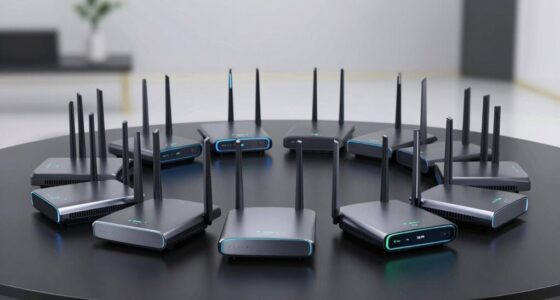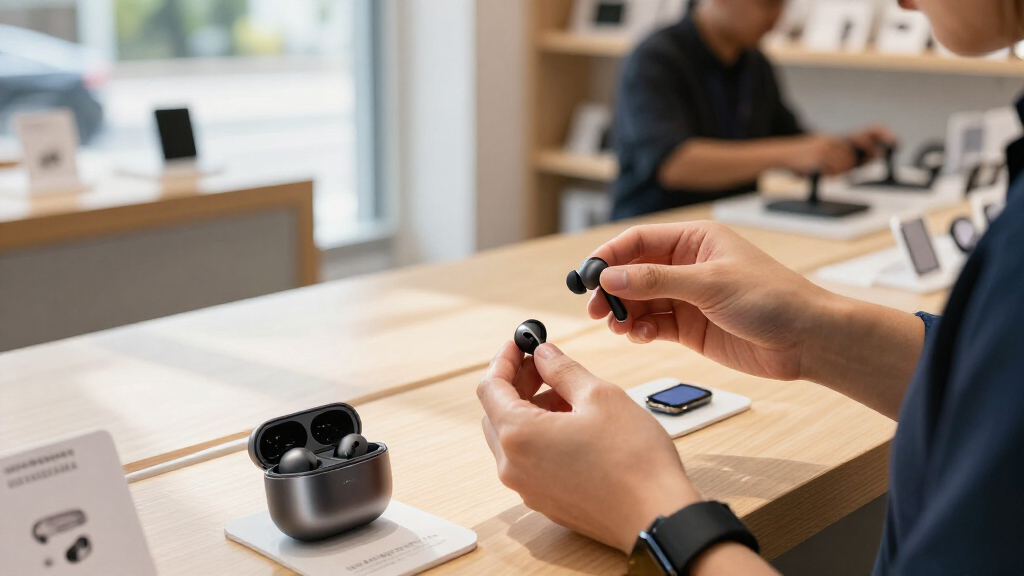

This checklist is for curious tech shoppers considering emerging accessories in 2026, whether you want to explore wearable displays, capture spoken notes, or examine objects in new ways. Start with the task you want a device to handle, then check whether its form and setup suit your routine. Use case comes first when comparing products with very different roles.

Get the latest gadgets delivered free with Prime
- Fast, free delivery on millions of items
- Prime Video, Amazon Music and more included
- Member-only deals all year
The sections are organized by accessory type, with one named pick in each slot. Each explains why the category matters, what to consider before buying, and a short list of features to look for. Read each slot on its own if you already know which category interests you.
Use the checklist to compare the listed product with your needs and verify details such as compatibility, included accessories, and fit before you commit. Product names alone may not answer those questions, so confirm them from the seller or manufacturer. Check the complete listing for the configuration you intend to buy.
AR smart glasses
AR smart glasses are a wearable-display option for shoppers who want a screen experience in a glasses-style form. The listed pick is the XREAL One Pro AR Glasses with X1 Chip, 171″ 120Hz FHD Display, Native. Its product name gives display details to compare, but it does not establish how the glasses will fit, what devices they work with, or what is included. Comfort and compatibility should guide your shortlist.
A common mistake is focusing on display specifications before checking the basics: whether the glasses suit your face, whether their connection works with your intended device, and whether the setup feels practical for the places you plan to use them. Confirm what “Native” refers to in the full listing, and check whether any required cables or accessories are part of the package. Fit can vary, so look for clear information about adjustment and wear. Verify the full setup before choosing.
Think through your intended use and how long you expect to wear them at a time. Check the listing for the precise display description and supported devices rather than inferring behavior from the name. If possible, review return terms in case the fit is not right. Choose for daily usability, not a headline specification alone.
What to look for:
- Confirm compatibility with your intended phone, computer, or other source device.
- Check how the glasses fit and whether adjustment options suit you.
- Verify the exact meaning of the listed display and “Native” description.
- Confirm which cables and accessories are included.
- Consider where and for how long you expect to wear them.
XREAL One Pro AR Glasses with X1 Chip, 171" 120Hz FHD Display, Native 3 DoF

The XREAL One Pro AR glasses feature a 171-inch virtual screen with a 57° FOV, powered by Sony Micro-OLED technology and a 120Hz refresh rate. They offer advanced spatial computing with 3DoF and optional 6DoF tracking, providing immersive AR experiences with high-quality audio by Bose and adjustable brightness for outdoor use.
Pros:
- Immersive 171-inch virtual screen with high refresh rate
- Advanced spatial tracking with 6DoF support
- Comfortable fit with adjustable IPD and ergonomic design
- High-quality Bose audio integrated into glasses
Cons:
- Requires compatible USB-C device for full functionality
- Potentially expensive for casual users
- Limited field of view compared to larger VR headsets
Best for: Shoppers exploring a glasses-style display for compatible devices
Not ideal for: Anyone who cannot confirm fit or source-device compatibility
Bottom line: Check comfort, supported devices, and the complete package before choosing the XREAL One Pro.
AI voice recorder
An AI voice recorder can be a dedicated option for capturing spoken material, and this slot features the Plaud Note Pro AI Voice Recorder Combo. The product name signals a recorder and a combo configuration, but it does not tell you which components are included or which recording and AI functions are available. Understand the bundle before comparing it with other ways to record.
A frequent buying mistake is assuming that the word “AI” means a particular transcription, summary, language, or app workflow. Confirm the functions offered, any account or connectivity requirements, and whether processing happens on the device or through a companion service. Also check the combo contents and how the recorder connects to the devices you already use. Check the workflow end to end so you know how recordings move from capture to use.
Consider where you expect to record and whether the device’s size and controls fit that routine. Look for clear information about supported file handling, storage, and any limits that affect your use; do not assume these from the product title. If your recordings are important, check how they can be accessed and exported. Match features to your routine before relying on a specialized recorder.
What to look for:
- Review the specific recording, transcription, and AI functions offered.
- Confirm the combo contents and any required accessories.
- Check app, account, connectivity, and device requirements.
- Verify how recordings are stored, accessed, and exported.
- Consider the recorder’s size and controls for your usual recording setting.
Plaud Note Pro AI Voice Recorder Combo

This ultra-slim AI voice recorder combo features four microphones to capture in-person conversations and phone calls from up to 5 meters away. It includes two Plaud Note Pro devices, a free starter plan with 300 transcription minutes per month, and integrates with tools like Slack and Notion to turn recordings into structured summaries and emails.
Pros:
- Ultra-slim and lightweight design (2.99 mm, 30 g) makes it highly portable
- Comprehensive AI features including transcription, summarization, and integration with productivity tools like Slack and Notion
- Includes two devices and a free starter plan with 300 transcription minutes per month
- Strong privacy and security compliance (SOC 2, HIPAA, GDPR)
Cons:
- Advanced transcription features require upgrading to paid Pro or Unlimited plans for heavy usage
- Requires smartphone or computer connectivity for full functionality and app control
Best for: People looking for a dedicated voice-recording workflow
Not ideal for: Shoppers who need features or integrations the listing does not confirm
Bottom line: Verify the AI workflow, app requirements, and combo contents before choosing the Plaud Note Pro.
E-ink tablet
An e-ink tablet is a specialized screen category to consider if you want a tablet centered on reading or writing. The pick here is the reMarkable Paper Pro 11.8-Inch Color E Ink Tablet Bundle with Marker P. Its name identifies a color e-ink tablet and a bundle with a marker, while leaving important details about included items and compatibility to the full listing. Check the bundle details alongside your intended tasks.
One common mistake is treating every tablet task as interchangeable. Before buying, decide whether your priority is handwriting, reading, viewing color content, or another workflow, then confirm the device and included marker support it as you expect. Check what the trailing “P” in the product name corresponds to in the listing, and whether any covers, tips, or other accessories are included. Confirm exactly what arrives rather than relying on a shortened title.
Consider the 11.8-inch size in relation to how you carry and use a tablet, and look for details about supported file types, transfer methods, and any companion software relevant to your routine. If you plan to use the marker, confirm it is included and check its compatibility with this specific tablet. Prioritize your actual workflow over assumptions based on the category.
What to look for:
- Confirm the precise bundle contents, including the marker and any additional accessories.
- Check whether the 11.8-inch format suits how you read, write, and carry a tablet.
- Verify support for the file types and transfer methods you need.
- Review color display and writing details in the complete product listing.
- Clarify the product name’s trailing “P” and any included software or services.
reMarkable Paper Pro 11.8-Inch Color E Ink Tablet Bundle with Marker Plus and Bl

The reMarkable Paper Pro is an 11.8-inch color E Ink tablet for writing, sketching, and reading, with an adjustable reading light and a low-glare display. The bundle includes a Marker Plus with built-in eraser, six spare tips, a black leather Book Folio, and a USB-C cable; it supports note organization, PDF annotation, and handwriting conversion to typed text.
Pros:
- Color E Ink display with adjustable reading light
- Low-glare screen and paper-like writing feel
- Marker Plus includes a built-in eraser and six spare tips
- Leather folio, PDF annotation, and handwriting conversion included
Cons:
- Marker is designed to work exclusively with the Paper Pro display
- The description does not specify storage capacity
Best for: Shoppers seeking an e-ink tablet and marker bundle
Not ideal for: Anyone whose required apps, files, or accessories are unconfirmed
Bottom line: Check the bundle, file workflow, and marker compatibility before selecting the reMarkable Paper Pro.
3D scanner
A 3D scanner is a specialized tool for capturing objects in three dimensions, and the listed pick is the Revopoint MIRACO Plus All-in-One 3D Scanner. Its name describes an all-in-one scanner, but it does not specify which objects, workflows, or output formats will suit your project. Start with the objects you plan to capture and how you will use the results.
A common mistake is assuming that a scanner will handle every object equally well or produce files ready for a particular downstream task. Check the manufacturer’s guidance for supported materials, object sizes, capture conditions, and output formats. Confirm what “all-in-one” means for this model, including whether any computer, software, or accessories are needed for the workflow you have in mind. Match the scanner to the full pipeline, from capture through export.
Consider the size and detail of your typical subject, where you will scan it, and how portable the equipment needs to be. Look for examples or specifications relevant to similar objects, and confirm compatibility with the design or editing software you use. If you are new to scanning, factor in the setup and learning steps described by the maker. Check real project fit before treating a general feature label as a guarantee.
What to look for:
- Check supported object sizes, materials, and capture conditions.
- Verify available output formats and compatibility with your software.
- Clarify what the all-in-one design includes and what it still requires.
- Compare examples or specifications with the objects you intend to scan.
- Consider portability, setup steps, and your experience with 3D capture.
Revopoint MIRACO Plus All-in-One 3D Scanner

The MIRACO Plus is a portable 3D scanner with near and far scanning modes, photogrammetric metrology, and single-shot or continuous capture up to 20 fps. It features a 48 MP color camera, a 6-inch flip display, and onboard processing, with exports for common 3D and CAD workflows.
Pros:
- Near and far modes support scanning objects of different sizes.
- Portable all-in-one design with onboard processing and a flip display.
- Supports color capture and multiple export formats.
- Photogrammetric kit includes scale bars and coded targets.
Cons:
- Revo Design software is sold separately.
- Battery life is up to 2 hours.
- Software is compatible only with x86_64 architecture.
Best for: People with a defined 3D capture and export workflow
Not ideal for: Shoppers without a clear use for scanned models or files
Bottom line: Confirm object suitability, output formats, and workflow requirements before selecting the MIRACO Plus.
Thermal camera
A thermal camera is a different kind of imaging accessory, and this checklist pick is the FLIR Edge Pro Wireless Thermal Imaging Camera. The product name identifies it as wireless, but the exact devices it works with, its intended applications, and the contents of the package need confirmation. Begin with compatibility and the specific task you want to inspect.
A frequent mistake is assuming a thermal camera can answer every temperature or inspection question without checking its capabilities. Review the manufacturer’s specifications for measurement ranges, resolution, supported surfaces, and any conditions that affect readings. Confirm which phone or other device is required, how the wireless connection works, and whether the companion app supports your setup. Understand the measurement limits before using results to guide decisions.
Think about where you will use the camera and whether you can hold or position it comfortably for the task. Check what comes in the box and whether any app, account, or operating-system requirements apply. If you need readings for a particular material or environment, look for guidance that addresses that exact scenario instead of relying on the product category alone. Verify task-specific support before purchase.
What to look for:
- Confirm compatibility with your phone, operating system, and required app.
- Review measurement specifications and conditions that can affect readings.
- Check the supported tasks and materials against your intended inspection.
- Verify the wireless setup and package contents.
- Consider how you will position and handle the camera during use.
FLIR Edge Pro Wireless Thermal Imaging Camera
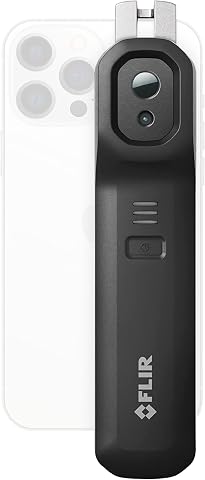
The FLIR Edge Pro is a wireless thermal imaging camera compatible with iOS and Android devices via Bluetooth. It features Super Resolution technology to upscale images to 480×360 and MSX technology to merge thermal and visual details for enhanced clarity.
Pros:
- Wireless connectivity allows for viewing in tight spaces and around corners
- Super Resolution technology significantly improves image clarity and detail
- MSX technology enhances thermal images by merging them with visual details
- Compatible with both iOS and Android devices
Cons:
- Not water resistant
- Native sensor resolution is low at 160×120
Best for: Shoppers with a specific thermal imaging task and compatible device
Not ideal for: Anyone who needs unsupported measurements or unconfirmed phone compatibility
Bottom line: Check device support, measurement guidance, and included items before choosing the FLIR Edge Pro.
Digital microscope
A digital microscope camera can connect magnified viewing to a display or computer workflow. This slot features the AmScope HD408L C-Mount Microscope Camera, 4K HDMI/USB. The title lists C-mount and HDMI/USB, but you should confirm how those connections are implemented and which microscope or display equipment they support. Check the connection path across your complete setup.
A common buying mistake is assuming a camera will fit a microscope just because both use a mount described as C-mount. Verify the microscope’s mount, sensor or adapter requirements, and the camera’s supported connections. Also confirm whether 4K output is available over the connection and display combination you intend to use. Match every link in the setup, from microscope to camera to screen or computer.
Consider whether you plan to view through HDMI, USB, or both, and check what software or controls are available for your intended workflow. Look at the camera’s supported operating systems and display requirements, and confirm whether cables or adapters are included. If image capture is important, verify the available file and capture options in the full product information. Confirm the details that affect daily use before selecting a camera.
What to look for:
- Verify that the camera’s C-mount works with your microscope or adapter.
- Confirm HDMI and USB requirements for your intended display or computer.
- Check when and how 4K output is supported in your setup.
- Review software, operating-system, and capture options.
- Confirm whether required cables and adapters are included.
AmScope HD408L C-Mount Microscope Camera, 4K HDMI/USB

The AmScope HD408L is a versatile C-mount microscope camera offering 4K resolution and 8MP image quality. It captures live video at 30fps and can be connected via USB or HDMI, making it suitable for research, education, and industrial applications.
Pros:
- High-resolution 4K imaging with vibrant detail
- Flexible connectivity via USB and HDMI
- Suitable for educational, research, and industrial use
- Universal C-mount design for compatibility
Cons:
- Requires compatible setup for optimal use
- Potentially complex installation for beginners
- Limited information on software features
Best for: Users matching a camera to an existing microscope and display workflow
Not ideal for: Buyers whose mount, computer, or display compatibility is unclear
Bottom line: Confirm mount fit, connection requirements, and capture workflow before choosing the AmScope HD408L.
Buy in a budget-first order by ranking the job each accessory needs to do, then checking whether your current devices and equipment support it. Prioritize the essentials for that job, such as fit, bundle contents, mounting, or app requirements, before adding optional accessories. Spend attention on compatibility first so your shortlist stays practical.
Use the look-for lists to verify details in the complete product listings, and compare those details with how you will actually use each device. Emerging accessories can be exciting when the setup matches the task. Take it one checklist at a time and choose the category that best fits your plans.