
TL;DR

Get the latest gadgets delivered free — and shop member deals
- Fast, free delivery on millions of items
- Access to Prime Big Deal Days deals on October 6–7
- Prime Video, Amazon Music and more included
Apple announced in iOS 27 a new Liquid Glass transparency slider, enabling users to adjust UI elements’ opacity. This follows a year of tweaks addressing user feedback. The update aims to improve customization and accessibility.
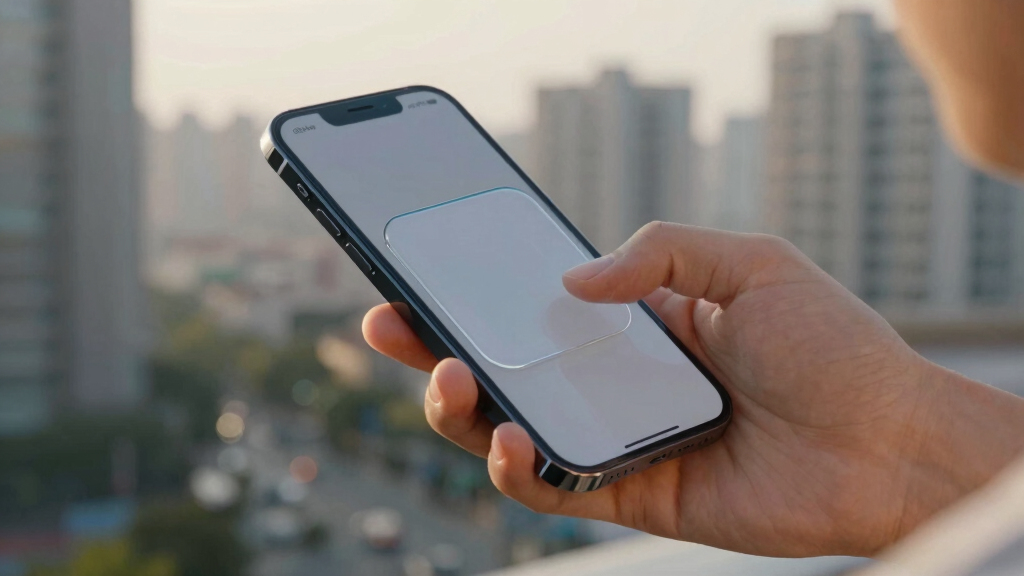
Apple has introduced a new Liquid Glass transparency slider in iOS 27, allowing users to customize the degree of UI transparency and contrast. This feature addresses user feedback on the previous lack of customization options, making the interface more accessible and visually adaptable.
During WWDC 2026, Apple announced that iOS 27 will feature a new slider enabling users to adjust the transparency of Liquid Glass UI elements, such as toolbars and icons. The default setting will be less transparent, with the slider providing the ability to increase or decrease transparency, even to the point of disabling Liquid Glass for opaque interfaces.
Apple also revealed that on macOS, elements of Liquid Glass are being reincorporated into the overall design, including changes to sidebar icon visibility and uniform rounded corners across apps. Additionally, app icons will now incorporate layered Liquid Glass elements to add depth, supporting both Apple and third-party apps.
Enhanced Customization Improves Accessibility and User Control
This update matters because it directly addresses longstanding user complaints about the lack of customization in Liquid Glass UI elements introduced with iOS 26. By allowing users to tailor transparency, Apple is improving accessibility for users with visual preferences or impairments, and offering greater control over the interface aesthetics.
The changes also signal Apple’s ongoing effort to refine its design language, balancing aesthetic appeal with user functionality, which can influence the overall user experience across iOS and macOS platforms.
iOS 27 transparency slider accessory
As an affiliate, we earn on qualifying purchases.
As an affiliate, we earn on qualifying purchases.
Evolution of Liquid Glass and User Feedback
Apple introduced the Liquid Design aesthetic with iOS 26, featuring translucent UI elements that aimed to create a modern, layered look. However, many users found the default transparency too high, reducing contrast and legibility, especially for labels and buttons. Over the past year, Apple made incremental tweaks to improve contrast and reduce transparency, but lacked a user-adjustable control.
The recent announcement at WWDC 2026 marks a significant step, as Apple is now enabling users to customize transparency levels with a dedicated slider, addressing community feedback and enhancing usability.
“The addition of the transparency slider in iOS 27 is a welcome change that gives users more control over their UI experience.”
— an anonymous researcher
“We are committed to refining the Liquid Glass aesthetic to better serve our users’ needs, balancing beauty with functionality.”
— an Apple spokesperson
Liquid Glass UI customization tools
As an affiliate, we earn on qualifying purchases.
As an affiliate, we earn on qualifying purchases.
Details on macOS Liquid Glass Integration Still Unclear
While Apple confirmed that elements of Liquid Glass are being reincorporated into macOS, specific details about how these changes will manifest across the desktop OS, and whether the transparency slider will be available on Mac, remain undisclosed. Beta versions are expected to reveal more in the coming weeks.
screen transparency adjustment device
As an affiliate, we earn on qualifying purchases.
As an affiliate, we earn on qualifying purchases.
Beta Releases and User Feedback Will Shape Final Features
Apple is currently rolling out beta versions of iOS 27, which include the new transparency slider. Developers and early testers will evaluate its functionality and accessibility benefits. Apple will likely refine the feature based on user feedback before the official release later this year. Further details on macOS integration are expected to emerge as beta testing continues.
UI contrast and opacity control accessories
As an affiliate, we earn on qualifying purchases.
As an affiliate, we earn on qualifying purchases.
Key Questions
How does the new Liquid Glass transparency slider work?
The slider allows users to increase or decrease the transparency of Liquid Glass UI elements, with the default being less transparent. Moving the slider to the far end can disable transparency, making toolbars and icons fully opaque.
Will the transparency slider be available on macOS?
Apple confirmed that Liquid Glass elements are being incorporated into macOS, but it has not yet specified if a similar transparency adjustment feature will be available on Mac during the initial release of iOS 27.
Does this update improve accessibility?
Yes, by allowing users to adjust transparency levels, the update can enhance contrast and legibility for users with visual impairments or preferences, making the interface more accessible.
When will iOS 27 be officially released?
Apple has not announced an exact release date, but beta versions are currently available, with a full public release expected later in the year.
Source: Lifehacker
Fall Picks
fall essentials
As an affiliate, we earn on qualifying purchases.