
TL;DR
You can produce a complete set of publishing assets from one video without using the cloud. This local workflow automatically creates everything from titles and descriptions to media kits, saving time and keeping your work private. It’s ideal for creators wanting control and speed in their publishing process.
Imagine finishing a video and instantly having a bundle of ready-to-publish assets in your hands—no cloud, no waiting. It feels like having a personal publishing assistant sitting right on your desktop, turning raw content into a marketing powerhouse. This isn’t a distant dream; it’s what a local workflow can do for you.
In this article, you’ll see exactly how a single video can spawn everything you need to launch, promote, and sell—without handing your data over to third-party cloud services. We’ll explore a tool that makes this possible, and look at why keeping everything local matters for creators, authors, and marketers alike.
Key Takeaways
- A local, offline workflow can automatically generate a complete publishing kit from a single video, saving time and enhancing privacy.
- Layered AI analysis—transcript, visuals, and fusion—provides a deeper understanding, resulting in more accurate and useful assets.
- You still need human judgment for creative decisions, but AI handles the heavy lifting of draft generation and organization.
- This approach supports faster launches, better control over assets, and reduces dependence on cloud services, ideal for privacy-conscious creators.
- Getting started is simple: upload your video, review auto-generated assets, and customize before publishing.
As an affiliate, we earn on qualifying purchases.
What’s really possible with a local publishing workflow?
Think of a workflow that takes your raw video and spits out a full publishing kit—titles, descriptions, clips, social posts, media kits—all processed right on your computer. No need to upload to a cloud platform, wait for AI to process, or worry about data privacy.
For example, you shoot a webinar, and in minutes, you have a set of YouTube-ready titles, TikTok clips, a press-ready media kit, and blog drafts—all generated from the same source. This speeds up your publishing cycle and keeps everything under your control.
Beyond convenience, this approach signifies a shift toward greater data sovereignty. When your assets are generated locally, you reduce exposure to potential breaches or data misuse inherent in cloud services. However, it also means you rely on your hardware’s capacity and the sophistication of local AI tools—tradeoffs that might include hardware requirements or the need for initial setup. This reflects a broader trend toward empowering creators to maintain ownership of their content, but also underscores the importance of understanding the capabilities and limits of local processing versus cloud-based solutions.

As an affiliate, we earn on qualifying purchases.
How does turning one video into a publishing kit actually work?
The process is surprisingly straightforward. You drop your video into the system or paste a link. Behind the scenes, several AI-powered layers analyze your content. First, it transcribes speech, then detects scene changes and reads on-screen text. Finally, it fuses these insights to understand what your video is really about.
For instance, if your video features a product demo, the system recognizes the product shot, the key talking points, and the hook moments. It then uses this info to craft headlines, social snippets, and media assets—all without leaving your desktop.
This layered approach means the assets are not just guesses but are based on a structured understanding of your content. The implication is that the system can generate highly relevant and targeted assets, saving you from manual brainstorming and editing. However, this also depends on the quality of initial input and the complexity of your content—more nuanced videos may require additional human refinement to reach optimal effectiveness. The tradeoff here involves balancing automation speed and accuracy with the need for human oversight to ensure the assets align with your branding and messaging standards.

As an affiliate, we earn on qualifying purchases.
What assets can I expect from this local publishing kit?
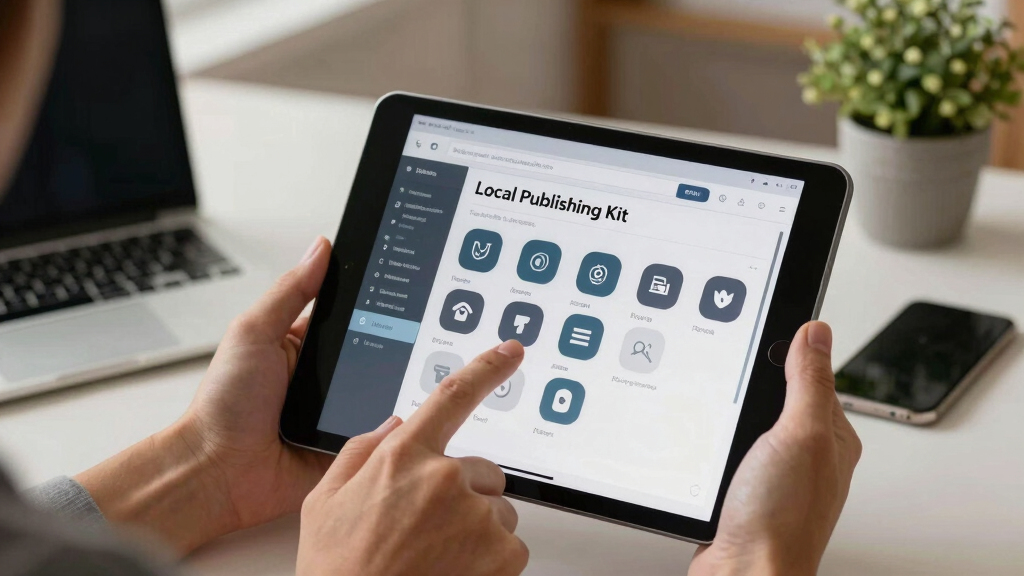
The kit includes a wide array of assets tailored for every platform. Here’s what you get from a typical video:
- Multiple titles scored against character limits.
- Full video descriptions with chapters, hashtags, and keywords.
- Thumbnail concepts based on the most engaging moments.
- Vertical clips for TikTok, Reels, Shorts.
- Blog drafts and newsletter summaries.
- Social media posts tailored for each network.
- A media kit with author photo, book cover, and press one-sheet.
This integrated package ensures you’re ready to publish everywhere—fast, consistent, and on-brand. The significance of having these assets in one bundle is that it streamlines your workflow, reduces the risk of inconsistency across platforms, and accelerates your launch timeline. The comprehensive nature of the kit means fewer manual steps, but it also places importance on reviewing each asset to ensure it aligns with your brand voice. Relying solely on automated generation can sometimes produce generic results, so human oversight remains crucial to fine-tune messaging and visuals for maximum impact.
As an affiliate, we earn on qualifying purchases.
Why keep everything local? The benefits of offline publishing workflows
Processing your content offline means total control over your data and assets. Your files stay on your machine, safe from breaches or privacy concerns. Plus, you don’t depend on slow cloud servers or internet stability.
For example, during a recent author launch, using a local workflow meant they could work in a remote area without Wi-Fi, yet still produce a full set of marketing materials in minutes. It’s faster, more private, and often more reliable.
Beyond convenience, this approach reflects a philosophical shift toward data sovereignty—where creators retain ownership and authority over their content. This is particularly important in industries where privacy and security are paramount. However, it also involves tradeoffs: local processing requires adequate hardware, can be limited by computational power, and may lack some of the scalability or collaborative features inherent in cloud solutions. Recognizing these tradeoffs helps creators make informed choices aligned with their priorities, whether that’s maximum security, speed, or flexibility.

Where do humans still make the difference?
No matter how advanced AI gets, human judgment remains vital. AI can draft titles, generate clips, and even suggest media kits, but the final polish needs a creator’s eye. For example, a title scored 92 might still miss the emotional punch a human can add.
Similarly, visual assets like thumbnails or cover art often benefit from the artist’s touch. AI can streamline the process, but your creative intuition guides the final decisions. This human-AI collaboration ensures that the assets not only function well technically but also resonate emotionally and align with your brand identity. The tradeoff here is that while automation speeds up initial drafts, it cannot replace the nuanced understanding and aesthetic judgment that only a human can provide. This underscores the ongoing importance of human oversight, especially for branding and emotional impact, which are difficult for AI to fully emulate.

How does this workflow support a full launch—beyond just publishing?
Creating a publishing kit isn’t just about hitting publish. It’s about launching with impact. This workflow helps you prepare media kits, press releases, and social campaigns—all from that one video.
Imagine having ready-to-go pitch sheets, author bios, and promotional images—all stored in one package. When your book or course is ready, you can deploy your marketing materials instantly, saving precious time and ensuring consistency.
This integrated approach also means you can better coordinate your marketing efforts, ensuring messaging consistency across channels. It reduces the risk of miscommunication or missed opportunities in the critical launch window. However, it’s essential to recognize that automation can’t replace strategic planning—human input remains vital in crafting the narrative and timing of your campaign for maximum effect.

How does this compare with cloud-based publishing tools?
| Feature | Local Workflow | Cloud-Based |
|---|---|---|
| Data Privacy | Complete control, no data leaves your machine | Dependent on third-party servers, potential privacy risks |
| Speed | Immediate processing, no upload/download delays | Depends on internet speed, can be slow |
| Cost | One-time setup, no ongoing fees | Subscription-based, ongoing payments |
| Flexibility | Customizable, no API limits | Limited by platform options and API constraints |
For example, a creator using a local tool like ChannelHelm can prepare everything before going online, avoiding the lag and privacy concerns of cloud workflows. It’s a different mindset—more control, less dependency, and a greater sense of ownership over your assets. While cloud tools offer scalability and collaboration features, the tradeoff often involves sacrificing some level of privacy and immediate control. Recognizing these differences helps creators choose the workflow that best aligns with their priorities—whether that’s speed, security, or flexibility.

What’s still human? Where do you need to step in?
Automation can do a lot, but your creative touch remains essential. You’ll want to review AI-generated titles, tweak social posts, and fine-tune media kits. For instance, an AI might suggest a generic title, but your personal brand voice makes it pop.
Designing a thumbnail that catches attention or crafting a compelling pitch requires human intuition and style. Use the AI as a starting point—your judgment completes the picture. This collaborative process ensures that your final assets are not only technically sound but also emotionally engaging and aligned with your brand identity. The tradeoff is that over-reliance on automation can lead to generic outputs that lack your unique voice, so active human involvement remains a critical step in maintaining authenticity and quality.

Ready to try it? How to get started with a local publishing kit
Here’s a simple step-by-step:
- Download and set up the tool from [ChannelHelm](https://channelhelm.com/). It’s open-source and runs on your local machine.
- Drop in your video file or paste a YouTube link. Let it analyze in the background.
- Review the generated titles, descriptions, clips, and assets in the dashboard.
- Edit anything that needs a human touch—titles, images, or text.
- Approve the package, then export or publish directly to your website, social media, or distribution channels.
This process takes minutes, not hours, and keeps your files secure on your own hardware. The key advantage is that you retain full control over your data and assets, avoiding the vulnerabilities and delays associated with cloud processing. This empowers creators to work more confidently, especially in sensitive or bandwidth-limited environments, ensuring that their workflow remains uninterrupted and under their command at all times.
Frequently Asked Questions
What does “without the cloud” actually mean?
It means processing your video and generating all assets directly on your computer, without uploading to online servers. Your data stays private, and you avoid reliance on internet speed or third-party platforms.
Can it create ebook, print, audiobook, and promo materials?
Yes, the workflow can produce a full suite of assets—including ebook files, print-ready PDFs, audiogram snippets, and promotional images—based on your video content, all stored locally.
It’s versatile. Authors, YouTubers, marketers, and small publishers can all benefit. The system adapts to different content types, helping everyone streamline their launch and promotion process.
How accurate is the AI in turning video into assets?
While not perfect, AI analysis is highly effective at identifying key moments, on-screen text, and topics. Human review is still recommended for final polish, but it drastically reduces manual effort.
What are the main limitations of this workflow?
It depends on your initial content quality and your editing skills. Complex projects requiring detailed design or nuanced storytelling still need human touch, but for routine publishing, it’s a game-changer.
Conclusion
Turning raw video into a full publishing package without relying on the cloud isn’t just a dream. It’s now within reach—faster, safer, and more private. Your content, your control, your workflow.
Imagine having every asset ready at the push of a button, with the freedom to tweak and perfect. That’s the future of independent publishing—powered by local AI, designed for creators like you.