📊 Full opportunity report: Mac vs GPU Tower for Local LLMs: The Heat-and-Noise Tradeoff on ThorstenMeyerAI.com — validation score, market gap, and execution plan.

Get the latest gadgets delivered free — and shop member deals
- Fast, free delivery on millions of items
- Access to Prime Big Deal Days deals on October 6–7
- Prime Video, Amazon Music and more included
TL;DR
This article compares Mac Studio with Apple Silicon and GPU towers for running local large language models, highlighting their heat, noise, capacity, and performance differences. The choice depends on model size and operational preferences.
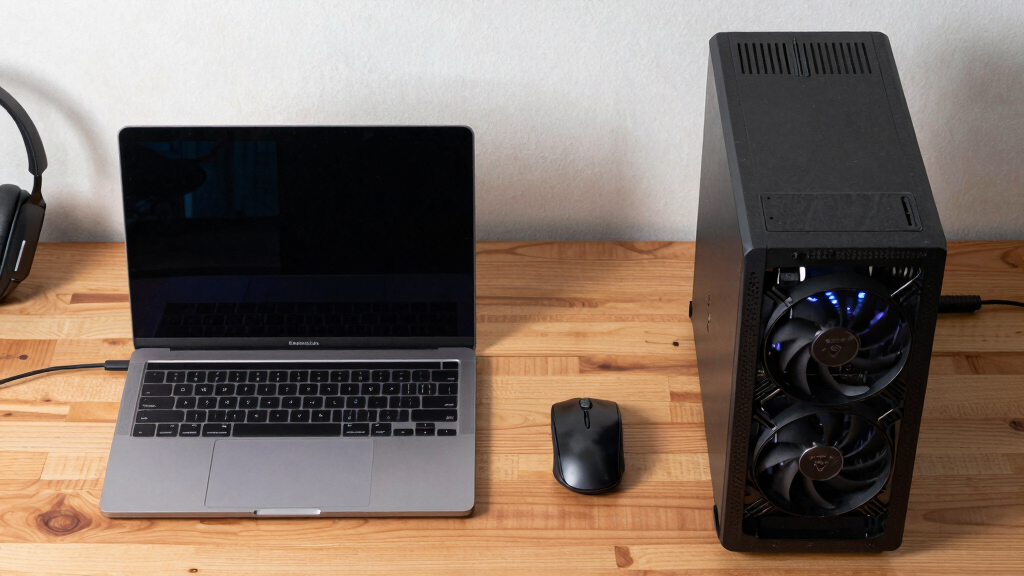
Apple Silicon-based Macs, such as the Mac Studio with M3 Ultra, are near-silent and power-efficient options for running large language models (LLMs), contrasting sharply with high-performance GPU towers that generate significant heat and noise. This comparison highlights a key hardware choice for AI practitioners: opting for quiet, low-power operation versus maximum throughput and model capacity.
GPU towers equipped with NVIDIA RTX 5090 cards deliver high memory bandwidth (~1,792 GB/s), enabling faster inference for models that fit within their 24–32GB VRAM. However, these systems consume 575W to over 800W, producing substantial heat that requires complex cooling solutions and ongoing thermal management. They also lack native multi-GPU pooling, limiting scalability and upgradeability.
In contrast, Apple Silicon Macs like the M3 Ultra feature a unified memory architecture supporting up to 512GB, allowing them to run models as large as 70 billion parameters, which exceed the VRAM capacity of most consumer GPUs. These Macs consume significantly less power, generate minimal heat, and operate near-silently, making them ideal for continuous, quiet operation. However, their inference speeds are slower, and they are limited to models that fit into their unified memory pool.
Mac vs GPU tower
for local LLMs.
What if you sidestep the heat entirely with a different kind of machine? A tower is a high-bandwidth furnace you spend five levers quieting. Apple Silicon is near-silent by design — but asks for different tradeoffs. Match your priority in Part 2.
Put the loud, hot machine where its noise doesn’t matter, and the quiet one where you do. SSH into the tower when you need raw power; let the Mac handle everything else, silently.
Impact of Heat and Noise on Local AI Hardware Choices
This comparison matters because it underscores the fundamental tradeoff in hardware design for local AI: performance versus operational silence and simplicity. For users prioritizing maximum inference speed on smaller models, GPU towers remain the best choice despite their heat and noise challenges. Conversely, for those needing large models to run quietly and efficiently, Apple Silicon Macs offer a compelling alternative, especially for always-on, desk-side deployments.
As an affiliate, we earn on qualifying purchases.
Key Architectural Differences in AI Hardware
The core distinction lies in how each architecture handles memory bandwidth versus capacity. GPU towers excel in bandwidth, enabling rapid inference on models that fit VRAM, but they are limited by VRAM size and high power consumption. Apple Silicon prioritizes capacity through unified memory, allowing larger models to run at the expense of raw speed. These design philosophies reflect different priorities: throughput versus capacity and operational simplicity.
"If your models fit within 32GB VRAM, GPU towers deliver unmatched inference speed. For larger models, Mac's unified memory opens new possibilities."
— Industry expert on AI hardware
As an affiliate, we earn on qualifying purchases.
Unresolved Questions About Long-Term Scalability
It remains unclear how future GPU architectures or Apple Silicon updates will shift these tradeoffs, especially regarding multi-GPU scaling and model size limits. Long-term upgrade paths and ecosystem support are also evolving areas of uncertainty.
As an affiliate, we earn on qualifying purchases.
Upcoming Hardware Developments and User Choices
Next steps include observing new GPU models with increased VRAM and bandwidth, as well as future Apple Silicon releases that may improve inference speeds or capacity. Users should evaluate their model sizes, speed requirements, and operational preferences to determine the best hardware path forward.
As an affiliate, we earn on qualifying purchases.
Key Questions
Can a Mac run the same models as a GPU tower?
Large models exceeding the VRAM capacity of GPUs can run on Macs with unified memory, such as the Mac Studio M3 Ultra, which supports models up to 70 billion parameters in quantized form.
Is heat and noise the main reason to choose a Mac over a GPU tower?
Heat and noise are significant factors, especially for continuous, desk-side operation. Macs offer near-silent operation with minimal heat, making them ideal for quiet environments, while GPU towers require thermal management and noise control.
Will future GPU cards overcome current VRAM and thermal limitations?
Potentially, yes. Upcoming GPU architectures may increase VRAM and bandwidth, but current designs still face thermal and power constraints that influence their suitability for certain workloads.
What are the tradeoffs between inference speed and model size?
Faster inference is achievable with GPU towers for models fitting VRAM, while larger models can be run on Macs at slower speeds but with the advantage of handling models beyond GPU VRAM limits.
Source: ThorstenMeyerAI.com
Fall Picks
fall essentials
As an affiliate, we earn on qualifying purchases.