
TL;DR

Get the latest gadgets delivered free with Prime
- Fast, free delivery on millions of items
- Prime Video, Amazon Music and more included
- Member-only deals all year
A report by Bosscher describes using a $10 OpenStick, a small ARM device with 512 MB of RAM, as a quiet, low-power Debian home server. The setup runs a collection of lightweight services, though the performance and memory figures are the author’s own observations, not independent tests.
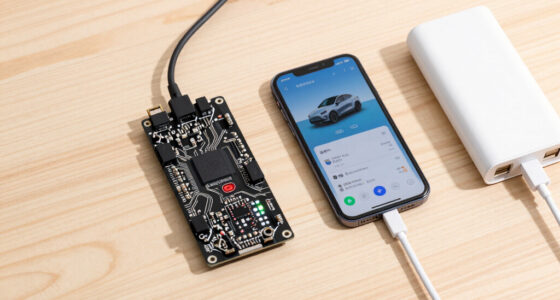
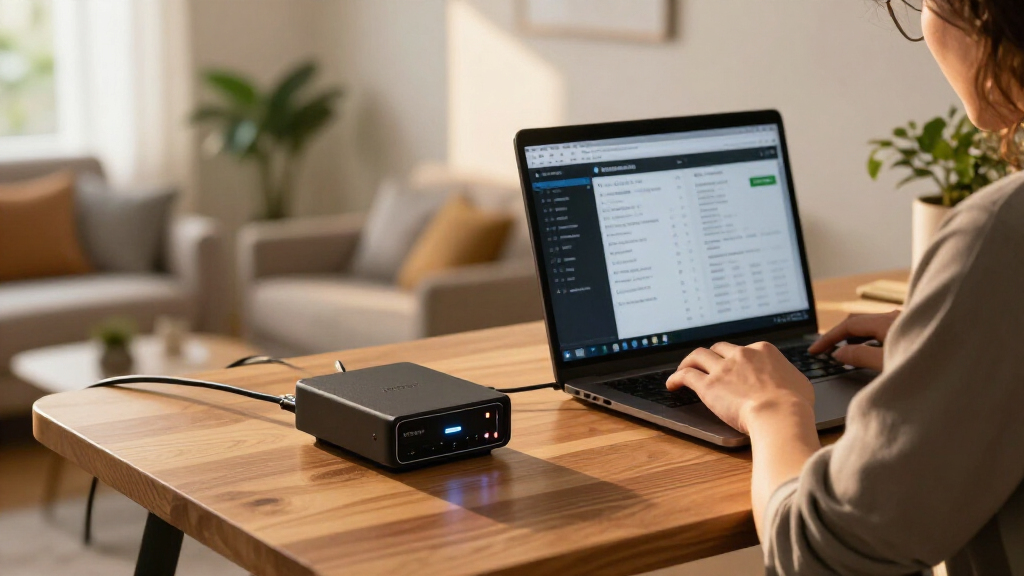
Bosscher has described running a collection of self-hosted services on a $10 OpenStick, a small, passively cooled device with 512 MB of RAM and a four-core ARM processor. The setup runs Debian and includes DNS filtering, server monitoring, RSS reading, bookmarks and an AI-agent service, offering an example of what the author says can fit on a very low-cost home server.
According to Bosscher’s report, the OpenStick cost $10 including shipping and has 4 GB of eMMC storage, Wi-Fi, a cellular modem and GPS. The device is passively cooled, which the author describes as silent. Of its 512 MB of memory, about 450 MB is usable. Those limits shape the software selection: the services highlighted are chosen in part for their relatively small memory footprints.
The setup runs Debian, with systemd for managing services and Podman for containers. Bosscher lists AdGuard Home for DNS-level domain blocking, CastSponsorSkip for skipping sponsorship segments on Google Cast devices, and Cloudflare Tunnel for making services reachable without exposing network ports. The author also runs Beszel for resource monitoring, Dozzle for viewing container logs, and Gatus for checking whether services are responding.
Other listed services include Fusion, an RSS reader that Bosscher says uses about 22 MB of RAM, and Shiori, a bookmark manager that can archive saved pages. Bosscher reports that an AdGuard Home configuration blocked about 60% of DNS queries, but says most appeared harmless and does not provide a measurement period or comparison baseline. The figures for individual applications are the author’s reported observations, not results from a standardized test.
Small Hardware, Useful Services
The report matters to readers interested in self-hosting on a budget because it shows how several everyday services can be combined on hardware far less capable than a typical desktop or server. Its practical point is not that the OpenStick replaces a general-purpose machine, but that a limited device may handle narrowly scoped tasks when the software is lightweight and expectations are modest.
Low cost and passive cooling may make the device appealing for experimentation, particularly for people learning Linux services and containers. But the small memory and storage capacity also impose trade-offs: each additional service competes for limited resources, and the reported setup depends on careful selection rather than abundant capacity. The author’s configuration is one person’s example, not a guarantee that the same applications will perform similarly under different workloads or network conditions.
Some services also involve trust and privacy choices. Bosscher says Cloudflare Tunnel avoids exposing ports directly, while acknowledging a concern that traffic passing through a third party could be accessible to that provider. DNS filtering can block some domains, but the author explicitly says it cannot replace a firewall or block every unwanted request.
Products Worth Considering

Jackery Explorer 300 Portable Power Station with 40W Solar Panel

Jackery Explorer 1000 v2 Portable Power Station, 1070Wh, 1500W
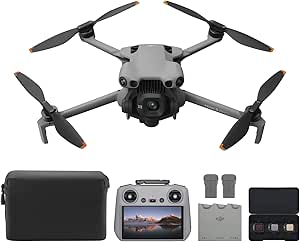
DJI Mini 5 Pro Fly More Combo with DJI RC 2
As an affiliate, we earn on qualifying purchases.
From Novelty Device to Server
Bosscher says the OpenStick was purchased on a whim as a novelty device. Its listed hardware—four 1 GHz ARM Cortex-A53 cores, 512 MB of RAM and 4 GB of eMMC—falls well below the capacity of a conventional home server, but the device can run Debian. The report describes installation as somewhat involved, without detailing the steps.
The software choices reflect the author’s preference for compact tools. Bosscher says a previous Kubernetes-based setup was more powerful but felt excessive for these tasks. The report also contrasts Zeroclaw with OpenClaw: the author says OpenClaw used more than 1 GB of memory and experienced breakages after updates, while Zeroclaw used about 3 MB of resident memory when idle in the author’s setup. These are personal observations and comparisons, not independently verified benchmarks.
“After adding a few blocklists, 60% of my queries are now blocked.”
— Bosscher, on AdGuard Home
Limits of the Reported Setup
The report does not specify the publication date, provide independent performance tests, or document how the device behaves under sustained heavy use. It is also unclear how much storage remains after Debian, containers and application data are installed, or how the services perform when several are busy at once. Memory figures and the reported DNS-blocking share are author-provided observations; no testing method or measurement period is given.
Bosscher does not describe the full installation process, the configuration of each service, or the device’s power draw. The report also does not establish whether the OpenStick’s cellular modem or GPS is used in the homelab. The author cautions against installing binaries from unknown sources and notes that DNS filtering is not a complete security measure.
More Services, Same Constraints
Bosscher says a contribution to Zeroclaw is intended to add richer Telegram message support in a future version, though the report does not give a release date. The author also describes the current choice between Beszel and Dozzle as flexible: if memory becomes scarce, one could be removed, though each serves a different purpose.
No wider product announcement or follow-up test is described. For readers considering a similar setup, the next practical step is to check current software requirements, use trusted installation sources and measure resource use on the device itself. Whether the OpenStick remains sufficient will depend on its workload, configuration and the services added over time.
Key Questions
What is the OpenStick in this report?
It is a small computer Bosscher says cost $10 including shipping. The reported specifications include 512 MB of RAM, four 1 GHz ARM Cortex-A53 cores and 4 GB of eMMC storage.
What services does the homelab run?
The author lists DNS filtering with AdGuard Home, CastSponsorSkip, Cloudflare Tunnel, Beszel, Dozzle, Gatus, Fusion, Shiori and the Zeroclaw AI-agent framework.
Are the performance and memory figures independently tested?
No independent testing is described. Figures such as the applications’ memory use are Bosscher’s reported observations, and the report does not set out a standardized test method.
Does DNS filtering block every unwanted request?
No. Bosscher says DNS blocking can stop many domain requests but cannot block all unwanted traffic and should not be treated as a substitute for a firewall.
What remains uncertain about the setup?
The report does not give measured power use, a full installation guide, or results under sustained loads. It also does not specify the time period behind the reported 60% DNS-query blocking figure.
Source: blog.bosscher.ch