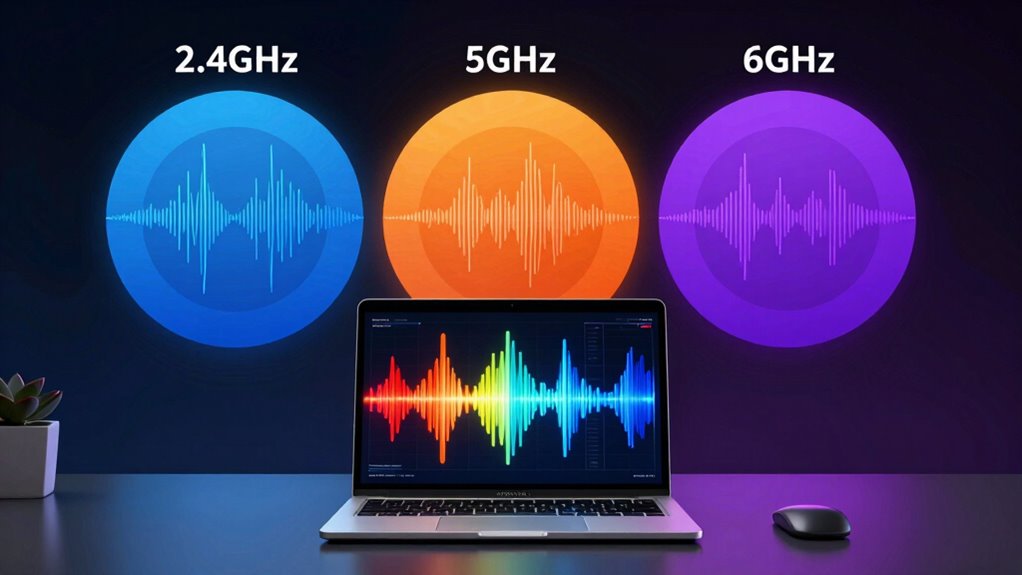

Wi-Fi bands operate on different frequencies—2.4GHz, 5GHz, and 6GHz—that offer varying speeds, ranges, and congestion levels. 2.4GHz covers larger areas but can suffer from interference, while 5GHz provides faster speeds but shorter reach. 6GHz is newer, supporting Wi-Fi 6E with higher capacity, less congestion, and improved performance. Understanding these differences helps you choose the best band for your devices and needs—discover more details below.
Key Takeaways
- 2.4GHz offers broader coverage and better device compatibility but is more prone to interference and slower speeds.
- 5GHz provides faster speeds, less congestion, and is suitable for high-bandwidth activities but has a shorter range.
- 6GHz supports Wi-Fi 6E, offering higher capacity, faster speeds, and less interference, ideal for dense device environments.
- Device support varies: older devices often only connect to 2.4GHz, while newer devices can utilize 5GHz and 6GHz bands.
- Choosing the right band depends on coverage needs, device compatibility, and interference levels for optimal Wi-Fi performance.

TP-Link AXE5400 Tri-Band WiFi 6E Router (Archer AXE75), 2025 PCMag Editors' Choice, Gigabit Internet for Gaming & Streaming, New 6GHz Band, 160MHz, OneMesh, Quad-Core CPU, VPN & WPA3 Security
Tri-Band WiFi 6E Router – Up to 5400 Mbps WiFi for faster browsing, streaming, gaming and downloading, all…
As an affiliate, we earn on qualifying purchases.
As an affiliate, we earn on qualifying purchases.
What Are the Differences Between 2.4GHz and 5GHz Wi-Fi?

When choosing between 2.4GHz and 5GHz Wi-Fi, understanding their key differences can help you optimize your network. The 2.4GHz band offers broader coverage and better device compatibility, making it ideal for basic tasks and older gadgets. However, it’s more prone to interference sources like microwaves, Bluetooth devices, and neighboring Wi-Fi networks, which can slow your connection. In contrast, 5GHz provides faster speeds and less interference, but it has a shorter range and may struggle to penetrate walls or obstacles. If you have newer devices that support 5GHz, switching to it can improve performance, especially in crowded environments. Keep in mind that some older devices only connect to 2.4GHz, so your choice depends on your device compatibility and network needs. Additionally, understanding Wi-Fi frequency bands can help you make more informed decisions for your connectivity setup. Exploring bandwidth capacity can also assist in choosing the optimal band for your specific usage requirements. Being aware of signal interference sources can further enhance your Wi-Fi experience. Knowing about router placement can also significantly impact your network’s coverage and quality.

TP-Link AC1200 WiFi Extender, 2023 Engadget Best Budget Pick, 1.2Gbps Signal Booster for Home, Dual Band 5GHz/2.4GHz, Covers Up to 1500 Sq.ft and 30 Devices,Support Onemesh, One Ethernet Port (RE315)
𝐒𝐭𝐫𝐨𝐧𝐠𝐞𝐫 𝐖𝐢-𝐅𝐢 𝐢𝐧 𝐄𝐯𝐞𝐫𝐲 𝐂𝐨𝐫𝐧𝐞𝐫 – Enjoy extended coverage with strong performance powered by Adaptive Path Selection and…
As an affiliate, we earn on qualifying purchases.
As an affiliate, we earn on qualifying purchases.
How Does 6GHz Wi-Fi Improve Speed, Capacity, and Latency?

6GHz Wi-Fi, also known as Wi-Fi 6E, notably enhances network performance by increasing speed, capacity, and reducing latency. This band offers more spectrum allocation, which means wider channels and less congestion. You’ll experience higher data rates and smoother streaming, even in busy environments. Because 6GHz operates on a different spectrum, it faces less wireless interference from older devices, ensuring a more stable connection. The increased bandwidth allows for more devices to connect simultaneously without slowing down. Additionally, the wireless interference benefits contribute to a more reliable and consistent connection overall. The broader spectrum allocation translates to an improved overall network experience, especially in high-density areas. This expansion also minimizes signal overlap, further boosting connection stability. Improved network efficiency ensures that data transfer remains swift and dependable even during peak usage times. Moreover, the advanced modulation techniques employed in 6GHz Wi-Fi further optimize data transmission and reduce errors. Here’s a quick comparison:
| Feature | Benefit |
|---|---|
| Spectrum Allocation | More room for data transmission |
| Wireless Interference | Less interference, stronger signals |
| Speed | Faster data transfer |
| Capacity | More devices connected without lag |
This band profoundly improves your Wi-Fi experience by optimizing speed, capacity, and latency.

Arris Surfboard Wi-Fi 6E Access Point | W6U | Dedicated 6 GHz Band for Compatible Devices | 2.5 Gbps Port | Works with Any Wi-Fi Device | Upgrade Your Network to Wi-Fi 6E
Adapt with the future of Home Networking: The ARRIS SURFboard mAX Wi-Fi 6E Access Point allows customers to…
As an affiliate, we earn on qualifying purchases.
As an affiliate, we earn on qualifying purchases.
Which Wi-Fi Band Is Best for Your Needs: Speed, Range, or Reliability?
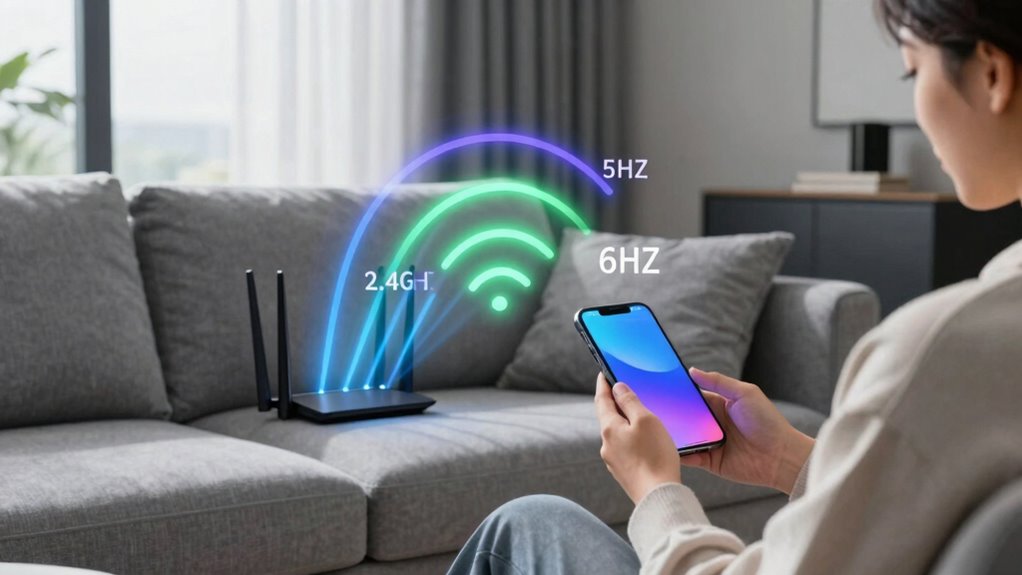
Choosing the right Wi-Fi band depends on what matters most to you—whether it’s speed, range, or reliability. If speed is your priority, 5GHz offers faster data transfer but has limited device compatibility and shorter range. For broader coverage and better reliability in larger spaces, 2.4GHz is ideal because it penetrates walls and handles signal interference better. However, if your devices support 6GHz, it provides even higher speeds and less congestion, boosting overall performance. Keep in mind that device compatibility plays a key role; not all gadgets support the latest bands, which can limit your options. Also, consider potential signal interference—some bands are more prone to disruptions from other electronics. Additionally, understanding Wi-Fi band characteristics can help you optimize your setup for specific environments. For example, battery performance can be affected by the Wi-Fi environment, especially if you’re using a portable device that relies on battery power. Being aware of interference sources can further improve your Wi-Fi experience by helping you minimize disruptions and select the optimal band for your needs. Furthermore, understanding network congestion can help you choose the most efficient band during peak usage times. Recognizing environmental factors such as physical obstructions and electronic noise can help you better tailor your Wi-Fi setup for optimal performance. Choose accordingly to optimize your Wi-Fi experience based on your needs.

TP-Link AX1800 WiFi 6 Router (Archer AX21) – Dual Band Wireless Internet, Gigabit, Easy Mesh, Works with Alexa – A Certified for Humans Device, Free Expert Support
DUAL-BAND WIFI 6 ROUTER: Wi-Fi 6(802.11ax) technology achieves faster speeds, greater capacity and reduced network congestion compared to…
As an affiliate, we earn on qualifying purchases.
As an affiliate, we earn on qualifying purchases.
Do Your Devices Support the Latest Wi-Fi Bands? How Interference Affects Connection Quality

While selecting a Wi-Fi band that matches your needs is important, ensuring your devices support the latest standards is equally essential. Device compatibility determines whether your gadgets can connect to faster, more reliable networks like 5GHz or 6GHz. If your devices are outdated or only support older Wi-Fi versions, you won’t experience the full benefits of newer bands. Upgrading your devices can significantly enhance network performance and unlock higher speeds. Interference impact also plays a significant role; crowded frequencies, physical obstacles, and other electronics can disrupt your connection, reducing speed and stability. To get the best performance, verify that your devices support the latest Wi-Fi standards and consider how interference might affect your setup. Upgrading devices or adjusting your network environment can help minimize the interference impact and improve overall connection quality. Understanding signal interference and its effects can help you troubleshoot and optimize your Wi-Fi performance more effectively. Additionally, being aware of Device compatibility ensures you maximize your network’s potential.
Top Tips to Optimize Your Wi-Fi Network Across 2.4GHz, 5GHz, and 6GHz
To get the most out of your Wi-Fi network, optimizing its performance across the 2.4GHz, 5GHz, and 6GHz bands is vital. Start by placing your router in a central location to improve device compatibility and minimize interference. Use the appropriate band for each device—reserve 2.4GHz for longer range and lower bandwidth needs, while 5GHz and 6GHz handle high-speed tasks. Regularly update your firmware to enhance network security and performance. Manage your network’s security settings with strong passwords and encryption to prevent unauthorized access. Additionally, consider network segmentation to keep sensitive devices separate. Be aware of extension cord standards to ensure your network setup remains safe and reliable, especially when dealing with power sources near your router and connected devices. Also, understanding wireless regulations in your region can help you avoid interference and comply with local laws. Being aware of potential interference sources can further improve your Wi-Fi experience. For example, device placement plays a crucial role in minimizing interference and maximizing signal strength. By fine-tuning these settings, you’ll boost speed, reduce interference, and maintain a secure, reliable Wi-Fi connection across all bands. Understanding the differences between regions and their regulations can also help optimize your network performance region-specific regulations.
Frequently Asked Questions
Can Older Devices Connect to 6GHZ Wi-Fi Networks?
Older devices generally can’t connect to 6GHz Wi-Fi networks due to device compatibility and frequency limitations. They lack the necessary hardware to support this newer band, which offers faster speeds and lower interference. If you try connecting, your device simply won’t detect the 6GHz network. To access these faster networks, you’ll need newer devices designed to operate on the 6GHz band, ensuring compatibility with the latest Wi-Fi technology.
How Does Wi-Fi Band Selection Affect Battery Life on Devices?
Imagine your device as a traveler choosing a path; the Wi-Fi band it uses impacts its energy journey. Connecting to 2.4GHz often drains less battery, while 5GHz and 6GHz can cause more battery drain due to higher data speeds and power consumption. To optimize power, select the band based on your activity—lower bands for simple tasks, higher for faster connections—enabling better power optimization and longer battery life.
Are There Security Differences Between 2.4ghz, 5GHZ, and 6GHZ?
You’ll find minimal security differences between 2.4GHz, 5GHz, and 6GHz bands, but encryption standards matter. All bands support WPA3, which offers strong protection against network vulnerabilities. However, 2.4GHz networks are often more vulnerable due to longer range and congestion, making them slightly more susceptible to attacks. To stay secure, verify your router uses the latest encryption and avoid outdated protocols regardless of the band.
What Are Future Developments for Wi-Fi Bands Beyond 6GHZ?
Future standards will likely expand the Wi-Fi spectrum beyond 6GHz, enabling faster speeds and lower latency. You can expect new technologies to utilize additional, wider bands for better connectivity and less interference. Spectrum expansion will support more devices simultaneously, making your wireless experience smoother. As researchers develop these advancements, your Wi-Fi will become more reliable, efficient, and capable of handling the increasing demands of smart homes, IoT, and high-definition streaming.
How Do Environmental Factors Influence Wi-Fi Performance Across Bands?
Environmental factors like interference sources and signal attenuation considerably impact your Wi-Fi performance across bands. Obstacles such as walls, furniture, and electronic devices create interference, especially on 2.4GHz, causing slower speeds. Higher bands like 5GHz and 6GHz are more sensitive to signal attenuation over distance, reducing coverage. To optimize, minimize obstacles and interference sources, and position your router strategically to guarantee a stronger, more reliable Wi-Fi connection.
Conclusion
Choosing the right Wi-Fi band is like picking the perfect lane on a busy highway—you want speed, reliability, and coverage. The 2.4GHz band offers better range but slower speeds, while 5GHz and 6GHz deliver faster connections with less interference. By understanding your needs and device support, you can optimize your network for seamless streaming and gaming. So, select wisely and enjoy a smoother, more reliable Wi-Fi experience—like a well-orchestrated symphony.